Claude Design First Look: I Tested Anthropic's New Tool
Figma's stock dropped the morning Claude Design launched. Not by a point or two. It nosedived. The market's reaction was immediate and brutal, and it told me everything I needed to know about how seriously people were taking this release.
I got access a few hours after the April 17 announcement. My first instinct was to do what I always do with a new tool from Anthropic — throw something unreasonable at it and see what breaks. So I grabbed a messy benchmark dashboard repo I'd been meaning to redesign, uploaded the whole thing, and typed a single sentence: "Make this look like something a senior product designer would ship."
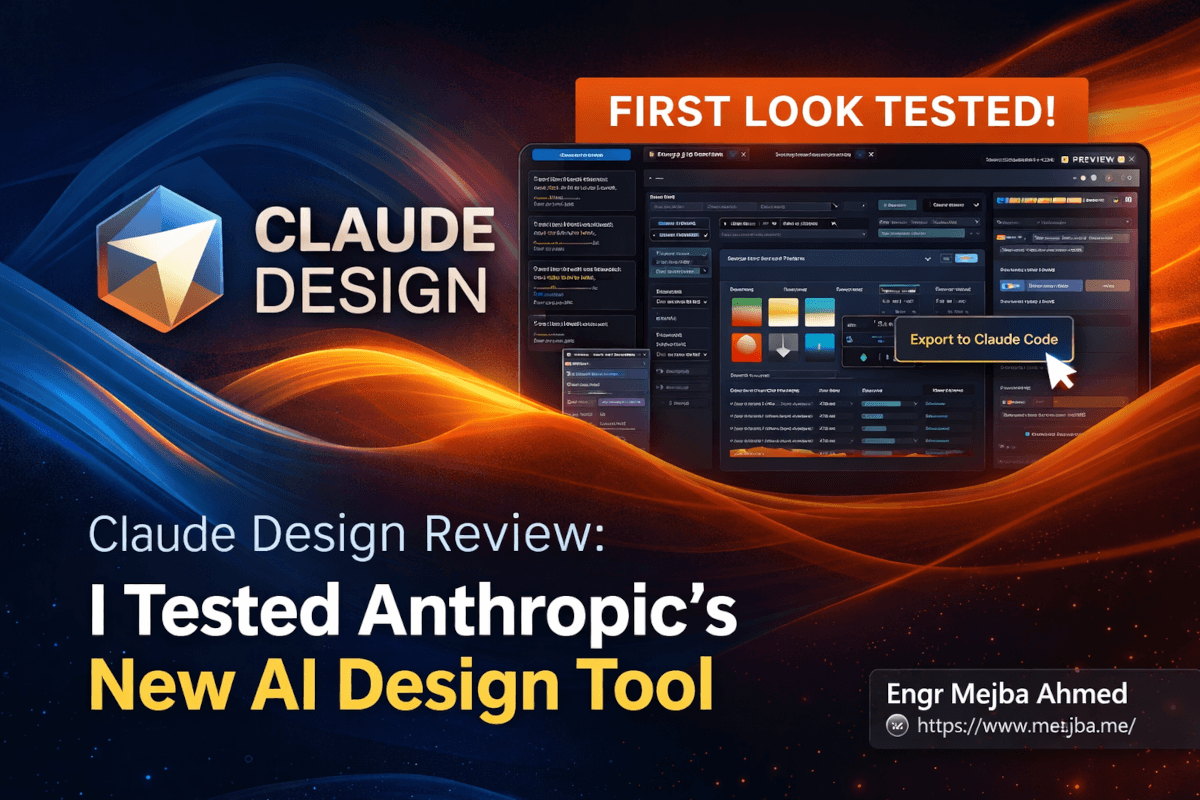
Seven minutes later I was staring at five variations. Light mode. Dark mode. Editable typography panels. A tweaks slider I could drag to push the color temperature warmer in real time. And a button that said "Export to Claude Code" — which, when I clicked it, handed me a working implementation bundle.
I've been testing AI design tools for two years. v0. Lovable. Figma Make. Every one of them has a rough edge that eventually tells you "this is a demo, not a tool." Claude Design has those edges too — I'll get to them — but the core idea is different enough that I need to walk you through what I actually saw, what it gets right, and the specific scenarios where it's going to eat someone's lunch.
Here's the thing about design tools from the companies that make the underlying models: they almost always work. Not because they're magical. Because the company building the tool has visibility into the model's actual strengths — the things the wrappers built on top of the API are blind to. That's the story of Claude Design, and it's why the reactions have been louder than anyone expected.
What Anthropic Actually Shipped
Claude Design lives at claude.ai/design. You need a Pro, Max, Team, or Enterprise subscription to access it — Free users are locked out entirely, which tells you something about who Anthropic thinks uses this. The tool is currently in research preview, which in Anthropic-speak means "ready enough for real work, not ready enough for us to make guarantees."
The engine running it is Claude Opus 4.7, the same model that's been quietly dominating agentic coding benchmarks since its release. What's different here is how the model's visual understanding has been wired into an interactive design surface, not a chat window. You're not typing prompts and getting back renders. You're working inside an environment where the artifact itself is editable, and every edit propagates to the underlying implementation.
The feature list sounds familiar on paper:
- Upload entire repositories or individual files as design starting points
- Generate mockups, interactive prototypes, slide decks, and one-pagers
- Multiple layout variations generated in parallel (typically 4-5 per prompt)
- Light and dark mode generated together by default
- A tweaks panel with custom sliders for typography, color, spacing, and background
- Direct inline editing of text, styling, and layout elements
- Export to Canva, PDF, PowerPoint, static HTML, ZIP, or a Claude Code bundle
- Design system extraction from your codebase (reads your tokens, components, typography)
- Annotation and drawing tools for feedback
- Full-screen presentation mode for pitching work
Read that list and it sounds like a competitor to everything. Figma. Canva. v0. Lovable. And that's kind of the point — Anthropic isn't trying to fit into an existing category. They're building the bridge between "describe what I want" and "give me code I can ship" without forcing you to pick one side.
But the feature list misses what actually makes this tool interesting. Let me show you that next.
The Feature Nobody's Talking About: Flow Editing
Every article I've read about Claude Design focuses on the outputs — the prototypes, the slides, the export options. Those are the visible stuff. The actual insight is something Anthropic calls "flow editing," and it's what separates this tool from every AI design tool that came before it.
Here's the mental model. Traditional design tools separate design from implementation with a hard wall. You design in Figma, then a developer translates the Figma file into code, and by the time it ships, the implementation drifts from the design because translation is lossy. AI tools like v0 collapsed that wall by generating code directly — but they treated the design as a byproduct of the code, not a first-class artifact.
Flow editing treats the design artifact and the implementation as the same object viewed from different angles. When I drag a slider to change the color temperature, I'm not just modifying a visual preview. I'm modifying a design decision that propagates down into the generated code. When I export to Claude Code, what I get isn't "code that approximates this design." It's the code that is this design, because the design was never separate from the code to begin with.
This matters in a way that's hard to appreciate until you've lived through a few design-to-dev handoff cycles. If you're an engineer who's ever opened a Figma file and thought "how the hell am I supposed to build this with the component library we already have?" — flow editing is the answer. The design can't drift from reality because it was generated from reality.
I tested this the way I test everything: by trying to break it. I uploaded a Laravel-backed dashboard with an existing Tailwind-based design system, and asked Claude Design to "redesign the analytics section using our existing components." Other tools would have ignored my existing tokens and given me something generic. Claude Design read my tailwind.config.js, identified my color palette, pulled out my custom spacing scale, and generated three variations that all used my existing design system. Not approximations. My actual tokens.
That's the move. That's what's going to hurt Figma.
What I Actually Tested — Four Real Projects
I don't trust first-impressions reviews of AI tools. The real test is: can you put it through a week of actual work and still want to open it on day eight? So I ran four different project types through Claude Design over three days and paid attention to what held up.
Test 1: Website Redesign From an Existing Repo
I grabbed an internal benchmark dashboard I'd been using to track Opus vs Sonnet performance across my agent workflows — an ugly, functional Next.js app with minimal styling. Uploaded the whole repo. Asked for a redesign.
Claude Design did something none of the other tools do: it interviewed me first. Not a generic chat. A targeted Q&A with maybe eight questions. "Who's the primary audience for this dashboard — technical users running benchmarks, or executives reviewing results?" "Should the dark mode be the default?" "Do you want the data density closer to a Bloomberg terminal or to Linear's style?" "What's the most important action a user should take on the landing view?"
Every question was one I would have asked if I were the designer. That was the first moment I realized the interview isn't just UX theater — it's the model narrowing its own solution space in public. By the time the questions were done, the output was going to be dramatically more aligned with what I actually wanted, because the model knew things it would have had to guess otherwise.
Seven minutes later, five variations. My favorite was a Linear-inspired dark dashboard with monospace data tables and a left sidebar I hadn't asked for but immediately recognized as correct. I dragged the "data density" slider from normal to dense. It tightened the rows, shrunk the typography, and added alternating row backgrounds — all coherently, without breaking anything else.
I exported to Claude Code. The bundle it produced was clean TypeScript, typed component interfaces, Tailwind classes that matched my existing config, and a brief implementation note explaining three decisions it made that weren't obvious from the design. If you've ever read a handoff doc from a designer, this was better.
Test 2: Animation Generation
I wanted to see if the tool could handle something it wasn't obviously built for. So I asked for an animated timeline showing Anthropic's model releases from 2023 onward, with SWE-bench scores rising over time. Specifically I wanted an 8-bit monkey character climbing up the chart as the years progressed — because stupid prompts are how you find real limits.
Forty seconds. It produced a dynamic timeline with a genuine pixel-art monkey, zoom effects as each year passed, and a subtle parallax on the background. The animation wasn't After Effects quality. But it was presentation quality. If I'd dropped it into a keynote about AI coding benchmarks, nobody would have questioned whether a designer made it.
The limitation showed up when I asked for finer control. "Make the monkey pause for 200ms on 2024 Q4." It understood the request, but the output's timing was approximate — not precise. This is an ideation tool, not After Effects. Know what it's for.
Test 3: Slide Deck About Model Performance
I uploaded a spreadsheet of benchmark scores and asked for a deck showing how frontier model performance has shifted since 2023. I wanted something I could actually use in a talk, not a filler deck.
Claude Design generated twelve slides. Cohesive typography. A consistent color system that felt intentional, not generated. Chart types appropriate to the data — a line chart for performance over time, small-multiple grids for cross-model comparison, a single hero stat on the intro slide. The kind of decisions a senior designer makes that you only notice when they're wrong.
I exported to PowerPoint. This is where the seams showed. The PPTX file opened correctly, slide structure preserved, but the typography drifted slightly — some fonts substituted with system fallbacks, a few of the custom chart layouts flattened into static images rather than editable PowerPoint charts. For a pitch deck you're going to present as-is? Fine. For a deck a team needs to edit and extend? You're going to spend an hour cleaning it up.
Better workflow: export to HTML or PDF and use it as a static deliverable. The PowerPoint export is impressive for what it is, but not pixel-perfect.
Test 4: Travel Globe With a Specific Aesthetic
The weirdest prompt I tried. "Build me a travel itinerary page with a rotating 3D globe animation, styled like a 1950s Paris tourism poster." I was genuinely curious whether the model would treat "1950s Paris poster" as a coherent aesthetic or just slap some beige on it.
It understood the aesthetic. Muted ochre-and-teal palette. Serifs with the right vintage weight. A globe animation that rotated slowly with city labels fading in sequentially. The illustrations weren't generated images — they were CSS-and-SVG compositions that felt hand-crafted. I sat there longer than I should have admitting that a model had nailed a specific visual reference I wouldn't have been able to brief a human designer into without a mood board.
I exported this one to Claude Code and kept working on it in Cursor. The code was structured well enough that I extended it with real API data from a travel service without fighting the generated scaffolding.
The Interview System Is the Sleeper Feature
Four tests in, the pattern that stood out most wasn't any single output. It was how every project started with the interview.
Every other AI design tool I've used treats the initial prompt as the entire design brief. You type "modern SaaS landing page" and it generates something. If it's wrong, you iterate. Claude Design doesn't do that. It asks you questions before generating, and those questions are chosen to maximize information gain — the thing the model can't figure out on its own and needs you to disambiguate.
This is a structural advantage that compounds. When the first output is closer to what you wanted, you spend less credit on iteration. When you spend less credit on iteration, you get more done per session. When you get more done per session, you use the tool more often. It's not a feature. It's a loop.
The interview isn't even that long. Usually 6-10 questions, all tightly scoped. "Fast, personal, trustworthy — pick two." "Is this for mobile-first or desktop-first users?" "Show me a site whose style you like." You finish the interview in two minutes and the model has narrowed its solution space by maybe 80%.
If you've read my post on design-to-code workflows with Claude Code, you've seen me make this argument in a different context: the limiting factor for AI design isn't the model's capability. It's the quality of the brief. Claude Design is the first tool I've seen that treats brief-gathering as part of the product experience instead of an afterthought.
This is also where I think most Figma Make users are going to struggle when they try Claude Design. They'll expect "type prompt → get design" and instead get "answer questions → get design." That friction is going to turn some users off. It's also what makes the tool work.
How It Stacks Up Against v0, Lovable, and Figma Make
I've put serious time into all three of these. Here's the honest comparison, which is more nuanced than "Claude Design wins."
v0 by Vercel is a code-first tool. You describe a UI in plain language, it generates React and Tailwind, and the output is optimized for Vercel's ecosystem. It's phenomenal for React developers who want to iterate on components fast. Where it loses to Claude Design: it's locked to React, it doesn't play well with existing design systems in other stacks, and there's no real design artifact — just code that renders.
Lovable goes further up the stack. It's trying to be a full-app builder, including deployment. For indie hackers and non-technical founders building MVPs, Lovable is excellent. Where it loses to Claude Design: it's more opinionated about the output, harder to integrate into existing codebases, and the design quality leans toward "functional" rather than "polished." Claude Design stops short of deployment, which is a feature if you want to own your deploy pipeline — which most production teams do.
Figma Make is the closest direct competitor conceptually. Both generate designs from prompts with a visual interface. Where Claude Design pulls ahead: better design system extraction from existing codebases, more variations per prompt, and — critically — native handoff to Claude Code. Figma Make's handoff story is still "here's a Figma file, good luck." Where Figma Make holds the line: real multiplayer collaboration with shared cursors and live comments. Claude Design doesn't have that yet.
If you want a fuller take on the Figma-side of this comparison, I wrote about it here: Figma Make: Build Production Design Systems with AI.
The honest positioning: Claude Design is the best tool I've used for the ideation-through-prototype phase of a project when you're working in a codebase and want the handoff to be lossless. It's not the best tool for real-time multiplayer design reviews. It's not the best tool for final brand identity work. It's not a replacement for Figma if your team lives in Figma all day. It's a replacement for the 60% of design work that shouldn't have been happening in Figma to begin with.
What It Gets Wrong
Every tool review that doesn't have a "where it breaks" section is marketing, not a review. Here's what I ran into across three days of actual use.
The separate credit allotment burns fast. Claude Design has its own usage pool, independent from your Claude chat and Claude Code allotments. Heavy generative tasks — especially the ones involving animation or complex layouts — eat through credits quickly. I ran through my daily limit on a Pro plan within about two hours of focused work. The reset timing is also murky; the UI tells you when your limit resets but the documentation around rollover behavior is inconsistent. If you intend to use this more than a few times a week, plan for Max or Team tier pricing. Don't assume your current Claude subscription covers it.
Research preview rough edges are real. This is a day-one product and it shows. I had the tweaks panel freeze twice. One of my exports to HTML produced a file where the dark mode toggle didn't actually swap stylesheets — I had to fix it manually. The annotation tools have some latency on larger artifacts. None of this is a dealbreaker. All of it will be filed under "expected growing pains" in six months. For now, save often and don't trust the first export.
PowerPoint export isn't pixel-perfect. Covered this in the slide deck test above. The fidelity loss going from Claude Design to PPTX is real, especially for custom chart layouts and non-standard typography. Use the PDF or HTML export for anything that matters visually. PowerPoint is a "rough editability" path, not a production deliverable.
This is not a final-build tool. Claude Design is explicitly positioned for ideation, design system creation, and prototype animation. It's not trying to be your production frontend builder. If you try to take a Claude Design output from prompt to shipped product without involving a human engineer, you're going to run into component architecture decisions the tool doesn't make well. Use it for what it's for.
No real-time collaboration. If your team reviews designs together in shared sessions the way Figma enables, Claude Design will feel lonely. You can share URLs, save to folders, export files — but you can't have three people on the same artifact at the same time with cursors. Anthropic will ship this eventually. For now, it's the biggest structural gap.
Who Should Use This Right Now
Practical recommendations based on three days of testing and a mental model of where each existing tool fits:
Use Claude Design if:
- You're an engineer or full-stack builder who needs design-quality output from your own codebase
- You work on ideation, prototypes, or design system creation more than final branding
- You want zero friction between design and implementation (the Claude Code handoff alone justifies it)
- You already pay for Claude Pro or Max and are using it for AI-assisted development
Stick with Figma if:
- Your team does real-time collaborative design reviews as a core workflow
- You rely heavily on the Figma plugin ecosystem (FigJam, handoff tools, etc.)
- Your designers are already deep in the Figma toolchain and a migration cost isn't worth it
Use v0 if:
- You're building React-first components and don't care about any other stack
- You want the fastest path from idea to a deployed Vercel preview
Use Lovable if:
- You're a non-technical founder trying to ship an MVP end-to-end
- You don't have a code review or deployment pipeline and don't want one
I'll be keeping Claude Design in my active rotation alongside Claude Code. The combination is the first design-to-code loop that's actually felt like one tool rather than two tools pretending to talk to each other.
What This Means For the Design Tool Market
Let me zoom out for a second. The Figma stock reaction wasn't an overreaction. It was a market correctly pricing in the thing that should have been obvious: when the company making the underlying model decides to compete with the tools built on top of it, the tools built on top of it have a problem.
This isn't about Claude Design specifically being the best design tool ever built. It isn't. It's about the fact that Anthropic can now ship features at the pace of model releases, with design decisions informed by what the model is actually good at — and every competitor has to either match them or differentiate on something orthogonal.
Figma's path forward is collaboration depth and designer-specific workflows. v0's path forward is deeper React ecosystem integration. Lovable's path forward is the non-technical end of the market where deployment matters more than code quality. But the middle of the market — AI-assisted design for engineers who ship production code — is a market Claude Design just claimed with a credible first release.
If you're building on top of frontier AI models right now, this is a preview of what's coming to your category too. The company shipping the model will eventually ship the obvious app. Build something they can't ship.
The Bigger Play
Here's what I think Anthropic is actually doing, which nobody in the coverage has stated clearly yet.
Claude Design isn't a design tool. It's a wedge into the product-building workflow. The sequence of moves makes sense once you see it: Claude Code captured the code-writing workflow. Agent Skills captured the automation workflow. Claude Design captures the ideation-and-prototype workflow. Every one of these tools hands off to the others seamlessly because they're all running on the same model from the same company.
What Anthropic is building isn't a collection of products. It's an operating system for building software with AI, where every step of the creative and technical process runs on Claude and the handoffs are native. Claude Design is the piece that closes the loop at the "what should we even build" end of the workflow.
If you only try one new Anthropic product this month, this is the one. Not because it's the most polished — it isn't — but because it's the one that changes what you can get done on a Tuesday afternoon when you have an idea and two hours to turn it into something you can show someone.
Claude Design: Questions From My First Look
What is Claude Design and how do I access it?
Claude Design is Anthropic's new AI-powered design and prototyping tool, available at claude.ai/design. Access requires a Claude Pro, Max, Team, or Enterprise subscription — Free users are locked out. The tool is currently in research preview with phased rollout, so expect intermittent availability on the first invite waves.
Which Claude model powers Claude Design?
Claude Design runs on Claude Opus 4.7, Anthropic's current flagship model optimized for visual understanding, long-context reasoning, and agentic coding. The same model powers Claude Code, which is why the design-to-code handoff is native rather than an afterthought.
Does Claude Design replace Figma?
Not yet. Claude Design outperforms Figma for AI-generated ideation, prototyping, and design system extraction from existing codebases. Figma still wins for real-time multiplayer collaboration with shared cursors and live comments. For most teams, this means using both — Claude Design for fast ideation and Figma for collaborative design reviews. See the full breakdown in the comparison section above.
Can I export Claude Design projects to code?
Yes. Claude Design exports directly to Claude Code as an implementation bundle, or to static HTML, ZIP, PDF, PowerPoint, and Canva. The Claude Code export is the lossless path — the generated code matches the design exactly because both are produced from the same model context.
Is Claude Design worth the usage credits?
For heavy users, you'll likely need Max tier pricing rather than Pro. Claude Design uses a separate credit allotment from Claude chat and Claude Code, and complex generations (especially animations) consume credits quickly. Plan for Max if you expect to use it more than a few times per week.
Whether Claude Design Is Worth Your First Look
My first hands-on with Claude Design, powered by Opus 4.7, showed a tool that genuinely does something new — a visual design surface wired into Claude — with the rough edges you'd expect from a first release. It wins on integration; it stumbles on polish.
Spend an hour with it on a real design task before you judge the category. First looks age fast, but the direction here is clear.
If you want help wiring design-and-code workflows for your team, that's work I take on through Ramlit. What it does and where it breaks is above.