
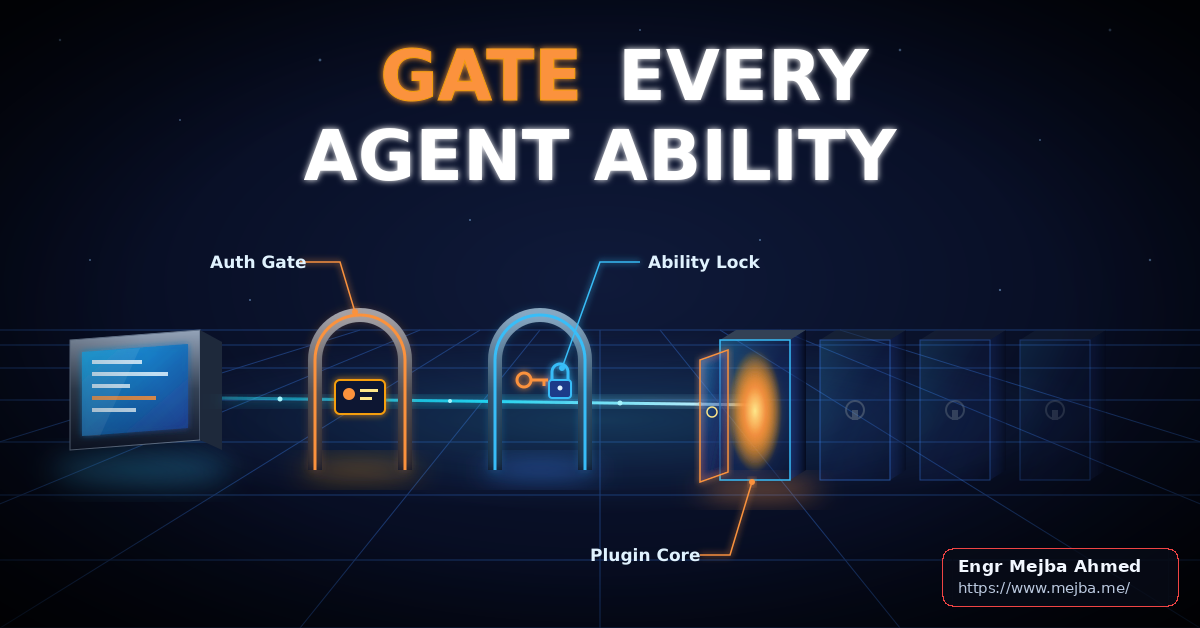
When you connect an AI agent to WordPress through the official MCP Adapter, a loose permission design can let any connected account run site actions through a model. This guide shows how to decide which abilities to expose, how to map each one to a required WordPress capability with deny-by-default logic, and how to test that low-privilege accounts are refused.
The WordPress MCP Adapter connects the Abilities API to the Model Context Protocol, so MCP clients can discover and invoke plugin, theme and core abilities programmatically. That reach is the reason to design permissions before you expose anything.
Where the Authorization Boundary Sits When an Agent Calls WordPress
The adapter's README states that WordPress abilities automatically become MCP tools, resources and prompts. The underlying Abilities API describes its scope as discovery, permissioning and execution metadata. Business logic stays inside the component that registers the ability. One of its stated design goals is "Security-first": explicit permissions decide who or what may invoke an ability.
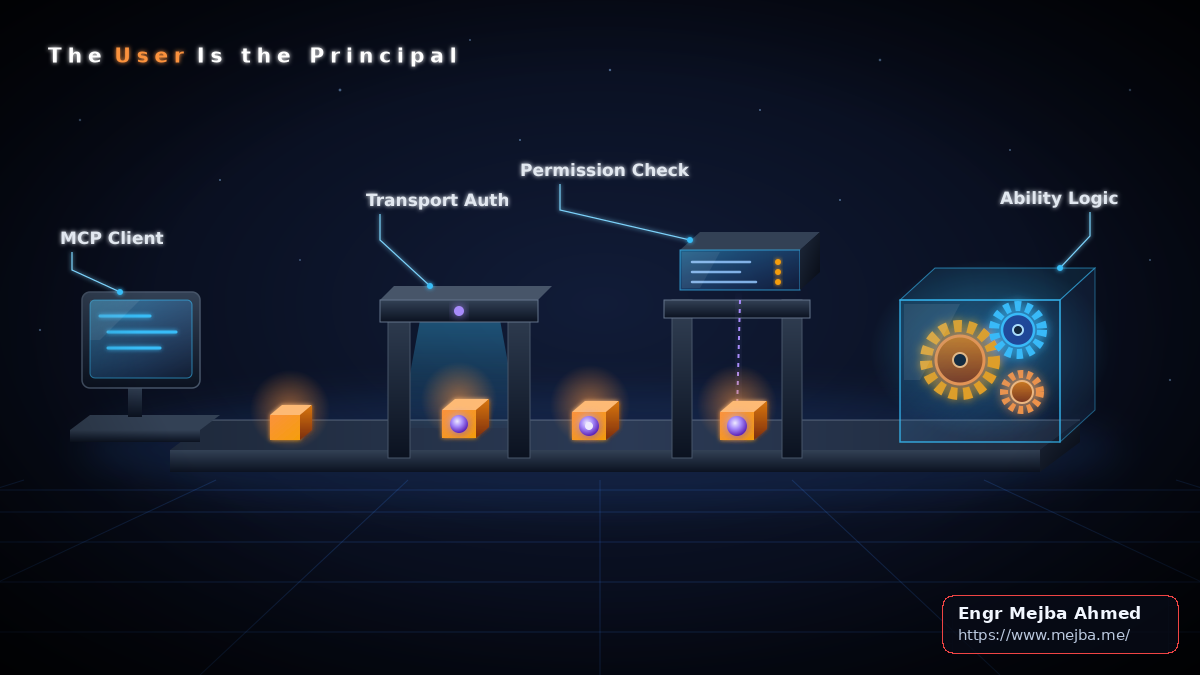
The adapter README lists two permission layers as features: transport authentication for each server and a permission check for each ability. Picture a request passing through both layers before it reaches your code:
MCP client (desktop app, IDE, custom agent)
  -> transport (HTTP route or WP-CLI over STDIO)
  -> transport authentication: which WordPress user is this?
  -> per-ability permission check: may this user run this ability?
  -> ability logic (your plugin code)
Design recommendation: treat the WordPress user that the connection authenticates as the principal. The agent is not the principal. A model has no role or capabilities of its own. It acts with whatever account the transport resolves. So the question to ask is "what may this user do?" and not "what may Claude do?" If you bind an agent to an administrator account for convenience, every exposed ability runs with administrator rights, whatever the prompt says.
This framing differs from setups where a third-party plugin owns the connection and its own permission model. For a contrasting setup, see Connect Claude to WordPress with Novamira (Free Setup).
Opt-In Exposure: Private by Default, meta.public, and the Three Meta-Tools
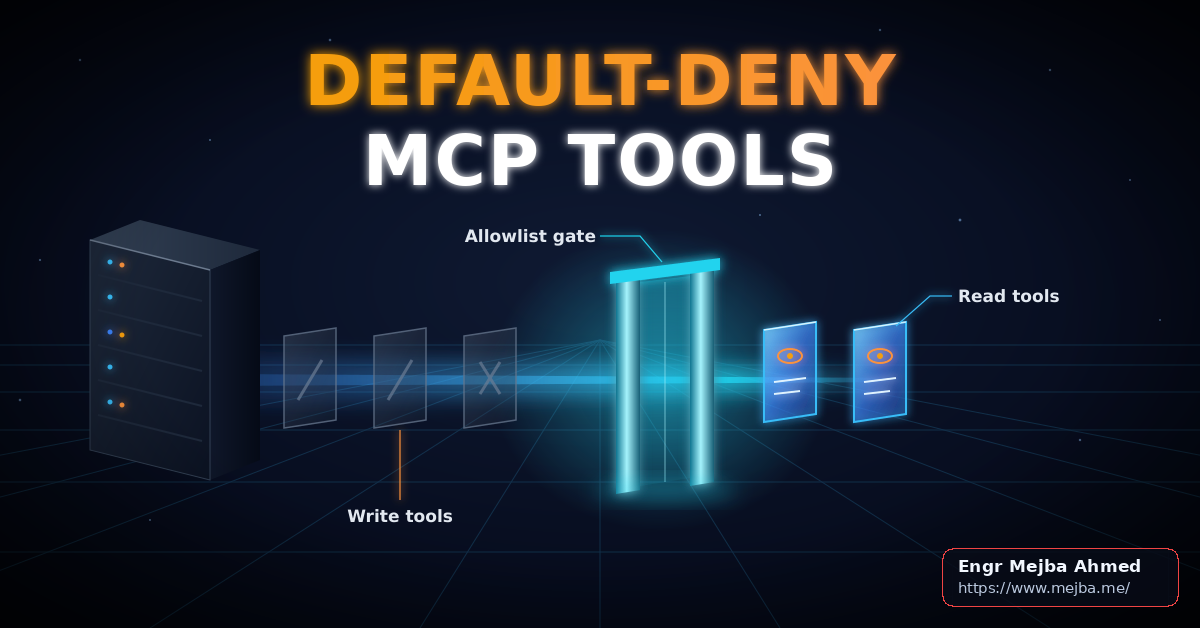
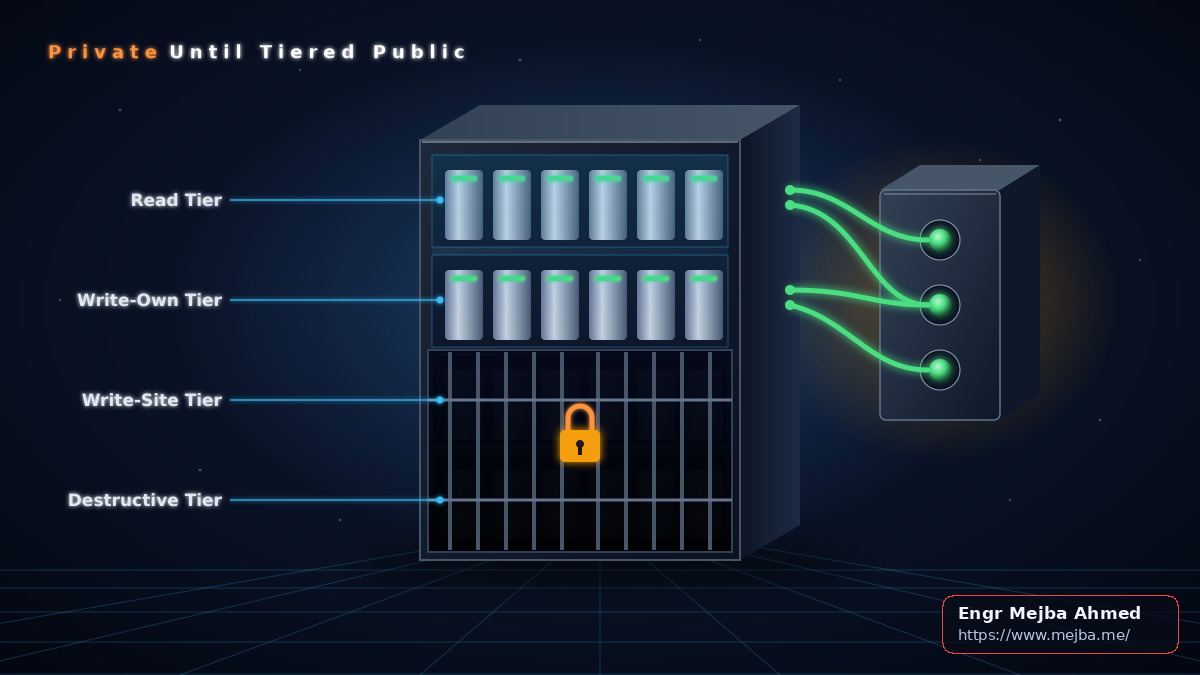
The adapter README is explicit about exposure: "WordPress abilities are private by default." To expose an ability, you set meta.public (or meta.mcp.public) to true. Clients then reach it through the default server's three meta-tools:
mcp-adapter/discover-abilitiesmcp-adapter/get-ability-infomcp-adapter/execute-ability
Because the default is private, exposure is a decision you make for each ability. Make that decision with a written policy, not one flag at a time across several plugins.
Design recommendation: give every ability a risk tier before it is registered. Use four tiers: read, write-own (changes content the user owns), write-site (changes site-wide settings) and destructive (deletes or cannot be undone). Then derive the public flag from the tier:
// Design recommendation: exposure policy, decided before registration.
$ability_policy = [
    'myplugin/list-drafts'          => ['tier' => 'read',        'cap' => 'edit_posts'],
    'myplugin/update-own-draft'     => ['tier' => 'write-own',   'cap' => 'edit_posts'],
    'myplugin/change-site-title'    => ['tier' => 'write-site',  'cap' => 'manage_options'],
    'myplugin/delete-all-revisions' => ['tier' => 'destructive', 'cap' => 'manage_options'],
];

$exposed_tiers = ['read', 'write-own'];

function exposure_meta(string $name, array $policy, array $exposed_tiers): array {
    $entry = $policy[$name] ?? null;
    if ($entry === null || !in_array($entry['tier'], $exposed_tiers, true)) {
        return ['public' => false]; // stays private, matching the adapter default
    }
    return ['public' => true];
}
In this policy, only read and write-own abilities get public => true. write-site and destructive abilities stay private, and so does any ability missing from the policy. Merge the returned array into the ability's meta when you register it, using the registration call that your installed version documents in the adapter's Creating Abilities guide, listed in the adapter documentation index. The capability strings are example values. Confirm them against the roles on your site.
One question stays open: whether discover-abilities filters its list by the calling user's permissions. If it does not, a subscriber could see that update-own-draft exists even when execution is refused. That may be acceptable, but you should know it. The test section below checks this behavior directly.
The tradeoff is real. Every ability you keep private makes the agent less useful, and teams often relax the policy under pressure to "just let it do more." Write the tier next to each entry so that relaxing it is a visible code change. For a parallel way of thinking about agent permission tiers, see Claude Code Auto Mode: I Tested the New Permission System.
Designing Per-Ability Checks Around WordPress Capabilities
Exposure decides whether an ability can be reached. The per-ability permission check, which the adapter README lists as a feature, decides whether a specific user may run it. Keep the two separate. A public flag does not replace a permission check.
Design recommendation: write one deny-by-default function that reads the same policy array and returns true only when every condition passes:
// Design recommendation: deny-by-default permission logic.
// Wire this into the permission hook your Abilities API version documents.
function agent_may_run(string $ability, int $user_id, array $policy, ?int $object_owner = null): bool {
    $entry = $policy[$ability] ?? null;
    if ($entry === null) {
        log_denial($ability, $user_id, 'unknown ability');
        return false;
    }
    if ($user_id === 0) {
        log_denial($ability, $user_id, 'not logged in');
        return false;
    }
    if (!has_capability($user_id, $entry['cap'])) { // map to your site's capability check
        log_denial($ability, $user_id, 'missing ' . $entry['cap']);
        return false;
    }
    if ($entry['tier'] === 'write-own' && $object_owner !== $user_id) {
        log_denial($ability, $user_id, 'not owner');
        return false;
    }
    return true;
}
The function refuses four cases in order: abilities missing from the policy, requests with no logged-in user (user ID 0), users without the required capability, and write-own calls where the target object belongs to someone else. If the owner is unknown (null), the ownership comparison fails and the call is denied. That is the safe direction to fail. has_capability and log_denial are placeholders. Replace the first with your site's capability check. Route the second to a logger.
The ownership step matters because capabilities are coarse. A capability such as edit_posts says the user may edit posts in general. It says nothing about whether this user may edit this particular draft. Without an ownership check, a write-own ability quietly becomes a write-site ability for every account with that capability.
For logging, the README states that error handling and observability are pluggable through McpErrorHandlerInterface and McpObservabilityHandlerInterface. A custom observability handler is a natural place to send denial events, so you can see repeated refusals from one account. Implement it against the interface your installed version ships.
Design recommendation: run a dedicated agent-facing server. The README states that the adapter can run multiple MCP servers, each with its own transports, abilities and handlers. Keep the default server minimal, and register the agent's ability set on a separate server with its own observability handler. Revoking agent access then means changing one server's configuration instead of auditing flags across plugins. The cost is one more server definition to maintain and document. For a comparable approach in another stack, see How to Configure MCP Server & Permissions for Codex CLI in Laravel.
Proposed Test: Editor vs Subscriber Against Your Server
This section is a proposed test plan, not a set of results. Run it on a staging copy of your site and record what actually happens.
Prerequisite you must set up yourself: per-user authentication. The README states that clients connect either through WP-CLI over STDIO or by pointing an HTTP client at /wp-json/mcp/mcp-adapter-default-server. Before testing, configure how the HTTP route authenticates a specific WordPress user, or how the WP-CLI STDIO command runs as a specific user. Check both against the Transport Permissions and CLI Usage guides in the adapter documentation index for your installed version. If you cannot make a connection act as a chosen user, the test cannot tell roles apart. Fix that first.
Proposed steps:
- Create two accounts: one with the editor role and one with the subscriber role.
- As each user, call
mcp-adapter/discover-abilities. Save both lists and note whether they differ. This answers the open question from the exposure section. - As each user, call
mcp-adapter/execute-abilityon onewrite-ownability, such asmyplugin/update-own-draft, targeting a draft the editor owns. - Repeat step 3 with no authentication at all.
- As the editor, try to execute an ability that is not public, such as
myplugin/delete-all-revisions. - As the editor, run the
write-ownability against a draft owned by a different account.
Expected outcome under the recommended design: the editor succeeds in step 3 on their own draft. The subscriber, the unauthenticated call, the non-public ability and the cross-owner edit are all refused. Record each actual response body and status as returned. Do not assume a particular error code. If any refused case succeeds, stop and trace which layer let it through: transport authentication, exposure or the per-ability check.
Repeat this test after every adapter upgrade, because the project publishes migration guides for v0.3.0, v0.5.0 and v0.7.0. Infrastructure hardening is a separate layer from these checks. For that side, see How to Secure Your WordPress EC2 Server: OpenSSH 9.3p2, SSH Hardening, Admin Lockdown, TLS & WPScan.
FAQ
Are WordPress abilities exposed to MCP clients automatically?
No. The adapter README states that abilities are private by default until meta.public or meta.mcp.public is set to true.
Does marking an ability public mean anyone can run it? The README lists transport authentication for each server and permission checks for each ability as available layers. It does not describe their defaults. Confirm your transport's authentication settings in the Transport Permissions guide, and write an explicit permission check for every public ability instead of relying on defaults.
Which version of the documentation should I follow? The one that matches your installed adapter. The standalone abilities-api repository was archived on Feb 5, 2026 and is read-only. The adapter publishes migration guides for v0.3.0, v0.5.0 and v0.7.0, so behavior can differ between versions.
Can different agents get different ability sets? Yes. The adapter supports multiple MCP servers, each with its own transports, abilities and handlers. You can give each agent its own server and its own policy.
Should the agent connect as an administrator? Under the design in this guide, no. The connected user's capabilities set the upper limit on what the agent can do, so use a dedicated account with only the capabilities your exposed abilities require.
Lock Down Your Agent-Facing Abilities This Week
Work through this checklist on staging, then on production:
- List every ability that currently has
meta.publicormeta.mcp.publicset totrue. - Assign each ability a risk tier and a required capability in one policy array.
- Remove exposure from every
destructiveability, and fromwrite-siteabilities on the default server. - Route every permission check through one deny-by-default function with an ownership step for
write-ownabilities. - Confirm how your transport authenticates users in the Transport Permissions and CLI Usage guides.
- Move agent traffic to a dedicated server with its own observability handler for denials.
- Run the editor-vs-subscriber test, save the raw responses, and rerun it after each adapter upgrade.
If you package these abilities in your own plugin, see Building a Custom WordPress Plugin: Step-by-Step Guide for Beginners.
Planning this for a production app? See AI Integration for Laravel & WordPress — OpenAI & Claude.