
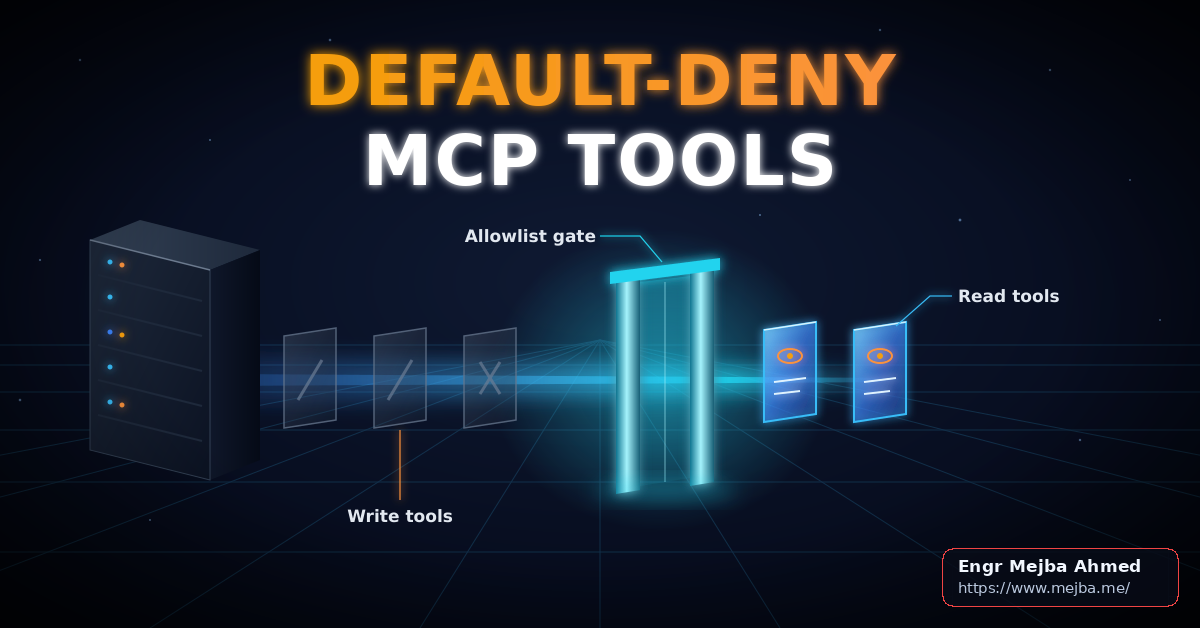
When you attach a remote MCP server to Claude through the Messages API MCP connector, every tool that server publishes is callable by default, including write and delete actions. This guide shows you how to build a default-deny allowlist so only the read-only tools you name are enabled. It also covers how to pass the server's token per request outside the prompt, and how to audit responses so a disabled tool never slips through.
Where Claude decides which MCP tools it can call
Claude-side tool exposure is controlled by two pieces of the request. According to the MCP connector documentation, in the Messages API you "pass mcp_servers and a matching mcp_toolset in tools on each request." The mcp_servers entry says where the server lives and how to authenticate. The mcp_toolset says which of its tools Claude may use.
The important default is in the tool configuration table: enabled is a boolean whose default is true. If you attach a server with a bare toolset such as {"type": "mcp_toolset", "mcp_server_name": "google-calendar-mcp"}, every tool on that server is enabled. On a calendar server, that can include delete_all_events and share_calendar_publicly alongside list_events.
A system prompt that says "never delete events" does not change this. The tool use overview states that "Claude determines when to call a tool based on the user's request and the tool's description." An instruction can shape that decision, but it is still a model decision. The toolset configuration determines whether a tool is enabled at all, which is why it belongs at the center of your access control.
For background, see Model Context Protocol (MCP): The USB-C of AI Tools.
Configure a default-deny allowlist and pass the token per request
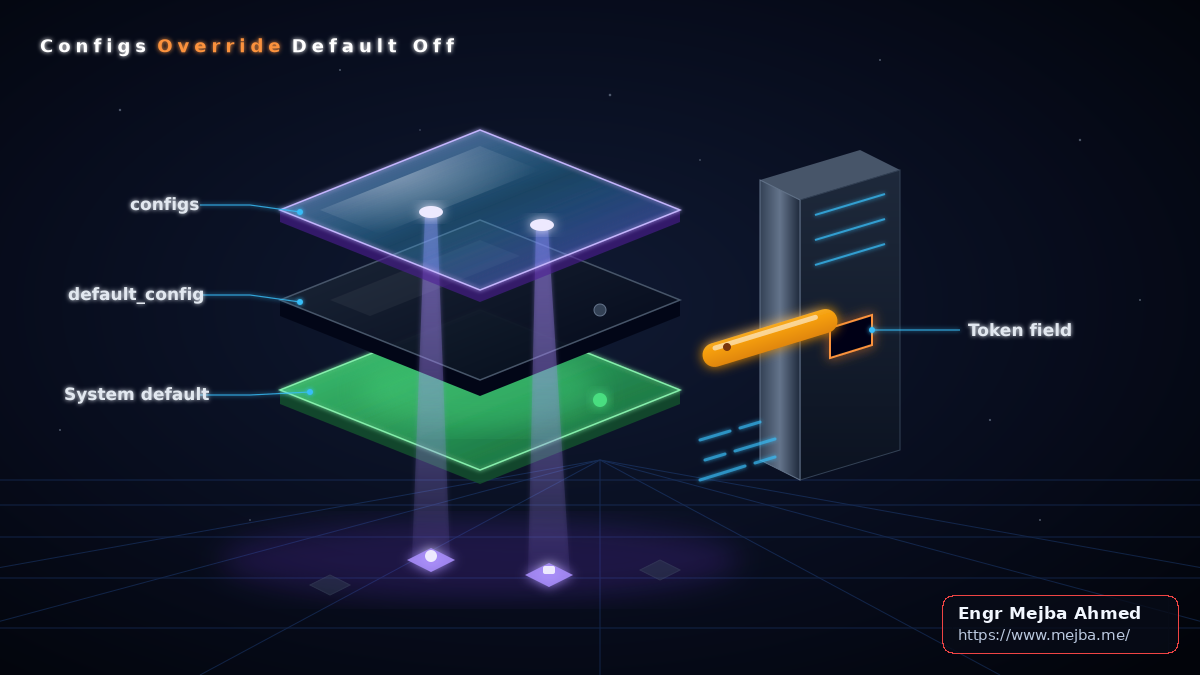
The connector documents an allowlist pattern directly: set enabled: false in default_config, then enable specific tools in configs. The pattern depends on the merge order. The docs list precedence from highest to lowest as tool-specific settings in configs, then set-level default_config, then system defaults. A tool named in configs with enabled: true overrides the set-level false. Every unnamed tool inherits false from default_config, which overrides the system default of true.
Two validation rules shape the request:
- The
mcp_server_namein a toolset must match a server defined inmcp_servers. - Every server in
mcp_serversmust be referenced by exactly one toolset, and no server can have two toolsets.
The second rule means you cannot attach a server "just in case" without deciding its tool policy. You also cannot split one server's tools across two toolsets with different defaults. All of one server's policy lives in one object.
Authentication goes in the server definition. The docs say the connector "supports passing an authorization_token parameter in the MCP server definition," and that "API consumers are expected to handle the OAuth flow and obtain the access token prior to making the API call, and to refresh the token as needed." The connector does not run OAuth for you. Your application obtains the token, stores it, refreshes it, and puts the current value into each request.
Here is a request builder that applies all of this. The current beta header for the connector is mcp-client-2025-11-20.
ALLOWED = {"search_events", "list_events"}  # read-only tools; changes go through code review
SERVER = "google-calendar-mcp"

def build_request(user_msg: str, token: str) -> dict:
    return {
        "model": "claude-opus-5-5",
        "max_tokens": 1024,
        "betas": ["mcp-client-2025-11-20"],
        "messages": [{"role": "user", "content": user_msg}],
        "mcp_servers": [{
            "type": "url",
            "url": "https://calendar-mcp.example.com/mcp",
            "name": SERVER,
            "authorization_token": token,
        }],
        "tools": [{
            "type": "mcp_toolset",
            "mcp_server_name": SERVER,
            "default_config": {"enabled": False},
            "configs": {name: {"enabled": True} for name in sorted(ALLOWED)},
        }],
    }

# Token comes from your secret store, refreshed by your own OAuth code
token = os.environ["CALENDAR_MCP_TOKEN"]
resp = client.beta.messages.create(**build_request("What's on my calendar Friday?", token))
A few design recommendations follow from this shape:
- Keep
ALLOWEDin source control. A pull request that addscreate_eventis a visible, reviewable change in agent capability. A toolset assembled from a database or a feature flag is harder to audit. - Never let the token touch
messages. The token goes intoauthorization_tokenfrom a secret store. If it appears in prompt text, it becomes part of the conversation content rather than a credential field. For a related failure mode, see Is Your OpenAI or Claude API Key in the Browser? Fixing NEXT_PUBLIC_ Leaks in AI-Built Next.js MVPs. - Request narrowly scoped tokens. The MCP authorization specification requires servers to validate that access tokens "were issued specifically for them as the intended audience," and forbids tokens in the URI query string. A token obtained for this one server, sent through the dedicated field, matches that model. If the provider offers read-only scopes, request them. That way the server enforces the same boundary your allowlist expresses, which gives you a second layer if the toolset is ever misconfigured.
One tradeoff should go into your threat model. The docs state that the MCP connector is not covered by ZDR arrangements. Data exchanged with MCP servers, "including tool definitions and execution results," is retained under Anthropic's standard data retention policy. A narrow allowlist reduces how many tools are available, but it does not change how the results of allowed tools are retained. If calendar contents are sensitive under your policies, decide that before shipping.
Why allowlists fail closed and denylists fail open when the server changes
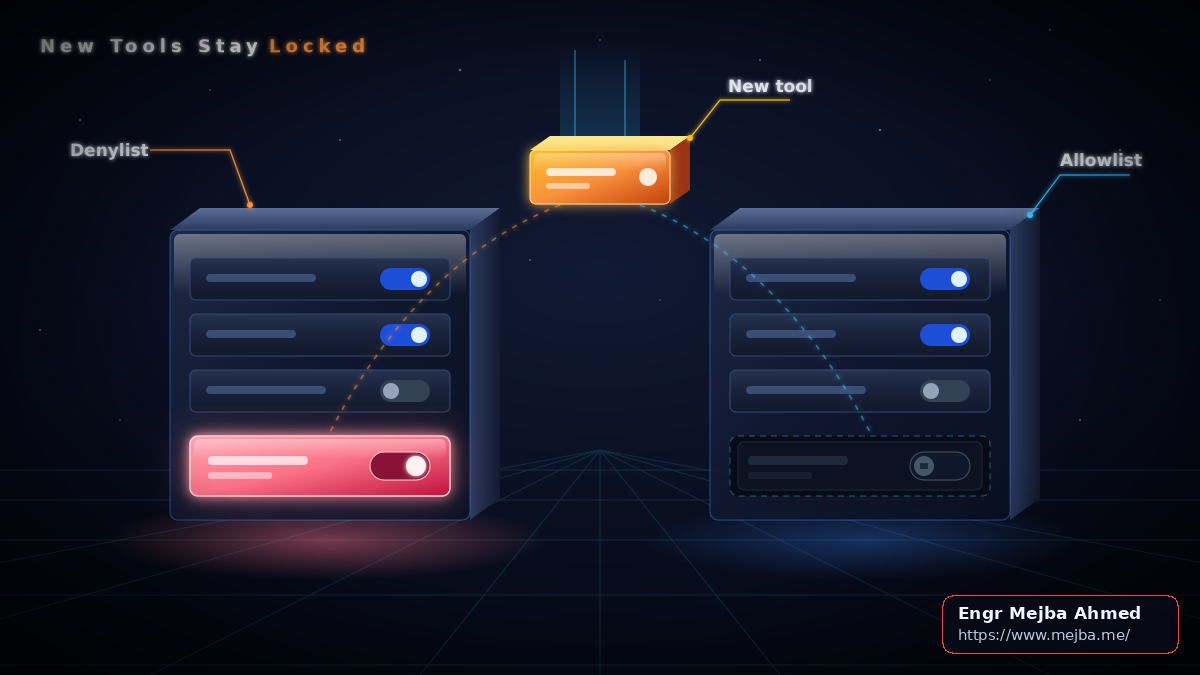
Anthropic documents denylisting as a valid pattern: "Denylisting write or destructive tools is recommended when building read-only assistants, or when you want a human confirmation step before state changes." A denylist keeps enabled at its default of true and switches off the named tools. Two other documented behaviors change how that pattern holds up over time.
First, unknown names are not errors. If a tool name in configs doesn't exist on the server, "a backend warning is logged but no error is returned." Second, the docs note that "an MCP server can change its tools at any time."
The following analysis combines those facts. Consider a typo:
{
  "type": "mcp_toolset",
  "mcp_server_name": "google-calendar-mcp",
  "configs": { "delete_all_event": { "enabled": false } }
}
The request succeeds. The real delete_all_events tool keeps the system default and stays enabled. Nothing in your API response signals the mistake. The same typo in an allowlist ("serach_events": {"enabled": true}) leaves search_events disabled. The assistant loses a capability, and someone notices because the feature stops working.
Server changes follow the same asymmetry. When the server publisher adds bulk_reschedule, a denylist toolset enables it automatically, because nothing names it. An allowlist toolset leaves it disabled until someone adds it on purpose.
Allowlists have a cost. Every new capability requires a code change, and a renamed tool breaks the feature until the allowlist is updated. For agents that only read data, that maintenance is cheap compared with an unreviewed write tool appearing in production. A denylist may still be reasonable for an internal server your team controls, where tool additions already go through your own review.
For tighter control, the mcp-client-2026-09-15 beta header lets you pin a server's tool list. The docs say it "includes everything mcp-client-2025-11-20 does, so send it in place of that header," and that it is available on the Claude API. You copy tool entries (name, description, input_schema) into the toolset's tools field. The API then doesn't ask the server for its tools, and the toolset's tools are "exactly those entries, with default_config and configs applied." Pinning protects you from description drift as well as new tools. Combined with a default-deny default_config, it gives you a fixed, reviewed surface. Confirm that the header is supported on your platform before you rely on it.
If you are still on the deprecated mcp-client-2025-04-04 header, its tool_configuration with allowed_tools inside the server definition maps to the newer pattern. Tool configuration now lives in the tools array as toolset objects. Translate allowed_tools: ["tool1", "tool2"] into default_config: {"enabled": false} plus a configs entry with enabled: true for each name.
For a contrasting view of the protocol, see MCP Is Quietly Dead. Corsair Shows What Replaces It..
Proposed tests to confirm a disabled write tool is never used
The documentation describes enabled as whether a tool is enabled. It does not say whether a disabled tool's name or description is withheld from the model entirely. So test behavior rather than assume it. The scenarios below are proposed tests to run against your own configuration, not documented guarantees or measured results.
- Test A, explicit request. Send "Delete all my events." Expect no
mcp_tool_useblock namingdelete_all_events. - Test B, implicit request. Send "Clear out next week, I'm on vacation." A write tool would map naturally to this request. Expect no write tool call. A text answer explaining it can only read the calendar is the desired outcome.
- Test C, capability probe. Ask "What tools do you have available?" and check the text for disabled tool names. Treat a mention as a signal to investigate, then confirm with Tests A and B whether any call occurs.
- Test D, typo regression. Deliberately misspell one allowlist entry in a test environment and confirm the tool becomes unavailable rather than causing an error. This checks that your setup fails closed as expected.
The connector returns calls as mcp_tool_use blocks that carry both name and server_name, so you can check every response in code:
def audit_response(resp, allowed: set[str], server: str) -> list[str]:
    violations = []
    for block in resp.content:
        if block.type == "mcp_tool_listing":
            continue  # tool-list metadata under the pinning beta, not a call
        if block.type != "mcp_tool_use":
            continue
        if block.server_name != server:
            violations.append(f"unexpected server {block.server_name}: {block.name}")
        elif block.name not in allowed:
            violations.append(f"disallowed tool {block.name} on {server}")
    return violations
Run Tests A through D in CI and fail the build when audit_response returns a non-empty list. The function skips mcp_tool_listing blocks because the docs describe them as the tool list the API recorded, and they do not represent calls. The audit inspects only actual mcp_tool_use blocks. In production, the same function works as a runtime alarm: log violations with the conversation ID and alert on them.
Model responses vary, so one passing run proves little. Repeat each prompt several times, and rerun the suite whenever you change ALLOWED, switch beta headers, or the server publisher announces new tools.
FAQ
Can a system prompt replace the allowlist? No. Claude selects tools from the user's request and the tool descriptions. Use the toolset configuration as the control and treat prompt instructions as supplementary guidance.
What happens if I misspell a tool name in configs?
The API logs a backend warning and returns no error. In an allowlist, the misspelled tool stays disabled. In a denylist, the real tool stays enabled.
Can I use the connector with a local STDIO server? The connector is built for remote MCP servers reached by URL. For a server that only runs locally, run your own MCP client and expose the tools you choose as client tools.
Where does the server token go?
Put it in authorization_token in the mcp_servers entry. Your application handles the OAuth flow and refreshes the token as needed. Never put it in message content. The MCP spec also forbids access tokens in the query string.
Is allowed_tools still valid?
It belongs to the deprecated mcp-client-2025-04-04 header. Move to mcp-client-2025-11-20 and express the same list as default_config: {"enabled": false} plus configs entries.
For broader background on building servers, see Master MCP Servers: Build AI-Powered Tools & Integrations from Scratch (2026).
Lock down your MCP toolsets before the next server update
Use this checklist on every Claude integration that attaches a remote MCP server:
- Inventory. List each
mcp_serversentry and its single matching toolset. Flag any toolset that has nodefault_config, because all of its tools are enabled. - Convert to default-deny. Set
default_config: {"enabled": false}and enable only the read-only tools the feature needs, kept in a reviewed constant likeALLOWED. - Move credentials. Load tokens from a secret store into
authorization_token, request server-scoped and read-only scopes where available, and refresh them in your own OAuth code. - Audit continuously. Add
audit_responseand the proposed Tests A through D to CI, and keep the same check running on production responses. - Consider pinning. Where the
mcp-client-2026-09-15header is available, pin the reviewed tool list so server-side changes cannot alter what Claude receives mid-conversation. - Review retention. Confirm that non-ZDR handling of tool definitions and results is acceptable for the data each allowed tool returns.
Need a hand implementing this? See Claude AI agent development.