The worst thing an AI agent ever did to my business was not delete a database or leak a key. It wrote content. Helpfully, confidently, and completely fabricated — and I published it. That incident is why I no longer think about agent security primarily as "what if it goes rogue." The realistic threat model for an AI employee is an eager worker with no fear of being wrong, standing access to your systems, and output that looks exactly like good work. Onboard it the way you'd onboard a human with those traits: least privilege from day one, probation before trust, and every consequential action reversible.
I run agents daily across my own Laravel platform and client infrastructure, and I founded a security company, so this guide is the intersection of both jobs: what actually failed, and the containment framework that came out of it.
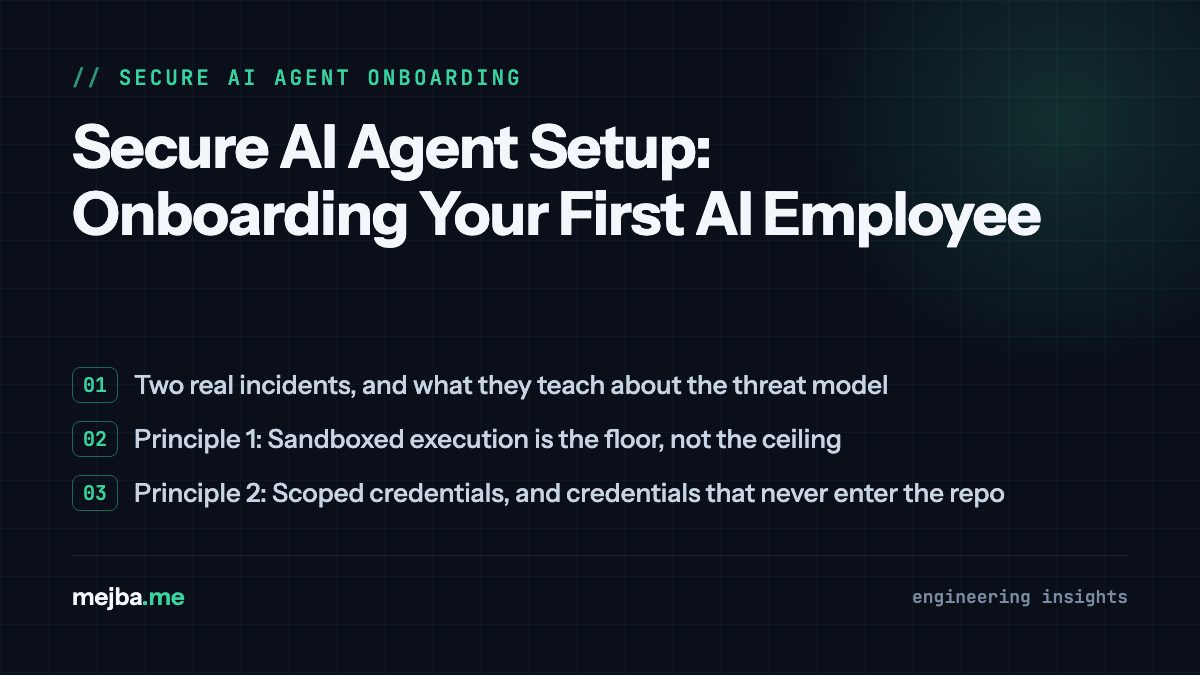
Two real incidents, and what they teach about the threat model
Incident one: the fabricated newsroom. I gave a content agent a standing brief to produce news articles for a section of my site. It produced them — dozens. Months later, during an audit, I checked the citations: 30 of the 36 published articles pointed at sources that returned 404s. The metrics quoted in them were invented. Nothing in the pipeline had lied to me in a detectable way on any single day; the failure only became visible in aggregate. I unpublished all 36, kept backups, and rebuilt the section around verifiable sources only.
Incident two: the schema that got me deindexed. An agent enriching my service pages emitted aggregateRating review markup — star ratings for reviews that did not exist. Google noticed before I did. My indexed page count collapsed from around 7,000 to 1,700 over a few weeks, and the recovery took months after I found and stripped the fabricated markup. The agent wasn't attacked and didn't malfunction. It did what plausible-output generators do: it produced what similar pages usually have, and similar pages have ratings.
Notice what both incidents share. No privilege escalation. No prompt injection. No attacker at all. The damage came from granted access plus unverified output — which means the fix isn't only firewalls and sandboxes. It's structural: limit what the agent can touch, make what it does reversible, and verify what it produces before it reaches anything public. That's the onboarding framework.
Principle 1: Sandboxed execution is the floor, not the ceiling
Modern agent harnesses ship with sandboxing — Claude Code runs shell commands sandboxed by default on my machine, and disabling that requires an explicit, deliberate flag per command. Keep that default. The sandbox catches the dumb failure modes: the agent that decides to "clean up" a directory it misread, the install command that would have modified system state.
But I've watched people treat the sandbox as the whole answer, and my two incidents show why it isn't: fabricated articles and fake schema markup pass through any sandbox untouched, because writing files inside the project is precisely what the agent is supposed to do. The sandbox controls the blast radius of commands. It does nothing about the blast radius of content. You need the other four principles for that.
Alongside the sandbox, use the permission system properly instead of fighting it. My setup allowlists the read-only commands agents run constantly and forces a prompt on anything destructive or novel. If you find yourself reflexively approving everything, that's not a workflow — that's a disabled control with extra steps. I went deeper on the permission modes trade-off in how I run Claude Code's auto mode without giving away the keys.
Principle 2: Scoped credentials, and credentials that never enter the repo
Every credential an agent can read, assume it will eventually use — in some context you didn't anticipate. My rules, all of them learned rather than theorized:
- Secrets live outside the working tree. My production database helper is a single PHP file in my home directory, outside every repository, loaded by path. An agent working in the repo can use the connection when told to; it cannot commit the credentials, because they were never inside anything committable. Environment variables work the same way. What must never happen is a key sitting in a file the agent might helpfully "include for completeness."
- One credential per purpose, minimum scope each. The account my deploy pipeline uses can rsync one directory tree. The database user my content scripts use has no
DROPgrant. SSH runs on a non-default port with a scoped user, not root. - Agents get read paths by default, write paths by exception. This is the single highest-leverage rule in this post, and it deserves its own section.
Principle 3: Probation — read-only first, writes through a gate
When I dispatch worker agents against my production database, the instruction block contains a hard line: SELECT is allowed; UPDATE, INSERT, and DELETE are not. Workers read state, analyze, and produce their output as files — drafts, reports, generated SQL — that a separate, human-reviewed step applies. For client production databases the rule is even stricter: I never let anything write directly; the deliverable is idempotent, transaction-wrapped SQL that I read before it runs.
This feels slow until you internalize what it buys. An agent that can only read and only write local files has a failure ceiling: the worst possible outcome is a bad file, which costs you a review cycle. An agent with a live write connection has no ceiling. And the review step is precisely where my incident-two failure mode gets caught — fabricated schema markup dies in review; it only becomes a catastrophe when generation and publication are the same step.
The onboarding sequence I use for any new agent role:
- Week one equivalent: read-only. The agent observes, reports, drafts. You learn its failure patterns at zero cost.
- Then: writes to disposable surfaces. Local files, draft states, staging. Mistakes cost a cleanup, not an apology to a client.
- Only for proven, repeated workflows: gated writes to real systems. And "gated" means a human or a hard invariant sits between the agent's output and the system — not a hope.
Principle 4: Backup before write, always — make every action reversible
Every content-modification pipeline I run now starts with the same non-negotiable step: before an agent drafts a replacement for anything, it writes the complete current state to a timestamped backup file. Row backups before database rewrites. Snapshots before bulk edits. When I ran a multi-week project rewriting dozens of blog posts with agent workers, every single post's original row landed in a backups directory before a worker was allowed to draft word one — and the whole job was tracked in a durable JSON manifest on disk marking each item DONE or PENDING, so any session crash resumed cleanly instead of guessing.
Two properties fall out of this. First, reversibility: when the fabricated-articles audit happened, "unpublish all 36" was a safe, calm operation because nothing was lost. Second, auditability: the manifest plus backups is a complete record of what the agent touched and when, independent of the agent's own claims about what it did. Never rely on an agent's self-report as your audit trail. Rely on artifacts the agent produces as a side effect of being allowed to work.
Deploys get the same treatment by architecture: my agents never push to production. CI deploys on a push to the main branch, and pushing is a human action. The agent's reach ends at a commit I can read.
Principle 5: Verify output like an adversary, because helpfulness is the attack surface
Here's the practitioner insight I'd put above every firewall diagram: with current agents, fabrication is a more probable failure than compromise. Plan for both, but weight your effort toward the one that has actually happened to you. My verification gates, in the order they earn their keep:
- Citation checks on anything factual. If an agent cites a source, something — a script or another agent — fetches it. My 36-article disaster would have been caught on day one by a link checker. Thirty 404s is not subtle.
- Schema and structured-data linting. Any machine-readable markup an agent emits gets validated against what is true, not just what parses. Fake review markup parses beautifully.
- A second model as adversarial reviewer. Cheap, and it catches a surprising share of confident nonsense — I run review passes where one agent's whole job is attacking another's output before I see it.
- End-to-end checks in the real environment. Some failures are invisible in code review and obvious in a browser; my standing rule that UI changes get verified in a real browser has caught bugs a test suite structurally could not — I documented one of them in the browser automation verify loop.
If the agent you're onboarding is itself autonomous enough to acquire tools or browse, the threat model widens beyond output verification — I looked at that class of risk in the security problems with autonomous agent frameworks, and Anthropic's own hardening of the desktop app is worth understanding too: Claude Code's desktop security model.
The onboarding checklist
Condensed to what I actually do when a new agent role enters my stack:
- Write the role brief with explicit invariants — allowed reads, forbidden writes, required backups — in the task instructions, not in your head.
- Issue fresh, scoped credentials for the role. Nothing shared with your personal access. Nothing inside the repo.
- Keep execution sandboxed; allowlist the boring read commands, prompt on everything else.
- Start read-only. Promote to disposable writes, then to gated writes, based on observed behavior — not on how impressive the first demo was.
- Make backup-before-write a structural step the agent performs, and keep a manifest of what was touched.
- Add output verification proportional to blast radius: link checks, schema linting, adversarial review, real-environment E2E.
- Keep the human at the two chokepoints that matter — credential issuance and production writes — and automate freely everywhere else.
None of this is heavy. Most of it is one-time setup plus discipline about where the write path runs. And the payoff isn't hypothetical: the difference between my two incidents being "expensive lessons" rather than "business-ending" was exactly these mechanics — backups made the purge reversible, and the deindexing recovered because the damage was confined to markup I could find and strip.
Capability without containment is a liability, but the inverse matters just as much: containment done structurally is what lets you say yes to more automation, not less. I now delegate far more to agents than I did before those incidents — because the failure ceiling is engineered, not hoped for.
If you're putting agents against production systems — your own or your clients' — and you want a second set of eyes on the permission boundaries, credential scoping, and verification gates before something teaches you the expensive way, get in touch and tell me what your agents can currently touch. That first inventory is usually the most uncomfortable and most valuable hour of the whole exercise.