

Niche Mobile Apps With Claude Code: A Weekend Build
The number that broke my brain was $1 million.
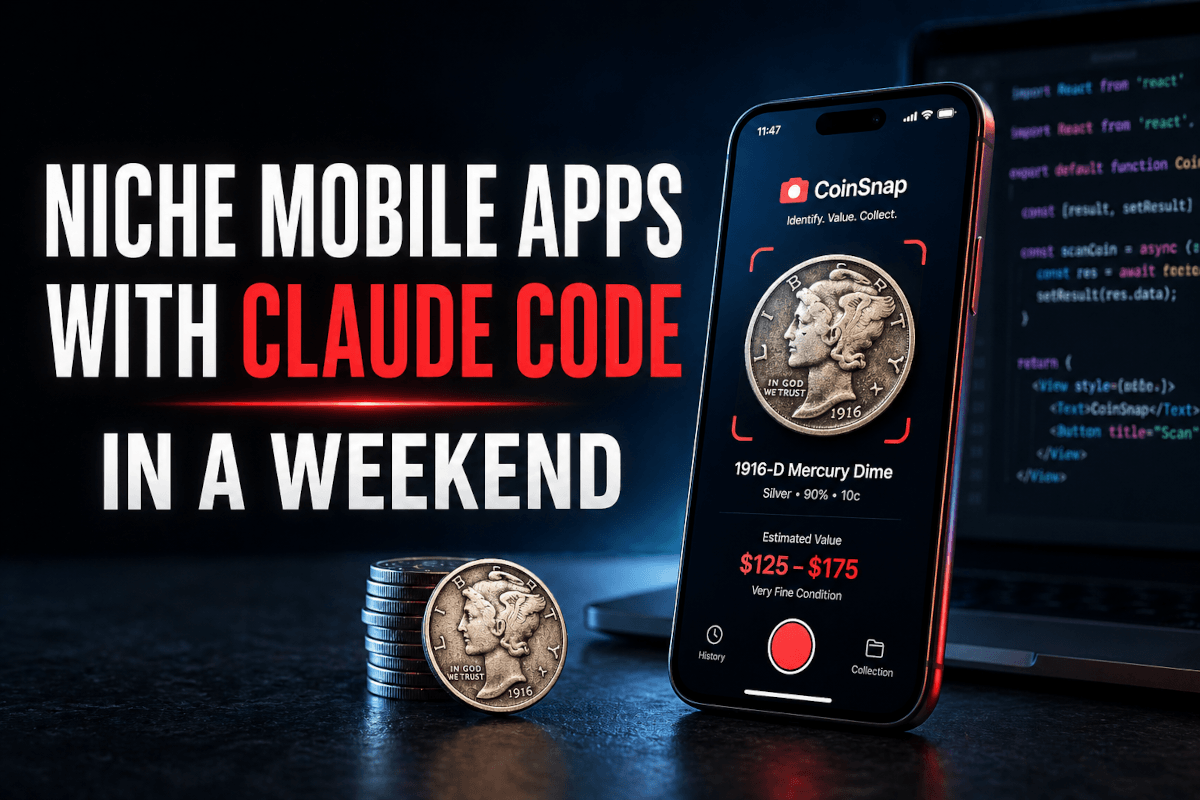
Not $1M lifetime. Not $1M ARR. One million dollars in a single month, on iOS alone, from an app that does exactly one thing — point your phone at a coin, get its name and value back. That's CoinSnap, sitting around $1M/month iOS plus another $400k/month on Google Play according to Sensortower's April 2026 estimates. The same parent studio runs Rock Identifier and Antique Identifier on essentially the same template. One feature. Three apps. Roughly $1.4M/month combined.
I'd been quietly dismissing the "AI identifier app" trend as saturated. Then I actually opened the App Store and looked. There are coin identifiers. Bird identifiers. Plant identifiers. Mushroom identifiers. Snake identifiers. Fish identifiers. Mineral identifiers. Wine label identifiers. Card grade identifiers. Most of them are pulling six figures a month. The shocking part isn't that these exist — it's that 80% of them look like a junior dev built them in 2018, and they still print money.
So I did what any reasonable engineer would do at 11 PM on a Saturday. I opened Claude Code, spun up an Expo project, and decided to find out exactly how hard it is to build one of these apps in 2026.
Spoiler: not that hard. The hard part is somewhere else entirely. Let me walk you through what I built, what broke, and the math that finally convinced me niche single-feature mobile apps might be the most underrated indie play of the year.
Why Single-Feature Mobile Apps Quietly Became a Goldmine
Here's the part nobody talks about enough. The web app market is brutal in 2026. Every SaaS niche has 40 competitors, organic CAC is dead, paid CAC barely converts, and a "good" landing page now needs a custom illustration system and a Loom from the founder.
The mobile app market is a different planet. According to RevenueCat's State of Subscription Apps 2026, the median app earns just $492/month — but the apps that do break out share three boring traits. They solve one specific recurring problem. They have a clean subscription model with a free trial. They serve a niche audience that's willing to pay $5–$10 a month to avoid thinking about the problem ever again.
Coin collectors will pay $7.99/month to know what a 1916-D Mercury dime is worth without driving to a shop. Mushroom foragers will pay $9.99/month to not die. Mineral hobbyists will pay $4.99/month to not look stupid at gem shows. The willingness-to-pay is wildly higher per-user than most B2B SaaS, because the alternative isn't "use a competitor" — the alternative is "Google an image, scroll through 12 forum threads, and still not know."
There's also a second flywheel most people miss: resale. Subscription apps with consistent MRR sell on marketplaces like MicroAcquire, Flippa, and Acquire.com at roughly 2–4× annual profit. So a niche app netting $4k/month in profit isn't just a $48k/year business. It's a $96k–$192k asset you can sell when you get bored. That changes the math on whether spending two weekends building one is worth it.
But before we get to the build, you need to understand why the obvious approach — "I'll just hire a React Native dev on Upwork" — is the slowest, most expensive way to do this in 2026.
The Stack: Why Claude Code + React Native + Expo Just Works
I tried three different stacks before settling on this one. Native Swift was overkill for a single-screen app and locked me out of Android. Flutter was fine but the Dart tooling around AI codegen felt a generation behind. Plain React Native (without Expo) meant fighting with Xcode signing every time I wanted to test on my actual phone.
The combination that finally clicked: Claude Code as architect and builder, React Native as the UI layer, and Expo Go for live device testing without ever opening Xcode.
Here's the real magic of Expo Go that most tutorials underplay. You install the Expo Go app on your iPhone (free, no developer account needed). You run npx expo start on your laptop. Your phone scans a QR code from the terminal. The app loads instantly on your real device, with hot reload, with the camera working, with everything that won't work in a simulator. No App Store submission. No TestFlight invitation flow. No .ipa files. No certificate signing dance. You change a line in your editor, the app refreshes on your phone in under two seconds.
For an indie dev iterating on a coin identifier, this is the difference between shipping in a weekend and shipping in two months. I was making 50+ on-device test cycles per hour. With native Swift, you're maybe doing 5.
For the Claude Code side, I ran a tiered model strategy from day one — and this is where the Sonnet 4.6 vs Opus 4.7 tradeoffs I tested earlier became real money:
- Haiku 4.5 — boilerplate generation, file scaffolding, simple component edits. Fast, cheap, good enough for the structural work.
- Sonnet 4.6 — the workhorse. State management, API integration, all the non-trivial business logic. At $3 input / $15 output per million tokens (Anthropic's pricing as of February 2026), it's the price-performance sweet spot for app code.
- Opus 4.7 — only when I hit a genuinely hard architecture decision or a debugging rabbit hole. Expensive, but it solves things in one shot that Sonnet would loop on.
For the actual coin recognition, I split the work between Claude's vision API and OpenAI's GPT-4o. More on the cost math below — that's where the article gets interesting.
What I Actually Built (And the Spec That Made It Possible)
Before I touched code, I did something I never used to do: I spent 90 minutes in the Claude.ai chat interface (not Claude Code) drafting a proper spec. This is the single biggest workflow upgrade I've made in the last six months.
The pattern is simple. You open a fresh Claude.ai conversation, paste in your rough idea, and ask Claude to interview you like a senior product manager. Wireframes. User flows. Screen-by-screen behavior. Edge cases. Empty states. Loading states. Error states. By the end of 90 minutes, I had a 4,000-word implementation spec that Claude Code could execute against without me having to make a hundred micro-decisions mid-build.
The spec defined four screens:
1. Scan Screen. Default landing screen. Big circular camera button at the bottom. Live camera preview filling the top 70%. A flash toggle, a gallery picker for existing photos, and a single line of placeholder text: "Center the coin in the frame and tap to scan." That's it. No menus. No tutorial popup. No onboarding survey. Tap, scan, results.
2. Results Screen. Triggered after a successful scan. Shows the captured photo at the top, then a card with: coin name, country of origin, mint year, denomination, estimated value range (low/average/high), rarity tier (common/uncommon/rare/key date), and a short paragraph of historical context. Below that, two buttons: Save to Collection and Scan Another.
3. Collection Screen. A grid of every coin the user has saved. Filterable by country, decade, denomination, or value. Folder system so users can organize sets ("Lincoln Cents," "Foreign Coins," "Father's Collection"). Tappable summary card at the top showing total estimated portfolio value and total coin count.
4. Dashboard Screen. Visual analytics. Country breakdown as a pie chart. Decade distribution as a bar chart. Top 5 most valuable coins. Total portfolio value over time. This is the screen that turns the app from "scanner" into "collection management software" and justifies the recurring subscription.
I gave this spec to Claude Code as a single message. "Here's the full spec. Build the project structure, set up Expo, install dependencies, and scaffold all four screens with placeholder data. Use TypeScript. Use React Navigation v7. Use Zustand for state. Don't implement the camera or the API yet — just get me a clickable shell I can load on my phone."
Eleven minutes later, I was tapping through a clickable shell on my iPhone.
The UI Polish Trick That Saved Me a Week
Here's where most AI-built apps fall apart. Claude Code can scaffold four screens in eleven minutes, but the default styling is — and I'll be honest — generic in a way that screams "developer made this." Stock React Native components. Default fonts. Predictable spacing. Nothing wrong with it. Also nothing right with it.
The fix took me about 20 minutes and is something I now do on every mobile project.
I went to Dribbble. I searched "coin app," "collection app," "scanner UI." I screenshotted six designs that captured the visual mood I wanted — moody dark theme, off-white card backgrounds, serif typography for the coin name (because coins are old and serif feels right), and a single accent color in burnished gold.
Then I dropped all six screenshots into Claude Code with this prompt: "Here are six reference designs that match the visual language I want. Rewrite my Scan, Results, and Collection screens to match this aesthetic. Use a custom theme file. Update typography, spacing, card styles, button styles, and the overall color system. Keep all the existing functionality — only change the styling layer."
What came back was unrecognizable from the scaffolded version. It looked like a real product. Not perfect — I had to fix three broken icon imports and one weirdly-sized header — but the gap between "AI-built app" and "designed product" closed in 20 minutes of automated work that would have taken a freelance designer 8 hours and $400.
This is the Claude Code design workflow I've been refining for almost every project — visual references in, polished components out. It works on web apps too, but on mobile the impact is bigger because mobile users judge an app's quality from the first screen in under three seconds.
If you'd rather have someone build this exact stack from scratch for your niche idea, I take on these engagements through my Fiverr profile — typically a 7–10 day turnaround for a fully-styled, working app on TestFlight.
The Backend: Where the Costs Actually Live
Here's where the article gets practical. Building the UI is the cheap part. The expensive part — and the part that determines whether your app is a profitable business or a money-losing hobby — is the per-scan API cost.
I tested both Claude and OpenAI for the actual coin recognition. Same prompt structure, same image quality, same evaluation rubric.
Claude Sonnet 4.6 vision approach: I sent the captured coin image to the Claude API at $3/M input / $15/M output. A typical coin photo encoded as a base64 image clocked in at roughly 1,500–2,000 input tokens depending on resolution. Output for the structured JSON response (name, country, year, value range, rarity, context paragraph) was around 350–500 tokens. Net per-scan cost: roughly $0.009 per scan when I included a 200-token system prompt with my coin-identification instructions.
GPT-4o approach: OpenAI's vision pricing is structured differently — text tokens at $2.50/M input / $10/M output, with image processing billed as a token equivalent. Same prompt, same response structure. Net per-scan cost: roughly $0.005 per scan.
So GPT-4o is meaningfully cheaper per scan. But — and this is the trade-off nobody talks about in those breathless "I built an AI app" tweets — Claude was noticeably better at the actual coin identification. Especially on weird foreign coins, off-angle photos, and coins with worn engravings. I ran 40 test images through both. Claude got 36 right with high confidence. GPT-4o got 31 right with high confidence and three more "I'm not sure but maybe" answers that turned out to be wrong.
For a free user doing 5 scans a day, the cost difference is irrelevant — pennies either way. For a power user doing 50 scans a day, it adds up. So my final architecture: GPT-4o as the default scanner for free-tier users, Claude as the premium scanner for paid subscribers. The cost difference funds the accuracy difference. Subscribers get better results, and the unit economics still work.
The Actual Math at Scale
Let me put real numbers on this. Imagine the app gets to 10,000 active users a month — modest for a niche app, achievable with $5k of TikTok and Reddit ads if your hook is right.
Assume a 5% paid conversion rate at $7.99/month. That's 500 paying users. Gross revenue: $3,995/month. Apple takes 30% on year-one subscriptions (or 15% under the small business program if you're under $1M ARR). Net after Apple: roughly $3,396/month under the small business program.
Now the costs. Free users average maybe 3 scans/month before they churn or convert. 9,500 free users × 3 scans × $0.005 (GPT-4o) = $142.50. Paid users average 25 scans/month. 500 paid users × 25 scans × $0.009 (Claude) = $112.50. Total scan costs: $255/month.
Add infrastructure: $20 for Supabase (DB + auth), $10 for RevenueCat (subscription management), $15 for Sentry (error tracking). Total: $300/month in operating costs.
Net profit at 10k users: roughly $3,096/month. Annualized: $37k. Resale value at 3× annual profit: $111k.
That's the math that should genuinely change how you think about your weekend project queue.
What Actually Broke (Because It Always Does)
I want to be honest about the failure modes, because every one of these cost me real time.
The .env file disaster. I spent 45 minutes debugging a 500 error from the Claude API on day one. The request was reaching the server. The response was always the same auth failure. I'd quadruple-checked the API key. Eventually I realized: Expo Go does not load .env files from your project root by default the way a regular React Native CLI app does. You need react-native-dotenv or you need to use Expo's expo-constants with extra config in app.json. Or you need to use EXPO_PUBLIC_ prefixed environment variables. I was using the wrong one for the architecture I'd set up. The fix was three lines of config. Finding it took an hour.
The icon library mismatch. Claude Code initially scaffolded the app using @expo/vector-icons for some screens and react-native-vector-icons for others. They look similar, install differently, and produce phantom errors when you try to render an icon name from one library using the import from the other. I caught this because three buttons in the Collection screen showed up as blank squares on my phone.
Camera permissions on iOS 18. Expo handles permission requests well, but iOS 18 added a tier where users can grant "limited photo access" — and my image picker code didn't handle the limited-access state cleanly. Users would tap "select from library," see only some of their photos, and assume the app was broken. The fix was checking the access status explicitly and showing a banner that explained how to grant full access in Settings.
The Apple subscription gauntlet. This isn't a code problem; it's a paperwork problem, and it's where most weekend builds die. Apple's 2026 subscription rules require a privacy policy URL, a terms of service URL, full disclosure of subscription length and renewal pricing on every paywall screen, an explicit restore-purchases button, and you cannot launch the paywall before showing some core functionality first. Apps that auto-paywall on first open get rejected, and the rejection cycle is 24–48 hours each time. Build the paywall correctly the first time using a tool like RevenueCat's pre-built paywall templates. Don't roll your own.
These failure modes aren't unique to me. They're the same five problems every single indie dev hits on their first React Native + Expo + AI-vision app. Knowing them ahead of time saves a full weekend.
When Mobile Is Wrong — And the Faster Alternatives
I want to caveat all of this. Mobile is a great market, but it's a slow market. Apple review takes 24–72 hours per submission. Subscriptions only start paying out 60 days after first charge. You need a privacy policy. You need a terms-of-service page. You need a developer account ($99/year). You need real legal entities if you want to take payments from any jurisdiction outside the US.
If your goal is fastest path to revenue, mobile is not it. Two faster alternatives worth considering:
Web apps. Same Claude vision API. Same pricing. Skip the App Store entirely. Stripe takes 2.9% + 30¢ instead of Apple's 15–30%. You can launch in one day. The trade-off: discovery is harder. There's no App Store search to send you free traffic.
Chrome extensions. Underrated as a monetization vehicle. The Chrome Web Store has a paid extension model and a built-in install graph. Niche tools like "summarize this Wikipedia article" or "identify this color on any webpage" can pull $2k–$8k/month with surprisingly little marketing. Review process: hours, not days. Refactoring a coin identifier into a "find this coin's value on any auction listing" Chrome extension would be a fascinating side experiment.
For me, the answer was always going to be mobile, because the behavior I'm targeting is "user is holding a physical object and wants to know what it is." That's a phone problem, not a browser problem. But if your niche is something users do at a desk, web or extension might cut your time-to-revenue in half.
My Personal Niche Shortlist
If I were building one of these from scratch this weekend, with everything I've learned, here's my actual ranked shortlist:
- Premium AI Plant Disease Identifier — existing apps are mediocre, the customer is gardeners who already pay for fertilizer subscriptions, and the recognition problem is well-suited to current vision models.
- Vintage Tool Identifier — antique tool collecting is a real and underserved subculture, willingness-to-pay is high, and the visual category (rusty old metal objects) is one current vision models actually do well at.
- Sneaker Authenticator — saturated and competitive, but the market is enormous and willing to pay $20+/month. Hard mode, but the prize is bigger.
- Wine Label Reader → Recommendation Engine — not just "what wine is this" but "what's it worth, where's it cheapest to buy, and what should I drink next." Layer the AI app on top of an affiliate revenue model.
I'm probably going to ship #1 and #2 in the next 60 days. If you build something from this list, send it to me — I'd love to see what other people do with the same playbook.
The Real Lesson From Spending a Weekend on This
I didn't expect this build to change how I think about indie projects, but it did.
The realization wasn't "AI makes it easy to build apps." Everyone says that and it's already a cliché. The real realization was this: the bottleneck on indie mobile apps in 2026 isn't engineering anymore — it's spec quality, niche selection, and the willingness to ship something that does one thing.
Claude Code can build the app. Expo can deploy it to your phone in 90 seconds. The vision APIs are accurate enough to power a real product. The subscription infrastructure (RevenueCat, Stripe, Apple in-app purchases) is solved. None of that is the hard part anymore.
The hard part is choosing the right niche before you start, writing a tight spec before you write code, and resisting the urge to add a fifth feature when three is enough. The hard part is the discipline to build less. CoinSnap doesn't have a social network. It doesn't have AR. It doesn't have a marketplace. It just identifies coins. And it's pulling $1M/month because it does that one thing well enough that 12 million people downloaded it.
So here's the question I'm sitting with tonight, and maybe you should sit with it too: what's the one thing your phone should be able to do, that nobody has built well yet — and what's stopping you from spending a weekend finding out?
The tools are sitting right there.
Whether a Weekend App Is Worth Your Weekend
Building a niche mobile app with Claude Code, React Native, and Expo in a weekend proved the bottleneck has moved — from writing code to picking the right small problem to solve. The stack is ready; the constraint is your idea.
Pick one narrow app you wish existed and give it a weekend. Even if you ship nothing, you'll learn exactly where the workflow helps and where it fights you.
If you want a mobile app built properly past the prototype, that's work I take on through Ramlit. The full build and scan-cost math are above.






