Someone sent me a "prompt engineering is dead" article last week, arguing that loop engineering had replaced it — that writing prompts was now a beginner skill, and the real game was building loops that run AI on autopilot. I read it twice, then looked at the loop I'd built a couple weeks earlier to speed up a slow Python script, and realized it had the loop engineering vs prompt engineering story exactly backwards.
The part almost nobody says out loud: a loop is prompts. It's prompts executed over and over, wrapped in structure and a way to check whether they worked. Kill the prompt design and the loop doesn't get smarter — it gets confidently, expensively wrong at scale. So if you're worried you missed the memo and need to throw out everything you learned about prompting, relax. You didn't. You just need a second skill stacked on top of it, and that's what this is about.
I'll define loop engineering properly, walk through the five components that actually make a loop work (most explanations stop at four and miss the one that saves your wallet), show you the five tiers of success criteria that decide whether a loop is even worth building, and give you the exact four-step path I use to turn a one-off prompt into a self-improving system. There's a worked LinkedIn-article example with a genuinely annoying problem baked into it, because the easy examples lie to you.
Is loop engineering replacing prompt engineering?
No. Loop engineering does not replace prompt engineering — it stacks on top of it, because a loop is just prompts executed repeatedly with scaffolding, success criteria, and a stop condition. Better prompts make better loops; worse prompts make a loop that fails faster and costs more.
That's the featured-snippet version. Now the part that matters.
When you write a single prompt, you're optimizing one request to a model. You get one shot, you read the output, you adjust. When you build a loop, you're optimizing the system that runs that prompt — what happens between calls, how it checks its own work, and when it decides to stop. Those are genuinely different skills. But they're not substitutes. They're layers.
Think about it mechanically. The execution phase of every loop is a prompt. If that prompt is vague, every single iteration inherits the vagueness — and now you're paying for ten vague iterations instead of one. There's a line from the 2026 loop-engineering discourse that stuck with me: prompt engineering fails silently — you get a bad answer and move on — while loop engineering fails loudly and expensively if you haven't engineered the failure modes as carefully as the success path. A loop amplifies whatever you feed it. Garbage prompt, amplified garbage.
So the people declaring prompt engineering dead are like someone declaring arithmetic obsolete because they discovered spreadsheets. The spreadsheet runs the arithmetic a thousand times automatically. It does not free you from understanding what the arithmetic does. If anything, the leverage makes the fundamentals more important, because mistakes now compound.
Hold onto "loops amplify" — it's the thread running through every section below.
What loop engineering actually means
Loop engineering is building loops that iterate prompts repeatedly, with added scaffolding and explicit success criteria, so a task completes automatically and efficiently without you babysitting each step.
That's it. The word "loop" is doing real work here. You're not asking the AI to do something once. You're constructing a cycle: it acts, you check whether it succeeded, and if it didn't, it goes again — armed with what it learned from the last try. The art is in the scaffolding around the act, not the act itself.
I want to be precise about the difference from a few things people confuse it with, because the contrast sharpens what loop engineering is.
"Auto research" systems — the ones that go off and gather information toward a goal — demand strict, well-defined success criteria to function. Point them at a fuzzy goal and they wander or stop arbitrarily. Loop engineering shares that demand for clear criteria but goes further: it operates over a long horizon with ongoing self-improvement, not a single research sprint.
The /goal-style feature in tools like Claude Code runs a single-session optimization. You give it a checkable goal, it grinds toward that goal inside one session, and it stops when the goal is met. That's a beautiful, tightly-scoped loop — and I use it constantly — but it's a sprint. True loop engineering is the marathon version: it persists across sessions, records what happened, and uses that history to do better next time. The single session optimizes; the engineered loop learns.
That distinction — session versus long horizon, optimize versus learn — is where state management earns its keep. We'll get there.
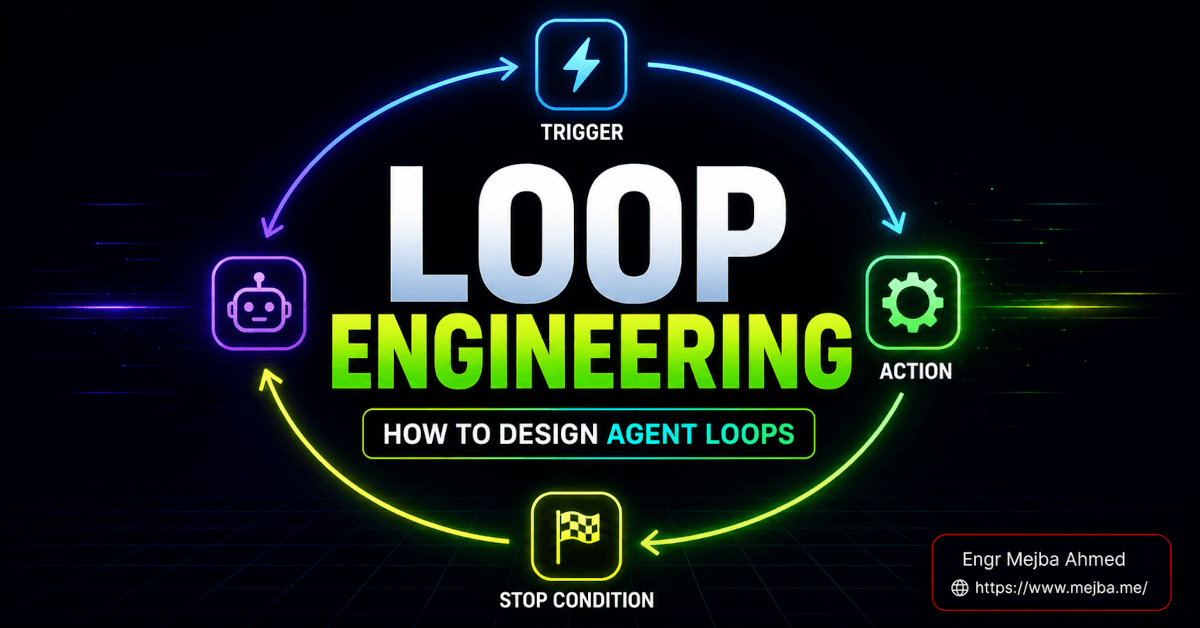
For now, the mental model: prompt engineering writes the move. Loop engineering builds the machine that runs the move, judges the result, and decides whether to run it again. If you want the deeper anatomy lesson on how those machines are wired, I broke down the trigger/action/stop-condition structure in my full guide to designing agent loops — this piece is the strategic layer above it.
The five components of a loop (not four)
Most explanations of loop engineering give you four phases. Four phases will get you a loop that works right up until it doesn't stop. So I'm giving you five, and the fifth is the one I'd tattoo on the back of anyone's hand before they let a loop run unattended.
Here's the full anatomy.
| Component | What it does |
|---|---|
| Trigger | Starts the loop automatically — a schedule, a webhook, a file change, or another event. No human pressing "go." |
| Execution | The AI performs the task, usually through a defined skill that produces a specific, structured output. |
| Verification | Evaluates the result against explicit success criteria to decide whether the goal is met. |
| State management | Records outputs and learns from prior iterations, so the loop improves over time instead of repeating mistakes. |
| Stop criteria | Decides when the loop terminates — on success, or after a hard cap on iterations — so it can't burn resources forever. |
Let me give each one the attention it deserves, because the gap between a toy loop and a production loop lives entirely in how seriously you treat these.
Trigger: how the loop starts without you
The trigger phase is what makes a loop a loop instead of a fancy command you keep re-running. A cron schedule that fires at 9:00 AM. A webhook that fires when a pull request opens. A file watcher that fires when a CSV lands in a folder. The point is that you are not the trigger. The moment a human has to manually kick off each run, you've built a tool, not an autonomous loop — and that's fine, but know which one you're building.
The trigger phase is also where most people accidentally smuggle in a dependency on themselves. "It runs automatically — I just have to paste in the new data first." That's not automatic. Be honest about it early, because a half-automated loop has all the failure surface of automation and none of the freedom.
Execution: where prompt engineering lives
This is the engine, and it's a prompt. Or more precisely, in 2026 it's usually a skill — a reusable, named function that wraps a well-tested prompt and a defined output format. The execution phase is exactly where the "prompt engineering is dead" crowd is most wrong, because this phase is where all your prompt-craft gets spent. A skill that "researches AI news and writes an article" is a prompt with a job title.
The better engineered this prompt is, the less work every other component has to do. A sharp execution prompt produces consistent, structured output, which makes verification trivial. A sloppy one produces output that varies wildly run to run, which makes verification a nightmare and state management nearly meaningless. Loops reward good prompting and punish bad prompting — at volume.
Verification: the actual bottleneck
Here's a truth that took me too long to internalize: the verifier, not the model, is the bottleneck in any loop. The core skill of loop engineering is writing the thing that decides whether the output is good enough to stop.
If your success criterion is "did the Python script's runtime drop below 200ms?" — congratulations, your verifier is a stopwatch and an if statement. Objective. Cheap. Trustworthy. If your success criterion is "is this LinkedIn article better?" — now your verifier has to answer a subjective question, and subjective verifiers are where loops go to die. We'll spend a whole section on this because it's the single biggest predictor of whether your loop will work.
State management: the difference between repeating and learning
State management is what separates a loop that does the same thing 100 times from a loop that does the thing better the 100th time than the first. You record each iteration's output and outcome — to a database, a log, a JSON file, anywhere durable — and you feed that history back into the next execution.
Without state, a loop is a goldfish. It wakes up every cycle with no memory, makes the same call, gets the same result. With state, the execution prompt can say: "Here are the last ten articles you wrote and how each performed. Do more of what worked." That's self-improving AI — not magic, just memory plus a feedback signal. State management is the unglamorous component that makes "self-improvement" an actual mechanism instead of a buzzword.
Stop criteria: the component that saves your money
And here's the fifth, the one the four-phase explanations skip. Stop criteria decide when the loop ends. Two clean ways to terminate: the success criterion is met, or a hard iteration cap is hit — "try at most 8 times, then give up and tell me."
Why is this non-negotiable? Because a loop without a stop condition and a slightly-too-optimistic success check is a machine for converting your API budget into nothing. I've watched a loop with a fuzzy success criterion decide it was "never quite done" and grind through iteration after iteration, each one calling the model, each one costing money, none of them ever satisfying a goal that was never checkable in the first place. The runaway loop isn't a hypothetical. It's the default failure mode you have to design against.
Build the stop criteria first, honestly, before you trust a loop with your credentials. Future you, looking at the bill, will be grateful.
Those are the five. Now the question that decides whether you should even build the loop at all.
Loop engineering is not one-size-fits-all
The seductive thing about loops is that they feel universally applicable. Anything you do repeatedly, surely you can loop. But loops have a hard requirement that not every task can meet, and forcing it leads to the worst loops — the ones that look automated but quietly produce drift.
The requirement is this: you need a success criterion the loop can actually check.
Loops shine when success is objective and measurable. "Reduce this Python script's runtime" is the perfect loop goal. Why? Because the verifier is a benchmark. The loop runs the script, times it, compares to the last run, and knows — with zero ambiguity — whether it improved. Every iteration produces a number, the number goes into state, and the loop can climb the gradient toward "faster" without ever asking a human anything. Immediate, objective, trustworthy feedback. That's loop heaven.
Now contrast it with: "write a better-quality LinkedIn article." What's the verifier? "Better" according to whom? The same AI that wrote it? That's a model grading its own homework — and a single model instance suffers from confirmation bias; it will happily rate its own output a 9 and miss the thing that makes it mediocre. There's published 2026 work on exactly this self-attribution bias: AI monitors go easy on themselves. So your loop "improves" the article every cycle by its own reckoning while a human reader sees no difference, or worse, sees it getting blander as it optimizes a proxy for quality it can't really measure.
This is the central judgment call of loop engineering, and I'll say it plainly: before you build a loop, ask whether you can write a verifier you'd actually trust. If you can't, the loop isn't the answer — at least not a fully autonomous one. For fuzzy goals you have two honest options, and they're the bridge to making subjective tasks loopable.
The first is human-in-the-loop verification: the loop runs, produces output, and pauses for a human to approve or reject before it counts the iteration as success. Slower, but the verifier is a real human who can judge quality. The second is a separate AI judge — one model does the work, a different model evaluates it. The separation matters enormously, because it breaks the grade-your-own-homework problem. The worker doesn't get to score itself.
Even with a separate judge, stay suspicious. An AI evaluating subjective quality is still an AI, with its own biases about what "good" looks like. Use it for triage and to surface the obviously-bad, but for anything high-stakes, keep a human checkpoint. The goal isn't to remove humans — it's to remove humans from the boring, checkable decisions and keep them on the judgment ones.
If you'd rather have someone set up this kind of human-in-the-loop or judge-based workflow with you rather than wire it from scratch, I take on exactly these builds — you can see what I've built at fiverr.com/s/EgxYmWD. For everyone building it yourself, the next section is the framework I use to get there.
The Hero's Journey: four steps to a loop-engineered solution
You don't start by building a loop. That's the mistake. You start by proving the task is even possible by hand, and you earn your way to automation in four steps. I call it the Hero's Journey because each step is a level-up, and skipping a level is how you end up with an automated way to do the wrong thing very quickly.
Step 1 — Manual execution: prove it works by hand
Before any loop, do the task yourself, in the chat, by prompting the AI manually. Want a loop that turns AI research into LinkedIn articles? First, prompt the AI to do it once. Read the output. Is it actually good? Can a human reliably get a good result from a good prompt?
If you can't get one good result manually, you have no business automating it a hundred times. This step is the reality check. It's also where your prompt engineering gets forged — every refinement you make here becomes the foundation the entire loop stands on. Don't rush it.
Step 2 — Codify into a skill
Once the manual prompt reliably works, encapsulate it. Turn the prompt-plus-output-format into a named, reusable skill — a function you can call instead of re-typing the prompt. This is skill codification, and it's the moment your one-off becomes a building block.
Codifying forces discipline. To make a skill, you have to define exactly what goes in and exactly what comes out. That structure is precisely what the verification and state components will lean on later. A vague prompt resists codification; a sharp one snaps neatly into a skill. (If you want the deep version of this step, I wrote a whole breakdown of building agent skills in Claude Code that picks up right here.)
Step 3 — Automate the skill
Now add the trigger. Schedule the skill, or wire it to a webhook, so it runs without you. At this point you have automation: the skill fires on its own and produces output. Note what you don't have yet — improvement. An automated skill repeats. It doesn't learn. It's a goldfish with a calendar.
Plenty of valuable automations stop right here, and that's legitimate. If the task doesn't benefit from learning — it just needs doing reliably on a schedule — Step 3 is your finish line. Don't add a loop just to feel sophisticated. When I built my first real loop end to end, the hardest discipline was resisting the urge to jump straight to Step 4 before the automation in Step 3 was even stable.
Step 4 — Add self-improvement with loop engineering
Here's where it becomes a true loop. You define the success criteria, implement state tracking — log every output and its outcome — and build the feedback mechanism that uses that history to make the next run better. For the LinkedIn case, that means scraping engagement, logging it, and feeding "here's what performed well before" back into the execution prompt.
This is the step that turns automation into self-improving AI. And it's also the step where everything we discussed about verification bites: if your success criterion is fuzzy, Step 4 is where the loop quietly goes off the rails. So you arrive here having already decided — honestly — whether the task can support a trustworthy verifier. The Journey front-loads that decision on purpose.
Four steps. Manual, codify, automate, improve. Each one a checkpoint. Now let me run a real example through it, including the part that everyone's clean tutorial leaves out.
A worked example: the LinkedIn article loop (and its ugly problem)
Let's build the loop everyone wants — an AI that writes and posts a LinkedIn article every day and gets better at it over time — and let's be honest about why it's harder than the demos suggest.
Here's the design, mapped to the five components:
- Trigger: a daily scheduled run at 9:00 AM.
- Execution: a skill that researches the day's AI news and writes an article in my voice.
- Verification: success = number of likes the article earns, scraped from the post and logged.
- State: a database of every past article and how it performed, fed back in to guide the next one.
On paper, beautiful. The success criterion is even numeric — likes are a number, not a vibe. But run it and you hit the problem that the Python example never has: time lag.
When I optimize a Python script's runtime, the feedback is instant. Run the script, get the milliseconds, know immediately whether iteration N beat iteration N-1. The loop can climb fast because the verifier answers right now.
The LinkedIn loop has no such luxury. The article publishes at 9:00 AM. The likes that tell you whether it worked don't exist yet. They trickle in over hours, sometimes days. So the verification signal for today's article isn't available when tomorrow's run fires. Your loop wants to learn from results that haven't happened.
This breaks the naive single loop, and the fix is to split the timeline. You run a delayed or parallel scraping loop — a separate cycle whose only job is to revisit published articles 24 or 48 hours later, scrape the engagement, and write it into state. The writing loop fires daily; the measuring loop trails behind it, backfilling outcomes. Only once an article has "matured" does its performance become a training signal for future articles.
That's the real shape of a self-improving content loop, and it's meaningfully more complex than the Python case. Same five components, but the verification and state machinery has to account for the gap between doing and knowing. The Python loop's feedback is immediate and objective, so it's vastly easier to automate end-to-end. The LinkedIn loop's feedback is delayed and noisy — likes depend on timing, audience, and luck as much as quality — so even with a numeric criterion, you're fighting signal lag and confounding variables.
The lesson generalizes: when you design a loop, map not just whether the success signal is objective, but whether it's available in time to drive the next iteration. A numeric criterion you can't read until next week is still a verification problem. This is the kind of detail that separates a loop that works in a demo from one that works in production — and it's exactly the trade-off most "build an AI that posts for you" guides skip entirely.
So how do you reason about all of this before you build? You rank your success criterion.
The five tiers of verification, ranked
Every loop's fate is decided by one thing: how checkable its success criterion is. After building enough of these, I think about success criteria on a five-tier scale, from "loop this immediately" to "do not fully automate this." Here's the ladder, best to worst.
-
Deterministic / rule-based. The output either passes a hard rule or it doesn't. Tests pass or fail. The file compiles or it doesn't. The JSON matches the schema or it's rejected. This is the gold standard — the verifier is code, it's objective, it's instant, and it cannot be argued with. If your task lands here, loop it without hesitation.
-
Numeric / metric-based. Success is a measurable number you want to push in a direction. Runtime in milliseconds. Likes. Conversion rate. Token cost. Nearly as good as tier one, if the number is reliable and available quickly. The LinkedIn loop lives here — numeric, but dragged down by the time lag and noise we just covered.
-
Separate AI judge. No clean rule or number, so a different model evaluates the output against a rubric. Usable for semi-subjective tasks, but you're now trusting one AI's judgment of another's work, and you must stay alert to the judge's own biases. Good for filtering and triage, shaky for high-stakes final calls.
-
Human-in-the-loop. Success is subjective enough that a person has to decide. The loop runs, then pauses for human approval before counting the iteration. Reliable, because the verifier is a real human — but slow, and it caps how autonomous the loop can be. Use it when quality genuinely requires human judgment.
-
Fuzzy / self-graded subjective. "Make it better," judged by the same AI that made it. This is the bottom tier and, honestly, the danger zone. The model grades its own homework, confirmation bias creeps in, and the loop optimizes a proxy it can't really measure. Avoid building fully autonomous loops here. If you must operate in this space, drag it up the ladder — add a human checkpoint (tier 4) or at least a separate judge (tier 3).
The recommendation that falls out of this is simple. Aim as high up the ladder as you can. Engineer your task so success is rule-based or numeric, even if that means redefining the goal. Can't get there? Don't pretend a tier-five criterion is good enough — explicitly add human validation or a separate evaluator, and never rely solely on the same AI to both generate and judge subjective quality. The tier you can honestly reach tells you not just how to build the loop, but whether you should build it autonomously at all.
That single question — "what tier is my success criterion?" — will save you more wasted loops than any other piece of advice in this article.
What this means for how you should actually work
Step back and the picture is clear: the loop engineering vs prompt engineering framing is a false choice. It was never one replacing the other. It's a stack.
Prompt engineering is the foundation — the skill of getting one good output from one good request. Loop engineering is the floor built on top — the skill of running that output repeatedly, judging it, remembering it, and improving it, all without you in the chair. You need both. The person who can only prompt is stuck doing things by hand. The person who tries to loop without solid prompting is automating chaos. The person who can do both builds systems that genuinely run themselves and get better while they sleep.
And the thing I most want you to take away isn't a technique. It's a habit of honesty. Before you build any loop, ask the uncomfortable questions: Can I write a verifier I'd actually trust? Is my success signal objective, and is it available in time to drive the next iteration? Have I built a real stop condition, or am I one fuzzy check away from a runaway bill? Most failed loops fail at those questions, not at the code.
If you want the fundamentals underneath all of this — prompting, skills, and loop engineering together, the way they actually fit — the guides I've linked throughout this piece walk the same Hero's Journey step by step, from the first manual prompt to a loop that improves itself.
So, is prompt engineering dead? Go look at the execution phase of the best loop you can imagine. Sitting right there, doing the actual work, is a prompt. It was never going anywhere. We just taught it to run on its own — and to remember what happened last time.
The real question was never "loops or prompts." It's this: of all the things you do over and over, which ones have a success criterion you'd genuinely trust a machine to check? Answer that honestly, and you'll know exactly which tasks to loop — and which ones still need you.
FAQ
Frequently Asked Questions
Everything you need to know about this topic
No. Loop engineering doesn't replace prompt engineering — it depends on it. A loop's execution phase is a prompt run repeatedly, so weak prompts produce weak loops at scale. Both are required skills that stack rather than compete. See the opening sections above for the full mechanical explanation.
Prompt engineering optimizes a single request to a model; loop engineering optimizes the system that runs that prompt repeatedly — handling triggers, verification, state, and stop criteria. Prompting writes the move; loop engineering builds the machine that runs the move and judges the result.
Avoid fully autonomous loops when success is subjective and can only be judged by the same AI that produced the output, since that invites confirmation bias and runaway iterations. For fuzzy goals, add a human-in-the-loop checkpoint or a separate AI judge instead. See the five-tier verification ladder above.
A complete loop has five components: a trigger that starts it automatically, an execution phase that does the work (usually via a skill), a verification phase that checks success criteria, state management that records and learns from outcomes, and stop criteria that end the loop on success or after a hard iteration cap.
Define explicit stop criteria before running it: terminate when the success criterion is met, and add a hard cap on iterations as a backstop. A loop with a fuzzy success check and no iteration cap is the default cause of runaway API costs. For the full anatomy, see my guide to designing agent loops.
Start at Step 1, not Step 4
If there's one thing I want you to carry out of this, it's this: don't automate a task until you can write a verifier you'd actually trust, and don't build the loop until you've gotten one good result by hand. Codify that, add the trigger, and only then layer on self-improvement — with the stop condition built first. If you'd rather architect the verification and state layer with someone who's shipped these than wire it from scratch, that's the kind of build I take on at fiverr.com/s/EgxYmWD.