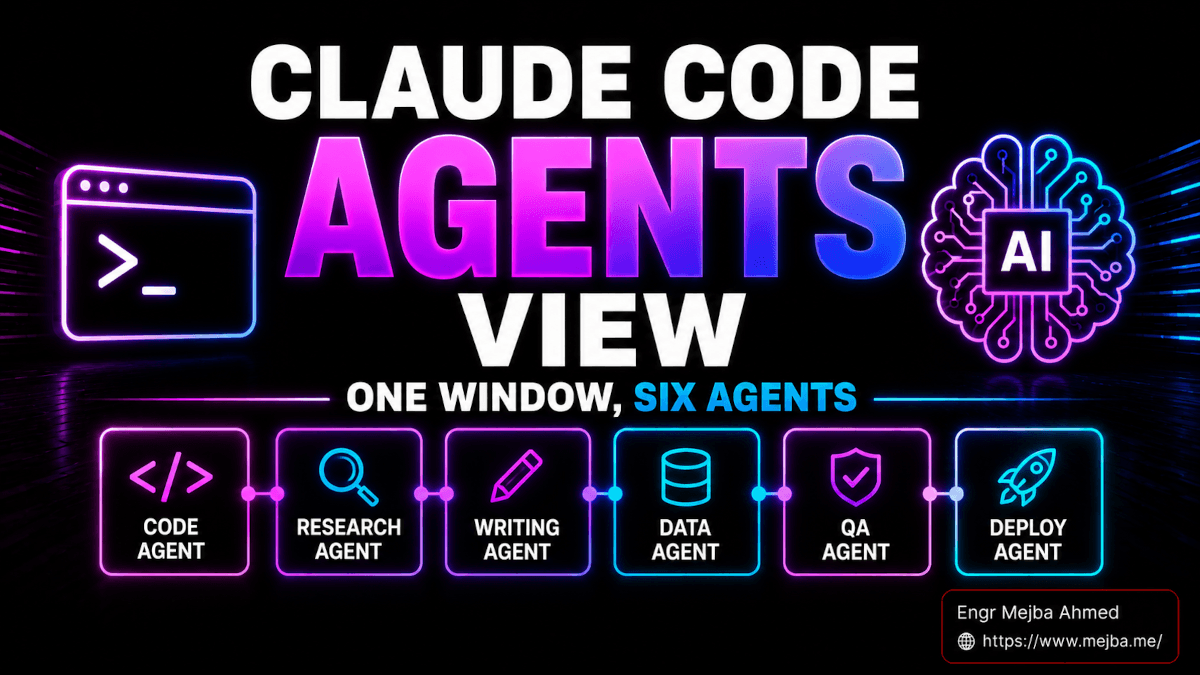
Claude Code Agents View: I Ran Six Agents Through It on Day One
It was 11:14 PM on a Monday when I finally admitted I had a tab problem.
Six iTerm windows. Three of them running Claude Code sessions on different worktrees of the same repo. One was babysitting a content generation job for mejba.me. Another was halfway through a Laravel migration I'd kicked off before dinner. The last one was just sitting there, waiting for me to confirm whether it should overwrite a config file or bail. I had no idea which one needed me. I'd been alt-tabbing for forty minutes, hunting for the session that had paused, like a developer-flavored version of whack-a-mole.
That was the night Anthropic shipped Agents View.
I updated Claude Code to v2.1.139, typed claude agents, and watched the six terminal windows I'd been juggling collapse into a single dashboard with three columns: Needs Input, Working, Completed. The Laravel session was sitting in "Needs Input" with a yes/no prompt I'd missed for nineteen minutes. The content job was still chugging in "Working." Two old sessions I'd forgotten about were quietly finished and waiting in "Completed." I closed five of the six windows. The sessions kept running anyway.
That was the moment I understood what the Claude Code Agents View actually changes.
This isn't a cosmetic upgrade. It isn't "we added a status bar." It's the first piece of Claude Code that genuinely treats parallel agents as the default workflow instead of an advanced trick. And after running it through three days of real production work — building posts, fixing bugs, running migrations, dispatching research agents — I have opinions. Strong ones. Some good, some less so.
Let me walk you through what I found.
What Anthropic Actually Shipped
Agent View landed on May 11, 2026 as a Research Preview inside Claude Code v2.1.139 and later. It's available on Pro, Max, Team, Enterprise, and Claude API plans — basically everyone except the free tier. You opt in by running claude agents from your shell.
What you get is a single screen that lists every Claude Code session you've started, categorized by what it's doing right now:
- Needs Input — the session has stopped and is waiting for you to answer something. A yes/no prompt. A clarification. A merge conflict resolution. These are the ones bleeding your time.
- Working — the session is actively running. Generating code, running tests, calling tools, thinking.
- Completed — the session finished its task and is sitting idle.
Each row in the list shows you the session name, what state it's in, the last response the agent gave, and how long it's been since you interacted with it. For scheduled or looping sessions — PR babysitters, dashboard updaters, that kind of thing — the row also shows the next run time inline. You don't have to open the session to see what's going on. You glance.
That last sentence is what makes Agents View actually different. The whole bet of this feature is that glancing replaces context-switching. And after three days of using it, I think they got the bet right.
Here's what makes me confident: the obvious version of this feature would have been a status bar plugin. Some color-coded indicator in the corner of your terminal. Anthropic could have shipped that in a week. They didn't. They built a real dashboard with first-class session management — peek, reply, delete, dispatch new sessions, background existing ones — and it lives inside the same terminal you're already using. No Electron app. No browser tab. No Slack integration. Just claude agents, and you're in.
The Three-Column Mental Model
I want to spend a minute on the columns themselves because I think the design decision behind them is the actual product, and most reviewers I've seen so far skip past it.
Needs Input is at the top for a reason. It's the column you scan first. It's the column that's costing you money if you ignore it — because every minute a session sits in "Needs Input" is a minute that session is doing nothing while your subscription clock keeps ticking. Anthropic is essentially saying: here is the only column that requires you to be a human right now. Everything else can wait.
Working is the column you check second, mostly out of curiosity. "How's that thing going?" Glance. Move on. The dashboard tells you what the last response was and how long it's been running, which is enough information to decide whether to peek or let it cook.
Completed is the column you check last — usually when you're ready to review work, ship results, or close out sessions that finished hours ago and you forgot about. (I had three of those in my first day. I bet you'll have more.)
The columns aren't just visual organization. They're a priority queue dressed up as UI. The whole point of the dashboard is that you stop being the scheduler. You stop holding "which session needs me?" in your head. The dashboard holds it for you, and you triage top to bottom.
This is exactly the missing piece I wrote about a few weeks back when I covered the visual OS dashboard I wanted Claude Code to have. I sketched out what a coordination layer over multiple agents should look like — categorized status, peek-without-leaving, persistent sessions. Anthropic shipped most of that list. Not all of it. But the foundation is here.
Peek: The Feature I Didn't Know I Needed
The single most useful thing in Agents View — the thing I now use a hundred times a day — isn't switching between sessions. It's peeking at them.
You hit space on a row. A pane slides open. You see the session's last few messages, elapsed time, current progress, and a reply box. You type a quick response if you want. You hit space again and you're back to the dashboard. The session you were "in" never left your peripheral vision.
The first time I used this was on a Tuesday afternoon. I had a content generation agent halfway through a 4,500-word post for mejba.me. I was in another session in the same dashboard, fixing a TypeScript error. I hit space on the content agent. Pane slid open. The agent was waiting for me to confirm whether it should include a code snippet or describe the pattern in prose. I typed "code snippet, with comments." Hit space. Back to the TypeScript error.
Nine seconds. No tab switching. No "wait, where was I."
Compare that to the old workflow: cmd-tab to find the content session's window, click in, scroll up to see what it was asking, type the answer, cmd-tab back, scroll the TypeScript session to remember where I was. Probably 30-45 seconds. Forty times a day. That's twenty minutes of pure context-switching tax I was paying daily, and I didn't even notice until it was gone.
A friend of mine who runs a small agency texted me on day two: "Is the peek thing real? Because if it's real, I just got an hour back today." It's real. It's the headline feature even though Anthropic didn't market it that way.
Backgrounding a Session With /bg
Here's where things get interesting, and where I want to clear up some confusion I've seen in early reviews and Twitter threads.
The way you put a session into Agents View isn't just by starting it there. You can take any existing Claude Code session — one you started ten minutes ago in a regular terminal, before you even thought about the dashboard — and push it into Agents View with a single command: /bg.
That's the slash command. Inside a running session, type /bg, hit enter, and the session detaches from your current terminal and slides into Agents View. The session keeps running. Your terminal window is now free. You can close it, start something new, or open Agents View and see the session sitting where you left it.
There's a shorthand for this that I love: press the left arrow key on an empty prompt. That backgrounds the current session and opens Agents View in one motion. After two days of using it, this is now muscle memory. Empty prompt, left arrow, dashboard. It feels like cmd-tab for AI agents.
You can also pass a final instruction before backgrounding. Type /bg run the test suite and fix any failures and the session will accept that prompt, then detach. The agent works on the prompt in the background. You go do something else. When it needs you — or finishes — you see it in the dashboard.
And from your shell, outside any session, you can launch a new background session directly: claude --bg "research the top 5 schema markup mistakes in 2026 and write me a memo". No interactive prompt. No terminal window to manage. The agent starts. The session shows up in Agents View. You move on with your day.
This is the part that quietly changes how you work. Because once backgrounding is one keystroke, you start backgrounding everything. You stop treating Claude Code sessions like phone calls (one at a time, full attention) and start treating them like Slack threads (many at once, attention only when needed). The mental model shift is bigger than the feature.
Persistence: The Quiet Part Out Loud
Here's the part that took me a while to fully trust: closing Agents View does not kill the sessions running inside it.
I learned this by accident on day one. I was in the dashboard, four sessions running, when my battery hit 4% and I had to shut my laptop. I assumed I was going to lose the work-in-progress sessions. When I plugged in and reopened my terminal an hour later, I typed claude agents half-expecting an empty list.
Every session was there. Two had completed in the meantime. One was still working. One was waiting on me. The state had survived not just closing the dashboard — but closing the whole terminal.
That changes the calculus on long-running agents in a meaningful way. Up until this update, I would never trust a Claude Code session to run for more than maybe 30-40 minutes without me supervising it, because if my terminal crashed or I had to restart, I'd lose the work. Now? I dispatch a research agent in the morning, close my laptop, take a 90-minute meeting, come back, and it's either done or waiting for me. I don't think about it.
The closest comparison I have is the worktree workflow I wrote about in how I run multiple Claude Code agents in parallel using Git worktrees. That post was about isolating file system state across parallel agents — making sure agent A's commits don't collide with agent B's. Persistence in Agents View is the matching half of the puzzle: isolating session state from your terminal lifecycle. The two together make parallel Claude Code feel like running a real distributed system, except the workers happen to be language models.
What Three Days of Real Use Actually Looked Like
I want to ground this in concrete numbers, because I think reviews that don't tell you what the reviewer actually did are mostly marketing.
Over three days, here's what I ran through Agents View:
- Day 1: 11 sessions total. Four content generation jobs for mejba.me. Three coding sessions across two repos. Two research agents. One spec workflow (using my KFC agent setup). One debugging session that I backgrounded twice and resumed three times.
- Day 2: 14 sessions. Heaviest day. I was simultaneously running a Laravel upgrade in one worktree, a React component refactor in another, a content batch for ramlit.com, and a Higgsfield prompt-engineering session for some product images.
- Day 3: 9 sessions. Quieter. Mostly long-running stuff — two PR-watching agents, three content jobs, a research memo, a couple of focused coding sessions.
Across those 34 sessions, I never lost work due to a terminal close. I had two cases where I quit Claude Code entirely (cmd-Q) and reopened — both times, sessions were restored from where they left off. I had zero cases where Agents View itself crashed or hung. The peek feature stayed responsive even when I had eight active sessions, three of which were running tool calls in parallel.
The one place I felt friction: scrolling through long session histories from within peek mode is awkward. If a session has been running for an hour and produced a wall of output, peek shows you the most recent activity but doesn't give you a great way to navigate backwards through the full transcript without clicking into the session fully. That's the workflow that breaks for me — and I suspect it'll be one of the first things Anthropic improves in the post-preview version.
The Real Workflows This Unlocks
Let me be specific about what I now do that I couldn't do before. Not "what's possible in theory" — what I actually started doing in week one.
Morning batch dispatch. I open Agents View first thing. I dispatch three or four sessions at once: a content research agent, a code review agent for any overnight PRs, and a memo-writer for whatever I'm thinking about. Then I close the dashboard and go drink coffee. By the time I come back, two of them are in "Completed" and one is in "Needs Input." I triage in five minutes.
Interleaved coding. I'll have one session deep in a refactor — the heavy thinking session — and a second session I peek into for quick "how do I do X in this codebase" questions. The second session doesn't disturb the first one. The peek answers land in my brain, and I keep working. This is the workflow that was always supposed to exist with multiple terminals, but it was too high-friction to actually do. Now it's one keystroke.
Long-running research agents. I now treat research agents like background jobs in a build system. I kick one off ("research the top 10 SEO trends for AI Overviews in May 2026 and write a 1,200-word memo with citations"), background it immediately with /bg, and forget about it. When I notice it sitting in "Completed" twenty minutes later, I peek, skim the output, and decide whether to ship it or send it back for revisions.
Confidence to interrupt. This is the subtle one. Before Agents View, if a session was in the middle of doing something complex, I was reluctant to interrupt it with a clarifying question because I didn't want to derail the work. Now I just hit space, ask the question, get the answer, and the main session is unaffected. The cost of curiosity dropped by an order of magnitude. I ask more questions. I learn more.
If you've been reading my work for a while, this lines up with the agentic OS three-layer model I wrote about back in March — architecture layer, memory layer, dashboard layer. Agents View is the missing dashboard layer, finally shipped natively. I no longer need to bolt it on with custom tooling. That's a meaningful shift.
What It Gets Wrong (Or At Least, Not Right Yet)
I want to be honest about the rough edges, because the Research Preview label is real and Anthropic is asking for feedback. Here's mine, in priority order.
The session list doesn't sort the way I'd want. Right now, sessions in each column appear in the order you started them. What I actually want is "needs input" sorted by how long it's been waiting — the session that's been blocked for 25 minutes should be at the top, not the one that just paused 30 seconds ago. Time-since-blocked is the real urgency signal, and the dashboard doesn't surface it as a sort key.
No filters or search. Once you've got more than ten or twelve sessions in the dashboard, scanning gets harder. I'd love to filter by repo, by tag, by date started. I'd love to search session names. Right now it's a flat list, and that doesn't scale past maybe 15 active sessions before it starts feeling cluttered.
Limited bulk actions. You can delete a session with Ctrl+X and a confirmation, but you can't (yet) bulk-clear all completed sessions, or bulk-restart, or bulk-tag. If you finish a day with twelve sessions in "Completed," you're going to be hitting Ctrl+X twelve times.
Peek mode's reply box is too narrow. If the reply you want to send is more than two sentences, the box feels cramped. For longer responses or multi-line code snippets, you end up opening the session fully anyway, which defeats some of the speed advantage. I'd take a peek mode that grows to fit the reply.
No mobile/remote viewer. This is the big one for me, and I know I'm not alone. Most of my long-running agents are kicked off from my laptop, but I'd love to glance at Agents View from my phone when I'm out. Right now there's no companion app, no web dashboard, no SSH-friendly read-only mode. (There are third-party tools trying to fill this gap, but I'd rather have it native.)
None of these are dealbreakers. All of them are obvious follow-ups. The fact that I'm complaining about second-order ergonomics instead of fundamental design choices is the highest compliment I can pay this release.
Who Should Turn This On Right Now
If you fit any of these descriptions, update to v2.1.139 and run claude agents today. Not next week. Today.
- You run more than two Claude Code sessions in a typical work session.
- You've ever lost track of which terminal window was waiting on you.
- You use Claude Code for content batches, research jobs, or any work that involves long-running tasks.
- You've ever closed a terminal accidentally and lost a session you cared about.
- You bounce between coding and dispatching agents — the "interleaved coding" pattern I described above.
If you use Claude Code as a single-session, one-prompt-at-a-time tool, Agents View won't change your life. The dashboard is the answer to a problem you don't have yet. But the moment you start running parallel agents — and most heavy users will, sooner than they expect — this becomes the missing piece.
I'd also flag: if you're on Pro, you have full access to Agents View. This isn't an enterprise-tier gate. Anthropic shipped this for everyone, which I think is the right call because the workflow it enables is what makes new users want to upgrade to higher tiers.
How Agents View Fits the "Claude Code as an OS" Theme
I've been writing about Claude Code as an operating system for months. The shape of that argument is: a real operating system has a process scheduler (parallel agents), a file system (worktrees + memory), a UI shell (the terminal), and a window manager (the way you switch between running tasks). Most of Claude Code's evolution over 2026 has been filling in those layers one by one.
Agents View is the window manager. It's the thing that lets you have a dozen processes running and not lose your mind. Before this release, Claude Code had everything you needed to run parallel agents if you were willing to build the coordination layer yourself. The coordination layer was the bottleneck. Now it's not.
What I think comes next — and I'd bet money on this — is some form of cross-session orchestration. The ability to say "this session blocks until that other session finishes." The ability to chain agents declaratively. Maybe a workflow definition that lives in a file and gets executed by Agents View itself. The dashboard is the foundation for that. They've laid down the rails.
In the meantime, what you have is a tool that turns six terminal windows into one screen, makes context-switching cheap, and survives terminal crashes. That's enough to change my workflow in a single afternoon. That's enough to write about.
FAQ
Frequently Asked Questions
Everything you need to know about this topic
Run claude agents from your shell. You'll need Claude Code v2.1.139 or later, and a Pro, Max, Team, Enterprise, or Claude API plan. The Agents View opens as a full-screen dashboard inside your terminal, organized into three columns: Needs Input, Working, and Completed. For the full workflow, see "What Anthropic Actually Shipped" above.
The /bg command (alias for /background) detaches the current Claude Code session from your terminal and moves it into Agents View, where it keeps running independently. You can also pass a final prompt — /bg run the test suite — before backgrounding, or press the left-arrow key on an empty prompt as a shortcut. See "Backgrounding a Session With /bg" for details.
Yes. Active sessions persist even after you close the Agents View window or quit your terminal. Reopening with claude agents restores the full session state, including in-progress work. This is by design and is one of the most important behaviors of the feature. See "Persistence: The Quiet Part Out Loud" above.
Yes — that's the peek feature. Hover over a row in Agents View and hit the spacebar. A pane slides open showing the session's recent activity, elapsed time, and a reply box. You can type a response and return to the dashboard without ever fully opening the session. It's the highest-leverage feature of Agents View.
No. Agents View requires a paid plan — Pro, Max, Team, Enterprise, or Claude API. It's labeled as a Research Preview, so the feature set may change before general availability. The minimum Claude Code version is v2.1.139, available across all paid tiers as of May 2026.
Let's Work Together
Looking to build AI systems, automate workflows, or scale your tech infrastructure? I'd love to help.
- Fiverr (custom builds & integrations): fiverr.com/s/EgxYmWD
- Portfolio: mejba.me
- Ramlit Limited (enterprise solutions): ramlit.com
- ColorPark (design & branding): colorpark.io
- xCyberSecurity (security services): xcybersecurity.io