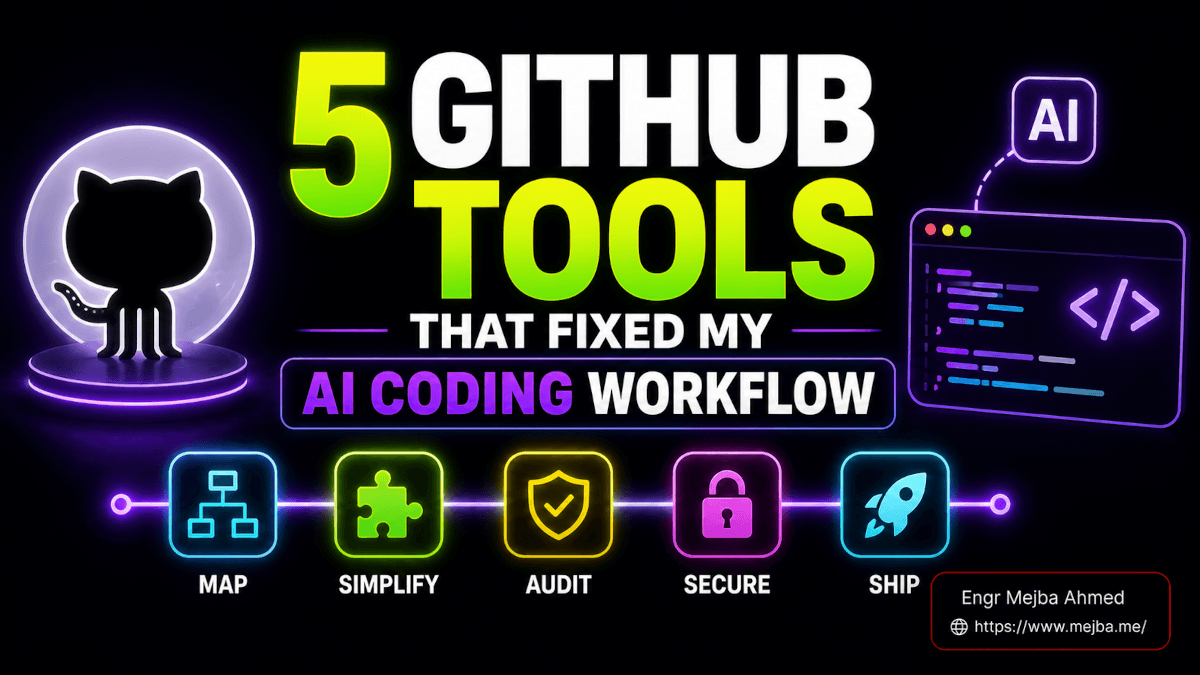
Five GitHub tools for AI app development turned my messiest Claude Code project back into something I actually understand: the draw.io skill, Ponytail, Handy, Improve, and NVIDIA's Skill Spector. I found them the hard way. A bug took me ninety minutes to find last month, and it lived in code I had never read — a duplicate error-handling component Claude Code had written three weeks earlier, the fourth one in the same project, each slightly different, each pretending to be the canonical one.
I shipped at AI speed all through Q2 2026, and somewhere in that speed I lost the thread of how my own app fit together. I could prompt my way to new features in minutes. I could not, when something broke, point at a whiteboard and say "the problem is here." That gap — between generating code and understanding it — is the most dangerous thing about AI app development right now, and almost nobody talks about it.
So I spent the last month testing five GitHub tools that attack that exact gap. Not productivity toys. Not yet another agent harness. Five tools that do something narrower and more important: they help you understand, simplify, optimize, and secure the code an AI writes for you, instead of just accumulating more of it. One maps your architecture. One deletes your over-engineering. One captures your thinking faster than you can type. One audits your codebase and hands you a backlog. And one — the one I almost skipped — scans third-party skills for the kind of vulnerability that quietly steals your session cookies.
The thread that runs through all five: every one of them makes the human smarter about the codebase, not just the machine faster at writing it. That distinction is the difference between vibe-coding yourself into a maintainable product and vibe-coding yourself into a black box you're afraid to touch. By the end, you'll have a feedback loop — diagram, simplify, audit, secure — that you can run on any project this weekend.
Why AI App Development Breaks Down at Month Four
The honest version of the AI coding story has two acts.
Act one is magic. You describe an app, an agent builds it, and for the first few weeks you feel like you have superpowers. Features that used to take a sprint take an afternoon. I lived this. It's real.
Act two is the part the launch demos never show you. Around month three or four, the codebase starts to feel heavier than it should. Files you've never opened. Three components that all do the same thing. A folder structure that made sense to the model at 2 AM but makes no sense to you in daylight. The model didn't get worse — your understanding did, because the code grew at five to ten times the rate your brain can model it.
There are two specific failure modes underneath that heaviness, and both are well-documented now.
The first is over-engineering. Large language models are trained on a planet's worth of "best practice" code, and they default to it reflexively. Ask for a button, get a factory pattern. Ask for error handling, get four near-identical components instead of one parameterized one. The model is pattern-matching toward complexity because complexity is what most of its training data looks like. You didn't ask for the abstraction. You got it anyway.
The second is token inefficiency, which is really the same problem wearing a billing statement. Every extra abstraction, every duplicated component, every unused code path is more context the model has to read on the next prompt. A bloated codebase costs you money on every single agent call, forever, because the agent re-reads the mess each time it works.
Both problems share one root cause: the AI generates faster than you can comprehend, and comprehension is the thing that actually keeps a project alive. The five tools below are the antidote — not because they make the AI write more, but because they hand control of the codebase back to you. The first one starts where every project should: a map.
draw.io CLI Skill — Seeing Your Architecture for the First Time
I'll be honest about where I started. For my own AI-built projects, my mental model of the architecture lived entirely in my head, and it was wrong. I thought I knew how the pieces connected. I didn't.
The draw.io skill fixed that in about four minutes. It's a Claude Code skill — compatible with the Agent Skills format — that turns an existing codebase into an auto-laid-out architecture diagram using the draw.io command line interface. You point it at a repo in Python, JavaScript/TypeScript, Go, or Rust, and it extracts the structure, runs a Graphviz placement pass with transitive reduction to untangle the dependency spaghetti, and writes editable .drawio XML you can open and rearrange.
What makes it more than a toy is the self-refinement loop baked in. Behind the scenes it checks dependencies, plans the layout, generates the XML, exports a draft PNG, then self-checks against the image and auto-fixes up to two rounds before it ever shows you anything. After that it'll run a feedback loop of up to five rounds with you until you approve, then exports the final to PNG, SVG, PDF, or JPG. It ships with six diagram presets — ERD, UML class, sequence, architecture, ML/deep-learning, and flowchart — plus more than 10,000 official shapes and 321 AI/LLM brand logos for when you're documenting an agent stack.
When I ran it on one of my own apps, the diagram showed my presentation layer talking directly to the database in two places, bypassing the service layer entirely. I had written — well, prompted — that code, and I had no memory of it. The diagram caught it in seconds.
That's the "vibe engineering" use case, and it's the one I want to flag for anyone building without a formal engineering background. When you can see the layers — presentation, service, database, the mobile frontend talking to the API — debugging stops being a guessing game. You stop asking the agent to "fix the login bug somewhere" and start saying "the auth check in the service layer isn't being called by the mobile client." That precision saves real money too: handing Claude Code a clear mental model of how components interconnect means it reads less of your codebase to orient itself, which is fewer tokens on every prompt.
There's an official path here as well, if you'd rather use MCP than a skill. On February 3, 2026, jgraph shipped the official @drawio/mcp server, which bridges AI agents and draw.io directly. I tested the skill version because it runs entirely inside Claude Code with no extra server to babysit, but if you're already living in an MCP-heavy setup, the official server is worth a look.
A map tells you what you built. The next tool tells you which half of it shouldn't exist.
Ponytail — Deleting the Code You Never Needed
Ponytail is the most-starred tool in this post, and the story of how fast it got there tells you everything about how badly developers wanted it.
A solo developer who signs himself DietrichGebert published Ponytail on June 12, 2026. By June 21 — nine days later — it had over 44,000 stars and more than 2,100 forks. The tagline is perfect: it makes your AI agent "think like the laziest senior dev in the room. The best code is the code you never wrote."
Mechanically, Ponytail is a skill — a set of rules injected into the agent — that forces the AI to write the minimum code necessary and nothing more. Its heart is a six-rung decision ladder the agent climbs before writing anything:
- Does this task even need to exist? If no, skip it. (This is YAGNI — You Aren't Gonna Need It — enforced as a hard gate.)
- Already in the codebase? Reuse it, don't rewrite it.
- Does the standard library do it? Use the stdlib.
- Native platform feature? Use that.
- Already-installed dependency? Use it.
- One line? Write one line. Only then, the minimum that works.
It ships in three intensity levels. Lite builds what you asked but flags the lazier alternative and leaves the call to you. Full applies the ladder. And ultra — in the maintainer's words — "exists for when the codebase has personally offended you." I laughed, then I ran ultra on a side project, then I stopped laughing.
But the rung-ladder is only half the tool. The half I care about more is the audit mode. Point Ponytail at an existing codebase and it flags dead code, unnecessary abstractions, and dependencies that the standard library could replace. It found my four error-handling components and recommended consolidating them into a single parameterized one — exactly the duplication that cost me that ninety-minute bug hunt. It keeps a "debt ledger" for the shortcuts you take on purpose, and a scoreboard showing the impact on code size and cost.
Now the numbers, because this is where Ponytail earns the stars. The maintainer's published benchmark, run on June 18, 2026, measured the skill against the same agent with no skill, editing a real open-source repo (FastAPI plus React). The result: roughly 54% less code (up to 94% in the most over-engineered files), about 20% cheaper per session, around 27% faster, and — critically — 100% of the test suites still passed. Less code, lower cost, faster runs, nothing broken.
I'll add the honest caveat I always add. Ponytail is opinionated, and "the laziest senior dev in the room" is sometimes wrong. Twice it suggested collapsing an abstraction I'd built deliberately because I knew a second consumer was coming next sprint. That's what lite mode and the debt ledger are for — you stay in the loop, you make the call. But for the default case, where the AI reflexively over-builds and you just want clean, shippable code, Ponytail is the first tool I've installed permanently into every new project.
Mapping and simplifying, handled. The next problem sits upstream of both: getting your own thoughts into the machine fast enough to keep up.
Handy — Free Voice Dictation That Keeps Up With Your Brain
Here's a bottleneck nobody admits to. The AI can write a feature in thirty seconds. Specifying that feature clearly — typing out the full context, the edge cases, the constraints — takes you five minutes of hunt-and-peck. Your input bandwidth is the limit now, not the model's output.
Voice fixes that, and Handy is the free, open-source way in. It's a dictation tool with a dead-simple workflow: press a shortcut, speak, and text appears wherever your cursor is. It runs on Linux, macOS, and Windows, and it's a genuine free alternative to paid tools like Wispr Flow.
Under the hood it gives you a choice of speech-recognition models. You can run OpenAI's Whisper family (Small, Medium, Turbo, Large) with GPU acceleration for accuracy, or NVIDIA's Parakeet V3, a CPU-optimized model with automatic language detection that's fast enough to feel instant even without a beefy GPU. Everything runs locally — the audio never leaves your machine — which matters when you're dictating proprietary specs or client details.
I used Handy for two weeks straight to capture specs before feeding them to Claude Code. The shift was bigger than I expected. When describing a feature costs ten seconds of talking instead of five minutes of typing, you describe more. You add the edge cases you'd normally skip. You think out loud about the failure modes. The richer your verbal context, the better the code the agent writes — and Handy expands the amount of context you can realistically feed an AI tool before your hands give out.
The honest limitation: Handy is dictation, not rewriting. Paid tools like Wispr Flow layer AI cleanup on top — removing your "ums," restructuring rambling sentences, formatting on the fly. Handy doesn't do that. What you say is what you get, filler words and all. For me, that's a fine trade for free, local, and private — I'm pasting raw thoughts into a prompt where a little mess doesn't matter. If you need polished prose dictated straight into a doc, you'll feel the gap. For capturing development thinking at the speed it actually happens, it's more than enough.
If voice agents are your thing more broadly, I went deeper on the conversational side in my breakdown of building a voice agent with Claude Code and ElevenLabs — different use case, same underlying truth that voice is an underrated interface for AI development.
Now you can see your architecture, simplify it, and feed it faster. The next tool turns all of that into an actual plan you can execute.
Improve by shadcn — Turning an Audit Into a Backlog
Improve is an agent skill from shadcn — yes, the shadcn/ui person — and it launched on June 10, 2026, the day after Fable 5 dropped. The pitch is unusual: "Use your most capable model to audit your codebase and write plans for cheaper models to execute." It splits AI coding into two economically different jobs — expensive thinking and cheap doing — and it only handles the thinking.
The defining feature is what it won't do. Improve is strictly read-only on your source code. It never implements, fixes, or refactors anything itself. It reads your codebase, finds the inefficiencies and the systemic issues, prioritizes them, and writes a detailed implementation plan. The plan is the product. That sounds like a limitation until you understand the economics behind it.
The logic goes like this. Deep codebase understanding — mapping how everything connects, judging what's actually worth fixing, writing a precise spec — is where intelligence compounds. That's worth running on your smartest, most expensive model. Executing that spec, once it's written clearly enough, is mechanical. That can run on a cheaper model, over and over, for weeks. One audit session with a top model — say 400K input tokens to map a medium codebase, roughly $4 on the input side — produces a plan that cheap models then execute across dozens of sessions. One expensive think, many cheap doings. That's the token-optimization play, and it's genuinely smart.
But the feature that made me sit up is the project-management integration. Add the --issues flag and Improve publishes its plan directly as GitHub issues. Not a markdown file you'll forget in a /docs folder. Real, trackable issues your team — or your other agents — can pick up in whatever workflow they already run.
Think about what that unlocks. Your technical debt stops being a vague feeling and becomes a backlog. Each issue is a discrete, scoped unit of work with a clear spec. You can prioritize them, assign them, and — this is the part I love — wire them into an agent loop where a cheaper model picks up an issue, opens a PR, and you review it. The audit feeds the backlog, the backlog feeds the automation, the automation feeds the PR review. That's a sustainable refactoring engine, not a one-off cleanup.
If you'd rather have someone architect that whole audit-to-backlog loop for your team and wire it into your CI, that's exactly the kind of engagement I take on — you can see what I've built at fiverr.com/s/EgxYmWD.
I'd been doing manual versions of this for months and wrote up the deeper architecture philosophy in my post on the deep-modules Claude Code skill — Improve is the tool that finally automated the backlog half of that workflow for me.
So now I'm mapping, simplifying, dictating, and auditing — all by installing skills from GitHub. Which raises a question I'd been ignoring for too long: how do I know those skills are safe?
Skill Spector by NVIDIA — Scanning Before You Trust
I almost didn't include this tool, and that reluctance is exactly the problem it solves. I'd been installing skills off GitHub all month — draw.io, Ponytail, Improve — pasting two-line install commands into my terminal without reading a single line of what they actually did. So has every developer I know. The AI skill ecosystem runs on implicit trust, and that trust is unearned.
Skill Spector — NVIDIA's open-source security scanner for AI agent skills, sitting at around 5,500 stars by mid-June 2026 — is built to break that habit. It scans a skill repo before you install it and flags vulnerabilities, malicious patterns, and security risks. The numbers behind it are sobering: NVIDIA's research found that 26.1% of skills contain vulnerabilities and 5.2% show likely malicious intent. Roughly one in four skills you might install has a problem, and one in twenty is actively trying to hurt you.
It works in two stages. By default it runs fast static checks — pattern matching across 65 vulnerability signatures in 16 categories, including prompt injection, data exfiltration, privilege escalation, supply-chain attacks, dangerous code execution, and MCP tool poisoning. Then, optionally, it adds an LLM semantic-analysis pass for the issues that need intent comparison — the cases where code looks fine statically but is doing something sneaky. That second stage needs an OpenAI API key, and that's where the cost comes from. A scan runs roughly $0.20 to $5 depending on repo size. Cheaper than a single hour of incident response.
When I ran it against an unfamiliar third-party skill, it surfaced two things that genuinely rattled me. First, the skill requested access to browser cookies — which, on platforms like Twitter or Reddit, is a direct path to session hijacking: steal the cookie, become the user, no password required. Second, the install and update scripts pulled and executed unverified remote code. That's a textbook supply-chain attack vector — the script looks harmless today, the remote endpoint serves something malicious tomorrow, and you ran it with your own permissions.
Neither of those was visible in the README. Both were buried in code I'd have blindly executed. That's the whole point.
The use case I'd flag hardest: any skill from an unknown author, and especially repos with documentation in a language you don't read. If you can't audit the install script yourself because you can't read the comments, a $2 scan is not optional — it's the cheapest insurance in your entire stack. I cover the broader pattern of auditing AI-written and AI-installed code in my walkthrough of building a Claude Code security scanner agent, but for third-party skills specifically, Skill Spector is purpose-built and I now run it on everything before install.
That completes the loop. Five tools, one feedback cycle.
The Feedback Loop — How These Five Tools Compound
Individually, each tool is useful. Together they form something better: a development feedback loop that keeps the human in control while the AI does the heavy lifting.
Here's the cycle I now run on real projects:
- Map it with the draw.io skill, so I — and Claude Code — share an accurate picture of how the app connects. Fewer tokens wasted on the agent re-orienting itself, fewer debugging guesses for me.
- Simplify it with Ponytail, deleting the over-engineering the AI reflexively added and consolidating duplicate components before they rot. About 54% less code to maintain, per the benchmarks.
- Capture it with Handy, so the specs I feed back in are rich and fast — voice in, context out, no typing bottleneck.
- Plan it with Improve, turning the audit into GitHub issues that a cheaper model can execute inside an agent loop. Expensive thinking once, cheap doing forever.
- Secure it with Skill Spector, so every new tool I add to the loop gets scanned before it ever touches my environment.
Notice what every step has in common. None of them ask the AI to generate more. Every one makes me — the human — smarter about the code that exists. Mapping builds understanding. Simplifying reduces what I have to understand. Dictation widens my input. Auditing externalizes the backlog. Scanning protects the boundary. The loop's output isn't volume. It's comprehension, and comprehension is the only thing that keeps a fast-moving AI project from collapsing into a black box.
That's the real argument here, and it runs against the grain of most AI-coding hype. The goal was never to let the AI build something you don't understand. The goal is to use the AI to understand, optimize, and secure your project better than you could alone — a foundation for continual learning, not a quick-fix blackboxing of your own codebase. I went deeper on the broader toolkit in my roundup of GitHub repos that made Claude Code faster, but these five are the ones aimed squarely at understanding rather than speed.
What This Looks Like Three Months From Now
Run this loop for a quarter and the math compounds in your favor in ways that are easy to predict from the mechanisms.
Your codebases get smaller, not bigger, because Ponytail is deleting faster than the AI over-builds. Smaller codebases mean lower token costs on every agent call — the bloat tax shrinks every week. Your debugging gets faster because you have an accurate architecture diagram instead of a guess. Your technical debt stops hiding because it lives in a GitHub backlog you can see and prioritize. And your attack surface stays controlled because nothing enters your environment unscanned.
I won't hand you invented percentages for your project — I don't have them, and neither does anyone selling you a tool. What I can tell you is the direction, because it follows directly from the mechanisms: less code to read, fewer tokens to spend, fewer surprises to debug, fewer trapdoors to step in. The published Ponytail benchmark — 54% less code, 20% cheaper, 27% faster, on a real FastAPI/React repo — is the most concrete signal we have, and it points the same way as everything else here.
The teams that win the next year of AI development won't be the ones generating the most code. They'll be the ones who understand the code they generate, keep it lean, plan their debt deliberately, and refuse to install anything they haven't scanned. These five tools are how you become that kind of builder without a computer-science degree or a twenty-person engineering org behind you.
FAQ
Frequently Asked Questions
Everything you need to know about this topic
The strongest free, open-source tools right now are the draw.io skill (architecture diagrams from your codebase), Ponytail (deletes AI over-engineering), Handy (local voice dictation), and NVIDIA's Skill Spector (security scanning for skills). Only shadcn's Improve and Skill Spector's LLM pass incur API costs; everything else is free. See the sections above for how each one works.
Use Ponytail, a Claude Code skill that forces the agent up a six-rung decision ladder starting with YAGNI — don't build it unless it's needed. Its benchmarks show roughly 54% less code with all tests still passing. Run it in audit mode on an existing project to flag and consolidate the over-engineering already there.
Not blindly — NVIDIA's research found 26.1% of agent skills contain vulnerabilities and 5.2% show likely malicious intent. Scan any third-party skill with Skill Spector before installing; a scan costs roughly $0.20 to $5 and catches risks like cookie theft and unverified remote-code execution in install scripts.
Improve is strictly read-only — it audits your codebase and writes a detailed implementation plan but never changes code itself. With the --issues flag it publishes that plan directly as GitHub issues, so a cheaper model can execute the work later. One expensive audit feeds many cheap execution passes.
No. Handy runs NVIDIA's Parakeet V3, a CPU-optimized speech model with automatic language detection that's fast without a dedicated GPU. If you do have a GPU, you can switch to OpenAI Whisper models (Small through Large) for higher accuracy. Everything transcribes locally, so your audio never leaves your machine.
Build the Loop Into Your Own Stack
I run this map-simplify-audit-secure loop on every AI-built project I touch now, and turning a codebase that's become a black box back into something lean and legible is the work I most enjoy. If you want help wiring these tools — or the same feedback cycle — into your own stack or CI, here's where I take that on.