Voice Agent with Claude Code and ElevenLabs: The Full Build
The agent answered the test call in my own voice and then did something I did not expect. It paused. Long enough that I almost spoke. Then it asked, gently, for the spelling of the company name I had just said. Not the email. The company. Because two minutes earlier I had told Claude Code to stop letting the agent guess at proper nouns, and Claude Code had quietly added one line to the system prompt that pushed the agent to ask, every time.
That single pause is the moment I stopped thinking of this thing as a script and started treating it like an employee.
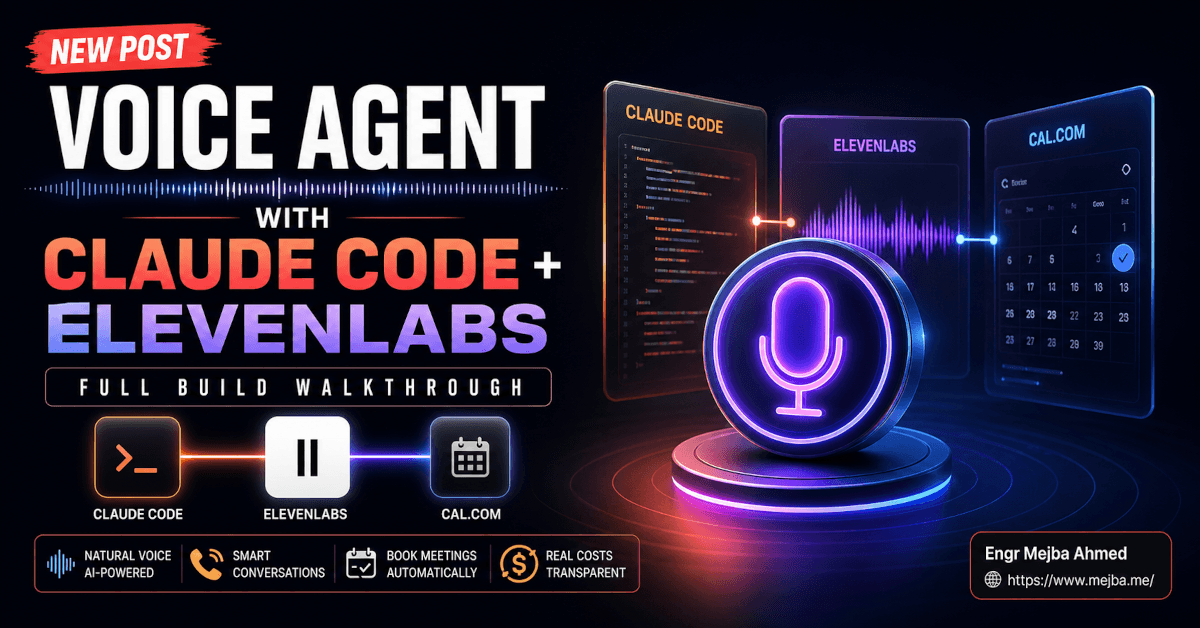
I had spent the previous afternoon building a complete voice agent with Claude Code as the orchestration brain, ElevenLabs as the voice and conversation engine, and Cal.com as the booking backend. No glue services. No Make scenarios. No Zapier in the middle. Just three APIs, one .env file, a widget snippet on a landing page, and Claude Code reading the docs for me while I described what I wanted in plain English.
By the end, I had a sales agent that could answer in a cloned version of my own voice, qualify a prospect across five fields, check my calendar in Central Time, book a 30-minute discovery call, and send the confirmation email — all from a phone-shaped bubble in the corner of a website. The first version of it was broken in five different ways. The fifth version of it works. This post is the full walkthrough of what a real voice agent build looks like in 2026 — including the bugs, the credit math, and the security holes I almost shipped.
Why I Stopped Thinking About Voice Agents As A Future Thing
For two years I had treated voice agents like a tomorrow problem. The demos were impressive on stage and weird in production. Robotic cadence. Hallucinated availability. The kind of "press one for sales" energy that makes humans hang up before the second prompt.
That changed quietly. Three things lined up at the same time. ElevenLabs Agents matured into a real product — voice cloning that crosses the uncanny valley with Professional Voice Cloning at 30+ minutes of audio, conversational latency that no longer feels like satellite delay, and per-minute billing that actually maps to a business case. Cal.com shipped a clean v2 API where booking creation does not require auth and slot availability is a single GET. And Claude Code learned to read a third-party API docs page, ask me three sharp questions, and write the integration code without me leaving VS Code.
That last part is the unlock. The technical knowledge required to wire ElevenLabs to Cal.com used to be the bottleneck. Now the bottleneck is knowing what you want the agent to do.
Look — I am not selling you a vision of voice replacing humans. I am selling you a single, narrow use case where the math is so clean it would be malpractice not to ship it: an agent that answers your inbound site traffic at 11 PM on a Sunday, qualifies the lead, and books the meeting on your real calendar before the visitor closes the tab. That is what I built. That is what I am about to walk you through.
But before we get to the build, you need to understand something most tutorials skip. A voice agent is not one thing. It is four things stitched together — and if you do not understand the four pieces, the build feels like wizardry and the debugging feels like guessing.
The Four Pieces Of Any Voice Agent
Every voice agent on the market — yours, mine, the one your bank's phone tree wishes it were — is some combination of four components. Get any one of these wrong and the whole thing collapses. Get all four right and the agent feels like a coworker.
Persona is the system prompt. Tone, style, vocabulary, what the agent will and will not say, how it handles objections, what it does when it does not know an answer. This is the part most builds get embarrassingly wrong. They paste in "You are a helpful assistant" and wonder why the agent sounds like every other AI on the internet. The persona is where your brand lives. It is the difference between an agent that says "I'd be happy to help" and an agent that says "Walk me through what you're trying to fix and I'll see if we're a fit."
Voice is the synthetic voice driving the audio. ElevenLabs gives you three real options: a stock voice from their library, an Instant Voice Clone built from one to five minutes of clean audio, or a Professional Voice Clone built from 30 minutes minimum and ideally several hours of source material. I went with a Professional Voice Clone trained on roughly four hours of my own voice — old podcast episodes, screen recordings, narrated tutorials. The four-hour figure is not arbitrary. Past about two hours the model picks up cadence and breath patterns that single-hour clones miss. Past four hours the returns flatten out hard. There is no point feeding it twenty.
Knowledge base is what the agent knows. Mine was every transcript from my YouTube channel, plus a structured doc describing my services, pricing, and the kinds of projects I take on. ElevenLabs ingests these as RAG documents attached to the agent. The agent can quote from them, summarize them, refuse to answer questions outside them. For a sales agent, the knowledge base is mostly your own pitch — for a support agent, it is the product docs.
Tools are the things the agent can actually do. This is where most demo agents fall on their face. They can talk. They cannot act. A real agent has tools attached — a Cal.com booking endpoint, a CRM webhook, a GitHub repo lookup, an MCP server, a Python script that queries a customer database, a Zapier webhook that fires off the next step in a workflow. The tools are what makes the agent useful instead of theatrical.
The build I am walking through uses all four. Persona is a warm professional B2B sales voice. Voice is my own clone. Knowledge base is my YouTube transcripts and services doc. Tools are two — Cal.com slot availability and Cal.com booking creation, hit directly against the v2 API.
That is the architecture. Now here is what it actually took to build it.
The Setup Before Claude Code Touches Anything
I started in VS Code with a tiny Next.js landing page already running on localhost:3000. Nothing fancy — a hero section, a CTA button, an empty div where the voice widget would eventually mount. The page existed because I wanted Claude Code to have somewhere real to drop the widget once we got there. Building a voice agent with no host page is like soundproofing a room before you build the walls.
I opened the Claude Code extension inside VS Code. If you have not used it inside the IDE before, the experience is different from the terminal in one important way — Claude Code can see your file tree, read existing code, and write directly into the project without you having to copy-paste anything. The extension is the recommended way to use Claude Code inside VS Code, and for a build like this the side-by-side diff view earns its keep within the first ten minutes.
Then I typed one paragraph into Claude Code. Roughly:
I want to build a voice sales agent for my website. It should answer questions about my services, qualify the lead by asking for full name, email, company name, problem they're trying to solve, and team size, then book a 30-minute discovery call on my Cal.com calendar. The voice should be my Professional Voice Clone in ElevenLabs — I'll give you the voice ID. The tone should be warm but professional, B2B sales, no enthusiasm-faking, no AI-cliche language. Let's start by you asking me whatever you need to know.
Claude Code did not start coding. It asked five questions in a single message. What is my Cal.com event type slug? What timezone do I want availability in? Do I want a specific working-hours window or use the calendar's default? What should the agent do when the visitor wants to book outside my hours? Do I have an ElevenLabs API key and a Cal.com API key, or does it need to walk me through generating them?
This is the part that quietly matters. A junior developer would have started writing code immediately and burned an hour rewriting the qualification flow when I told them halfway through that I needed company size as a numeric range, not a free text field. Claude Code asked first.
I answered. Cal.com event type was discovery-call-30. Timezone Central Time. Working hours 9 AM to 9 PM weekdays. If outside hours, offer the next available slot. I had both API keys ready. Then Claude Code wrote a plan as a markdown file and dropped it in the repo. The plan listed every file it would create, every API call it would make, every environment variable it needed, and the order it would build in. I read the plan, asked for one change — store the qualification answers as a structured JSON object that gets sent to a webhook before the booking, so I can pipe leads into my CRM later — and gave the green light.
The Build, In The Order It Actually Happened
This is where most tutorials hand-wave. They say "Claude Code generated the integration" and skip to the demo. I want to give you the actual order, because the order is what makes the iteration loop work.
First, the .env file. Claude Code created .env.local with three variables stubbed out — ELEVENLABS_API_KEY, CAL_COM_API_KEY, ELEVENLABS_AGENT_ID left empty for now. It also added .env.local to .gitignore without me asking. Small thing, but every time an LLM remembers basic security hygiene without a prompt, I notice.
Second, the ElevenLabs agent itself. Claude Code hit the ElevenLabs Agents API to create a new agent — programmatically, not through the dashboard. The create-agent call accepts a JSON body with the system prompt, voice ID, knowledge base document IDs, and tool definitions. Claude Code wrote the system prompt as a separate markdown file (prompts/sales-agent-system.md) so I could iterate on it in version control. Here is roughly what the first draft looked like:
# Role

You are a sales voice agent for Mejba, a software engineer who builds AI
systems, automates workflows, and ships custom Claude Code integrations.

# Goal

Qualify the prospect. Answer their questions about Mejba's services. If they
seem like a fit, book a 30-minute discovery call on Mejba's calendar.

# Voice & Tone

- Warm but professional. B2B sales, not retail support.
- Never use the words "absolutely", "amazing", "I'd be happy to", or any
  variation that signals AI-cliche language.
- Speak in short sentences. Pause after asking a question.
- If the prospect goes on a tangent, listen. Do not interrupt to redirect.

# Qualification Fields (collect in this order, naturally)

1. Full name (ask them to spell the last name back if uncertain)
2. Email (read it back to confirm)
3. Company name (ask for the spelling, every time)
4. The problem they're trying to solve, in their own words
5. Team size (ask for an approximate number of people)

# Booking

- Once qualified, offer the next three available 30-minute slots from
  Cal.com via the get_available_slots tool.
- Confirm the slot in Central Time before calling create_booking.
- After booking, confirm the email confirmation will arrive within minutes.

# Boundaries

- Do not quote prices. Tell the prospect Mejba reviews scope before quoting.
- Do not promise specific delivery timelines.
- If asked something you don't know, say so plainly and offer to follow up.
That prompt got rewritten four times before the agent felt right. I will get to the rewrites in the next section. But the structure — role, goal, voice, qualification, booking, boundaries — is the bones. Every voice agent system prompt I write now follows that exact six-section shape.
Third, the tools. Claude Code defined two custom tools on the agent. get_available_slots accepts a date range and a timezone, hits Cal.com's /v2/slots endpoint, and returns a list of available 30-minute windows. create_booking accepts attendee name, email, the qualification fields as metadata, and a chosen slot, and hits Cal.com's /v2/bookings endpoint. Both tools live as serverless functions in the Next.js app under app/api/. The ElevenLabs agent calls those endpoints via webhook tools — meaning ElevenLabs sends an HTTPS POST to my endpoint, my endpoint hits Cal.com, and the response flows back through the agent.
The reason for the indirection — agent calls my server, my server calls Cal.com — is critical and worth slowing down for. If you put the Cal.com API key directly into the ElevenLabs tool config, that key sits in the agent definition. Anyone who can see the agent config can see the key. By routing through my own endpoints, the Cal.com key only lives in .env.local on Vercel. The agent has zero credentials of its own. It just talks to my webhook. This pattern shows up again in the security section, but it starts here.
Fourth, the widget. Once the agent ID came back from the ElevenLabs API, Claude Code dropped the embed snippet into the landing page. The snippet looks roughly like this:
<elevenlabs-convai
  agent-id="agent_xxxxxxxxxxxxxxxxxxxxx"
></elevenlabs-convai>
<script
  src="https://unpkg.com/@elevenlabs/convai-widget-embed"
  async
  type="text/javascript"
></script>
Two tags. That is the entire client-side surface area. The widget mounts a floating phone-icon button in the bottom corner of the page. Click it, and a real-time voice conversation starts. Everything else — the qualification flow, the calendar logic, the booking — runs server-side or inside the agent's brain.
I hit save. Refreshed localhost:3000. The phone bubble appeared. I clicked it. And then the bugs started.
Five Things Broke. Here Is What Each One Taught Me.
This is the section I wish every voice agent tutorial had. Because the build is the easy part. The first call is where you learn what your agent actually is.
Bug one: the agent did not say anything when the call started. I clicked the phone icon, the connection opened, and then there was silence. The agent was waiting for me. Like an awkward Zoom call. ElevenLabs Agents have a first_message field on the agent config — a literal string the agent speaks the moment a session opens — and Claude Code had left it empty because I had not specified one in my brief. I told Claude Code "Set the first message to something like: Hey, this is Mejba's AI assistant — what's on your mind?" Claude Code updated the agent config via API, no redeploy needed. Next call started with a warm hello.
Bug two: the voice was wrong. Not technically wrong — it was definitely my voice clone. But the cadence was that thing every Instant Voice Clone does where every sentence ends with a slight upward lilt, like the agent is smiling through every word. It sounded like a customer support recording. For a B2B sales agent, that energy was off. Too eager. Slightly fake.
The fix lived in the voice settings, not the prompt. ElevenLabs gives you four sliders that matter — speed, stability, similarity, and style exaggeration. I had Claude Code open the agent config and shift the voice settings: stability up to 0.75 (more consistent, less expressive variation), similarity up to 0.85 (closer to the source recordings), style exaggeration down to 0.3 (less performative). I added one line to the system prompt: "Speak in a calm, measured tone. You are not selling. You are listening." The next test call sounded like an actual person talking — slower, more deliberate, no smile-through. That single combination of slider tuning plus tone instruction turned out to be the biggest single quality lever in the whole build.
Bug three: the timezone was wrong. This one took an hour to find. I asked the agent to check availability for "tomorrow afternoon." The agent said the earliest slot was 6 PM. My calendar was actually wide open at 11 AM. I assumed Cal.com was broken. It was not. Cal.com's v2 slots endpoint requires the time parameters in UTC, but it accepts a timeZone parameter for output formatting. Claude Code had wired up the request correctly in UTC but had not set the timeZone parameter on the response, so the agent was reading slot times back in UTC and announcing them as Central Time. 11 AM Central in UTC is 4 PM. Add Cal.com's two-hour minimum-notice policy and the earliest slot the agent could see jumped to 6 PM.
The fix was four lines of code. Claude Code added timeZone=America/Chicago to the slots query, parsed the response's time field (which now came back already converted), and updated the system prompt to say "Always read times to the prospect in Central Time." Then we tested. 11 AM showed up. The agent said "I have 11 AM Central tomorrow." I let out a small audible sigh of relief.
If you remember nothing else from this entire post, remember this: when an LLM-driven agent does something weird with time, it is almost always a timezone bug, and it is almost never the model's fault.
Bug four: the email was misformatted and the company name was misspelled. I tested the booking flow by saying my email out loud — "mejba dot one three at gmail dot com." The agent confirmed back "M-E-G-B-A at gmail dot com." Wrong. Voice transcription regularly confuses M-E-J with M-E-G when there is no dictionary context. Same problem with company names. The agent had no way to know if I had said "Acme Inc" or "Acne Inc."
The fix was prompt-level, not code-level. I asked Claude Code to add this block to the system prompt:
# Spelling Discipline

For any proper noun the prospect provides — full name, email, company —
do NOT trust your transcription. Always:

1. Repeat the value back, letter by letter for short tokens (names, the
   local part of an email, company names under 8 characters).
2. For longer values, repeat back and ask: "Did I get the spelling right?"
3. For email addresses, separate the local part and the domain when
   reading back: "M-E-J-B-A dot one-three, at G-mail dot com — correct?"
4. If the prospect corrects you, accept the correction and read the new
   spelling back one more time before moving on.
Next test call, I said "mejba dot one three at gmail dot com." The agent paused, then read it back letter by letter. I confirmed. Booking went through clean. This is the pause that opened this article. It is also the kind of behavior change that is almost free to add and dramatically lifts the agent's perceived intelligence.
Bug five: Cal.com refused to book "anytime in the next two hours." The agent kept saying the earliest slot was two and a half hours out, even on a clearly open calendar. This was not a bug. Cal.com has a default minimum notice period of 120 minutes on event types — a setting designed to protect humans from accidentally booking themselves into something three minutes from now. I went into the Cal.com event type settings, dropped the minimum notice to 30 minutes, and tested again. The agent now offered slots starting 35 minutes out. Knowing the platform's default policies is part of integrating with it. Claude Code did not invent that 120-minute rule; Cal.com did. But Claude Code also could not have known I wanted to override it, because I had not told it.
Five bugs. Five fixes. Total time to debug all five: about ninety minutes, with Claude Code reading the relevant docs page each time and proposing the fix before I had finished reading the error.
Mid-Build Aside
If you would rather have someone build a voice agent like this end-to-end on your stack — voice clone, system prompt, Cal.com or HubSpot or whatever booking backend you use, hostname locking, the whole kit — that is exactly the kind of project I take on. You can see what I have built and book a call at fiverr.com/s/EgxYmWD.
Security: The Conversation That Almost Did Not Happen
I almost shipped this thing without thinking about security. The widget worked. The calendar worked. I had my finger on the deploy button.
Then a small, useful voice in the back of my head said: anyone with a browser can open this site, click the widget, and start burning my ElevenLabs credits.
Voice agents are not like text chatbots. Every minute of conversation costs real money. ElevenLabs Agents bills per minute of conversation, between $0.08 and $0.12 depending on tier, separate from your base subscription's character quota. A single hour-long abusive call is roughly $5 to $7. A botnet running ten parallel hour-long calls every night is the kind of bill that ruins a Tuesday morning.
So I made Claude Code add four layers of security before deploy.
Hostname allowlist. ElevenLabs' agent platform supports a hostname allowlist in the Security tab — you specify up to ten domains, and any widget connection from a domain not on that list gets rejected at the WebSocket handshake. I added mejba.me, www.mejba.me, and localhost:3000. Anyone who copies my widget snippet to their own site cannot use my agent.
Conversation duration cap. I capped any single conversation at 8 minutes. If a real prospect needs more time, they should be on a Zoom call with me, not abusing my voice bot. Eight minutes is enough to qualify and book. It also means the absolute worst case for an abuser is roughly $0.96 per session.
Per-IP rate limiting. Claude Code added a small Vercel Edge Function in front of the widget that throttles connections per IP. Three sessions per hour. Tenth session in an hour gets a 429. I did not invent this rate. I asked Claude Code to pick numbers that block obvious automation without rejecting a real user who hung up and called back.
Auth-gated escalation. For the first version, I left the widget public — a sales agent that requires a login is a sales agent nobody talks to. But Claude Code wrote a feature flag for signed URLs (the recommended default per the ElevenLabs auth docs) so I can flip the agent to authenticated mode in 30 seconds if I see abuse. Signed URLs require a server-side token before the agent will accept a connection. If you are running an internal-facing agent — employee help desk, partner portal — start with signed URLs and never look back.
I do not love the security calculus on public voice agents. The economics make abuse trivially easy and defense annoyingly multi-layered. But the four controls above bring the worst-case daily damage from "potentially unbounded" to "annoying but capped." That is the line you have to cross before you put any voice agent on a public domain.
The Cost Math, Honestly
Most tutorials skip the bill. I am not going to. Here is what running this agent actually costs as of May 2026.
Voice cloning setup is one-time. Professional Voice Cloning is included on the ElevenLabs Creator plan ($22/month) and above. The four hours of source audio I uploaded was processed once. The clone itself does not cost ongoing money — only the synthesized output does.
Agent conversations bill per minute. ElevenLabs Agents costs $0.08 per minute on the standard tier and up to $0.12 per minute on the premium tier (which uses a higher-end LLM and the Flash voice model). My agent runs on the standard tier. A typical sales conversation runs four to six minutes — say, $0.32 to $0.48 per qualified call.
Credits roll over for two months on paid plans. Unused credits do not accumulate forever. Plan your monthly burn against actual expected traffic, not your wildest growth fantasy.
Cal.com is free at my volume. The free tier covers a single user with a 30-minute event type and direct API access. If you need team scheduling or round-robin assignment, that is a paid tier — but for a solo operator, zero.
Vercel is free at my volume. The hobby tier handles the landing page and the two API routes that proxy to Cal.com without breaking a sweat.
So the running cost for a low-traffic version of this agent is roughly $22/month on ElevenLabs (Creator plan, which includes Professional Voice Cloning) plus per-minute conversation costs. If the agent handles ten calls a day at five minutes each, that is roughly fifty minutes a day, or $4 a day, or about $120/month in conversation costs. Total: around $142/month for a fully working sales agent that books meetings in your sleep.
For comparison, a part-time human BDR — someone who answers inbound and qualifies leads — costs you roughly $3,000 to $5,000 a month and does not work weekends. The agent does not replace a good BDR. It catches the calls that would otherwise hit voicemail and leak into the void.
Deploying It Where Real Visitors Can Find It
Once localhost:3000 had stopped breaking, deploying was almost boring.
GitHub sync. Claude Code initialized a git repo if it did not exist, created a private GitHub repo via the gh CLI, and pushed the code. .env.local stayed local, never touched the remote. Environment variables for production lived only in Vercel's dashboard.
Vercel deploy. Connected the GitHub repo to a new Vercel project, added the three environment variables (ELEVENLABS_API_KEY, CAL_COM_API_KEY, ELEVENLABS_AGENT_ID) in Vercel's project settings, hit deploy. Two minutes later, the site was live on a vercel.app subdomain. Then I pointed voice.mejba.me at the deployment via DNS. Total deploy time: about six minutes.
Twilio for phone. This is the part I have not shipped to production yet, but the architecture is in place. ElevenLabs Agents support Twilio phone-number integration out of the box. You buy a number, paste it into the ElevenLabs agent's "Phone numbers" tab, and the same agent that answers your widget now answers actual phone calls. Same persona. Same voice. Same tools. Same Cal.com integration. The agent does not care whether the audio is coming from a browser microphone or a phone line. That is the part I keep returning to as the thing that quietly changes the business case — one agent, three surfaces (widget, dashboard, phone), one prompt, one knowledge base.
If you have already built up an MCP-driven Claude Code workflow, you may be wondering where MCP fits in this build. The short answer is: it does not, yet — but the longer answer is that the same patterns I walked through in my breakdown of the must-have MCPs for Claude Code apply directly to voice agents the moment you want the agent to query a database, read your Notion, or pull a customer record. Today, all of that runs through my server-side webhooks. Tomorrow, ElevenLabs' MCP integration will let the agent call those servers directly with proper auth. The architecture is converging.
The Iteration Loop Is The Skill
Here is the part I want to underline before you close this tab. The build was not the hard part. Claude Code did the build. Anyone with two API keys and a clear brief could have produced the same first draft.
The skill — the actual transferable skill — is the iteration loop. The five bugs I described above are not Claude Code's failures. They are the natural friction of fitting a generalist LLM agent into a specific business context. Each bug fix took the form: notice the wrong behavior, describe it precisely to Claude Code, let Claude Code propose the fix, sanity-check the fix, deploy, retest. Five rounds of that loop turned an agent that paused awkwardly on call open and misspelled my email into an agent that books real meetings on real calendars.
This is the same iteration loop I have been writing about for months — the one where the value moves from "can the AI do it" to "can the human spot what is wrong fast enough to direct the next change." I went deeper on this exact dynamic in why context beats configuration when you are building agents, and the lessons there played out beat for beat in this voice agent build. Every prompt change I made was a context fix, not a model upgrade.
The voice agents that work in production in 2026 are not the ones with the best voice clone or the cleanest integration code. They are the ones whose builders ran the iteration loop fifteen times before going live. Most builders quit at three.
FAQ
Frequently Asked Questions
Everything you need to know about this topic
Expect roughly $142/month total for low-traffic production: $22/month for the ElevenLabs Creator plan (which unlocks Professional Voice Cloning), plus around $0.08 per minute of conversation, plus free tiers on Cal.com and Vercel. A solo operator handling ten qualified calls a day at five minutes each lands near $4/day in conversation costs.
ElevenLabs Professional Voice Cloning requires a 30-minute minimum, but quality jumps noticeably between two and four hours of clean source audio. I used four hours and saw the cadence and breathing patterns lock in. Past four hours, returns flatten. For Instant Voice Cloning, one to five minutes is enough — but the result is noticeably less natural for sales-grade conversations.
Yes. ElevenLabs Agents support Twilio phone integration in the same agent config that powers the website widget. One persona, one voice, one knowledge base, one set of tools — three surfaces. You buy a Twilio number, paste it into the agent's phone numbers tab, and inbound calls hit the same conversation engine your widget uses.
Use four layers: hostname allowlist in the ElevenLabs agent's Security tab (cap at your real domains plus localhost), a per-conversation duration cap (I use 8 minutes), per-IP rate limiting on a Vercel Edge Function in front of the widget, and a feature flag for signed URLs if you need to flip to auth-gated mode during an attack. See the security section above for the exact configuration.
This is almost always a Cal.com /v2/slots configuration issue. The endpoint requires UTC time parameters on input but accepts a timeZone parameter for output formatting. If you forget to set timeZone=America/Chicago (or your relevant zone) on the request, the response comes back in UTC and the agent reads it as if it were already local. Fix the request parameter and add a system-prompt line forcing the agent to always read times in the prospect's local zone.
Let's Work Together
Looking to build AI systems, automate workflows, or scale your tech infrastructure? I'd love to help.
- Fiverr (custom builds & integrations): fiverr.com/s/EgxYmWD
- Portfolio: mejba.me
- Ramlit Limited (enterprise solutions): ramlit.com
- ColorPark (design & branding): colorpark.io
- xCyberSecurity (security services): xcybersecurity.io