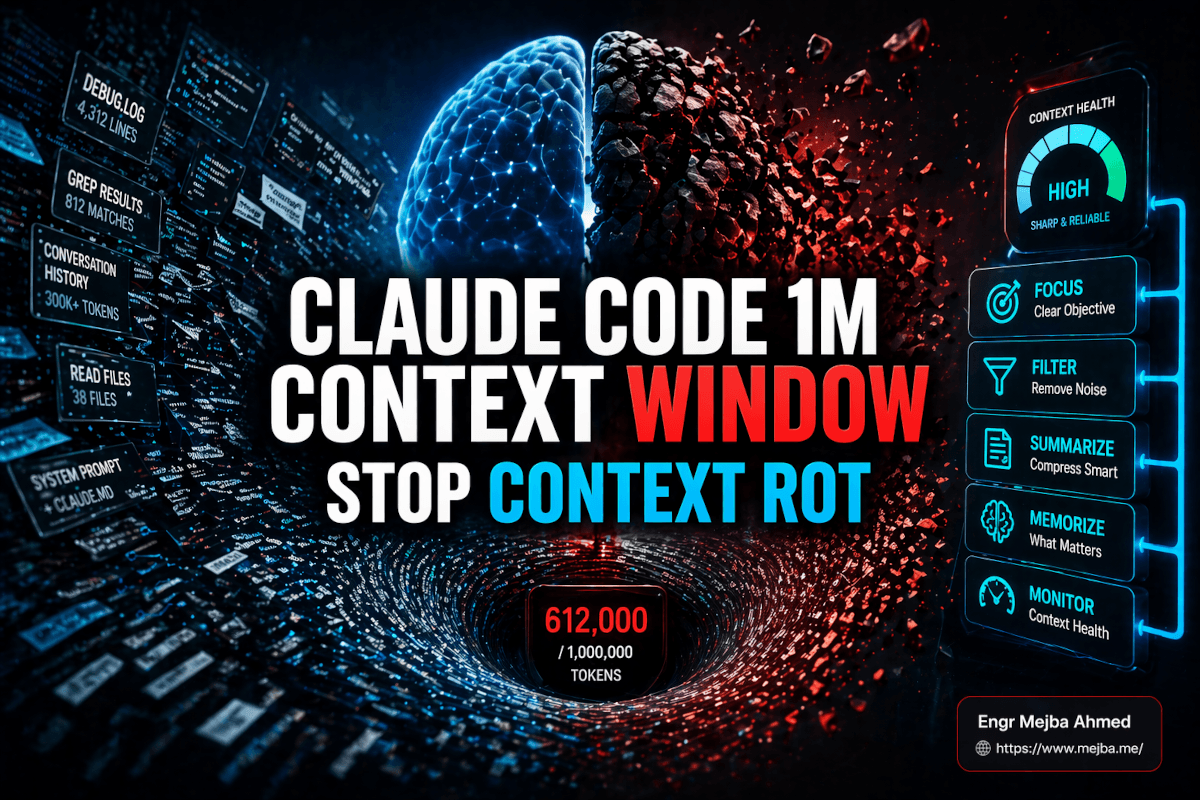
My global Claude Code settings pin the 1M-context variant as my default model. Not for special occasions — for everything. I run day-long sessions against this site's Laravel codebase on a Max plan, and I have watched, repeatedly, what the marketing pages don't show you: the window is real, but reliability inside it is something you engineer. A million tokens of room is not a million tokens of clear reasoning. In my sessions, the quality slide starts around 300,000 tokens — less than a third of the way to the cap — and if you wait for the model to visibly break before acting, you are already shipping its mistakes.
The worst one I caught: four hours into a service-layer refactor, the session confidently proposed updating a method on a class it had deleted itself ninety minutes earlier. The deletion was right there in the scrollback. The model wasn't getting dumber. It was drowning in its own history.
This post is the playbook I actually run now — where rot starts, how to name the failure mode you're seeing, and the five moves that keep a long session sharp.
What the 1M window actually is
Quick facts first, because posts on this topic routinely get them wrong. The 1M-token context window came to the Opus family with Claude Opus 4.6 on February 5, 2026, initially in beta on the developer platform, and every flagship since — Opus 4.7 in April, and the current generation — has carried it forward. On Max, Team, and Enterprise plans the long-context models are included; on the API, long-context pricing kicks in above the 200K mark, so check current rates before building an agent workflow that assumes the cheap tier.
The window contains everything the model can see at once: system prompt, your CLAUDE.md, the conversation, every file read, every tool output, every grep result. All of it counts, and all of it competes for attention. That competition is the entire story.
Rot starts around 300K, not at the ceiling
Context rot has a research paper trail, not just vibes. Chroma's 2025 study measured performance degradation across 18 frontier models as input length grew and found it in every one of them — it is a property of the current architecture, not an Anthropic bug. Anthropic's own engineers describe context as a finite attention budget that depletes with every token you add.
My practical number, from months of long sessions on this repo: treat 300K–400K tokens as the first checkpoint. Degradation there isn't a collapse; it's a probability shift. Old constraints get under-weighted. The model's internal picture of your filesystem lags reality. That is a nightmare property when an agent is editing production code, because the failure is quiet.
This is also why I built my status line the way I did. The little script in ~/.claude/statusline-command.sh prints directory, branch, model — and the remaining-context percentage, pulled straight from the session data. I put that number in my prompt line because the model will not tell you it's degrading. The counter will.
Name the failure mode before you fix it
Every "Claude is acting weird" moment I've had falls into one of four buckets, and each needs a different fix.
Context pollution
Irrelevant tokens crowding out signal: the 800-match grep you let through, the 4,000-line log read "just in case." The model treats every token as potentially load-bearing, so noise taxes every subsequent turn. Tell-tale: Claude starts referencing files you forgot it ever read.
Goal drift
The brief from message three decays under 400K tokens of subsequent history. You said "don't touch the user model"; three hours later, a related ask quietly touches the user model. Tell-tale: the immediate task is done correctly while an original constraint gets violated.
Memory corruption
The agent's world model diverges from the filesystem. It patched a file three times, then generates a diff against the first version. My deleted-class incident lives here. Tell-tale: tool calls that reference state which no longer exists.
Decision inconsistency
Early in the session you established that this Laravel service throws DomainException and the handler logs to Sentry. Deep in context, new code catches bare \Exception and calls Log::error. Not wrong code — just not your code anymore. Tell-tale: architectural choices stop matching a codebase the model has already read.
The five moves, in the order I reach for them
1. Continue — almost never past 300K
Under 300K with shallow, single-file work, keep going. Past it, continuing is a gamble where each turn compounds the rot. The switching cost you're avoiding is smaller than the debugging cost you're accruing.
2. Manual /compact with explicit preserve instructions
Autocompact — the compaction that fires on its own at the ceiling — is the single feature I've disabled trust in. Its summarizer favors recent turns, and your original brief is just text to it. I compact manually around 300K, and I dictate the terms:
/compact Preserve: (1) the original brief, (2) architectural
decisions from the first 15 turns, (3) the list of files modified
and why, (4) every constraint containing "DO NOT" or "MUST".
Drop: tool output bodies, intermediate grep results, file reads
we won't need again.
That turns "summarize the chat" into "write a structured handoff document." The difference in post-compact quality is not subtle.
3. /clear between unrelated tasks
Clearing is not defeat. A fresh 15K-token session with perfect signal outperforms a stale 600K-token session every time. The only rule: carry forward one deliberate sentence of context yourself instead of dragging the whole conversation along.
4. Clear + a state file on disk — my default for multi-session work
This is the move I lean on hardest, and it's not hypothetical: it is how the large batch jobs on this site actually run. When I rewrote 84 blog posts across seven batches, the whole operation hung off a durable JSON manifest in storage/app/ — every post ID marked DONE or PENDING, so any session that died (they do) could be resumed by a fresh one reading the manifest instead of reconstructing state from a rotting transcript. The pipeline producing the post you're reading works the same way: a task graph on disk, workers that read it, status written back after every unit of work.
Before clearing mid-task, I have the session write the same kind of file — objective, constraints, files modified with status, open decisions, exact next step — then /clear and re-prime: "Read the state file, confirm the objective and constraints, continue from next_step." The fresh session starts at a few thousand tokens with zero drift. Every /compact I've ever run is a lossy approximation of this. I've written up the full persistence system in how I gave Claude Code a second brain, and there's a packaged version of the idea in the handoff skill for multi-session work.
5. Subagents for anything that floods context
The test: will I need this tool output again, or just the conclusion? Conclusion only → subagent. "Find every caller of the legacy payment gateway and report the file list" would dump 40K tokens of grep into my main session; a subagent returns a 200-token answer. Test runs, log analysis, doc trawls — same shape. The subagent burns its own isolated window and hands back only the result. On search-heavy Laravel work this routinely keeps my main session under 100K where it previously ballooned past 400K.
Three habits that matter more than any command
Rewind instead of re-correcting. Every "no, not that" correction stays in context forever and accelerates the rot. My trigger is the third correction on the same issue: stop, rewind to before the bad turn, and re-prompt once with what I learned. The rewound timeline is cleaner and compacts better.
Recap every 50–75K tokens. "Recap the objective, the constraints we agreed to, and the work completed — two paragraphs." It re-anchors the model on the brief, and it's a diagnostic: if the recap comes back wrong, the rot has already started and it's time for move 2 or 4.
Never let compaction run on defaults. Covered above, but it's the rule I'd tattoo on the feature: treat /compact as writing a handoff doc for a teammate, not as invoking a magic eraser.
A full workday, end to end
- Session opens — tight CLAUDE.md, explicit constraints in message one, status line showing a full budget.
- First 200K: just work. No optimization theater.
- 300K checkpoint: recap. If focused, continue; if mid-task and heavy, manual
/compactwith preserve instructions. - Any step that would dump more than ~20K of tool output: subagent, always.
- End of a discrete chunk: state file to disk,
/clear, re-prime. Three minutes that prevent the compounding. - Third correction on anything: rewind, don't argue.
That loop is why I can run one project from breakfast to evening without the hallucination cascade that used to end my sessions by mid-afternoon. It's the same discipline that underpins my broader daily Claude Code workflow, and it pairs with the token-level tricks in my context hygiene notes and the tiered approach in the six levels of Claude Code memory.
Common questions
When does context rot start in Claude Code?
In my daily use, measurably around 300K–400K tokens — roughly a third of the 1M window. It's not a collapse but a probability shift toward drift and stale-state errors. Treat 300K as your first checkpoint, not 1M as your ceiling.
Should I use /compact or /clear?
/compact when the task is still live and recent context genuinely matters — always manually, always with explicit preserve instructions. /clear when switching work, or when pollution is bad enough that a summary would still be noise. For serious multi-session work, a state file on disk plus /clear beats both.
Why does Claude Code hallucinate in long sessions?
Because attention is a finite budget. As input grows, older constraints and file states get under-weighted until the model's picture of your project diverges from reality. The fix is active management — recaps, manual compaction, subagents, state-file handoffs — not a bigger window.
Long-session discipline is most of what separates teams getting real production work out of agents from teams collecting impressive demos and quiet regressions. Installing that discipline inside someone else's codebase — context budgets, resume manifests, subagent boundaries, a status line that shows the number — is one of the engagements listed on my services page.