Most Claude Code advice is a list of features. Plan mode, subagents, hooks, MCP — here are the toggles, go be productive. That framing is backwards. The model is not the bottleneck and the features are not the workflow. The bottleneck is that an agent with no structure produces confident work in the wrong place, and no amount of prompting fixes that.
I run Claude Code all day, every day, against this site's production Laravel codebase and against client work. What follows is not a summary of someone else's video. It is the actual system in my repo right now: the CLAUDE.md conventions, the git hook that blocks bad commits, the permission allowlist that lets verification run unattended, and the subagent batches that do in an afternoon what used to take me a week. Copy any piece of it directly.
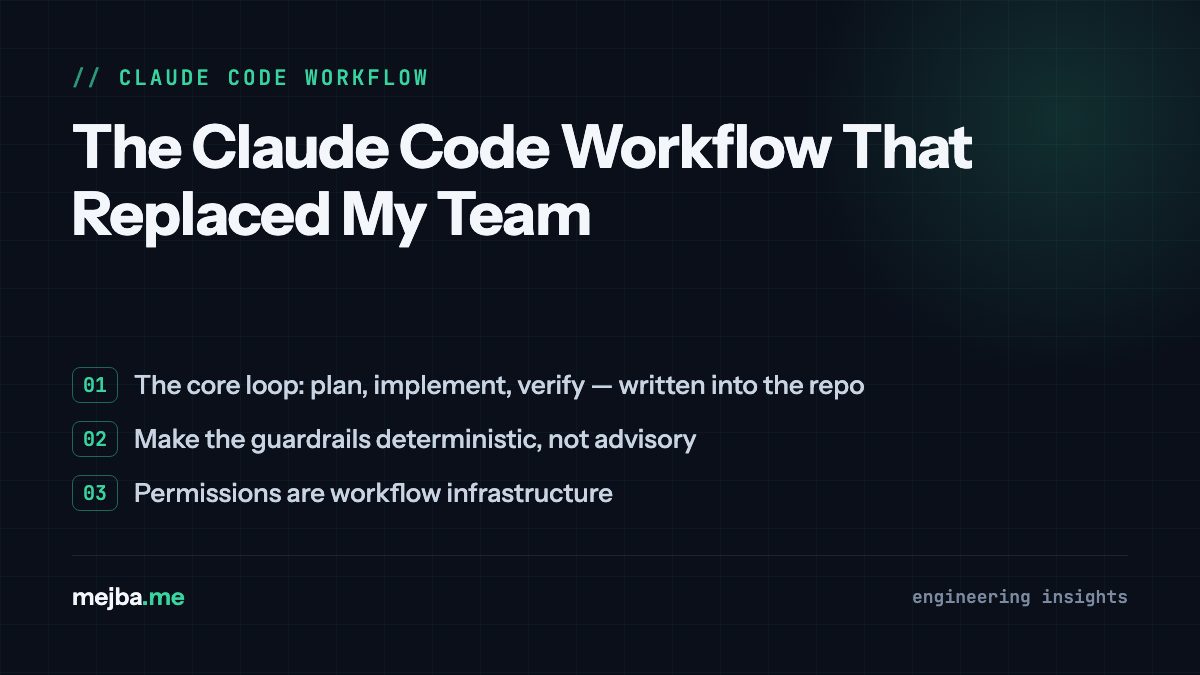
The core loop: plan, implement, verify — written into the repo
The workflow rests on one rule I borrowed from Andrej Karpathy's "think before coding" idea and then made concrete: before Claude implements anything in this codebase, it has to state three things. I codified this in the project's CLAUDE.md, so every session starts with the contract already loaded:
- Domain — which part of the app the change belongs to (Blog, Shop, Website, core). My models are organized by domain folder, so naming the domain forces the agent to land files in the right place.
- Sibling pattern — which existing file it is copying from. New abstractions need a stated reason. This single line kills the most common agent failure I see: correct code, novel structure, wrong location.
- Verify steps — concrete commands, not "make it work." In this repo that means
php artisan test --filter=SomeTest,vendor/bin/pint, andcomposer test:phpstan(PHPStan level 8).
The verify step is domain-specific, and that specificity matters. A Scout/Algolia change gets verified with php artisan scout:import plus a real query from the search page. A queue change gets verified with Horizon running and a dispatch from Tinker. A Filament resource gets exercised in the admin panel, create through delete. Generic "run the tests" instructions produce generic confidence. Named commands produce proof.
Just as important: CLAUDE.md also lists what to skip. Pint-only formatting fixes, translation key additions, typo fixes in Blade views — those get no ceremony at all. A workflow that applies full rigor to trivial edits gets abandoned within a week, because the overhead stops paying for itself. Write down the exceptions or the rule dies.
Make the guardrails deterministic, not advisory
Here is the thing I learned the hard way: CLAUDE.md is advice, and agents follow advice most of the time. Anything that must happen every time needs to live in a mechanism that executes regardless of what the model remembers.
In this repo that mechanism is a git pre-commit hook, wired through core.hooksPath to .githooks/pre-commit. On every commit with staged PHP files it runs Pint in check mode and PHPStan at level 8. Pint failures block the commit outright. PHPStan issues warn but allow it — a deliberate calibration, because pushing to main auto-deploys and I want friction proportional to risk. The hook enforces the same rules CLAUDE.md describes, which means a Claude session that forgets the convention still cannot land unformatted code.
At the global level I run two Claude Code hooks from ~/.claude/settings.json. A PreToolUse hook on Bash pipes every proposed command through a pattern matcher — a shell script that auto-approves reads and known-safe build commands and hard-blocks the destructive family (rm -rf /, curl | sh, chmod 777, fork bombs). A SessionStart hook loads my agent-state script, so each session opens knowing where the previous one left off. Neither depends on the model's judgment. That is the point.
The division of labor I have settled on: CLAUDE.md for things the agent should understand, hooks for things that must happen. If you find yourself writing "ALWAYS" in capital letters in your CLAUDE.md, that line probably wants to be a hook.
Permissions are workflow infrastructure
The least glamorous file in my setup is the one that changed my throughput the most: .claude/settings.local.json, the per-project permission allowlist. Mine has grown to roughly a hundred entries — php artisan *, vendor/bin/pint, vendor/bin/phpstan analyse, the Laravel Boost MCP tools for database queries and Tinker, the Playwright browser tools for visual checks.
Why this matters: the plan-implement-verify loop only runs unattended if the verify commands do not stop for approval. Before I built the allowlist, every long session degenerated into me babysitting permission prompts — which meant I could not run sessions in parallel, which meant the whole multi-agent model collapsed back into one developer watching one terminal. Grow the allowlist deliberately, from commands you have already watched run safely, and long autonomous stretches become normal instead of lucky.
The status line closes the loop on visibility. Mine is a small script that prints the working directory, git branch, model name, and — the part I actually watch — remaining context percentage. When that number gets low, output quality drops before the model admits anything is wrong. Seeing it in the prompt line tells me when to wrap up a task and clear, rather than discovering the degradation two confused edits later. I go deeper on context budgeting in my guide to managing long Claude Code sessions.
Parallel work: worktrees for features, subagents for batches
I split parallelism into two different tools, because they solve two different problems.
Git worktrees are for independent features. Each worktree is a separate checkout of the same repository on its own branch, so I can run two or three Claude Code sessions simultaneously without them stepping on each other's files. Three is my practical ceiling — beyond that, my review capacity becomes the bottleneck and the queue of unreviewed diffs grows faster than I can safely merge. The setup has real gotchas (including commits landing on the wrong branch if you are careless), which I covered in my walkthrough of running parallel Claude Code agents with worktrees.
Subagents are for repetitive work at volume, and this is where the workflow stops resembling assisted coding and starts resembling running a small team. The post you are reading went through a pipeline like this: an orchestrator session reads a graph of tasks, spawns worker agents with narrow briefs, and each worker writes its output plus a status entry to disk. I keep six specialized SEO agents in ~/.claude/agents/ — content, technical, schema, sitemap, performance, visual — each a markdown file with its own system prompt and tool scope. When I audited this site's indexation collapse, those agents ran the audit in parallel lanes while I reviewed findings, not files.
The rule that makes subagents work: they get tasks that are separable and resumable. Every batch run in my workflow writes a durable manifest — a STATUS file or JSON graph in storage/app/ — recording what is done and what is pending. When a session dies mid-batch (they do), the next session reads the manifest and continues instead of starting over. I wrote up the whole persistence layer in how I built a second brain for Claude Code.
Skills: encode the procedure once, and prune aggressively
I maintain around 35 skills in ~/.claude/skills/ — an SEO audit suite, a diagnostic skill, a handoff skill for multi-session work, design-review skills — plus the plugin skills I have enabled. A skill is a markdown procedure the agent loads on demand: the difference between telling a contractor "check the site for SEO problems" and handing them your firm's actual audit checklist.
The non-obvious practice is the pruning. My global settings file has a skillOverrides block that switches off more than thirty skills I am not actively using. Every enabled skill costs context in every session, whether invoked or not, and an agent choosing between forty available procedures picks worse than one choosing between eight. I treat the skill roster the way I treat the CLAUDE.md line count: everything present has to earn its place this month, not in principle. If you are starting from zero, my practitioner's guide to building AI skills across the engineering lifecycle covers how I structure and version them.
What a real day looks like
Concretely, a working day on this codebase runs like this:
- Open a session; the SessionStart hook restores state, the status line shows a full context budget.
- For anything structural, plan mode first (
Shift+Tab). I review the plan for one thing above all: file placement against the sibling pattern. Ten seconds of "no, extend the existing middleware, don't create a new one" saves the multi-hour class of refactor. - Implementation runs with verification inline — tests, Pint, PHPStan — none of it pausing for approval because the allowlist already covers it.
- Commit. The pre-commit hook re-checks formatting and static analysis whether or not the session remembered to.
/clearbetween tasks, carrying forward one sentence of context by hand instead of forty files of accumulated noise.- Batch or repetitive work goes to subagents with a manifest; parallel features go to worktrees, capped at three.
None of these steps is clever in isolation. The compounding is the product: conventions the agent reads, guardrails that fire deterministically, permissions that keep the loop unattended, and parallelism sized to my review bandwidth. When people ask what "replaced my team" actually means, it is this — not that the model got smart enough, but that the structure around it got explicit enough that coordination overhead went to near zero. For the smaller day-to-day tricks that sit on top of this foundation, I keep a running list in my Claude Code power-user hacks.
Adopt it in this order
If you build the whole thing at once you will drown in process. The order that worked for me, one layer per week:
- CLAUDE.md with the three-part contract (domain, sibling pattern, verify commands) — plus the skip list.
- Deterministic hooks — a pre-commit check for your formatter and static analyzer, then a PreToolUse safety hook.
- The permission allowlist, grown from commands you have watched run safely.
- Worktrees, then subagents — in that order, because worktrees teach you your own review ceiling before subagents let you exceed it.
The model will keep improving underneath this workflow. The structure is what makes each improvement compound instead of just making the mistakes arrive faster.
I install this exact setup — CLAUDE.md contracts, deterministic hooks, permission allowlists, and subagent pipelines — for engineering teams whose agents keep producing confident work in the wrong place. That rollout, sized to a team's own stack and review bandwidth and sequenced in the order above, is the engagement I take on through my contact page.