RAG Anything Multimodal RAG: Scanned PDFs Into Knowledge
I had a 47-page financial report sitting on my desktop for three weeks. Scanned PDF. Bar charts on every other page. Revenue tables rendered as images, not as actual data. The kind of document that makes every RAG system I've ever built shrug and say "here's some garbled text I found between the headers."
I'd been running LightRAG for months at that point -- text ingestion, knowledge graph construction, hybrid retrieval. It handled my markdown files and plain-text documents beautifully. But every time I tried to feed it something with charts, graphs, or scanned pages, the output was somewhere between useless and comically wrong. I once asked it about Q3 revenue trends and it returned a paragraph about the table of contents formatting. The knowledge graph had faithfully indexed the OCR garbage from the page headers and ignored the actual data sitting in the bar chart below.
That financial report was the breaking point. I needed my RAG system to understand documents the way I understand them -- not just the words on the page, but the charts, the images, the visual data that carries half the meaning in any serious business document. And that's when I found RAG Anything.
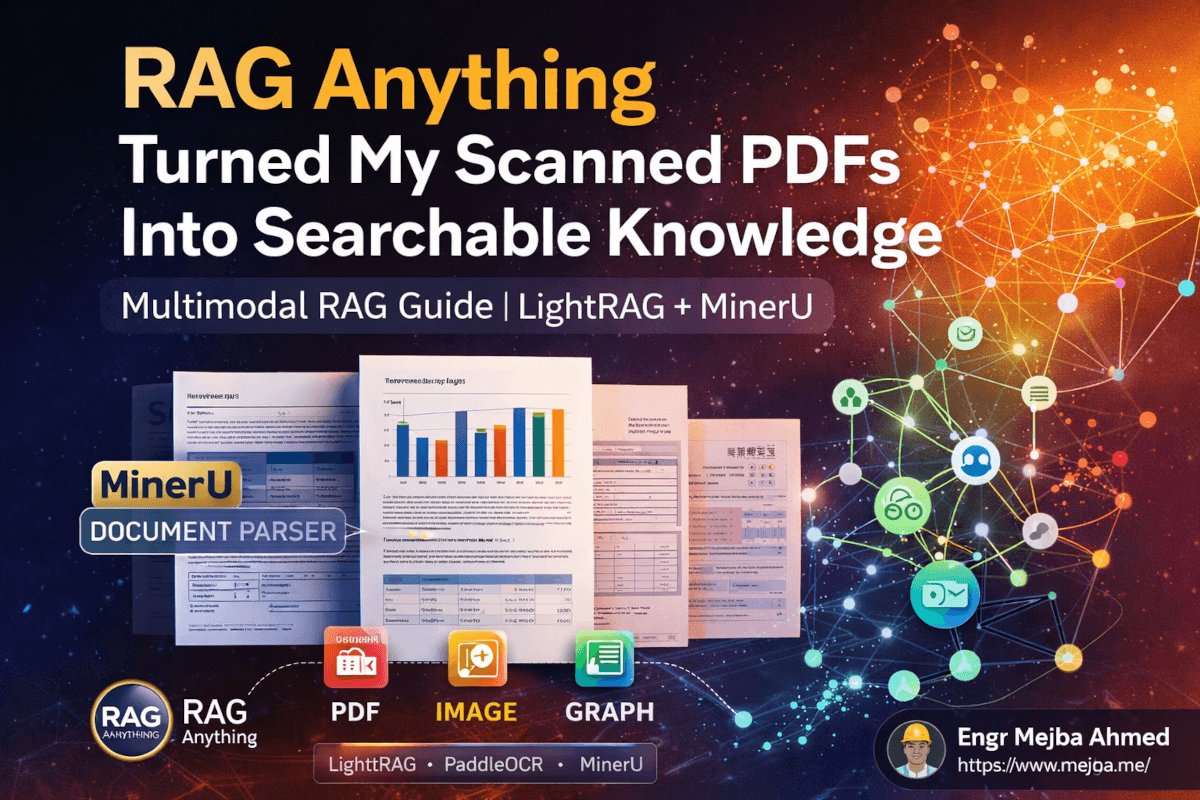
Built by the same HKUDS team behind LightRAG, RAG Anything is a wrapper that bolts multimodal document processing onto your existing LightRAG setup. It doesn't replace LightRAG. It extends it. And the way it handles the split between text and visual content is genuinely clever -- clever enough that I rebuilt my entire document ingestion pipeline around it in a single weekend.
Here's the full breakdown of how it works, how I set it up, and what happened when I finally fed that financial report through it.
Why Standard RAG Falls Apart on Real-World Documents
The dirty secret of most RAG tutorials is that they demo on pristine markdown files and clean-text PDFs. The kind of documents where every character is already machine-readable, neatly structured, and ready for chunking. That's maybe 30% of the documents I actually deal with.
The other 70%? Scanned contracts. Slide decks exported to PDF. Research papers with LaTeX equations. Financial reports where the most important data lives inside bar charts and pie graphs. Internal memos that someone printed, signed by hand, and then scanned back in. Government forms. Invoices with logos and tables rendered as images.
Standard RAG pipelines -- including vanilla LightRAG -- handle these documents with what I call the "squint and hope" approach. They run basic text extraction, get partial garbage from the OCR layer, chunk whatever text they find, embed it, and call it done. The charts? Invisible. The images? Ignored. The scanned handwriting? A salad of misrecognized characters.
I tried workarounds. I ran documents through separate OCR tools before feeding them to LightRAG. I used GPT-4o to describe images and then injected those descriptions as text. I even built a preprocessing pipeline that extracted images from PDFs, sent each one to a vision model, got text descriptions back, and merged those descriptions into the original text stream before chunking.
It worked. Barely. The maintenance overhead was brutal, the processing cost was high because every single image went through a cloud vision API, and the knowledge graph ended up with weird disconnections between the "real" text entities and the "described" image entities. They existed in parallel universes within the same database.
RAG Anything solves this in a fundamentally different way. Instead of treating images as an afterthought to be converted into text, it processes them as a first-class data type with their own embedding space and their own branch of the knowledge graph -- and then merges everything into a unified retrieval layer. The distinction matters more than it might sound.
But before I explain the architecture, you need to understand the document parser that makes the whole thing possible.
MinerU: The Document Parser That Does the Heavy Lifting
At the heart of RAG Anything sits MinerU, an open-source document parser from the OpenDataLab team. If you haven't encountered it, MinerU is what happens when you build a PDF extraction tool that actually respects the complexity of real documents.
Most PDF parsers treat a page as a flat stream of text. MinerU treats it as a layout -- with headers, paragraphs, tables, images, equations, footnotes, and sidebars, each identified and routed to a specialized extraction model. Think of it as a triage system. The document hits MinerU, and MinerU says: "This block is a heading. This block is body text. This is a table. This is a chart image. This is a LaTeX equation." Each component gets processed by the model best suited to handle it.
For text, MinerU uses PaddleOCR -- Baidu's open-source OCR engine that supports 100+ languages as of PP-OCRv5. PaddleOCR isn't just character recognition. It handles complex layouts, multi-column text, rotated text, and text embedded within images. When MinerU identifies a text block in a scanned PDF, PaddleOCR extracts the actual characters with surprisingly high accuracy.
For non-text elements -- charts, graphs, photographs, diagrams -- MinerU takes a different approach. It captures them as screenshots. Clean, cropped screenshots that preserve the visual information exactly as it appears on the page.
This separation is the key insight that makes RAG Anything work. Instead of trying to force everything into text (which loses information) or trying to process everything as images (which is expensive and slow), MinerU splits the document into two clean buckets:
- Text bucket: Everything that's actually text, extracted via OCR with high fidelity
- Image bucket: Everything that's visual, captured as screenshots with full context
Both buckets feed into the next stage of the pipeline. And this is where RAG Anything's architecture gets interesting -- because each bucket gets its own parallel processing track.
MinerU runs entirely locally. No API calls for the parsing stage. No data leaving your machine. The tradeoff is that it's heavier than a simple PDF library -- you're downloading actual ML models for layout detection, OCR, and component classification. On my M2 MacBook Pro, the initial model download was around 2GB. After that, parsing a 50-page scanned PDF takes roughly 45 seconds on CPU. Switching to GPU (which I'll cover in the setup section) cuts that to about 12 seconds.
The local processing is worth emphasizing. Every page of your document stays on your hardware during parsing. The only time data leaves your machine is in the next stage, when extracted text and images are sent to an LLM for entity extraction and embedding generation.
The Dual-Pipeline Architecture: How RAG Anything Actually Works
Here's where the engineering gets genuinely clever. Once MinerU has split your document into text and image buckets, RAG Anything runs two parallel processing pipelines -- one for each bucket. Both pipelines do the same two things, but they do them differently.
Pipeline 1: Text Processing
The text bucket goes to an LLM (GPT-4o mini by default, though you can swap in any model). The LLM performs two operations:
- Entity and relationship extraction -- It reads the text and identifies entities (people, companies, concepts, dates, financial figures) and the relationships between them. These become nodes and edges in a knowledge graph.
- Embedding generation -- The text chunks are converted to vector embeddings (using text-embedding-3-large by default) and stored in a vector database.
This is essentially what vanilla LightRAG already does. Nothing new here.
Pipeline 2: Image Processing
The image bucket goes to the same LLM, but the interaction is different. Each screenshot -- every chart, graph, diagram, and visual element MinerU extracted -- gets sent to the LLM's vision capabilities. The LLM analyzes the image and performs the same two operations:
- Entity and relationship extraction from visual content -- The model looks at a bar chart and extracts entities like "Q1 Revenue: $2.4M" and "Q3 Revenue: $3.1M" and the relationship "revenue increased 29% from Q1 to Q3." These become nodes and edges in an image-specific knowledge graph.
- Embedding generation from visual descriptions -- The model generates rich text descriptions of each image, and those descriptions are converted to embeddings and stored in an image-specific vector database.
Now you have four data structures:
| Data Structure | Source | Contains |
|---|---|---|
| Text vector database | OCR-extracted text | Semantic embeddings of text content |
| Text knowledge graph | OCR-extracted text | Entities and relationships from text |
| Image vector database | Visual screenshots | Semantic embeddings of image descriptions |
| Image knowledge graph | Visual screenshots | Entities and relationships from visual data |
The Merge
RAG Anything then merges these four structures into two: one unified vector database and one unified knowledge graph. The text and image entities coexist in the same graph. The text and image embeddings live in the same vector space. When you query the system, retrieval happens across both modalities simultaneously.
This is the part that fixed my "parallel universe" problem. When I was doing image-to-text conversion as a preprocessing step, the image-derived entities and the text-derived entities were disconnected. RAG Anything's merge step ensures they're linked. If the text mentions "Q3 revenue" and a bar chart shows Q3 revenue data, both entities exist in the same knowledge graph with overlapping relationships. The retrieval layer can pull from both sources to construct a complete answer.
And here's the part I didn't expect: the merged RAG Anything database then combines with your existing LightRAG database. If you've already been running LightRAG with text documents, RAG Anything doesn't overwrite any of that. It adds to it. You end up with one consolidated vector database and one consolidated knowledge graph spanning everything -- your original text documents AND your newly ingested multimodal documents.
The query experience doesn't change at all. Same API. Same natural language prompts. Same retrieval modes. The system handles the complexity of multi-source, multi-modal retrieval behind the scenes.
That seamlessness is what convinced me to adopt it. I didn't have to rebuild anything. I didn't have to change my query patterns. I just gained the ability to ingest an entirely new category of documents.
How I Set Everything Up (Step by Step)
I won't sugarcoat this: the initial setup is heavier than vanilla LightRAG. You're adding a document parser with ML models, an OCR engine, and additional Python dependencies. But once it's configured, the day-to-day experience is smooth.
Here's the exact setup I followed.
Step 1: Make sure LightRAG is already running.
If you don't have LightRAG set up yet, start there. RAG Anything wraps around LightRAG -- it needs a working installation to extend. The LightRAG GitHub repository has clear instructions. I was running LightRAG with the Docker-based UI, which gives you a web interface for uploading text documents and querying the knowledge graph.
Step 2: Install RAG Anything and its dependencies.
RAG Anything is installable via pip:
pip install raganything
This pulls in the core framework. But you also need MinerU for document parsing:
pip install mineru
The first time MinerU runs, it downloads its layout detection and classification models. Expect about 2GB of downloads. PaddleOCR comes bundled as a MinerU dependency, so you don't need to install it separately.
Step 3: Use the Claude Code one-shot setup prompt.
This was the part that saved me hours. The RAG Anything repo includes a Claude Code prompt that automates the configuration:
- Updates storage paths to match your existing LightRAG data directory
- Configures the AI models (GPT-4o mini for entity extraction, text-embedding-3-large for embeddings by default)
- Fixes a known bug where embeddings get double-wrapped during the merge step
I ran the prompt in Claude Code pointed at my LightRAG project directory, and it handled the configuration in about 90 seconds. Without this, I would have been manually editing config files and probably fighting the double-wrap bug for an hour before finding the GitHub issue about it.
Step 4: Configure your API keys.
RAG Anything needs access to an LLM with vision capabilities for image processing. I used GPT-4o mini because the cost is low and the vision quality is solid for chart and graph interpretation. You'll need your OpenAI API key set in the environment or config file.
For embeddings, the default is text-embedding-3-large. Same API key covers it.
Step 5: Test with a simple document.
Before throwing complex scanned PDFs at it, I tested with a single-page document containing one paragraph of text and one bar chart. This validates that MinerU is parsing correctly, PaddleOCR is extracting text, the vision model is interpreting the chart, and the merge step is producing a unified database.
from raganything import RAGAnything

rag = RAGAnything(
    working_dir="./rag_storage",
    llm_model="gpt-4o-mini",
    embedding_model="text-embedding-3-large"
)

# Ingest a multimodal document
rag.insert("./test_document.pdf")

# Query across both text and visual content
result = rag.query("What does the bar chart show about revenue?")
print(result)
When this returned actual numerical data from the chart -- not a description of the chart, but the specific values it contained -- I knew the pipeline was working.
Step 6: Ingest your real documents.
Here's an important operational detail: non-text document ingestion can't happen through the LightRAG web UI. The UI doesn't know about MinerU or the dual-pipeline architecture. You need to run ingestion through the Python script (or a Claude Code skill that wraps it).
Text documents can still go through the LightRAG UI as usual. Only multimodal documents need the script-based approach.
After ingestion, I found that restarting the Docker container running the LightRAG UI was sometimes necessary for it to pick up the newly merged database. Not every time, but often enough that I added a container restart to my ingestion script.
Pro tip: Switch MinerU to GPU processing. On CPU, MinerU is functional but slow for large documents. If you have an NVIDIA GPU (or an M-series Mac with Metal support), configuring MinerU to use GPU acceleration makes a dramatic difference. My 50-page scanned PDF went from 45 seconds to 12 seconds. Claude Code can help you modify the MinerU configuration to enable GPU -- it's a config flag change, not a reinstall.
What I Actually Fed It (And What Came Back)
The real test was that financial report. 47 pages. Scanned from a printed document. Bar charts showing monthly revenue from January through September 2025. Tables rendered as images. Company logos. Footnotes in tiny print. The kind of document that represents the worst case for traditional RAG.
I ran it through the ingestion script and watched the logs. MinerU processed each page, classified the components, and split them into the two buckets. PaddleOCR extracted text from the body paragraphs and headers. The bar charts, tables, and logos went into the image bucket. The LLM processed both buckets, extracted entities and relationships, generated embeddings, and merged everything into the unified database.
Total processing time: about 3 minutes for all 47 pages on GPU. API cost for the LLM calls: roughly $0.08. The local processing (MinerU + PaddleOCR) was free.
Then I queried it.
"What were the monthly revenue trends from January to September 2025?"
The response came back with specific numbers. January: $1.2M. February: $1.4M. March: $1.3M. All the way through September: $2.1M. It identified the overall upward trend, noted the dip in March, and referenced the Q3 acceleration. This data existed only in a bar chart. There was no text in the document that listed these numbers. The vision model had read the chart, extracted the values, created entities for each data point, and built relationships between them in the knowledge graph.
I ran a second query: "Which departments showed the highest growth?"
This one pulled from both modalities. The text sections of the report discussed departmental performance in prose. The charts showed the numbers. The response combined both -- quoting specific growth percentages from the charts and contextual analysis from the text. Unified retrieval, working exactly as designed.
For comparison, I ran the same document through my old pipeline -- vanilla LightRAG with basic text extraction. The first query returned nothing useful. The second query returned a vague paragraph from the executive summary that mentioned "strong departmental performance" without any numbers. Night and day.
The Honest Trade-Offs Nobody Mentions
RAG Anything is impressive. It genuinely solved a problem I'd been wrestling with for months. But it's not without friction, and I'd be doing you a disservice if I didn't lay out the downsides clearly.
The setup is heavier than vanilla LightRAG. You're running MinerU's ML models locally, which means downloading ~2GB of model weights, managing additional Python dependencies, and dealing with occasional version conflicts between PaddleOCR and other packages. My first installation attempt failed because of a numpy version mismatch between MinerU and another library in my environment. A clean virtual environment fixed it, but the debugging cost me 30 minutes.
Non-text ingestion requires the command line. You can't drag-and-drop a scanned PDF into the LightRAG web UI and have it processed through the multimodal pipeline. You need to run the Python script. For a developer, this is a minor inconvenience. For someone who was hoping for a purely GUI-based workflow, it's a limitation.
Docker container restarts after ingestion are annoying. The LightRAG UI doesn't always detect the merged database immediately. Restarting the container is a 10-second fix, but it interrupts any active sessions. I've seen this happen about 60% of the time after multimodal ingestion.
Vision model accuracy varies. GPT-4o mini does a solid job interpreting standard bar charts, line graphs, and simple tables. But it struggles with densely packed scatter plots, complex flow diagrams, and charts with overlapping labels. I had one infographic with a color-coded matrix where the model misidentified two of the six categories. For critical financial data, I'd recommend spot-checking the extracted entities against the source document.
Cost scales with image count, not document length. Each image in the image bucket makes a separate API call to the vision model. A 10-page document with 2 charts costs roughly the same as a text-only 100-page document. But a 10-page document with 30 embedded images? That's 30 vision API calls. The per-call cost is small (fractions of a cent with GPT-4o mini), but it adds up if you're processing image-heavy documents at scale. Monitor your usage for the first few batches.
MinerU's classification isn't perfect. About 5% of the time in my testing, MinerU misclassified a text block as an image or vice versa. A paragraph rendered in an unusual font got captured as a screenshot instead of being OCR'd. A decorative header image got sent to the OCR pipeline instead of the vision pipeline. These edge cases don't break the system -- they just mean some content gets processed through the less-optimal path.
Despite these trade-offs, the net result is overwhelmingly positive. I went from a RAG system that could handle maybe 30% of my real documents to one that handles 90%+. That jump in coverage changed what kinds of questions I could ask and what kinds of workflows I could build.
Where This Is Heading (And What I'm Watching)
RAG Anything launched in early 2026 and it's already at a point where I consider it production-ready for most use cases. But there are a few developments I'm tracking.
MinerU-Diffusion, a research paper from the MinerU team published in 2026, proposes treating document OCR as "inverse rendering" using diffusion models. If this makes it into production MinerU, the OCR quality jump could be significant -- particularly for degraded scans and handwritten annotations.
Multi-parser support. RAG Anything already supports both MinerU and Docling as document parsers, automatically selecting the better one based on document type. As more parsers are added, the coverage of edge-case document formats will keep expanding.
Local LLM integration. Right now, the entity extraction and image description steps require a cloud LLM with vision capabilities. But the Ollama community is already experimenting with running RAG Anything against local vision models like LLaVA. If local vision models reach GPT-4o mini quality for chart interpretation, the entire pipeline could run without any cloud API calls. Zero data leaving your machine. Zero per-document cost after the initial setup.
LightRAG's own evolution. LightRAG passed 28,000 GitHub stars in early 2026 and got accepted at EMNLP 2025. The project is actively maintained with incremental updates that don't disrupt the graph structure -- meaning RAG Anything's merge step should stay compatible as LightRAG evolves.
The broader trend is clear: RAG systems are moving from text-only to truly multimodal. The question isn't whether your RAG pipeline will need to handle images and charts. It's whether you'll be ready when the next important document lands on your desk as a scanned PDF full of visual data.
The Setup That's Working for Me Right Now
After two weeks of daily use, here's the configuration I've settled on:
- Document parser: MinerU with GPU acceleration enabled
- OCR engine: PaddleOCR (bundled with MinerU) -- handles my English and Bengali documents without issues
- LLM for entity extraction: GPT-4o mini -- fast, cheap, and good enough for chart interpretation
- Embedding model: text-embedding-3-large -- the quality difference over smaller models is noticeable in retrieval accuracy
- Storage: Local filesystem with Docker volumes for the LightRAG UI
- Ingestion workflow: Claude Code skill that wraps the Python ingestion script, handles the container restart, and logs processing stats
- Query interface: LightRAG web UI for ad-hoc queries, Python API for programmatic access
The total monthly cost for running this setup across my document library is about $3-5 in API calls. Most of that is the initial ingestion of image-heavy documents. Once documents are ingested, queries hit the local knowledge graph and vector database first -- the LLM only gets called for response generation, not for retrieval.
For context, my previous approach -- running every image through GPT-4o's vision API as a preprocessing step -- was costing me $15-20 per month for a smaller document library. RAG Anything's local-first parsing with selective cloud processing cut my costs by roughly 75%.
What Comes Next If You Want to Build This
Here's what I'd do if I were starting from zero today.
First, get vanilla LightRAG running. Ingest a few text documents. Run some queries. Understand how the knowledge graph works, how entities and relationships are extracted, and how the dual-level retrieval (low-level for specific facts, high-level for conceptual themes) behaves. My previous post on building AI research systems covers the knowledge management patterns that apply here.
Second, install RAG Anything and MinerU in a clean virtual environment. Don't mix it with other ML projects -- the dependency tree is deep enough that version conflicts are likely if you're sharing an environment.
Third, test with a single, moderately complex document. Not your hardest case. Something with a mix of text and a few charts. Verify the four data structures are being generated and merged correctly.
Fourth, gradually expand. Add more documents. Try different types -- scanned PDFs, slide decks, image-heavy reports. Note where the classification or extraction quality drops and whether it matters for your queries.
Fifth, set up the ingestion automation. Whether it's a Claude Code skill, a cron job, or a manual script you run weekly -- have a reliable process for getting new documents into the pipeline.
The gap between "I have documents" and "I can query my documents intelligently" used to be enormous for anything beyond clean text. RAG Anything shrinks that gap to something manageable. Not zero -- the setup is real work. But manageable.
That financial report that sat on my desktop for three weeks? I query it daily now. Last Tuesday, a client asked about seasonal revenue patterns and I had the answer -- with specific monthly figures pulled from scanned bar charts -- in under ten seconds. Not because I memorized the data. Because I built a system that actually understands the documents I give it, visual data and all.
The scanned PDF stopped being a dead file the moment I stopped treating images as second-class citizens in my RAG pipeline.
RAG Anything Multimodal RAG: Common Questions
Can RAG Anything process documents without any cloud API calls?
The document parsing stage (MinerU + PaddleOCR) runs entirely locally with zero cloud calls. Entity extraction and embedding generation currently require a cloud LLM with vision capabilities, though local alternatives using Ollama and LLaVA are in active development by the community.
What document formats does RAG Anything support?
RAG Anything handles PDFs (both native and scanned), DOCX, PPTX, XLSX, and common image formats. MinerU identifies layout components across all of these, routing text to OCR and visual elements to screenshot capture automatically.
How much does it cost to run RAG Anything per document?
Text-only documents cost fractions of a cent. For image-heavy documents, each visual element makes one LLM vision API call -- roughly $0.001-0.003 per image with GPT-4o mini. A 50-page scanned PDF with 20 charts costs approximately $0.04-0.08 total. For the full cost breakdown, see the setup section above.
Does RAG Anything replace LightRAG?
No. RAG Anything is a wrapper that extends LightRAG with multimodal capabilities. Your existing LightRAG database, knowledge graph, and query interface remain unchanged. RAG Anything adds to them by merging multimodal data into the same unified structures.
How accurate is the chart and graph data extraction?
For standard bar charts, line graphs, and simple tables, accuracy is high -- GPT-4o mini correctly identifies values and trends in the vast majority of cases. Accuracy drops with densely packed scatter plots, overlapping labels, and complex multi-axis charts. Spot-check critical financial data against source documents.
Whether RAG Anything Fits Your Data
Extending LightRAG to ingest images, charts, and scanned PDFs — with MinerU, PaddleOCR, and unified knowledge graphs — turned a pile of documents into something an agent can actually query. If your knowledge lives in PDFs and screenshots, this is the pipeline that unlocks it.
Point it at one folder of scanned docs before you commit to a full migration. My Karpathy Obsidian RAG build and Pinecone Nexus deep dive show the alternatives.
If you want a multimodal RAG pipeline built for your documents, that's work I take on through Ramlit.