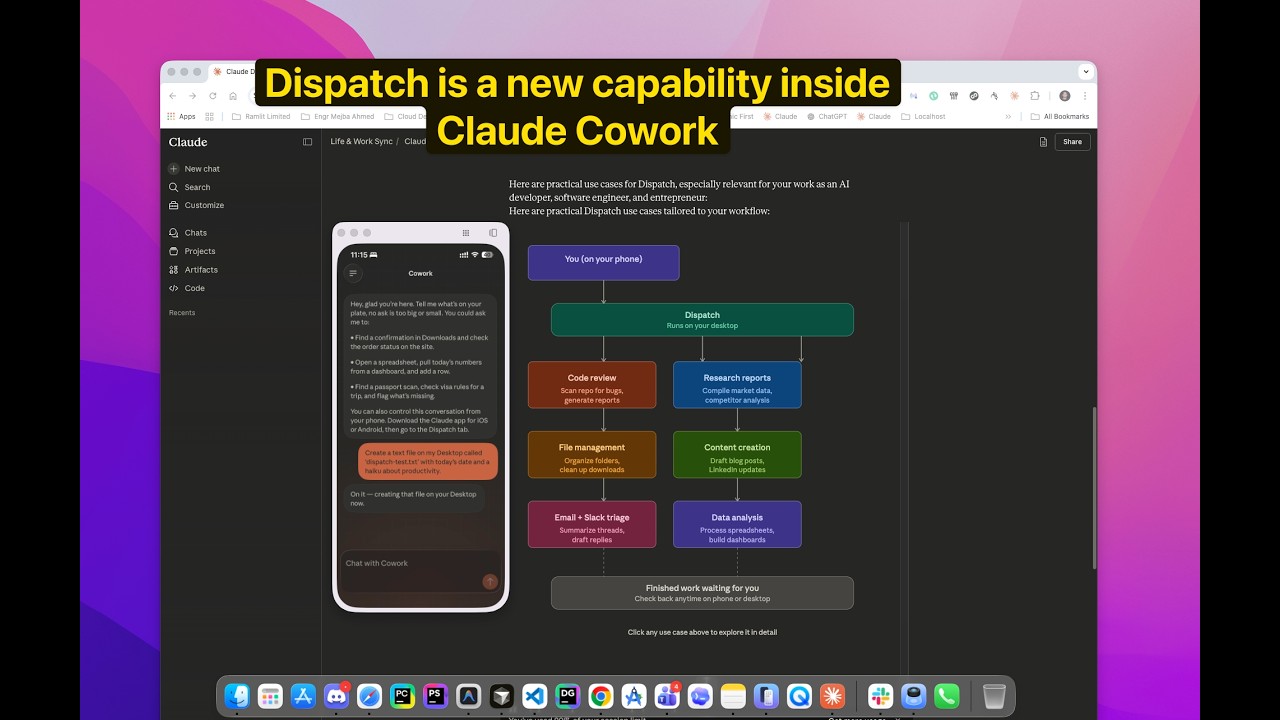
I Tested Claude Dispatch: Remote AI Control From My Phone
I was sitting in a dentist's waiting room when the idea hit me. Not a product idea or a code optimization — a blog post outline. The kind that shows up fully formed, every section header clear, every argument structured. I needed to capture it before the numbness kicked in.
Normally, I'd thumb-type a messy note into my phone and try to reconstruct the brilliance later. It never works. The note always reads like encrypted gibberish by the time I get home. But this time, I had something new. I opened the Claude app on my phone, typed a message into my Dispatch session, and watched Claude — running on my Mac at home, three miles away — create a full Markdown file in my content directory, pull reference material from two existing posts in the same folder, and draft a 400-word opening section based on my rambling instructions.
By the time the hygienist called my name, the draft was waiting on my desktop. I hadn't touched my laptop.
That's Claude Cowork Dispatch. Anthropic shipped it on March 17, 2026, as a research preview, and it turns your phone into a remote control for your desktop AI agent. The pitch sounds simple — message Claude from your phone, and it executes tasks on your Mac. The reality is more nuanced than the pitch, more powerful than I expected in some areas, and more fragile than I'd like in others.
I've spent the past two days pushing Dispatch through every workflow I could think of. File access, browser automation, cross-app integrations, content creation, data retrieval. Some of it worked beautifully. Some of it failed in ways that taught me exactly where the boundaries are. Here's the honest breakdown — what Dispatch actually delivers right now, what it fumbles, and the specific setup that makes the difference between a productive session and a frustrating one.
Why Dispatch Exists — And Why the Timing Matters
Before I walk through the setup and testing, you need context on why this feature appeared now and what problem it's actually solving.
Claude Cowork launched in January 2026 as Anthropic's research preview for a desktop AI agent. Unlike standard Claude (which answers questions) or Claude Code (which writes and executes code in a terminal), Cowork runs in a sandboxed environment on your Mac with access to your local files, connected apps, and browser. It's the AI that actually does things on your computer — organizes folders, creates presentations, drafts emails, browses the web for live data.
The limitation was physical proximity. Cowork needed you sitting at your desk, typing into the desktop app. Step away, and the agent stops. Your AI employee clocks out the moment you leave the room.
Dispatch breaks that tether. It creates a persistent conversation between the Claude mobile app and your desktop Cowork session. Your Mac handles the computation, file access, and app integrations. Your phone is just the messaging layer — a chat window that talks to your desktop agent from anywhere.
The timing isn't accidental. OpenClaw shipped autonomous agent capabilities in February 2026, and developers immediately started building always-on workflows. Anthropic needed an answer. Dispatch is that answer — but with Anthropic's characteristic emphasis on controlled, sandboxed execution rather than unrestricted autonomy.
Here's why that matters for you: Dispatch isn't trying to replace your laptop. It's solving a specific gap — the moments when you're away from your desk but need your desktop environment to execute a task. The grocery store. A commute. A waiting room. The moments where your phone can't access your local files, your connected apps, or your configured plugins, but your Mac can.
If you've been using Cowork and wished it followed you out the door, Dispatch is exactly what you've been waiting for. If you've never used Cowork, Dispatch might be the reason to start.
But the feature has a catch that most coverage hasn't been honest about — and I'll get to that after we walk through the setup.
Setting Up Dispatch: Faster Than Expected, With One Gotcha
The setup process took me about two minutes. Three if you count the time I spent wondering why the Dispatch option wasn't appearing — which brings us to the gotcha.
Step 1: Update the Claude Desktop App
Open the Claude app on your Mac. If you're running an older version, you'll need to update it. I was on a version from early March, and Dispatch didn't show up at all. After updating, it appeared immediately.
If updating doesn't work, Anthropic's support docs suggest reinstalling the desktop app entirely. A few early users reported the feature only appearing after a fresh install. I didn't need this step, but flag it if you hit a wall.
Step 2: Navigate to Cowork and Find Dispatch
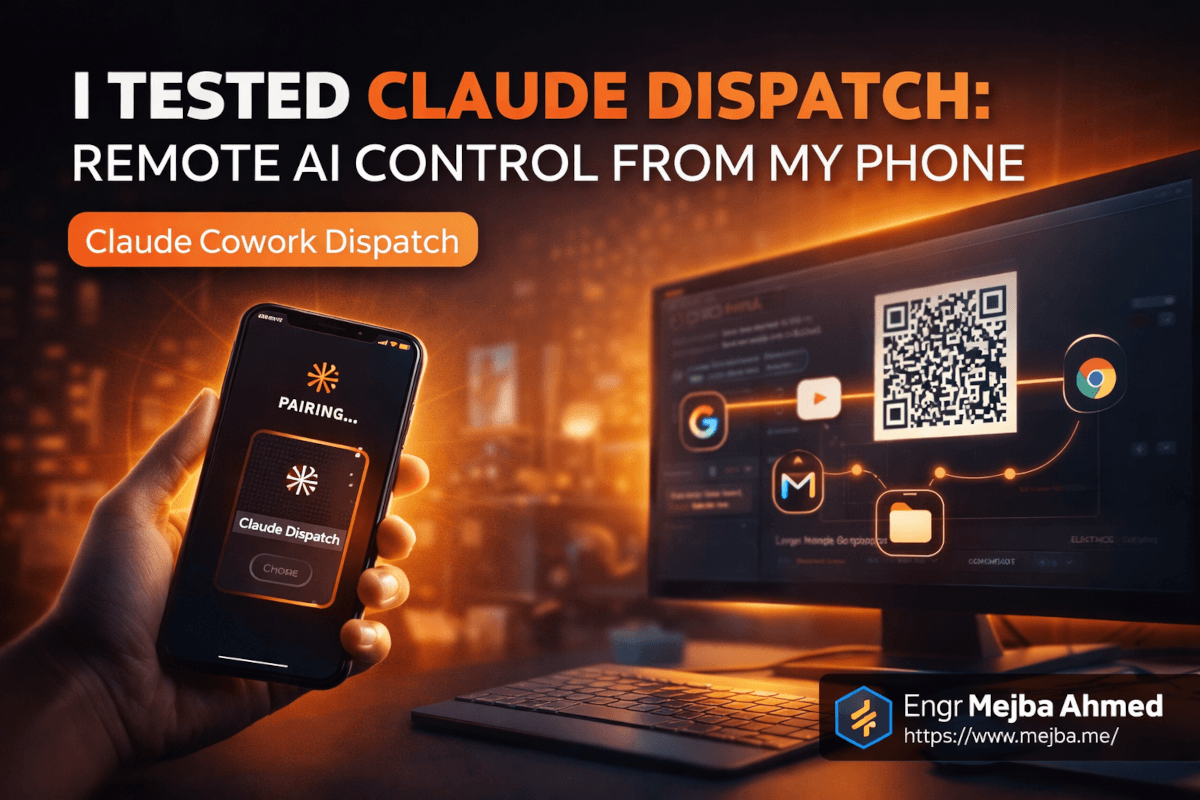
Open Cowork from the Claude desktop app. You should see a new "Dispatch" option in the Cowork interface. Click it, and you'll get a QR code and a shareable link.
Step 3: Connect Your Phone
Download the Claude app on your iPhone (or Android — though the experience is currently more polished on iOS). Open the app, scan the QR code, and the pairing happens instantly. No account linking, no OAuth dance, no configuration. Scan and go.
The connection creates a single persistent conversation thread. Whatever you type on your phone goes to your desktop Cowork session. Whatever Claude does on your desktop gets reported back to your phone. One thread, bidirectional, real-time.
Step 4: Configure Desktop Permissions
This is the step most setup guides skip, and it's the one that determines whether Dispatch actually works for your use cases.
Before your first Dispatch session, make sure your desktop Cowork has the right connectors and permissions configured:
- File access: Grant Cowork access to the specific folders you'll want to query remotely. I gave it access to my content directory, my Downloads folder, and my project workspace.
- Browser control: Install the Claude Chrome extension if you want Dispatch to automate browser tasks. Without it, any workflow involving web pages won't work.
- App connectors: Connect Notion, Gmail, Google Calendar, Slack, or whatever apps you use. As of March 2026, Cowork supports 38+ connectors, though the Google-specific ones (Gmail, Calendar, Drive) still require the Chrome extension workaround rather than native API integration.
- Keep your Mac awake: This is critical. Dispatch requires your Mac to be powered on with the Claude app running. If your Mac sleeps, the connection dies. Go to System Settings > Energy Saver and disable sleep, or use a utility like Amphetamine to keep it awake indefinitely.
That last point deserves emphasis. Dispatch is not cloud-based. Your Mac is the server. If it sleeps, shuts down, or loses internet, Dispatch stops working. I learned this the hard way when my MacBook lid closed automatically while I was out — came back to a dead session and a string of failed messages on my phone.
Set up properly, though, the connection is remarkably stable. I ran a continuous session for six hours across a morning of errands without a single dropped connection.
Test 1: Remote File Access — Where Dispatch Shines
The first thing I tested was the simplest: querying files on my desktop from my phone.
I was at a coffee shop and needed to check some notes from a YouTube content strategy document sitting on my Mac. I typed into Dispatch:
"Check my Documents folder for a file called youtube-strategy.md and give me the section about thumbnail optimization."
Twelve seconds later, Claude found the file, extracted the relevant section, and sent it back to my phone formatted in Markdown. Clean, accurate, exactly what I asked for.
I pushed harder. I asked it to scan my entire content directory, find all blog posts containing the word "Cowork," and list them with their titles and word counts. This took about thirty seconds — Cowork was running through dozens of Markdown files on my desktop — but it came back with a complete, accurate list. Seven posts, titles, word counts, file paths.
Then I asked it to create a new file. "Create a new blog post outline in my content/mejba.me/ directory called dispatch-test-notes.md with the following sections..." It wrote the file. I verified it was there when I got home. Perfect execution.
File access is Dispatch's strongest use case by a wide margin. Anything involving reading, creating, or modifying files on your desktop works reliably. The latency is noticeable — responses take 8-15 seconds longer than a direct Cowork session — but the accuracy is consistent.
What didn't work: I tried asking Claude to open a specific file in VS Code. It couldn't launch applications. Dispatch can access your filesystem, but it operates within Cowork's sandbox — it doesn't control your full desktop GUI. A small but important distinction.
Test 2: Cross-App Integration — Powerful But Inconsistent
This is where Dispatch gets interesting and where the cracks start showing.
I connected Notion, Gmail, and Google Calendar through Cowork's connectors and the Chrome extension. Then I started issuing commands from my phone.
Notion — Mostly Worked
"Create a new page in my Work Projects database called 'Dispatch Testing Notes' with a to-do list of five items." Claude created the page in Notion, added the to-do items, even formatted them with checkboxes. The page appeared in my Notion workspace within twenty seconds.
I followed up: "Add a callout block at the top of that page with an emoji and a summary of what I'm testing today." It handled this cleanly. The callout appeared with a clipboard emoji and a one-paragraph summary.
Where it stumbled: I asked it to cross-reference my Google Calendar appointments for the week and add them as items in the Notion page. Claude attempted the task — I could see it working through the Chrome extension on my desktop — but the calendar data it pulled was incomplete. It found three of my six appointments and missed three that were in a secondary calendar. The Notion page it created had accurate information for the three it found, but the gaps were the kind of thing you wouldn't catch unless you checked.
Gmail — Hit or Miss
"Check my inbox for unread emails from the last 24 hours and summarize the important ones." This worked on my first attempt. Claude accessed Gmail through the Chrome extension, found four unread emails, and sent me clean summaries with sender, subject, and a one-sentence synopsis for each.
"Draft a reply to the email from [sender] saying I'll review their proposal by Friday." This is where things got unpredictable. Claude drafted the reply — well-written, professional, appropriate tone — but it saved it as a draft in Gmail instead of sending it. Which is actually what I wanted, but I hadn't specified that. The behavior defaulted to the safer option, which I appreciated.
On a second attempt with a different email, the draft creation failed entirely. Claude reported that it couldn't interact with the Gmail compose window. I suspect this was a Chrome extension timing issue — the extension sometimes takes a beat to register with the page, and if Claude moves too fast, the interaction drops.
Google Calendar — Unreliable for Writing
Reading calendar data worked about 70% of the time. Writing to the calendar — creating events, modifying times — failed more often than it succeeded. I tried creating a new event three times. It worked once, failed once silently (reported success but no event appeared), and errored out once with a generic "I wasn't able to complete that action" message.
The pattern I noticed across all cross-app tests: reading data is significantly more reliable than writing data. If you're using Dispatch to pull information from connected apps — summarizing your inbox, checking your calendar, querying a Notion database — it works well. If you're using it to create or modify things across apps, expect roughly a 50/50 success rate, which aligns with MacStories' hands-on review that found similar reliability numbers.
Test 3: Browser Automation — The Sleeper Feature
Browser automation through Dispatch is the feature nobody is talking about enough, and it's the one that changed my mental model for what this tool can do.
Here's the scenario. I wanted to check my YouTube Studio analytics — specifically, the click-through rate and average view duration for my last five videos. This data isn't available through any public API. You have to manually navigate to YouTube Studio, click into the analytics tab, and check each video individually. It's a five-minute task that I procrastinate on weekly.
From my phone, I typed: "Open YouTube Studio in Chrome, go to the analytics section, and get me the CTR and average view duration for my five most recent videos."
Claude, running on my desktop through the Chrome extension, navigated to YouTube Studio. I could see this happening in real-time if I'd been watching my screen — but I wasn't. I was walking through a hardware store. Forty-five seconds later, my phone buzzed with a formatted table: video titles, CTR percentages, average view durations, and view counts. All accurate. All pulled from the authenticated session in my browser.
This is genuinely powerful. The Chrome extension lets Claude interact with any authenticated web app — anything you're already logged into on your desktop browser. YouTube Studio, Google Analytics, CRM dashboards, internal admin panels. The kind of data sources that don't have API access or require complex OAuth setups.
I tested a few more browser automation tasks:
- Checking a Shopify dashboard: Asked Claude to check the revenue from the past 7 days on a client's store. It navigated to the dashboard and reported the number. Correct.
- Filling a web form: Asked it to go to a specific URL and fill out a feedback form with specific responses. It navigated to the page but failed to identify the form fields correctly — it filled the wrong field with the wrong data. I caught it because the results looked off.
- Scraping competitor pricing: Asked it to check three competitor websites and compile their pricing tiers into a comparison table. Two out of three worked perfectly. The third site had a cookie consent popup that Claude couldn't dismiss, so it reported incomplete data for that one.
Browser automation success depends heavily on page complexity. Simple, well-structured pages with clear form elements work well. Pages with heavy JavaScript, popups, dynamic loading, or unusual layouts trip it up. Plan accordingly — and always verify the output.
The real unlock isn't any single browser task. It's the combination: you're away from your desk, you need data from an authenticated web app, and there's no API for it. That specific scenario used to be impossible to solve remotely. Dispatch solves it — imperfectly, but enough to be genuinely useful.
The Real Limitations Nobody Is Talking About
I've been honest about individual test failures, but the structural limitations deserve their own section. These are the constraints that shape how you should think about Dispatch — not as bugs to be fixed, but as architectural realities of the current version.
One Chat Window. One Session.
Dispatch supports a single conversation at a time. You can't run parallel tasks. You can't have one thread managing your inbox while another organizes files. Every request goes into the same sequential queue. If you send three messages quickly, Claude processes them one at a time — and MacStories noted that users sometimes stack up requests before realizing Claude is still working on the first one.
This means you need to think sequentially. Send a request, wait for the response, then send the next one. It's not a parallel processing system — it's a single-threaded assistant with a mobile interface.
Latency Is Real
Every Dispatch interaction is slower than a direct Cowork session. Messages travel from your phone to Anthropic's API, route to your desktop, execute locally, and return the results along the same path. Simple file queries add 8-15 seconds of overhead. Browser automation tasks can take 30-60 seconds. Complex multi-step workflows involving app connectors sometimes take two to three minutes.
This isn't a dealbreaker, but it changes how you use the tool. Dispatch is for "fire and forget" tasks — send the instruction, put your phone back in your pocket, check the result later. It's not for interactive, back-and-forth workflows where you need immediate responses. I adjusted my expectations after the first hour and had a much better experience once I stopped watching the screen waiting for replies.
Your Mac Is the Single Point of Failure
Everything runs on your desktop. Mac sleeps? Session dies. Internet drops? Session dies. Claude app crashes? Session dies. There's no cloud fallback, no session persistence, no "pick up where you left off" if the connection breaks.
I experienced this twice during testing. Once when my Mac's screen saver kicked in and triggered sleep mode (I thought I'd disabled it — I hadn't). Once when my home internet briefly dropped during a storm. Both times, I lost the active session and had to re-pair when I got home.
The practical solution is unglamorous but effective: dedicate a machine to Dispatch. A Mac Mini sitting on your desk, always powered on, always connected, running the Claude app permanently. The user who suggested buying a dedicated always-on PC for this purpose isn't wrong — that's the setup that makes Dispatch truly reliable.
Google App Integration Is Still Rough
Native API connectors for Gmail, Google Calendar, and Google Drive aren't fully baked yet. The Chrome extension workaround functions, but it's slower and less reliable than native connectors. If your workflow centers heavily on Google apps, expect friction until Anthropic ships proper API integration.
For Notion, Slack, and the other 38+ connectors that use native APIs, the experience is noticeably smoother and more reliable.
The Workflow That Actually Works: My Dispatch Playbook
After two days of testing, I've settled on a specific workflow that maximizes Dispatch's strengths and avoids its weaknesses. Here's the playbook.
Before leaving my desk:
- Make sure the Claude desktop app is running and Cowork is active
- Verify that all connectors I'll need are authenticated (Notion, email, relevant browser sessions)
- Disable Mac sleep and enable "keep awake" permanently
- Open Dispatch, scan the QR code, confirm the phone connection is live
- Send one test message — "What files are in my Documents folder?" — to verify the connection works end-to-end
While mobile, I stick to these high-reliability tasks:
- File queries: "What's in my [folder]?" / "Find the file about [topic]" / "Read section X of document Y"
- File creation: "Create a new Markdown file with this outline..." / "Save these notes to [path]"
- Data retrieval from apps: "Summarize my unread emails" / "What's on my calendar tomorrow?" / "What's the status of [Notion project]?"
- Browser data pulls: "Check my YouTube analytics for [metric]" / "What's the current [data] on [authenticated dashboard]?"
I avoid these until reliability improves:
- Creating or modifying calendar events
- Sending emails (drafting is fine — sending is risky)
- Complex multi-app workflows ("check my email, create a Notion task for each one, and block time on my calendar")
- Anything requiring precise form filling on unfamiliar web pages
- Tasks that need real-time interactive feedback
The mental model that works: Treat Dispatch like leaving a voicemail for a very competent assistant. Give clear, specific instructions. Don't assume they'll ask clarifying questions. Check the results later. That framing eliminates 90% of the frustration.
If you'd rather have someone build a custom automation workflow around Dispatch and Cowork — connecting your specific apps, configuring the permissions, setting up the always-on environment — I take on exactly these kinds of integration projects. You can see what I've built at fiverr.com/s/EgxYmWD.
Where Dispatch Fits in the Claude Ecosystem
One thing that confused me initially — and might confuse you — is how Dispatch relates to Claude Code's Remote Control feature.
They solve different problems for different users.
Claude Code Remote Control lets developers control a terminal-based Claude Code session from their phone. It's designed for coding workflows — reviewing diffs, approving file changes, sending follow-up coding instructions while you're away from your desk. The session runs in your terminal, operates on code, and requires developer-level context to use effectively.
Dispatch is for everyone, not just developers. It controls a Cowork session — which means file management, app integrations, browser automation, content creation, presentation building. The kind of tasks that don't require a terminal or coding knowledge. Your non-technical teammates could use Dispatch to check their email summaries, create Notion pages, or pull analytics data.
The overlap is small. If you're a developer who uses both Claude Code and Cowork (like I do), you'll use Remote Control for coding sessions and Dispatch for everything else. They don't compete — they complement each other.
And if you're deep into the Cowork ecosystem with plugins and connectors, Dispatch extends every single integration you've already configured. Your Notion connector, your Slack integration, your browser automation setup — all of it becomes accessible from your phone without any additional configuration.
What I'd Change — And What I'm Watching For
Dispatch shipped on March 17, 2026, as a research preview. Max subscribers have access now, and Pro subscribers are getting access within days. That "research preview" label is doing real work here — this is early software, and it feels like it.
What needs fixing:
The success rate on cross-app write operations needs to jump from roughly 50% to at least 90% before I'd trust Dispatch for anything beyond data retrieval. Creating calendar events shouldn't be a coin flip. Saving email drafts should work every single time. Until write reliability improves, Dispatch is a read-heavy tool — and that's a significant limitation for workflows that need to create and modify data.
Session persistence needs to survive brief interruptions. If my internet drops for fifteen seconds and comes back, the session should reconnect automatically. Right now, any connection break kills the session entirely, and you have to re-pair from scratch. That's punishing for a feature designed for mobile use, where connection quality is inherently variable.
Multi-session support would transform the tool. Being able to run "file management" and "email processing" as parallel Dispatch sessions — each with its own conversation thread — would let users treat it like an actual remote team instead of a single sequential assistant.
What I'm watching for:
Native Google API connectors. The Chrome extension workaround for Gmail, Calendar, and Drive is creative but unreliable. When Anthropic ships proper OAuth-based connectors for Google's suite, the reliability of those workflows should improve dramatically.
Background execution. Right now, if you close the Claude mobile app, you stop receiving updates. A proper background notification system — where Dispatch pings you when a long-running task completes — would make the "fire and forget" workflow significantly smoother.
And the big one: session persistence across Mac restarts. If my Mac reboots after a software update, I want Dispatch to auto-reconnect when it comes back online. That's the feature that would make a dedicated always-on Mac Mini setup truly hands-free.
The Verdict: Useful Today, Transformative Soon
I'm going to say something that might sound contradictory: Dispatch is both genuinely useful right now and not yet good enough to rely on.
That's not a cop-out. It's the honest position.
For information retrieval — querying files, pulling data from apps, checking authenticated dashboards through browser automation — Dispatch works well enough that I've already incorporated it into my daily workflow. I check my email summaries from my phone every morning before I even sit down at my desk. I query my content directory while I'm out to recall notes I took three days ago. I pull YouTube analytics while walking, without opening the app on my phone or navigating the painfully slow mobile Studio interface.
For creating and modifying things — writing to calendars, sending emails, building multi-step workflows across apps — Dispatch isn't reliable enough. The 50/50 success rate on write operations means you have to verify everything, which defeats the purpose of remote execution. I still use it for file creation (which has near-perfect reliability) and Notion page creation (which works about 80% of the time). But anything involving Google apps or complex browser interactions gets deferred until I'm back at my desk.
The gap between "useful" and "transformative" is mostly a reliability gap. The architecture is sound. The concept is right. The execution needs another few months of polish. When write operations hit 90%+ success, when sessions survive connection drops, when native Google connectors ship — that's when Dispatch becomes the feature that fundamentally changes how I work with my desktop AI from anywhere.
Right now? It's a powerful read layer for your desktop, an occasionally reliable write layer, and a glimpse of something that's going to be genuinely great.
Set it up. Start with file queries and data retrieval. Build the habit. When the reliability catches up to the ambition, you'll already know exactly how to use it.
FAQ
Frequently Asked Questions
Everything you need to know about this topic
Claude Cowork Dispatch is a feature that pairs the Claude mobile app with your desktop Cowork session via QR code, letting you send tasks to your Mac from your phone. Your Mac executes everything locally — file access, app integrations, browser automation — and sends results back to your phone. For the full setup walkthrough, see the setup section above.
Dispatch currently requires a Mac running the Claude desktop app with Cowork enabled. Windows support for Cowork launched separately, but Dispatch availability on Windows has not been confirmed as of March 2026. Check Anthropic's Cowork documentation for the latest platform support.
Max subscribers have access now. Pro subscribers are getting access within days of the March 17, 2026 launch. API-only users without a Pro or Max subscription cannot use Dispatch, as it requires the Claude desktop and mobile apps.
No. Dispatch requires your Mac to be powered on, awake, and running the Claude app. If your Mac sleeps or shuts down, the Dispatch session ends. Use energy saver settings or a keep-awake utility to prevent sleep during Dispatch sessions.
Based on my testing and MacStories' independent review, file access and data retrieval work reliably (90%+ success). Cross-app write operations — creating calendar events, sending emails, complex multi-step workflows — succeed roughly 50% of the time. The feature is in research preview and improving.
Let's Work Together
Looking to build AI systems, automate workflows, or scale your tech infrastructure? I'd love to help.
- Fiverr (custom builds & integrations): fiverr.com/s/EgxYmWD
- Portfolio: mejba.me
- Ramlit Limited (enterprise solutions): ramlit.com
- ColorPark (design & branding): colorpark.io
- xCyberSecurity (security services): xcybersecurity.io