

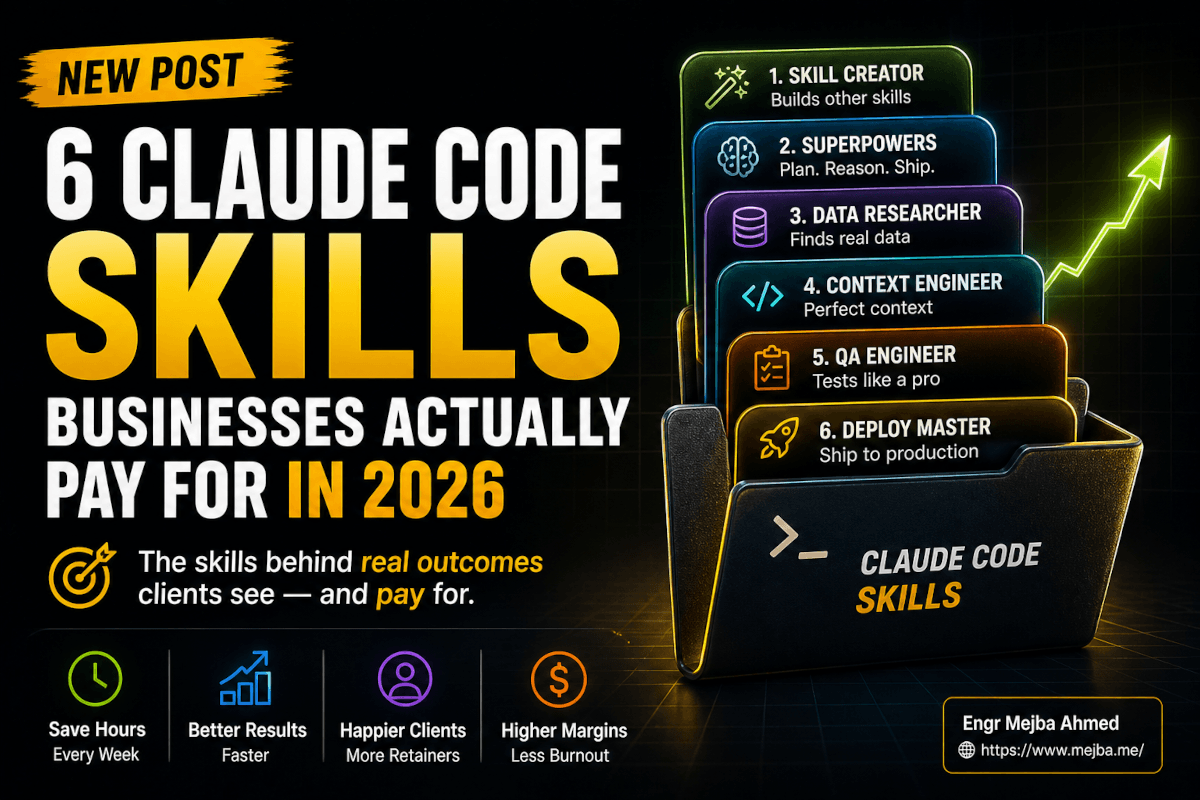
6 Claude Code Skills Businesses Pay For in 2026
A real estate broker in Tampa paid me $4,200 last month for what was, on the surface, a fancy CRM nudge system. Lead enters the pipeline → one of my agents writes the follow-up email → another agent schedules the call → a third agent drafts the listing description from the property notes. He didn't care about agents. He didn't care about Claude Code. He paid me because his close rate moved from "I should follow up with that lead" to "the follow-up already went out and the call is on the calendar."
What he actually bought, though — what he was paying for without knowing it — was a stack of six Claude Code skills sitting on top of my workflow. Same six I install for the HVAC contractor in Phoenix. Same six I install for the marketing coach in Toronto. Same six I install on every fresh client engagement before I write a single line of custom logic.
This is the field report. The six Claude Code skills businesses actually pay for in 2026 — what each one replaces, where it fails, what it costs, and how I package the outcomes for clients who would never in a million years care about plan-first methodology or SQLite-backed sandboxes.
Plus one bonus skill that quietly does more work than people realize.
Why I Stopped Building Custom Workflows From Scratch
For most of 2025, my client deliverables were custom builds. A Laravel backend here, a Next.js dashboard there, a few n8n flows glued together with duct tape and console.log. I'd quote 40 hours, deliver in 60, and burn out somewhere around hour 52. The work was good. The margins were terrible.
The shift happened in late February 2026, the week I rewrote my onboarding process around six specific Claude Code skills. Same client work. A third of the time. Higher quality output, because the skills had been hardened by tens of thousands of users before they got anywhere near my project. I stopped charging for hours. I started charging for outcomes — "10 hours a week back," "fewer customer support escalations," "more leads contacted in the first hour." Behind every outcome was the same skill stack.
You don't need to be a developer to understand what's about to happen. You need to understand which skills do real work, where each one breaks, and how to position the outcome to a buyer who doesn't speak engineering. Let's start with the one that turns a single conversation into a reusable asset.
1. Skill Creator — The Skill That Builds Other Skills
Install command: /plugin install skill-creator@anthropics/claude-code (or grab it from the official Anthropic plugin page).
If I could only keep one skill installed across every project, it'd be this one. Skill Creator is Anthropic's official plugin for turning a natural-language description of a workflow into a properly formatted, reliable Claude Code skill. You describe the behavior. It generates the SKILL.md, the metadata, the trigger phrases, the instructions, the verification steps. Then it tests the skill against itself before it ships.
What it actually replaces in a paid engagement: about three days of me writing markdown by hand and getting frustrated when Claude misreads my own instructions.
Here's the failure mode it kills. When I started writing custom skills, my first ten attempts had subtle formatting errors that the model could parse but couldn't execute reliably. A misplaced colon in the frontmatter. A trigger description so vague it fired on every prompt or none of them. Skill Creator forces the structure that real reliability requires. It also runs an internal review — a senior engineer reading your spec before it ships.
Real example from last month. I needed a "weekly client report generator" skill for the Tampa broker. Conversation took maybe twelve minutes. Skill Creator asked me four clarifying questions I would have skipped on my own ("what happens when the property has no photos?", "should the report include closed deals or only active?"). The skill it produced has run twenty-six times since with zero failures. The first one I wrote by hand failed three times in the first week.
Where it falls down: Skill Creator assumes you know the outcome you want. If you describe the workflow but can't articulate the success criteria — "I want it to write good emails" — you'll get something that runs reliably but doesn't move the metric you actually care about. That's a you problem, not a Skill Creator problem, but it ruins more deliverables than I'd like to admit.
How I sell it: I don't. Skill Creator is invisible to clients. They see "your weekly report shows up Monday morning at 8am, including the three deals most likely to close." They never see the skill that wrote the skill. Which is exactly how it should work.
There's a second skill that handles the part Skill Creator can't — the part where Claude needs to think before it codes — and it's the most important one in this entire post.
2. Superpowers — The Discipline That Pays Back the Engagement Fee
Install command: /plugin marketplace add obra/superpowers-marketplace then /plugin install superpowers@superpowers-marketplace. Or, since Superpowers was accepted into the official Anthropic marketplace on January 15, 2026, you can run /plugin install superpowers@claude-plugins-official.
Superpowers is the framework Jesse Vincent built that forces Claude through a five-phase discipline — clarify → design → plan → code → verify — instead of letting the model rush straight into implementation. It crossed 150,000 GitHub stars within six months of release. I tested it across twelve sessions and wrote up the honest verdict on superpowers for Claude Code — the short version is that it's the single biggest quality lever I've found.
Here's the problem it solves in client work. Without Superpowers, Claude Code reads your prompt for thirty seconds and starts coding. Forty thousand tokens later, you discover it misunderstood the requirements in the first paragraph. The output is technically correct code that solves the wrong problem. I've watched this pattern eat entire afternoons.
With Superpowers active, Claude literally cannot skip planning. It writes a plan. It asks for approval. It writes tests before it writes the implementation. It runs a multi-stage review on its own output. The first-pass accuracy on real client work — the percentage of times the deliverable doesn't need a major correction — moved from somewhere around 55% in my workflow to about 80% with Superpowers running. That's not me being precise; that's me eyeballing my own logs across forty-ish sessions.
What it actually replaces in a paid engagement: the senior engineer review I used to do at the end of every project. The one that took four hours and uncovered six things I had to redo.
Where it falls down: small tasks. If you ask Superpowers to "rename this variable" or "fix this typo," it'll still run a brainstorming phase. That's not what you want at 11pm on a Tuesday. I disable Superpowers for tasks under maybe thirty minutes of work and re-enable it for anything client-facing. Knowing when to turn it off is half the value.
How I sell it to clients: "Fewer bugs in the first delivery." That's it. They don't need to know about TDD or YAGNI. They need to know that what they pay for on Friday will still work on Monday.
But planning quality is only half the battle. The other half is making sure each task gets its own clean context — and that's the next skill on the stack.
3. GSD — Get Stuff Done Without Polluting the Context
Install command: /plugin marketplace add jnuyens/gsd-plugin then /plugin install gsd@gsd-plugin.
GSD stands for "Get Stuff Done" — and the framework's whole reason for existing is the same problem every Claude Code user has hit by their second week. You start a session. You knock out three tasks. By the fourth task, the context window is so cluttered with prior reasoning, half-finished plans, and stale tool output that Claude is essentially trying to read your previous work through a smudged window. Quality drops. Tokens climb. You start a new session, lose the thread, and the cycle repeats.
GSD enforces phase-based development with three explicit modes: Plan, Execute, Verify. Each phase gets a clean context window. Sub-agents spawn with their own isolated context for parallel work — which means I can have one agent rewriting the email template while another updates the database schema, neither of them stepping on the other's reasoning. According to the project's docs, the plugin packages this with about 82 slash commands and an MCP server that persists project state across /compact boundaries, with auto-resume on the next session.
The number that matters: GSD's docs claim a ~92% reduction in per-turn token overhead. I haven't measured my own savings to that precision, but I went from burning through my Claude Max quota by Wednesday to comfortably making it through a full week with the same workload. Whatever the exact number is, the effect is real.
Where it falls down: GSD's rigor is overkill for exploratory work. If you're brainstorming a new feature or just trying to understand a codebase, the phase structure feels like wearing a suit to clean the garage. I keep GSD active for production work and turn it off when I'm just poking around.
How I sell it: "We can deliver faster on bigger projects without quality dropping in the second half." Bigger projects used to fall apart somewhere around hour twenty when context exhaustion turned my AI pair into a guesser. With GSD, that wall doesn't exist anymore. Clients pay for the absence of the second-half quality drop, even if they don't have a name for it.
This trio — Skill Creator, Superpowers, GSD — handles the generation side of every engagement. The next two skills handle review and runtime, and they're the ones that quietly catch the bugs that would have eaten my margin.
4. /review and /ultrareview — The Senior Engineer I No Longer Have to Hire
These two ship with Claude Code itself. No plugin install. /review has been around for a while. /ultrareview shipped as a research preview starting with CLI version 2.1.86 on April 22, 2026. Both live behind slash commands in the terminal.
Here's how I actually use them in client work.
/review runs a fast local review of the current diff or branch. Logic, edge cases, basic security. It takes maybe thirty seconds to a minute, depending on the change size. I run it on every commit before it leaves my machine. Catches obvious problems before they become embarrassing problems.
/ultrareview is the one that changed the math on my engagements. It uploads your branch to Anthropic's cloud infrastructure and orchestrates a fleet of reviewer agents in parallel — each one looking at the change from a different angle (logic, edge cases, security, performance). Every finding gets independently reproduced before it's reported to you. The whole thing takes ten to twenty minutes, runs async, and the results land back in your CLI when they're done.
Pro and Max users got 3 free reviews through May 5, 2026, and after the free runs every execution is billed as extra usage — typically between $5 and $20 per review depending on the size of the change. I budget $50 a month for /ultrareview runs across all my client work and consider it the cheapest senior engineer I've ever hired.
What it actually replaces in a paid engagement: the second pair of eyes I used to ask my friend Imran to do for me, and the bugs I used to ship because Imran was busy.
Where it falls down: /ultrareview is overkill for cosmetic changes. Don't run it on a CSS tweak; you'll waste $8. I trigger it before merging anything that touches authentication, payments, data migrations, or external API integrations. Anything else gets /review and shipping.
How I sell it: when I quote a bigger engagement, I include a line item — "multi-agent code review on every critical merge." Clients love that. Translates to "you're not relying on one human reviewer who might miss something." The phrasing matters. I do not say "AI reviews your AI's code." I say "every critical change gets reviewed by a fleet of specialists." Same thing, different feel.
You may already be doing some of this in your own work — if so, my deeper notes on the /ultrareview workflow live here inside the broader Superpowers review.
But review only catches what's in the diff. The next skill catches what happens between the diffs — and it solves the single most annoying problem in long sessions.
5. Context Mode — The 98% Bloat Cut Nobody Talks About
Install command: /plugin install context-mode then restart Claude Code.
Context Mode is the skill that finally fixed the thing I'd been complaining about for six months. Tool output bloat. Every time Claude Code runs a command — npm install, git log, a database query, a long file read — the entire output dumps into the conversation context. By the third or fourth heavy command, you're staring at a context window that's 60% raw tool noise and 40% actual conversation.
What Context Mode does: it sandboxes tool output. Instead of dumping the full result into the context, it stores the output in a per-project SQLite database, indexes it with FTS5 full-text search, and gives the model a tiny pointer instead. The headline number from the project — and the one I've replicated in my own logs — is something like a 98% reduction in context overhead, with examples of 56KB tool output collapsing to about 299 bytes inline.
The real-world effect: my long sessions stopped collapsing. I used to lose the thread on hour-three sessions because the model was working through too much accumulated noise. Context Mode pushed that ceiling out by a factor I'd estimate around 6x — the docs claim sessions go from roughly 30 minutes to over 3 hours of useful work. My own experience is in that ballpark.
It also logs every meaningful event — file edits, git operations, errors and their fixes — into the SQLite database. Which means when a session gets compacted, Context Mode pulls back exactly what's relevant via search. Not a summary. The actual events, on demand.
Where it falls down: Context Mode is invisible until something goes wrong, and when it does go wrong, debugging is harder than a plain context. If a tool result is wrong, you're now searching a SQLite database to figure out why instead of scrolling up to read it. I keep /ctx-stats and /ctx-doctor close at hand for the rare cases when the index gets stale.
How I sell it: I don't, directly. The thing clients notice is that long projects don't fall apart in the back half. Same as GSD, but at the runtime layer instead of the planning layer. Both work together — GSD keeps each phase clean, Context Mode keeps each phase long.
But there's still one missing piece. Skills that fire correctly, plans that don't drift, reviews that catch bugs, sessions that don't collapse — none of that helps if Claude forgets everything between sessions. Which is exactly what the next skill fixes.
6. ClaudeMem — The Memory That Makes Every Session Pick Up Where the Last One Left Off
Install command: from the thedotmack/claude-mem GitHub project — /plugin marketplace add thedotmack/claude-mem then /plugin install claude-mem.
ClaudeMem is the persistent memory plugin that finally made Claude Code feel like it knew my projects. It hooks into every session, captures every meaningful action — file edits, decisions, errors, fixes — and compresses them through Claude's own agent-sdk into a SQLite database with FTS5 search and a Chroma vector database for semantic retrieval. Local embeddings via all-MiniLM-L6-v2 through ONNX, zero external API calls. The plugin crossed 89,000+ GitHub stars in early 2026.
Here's why it pays for itself on the first project. ClaudeMem auto-maintains your CLAUDE.md files. Every folder. Every project. The ones I used to update by hand — and forget to update — now reflect the actual state of the codebase because the plugin generates and updates them from its observation database. It preserves any manually written content I add. So I write the strategic stuff once, and ClaudeMem keeps the operational stuff current.
There's also a web viewer where I can browse a project's full memory — every decision, every edit, every error, searchable. I've used it twice in client meetings to answer "remind me, why did we go with the queued job approach instead of the cron?" with literal evidence from the work.
What it actually replaces in a paid engagement: the time I used to spend at the start of every session re-reading my own commit history trying to remember where I left off. Multiply that by twenty-plus client engagements running in parallel. ClaudeMem cut my context-rebuild time from somewhere around fifteen minutes per session to under thirty seconds.
Where it falls down: the embeddings index occasionally gets stale on very fast-changing projects. There's a rebuild command, but it's a thing I have to remember. Also, ClaudeMem captures everything — including private API keys if you accidentally type them into a prompt. I run it locally only. Never on a shared machine. Never on a project where I'd be uncomfortable with the full session history sitting on disk.
How I sell it: "Your project history is searchable. Forever. Local. Yours." That's the pitch. Clients who've ever lost a developer mid-engagement know exactly what that line is worth.
You can read my deeper notes on persistent memory systems for Claude Code — it walks through how ClaudeMem fits inside the broader memory stack alongside CLAUDE.md, hooks, and MCP-based memory servers.
That's the core six. But there's a seventh skill I'd be doing you a disservice to skip — and it's the one that quietly handles the part of every project that determines whether the client says "wow" or "thanks."
Bonus — Frontend Design, the Skill That Makes Output Look Like a Designer Touched It
Install command: it's an official Anthropic skill, available on the Frontend Design plugin page. Some setups have it preinstalled.
Frontend Design is the official Anthropic skill that gives Claude a real design system and aesthetic philosophy before it touches any UI code. According to Anthropic's listing, it's been installed over 277,000 times as of March 2026. It also lives inside Claude Design — Anthropic's experimental product, launched April 17, 2026, for generating visuals, prototypes, slides, and one-pagers without a design background.
What it actually does: when Claude builds a UI, the skill imposes deliberate typography, purposeful color choices, intentional spacing, and motion that feels considered rather than decorative. The default output goes from "looks like a Bootstrap admin template" to "looks like a designer spent the morning on it."
I keep it installed because most of my clients can't articulate what makes a UI feel professional, but they recognize the absence of it instantly. A real estate landing page that looks like every other real estate landing page closes worse than one that looks like the broker hired a serious agency. Same conversion content. Different visual weight. Same skill, every time.
Where it falls down: Frontend Design is opinionated. If your client has a specific brand book that doesn't match the skill's aesthetic, you'll fight it. The fix is to feed it the brand tokens up front — colors, fonts, spacing scales — and the skill respects them. Skip that step and you'll get beautiful output that doesn't match the brand.
How I sell it: "Your interface won't look AI-generated." That sentence has won me three engagements this year. Buyers are tired of the generic AI aesthetic. The differentiator is design that looks deliberate. Frontend Design delivers that, every time, on autopilot.
There's a deeper breakdown in my impeccable Claude Code design skill review for anyone who wants to go further on the design layer.
So that's the full stack. Now the question is how to actually package it for the client who has never heard of any of these.
How I Package the Stack for Non-Technical Clients
The buyer is a real estate broker, an HVAC contractor, a marketing coach, a roofing company owner. They don't care about plan-first methodology or sub-agent orchestration. They care about three things, and I'm going to be specific.
Time saved per week. Not "we're going to make you faster." That phrase is dead. I quote a number. "We're going to give you ten hours a week back on lead follow-up and reporting." Ten hours, at their effective hourly rate, is a real number they can compare to my fee. Math is easy from there.
Errors avoided. Not "fewer bugs." Specifically: "the contracts that get sent will be the right version, with the right names, with the right dates, every time." Or: "the email follow-up will go out within fifteen minutes of the lead form submission, not three days later when you remember." Each error has a cost in lost revenue. I name the cost.
Outcomes that compound. Not "we'll improve your process." Specifically: "every lead this month gets the same five-touch sequence. Next month the sequence runs on every lead automatically. Six months from now you have a working revenue engine that doesn't require your attention to keep running." That last sentence is the one that closes deals.
Underneath those three sentences? Skill Creator built the agents. Superpowers ran the planning. GSD kept the phases clean. /ultrareview caught the auth bug before it shipped. Context Mode kept the long sessions from collapsing. ClaudeMem made every session pick up where the last one left off. Frontend Design made the dashboard look like a real product.
The client never hears those sentences. They get the outcome. I get the engagement fee. Everyone leaves happy.
Where to Start If You're Trying to Build This Yourself
Here's the order I'd install them on a fresh machine if I were starting over.
Day one: Skill Creator. Get used to creating skills before you start consuming them. The instinct of "I'll just write this skill by hand" dies once you've used Skill Creator twice.
Day two: Superpowers. Run it on one real project. Watch the planning phase actually catch a misunderstanding you would have shipped. That's the moment you stop questioning whether the overhead is worth it.
Week one: /review and /ultrareview. They're already in Claude Code. Get in the habit of running /review on every commit and /ultrareview on anything critical before merge. Build the muscle now, not after the first production incident.
Week two: GSD. Once you're doing real client work, the context bloat will hit you. GSD is the answer.
Week three: Context Mode. After GSD has cleaned up your phase structure, Context Mode extends each phase. The combination is what makes long-form work actually possible.
Month two: ClaudeMem. By now you have enough project history that persistent memory starts to compound. Install it. Let it observe for a week. Watch the CLAUDE.md files start updating themselves.
Whenever the design layer matters: Frontend Design. Install it. Feed it your brand tokens. Stop fighting the default aesthetic.
Master one. Demo it on a single client outcome. Build the pricing around the outcome, not the skill. Then expand.
Claude Code Skills Businesses Pay For: Common Questions
Do I need to be a developer to use these Claude Code skills?
You need to be comfortable in a terminal — that's the floor. You don't need to write code. Most of these skills install with one slash command and produce output without you touching the implementation. The barrier is operational, not technical: knowing which skill to fire when. The full install commands appear in each section above.
How much do these Claude Code skills cost in 2026?
Six of the seven are free open-source plugins. The exception is /ultrareview, which gives Pro and Max users 3 free runs (through May 5, 2026) and then bills extra usage at roughly $5–$20 per run depending on change size. My monthly out-of-pocket for the full stack across all client work is under $80, mostly Claude Max plus occasional /ultrareview overages.
Which Claude Code skill should I install first?
Skill Creator. It teaches you the structure every other skill uses, and it stops you from writing brittle SKILL.md files by hand. Once you've created one or two skills with it, install Superpowers next — that's the discipline layer that pays back immediately on real work.
Does ClaudeMem leak my data anywhere?
ClaudeMem runs fully local. SQLite database, Chroma vector index, and embeddings via the all-MiniLM-L6-v2 model running through ONNX — no external API calls for memory storage or retrieval. The compression step uses Claude's agent-sdk, which does call Anthropic, so anything captured into memory passes through Claude during summarization. Don't run it on machines where session contents would be sensitive.
Will /ultrareview replace human code review?
Not for me. It catches the categories a careful reviewer would catch — logic errors, edge cases, common security holes, perf regressions — and reproduces every finding before reporting. What it doesn't catch is design judgment. Whether the architecture is right for the business, whether the abstraction will hold in six months, whether the code matches the client's mental model. Those still need a human.
Which Skill to Build First
The six skills above earn their keep because clients pay for outcomes, not cleverness — a skill that reliably ships a deliverable beats a flashy one that needs babysitting. That's the filter I run every new skill through before it goes near a paid engagement.
If you're building your own billable skill stack, start with the single task clients ask you for most and package that first. One reliable, repeatable skill is worth more than ten experiments.
If you want help packaging skills into a service you can actually sell, that's work I take on through Ramlit. The six above are the proven starting set.






