


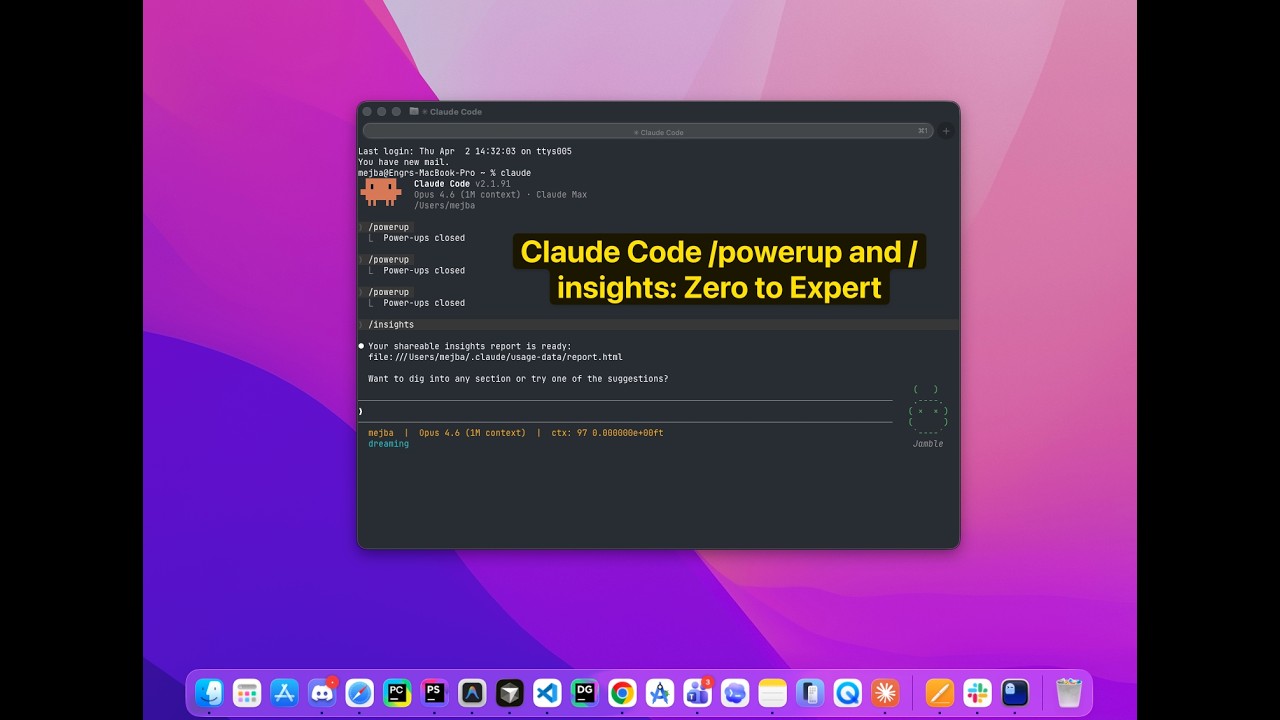
Claude Code Powerup Insights: Zero to Expert
I almost skipped the update notification. Version 2.1.90 landed while I was mid-flow on a client project -- three agents running, a deployment pipeline half-built, and my coffee getting cold. Another Claude Code version bump. They ship so fast that checking every changelog feels like a part-time job.
But a friend pinged me: "Run /insights. Trust me."
So I did. And thirty seconds later, I was staring at an HTML report card of my last 30 days with Claude Code -- sessions broken down by project, languages I'd used most, tools I'd leaned on, friction points I hadn't noticed, and a list of workflow mistakes I'd been making repeatedly without realizing it. One line hit hard: I'd been manually re-explaining my project context in 73% of new sessions instead of using CLAUDE.md files. Seventy-three percent. I write about Claude Code for a living, and I was still wasting tokens on something I'd told other people to stop doing.
That was the moment I realized Claude Code had shipped something genuinely different. Not a new model capability. Not a performance improvement. A feedback loop -- and a learning system to go with it.
The two commands at the center of this are /powerup and /insights. Separately, each one is useful. Together, they create something I haven't seen from any other developer tool: a closed-loop system where you learn the fundamentals, apply them in real work, get personalized analytics on how you're actually performing, and then learn the specific things you're getting wrong. It's the difference between reading a textbook and having a tutor who watches you code.
Here's how both commands work, why the combination matters more than either one alone, and how I built an automation pipeline that turns this feedback loop into a self-improving system.
What /powerup Actually Does (And What Most People Miss About It)
I covered /powerup in depth when it first launched -- you can read that full first look here. But here's the condensed version for context, plus a few things I've learned since writing that piece.
/powerup is an interactive learning system built directly into the Claude Code terminal. Type the command, and you get a menu of 10 structured lessons, each targeting a specific Claude Code capability. These aren't documentation links. They're guided exercises that run in your actual terminal, with your actual project, giving you real-time feedback as you work through each concept.
The 10 powerups cover what Anthropic considers the 80/20 of Claude Code proficiency:
- Context management -- how Claude reads your codebase, what enters the context window, and how to control it with
.claudeignoreand@mentions - Permission modes -- understanding the trust levels (ask, auto-edit, full auto) and when each one makes sense
- The /compact command -- managing conversation length and why compaction isn't just about saving tokens
- Hooks and automation -- pre/post command hooks that let you customize Claude Code's behavior
- Agents and subagents -- the "multiply yourself" powerup, covering how Claude spawns parallel workers
- Custom slash commands -- building your own
/commandsfrom markdown files - CLAUDE.md files -- project memory that persists across sessions
- Tool usage patterns -- how Claude decides which tools to use and how to guide those decisions
- MCP server integration -- connecting Claude to external tools and data sources
- Workflow orchestration -- combining all of the above into cohesive development workflows
Each lesson follows a tight structure: concept introduction in plain language, a guided hands-on exercise in your terminal, observation and feedback on what you did, then a progression hook that connects to the next lesson. The whole thing takes maybe 10 minutes per powerup.
Here's what most people miss: the powerups aren't static. They adapt to your project context. The context management lesson behaves differently when you're in a monorepo with 200 files versus a single-file script. The CLAUDE.md lesson checks whether you already have one and adjusts accordingly. This isn't a canned tutorial -- it's a responsive teaching system that meets you where you are.
I've now gone through the full set twice. The second time, three weeks after the first, I picked up nuances I'd glossed over initially -- particularly around how .claudeignore rules re-evaluate after a /compact operation. That single insight saved me from a debugging session that would have cost me an hour.
But /powerup has a ceiling. It teaches you the fundamentals. It gets you from zero to roughly 80% proficiency. The last 20% -- the part where you go from competent to genuinely expert -- requires something /powerup can't provide: personalized feedback on your actual usage patterns.
That's where /insights enters the picture.
/insights: The Personalized Report Card You Didn't Know You Needed
If /powerup is the textbook, /insights is the tutor who's been watching your screen for a month.
Run /insights in your terminal. Wait about 30 seconds -- it's reading your local session history, not calling an API. Then it generates an interactive HTML report and opens it in your browser. The report is saved to ~/.claude/usage-data/report.html, so you can revisit it anytime.
What's in the report shocked me the first time I saw it. Not because the data was surprising in aggregate, but because the specificity of the analysis was so much sharper than I expected from a built-in tool.
Session Analytics Breakdown
The first section maps your Claude Code usage across the last 30 days. Mine showed:
- 142 sessions across 7 distinct projects
- Language breakdown: TypeScript (47%), Python (23%), Markdown (18%), Bash (12%)
- Most-used tools: Bash (34% of tool calls), Read (28%), Edit (22%), Write (10%), Glob (6%)
- Average session length: 23 minutes
- Average user response time: 8.4 seconds
These numbers alone told me something I hadn't consciously registered: I was spending nearly a fifth of my Claude Code time writing Markdown. That's content generation -- blog posts, documentation, CLAUDE.md files. Not coding. Not a problem, necessarily, but it made me rethink whether my workflow was as code-heavy as I assumed.
What's Working Well
The report identifies your strengths -- patterns where you're using Claude Code effectively. Mine highlighted my CLAUDE.md discipline (present in 6 of 7 active projects), consistent use of /compact to manage context, and effective agent delegation patterns in my larger projects.
This section matters more than you'd think. Positive reinforcement from a tool sounds trivial, but knowing which habits to keep is just as valuable as knowing which to fix.
Where You're Losing Time
This is the section that stings. And it should.
My report flagged three friction points:
1. Repeated context re-explanation. In 73% of new sessions, I was spending the first 2-3 messages explaining what I was working on instead of letting CLAUDE.md handle it. The irony wasn't lost on me -- I literally have a blog post telling people to use CLAUDE.md files properly.
2. Wrong diagnosis loops. In about 15% of my debugging sessions, Claude and I would chase a hypothesis that turned out to be incorrect, burning 8-12 messages before pivoting. The report suggested I start debugging sessions by asking Claude to list three possible causes ranked by likelihood before investigating any single one.
3. Underuse of subagents. I was running sequential tasks that could have been parallelized. The report estimated I could cut 20-30% off my longer sessions by delegating independent subtasks to subagents.
Each friction point came with specific examples pulled from my session history and a concrete recommendation. Not vague advice. Specific changes I could implement immediately.
Quick Wins and Ambitious Suggestions
The report offers two tiers of recommendations: quick wins you can implement in under five minutes, and ambitious workflow changes that require more setup but promise bigger returns.
My quick wins included adding a pre-commit hook to auto-run linting (saving me from repeatedly asking Claude to fix formatting), and creating a custom /debug slash command that enforces the "three hypotheses first" pattern the report identified I was missing.
The ambitious suggestion was more interesting: the report recommended I build a custom skill that combines /insights analysis with automated CLAUDE.md updates -- essentially having Claude Code improve its own project memory based on patterns it detects in my usage. I'll come back to this idea in the automation section, because I actually built it.
Common Errors and Patterns
My report's error section was humbling. It showed a recurring pattern of asset generation failures in one project -- I'd been asking Claude to create image files in contexts where it couldn't, then reprompting instead of switching to a tool that could actually handle it. The report called this out with timestamps and session IDs. Nowhere to hide.
It also identified that my TypeScript sessions had a higher error rate than my Python sessions, traced to a habit of not specifying strict TypeScript compiler options upfront, which led Claude to generate code that passed in loose mode but failed in my CI pipeline.
Privacy: Everything Stays Local
One detail worth emphasizing: /insights does not send your data anywhere. The analysis runs entirely on your local machine, reading session logs stored in ~/.claude/. The HTML report is generated locally and saved locally. If you're working on sensitive code -- client projects, proprietary systems, anything under NDA -- this matters. Your usage patterns, session content, and the generated report never leave your machine.
You can also scrub personal data from the report before sharing it with a team or storing it externally. The report includes a privacy toggle that strips project names, file paths, and specific code references while preserving the analytical insights.
This right here is where /insights separates itself from third-party analytics tools. No telemetry. No cloud processing. No "trust us with your data" handshake. Just local analysis of local logs.
The Flywheel: Why /powerup + /insights Together Beat Either Alone
Here's the insight that changed how I think about these commands -- and honestly, how I think about learning developer tools in general.
/powerup and /insights aren't just two features. They're two halves of a learning cycle.
Think about how skill development actually works. You need two things: instruction (someone teaching you how to do something) and feedback (someone telling you how well you're actually doing it). Most developer tools give you one or the other. Documentation gives you instruction. Error logs give you feedback. But they're disconnected. You read the docs, try things, fail in ways the docs didn't prepare you for, and muddle through.
Claude Code 2.1.90 closes that loop inside a single tool:
- Run /powerup -- Learn the fundamentals. Build your mental model of how context management, permissions, subagents, and hooks work.
- Use Claude Code for real work -- Apply what you learned across actual projects for 2-4 weeks.
- Run /insights -- Get a personalized analysis of how you're actually using those capabilities. Discover which fundamentals you're applying well and which ones you're neglecting or misusing.
- Go back to /powerup -- Revisit the specific lessons that map to your weak spots. The context management powerup hits differently after you've seen data showing you're re-explaining context in 73% of sessions.
- Repeat.
This is the cycle that takes you from 0% to 80% (via /powerup) and then from 80% to genuine mastery (via /insights). Each rotation of the flywheel tightens your workflow, eliminates friction, and surfaces the next layer of optimization.
| Phase | Command | What You Learn | Skill Impact |
|---|---|---|---|
| Foundation | /powerup |
Core concepts, mental models, capabilities | 0% to ~80% |
| Application | Real work | Practical experience, edge cases | Consolidation |
| Feedback | /insights |
Personal patterns, blind spots, waste | 80% to ~95% |
| Refinement | /powerup (targeted) |
Deep understanding of specific weak areas | 95% to expert |
I've run through this cycle twice now. The first rotation was the most dramatic -- fixing the context re-explanation habit alone probably saves me 15-20 minutes per day. The second rotation was subtler but still valuable, catching a tool usage pattern I hadn't noticed (overusing Bash for file operations when Read and Glob are faster and more reliable).
Most people will run /powerup once, run /insights once, and move on. That's fine -- you'll still get value. But the real power shows up on the second and third rotations, when you start seeing your improvement reflected in the data.
Building the Automation Pipeline: From Manual to Self-Improving
Here's where things get genuinely powerful. After my second cycle through /powerup and /insights, I had a thought: why am I doing this manually?
The /insights report generates structured recommendations. Those recommendations could be extracted programmatically. The extracted insights could be stored somewhere persistent. And the whole thing could run on a schedule.
So I built it. Here's the complete pipeline.
Step 1: Generate the Insights Report Programmatically
You don't need to type /insights interactively. Claude Code's headless mode lets you trigger it from a script:
# Generate insights report in non-interactive mode
claude -p "/insights" --output-format json > /tmp/insights-raw.json
The --output-format json flag gives you structured data instead of the HTML report. This is the foundation of any automation -- you need machine-readable output.
Step 2: Extract Actionable Recommendations
Once you have the raw insights data, you can feed it back to Claude Code for extraction:
# Extract friction points and recommendations
claude -p "Read /tmp/insights-raw.json. Extract:
1. Top 3 friction points with specific examples
2. Quick wins (implementable in under 5 minutes)
3. Suggested CLAUDE.md rule additions
4. Tool usage patterns to change

Format as structured markdown." > /tmp/insights-summary.md
This gives you a clean, actionable summary without the full HTML report's detail. It's the executive briefing version.
Step 3: Store in Obsidian for Persistent Knowledge
If you use Obsidian -- and if you've read my guide to building a second brain with Claude Code and Obsidian, you know why I think you should -- the summary goes straight into your vault:
# Define paths
VAULT_PATH="$HOME/obsidian-vault"
INSIGHTS_DIR="$VAULT_PATH/Claude-Code-Insights"
DATE=$(date +%Y-%m-%d)

# Ensure the directory exists
mkdir -p "$INSIGHTS_DIR"

# Copy the summary with a date-stamped filename
cp /tmp/insights-summary.md "$INSIGHTS_DIR/$DATE-insights.md"

# Add frontmatter for Obsidian
cat > "$INSIGHTS_DIR/$DATE-insights.md" << EOF
---
date: $DATE
type: claude-insights
tags: [claude-code, workflow-analytics, self-improvement]
---

# Claude Code Insights - $DATE

$(cat /tmp/insights-summary.md)
EOF
Now your Obsidian vault has a timestamped record of every insights analysis. Over time, this becomes a longitudinal view of your growth -- you can see which friction points you've eliminated and which ones keep recurring.
Step 4: Auto-Update CLAUDE.md Rules
This is the part that feels like magic. The /insights report generates suggested CLAUDE.md rules based on your patterns. You can automatically merge these into your project's memory:
# Extract and append new CLAUDE.md rules
claude -p "Read /tmp/insights-summary.md.
Extract any suggested CLAUDE.md rules.
Compare with the existing CLAUDE.md in the current project.
Add only rules that don't duplicate existing ones.
Preserve all existing content." \
  --allowedTools "Read,Edit"
I run this monthly. Each time, it typically adds 1-3 new rules based on patterns /insights detected. My CLAUDE.md files are getting smarter without me manually maintaining them.
Step 5: Schedule the Whole Thing
The final piece: making this run automatically. Claude Code's /schedule command handles recurring tasks:
# Schedule monthly insights analysis
# Runs on the 1st of each month at 9 AM
claude -p "/schedule create --name 'monthly-insights' \
  --cron '0 9 1 * *' \
  --command 'Run /insights, extract recommendations, \
  save summary to ~/obsidian-vault/Claude-Code-Insights/, \
  and email me the key findings'"
You can also use /loop for more frequent checks during intensive development periods:
# During a sprint: generate insights weekly
claude -p "/loop 7d /insights"
Step 6 (Optional): Email the Summary
If you want the insights delivered to your inbox, you can pipe the summary through Google Workspace CLI or any email tool:
# Send insights summary via email
claude -p "Read /tmp/insights-summary.md and send it as an email
to [email protected] with subject 'Claude Code Insights - $DATE'.
Use a clean, readable format.
Strip any sensitive project names or file paths first."
The full pipeline -- from generating insights to storing in Obsidian to emailing a summary -- runs in under two minutes. I've been running it monthly since February 2026, and the Obsidian vault now has three months of insights history. The trend line is visible: my debugging efficiency has improved measurably, my context re-explanation rate dropped from 73% to about 12%, and my subagent usage went from "almost never" to "default for any task with two or more independent subtasks."
The Skill That Ties It All Together
After building the pipeline, I realized I was still invoking it through a series of manual bash commands. The next logical step was wrapping the entire workflow into a custom Claude Code skill.
Here's the skill I created -- a markdown file dropped into ~/.claude/commands/:
# insights-to-obsidian.md

Run the /insights command and analyze the results.
Extract:
1. Top 3 friction points with concrete examples
2. All quick win recommendations
3. Suggested CLAUDE.md rule additions
4. Tool usage optimization suggestions
5. Impressive accomplishments worth documenting

Save a structured summary to my Obsidian vault at:
~/obsidian-vault/Claude-Code-Insights/YYYY-MM-DD-insights.md

Include frontmatter with date, type: claude-insights, and relevant tags.

After saving, compose a brief email summary (under 300 words)
covering the most important findings and send it via Gmail.

Before saving, scrub any sensitive project names, file paths,
or client-specific information from the output.
Now the entire pipeline runs with a single command: /project:insights-to-obsidian. One invocation. Two minutes. Complete analysis, persistent storage, and email notification.
This is what I mean when I talk about Claude Code building systems that improve themselves. The tool analyzes your behavior, generates recommendations, stores those recommendations in your knowledge base, and updates its own configuration files based on what it learned. You're not just using a code editor with AI autocomplete. You're running a self-improving development environment.
What /insights Gets Wrong (And What I Wish It Did Better)
No tool review is complete without the honest assessment, and /insights has rough edges worth knowing about.
The 30-day window is fixed. You can't adjust the lookback period. If you want to analyze just the last week (useful during intense sprints) or the last quarter (useful for big-picture trends), you're out of luck. The report always covers exactly 30 days. I've worked around this by running it monthly and comparing reports in Obsidian, but a configurable window would be a significant improvement.
The recommendation quality varies. Some suggestions are genuinely actionable -- "add this specific rule to your CLAUDE.md" with the exact text ready to paste. Others are vague enough to be frustrating -- "consider using subagents more often" without specifying which of your workflows would benefit most. The first category is gold. The second category needs work.
Large session volumes slow it down. If you're a heavy user (150+ sessions in 30 days), the analysis can take 45-60 seconds instead of the usual 30. Not a dealbreaker, but noticeable. The HTML report rendering can also lag with that much data.
No team-level insights. If you're working with a team and want to see aggregate patterns -- which team members are using subagents effectively, where the team is collectively losing time -- you need to build that yourself. The analytics tracking in Claude Code's documentation covers team usage metrics, but /insights is strictly individual.
No diff between reports. When you run /insights a second time, you get a fresh report with no reference to the previous one. I want to see: "Last month you had a 73% context re-explanation rate. This month it's 12%. Here's what changed." I'm faking this through Obsidian comparisons, but native diff support would make the flywheel spin faster.
Despite these limitations, /insights is still the most useful self-assessment tool I've used in any development environment. The friction points it identified were real, the recommendations were mostly actionable, and the local-only privacy model means I don't have to think twice about running it on client projects.
The Version Requirement: Make Sure You're on 2.1.90+
Both commands require Claude Code version 2.1.90 or later. Check your version:
claude --version
If you're behind, update:
claude update
Or if you installed via npm:
npm install -g @anthropic-ai/claude-code@latest
The /powerup command was technically available in earlier builds as an experimental feature, but the full 10-lesson set and the adaptive exercise system only shipped with 2.1.90. The /insights command is entirely new to this version.
One thing to watch: if you're on a team plan with managed deployments, your admin may need to approve the update. I've heard from a few readers whose organizations pin Claude Code versions for stability. If that's you, talk to whoever manages your tooling -- this update is worth pushing for.
Claude Code Powerup Insights: Common Questions
Does /insights send my code or session data to Anthropic's servers?
No. The /insights command processes everything locally using session logs stored in ~/.claude/ on your machine. The generated HTML report is saved locally to ~/.claude/usage-data/report.html. No data leaves your computer during the analysis. You can verify this by running the command with network monitoring active.
Can I run /powerup without a project open?
Yes, but the experience is different. Some powerups -- like context management and CLAUDE.md lessons -- adapt their exercises based on your current project structure. Running them in an empty directory gives you the concepts but misses the personalized demonstrations. For the best experience, open a real project first.
How often should I run /insights?
Monthly is the sweet spot for most developers. Running it more frequently doesn't give enough new data to surface meaningful patterns, and running it less frequently means friction points persist longer than they need to. During intensive sprints, weekly runs via /loop 7d /insights can catch emerging bad habits before they solidify.
What's the difference between /insights and Claude Code's team analytics?
The /insights command is personal -- it analyzes your individual usage patterns and generates recommendations for your workflow. Claude Code's team analytics (documented at code.claude.com/docs/en/analytics) track aggregate team metrics like total sessions, model usage, and cost distribution. They serve different purposes: /insights is a coaching tool, team analytics is a management tool.
Can I share my /insights report with my team?
Yes, with the privacy scrubbing option. The report includes a toggle to strip project names, file paths, and specific code references while preserving the analytical insights. This lets you share workflow patterns and recommendations without exposing sensitive project details.
Whether These Commands Belong in Your Routine
Used together, /powerup and /insights take you from beginner to expert without leaving the terminal — one teaches, the other shows you where you're wasting effort. That pairing is the closest thing Claude Code has to a built-in coach.
Point /insights at a recent session so it flags what to fix, then lean on /powerup to learn it. I break the powerup side down further in my /powerup command deep dive, and the token-management hacks pair naturally with what /insights surfaces.
If you want help getting a team fluent in Claude Code, that's something I do through Ramlit.






