

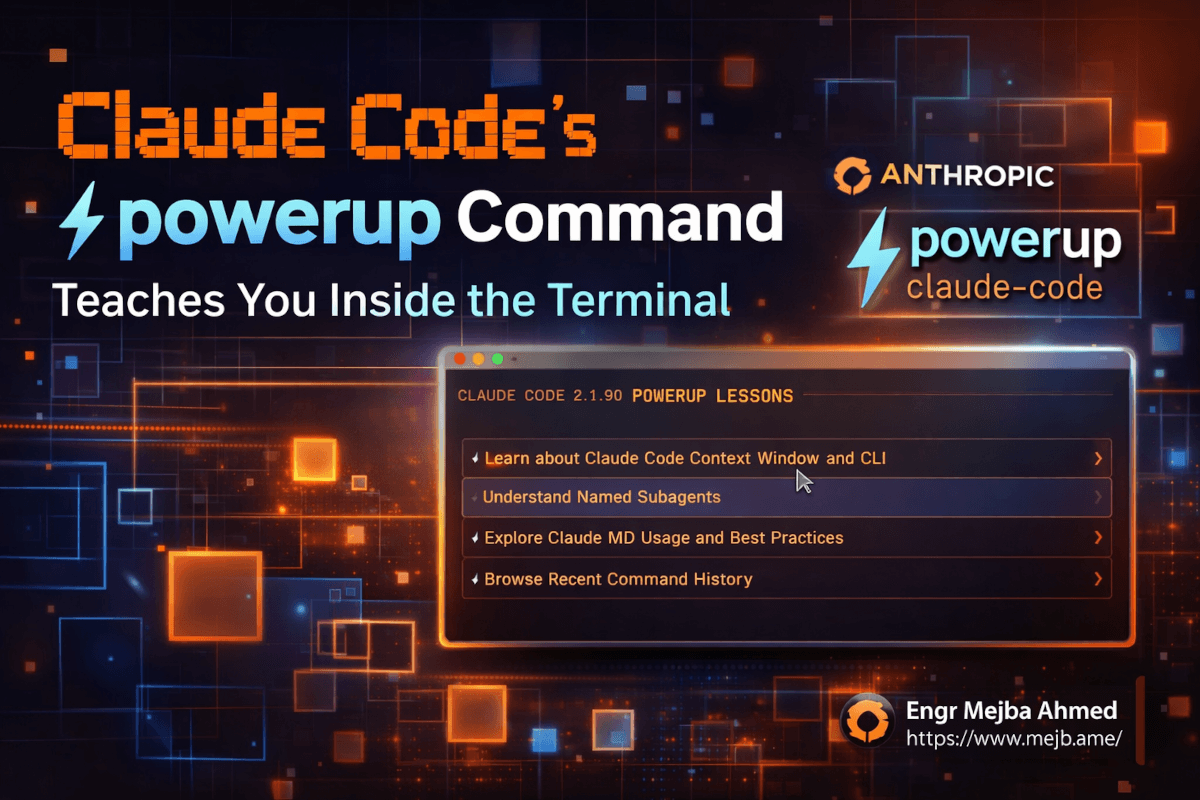
Claude Code Powerup Command: Learn Inside the Terminal
I was halfway through writing a CLAUDE.md file for a new project when I ran claude --version and noticed the number had ticked over. Version 2.1.90. Fresh.
Normally I'd keep working. Version bumps happen constantly with Claude Code — Anthropic ships updates at a pace that makes most SaaS companies look like they're running waterfall. But something in the changelog caught my eye: /powerup. A new slash command. No detailed description. Just a name that sounded like it belonged in a video game.
So I typed it. And what happened next made me close my project, put the CLAUDE.md aside, and spend the next forty-five minutes doing something I haven't done inside a terminal in years.
I was learning. Not Googling. Not watching a YouTube tutorial on a second monitor. Not scanning documentation. Learning — interactively, step by step, right where I write code.
That's the thing about /powerup that's hard to convey in a changelog bullet point. It doesn't add a feature to Claude Code. It adds a teacher.
What Claude Code 2.1.90 Actually Ships
Before I get into /powerup specifically, here's what you need to know about the release. Claude Code has been on a relentless update cycle throughout 2026. Version 2.1.89 landed on April 1 with deferred permission hooks, flicker-free alt-screen rendering, and named subagent improvements. Version 2.1.88 before that tightened agent delegation guidance and fixed structured output schema caching. These are meaningful under-the-hood improvements — the kind that make your daily workflow smoother without you necessarily noticing why.
But 2.1.90 is different. Not because of infrastructure fixes, but because Anthropic did something I haven't seen from any CLI tool before: they built an interactive education system directly into the product.
The /powerup command launches structured, hands-on lessons that teach you how to use Claude Code — while you're inside Claude Code. Think of it as onboarding that actually works, delivered at the moment you're most likely to retain it: when you're already in the tool, already in context, already thinking about code.
I've been using Claude Code daily for over six months. I've written a complete beginner's guide, compiled fifty tips I wish I knew from day one, and built entire agent systems inside this terminal. And /powerup still taught me things I didn't know.
That's either a testament to how deep Claude Code has gotten, or an indictment of how much I was missing. Probably both.
How /powerup Works — Step by Step
Here's exactly what happens when you type /powerup and hit enter.
You get a menu. Not a wall of text. Not a link to documentation. A clean, interactive selection of lesson modules, each targeting a specific Claude Code capability. The lessons aren't abstract explanations — they're guided exercises. Claude walks you through a concept, asks you to try it, watches what you do, and responds based on your actions.
The first lesson I picked focused on context management — how Claude Code reads your project, what goes into the context window, and how to control what the AI sees. I've written about this extensively. I thought I understood it cold. But the interactive walkthrough surfaced a nuance about how .claudeignore files interact with the /compact command that I'd never connected before. When you compact a conversation, the ignore rules re-evaluate. Files you excluded might re-enter context if your ignore patterns are path-relative and you've changed directories during the session.
That's the kind of detail you'd only discover through painful debugging or through someone walking you through it with your actual environment in front of you. /powerup does the second thing.
The Lesson Structure
Each lesson follows a consistent pattern that I found genuinely well-designed:
1. Concept introduction — A brief, conversational explanation of what you're about to learn. No textbook language. It reads like a senior engineer explaining something over a shared screen.
2. Guided exercise — Claude asks you to perform a specific action. Type this command. Create this file. Run this prompt. The exercise uses your actual terminal and your actual project context — not a sandboxed fake environment.
3. Observation and feedback — After you complete the action, Claude analyzes what happened and explains the result. If something unexpected occurs (and it often does, because real environments are messy), it addresses the deviation directly instead of ignoring it.
4. Progression — Each lesson builds on the previous one. You don't just learn isolated tricks. You build a mental model of how the pieces connect.
I went through four lessons in that first session. Context management, permission modes, the /compact command, and an introduction to hooks. Each one took roughly ten minutes. And here's the part that surprised me — they felt more effective than any tutorial I've read or watched on the subject, including ones I wrote myself.
The difference is immediate feedback in your own environment. When a YouTube tutorial shows you a command, you're watching someone else's terminal. When /powerup walks you through a command, you're running it yourself, in your own project, with your own file structure. The learning sticks because the context is real.
Why This Matters More Than Another Feature
I want to step back from the specifics for a second, because the implications of /powerup go beyond "Anthropic added a tutorial."
Here's the problem every developer tool faces: the gap between installation and proficiency. You install a tool. You use maybe 20% of its capabilities. You develop habits based on that 20% and never revisit the other 80%, even when those capabilities would save you hours per week.
I know this pattern intimately because I lived it with Claude Code. For my first three months, I didn't use /compact. I didn't understand hooks. I didn't know you could switch models mid-session with /model. I was burning through API credits like they were free because I had no mental model for context window management. When I finally wrote my 50 Claude Code tips guide, half the tips were things I'd discovered embarrassingly late.
The traditional solution to this problem is documentation. Write it down, publish it, hope people read it. The slightly better solution is tutorials — video or written walkthroughs that show the tool in action. But both of these suffer from the same fundamental disconnect: they happen outside the tool. You read the docs, tab back to your terminal, try to remember what you just read, fail, tab back to the docs. The learning loop has too much friction.
/powerup eliminates that friction entirely. The lesson is the tool. The tool is the lesson. There's no context switch. There's no "let me find where I was in the documentation." There's no pausing a video and scrubbing back thirty seconds.
This approach has a name in education research: situated learning. You learn best when the learning happens in the same environment where you'll apply the knowledge. Medical students learn in hospitals, not just lecture halls. Pilots learn in simulators, not just classrooms. And now, Claude Code users learn inside Claude Code.
I realize that sounds dramatic for a CLI tool. But think about the scale here. Claude Code has become one of the most widely used AI development tools in the world. Anthropic's own numbers suggest that 90-95% of Claude Code is now written by Claude Code. The developer population using this tool daily is massive and growing. Even a small improvement in how quickly those developers reach proficiency has an outsized impact on aggregate productivity.
What the Lessons Cover — And What's Missing
Based on my first full session with /powerup, here's what I found available.
The lessons span several core Claude Code capabilities. Context and memory management gets solid coverage — how the context window works, what fills it up, how to use /compact and .claudeignore effectively, and how CLAUDE.md files shape the AI's behavior. I covered many of these concepts in my mastering Claude Code crash course, but the interactive format makes the concepts land differently.
Permission modes are well represented. The lesson walks you through each mode — Ask, Auto Accept, Planning, and full autonomous — with practical scenarios for when each one makes sense. It mirrors what I described in my desktop app review, but with the advantage of letting you switch modes in real-time and observe the behavioral differences firsthand.
Slash commands get a dedicated lesson that goes beyond just listing them. You learn when to use /clear versus /compact (a distinction that confuses almost everyone at first), how /model switching affects quality and cost, and how /cost helps you track spend during a session.
Hooks — which are one of Claude Code's most powerful and least understood features — get an introduction that I found genuinely useful. The lesson walks you through creating a simple PreToolUse hook, which is something I've seen experienced developers struggle with because the documentation, while accurate, doesn't hold your hand through the first implementation.
What's missing? Skills. As of this version, I didn't find a /powerup lesson that covers skill creation — writing SKILL.md files, the skill invocation pattern, or how skills differ from slash commands. Given that skills are one of the features that separate basic Claude Code usage from power-user workflows, this feels like a gap. I also didn't see coverage of worktrees, the /loop command, or multi-agent orchestration. These might be coming in future updates — the lesson framework clearly supports expansion — but they're not here yet.
The other thing I noticed: the lessons are currently optimized for terminal-based Claude Code. There's no specific guidance for the desktop app experience or for VSCode integration. Which brings me to something I've been thinking about since I first ran /powerup.
The VSCode and Desktop App Question
Here's what I'm genuinely curious about: how will /powerup translate to non-terminal environments?
The Claude Code desktop app — which I reviewed extensively — has its own interaction paradigm. Multi-pane layouts. Visual file trees. Live previews. The permission system works the same conceptually, but the surface area is different. A lesson designed for the terminal might not map cleanly to the desktop experience.
And then there's VSCode. The Claude Code extension for VSCode has been gaining traction, and its interface is fundamentally different from both the terminal CLI and the standalone desktop app. Side panels. Inline suggestions. Chat windows embedded in the editor chrome. An interactive lesson that says "type this in your terminal" doesn't work when there is no terminal in the traditional sense.
My guess — and this is speculation based on how Anthropic has handled cross-platform features before — is that /powerup will adapt to its environment. The lesson content will stay the same, but the instructions will adjust based on whether you're in CLI mode, desktop mode, or VSCode mode. Anthropic has been consistently good about making features work across their surface areas, even when the implementation details differ substantially.
But I don't know yet. The desktop app and VSCode versions of 2.1.90 haven't hit my machines as of this writing. When they do, I'll update this post with what I find. For now, the terminal experience is what I can speak to — and it's solid.
What I Learned That I Didn't Expect To Learn
Six months of daily use. Hundreds of hours inside this tool. Multiple articles published about Claude Code workflows. And /powerup still surfaced things I'd missed.
The .claudeignore and /compact interaction I mentioned earlier was one. Here's another: during the permissions lesson, I learned that the PreToolUse hook's new "defer" decision — which shipped in version 2.1.89 just the day before — can be used to create approval workflows for headless sessions. A CI pipeline running Claude Code can pause at a specific tool call, wait for human review, and resume. I knew the defer option existed from reading the changelog. What I didn't understand was the practical workflow: how you'd actually set it up, what the resume command looks like, and what happens to the session state while it's paused.
The /powerup lesson on hooks walked me through building this exact workflow. In ten minutes, I had a working PreToolUse hook that deferred file write operations in headless mode and resumed via claude -p --resume. Ten minutes. From concept to working implementation. Without leaving the terminal, without opening a browser, without reading a single documentation page.
That's the pedagogical power of learning-by-doing in context. The lesson didn't explain the concept and hope I'd figure out the implementation. It walked me through the implementation and let the concept emerge from the experience.
One more thing I didn't expect: the lessons are conversational. They ask you questions. "What do you think will happen when you run this command?" And they wait for your answer before continuing. This isn't a scrolling wall of instructions. It's a dialogue. Claude Code is legitimately having a teaching conversation with you.
I've spent enough time around educational technology to know that this is hard to get right. Most "interactive" learning tools are just documentation with buttons. The fact that Claude — an AI — is teaching you how to use Claude in a way that feels like working with a patient senior engineer is... well, it's a recursive kind of impressive.
The Competitive Angle: Who Else Does This?
Short answer: nobody. Not like this.
Cursor has onboarding flows. GitHub Copilot has documentation. Windsurf has tutorials. But none of them embed interactive, progressive education directly into the tool itself, running against your real codebase, adapting to your real environment.
The closest comparison I can think of is Vim's built-in vimtutor — a command-line tutorial that teaches you Vim by having you actually use Vim. Developers have praised vimtutor for decades precisely because it eliminates the gap between learning and doing. /powerup is that concept, evolved. Instead of a static text file, you have an AI tutor that can respond to what you do, adapt to your mistakes, and adjust the lesson based on your environment.
The reason this matters competitively isn't just user onboarding. It's retention. The number one reason developers abandon powerful tools is frustration with the learning curve. They hit a wall, Google the answer, don't find it quickly enough, and revert to their old workflow. /powerup intercepts this failure mode at the source. You don't need to leave the tool to learn the tool.
For Anthropic, this is smart product strategy. Every developer who goes through /powerup becomes a more effective Claude Code user, which means they get more value from their subscription, which means they're less likely to churn. Education as retention. It's not a new idea, but the execution here is better than anything I've seen in the developer tools space.
How I'm Using /powerup Going Forward
Here's my plan, and I think it's a reasonable template for anyone reading this.
For new projects: I'm running /powerup before /init on my next fresh project. The context management lesson is worth revisiting when your CLAUDE.md is a blank slate, because it forces you to think deliberately about what you want Claude to see and not see. My tendency has been to /init and then immediately start prompting. Taking fifteen minutes for /powerup first will probably save hours of mid-project confusion.
For onboarding team members: I work with contractors and collaborators who use Claude Code at varying skill levels. Previously, I'd send them my beginner's guide and follow up a week later. Now I'm going to tell them: install Claude Code, run /powerup, go through the first four lessons, then we'll talk. The interactive format will land better than a 5,000-word article, as much as it pains me to admit that.
For staying current: Anthropic ships features faster than I can write about them. I missed the defer hook for a full day despite reading the 2.1.89 changelog. If /powerup updates its lesson library with new releases — and I expect it will — it becomes a built-in "what's new and how do I use it" channel. That's more valuable to me than any changelog because it's actionable.
For content creation: Look, I write about Claude Code constantly. Every /powerup lesson is a potential article topic, a workflow I can test publicly, a tip I can share with my audience. The lesson on hooks alone gave me three ideas for posts I haven't written yet. This tool is going to feed my content pipeline as much as it feeds my development workflow.
The Honest Assessment
I've been enthusiastic about /powerup for the last several hundred words, so let me balance that with the limitations I see.
The lesson library is incomplete. Major features like skills, worktrees, /loop, agent orchestration, and multi-file refactoring patterns don't have lessons yet. For a power user, the current library covers maybe 40% of what Claude Code can do. That's fine for a first release, but it means the feature won't reach its full potential until the lesson catalog catches up with the feature set.
The lessons assume you're in a terminal. If you primarily use the desktop app or VSCode, you'll need to translate some instructions mentally. Not a dealbreaker, but a friction point.
There's no progress tracking that I could find. If I complete four lessons today and come back next week, I start from the same menu. Lesson state doesn't persist across sessions. For a tool that's all about progressive learning, this feels like an oversight that will probably get addressed.
And the lessons, as good as they are, can't replace deep understanding. They're a starting point, not a destination. The /powerup lesson on hooks taught me how to create a basic PreToolUse hook — but it didn't cover hook composition, error handling strategies, or the architectural patterns that emerge when you combine hooks with skills and custom agents. That depth still requires documentation, experimentation, and the kind of trial-and-error that no tutorial can fully replicate.
But here's my honest take: despite these limitations, /powerup is the most thoughtful onboarding experience I've encountered in any developer tool this year. It meets developers where they are — in the terminal, already working — and teaches them without pulling them away from work. That's a design philosophy I can get behind.
What I'm Watching Next
I'm going to keep digging into this release. There are a few things I specifically want to test over the coming days.
First, how the lesson library expands. If Anthropic adds lessons in parallel with new features — ship the feature, ship the /powerup lesson in the same release — that would be a meaningful change in how developers adopt new capabilities. No more reading changelogs and wondering what a feature actually does in practice.
Second, the cross-platform story. The moment /powerup works natively in the Claude Code desktop app and VSCode extension, it becomes a universal onboarding tool across Anthropic's entire developer surface area. That's a bigger deal than it sounds, because each platform attracts a slightly different developer persona. Terminal users tend to be power users. Desktop app users tend to want visual feedback. VSCode users tend to value tight editor integration. If the lessons adapt to each context, that's genuinely impressive engineering.
Third, community-contributed lessons. Claude Code already supports user-created skills via SKILL.md files. The framework for custom /powerup lessons — if Anthropic opens it up — could create an ecosystem of community-taught capabilities. Imagine a Rails developer creating a /powerup lesson for Rails-specific Claude Code workflows, or a security engineer building lessons around secure coding patterns with AI assistance. The platform potential here is significant.
And fourth, the data. Anthropic will presumably be able to see which lessons get completed, which ones developers abandon midway through, and which features still confuse people after the lesson. That usage data could drive product decisions in a way that changelog comments and Twitter feedback can't. It's a feedback loop built into the education system itself.
The Bigger Picture
Here's what I keep coming back to. The developer tools market in 2026 is louder than it's ever been. Every week brings a new AI coding assistant, a new IDE extension, a new "10x your productivity" promise. Most of them compete on features. More models. Faster generation. Better autocomplete.
Anthropic is competing on something different with /powerup: understanding. Not just giving developers a more powerful tool, but making sure they actually know how to use the power they already have.
That's a bet on education over feature accumulation. And based on what I experienced in those forty-five minutes this morning — running lessons in my terminal, learning things I didn't know about a tool I use every single day — it's a bet that might pay off.
The version number is 2.1.90. The /powerup command is live. If you're running Claude Code, update and try it before you do anything else today.
You might be surprised by what you've been missing.
Claude Code Powerup Command: Common Questions
What does /powerup do in Claude Code?
The /powerup command launches interactive, guided lessons directly inside Claude Code's terminal interface. Each lesson teaches a specific Claude Code capability — context management, permissions, slash commands, hooks — through hands-on exercises that run in your real project environment. Type /powerup in any Claude Code session to access the lesson menu.
How do I update to Claude Code 2.1.90?
Run npm update -g @anthropic-ai/claude-code in your terminal, then verify with claude --version. If you're on a managed enterprise installation, your admin may control the update schedule. The update includes /powerup along with other improvements from recent releases.
Does /powerup work in VSCode and Claude Code Desktop?
As of the initial 2.1.90 release, /powerup is optimized for the terminal CLI experience. How it adapts to the Claude Code desktop app and VSCode extension remains to be seen — check for updates in subsequent releases. The lesson content is expected to translate across platforms. For a full breakdown of the desktop app, see my Claude Code Desktop review.
Is /powerup useful for experienced Claude Code users?
Yes. Even after six months of daily use, the /powerup lessons surfaced details I'd missed — particularly around how .claudeignore interacts with /compact and how the new defer hook decision works in practice. The lessons are progressive, so experienced users can skip basics and focus on advanced capabilities.
What lessons are available in /powerup right now?
The initial lesson library covers context and memory management, permission modes, core slash commands (including /compact, /model, and /cost), and an introduction to hooks. Skills, worktrees, /loop, and multi-agent orchestration lessons are not yet included but are expected in future updates.
Whether /powerup Belongs in Your Routine
Claude Code 2.1.90's /powerup command teaches you the tool from inside the terminal — interactive lessons instead of a docs tab you never open. For anyone who learns by doing, that's a genuinely better on-ramp.
Run it once when you have ten spare minutes and see what you've been missing. My 32 daily hacks and 2.1.101 release notes go deeper.
If you want help getting a team up to speed on Claude Code, that's work I take on through Ramlit.






