ChatGPT Codex Stock App: A Full-Stack Build in One Sitting
I almost skipped this build. Three reasons.
First, I am a Claude Code power user. My agents are tuned, my plugins are wired, my muscle memory says "open Claude Code." Second, every "build a full-stack app with AI in 30 minutes" video on YouTube tends to ship a slick demo that falls over the moment you ask it to persist real data. Third, the source video I was working from kept calling the tool "ChatGPT 5.5 Codeex" — which is the creator's own branding for OpenAI's Codex desktop app, not an official product name. That kind of language usually correlates with hype-first content.
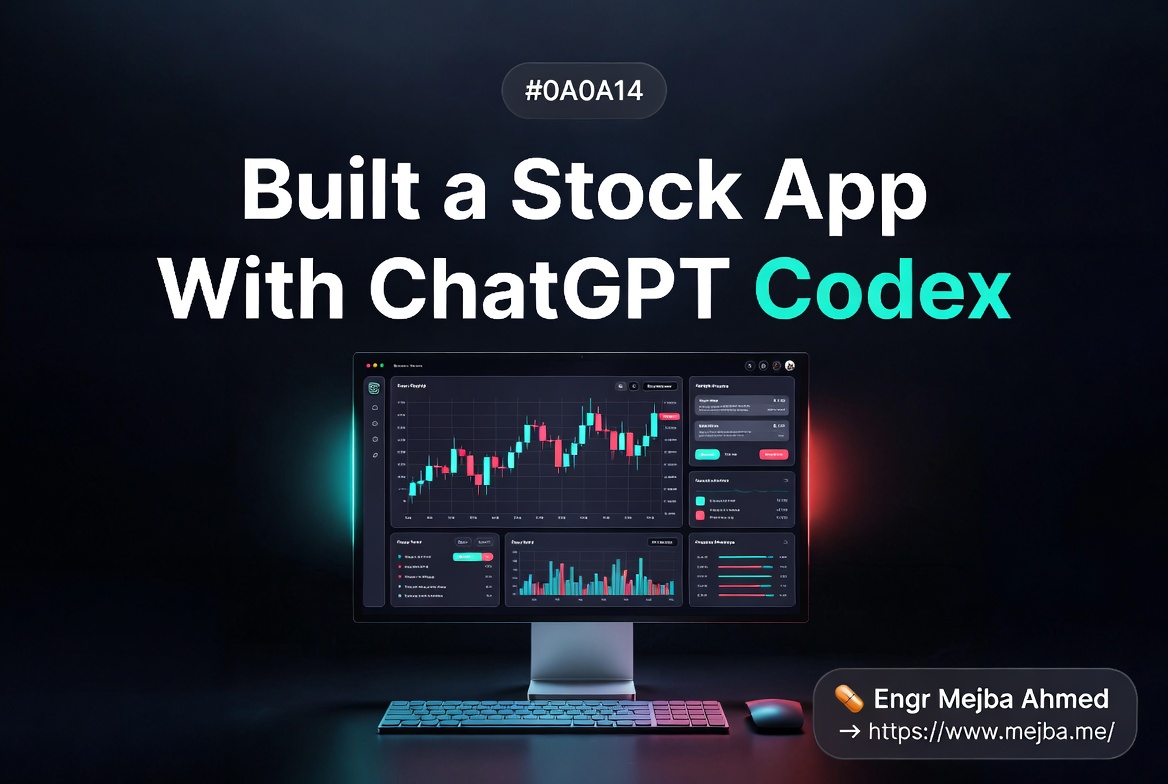
I built it anyway. The goal was simple. Type a ticker, see a live chart and price, read fresh news, save the holding to a portfolio, watch the portfolio value update. I wanted to know whether you can really build a stock investment app with ChatGPT Codex end-to-end in one sitting — design, backend, live data, deployment, and a marketing video — without leaving the app once.
Short answer: yes, with caveats I will not pretend away. The longer answer is more interesting, because the parts of Codex that actually changed how this build felt are not the parts the marketing pages emphasize.
Let me walk you through what I shipped, what broke, and the parts I think every Claude Code user underestimates about the Codex desktop app right now.
The Setup, Without the Hype
Before any code, the receipts. As of May 2026, ChatGPT Codex is bundled into ChatGPT Plus ($20/month), Business ($30/user/month), Pro ($100/month and $200/month), Edu, and Enterprise plans. There is also a Free tier with very limited Codex access. The Pro $100 plan got a temporary 2x usage boost through May 31, 2026, which means 10x the standard Plus limits instead of 5x. GPT-5.3-Codex on Pro currently allows roughly 600 to 3,000 local messages and 200 to 1,200 cloud tasks every 5 hours, plus 400 to 1,000 code reviews. Source: OpenAI Codex pricing and Codex rate card.
That matters because the workflow I am about to describe runs three Codex agents in parallel. On the free tier you simply cannot do this. On Plus you can, barely. On Pro it is comfortable. The video creator's claim that "Codex beats Claude Code on usage limits" is not a clean apples-to-apples comparison — Claude Code's Max plan also gives heavy parallel headroom — but on the Pro tier specifically, Codex's parallel cloud tasks plus local messages did let me do something I have not been able to do as cleanly inside Claude Code yet: run three meaningful agents simultaneously without orchestration babysitting.
I will come back to that.
The other tools I needed:
- Convex for the database and backend. Free tier as of 2026 includes 1 million function calls per month, 0.5 GB database storage, 1 GB file storage, and 20 GB-hours of action compute. Source: Convex limits documentation.
- Alpha Vantage for stock prices, charts, and news. Free tier is 25 API requests per day with a 5-requests-per-minute rate limit. Source: Alpha Vantage rate limits.
- Remotion for the marketing video, called from inside Codex via the Remotion skill. Free for individuals, non-profits, and companies with 3 or fewer employees. Larger teams need the $100/month Company License. Source: Remotion license.
Total external bill for this build: $0. Codex was already on my Pro plan. Everything else stayed inside free tiers. That is the part I want anyone evaluating this workflow to internalize before we get into the steps. The ceiling on a real stock app is not the AI cost. It is the Alpha Vantage 25-calls-per-day cap, which forces real architectural decisions about caching from minute one.
Why I Started With An Image, Not A Prompt
Most AI build tutorials open with a giant feature spec dumped into the chat. I have done it that way for two years. It works, but you usually end up with the AI's median visual taste, which is fine and also forgettable.
Codex now ships with image generation directly inside the app, powered by gpt-image-1.5 and the broader ChatGPT Images 2 model family that OpenAI shipped in their April 2026 update. Source: OpenAI Codex desktop update, April 2026. The trick the video creator demonstrated is to use this for design first.
I asked Codex to generate five distinct UI mockups for a stock investment app. Not "design my app." Five specific options:
- Bloomberg-terminal style — dense, dark, data-first
- Robinhood style — friendly, minimal, single-stock focus
- Portfolio-forward — your holdings hero, charts secondary
- News-forward — sentiment and headlines drive the layout
- Mobile-first watchlist — tickers as cards
Codex generated all five inside the app in about ninety seconds. I picked option three. Portfolio-forward made the most sense for the demo I had in mind, where the satisfying moment is watching your portfolio total tick up live, not staring at a single ticker.
Then I did something that has become my favorite Codex move. I attached the chosen mockup back into the chat and told Codex: "Build the frontend to match this image. Use Next.js 15, Tailwind, shadcn/ui. Match the spacing, the dark theme, the card hierarchy."
The image becomes the spec. This works better than a wall of text because the model has to reverse-engineer the design intent, which is closer to how a real frontend dev would translate a Figma file. I learned this pattern from working with AI design prompts that target Apple-level polish, and it has replaced about 70% of the descriptive prompting I used to do.
But here is where the build started to feel different from anything I have done in Claude Code.
Three Agents, Three Tasks, Zero Orchestration
Codex's multi-agent parallelism is the feature most people skim past. They should not.
OpenAI's architecture lets multiple agents hold their own cursors and run in parallel without interfering with each other or with you. Source: OpenAI Codex April 2026 update. On Mac, this means you can dispatch three independent jobs and stay productive in everything else.
Here is what I dispatched simultaneously:
Agent 1 — Frontend + Backend. Build the Next.js app to match the chosen mockup. Wire Convex for portfolio persistence. Stub the Alpha Vantage integration with mock data first so the UI is not blocked on rate limits.
Agent 2 — Marketing Video. Use the Remotion skill to generate a 30-second product demo video. The brief was specific: open on the portfolio screen, scroll through a chart, end on the "$12,847.32" running total animation. Cinematic dark theme, ambient music, no narration.
Agent 3 — Market Research. Open the in-app browser. Research the top 10 AI-related stocks investors are watching in May 2026. Pull current price ranges, recent news, analyst sentiment. Output a markdown briefing I could use to seed the demo data.
I started all three. Closed the laptop lid for ninety seconds while I refilled coffee. Came back. All three were progressing in parallel cards inside the Codex sidebar.
This is the moment I stopped feeling skeptical about Codex.
In Claude Code, I can run parallel sub-agents — and I do, constantly. But the orchestration is on me. I write the dispatch logic. I manage the worktrees. I reconcile the outputs. It works beautifully when I have set it up well. It is also work I have to do.
In Codex, the parallelism is the default UX. You dispatch, you walk away, you come back to three completed cards. The cognitive overhead of parallel agent work drops to roughly zero. That is not a small thing. That is a different relationship with the tool.
It does not mean Codex is "better than Claude Code." Claude Code's strength remains the depth of customization, the harness flexibility, the plugin ecosystem, and the ability to run completely scripted workflows on your own infrastructure. If you have spent a year building a personal Claude Code system, Codex will not replace it. But for a from-scratch one-sitting build like this stock app, Codex's default parallelism wins. Cleanly.
The Database Choice That Saved Me 90 Minutes
When Agent 1 came back, the frontend was clean. The backend stub was live. Convex was wired. I could hit a /api/portfolio endpoint and get an empty array.
Choosing Convex was deliberate. I have done enough rapid AI builds to know that the database choice is the single most likely thing to derail a one-sitting project. Postgres adds connection pooling and migration headaches you do not have time for. Firebase makes you fight rules. Plain SQLite breaks the moment you deploy to a serverless host.
Convex is reactive by default, has a free tier that comfortably covers a demo plus light real usage, and ships TypeScript-first schemas that AI agents handle remarkably well. The 1 million function calls per month is genuinely generous — for a personal portfolio app pulling fresh prices on each load, you would have to actively try to hit that ceiling. The 0.5 GB database limit is the real constraint for serious data, but a portfolio of stocks weighs almost nothing.
Codex generated the schema in one pass:
// convex/schema.ts
import { defineSchema, defineTable } from "convex/server";
import { v } from "convex/values";

export default defineSchema({
  holdings: defineTable({
    userId: v.string(),
    ticker: v.string(),
    shares: v.number(),
    addedAt: v.number(),
    purchasePrice: v.optional(v.number()),
  })
    .index("by_user", ["userId"])
    .index("by_user_ticker", ["userId", "ticker"]),

  priceCache: defineTable({
    ticker: v.string(),
    price: v.number(),
    fetchedAt: v.number(),
  }).index("by_ticker", ["ticker"]),

  newsCache: defineTable({
    ticker: v.string(),
    items: v.array(v.object({
      title: v.string(),
      url: v.string(),
      publishedAt: v.number(),
      sentiment: v.optional(v.string()),
    })),
    fetchedAt: v.number(),
  }).index("by_ticker", ["ticker"]),
});
The priceCache and newsCache tables are not decorative. They are how you survive Alpha Vantage's free tier. With 25 API calls per day and a 5-per-minute ceiling, you cannot fetch fresh prices every page load. The cache layer means a price gets pulled at most once every fifteen minutes per ticker, regardless of how many times the user refreshes. For a personal portfolio of ten tickers, that fits comfortably inside the free tier with margin.
I told Codex to add a 15-minute TTL on priceCache and a 30-minute TTL on newsCache. It did, with a sensible Convex action that checks freshness before hitting the external API. This is the kind of detail that separates a real build from a demo. If you skip the caching layer, your app dies the second you hit the free-tier wall — which on Alpha Vantage is one bad afternoon of testing.
Wiring Live Data Without Burning Through 25 Calls
Once the cache layer was in place, I gave Codex the Alpha Vantage API key and asked it to wire three endpoints:
GLOBAL_QUOTEfor current priceTIME_SERIES_DAILYfor the chartNEWS_SENTIMENTfor the news feed
Codex pulled the Alpha Vantage docs through the in-app browser, generated typed TypeScript clients, and wired them into Convex actions. One thing it got right without being told: it batched the chart fetch behind the price fetch, so opening a ticker only consumes one logical user action across two API calls. With caching, that is roughly 6 to 8 unique daily ticker fetches before you hit the ceiling — enough for a real personal portfolio.
The first time I tested it, I typed "NVDA" and watched the chart populate. Real candlestick data. Real news headlines pulling in below. Real price update. The whole loop closed inside about four seconds.
That is when I tried something the video creator demonstrated that I had not seen before.
The In-App Browser Doing The Testing For You
Codex's in-app browser lets you load any URL — including localhost — and the agent can both see and interact with the page. You can also drop comments directly onto the rendered page, which the agent treats as instructions tied to that specific element.
I asked Codex: "Open the app at localhost:3000. Add NVDA, AAPL, and TSLA to the portfolio with 10, 5, and 3 shares respectively. Verify the total portfolio value renders correctly. Toggle dark mode. Tell me if anything looks off."
It opened the browser tab. Clicked the add-ticker input. Typed each ticker. Filled in share counts. Clicked save. The portfolio populated. It clicked the dark-mode toggle. Then it stopped and reported back: "The portfolio total uses two-decimal currency formatting, but the individual holdings rows use four decimals. Inconsistent. Recommend standardizing to two decimals across all currency displays."
I had not noticed that bug. I would have caught it eventually. But the agent caught it in the same flow that built it, by actually using the app, in a real browser, autonomously.
This is the part that genuinely changed my mental model. Most AI coding feedback loops still depend on me being the QA. I run the app. I click the buttons. I notice the bug. I report it back. With the in-app browser plus computer use, Codex closes that loop inside its own context. Source: OpenAI Codex April 2026 update.
For something like a stock app where edge cases live in the rendering — currency formatting, chart axis labels, percentage colors, dark mode contrast — having the agent QA the visual output without me holding the mouse is a real multiplier.
If you have been getting good results from the Codex Claude Code two-agent workflow, this in-app browser tightens the loop even further on the Codex side.
The Marketing Video Agent Came Back With Something I Could Actually Ship
While I was wiring data, Agent 2 was still grinding on the Remotion video. When I checked back, it had produced a 32-second product demo. Dark cinematic theme. The portfolio screen scrolling. A live-feeling chart animation. The total ticker counting up to $12,847.32 with a small subtle bounce. No narration.
It was genuinely usable. Not Pixar. But the kind of asset I would have paid a freelance motion designer roughly $400 for, delivered a week later.
The Remotion skill works because Remotion is React under the hood. The same agent that wrote my Next.js components could write Remotion compositions in the same idiom. I gave one creative direction note — "the chart sweep feels too fast, slow it down by about 30%" — and Codex re-rendered. Eight minutes total elapsed time on the video.
For a single-developer side project, this collapses the marketing asset stack from "I'll do it later" into "it shipped with the app." That is not a small psychological shift.
What Reverse Prompting Actually Means In Practice
The video used the term "reverse prompting" without defining it cleanly. Here is what it means and why it matters.
Reverse prompting is when you ask the AI what to build next instead of telling it. After my MVP shipped, I prompted Codex: "Look at this app. Look at the user flow. List the five most valuable features I have not yet built that would meaningfully increase user retention. Rank them by build complexity divided by user value."
Codex came back with:
- Price alerts (low complexity, high value)
- Daily portfolio email digest (low complexity, medium value)
- Position sizing recommendations based on volatility (medium complexity, high value)
- News sentiment overlay on the price chart (medium complexity, medium value)
- Multi-portfolio support with tagging (medium complexity, medium value)
The first one was something I had not even considered. I shipped a basic version of price alerts in the next twenty minutes by piggy-backing on Codex's scheduled automations feature, which can wake up at a defined cadence and run a task. I scheduled a 9:30 AM weekday automation that pulls fresh prices, compares against user-defined alert thresholds, and sends an email if any holding crosses one.
That feature exists in the live demo right now because I asked the AI what to build instead of guessing.
This is a lever I want every developer using AI tools to internalize. The model has seen more apps than you have. After your MVP ships, ask it what is missing. Then triage its list. The answer is rarely "build everything it suggests" — but the prompt is one of the highest-leverage moves in modern AI-assisted development.
The Honest Limits I Hit
I am not going to pretend this was frictionless. Three real issues:
Alpha Vantage's free tier is tight. 25 calls per day works for a single-user demo. It does not work the second you try to share the app with two friends. The cache helps, but if you want this to be a real product, you are looking at the $50/month entry-level Alpha Vantage plan or migrating to Polygon or IEX Cloud's successor. Plan for that from day one.
Codex got one schema decision wrong. It originally stored purchasePrice as a required field. For a portfolio tracker where some users only want to track current holdings without entering historical purchase data, that broke onboarding. I caught it during testing and made the field optional. The lesson: even with strong agents, schema decisions need a human review pass.
Multi-agent parallelism is not magic — it is bandwidth-limited. Running three Codex cloud tasks simultaneously on the Pro plan ate noticeable cloud-task quota. Doing this every day would push you toward the 1,200 cloud-task ceiling fast. If you build like this regularly, the $200 Pro plan with 20x usage starts looking less like a luxury and more like a tool budget.
The "Codex beats Claude Code" framing in the source video is opinion, not measurement. The two tools optimize for different things. Codex's strength is the integrated workflow surface area — image gen, browser, multi-agent default, marketing video skill, schedules — all in one app. Claude Code's strength is depth, customizability, and harness control. If you live in the terminal and have spent a year tuning your agents, Codex will feel oddly opinionated. If you want to ship a full-stack app plus marketing assets in one sitting without orchestrating anything yourself, Codex's UX is currently ahead. Pick the tool that fits the work, not the tool the loudest creator prefers this week.
What This Workflow Actually Transfers To
The stock app is the demo. The transferable shape is the part worth saving.
The pattern is:
- Use Codex's image generation to produce 3-5 distinct visual directions for the product. Pick one. Attach it back as the design spec.
- Dispatch three parallel agents — frontend+backend, marketing asset, market research. Walk away.
- Choose a database with a generous free tier and reactive primitives. Convex, but Supabase or PlanetScale work too. Let the agent generate the schema with caching tables built in from minute one.
- Wire one external API at a time. Build the cache layer before the integration, not after.
- Use the in-app browser to let the agent QA its own output.
- Reverse-prompt for the next five features. Ship the highest-value-low-complexity item immediately while the context is hot.
- Schedule any recurring automation — alerts, digests, code-quality scans on commits — through Codex's automation feature.
That sequence works for a CRM, a job board, a personal finance dashboard, an internal admin tool, a niche SaaS, a fitness tracker. The stock-specific parts swap out. The shape stays.
If you want to take this further for a different vertical, building an AI brand monitor in Next.js follows the same sequence with different external APIs. And the full-stack-build comparison piece on Google AI Studio's full-stack build mode is useful context if you want to see how Codex's approach differs from the all-in-one platforms.
The Part I Did Not Expect To Care About
I closed the laptop after about three hours. The app was live, on a Vercel preview URL, with a working portfolio, real Alpha Vantage data, persisted Convex storage, a marketing video sitting in the project folder, scheduled daily price alerts wired up, and a code-quality automation that runs on every Git commit.
The thing I did not expect: I had not opened a single other application. No Figma. No Linear. No browser tab outside the Codex in-app browser. No video editor. No second AI tool. Three hours of focused build, all inside Codex.
That is what "Codex for (almost) everything" actually means in practice. The tagline sounds like marketing. After this build, it reads as a product thesis I now believe in for one-sitting full-stack work.
I will keep using Claude Code as my main coding environment because the depth and customizability still win for everything I have already invested in. But for the specific job of "ship a complete full-stack project in one sitting, including the assets I would normally outsource," Codex's integrated workflow is currently the strongest tool I have used.
The interesting question is not which tool wins. The interesting question is what becomes possible when one developer can ship app + backend + tests + video + automations in three hours of focused work, instead of a week of context-switching across five tools.
Whatever you build next — try the parallel-agent dispatch. Try the image-as-spec workflow. Try the reverse prompt. The stock app is just the lab.
ChatGPT Codex Stock App: Questions From the Build
Is ChatGPT Codex free for building real apps?
Codex is included with ChatGPT Plus at $20/month, which gives enough usage for small builds. The free tier exists but has very limited Codex access — not enough for multi-agent workflows. For serious full-stack building with parallel agents, the $100 Pro plan is the realistic floor. Source: OpenAI Codex pricing.
Can Alpha Vantage's free tier really power a real stock app?
Only with caching. Alpha Vantage's free tier allows 25 API requests per day at 5 per minute. That works for a single-user demo with a 15-minute price cache. For more than one or two real users, plan to upgrade to a paid tier or migrate to Polygon. See the implementation section for the cache pattern.
What makes Codex different from Claude Code for this kind of build?
Codex's multi-agent parallelism is the default UX, plus it bundles image generation, an in-app browser, and a Remotion video skill in one app. Claude Code is more customizable and harness-flexible but requires you to orchestrate parallel agents yourself. For one-sitting full-stack builds, Codex currently wins on integrated workflow.
Does this workflow work for non-finance apps?
Yes. The shape — image-as-spec, three-agent parallel dispatch, cached external API, in-app browser QA, reverse prompting — transfers to any vertical. Swap Alpha Vantage for whichever external API fits your domain. The full sequence is in the workflow section above.
How long did the actual build take?
About three hours from empty folder to live preview URL, including the marketing video and scheduled automations. Roughly 30 minutes of that was waiting on parallel agents while I did other things.
What Building an App This Fast Actually Proves
Shipping a full-stack stock app in one sitting with ChatGPT Codex isn't a flex about the tool — it's a signal about what a solo builder can now attempt in an afternoon. The bottleneck moved from typing code to deciding what's worth building.
Pick one app idea you've been putting off and give yourself a single sitting to get a working v1. You'll learn more from that than from ten tutorials.
If you want a production app built properly on top of a fast prototype, that's work I take on through Ramlit. The full build, stack and all, is above.