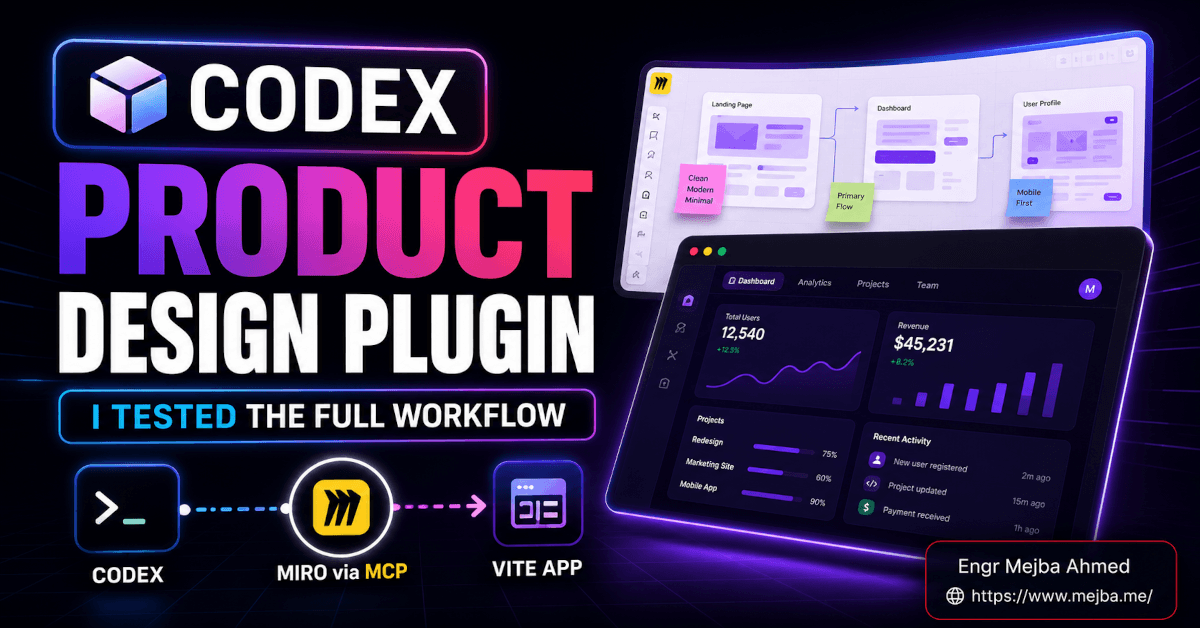
Codex Product Design Plugin: I Tested the Full Workflow
Nine minutes. That's how long the Codex Product Design plugin took to hand me three genuinely different versions of a Linear-inspired issue tracker — not three color swaps, three actual layouts with different navigation, different content grouping, different CTA logic. I'd fed it a screenshot of Linear's UI, a Miro board it read through an MCP server, and a design.md file. Then I went to refill my coffee. By the time I sat back down, the decision wasn't "will this work" — it was "which of these three do I want to build?"
That's the part most reviews of Codex skip. Everyone benchmarks the coding. Almost nobody puts the Codex Product Design plugin through a real design-to-prototype loop and times it. So I did. I ran two complete builds — a product management app and a gym landing page — from empty folders, and I watched the plugin do its own visual QA against the source images before it ever called the work done.
This is what actually happened, where it impressed me, and the three places it quietly falls short.
What the Codex Product Design plugin actually is
The Codex Product Design plugin is a marketplace add-on for OpenAI's Codex that bundles design-specific skills — UI ideation, design audits, prototyping, and code generation — into a single installable package you search for as "Product Design" inside Codex's plugin marketplace.
That's the one-sentence version. Here's the part that matters: it's not a chatbot that draws mockups. It's a set of reusable instructions that change how Codex approaches a design brief — pulling context first, generating real options second, and validating its own output against source images last.
The plugin ships with 11 distinct skills. When I installed it, here's what I got: audit, design Q&A, get context, ideate, to code, a top-level product design skill, prototype, research, share, and a URL-to-code context skill. Each one is a self-contained text block — and that detail turns out to matter more than it sounds, which I'll come back to.
This lands inside a Codex that got serious about design in early 2026. OpenAI shipped six role-specific plugin bundles for non-developer teams, and OpenAI's own plugins documentation frames Product Design as the one built for prototypes, user-flow audits, live-URL work, and turning static screenshots into interactive formats. In February 2026, OpenAI and Figma also announced an official integration — you copy a frame link in Figma, paste it into Codex, and ask it to implement against your component library. The Product Design plugin is the connective tissue that makes all of that feel like one workflow instead of five disconnected tricks.
If you've already read my breakdown of OpenAI's broader Codex plugin system, think of this as the zoom-in: one plugin, one workflow, timed and stress-tested. Before the build, though, you need to understand the input side — because the output is only as good as the context you feed it.
How I fed Codex context (this is the whole game)
Most people prompt a design tool with a paragraph and hope. The Product Design plugin is built for the opposite: stack real context, then ask.
I gave it three inputs, and each one did a different job.
A screenshot of Linear's UI. Not a description of Linear — the actual pixels. Codex's vision reads the spacing rhythm, the muted palette, the density of a real issue list. Text can't carry "this feels calm and engineered." A screenshot can. (If you want the deeper mechanics of Codex reading and acting on images, I went long on that in Codex can see its own code now.)
A Miro board, read through an MCP server. This is the input that separates the plugin from a one-shot prompt. I authenticated Codex to Miro's MCP server for Codex, and suddenly Codex could read the whole board — images, sticky notes, user flows, reference shots. Not a flattened export. The live canvas. So instead of me transcribing a brainstorm into a prompt, Codex walked the board the way a designer would: "here's the problem statement, here are the screens, here's the reference I liked."
A design.md file — the Figma variant. This is a plain-text design system: typography scale, color themes, button styles, layout rules. It's the same idea I covered in the DESIGN.md AI design framework, and pairing it with the plugin is where the output stopped looking generic. The screenshot gave taste, Miro gave intent, and design.md gave rules. Three different layers of context, none of them redundant.
Here's the thing nobody tells you: the quality jump between "I described what I wanted" and "I gave it a screenshot plus a Miro board plus a design system" is not 20%. It's the difference between a template and something you'd actually ship. The plugin doesn't make Codex more creative — it makes Codex better informed, and informed beats creative almost every time in product work.
So with context loaded, I gave it the brief. That's where the nine-minute clock started.
Three real layouts in nine minutes — not three color swaps
The brief was deliberately plain: "a Linear-inspired product management and issue tracking app." I wanted to see whether the Codex Product Design plugin would interpret that or just autocomplete it.
It produced three options. About nine minutes, start to finish. And these weren't variations on a theme — they diverged at the structural level:
- Option 1 — Minimalist. Clean grouping, subtle colors, a lot of restraint. The "respect the whitespace" interpretation of Linear. Tasteful, maybe too safe.
- Option 2 — Colorful, different CTA logic. More saturated, and — the detail that told me it was actually thinking — a blackish primary CTA instead of the expected blue. That's a real design opinion, not a palette shuffle.
- Option 3 — Comprehensive, inbox-style. Full inbox-style layout, user avatars, much stronger content grouping. It read like someone had actually used an issue tracker for a living.
I picked Option 3. It wasn't close. The avatars and the inbox metaphor made it feel like a product instead of a wireframe.
The takeaway for builders: generation speed is the boring metric. The metric that matters is decision quality — does the tool give you choices worth choosing between? Nine minutes is fine. Three real options to choose from is the actual feature.
This is the gap I keep hitting with AI design tools. Most of them give you one answer with the confidence of a tool that's never been wrong, or three near-identical answers that aren't really choices. The plugin's ideate skill genuinely branched — different layouts, different color systems, different component placement. That divergence is rarer than it should be, and it's the thing I'd actually pay for.
Picking a direction is the easy part. The next 25 minutes — turning Option 3 into a running app from an empty folder — is where I expected it to fall apart.
From empty folder to running Vite app in ~25 minutes
I pointed Codex at an empty directory and told it to build Option 3 as a real app. No starter template. No scaffolding I'd pre-built. Empty folder.
It generated a Vite-based web app from scratch in roughly 25 to 30 minutes. And "from scratch" included the parts most demos quietly skip:
- Real assets. It produced avatars, empty-state illustrations, and reference images — not gray placeholder boxes. The empty states actually had drawings in them, which is exactly the polish that usually gets cut.
- A functional interface. When I opened the browser preview, I could create an issue, navigate the inbox-style layout, open system dropdowns, and move through the app. Not a static mockup — clickable, working flows.
- Mobile responsiveness, built in. It didn't wait for me to ask. The layout adapted, and — here's the part I didn't expect — it checked its own mobile work.
Let me be precise about what "from an empty folder" means, because it's the claim that matters. There was no manual coding from me. I gave context, picked a direction, and the plugin produced a project tree, dependencies, components, and assets that ran. For a side project or a client demo, that's the difference between a weekend and a coffee break.
A realistic mental model for the timing looks like this:
- Context loading — screenshot + Miro (via MCP) +
design.md. A few minutes, mostly your setup. - Ideation — three divergent layouts. ~9 minutes.
- Prototype build + visual QA — the full Vite app with assets and responsive testing. ~25–30 minutes.
So call it under 45 minutes of mostly-hands-off time from "I have a vague brief" to "I have a running app I can click through on desktop and mobile." I've spent longer than that just arguing with a CSS grid.
If you'd rather have someone build this kind of design-to-app pipeline into your actual workflow — wired to your design system and your tools — that's the sort of engagement I take on. You can see what I've built at fiverr.com/s/EgxYmWD.
The build was impressive. But the moment that actually changed my opinion of the plugin came after the build — when it started checking its own work.
The visual QA loop nobody talks about
Here's the feature I didn't expect and now can't unsee: after generating the app, Codex ran its own visual QA by comparing the generated UI against the original source images.
It took screenshots of what it built. It compared them — using image analysis (in my run, via Imagen) — against the Linear reference and the Miro shots. It looked for drift between design intent and actual output. Then it did the same thing at mobile breakpoints. A self-correcting loop, closed by the tool, before it handed me anything.
Think about what that replaces. Normally you are the QA. You build, you eyeball it against the mockup, you notice the spacing is off, you fix it, you re-check. The plugin folds that loop inside the generation step. It's the same self-correction I saw in Codex's multimodal work — generate, observe, fix — but here it's pointed specifically at design fidelity instead of code correctness.
Is it perfect QA? No. It catches obvious drift — layout that wandered, a component that landed wrong, a mobile view that broke. It's not catching subtle type-rhythm issues a senior designer would flag. But "the tool noticed its own mobile layout was off and fixed it before showing me" is a genuinely different baseline than every codegen tool I used in 2024.
And there's a second-order benefit most people miss: because the skills are reusable text blocks, this QA behavior is portable. Those 11 skills aren't locked to Codex. They're plain instructions — I can drop the same design skills into Cursor, into Claude, into whatever agent I'm running that week. The plugin is less a product and more a portable methodology. That's a smarter design decision by OpenAI than it gets credit for.
One workflow proves nothing, though. So I ran a completely different brief to see if the loop held.
Second test: a gym landing page from one prompt
To check whether the product-app result was a fluke, I gave the plugin a totally different job: a single-page HTML landing page for a fitness gym.
Same pattern, different domain. It generated three variations — vibrant colors, dynamic layouts, real visual energy. I picked the most compelling one, which leaned on a clean table design and interactive elements. Then the same visual QA kicked in: it ran responsive testing, held the brand colors consistent across breakpoints, and added smooth hover interactions that actually fired.
This is the result that convinced me the workflow generalizes. Product app and marketing page are very different design problems — one is dense and functional, the other is spacious and persuasive — and the plugin handled both without me changing my approach. Load context, get real options, pick one, let it QA itself.
If landing-page pipelines are your thing specifically, I went deeper on a full MCP-driven version in my landing page pipeline build. The Product Design plugin is a leaner, more self-contained slice of that same idea.
Two for two. Which is exactly when I get suspicious — so here's the honest accounting of where it didn't impress me.
Where the Codex Product Design plugin falls short
I'd be selling you something if I stopped at the wins. Three real limitations:
1. GPT-based Codex can feel slower than Opus models. This is my experience and yours may differ, but the generation cadence — especially during the prototype build — felt slower than what I get from Anthropic's Opus models on comparable design-to-code work. Codex runs on OpenAI's coding models; GPT-5.3-Codex shipped in February 2026 and OpenAI added a faster Spark variant to the $100/month Pro tier in April 2026, so the speed story keeps moving. But in my runs, patience was part of the cost. If you live in fast Opus loops, the rhythm change is noticeable.
2. The interactions are functional, not deep. The hover effects work. The dropdowns open. The navigation moves. But these are simple interactions — not complex, multi-page application logic with intricate state. The plugin builds a convincing, clickable surface. It does not build you a production app with auth, a database, and edge cases handled. Treat the output as an exceptional starting point, not a finished product.
3. The proven use cases are narrow. What I genuinely tested — and what most demos show — is product management UIs and landing pages. That's two categories. I have not seen it stress-tested on, say, a data-heavy analytics dashboard, a complex multi-step checkout, or a design system rollout across twelve screen types. It may handle those well. I can't claim it does, because I haven't watched it.
None of these are dealbreakers. They're scope lines. The plugin is a fast, well-informed first draft engine for UI — and it's honest about being a draft engine the moment you ask it to do something genuinely complex.
There's also a cost dimension worth naming. Codex CLI itself is free software, and you can run the plugin on the $20/month ChatGPT Plus tier, which is dramatically cheaper than equivalent API billing for moderate use. But the design-to-prototype loop is token-hungry — context loading, three full layouts, a complete build, and a visual QA pass all burn through your allowance faster than a chat session would. If you plan to run this loop several times a day across multiple briefs, the $100/month Pro tier (5× the Plus limits, added April 2026) stops being a luxury and starts being the realistic floor. I'd rather you know that going in than discover it mid-sprint when the rate limit lands at the worst possible moment.
So who is this actually for?
Who should use it — and who shouldn't
Use the Codex Product Design plugin if you're a solo builder, a small team, or a developer who needs to move from a fuzzy brief to a clickable, on-brand prototype fast — especially if you already keep design context in Miro and a design.md system. The context-stacking workflow is where it earns its keep.
Skip it, or use it only as a starting point, if you need production-grade application logic, deep multi-page state, or pixel-perfect fidelity that a senior designer would sign off on without edits. It gets you 80% of a first draft in under an hour. The last 20% is still your job — and on complex products, that last 20% is the hard part.
Here's the mental reframe I left with: this plugin isn't trying to replace your designer or your front-end engineer. It's compressing the slowest, least fun part of the cycle — going from "I have references and an idea" to "I have three real options I can click through." That gap used to eat a day. Now it's a coffee break with a QA pass baked in.
FAQ
Frequently Asked Questions
Everything you need to know about this topic
The Codex Product Design plugin is a marketplace add-on for OpenAI's Codex that bundles 11 design-focused skills — including ideation, prototyping, audit, and code generation — to take a design brief from references to a working, self-QA'd prototype. You install it by searching "Product Design" in Codex's plugin marketplace.
In my testing, generating three distinct layout options took about 9 minutes, and turning a chosen option into a running Vite web app with assets and responsive testing took roughly 25–30 minutes. End to end, expect under 45 minutes of mostly hands-off time from brief to clickable app.
Yes. By authenticating Codex to Miro's MCP server, the Product Design plugin can read an entire Miro board — images, sticky notes, user flows, and reference shots — as live context, instead of relying on a written handoff spec. This is the single biggest quality lever in the workflow.
Yes. The 11 skills are self-contained text blocks, which means they're portable to other AI platforms like Cursor and Claude. The plugin functions less like a locked product and more like a portable design methodology you can carry between agents. For the broader plugin system, see my Codex plugins guide.
No, not on its own. It produces functional, clickable prototypes with working hover effects, dropdowns, and responsive layouts, but it stops short of deep multi-page state, authentication, and complex edge cases. Treat its output as an excellent first draft, not a shippable production application.
Let's Work Together
Looking to build AI systems, automate workflows, or scale your tech infrastructure? I'd love to help.
- Fiverr (custom builds & integrations): fiverr.com/s/EgxYmWD
- Portfolio: mejba.me
- Ramlit Limited (enterprise solutions): ramlit.com
- ColorPark (design & branding): colorpark.io
- xCyberSecurity (security services): xcybersecurity.io