📝 AI Design Tools

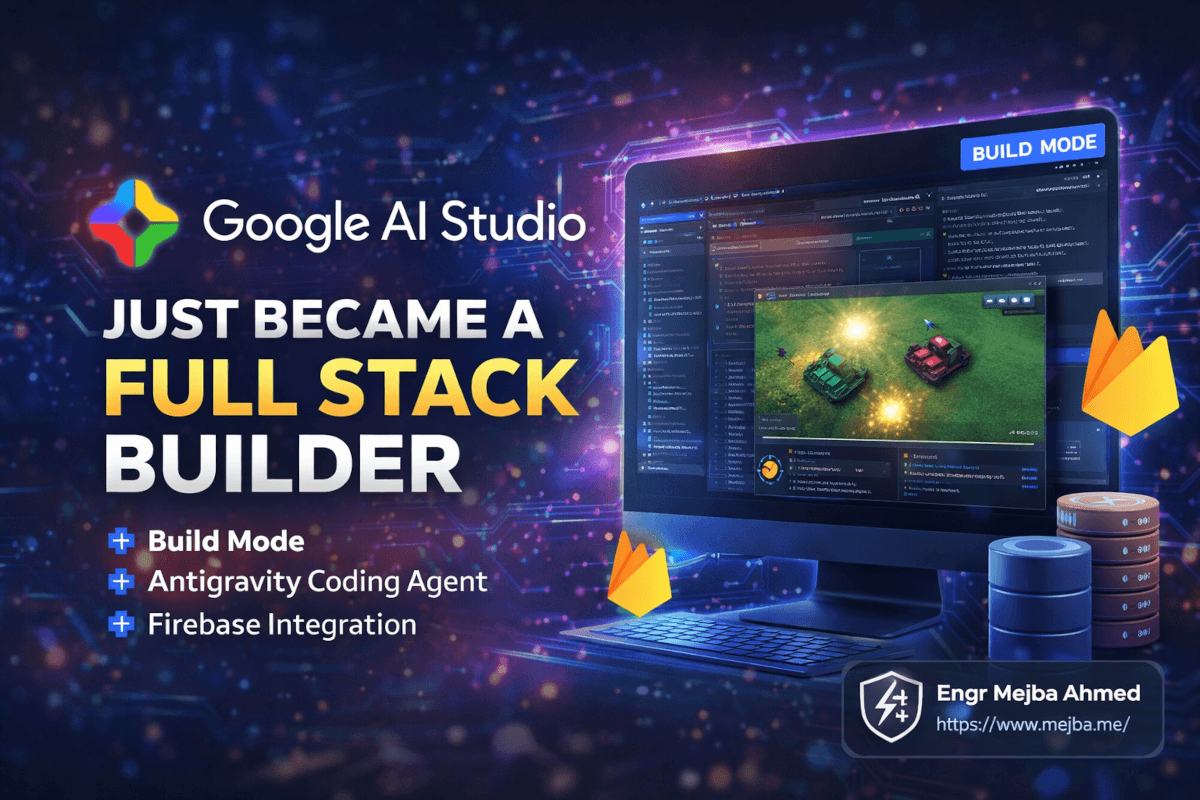
Google AI Studio Just Became a Full Stack Builder

Google AI Studio build mode turns prompts into full-stack apps with Firebase backend. I tested it against manual development. Here is what happened.

22 min

Read time

4,359

Words

Mar 20, 2026

Published

Engr Mejba Ahmed

Written by

Engr Mejba Ahmed

Share Article

Google AI Studio Just Became a Full Stack Builder

Google AI Studio Just Became a Full Stack Builder

I was halfway through wiring up a Firebase backend for a side project — manually configuring Firestore rules, setting up authentication flows, writing the boilerplate connection logic I've written a hundred times before — when a friend dropped a link in our group chat. "Google just killed your afternoon."

He wasn't wrong. But he undersold it.

Google AI Studio's new build mode didn't just save me an afternoon of Firebase configuration. It built an entire multiplayer tank game — with AI bots, a live leaderboard, real-time player synchronization, and Google Sign-In — from a single prompt. The game worked. Players could join from different browsers and shoot each other in real time. The leaderboard updated instantly. The AI bots actually played with basic strategy instead of wandering into walls.

I sat there staring at a fully functional multiplayer game that would have taken me a solid week to build manually, and it existed because I typed three sentences into a text box.

That was the moment I stopped what I was doing and spent the next six hours testing every boundary of this update. What I found is that Google just made the most aggressive move in the vibe coding space since Replit launched its agent — and they did it by solving the one problem every other platform has been dancing around: the backend.

Why This Update Hits Different Than Every Other AI Coding Tool

I've tested every major vibe coding platform at this point. Bolt.new, Lovable, Replit Agent, v0, Claude Artifacts — I've put real projects through all of them. And they all share the same fundamental limitation: they're brilliant at generating frontends and mediocre-to-terrible at everything behind the UI.

You'd get a gorgeous React dashboard that looked production-ready. Then you'd try to connect it to a database. Or add user authentication. Or persist data between sessions. And suddenly you're back in your terminal, manually provisioning infrastructure, debugging CORS errors, and wondering why you bothered with the AI tool at all.

Google AI Studio's build mode, launched on March 19, 2026, attacks this problem directly. When you describe an app in the prompt box and hit build, the platform doesn't just generate a frontend. It spins up a complete full stack environment: a React frontend (with Angular and Next.js also available), a Node.js backend runtime, and — here's the part that matters — a one-click Firebase integration that provisions Firestore, Authentication, and Cloud Run deployment automatically.

The agent behind this is called Antigravity. Originally launched as Google's standalone agent-first IDE in November 2025, its core components now power the build mode inside AI Studio. And the way it works is fundamentally different from how other AI coding tools operate.

Most AI code generators work like sophisticated autocomplete. You describe something, they generate code, you copy it somewhere and hope it works. Antigravity operates more like a junior developer who happens to have perfect memory and infinite patience. It plans the entire project structure before writing a single line. It creates and manages multiple files simultaneously. It runs the app in a built-in browser, tests it, catches errors, and fixes them — autonomously — before showing you the result.

I watched it do this in real time, and I'll be honest: it's a little unsettling. You type a prompt, and then the agent starts working. Files appear. Code populates. A preview window opens and the app starts rendering. If something breaks, the agent notices, diagnoses the issue, rewrites the relevant code, and tries again. No human intervention required.

But does it actually produce apps you'd want to use? That's the question that matters. Marketing demos are one thing. I needed to push it hard enough to find the edges.

What I Actually Built (And What Broke Along the Way)

I spent six hours running progressively harder tests. Here's what happened with each one — the wins, the failures, and the stuff that surprised me.

Test 1: Animated Landing Page

I started simple. "Build me an animated landing page for a SaaS product called TaskFlow. Include a hero section with a floating 3D element, a features grid with hover animations, a pricing table with three tiers, and a testimonials carousel."

Build time: 47 seconds.

The result was genuinely impressive. Smooth CSS animations, a coherent color scheme, responsive layout that worked on mobile without me asking for it. The 3D floating element was actually a CSS-animated isometric illustration — not true 3D, but it looked convincing. The pricing table had working toggle between monthly and annual billing. The testimonials carousel auto-scrolled with pause-on-hover.

Was it as polished as something a senior frontend developer and designer would produce? No. The typography choices were safe but generic. The spacing felt slightly mechanical — consistent but lacking the intentional rhythm a human designer would create. But as a starting point that you could refine in an hour? It was months ahead of anything I've gotten from Bolt or Lovable.

Test 2: The Multiplayer Tank Game

This is where things got interesting. "Build a multiplayer tank game where players control tanks in a top-down arena. Include AI bots that fill empty slots, a scoring system, power-ups that spawn randomly, and a live leaderboard. Use Firebase for real-time synchronization so multiple players can join from different browsers."

I expected this to fail. Real-time multiplayer is one of the hardest problems in web development. You need WebSocket connections or Firebase Realtime Database listeners, conflict resolution for simultaneous inputs, interpolation for smooth movement between network updates, and game loop timing that stays consistent across different devices.

The Antigravity agent worked for about three minutes. I watched it create a game engine module, a Firebase integration layer, player input handlers, AI bot logic, a collision detection system, and a rendering pipeline. It provisioned Firestore, set up the real-time listeners, configured the authentication flow for Google Sign-In, and deployed a preview.

I opened the game in two browser windows. Both connected. I could see both tanks on both screens. When I moved tank one, tank two's screen updated within roughly 200 milliseconds. Not perfect — there was visible interpolation lag — but completely playable. The AI bots moved with basic chase-and-evade logic. Power-ups spawned at random intervals. The leaderboard updated in real time.

Here's what blew me away: I didn't configure any of the Firebase infrastructure. The agent detected that a multiplayer game needs real-time data sync, prompted me to enable Firebase with a single click, and then wrote all the Firestore integration code — listeners, write operations, conflict handling, security rules — automatically.

Here's what didn't work perfectly: the collision detection had edge cases where tanks could clip through walls at high speed. The AI bot pathfinding was functional but basic — they'd occasionally get stuck in corners. And the game didn't handle network disconnection gracefully. If a player's connection dropped, their tank would freeze in place rather than being removed or taken over by an AI bot.

These are real issues. But they're the kind of issues you fix in iteration, not the kind that make the whole thing useless. The fact that a playable multiplayer game with real-time sync existed after a single prompt is the headline.

Test 3: CRM Dashboard with AI Chat Assistant

This was my production-readiness test. "Build a CRM dashboard where users sign in with Google, see their contacts and deals in a Kanban board, and can ask an AI assistant questions about their CRM data through a chat interface. Store everything in Firestore."

The Antigravity agent built it in about four minutes. Google Sign-In worked on first try. The Kanban board rendered with drag-and-drop functionality. Contacts and deals persisted in Firestore between sessions. The data model was reasonable — a contacts collection with subcollections for deals and interactions.

The AI chat assistant was the most interesting part. The agent embedded Gemini 3.1 Pro into the app as a conversational interface that could query the user's CRM data. I could type "Show me all deals closing this month over $10,000" and get a filtered, formatted response. I asked "Which contacts haven't been reached in 30 days?" and it queried the Firestore data correctly and returned a list.

Was it a production CRM? Not remotely. The Kanban board lacked filtering and search. There was no import/export functionality. The AI assistant occasionally hallucinated deal values when the query was ambiguous. The Firestore security rules were too permissive — any authenticated user could read any other user's data with a modified query.

But as a working prototype that demonstrates the concept and could be shown to a client or investor? It was shockingly close to useful. What would normally take a small team two to three weeks of sprint work existed in four minutes.

Test 4: Real-Time Collaborative 3D Environment

My hardest test. "Build a shared 3D particle environment where multiple users can join and interact. Each user gets a cursor that affects nearby particles. All interactions sync in real time across users."

This one took about five minutes. The agent used Three.js for the 3D rendering, Firebase for synchronization, and a custom particle physics system. Multiple users could join from different browsers and see each other's cursors affecting the shared particle field in real time.

The performance was rough. With more than about 500 particles, frame rates dropped below 30fps. The synchronization worked but introduced visible latency at around 300 milliseconds — enough to feel sluggish. And the 3D rendering wasn't optimized for mobile at all.

Still — a shared, real-time 3D collaborative environment from a text prompt. A year ago, this would have been a senior engineer's multi-week project.

The Firebase Integration Is the Real Story

Every tech publication is going to lead with "Google AI Studio can build apps from prompts!" as if that's new. It isn't. Bolt, Lovable, and Replit have been doing frontend generation for over a year.

What's actually new — and what I think makes this a genuine inflection point — is the Firebase integration. When you click "Enable Firebase" during a build, the Antigravity agent doesn't just connect to Firebase. It does all of this automatically:

  1. Provisions a Firebase project linked to your Google account
  2. Sets up Firestore with an initial data model based on what your app needs
  3. Enables Firebase Authentication with Google Sign-In pre-configured
  4. Writes all the integration code — listeners, write operations, error handling
  5. Generates security rules (basic ones — more on this limitation later)
  6. Configures Cloud Run for one-click deployment to a public URL

This is the part that other vibe coding platforms can't match right now. Replit has Replit DB, which is proprietary and limited. Bolt and Lovable generate frontend code that you then have to manually connect to Supabase or your own backend. v0 generates beautiful components but has zero backend story.

Google owns Firebase. They own the authentication infrastructure. They own the hosting. They own the CDN. They own Cloud Run. By integrating all of this into the build mode agent, they've created something none of their competitors can replicate: a prompt-to-production pipeline where every layer of the stack is first-party.

The practical impact is massive. When I tested the CRM dashboard, the time from prompt to deployed, accessible-via-URL app with authentication and persistent data was under five minutes. Five minutes. With any other platform, adding a real backend with auth would have taken me at minimum an hour of manual setup — and that's assuming I already knew what I was doing.

For teams that need this implemented and maintained by an expert team, Ramlit handles exactly this kind of rapid prototyping and full stack delivery — ramlit.com/services.

Google Stitch: The Design Layer That Completes the Workflow

There's a companion tool that most coverage of this update is ignoring, and I think it's going to become critical to the workflow: Google Stitch.

Stitch, which also got a major update in March 2026, is Google's AI-powered UI design tool. You describe a UI in natural language — or even speak your design goals out loud using the new voice canvas feature — and Stitch generates high-fidelity UI components with clean React, HTML, and CSS code.

Here's why this matters for AI Studio: Stitch now exports directly to Google AI Studio. The workflow looks like this:

  1. Design in Stitch: Describe your UI, refine it visually on the infinite canvas, iterate with the AI design agent
  2. Export to AI Studio: Send your polished frontend components directly into AI Studio's build environment
  3. Add backend in AI Studio: The Antigravity agent connects your Stitch-generated frontend to Firebase, adds authentication, database logic, and API integrations
  4. Deploy: One-click deployment to Cloud Run

This is a design-to-deployment pipeline that lives entirely within Google's ecosystem. No Figma-to-code translation step. No manual handoff between design and development. No third-party services to configure.

I tested this workflow with a virtual food photographer app. Designed the UI in Stitch — product image upload area, AI-generated staging backgrounds, side-by-side comparison view. Exported to AI Studio. Added Firestore storage for user sessions and image metadata. The whole process took about twenty minutes, and the result looked significantly more polished than anything the Antigravity agent generates on its own.

The Stitch-generated components had better typography, more intentional spacing, and a more cohesive visual system. The Antigravity agent, when left to its own design decisions, produces functional but generic-looking interfaces. Stitch fills that gap.

Stitch also ships with an SDK and MCP server that connect it to external coding assistants — Claude Code, Gemini CLI, Cursor — so it's not locked into Google's ecosystem. But the tightest integration is obviously with AI Studio.

The Roadmap: What Google Is Building Next

Google shared a roadmap alongside this launch that signals where they're heading. Some of these features are worth watching closely:

Design Mode — Direct integration of Stitch into AI Studio, so you won't need to switch between tools. This collapses the design-to-backend workflow into a single interface.

Figma Integration — Seamless import and export with Figma design files. This is huge for teams that already have design systems in Figma. Instead of recreating components, you'll import them directly and let the agent build the backend around them.

Google Workspace Integration — Access to Docs, Sheets, Drive, and Calendar from within built apps. Imagine building an internal tool that pulls data from a shared Google Sheet and displays it in a real-time dashboard — all from a prompt.

Planning Mode — Project planning and management tools built into the agent. This suggests Google wants AI Studio to handle not just the building, but the planning of what to build. Scope definition, task breakdown, milestone tracking — all AI-assisted.

Intelligent Agents — Smarter AI agents that automate development workflows beyond code generation. Think automated testing, performance optimization, and deployment management.

The pattern is clear. Google isn't building a code generator. They're building an AI-native IDE where the development workflow is: describe what you want, review what the agent builds, iterate through conversation, deploy to production. The human's job shifts from writing code to directing the agent and making product decisions.

What Google AI Studio Gets Wrong (And Where the Cracks Show)

I've spent the last section telling you what works. Now let me tell you what doesn't, because I think honest assessment is more valuable than hype.

Security Rules Are Too Permissive

The Firestore security rules the agent generates are functional but dangerously loose for production use. In my CRM dashboard test, any authenticated user could technically read another user's data by modifying the Firestore query path. The agent sets up basic authentication checks — "is the user logged in?" — but doesn't implement row-level security or data isolation between users.

For a prototype or demo, this is fine. For anything handling real user data, you'd need to manually rewrite the security rules. This is the single biggest gap between "AI Studio demo" and "production-ready app."

Error Handling Is Shallow

The generated code handles the happy path well. Network errors, edge cases, race conditions, timeout scenarios — these get minimal or no handling. My multiplayer game didn't handle disconnections. The CRM dashboard didn't handle Firestore quota limits. The 3D environment didn't degrade gracefully when frame rates dropped.

This is typical of AI-generated code across every platform, not just Google's. But it's worth noting because the marketing materials show polished demos, and the gap between demo and production is exactly these missing error boundaries.

Performance Optimization Is Basically Absent

The code works. It's not optimized. No lazy loading. No code splitting. No memoization of expensive computations. No debouncing on real-time listeners. The 3D particle environment rendered every particle every frame whether it was visible or not. The CRM dashboard re-queried Firestore on every navigation instead of caching results.

For small-scale apps and prototypes, this doesn't matter. For anything with real traffic, you'd need a performance pass that the agent isn't currently capable of doing well.

The UI Design Is Generic

Without Stitch in the workflow, the agent's design choices are safe, clean, and completely forgettable. You get Material Design-ish components, sensible layouts, and absolutely zero personality. Every generated app looks like it was designed by someone who's read the guidelines but never developed a sense of taste.

This is solvable — either by using Stitch for the design layer or by providing detailed design specs in your prompts. But out of the box, don't expect anything that would impress a designer.

Firebase Vendor Lock-In

This is the strategic concern. The entire full stack story depends on Firebase. Firestore for data. Firebase Auth for identity. Cloud Run for deployment. If you build a serious app on this platform and later need to migrate to AWS or a self-hosted solution, you're looking at a significant rewrite.

Google made this ecosystem frictionless by owning every layer. That's the advantage and the risk.

How Google AI Studio Compares to the Competition Right Now

After testing extensively, here's my honest comparison as of March 2026:

Google AI Studio vs. Replit Agent: Google wins on backend integration — Firebase is seamless compared to Replit DB. Replit wins on iteration speed and the depth of its agent's debugging capabilities. Replit also supports more frameworks and has a more mature community. For a new project that needs a real backend fast, Google. For long-term development with complex iteration cycles, Replit.

Google AI Studio vs. Bolt.new: Google wins on almost everything except speed-to-first-render. Bolt is faster at generating an initial frontend prototype (about 28 seconds for a simple page). But Bolt's backend story is practically nonexistent, and the code quality from Antigravity is significantly more structured.

Google AI Studio vs. Lovable: Lovable produces the cleanest React code of any AI builder and is the easiest for complete beginners. Google produces more complete apps because of the backend integration. If you need a frontend component or static site, Lovable. If you need a full stack app with auth and data persistence, Google.

Google AI Studio vs. Claude Artifacts: Different tools for different purposes. Claude Artifacts excels at self-contained interactive components and visualizations. Google AI Studio builds complete deployed applications. I use both — Artifacts for quick explorations and prototypes, AI Studio when I need a real app with infrastructure.

The competitive landscape shifts fast, and these comparisons have a shelf life of maybe three months. But right now, Google's Firebase integration gives it the strongest prompt-to-production pipeline in the market. No one else offers one-click backend provisioning integrated into the build agent.

Who Should Actually Use This (And Who Shouldn't)

Use Google AI Studio build mode if:

  • You need a working prototype with a real backend in under an hour
  • You're building internal tools for a small team and don't need enterprise-grade security
  • You want to validate an app idea before investing in proper development
  • You're a frontend developer who hates setting up backend infrastructure
  • You're building demo apps, MVPs, or proof-of-concept projects for clients
  • You need real-time features (multiplayer, collaboration, live data) and don't want to configure WebSockets manually

Don't use it if:

  • You need production-grade security rules and data isolation
  • Performance optimization matters for your use case
  • You need to deploy outside Google's ecosystem
  • You're building anything that handles sensitive data (healthcare, financial, personally identifiable information) without a manual security review
  • You need complex business logic that goes beyond CRUD operations and real-time sync

This tool is extraordinarily good at what it does. What it does is build prototypes, MVPs, and small-scale apps with real backends, fast. What it doesn't do is replace the engineering judgment needed to take those apps to production scale.

How to Get the Most Out of Build Mode Right Now

After six hours of testing, here's the workflow that consistently produces the best results:

Step 1: Write a detailed prompt. Vague prompts produce vague apps. Instead of "build me a CRM," write "build a CRM dashboard where users sign in with Google, manage contacts in a Kanban board with drag-and-drop, track deals with dollar values and close dates, and ask an AI assistant questions about their data through a chat sidebar."

Step 2: Enable Firebase immediately. When the agent prompts you to set up Firebase, say yes. The backend integration is the platform's biggest advantage. Skipping it means you're just using a worse version of Bolt.

Step 3: Specify your framework. The default is React, but Next.js and Angular are also supported. If you have a preference or an existing codebase, tell the agent. It'll structure the project accordingly.

Step 4: Choose Gemini 3.1 Pro as your model. The model selection in build mode matters. Gemini 3.1 Pro produces significantly better code structure and makes fewer logical errors than the smaller models. The tradeoff is slightly longer build times.

Step 5: Iterate through conversation. After the first build, don't start over if something isn't right. Tell the agent what to change. "The leaderboard should show the top 10 players, not all players. Add a filter for time period — today, this week, all time." The agent maintains context of the entire project and makes targeted changes.

Step 6: Export and review the code. Use the ZIP download or GitHub publish feature to get the generated code into your own repository. Review the Firestore security rules manually before deploying to production. Review the error handling. Add the guards the agent didn't.

Step 7: Use Stitch for design-critical projects. If the app's visual design matters — if it's customer-facing, if it needs to impress — design your UI in Stitch first, export to AI Studio, and let the agent build the backend around your polished frontend. The visual quality difference is significant.

The Bigger Picture: What This Means for Builders

I've been writing about AI coding tools for over a year now. I've watched the space evolve from "AI can write a function" to "AI can build an app" to where we are now: "AI can build, deploy, and host a full stack application with a real database and authentication system from a single text prompt."

Google AI Studio's build mode isn't the end of this progression. The roadmap features — Figma integration, planning mode, intelligent agents — suggest Google sees this as the beginning. They're building toward a future where the entire software development lifecycle, from design to deployment to maintenance, happens through conversation with an AI agent.

Are we there yet? Not even close. The security gaps alone mean no serious team would ship an AI Studio app to production without significant manual review. The performance issues mean anything with real scale needs human optimization. The design quality means anything customer-facing needs a designer's eye.

But here's what changed this week: the distance between "I have an idea" and "I have a working app with a real backend that people can sign into and use" collapsed from weeks to minutes. For prototyping, for validation, for internal tools, for demos, for learning — that matters enormously.

Firebase Studio is being sunset as part of this transition, remaining accessible until March 22, 2027. Google is clearly consolidating its AI development tools into AI Studio as the central hub. If you've been building in Firebase Studio, start exploring the migration path now.

The multiplayer tank game I built in my first test is still running. Players can still join, still shoot each other, still climb the leaderboard. It cost me three sentences and about three minutes of wait time. A year ago, that same game would have taken me a week of evenings.

I don't know what the right word is for what just happened to software development. But "build mode" might be underselling it.

FAQ

Frequently Asked Questions

Everything you need to know about this topic

Google AI Studio build mode is currently free, including the Firebase integration for Firestore and Authentication. Deployment to Cloud Run may incur costs at scale, but for prototyping and small apps, the free tier covers most use cases.

Yes. You can download generated code as a ZIP file or publish directly to GitHub. The exported code is standard React, Angular, or Next.js — no proprietary lock-in at the code level, though the Firebase backend integrations would need refactoring to switch providers.

Google AI Studio's advantage is seamless Firebase backend integration — databases and auth with one click. Replit offers stronger iteration workflows, more framework support, and deeper debugging tools. For rapid prototyping with real backends, Google leads. For sustained development projects, Replit currently offers more flexibility. For a deeper dive, see my vibe coding tools comparison.

Google is sunsetting Firebase Studio as part of this consolidation, with access remaining until March 22, 2027. The AI-assisted development features are migrating into Google AI Studio's build mode, which now serves as Google's unified AI development platform.

Yes — this is one of its strongest capabilities. The Antigravity agent configures Firebase Realtime Database or Firestore listeners for synchronization, handling WebSocket-like connections through Firebase's infrastructure. I tested multiplayer games and collaborative environments successfully, though performance degrades with high particle counts or complex physics.

Let's Work Together

Looking to build AI systems, automate workflows, or scale your tech infrastructure? I'd love to help.

Coffee cup

Enjoyed this article?

Your support helps me create more in-depth technical content, open-source tools, and free resources for the developer community.

Related Topics

Engr Mejba Ahmed

About the Author

Engr Mejba Ahmed

Engr. Mejba Ahmed builds AI-powered applications and secure cloud systems for businesses worldwide. With 10+ years shipping production software in Laravel, Python, and AWS, he's helped companies automate workflows, reduce infrastructure costs, and scale without security headaches. He writes about practical AI integration, cloud architecture, and developer productivity.

Discussion

Comments

0

No comments yet

Be the first to share your thoughts

Leave a Comment

Your email won't be published

10  +  14  =  ?

Continue Learning

Related Articles

Browse All

Comments

Leave a Comment

Comments are moderated before appearing.

Learning Resources

Expand Your Knowledge

Accelerate your growth with structured courses, verified certificates, interactive flashcards, and production-ready AI agent skills.

Sample Certificate of Completion

Sample certificate — complete any course to earn yours

Engr Mejba Ahmed

Engr Mejba Ahmed

Claude Code Expert · Online

👋

Hey there!

Quick Actions

WhatsApp Instant reply

Chat on WhatsApp

+880 1723 741224 · Instant reply

Popular Questions

Engr Mejba Ahmed is connected
Engr Mejba Ahmed is typing...
Engr Mejba Ahmed avatar

✉ Want me to follow up? Drop your email

Engr Mejba Ahmed avatar

📞 Connect Directly

Choose how you'd like to reach me

WhatsApp

+880 1723 741224

Email

[email protected]

✓ Details sent! I'll get back to you shortly.

Powered by OpenAI

335+

Blog Posts

25

AI Courses

63

Projects

Services & Expertise

Pricing & Process

Learning & Resources

Connect & Support