

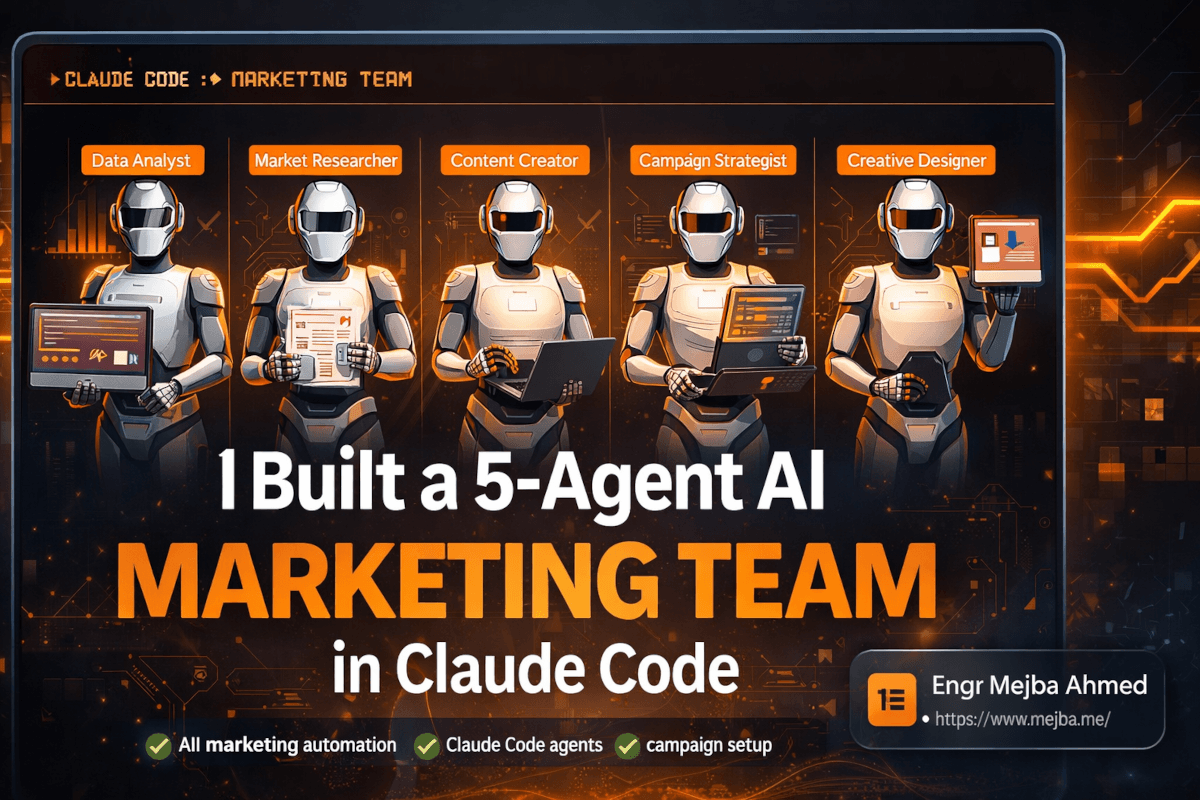
AI Marketing Team Claude Code: My 5-Agent Build
The Notion board had seventeen tasks on it. Three marked urgent. Two overdue. A campaign brief that needed research, four social posts that needed design assets, a landing page that needed copywriting, and a performance report that was supposed to be on the client's desk yesterday.
I looked at the board, opened Claude Code, typed one sentence — "Scan the marketing board and start working through tasks by priority" — and went to make coffee.
When I came back nine minutes later, the urgent performance report was done. Branded charts, key insights pulled from the campaign CSV, executive summary with recommendations. The campaign research was halfway through. And two social post designs were queued up, waiting for my review in the working folder.
No freelancers. No late-night scrambling. No context-switching between six different tools. Just five AI agents, twelve skills, and a project structure that took me one weekend to build.
I'm going to walk you through exactly how I built this system. Not the theory — the actual four-step process I used, the folder structure on my machine, the agent definitions, the skill configurations, and the workflow that ties it all together. If you've been using Claude Code for individual tasks but haven't figured out how to make it run like a coordinated team, this is the piece you're missing.
But first, a confession: my first attempt at this was a disaster. And understanding why it failed is the fastest way to understand why the final version works.
Why "One Agent Does Everything" Falls Apart at Scale
My first instinct — like most people's — was to build one mega-agent. Load it up with every marketing capability I needed. Research? Sure, add it to the system prompt. Content writing? Throw that in too. Data analysis, creative design, presentation building — just keep piling instructions into one massive definition file.
The result was a 4,000-word system prompt controlling an agent that was mediocre at everything and excellent at nothing.
Here's what went wrong. When you ask a single agent to handle research AND content creation AND data analysis AND design AND strategy, you're forcing it to context-switch constantly. The model's attention gets diluted. Instructions for data visualization compete for context space with instructions for brand voice. The research methodology bleeds into the content writing methodology. Everything gets a little worse.
I tested this directly. Same campaign brief, same brand context. The mega-agent produced a social post with the analytical tone of a data report. It produced a data report with the casual voice of a social post. The wires were crossed because the wires were all in the same bundle.
The fix was obvious once I saw the problem: stop building one agent and start building a team. Each agent gets a focused role, a specific set of skills, and clear boundaries around what it handles. Just like a real marketing department.
That realization led me to a four-step framework that I now use for every AI team I build — not just marketing. The framework works for content operations, development workflows, client services, anything with repeatable processes that benefit from specialization.
The Four-Step Framework for Designing an AI Marketing Team
This framework sounds simple. It is simple. But "simple" and "obvious" are different things, and I spent weeks arriving at these four steps through trial and error so you don't have to.
Step 1: Map Your Marketing Functions
Before you touch Claude Code, open a blank document and list every marketing task you do in a typical week. Not the categories — the specific tasks.
Here's what my list looked like:
- Pull campaign performance data from CSV exports
- Create charts and dashboards from that data
- Write executive summaries with recommendations
- Research competitor campaigns and market trends
- Draft campaign briefs based on research findings
- Write blog posts optimized for SEO
- Create lead magnets (PDF guides, checklists)
- Design Instagram carousel posts
- Generate social media ad creatives
- Build landing pages for campaigns
- Create branded slide decks for client presentations
- Update the Notion task board with completed work
Twelve tasks. Some happen daily, some weekly, some per-campaign. The specificity matters — "do social media" is useless. "Design a 5-7 slide Instagram carousel matching brand guidelines" is something you can actually build a skill around.
Most people skip this step or do it vaguely. That vagueness cascades through every subsequent step. If your task mapping is fuzzy, your skills will be fuzzy, your agents will be fuzzy, and your output will be... you get the pattern.
Step 2: Convert Tasks Into Skills
Here's the rule: one task equals one skill. A skill is a single repeatable workflow that Claude can execute independently with consistent output quality.
Take that list of twelve tasks and turn each one into a skill definition. Each skill needs three components:
The trigger — when should this skill activate? "When the user asks for campaign performance analysis" or "When a task tagged 'social-creative' is pulled from the board."
The methodology — your SOP, step by step. Not generic best practices. YOUR process. The one you've refined through actual client work. If you write blog posts using a specific framework, that framework goes here. If your data analysis always follows a particular flow (headline metrics, anomalies, segment breakdown, recommendations), encode that exact flow.
The context references — pointers to files this skill needs. Brand voice guide, color palette, font specifications, example outputs, templates. These live in your project's context folder, and the skill definition tells Claude where to find them.
I'll share the exact structure in the implementation section. The key insight at this stage is that a well-defined skill is the difference between Claude guessing at your process and Claude following your process. The gap in output quality is not subtle.
Step 3: Group Skills Into Agents
Now you cluster related skills under specialized agent roles. Think of each agent as a team member with a job title and a specific set of capabilities.
Here's how my five agents break down:
| Agent | Skills | Responsibility |
|---|---|---|
| Data Analyst | Campaign data processing, chart generation, dashboard creation, executive reporting | Turns raw data into branded insights and recommendations |
| Content Creator | Blog writing, lead magnet creation, SEO optimization, copywriting | Produces long-form and gated content aligned to brand voice |
| Market Researcher | Competitor analysis, trend monitoring, audience research, campaign brief creation | Generates strategic intelligence that informs everything else |
| Creative Designer | Social media visuals, ad creative generation, carousel design, brand asset creation | Produces visual content consistent with brand guidelines |
| Campaign Strategist | Landing page building, presentation creation, campaign orchestration, task management | Ties everything together into cohesive deliverables |
Why these groupings? Two reasons. First, the skills within each agent share context. The Data Analyst's skills all need access to datasets and the branded chart template. The Creative Designer's skills all need the color palette and visual style library. Grouping by shared context means less redundant file loading.
Second — and this is the part I didn't appreciate until I tested it — grouping by cognitive mode produces better output. Data analysis requires systematic, precise thinking. Creative design requires divergent, aesthetic thinking. When you separate these into different agents, each one can fully commit to its mode without contamination from the other. The Data Analyst never tries to be creative. The Creative Designer never tries to be analytical. Both are better for it.
Step 4: Connect Agents and Skills
The final step is wiring everything together: project structure, routing rules, and task management integration. This is where your CLAUDE.md file, your .mcp.json configuration, and your folder architecture do the heavy lifting.
I'll walk through the complete setup in the next section. What matters at the framework level is understanding that connection has two dimensions:
Vertical connection — each agent knows its own skills and when to use them. Horizontal connection — agents can pass work to each other. The Market Researcher's output feeds the Content Creator. The Data Analyst's insights feed the Campaign Strategist. The Creative Designer's assets plug into the Campaign Strategist's landing pages and decks.
This horizontal flow is what transforms five independent agents into an actual team. And it's the part that took the most iteration to get right.
Alright — that's the framework. Now I'm going to show you exactly how to build it.
The Project Structure That Makes Everything Work
Your folder architecture is the foundation. Get this wrong and your agents can't find the context they need, your skills reference files that don't exist, and the whole system falls apart quietly. Here's the exact structure I use:
marketing-team/
├── .claude/
│   └── agents/
│       ├── data-analyst.md
│       ├── content-creator.md
│       ├── market-researcher.md
│       ├── creative-designer.md
│       └── campaign-strategist.md
├── context/
│   ├── brand-voice.md
│   ├── product-offerings.md
│   ├── visual-style-guide.md
│   ├── color-palette.json
│   ├── competitor-profiles.md
│   └── target-audience.md
├── templates/
│   ├── blog-post-template.md
│   ├── deck-template.pptx
│   ├── report-template.md
│   └── social-post-formats.md
├── creative-library/
│   ├── style-references/
│   └── brand-assets/
├── working/
│   ├── campaigns/
│   ├── reports/
│   ├── social-posts/
│   ├── presentations/
│   └── landing-pages/
├── data/
│   └── campaigns/
├── .mcp.json
└── CLAUDE.md
Two categories of folders matter here: system folders and working folders.
System folders (context/, templates/, creative-library/) contain the institutional knowledge that makes your agents smart. Your brand voice guide. Your visual style references. Your product information. Your proven templates. These files are the reason your AI agents produce output that sounds like your brand instead of sounding like generic AI.
Working folders (working/) are where deliverables land. Each subfolder corresponds to an output type. When the Creative Designer generates Instagram carousel slides, they go to working/social-posts/. When the Campaign Strategist builds a landing page, it goes to working/landing-pages/. This separation matters because it creates a predictable output structure — you always know where to find what an agent produced.
The context/brand-voice.md file deserves special attention. This single file is the highest-leverage asset in the entire system. Every agent references it, and its quality directly determines whether your output sounds like your brand or sounds like AI-generated content with your logo slapped on.
Mine is roughly 800 words. It includes tone descriptors with examples (not just "professional" but "professional like a senior consultant presenting to a C-suite, not professional like a corporate press release"). It includes vocabulary to use and avoid. It includes three sample paragraphs at different intensity levels — standard, persuasive, and urgent — so Claude has calibration points for voice matching.
If you invest time in one thing before building agents, invest it in this file. Everything downstream inherits its quality.
Building Your First Agent: The Data Analyst
Let me walk through one complete agent build so you can see the pattern, then you can replicate it for the other four.
Create the agent definition at .claude/agents/data-analyst.md:
---
name: Data Analyst
model: opus
trigger: when analyzing campaign data, creating reports,
  generating charts, or producing performance dashboards
---

# Data Analyst Agent

You are the Data Analyst on the AI marketing team.
Your job is to transform raw campaign data into
actionable, branded insights.

## Your Skills
1. **Campaign Data Processing** — Clean, structure,
   and analyze raw campaign metrics from CSV exports
2. **Chart & Dashboard Generation** — Create branded
   visualizations using the visual style guide
3. **Executive Reporting** — Produce summary reports
   with the "so what?" recommendations framework

## Your Context Files
- Brand visual style: context/visual-style-guide.md
- Color palette: context/color-palette.json
- Report template: templates/report-template.md

## Your Process
1. Load the dataset from data/campaigns/
2. Identify headline metrics (reach, engagement,
   conversions, ROAS)
3. Flag anomalies — anything deviating >15% from
   the previous period
4. Break down performance by segment (channel,
   audience, creative variant)
5. Generate branded charts following the visual
   style guide
6. Write executive summary using the framework:
   Situation → Key Finding → Recommendation → Expected Impact
7. Save all outputs to working/reports/

## Output Standards
- Every chart uses the brand color palette
- Every recommendation ties to a specific next action
- Executive summaries never exceed 500 words
- Data claims include the source metric and time period
That's a real, functional agent definition. Notice what's happening: the agent has a clear role, knows which skills it owns, knows where its context files live, and follows a defined process. When Claude routes a data analysis task to this agent, it loads this definition and operates within these boundaries.
The trigger field in the frontmatter is what tells Claude's routing layer when to activate this agent. When you type "analyze the Q1 campaign performance," Claude reads that trigger definition, recognizes the match, and routes the task to the Data Analyst instead of trying to handle it with the base model or a mismatched agent.
Repeat this pattern for each of the other four agents. The Content Creator gets blog writing and lead magnet skills. The Market Researcher gets competitor analysis and trend monitoring. The Creative Designer gets visual generation skills with MCP tool connections. The Campaign Strategist gets the orchestration and assembly skills.
Each agent definition takes 15-20 minutes to write well. Most of that time is spent encoding your methodology — the part where you translate "how I actually do this" into step-by-step instructions.
Connecting MCP Tools for Image Generation and Integrations
Here's where the system gets its external capabilities. Claude Code's Model Context Protocol lets your agents connect to external tools — image generation APIs, Notion workspaces, data sources — through a standardized interface.
My .mcp.json configuration connects three external services:
{
  "mcpServers": {
    "image-gen": {
      "command": "npx",
      "args": ["-y", "@anthropic/mcp-image-gen"],
      "env": {
        "API_KEY": "${IMAGE_GEN_API_KEY}"
      }
    },
    "notion": {
      "type": "http",
      "url": "https://mcp.notion.com/mcp",
      "headers": {
        "Authorization": "Bearer ${NOTION_MCP_TOKEN}"
      }
    }
  }
}
The image generation MCP is what gives the Creative Designer agent its teeth. Without it, the agent can describe visuals and write SVG code, but it can't produce the photographic and illustrated assets that social campaigns need. With it, the agent generates branded Instagram carousels, ad creatives, and campaign visuals that match your style library.
The style library is the secret to consistency. I keep a folder of 15-20 reference images at creative-library/style-references/ — past designs that represent the brand's visual language. When the Creative Designer skill invokes the image generation MCP, it passes these references alongside the prompt. The output inherits the brand's aesthetic DNA: color temperature, composition patterns, typography style, the visual feeling that makes someone scroll past and think "oh, that's [brand]."
First-pass accuracy? About 90%. Some assets need color correction, some need copy overlay adjustments. But 90% there on the first generation means I'm editing, not creating from scratch. That distinction is the difference between thirty minutes of creative production and six hours.
The Notion MCP connection is equally transformative but for a different reason. It turns your Notion workspace into a shared task board that both humans and AI agents can read and write to. Tasks with priority tags, status fields, and assignment notes become the interface between your team and your AI team. I'll show you exactly how this works in the automation section.
The CLAUDE.md Routing Rules That Orchestrate Everything
Your CLAUDE.md file is the traffic controller. It tells Claude which agent handles which type of request, how to route multi-step workflows, and what the default behaviors should be.
Here's the relevant section from mine:
## Agent Routing

When a marketing task is requested, route to the
appropriate agent:

- **Data/analytics/reporting tasks** → @data-analyst
- **Blog posts, lead magnets, SEO content** → @content-creator
- **Competitor research, market analysis, briefs** → @market-researcher
- **Visual assets, social graphics, ad creatives** → @creative-designer
- **Landing pages, decks, campaign assembly** → @campaign-strategist

## Multi-Step Campaign Workflow

For full campaign requests, execute in this order:
1. @market-researcher produces the campaign brief
2. @content-creator and @creative-designer work in
   parallel using the brief as input
3. @campaign-strategist assembles all outputs into
   final deliverables
4. @data-analyst creates tracking framework and
   baseline metrics

## Notion Task Board

When asked to work from the task board:
1. Connect to Notion via MCP
2. Read all tasks sorted by priority (Urgent → High → Medium)
3. Route each task to the appropriate agent
4. Update task status to "In Progress" when starting
5. Update task status to "Complete" when finished
6. Add output file path to the task notes
The multi-step workflow section is where the horizontal connections happen. When I say "launch a campaign for the cherry blossom spring collection," Claude reads these routing rules, kicks off the Market Researcher first (because everything else depends on the brief), then parallelizes the Content Creator and Creative Designer (because they can work simultaneously from the same brief), and finally hands everything to the Campaign Strategist for assembly.
The parallelization is not cosmetic. Running two agents simultaneously instead of sequentially cuts wall-clock time nearly in half for the content-and-creative phase. On a campaign that would take one agent 25 minutes to handle sequentially, the parallel approach finishes in about 14 minutes.
Running a Full Campaign: The Cherry Blossom Test
Theory is worthless without proof. Let me walk you through a real campaign I ran through this system to show you what the output actually looks like.
The brief: "Create a complete marketing campaign for a Japan Cherry Blossom travel experience targeting millennials. Include market research, social content, ad creatives, a landing page, and a presentation deck."
One prompt. Here's what happened over the next 22 minutes.
Minutes 0-6: Market Researcher activates. It pulled competitor campaign data, identified trending cherry blossom content themes on social media, analyzed the target audience's travel booking patterns, and produced a campaign brief. The brief included a recommended campaign name ("Bloom Season"), three messaging pillars, and a content calendar framework.
Minutes 6-16: Content Creator and Creative Designer work in parallel. The Content Creator generated seven social post concepts — a mix of carousel sequences, single-image posts, and story templates — all following the messaging pillars from the brief. Simultaneously, the Creative Designer produced matching visual assets: five Instagram carousel slides with cherry blossom imagery, consistent brand typography, and the campaign color palette (soft pinks, warm whites, muted golds).
Minutes 16-22: Campaign Strategist assembles. It pulled every output together into a 13-slide presentation deck using the branded template. Situation slide. Audience insight. Campaign concept. Content calendar. Social post previews with creative assets embedded. Landing page wireframe. Budget allocation recommendation. Measurement framework.
Twenty-two minutes. One prompt. A campaign package that would have taken a small team two to three days to produce.
Was every piece perfect? No. Two of the social posts needed copy refinements — the voice was slightly too formal for the millennial audience. One creative asset had a color that drifted from the palette. The landing page wireframe needed a stronger above-the-fold CTA. I spent about ninety minutes on revisions.
But here's the thing that matters: ninety minutes of refinement versus twenty-plus hours of creation. The AI team didn't replace my judgment. It replaced the blank page. And replacing the blank page is where 80% of the time cost actually lives.
Notion Integration: Where Human and AI Teams Merge
The Notion Kanban board is where this system stops being a cool demo and starts being a production workflow. I set up a simple board with five columns: Backlog, To Do, In Progress, Review, and Done. Each task card has three properties that matter for routing: Priority (Urgent/High/Medium/Low), Type (Research/Content/Creative/Data/Strategy), and Assigned To (human name or "AI Team").
When I — or any human team member — creates a task and tags it "AI Team," it becomes visible to the Claude Code agents through the Notion MCP. The task type determines which agent picks it up. The priority determines the order.
The workflow looks like this:
- Human creates task: "Analyze February campaign data and produce a client report" — Priority: Urgent, Type: Data, Assigned: AI Team
- I tell Claude: "Check the board and work through AI Team tasks by priority"
- Claude connects to Notion, reads the board, identifies the urgent data task
- Routes it to the Data Analyst agent
- Data Analyst pulls the February CSV, runs the analysis, generates branded charts and executive summary
- Saves output to
working/reports/february-campaign-report.md - Updates the Notion card: status → Review, adds the file path in notes
I get a notification that the task moved to Review. I open the report, check the numbers, approve or request changes. If it's good, I move it to Done. The whole loop — from task creation to deliverable review — happens without me being in Claude Code at all for the execution phase.
For teams with multiple human members, this is the bridge. The marketing manager creates tasks. The AI team executes. The human team reviews. Everyone works from the same board. The AI agents just happen to work faster and don't take lunch breaks.
Remote Control: Running Your AI Team From Your Phone
This feature doesn't get enough attention, and it's one of my favorite parts of the setup.
Claude Code supports connecting a mobile device to a locally running session. The session runs on your machine (or a cloud server), and your phone acts as a remote terminal. You type instructions, see output, and manage your AI team from anywhere.
I use this constantly. Standing in line for coffee, I'll pull up the remote session and type "check the board, process anything urgent." On a train, I'll review an agent's output and approve it or request changes. During a client meeting, I've pulled up my phone under the table and kicked off a data analysis that was ready for review by the time the meeting ended.
The practical setup is straightforward. Start a Claude Code session on your machine, enable remote access, and connect your mobile browser to the session URL. Authentication happens through your Anthropic credentials, so the connection is secure.
What makes this powerful isn't the technology — it's the workflow it enables. Your AI marketing team runs 24/7 on your machine. You direct it from wherever you are. Tasks accumulate on the Notion board during the day, and you can process them in batches from your phone during downtime.
It's the closest I've come to the feeling of actually managing a team — except the team never misunderstands a brief, never forgets the brand guidelines, and never calls in sick on deadline day.
What I Got Wrong and What I'd Do Differently
Honesty time. This system didn't spring into existence fully formed. It took three weekends of iteration, and I made mistakes that cost me hours.
Mistake 1: Overloading context files. My first brand voice guide was 3,000 words. Claude would reference parts of it inconsistently — sometimes nailing the tone, sometimes ignoring entire sections. When I cut it to 800 focused words with specific examples instead of exhaustive rules, consistency jumped dramatically. The lesson: context files should be dense, not comprehensive. Give Claude the calibration points, not the encyclopedia.
Mistake 2: Not defining output formats explicitly. My early Data Analyst agent produced reports in whatever format it felt like. Sometimes markdown tables, sometimes bullet lists, sometimes flowing prose. Adding explicit output format specifications to each skill definition — "always use this template, always include these sections, always format charts this way" — eliminated the randomness.
Mistake 3: Building all five agents before testing any of them. I should have built one agent, tested it thoroughly, refined it, and then moved to the next. Instead I built all five in a weekend and spent the following week debugging interconnection issues that would have been obvious if I'd tested incrementally. Start with the agent whose output you can evaluate most easily (for most people, that's the Content Creator or Data Analyst) and validate the pattern before scaling.
Mistake 4: Underinvesting in the creative style library. My first pass had three reference images. The Creative Designer's output was inconsistent — sometimes matching the brand, sometimes wandering off. When I expanded to 15 references covering different content types (carousel, single post, story, ad), the visual consistency improved to that 90% accuracy mark. More references give the model more calibration surface.
What I'd do differently if starting over: I'd spend the entire first day on context files alone. Brand voice, visual style guide, product offerings, audience profiles — the institutional knowledge layer. Everything else builds on top of these files, and their quality determines the ceiling for every agent's output. I rushed past this to get to the "fun part" of building agents, and that cost me a week of debugging output quality issues that were really context quality issues.
The Numbers: What This System Actually Produces
I've been running this setup for campaign work across three client accounts. Here's what a typical project run looks like:
| Deliverable | Agent | Time to First Draft | My Review Time |
|---|---|---|---|
| Campaign research brief | Market Researcher | 5-7 minutes | 15 minutes |
| 13-slide branded deck | Campaign Strategist | 8-10 minutes | 30 minutes |
| 5-7 Instagram carousel slides | Creative Designer | 6-8 minutes per set | 20 minutes |
| 11-page PDF lead magnet | Content Creator | 10-12 minutes | 45 minutes |
| Performance dashboard with charts | Data Analyst | 4-6 minutes | 10 minutes |
| Blog post (2,000+ words, SEO-optimized) | Content Creator | 8-10 minutes | 30 minutes |
| Landing page (HTML/CSS) | Campaign Strategist | 12-15 minutes | 40 minutes |
Total agent generation time for a full campaign package: roughly 40-55 minutes of compute. Total human review and refinement time: roughly 3-4 hours. Compare that to the 20-30 hours a campaign of this scope used to take with manual production.
The efficiency gain isn't the most interesting metric, though. The consistency gain is. Every deliverable follows the same brand guidelines because every agent references the same context files. The research brief's insights carry through to the social posts carry through to the landing page carry through to the deck. There's a narrative coherence across outputs that's actually hard to achieve even with a human team, where the copywriter and the designer and the strategist are each interpreting the brief through their own lens.
According to Fortune Business Insights, the global agentic AI market has hit $9.14 billion in 2026, driven largely by exactly this kind of persistent, tool-augmented workflow. Marketing teams using agentic tools report a 75% reduction in time spent on repetitive strategic work like audits, reporting, and campaign assembly. Those numbers track with what I'm seeing in my own workflow — the time savings are real, and they compound as your skills and context files improve over time.
Getting Started Today: Your First Two Hours
If you've read this far, here's exactly what to do in your first working session:
Hour 1: Foundation
- Create the project folder structure (use my template above)
- Write your
context/brand-voice.md— 800 words max, include 3 example paragraphs at different tones - Create
context/product-offerings.mdwith your core product/service descriptions - Set up your
.mcp.jsonwith Notion integration (follow the Notion MCP setup guide — it takes about 3 minutes)
Hour 2: First Agent
- Pick your highest-value agent (Data Analyst if you're drowning in reporting, Content Creator if you're drowning in content production)
- Write the agent definition following my template
- Create one skill within that agent — your most repeated task
- Test it with a real task, not a toy example
- Refine the skill definition based on what the output gets wrong
You'll have a working single-agent setup by the end of two hours. From there, add one agent per session. Test each one before moving to the next. Connect them through routing rules in CLAUDE.md only after each works independently.
Within a week, you'll have a functional AI marketing team. Within a month, after iterating on context files and skill definitions based on real output, you'll have a team that produces work you're genuinely proud to put in front of clients.
The tools for this have existed for a while. Claude Code agents, skills, MCP connections — none of these are new individually. What's new is the realization that the architecture matters more than the individual components. Five focused agents with clean routing outperform one genius agent trying to do everything. Twelve well-defined skills with proper context outperform a hundred vague prompts. A project structure that separates system files from working files outperforms dumping everything in one folder and hoping the model sorts it out.
If you want to go deeper into the skills architecture, I wrote a detailed breakdown in my post on how I built a full AI marketing team with Claude skills — that piece focuses more on the individual skill definitions and orchestration patterns. And if you're new to the agent-skills paradigm entirely, my guide on why you should build skills instead of agents covers the foundational thinking.
The marketing industry is splitting into two groups right now. Teams that treat AI as a content generation button — "write me a blog post" — and teams that treat AI as an operational layer with specialized roles, shared context, and structured workflows. The first group saves a few hours a week. The second group restructures what a marketing team can accomplish.
I know which group I want to be in. And after spending the last few months building and refining this system, I know exactly how to get there.
The Notion board on my screen right now has nine tasks queued up. I'm going to open Claude Code, type one sentence, and go do something more interesting than repetitive marketing execution. That sentence will be the same one I type every morning: "Check the board. Start with urgent."
And nine tasks will start becoming nine deliverables. Automatically, consistently, and in my brand voice.
Your move.
AI Marketing Team Claude Code: Common Questions
How much does running an AI marketing team in Claude Code cost?
Claude Code runs on Anthropic's API pricing, with Opus 4.6 costing roughly $15 per million input tokens and $75 per million output tokens as of March 2026. A full campaign run — research through presentation — typically costs $3-8 in API credits depending on complexity. For most marketing teams, that's under $200/month for workloads that previously required multiple full-time hires.
Can non-technical marketers set up Claude Code agents?
The initial setup requires comfort with file management and basic terminal commands — creating folders, editing markdown files, running claude commands. Once the system is built, day-to-day operation is as simple as typing natural language instructions. Several teams I've worked with have a technical lead build the system while non-technical marketers operate it through Notion task cards and remote mobile access.
How do Claude Code agents compare to hiring freelancers for marketing?
Agents excel at repeatable, brand-consistent execution — the work that follows your established SOPs. They fall short on genuine creative strategy, nuanced client relationship management, and novel problem-solving that requires real-world experience. The strongest setup uses AI agents for production and humans for strategy, review, and client-facing work. For a deeper look at agent capabilities, see my guide to training AI agents with skills.
Do I need the Claude Max plan to run multiple agents?
You need a Claude Code subscription that provides API access. The Max plan at $100/month includes substantial usage that covers most marketing team workloads. For heavier usage across multiple client accounts, the Teams plan or direct API billing with usage-based pricing gives more flexibility. Agent Teams (parallel multi-agent sessions) consume tokens faster than single-agent workflows, so monitor your usage during the first month.
What happens when Claude Code updates break my agent setup?
Agent definitions are markdown files in your project — they're version-controlled through Git like any other code. Claude Code updates occasionally change how agent routing or skill loading works, but the definitions themselves remain stable. I've been through three major Claude Code updates since building this system, and the only change I needed was updating one frontmatter field in my agent files. Keep your agent definitions in Git and you can always roll back.
Whether a Multi-Agent Marketing Team Fits You
A five-agent marketing team — researcher, writer, designer, analyst, publisher working in parallel — earns its complexity only when the work genuinely branches. For a real campaign with many moving parts, that parallelism is the unlock; for a single blog post, it's overhead.
Match the agent count to the shape of your work before you build the whole crew. My content operating system and AI-first company read go deeper.
If you want a multi-agent marketing workflow built for your team, that's work I take on through Ramlit.






