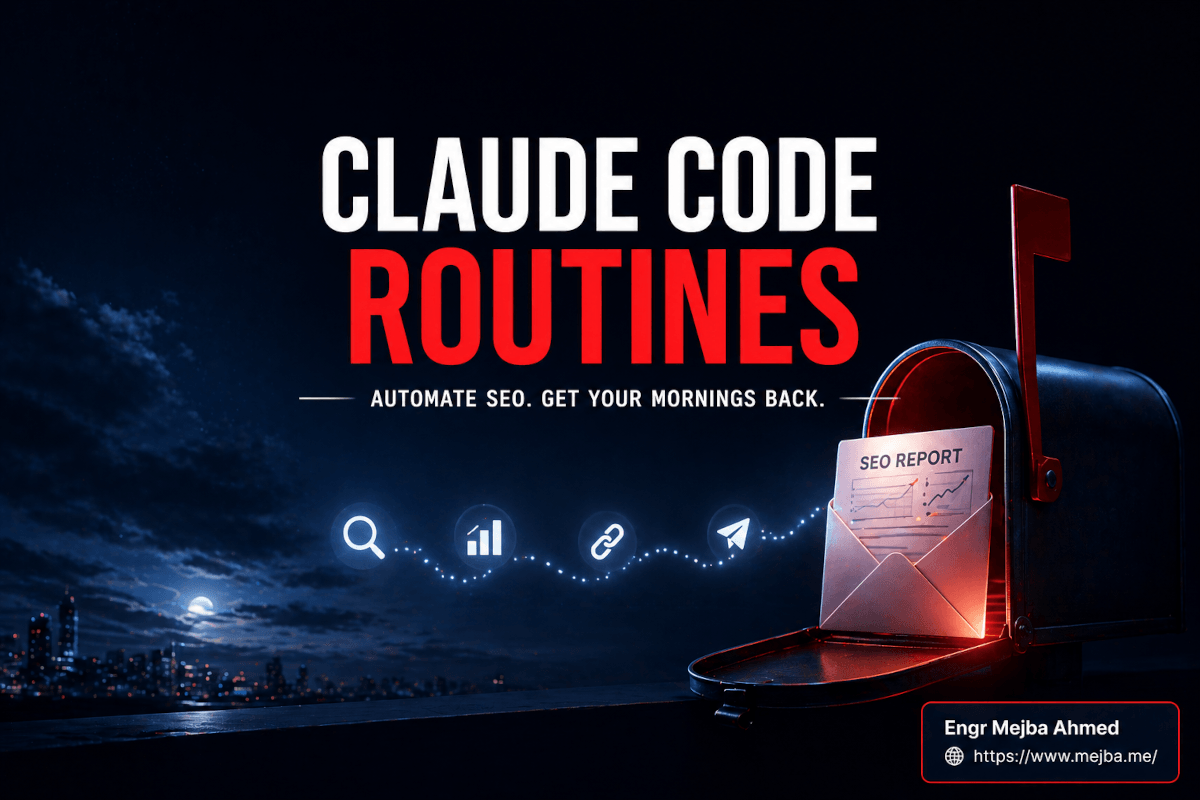
Claude Code Routines: Replacing My Daily 20-Minute SEO Check
For eleven months, the first thing I did every morning was run the same twenty-minute SEO check. Open Search Console. Look at yesterday's clicks and impressions for mejba.me. Scan for any page that dropped more than 20% week-over-week. Check for new crawl errors. Open GA4 to spot-check bounce rate on the top three posts. Scroll through Ahrefs for any backlink that showed up overnight. Write a two-line note to myself about what to act on.
Twenty minutes a day. Five days a week. Roughly 86 hours a year doing a task that, if I'm honest with myself, required zero creativity and exactly one type of output: a short written summary telling me what changed and whether I needed to care.
Last week, I deleted that ritual. Not because I stopped caring about SEO — I care more than ever. I deleted it because I handed the entire thing to a Claude Code routine that now runs at 3 AM UTC every morning, does the exact same checks I was doing by hand, and drops a clean markdown report into my inbox before I wake up. The routine takes about 4–6 minutes of compute. My 20-minute morning ritual is gone.
This post is the walkthrough — what I built, the exact prompt, the cron expression, the MCP connectors, the guardrails, the failure modes. If you run any kind of content site and you're still doing this check by hand, you're about to get your mornings back.
Why 2026 Is The Year This Stops Being a Manual Task
Two things changed in the last twelve months that made this possible. Neither was a "new AI model." Both were infrastructure shifts that most people still haven't internalized.
The first is that Claude Code now runs in the cloud. Until late 2025, Claude Code was a terminal tool tied to your machine. If your laptop was closed, Claude wasn't doing anything for you. That model works fine for interactive coding sessions but it's useless for anything that needs to run while you sleep. The web version of Claude Code — paired with the routines feature — changed this. Your agent now executes on Anthropic's managed infrastructure. You don't need a server. You don't need to leave your laptop open. You don't need to pay for a VPS or wire up GitHub Actions just to run a recurring Claude prompt. You write the prompt once, set a cron expression, and walk away.
The second shift is MCP. The Model Context Protocol turned "what tools can the agent use" from a custom integration job into a checkbox list. Gmail, Slack, Notion, GitHub, Google Drive, Search Console via third-party connectors — all of it plugs into Claude Code the same way a USB device plugs into your laptop. For a morning SEO check, I need exactly three things: the ability to fetch some URLs, the ability to read a Google Search Console export (which I drop into a shared Google Drive folder), and the ability to send me an email. That's an hour of setup in 2026. In 2023, it was a weekend project and a Flask app.
Put those two things together and you get what I'd call the real payoff of agentic engineering: recurring cognitive work that used to require a human operator is now a prompt file and a cron line. Not a SaaS tool. Not a no-code builder. Not a plugin. A prompt and a schedule.
What The Old Manual Routine Actually Was
Before I show you the replacement, let me be specific about what I was doing by hand — because the quality of an automation is entirely determined by how precisely you can describe the thing you're replacing.
Every weekday morning, I was doing six things in this order:
- Opening Google Search Console and looking at the last 7 days of clicks and impressions for mejba.me, sorted by page.
- Flagging any page where impressions dropped more than 20% vs the prior 7-day window.
- Flagging any new query that had crossed 100 impressions but had an average position worse than 15 (those are the "we're close, one internal link could move this" opportunities).
- Opening GA4 and looking at engagement rate and average session duration for the top ten posts.
- Opening Ahrefs and scanning the last 24 hours of new referring domains — not to celebrate them, but to check if any were spam that needed disavowing.
- Writing three bullets in my daily note: what dropped, what's climbing, what to do today.
That sixth step is the one that matters. Everything before it is data gathering. The actual value was the three bullets. Twenty minutes of clicking and scanning to produce three bullets.
Once I wrote that list down and stared at it, the automation basically wrote itself.
The Routine I Built
Here's the structure. The routine runs on this cron expression:
0 3 * * *
That's "at 03:00 every day, every month, every day of the week." Three in the morning UTC is 9 AM my local time, which means by the time I'm at my desk, the report is already in my inbox. If you're on a different timezone, adjust the hour — the minimum interval Claude Code routines support is 1 hour, so you can run hourly or less often, but not every 30 minutes.
The routine itself has four parts: a system-role prompt, a data-gathering section, an analysis section, and a delivery section. Here's the abridged version of what it does, which I'll expand into the full reference prompt further down:
ROLE: You are my SEO analyst for mejba.me.
DATA: Read yesterday's GSC export from Drive folder "seo-daily".
      Fetch top 5 posts and check for any 4xx/5xx or broken internal links.
      Compare impressions and clicks vs the previous 7-day window.
ANALYZE: Flag drops >20%, rising queries at position 15-30 with >100 impressions,
         new crawl errors, and any post where engagement metrics look off.
DELIVER: Email me a markdown report titled "SEO Morning Report — [DATE]"
         with three sections: What Dropped, What's Climbing, Today's Actions.
         Keep it under 400 words. No hedging. If nothing changed, say so.
That abridged version is enough to understand the shape. The full prompt I actually ship is longer — maybe 900 words — because the difference between an agent that saves you 20 minutes and an agent that makes you second-guess every report is entirely in the specificity of its instructions. I'll walk through the full version in the next section.
Setting Up the Routine Step by Step
If you've never created a Claude Code routine before, here's what the flow actually looks like. You can start it two ways: type /schedule inside Claude Code on the web, or go directly to claude.ai/code/routines and click "New routine" in the dashboard. Both paths end at the same place.
Step 1 — Name the routine. I called mine seo-morning-report. Names show up in the dashboard and in the notification subject line if the routine errors, so pick something you'll recognize at 3 AM when a push notification wakes you up (don't ask how I know).
Step 2 — Pick a schedule. The UI gives you presets: hourly, daily, weekdays, weekly. For custom cron, use /schedule update from the CLI to set the exact expression. I used 0 3 * * *. Daily would also have worked — the presets are fine for most cases. Use custom cron when you need something like "weekdays only" or "first of every month."
Step 3 — Write the prompt. This is where most people under-invest. The routine's prompt is not a chat message — it's a spec. Treat it like one. I'll show you the full version below.
Step 4 — Pick a model. Claude Code routines let you choose which model runs the job. This matters more than it sounds. Opus is the best at reasoning and is what I use for this routine because the whole point is the three-bullet analysis — the data gathering is easy, the judgment is hard. If the routine were purely extractive (just scrape a page and summarize), I'd use Sonnet and save on cost. Daily Opus runs at this scope are trivial; we'll get into cost framing further down. Short version: for a 4–6 minute reasoning-heavy routine that runs once a day, Opus is the right choice. For a 30-second "pull a number and stuff it in a row" routine that runs hourly, use Sonnet.
Step 5 — Attach tools and MCP connectors. Claude Code includes your configured MCP connectors by default. This is a security-relevant decision — more on that in the guardrails section. For this routine I explicitly attached Gmail (to send the report) and Google Drive (to read the GSC export). I removed Slack, Notion, GitHub, Canva, Figma, and everything else from this particular routine. Least privilege. The routine can't leak what it can't touch.
Step 6 — Attach a repo (optional). Routines can be scoped to a target repo so Claude can read your codebase during the run. For SEO analysis I don't need this — I'm not changing code. I left the repo field empty. For a routine like "nightly dependency audit and PR cleanup," you'd obviously point it at your repo.
Step 7 — Save and test with Run now. Every routine has a "Run now" button in the dashboard. Use it. Always. The first run of any routine will surface problems that didn't exist in your head when you wrote the prompt — missing connector auth, vague instructions, model picking up the wrong file. I ran mine four times with tweaks before I trusted it to wake up on its own.
Cron Cookbook: Seven Expressions You'll Actually Use
Cron syntax is minute hour day-of-month month day-of-week. Asterisks mean "every." Here are the patterns I reach for most:
| Expression | Meaning | When I use it |
|---|---|---|
0 3 * * * |
Every day at 03:00 | Daily SEO report, daily news digest |
0 9 * * 1-5 |
Weekdays at 09:00 | Business-hours dashboards |
0 9-17 * * 1-5 |
Every hour 9 AM–5 PM weekdays | Inbox triage during work hours |
0 9 * * 1 |
Every Monday at 09:00 | Weekly content calendar review |
0 0 1 * * |
1st of every month at midnight | Monthly analytics rollup, invoice drafts |
0 0 * * 0 |
Every Sunday at midnight | Weekly backlink sweep |
run_once_at |
One-shot future run | "In 2 weeks, check if this experiment is still live" |
The hourly-minimum limit on Claude Code routines means */5 * * * * (every five minutes) won't work. That's fine. Almost nothing that's actually useful runs more than once an hour — if you think you need sub-hourly scheduling, you probably need a webhook or an API-triggered routine instead, not a cron-triggered one. Routines support both.
The Full Reference Prompt
Here's the complete prompt I ship for the morning SEO report. Copy it, swap in your own URLs and filenames, and you'll have a working version in fifteen minutes.
# ROLE
You are the dedicated SEO analyst for mejba.me, a personal tech blog
with ~230 long-form posts focused on Claude Code, AI agents, and
agentic engineering. Your single job is to produce a concise, honest
morning SEO report.

# INPUTS
1. A Google Search Console CSV export will be in the Google Drive folder
   named "seo-daily". The file is named "gsc-YYYY-MM-DD.csv" and contains
   last-7-days data (query, page, clicks, impressions, ctr, position).
2. A rolling 28-day baseline CSV is in the same folder as "baseline.csv".
3. The sitemap lives at https://www.mejba.me/sitemap.xml — fetch it
   only if you need to verify a page exists.

# STEPS
1. Read yesterday's gsc CSV. If it is missing, note it at the top of the
   report and STOP the data section there — do not fabricate numbers.
2. Compute clicks and impressions for the last 7 days vs the prior 7 days
   for every page in the export.
3. Flag any page with impressions down more than 20% week-over-week.
4. Flag any query with >100 impressions and average position between 15
   and 30 (the "close but not ranking" opportunities).
5. Fetch the top 5 pages by clicks and confirm they return HTTP 200. If
   any return 4xx or 5xx, flag it prominently.
6. Scan the top 5 pages for broken internal links (anchor tags where the
   href returns non-200). Report any you find.

# ANALYSIS RULES
- Do not hedge. If nothing meaningful changed, say "No significant
  changes" and keep the report to one section.
- Never invent rankings, impressions, or click numbers. If the data is
  missing for a specific page, say so explicitly.
- Do not recommend keyword stuffing, exact-match anchor spam, or any
  black-hat tactic. Prefer internal linking and content refreshes.
- Cite specific numbers for every claim. "Impressions dropped" is
  useless. "Impressions on /claude-code-mastery dropped from 1,240
  to 870 week-over-week, a 30% drop" is what I want.

# OUTPUT
Send a Gmail to [email protected] with:
- Subject: "SEO Morning Report — [YYYY-MM-DD]"
- Body: Markdown, under 400 words total, with exactly these three
  sections:
  ## What Dropped
  ## What's Climbing
  ## Today's Actions (max 3 bullets, each starting with a verb)

# GUARDRAILS
- If any step fails (missing file, fetch error, connector auth), STOP
  and send the report with only the sections you could complete plus
  a "## Errors" section at the top explaining what broke.
- Do not retry fetches more than twice.
- Do not send the email if the report would be empty.
Every section of that prompt does a specific job. ROLE primes Claude on what "good" looks like for this project. INPUTS tells it where data lives — if you don't do this, the agent will go looking in weird places and burn tokens. STEPS is a literal procedure, in order, because reasoning models still benefit from explicit sequencing when the task is procedural rather than creative. ANALYSIS RULES is the anti-hallucination layer; I wrote every rule in there because I caught the agent doing the opposite during test runs. OUTPUT specifies format, length, and destination so every report looks the same (consistency is the whole point of automation). GUARDRAILS tells Claude how to fail gracefully — which matters because 3 AM is not when you want to be debugging a silent agent.
Wiring Up MCP Connectors
MCP is what makes a routine more than a scheduled prompt. Without connectors, all Claude can do is think — it can't read your Drive, send email, post to Slack, or open a PR. For this routine I only needed two connectors: Gmail and Google Drive. Here's how connector setup actually works in 2026.
Claude Code pulls its connectors from the same place the Claude.ai desktop app does — you authorize them once at claude.ai/customize/connectors and they become available to any routine you create afterward. The authorization flow is standard OAuth. You click Gmail, Google kicks up a consent screen listing the scopes, you approve, and the connector is live.
For Gmail, the scope I use is send-only. Claude doesn't need to read my inbox to send me a report. It just needs the ability to compose and send. When setting up the connector, pick the narrowest scope that does the job. Read access is a different risk profile than send access.
For Google Drive, I gave Claude read access to a single folder called seo-daily. Drive connectors support folder-scoped access on most plans, which means the agent physically cannot see the rest of my Drive even if the prompt tried to tell it to. This is the right pattern for any agent handling personal data.
For Slack, Claude Code can post messages to any channel the connector has been invited to — same rule applies. Invite the connector to a dedicated #agents channel, not your general workspace. When I run a routine that posts build results, that's the pattern I use.
For Notion, the connector can read and write pages. I only attach it to routines that specifically need to update a Notion database (like my content calendar). For this SEO routine, Notion is off.
For GitHub, routines can open PRs, review diffs, and run CI. That's a different post's worth of setup. For SEO, GitHub is off.
The general rule: attach exactly the connectors the routine needs and zero others. Claude Code includes all your configured MCP connectors by default when you create a routine — your job is to remove the ones this specific task doesn't need. The full MCP spec and the connector list is at modelcontextprotocol.io if you want the underlying protocol details.
A Sample Report (What Actually Lands In My Inbox)
Here's a realistic example of what the routine produced on a recent Tuesday. Numbers are illustrative — I've softened exact figures — but the shape is exactly what arrives:
Subject: SEO Morning Report — 2026-04-24

## What Dropped
- /ai-agent-cost-optimization-guide: impressions 1,420 → 980
  (-31% WoW). Average position slipped from 8.2 to 11.7. Query
  "ai agent cost" is the main driver. Likely competitor ranking
  shuffle — worth checking the SERP today.
- /claude-code-2-1-101-update: impressions flat, but CTR dropped
  from 4.1% to 2.6%. Title tag may need a refresh.

## What's Climbing
- /anthropic-agent-sdk-guide: now ranking position 14.3 for
  "anthropic agent sdk" with 180 impressions this week, up from
  zero a week ago. One internal link from a higher-authority post
  could move this into the top 10.
- /caveman-claude-code-token-optimization: three new referring
  domains in the last 24 hours, all legitimate.

## Today's Actions
- Add an internal link from /claude-code-mastery-six-levels to
  /anthropic-agent-sdk-guide using descriptive anchor text.
- Rewrite the meta title on /claude-code-2-1-101-update — current
  one reads like a changelog, not a search result.
- Check SERP for "ai agent cost" and identify which competitor
  took the top spot from us.
Three sections. Under 400 words. Specific numbers. Concrete actions. No hedging. That's what the prompt enforces.
When I open Gmail at 9 AM, the report is already sitting there. I read it in under two minutes. I act on the three bullets. My old twenty-minute routine is now a two-minute read.
Failure Modes and Guardrails
Every routine fails eventually. Yours will too. Here are the failure modes I've seen and what to do about each.
The connector loses auth. Google tokens expire. Slack re-permissions. When this happens, the routine will error out and you'll see a red run in the routines dashboard. Click into the failed run, see the exact error message, re-authorize the connector at claude.ai/customize/connectors, and click "Run now" to verify the fix. I set a push notification on routine failures so I see this the moment it happens instead of finding out three days later when I notice no reports have arrived.
The model hedges. Reasoning models sometimes drift toward wishy-washy language — "it appears that impressions may have declined slightly" when the data clearly shows a 31% drop. The fix is in the prompt, not the model. I added the "Do not hedge" rule and the "Cite specific numbers for every claim" rule after catching the agent hedging in three consecutive runs. If you see hedging, tighten the prompt.
The model hallucinates rankings. If the GSC file is missing or malformed, a sloppily-prompted agent will sometimes make up numbers rather than admit it has no data. This is catastrophic for an SEO workflow — you'll act on fake data. My guardrail is the explicit "If the data is missing, say so" rule and the STOP the data section there — do not fabricate numbers instruction. During testing I deliberately removed the CSV on one run to verify the agent reported the missing file instead of inventing data. It did. If yours invents data, the prompt is the bug.
Rate limits. Claude Code routines have a daily run ceiling — Pro is 5 runs per day, Max is 15, Team and Enterprise 25. This isn't a problem for a once-daily SEO report, but if you're building a portfolio of routines, budget your daily allowance. I run six routines on a Max plan and have headroom. If you need more throughput, you can stack API-triggered routines that fire on webhooks instead of burning cron slots.
The routine silently succeeds with wrong output. This is the scariest failure mode because there's no error to catch. The fix is the "Run now" button. Every time you change the prompt, test it manually. Don't push prompt changes to a production cron and hope.
Debugging with Run now. The single most useful feature in the routines dashboard is "Run now." It executes the routine immediately and shows you the full trace — every tool call, every connector interaction, every model response. When something breaks, that trace tells you in 30 seconds what went wrong. Use it every time you edit a routine.
Cost Framing (Without Fabricating Numbers)
I won't quote exact API prices — they move and I don't want this post to age badly — but here's the mental model that convinced me this routine was trivially worth it.
On the old routine, I was spending 20 minutes a weekday on this task. That's roughly 86 hours a year. My billable hourly rate is well north of $100. The opportunity cost of doing this by hand was in the four-figure range annually — and that's just the direct time, not counting the context-switching cost of starting every day with low-value data gathering instead of actual work.
On the new routine, the cost is one Opus run of 4–6 minutes, once a day, for maybe a hundred thousand tokens in and a few thousand tokens out. Order of magnitude, a single Opus morning run costs me less than a cup of coffee. Call it dollars per month, not per day. Even if the cost were 10x what I expect, the routine would still be the correct decision by an enormous margin.
The framing I'd give anyone considering a routine: if the task takes more than 10 minutes a day and produces a written artifact, the automation is almost certainly cheaper than your time. The only question is whether the prompt quality is good enough. That's a one-time investment. The routine runs forever.
Security and Least Privilege
A scheduled agent with broad permissions is a scheduled liability. I treat every routine like a service account — minimum scopes, minimum connectors, no secrets in the prompt.
Three specific rules I follow:
Never put credentials in the prompt. Not API keys, not passwords, not session tokens. MCP connectors handle auth separately and the model never sees the actual credential. If you find yourself writing api_key: sk-... into a routine prompt, stop. That's a bug in how you're thinking about the connector.
Scope connectors tightly. Gmail-send-only instead of Gmail-full. Drive-folder-scoped instead of Drive-all. GitHub-read-on-one-repo instead of GitHub-full. Most connectors support scope narrowing during OAuth. Use it.
Only attach what the routine uses. Every connector attached to a routine is a potential exfiltration vector if a prompt injection sneaks in. If the SEO routine fetches an external URL that contains a malicious instruction, the blast radius is bounded by what the routine can touch. For this routine it can touch one Drive folder (read) and send emails to me. That's a small blast radius. For a routine that has Slack, Notion, GitHub, and Gmail all attached, the blast radius is your entire digital life.
Old vs New, Side By Side
| Dimension | Manual Routine | Claude Code Routine |
|---|---|---|
| Time per day | 20 minutes | 0 minutes (2-min read) |
| Consistency | Variable — depends on my mood | Identical every morning |
| Runs when I'm sick / traveling | No | Yes |
| Triggers on specific events | No | Yes (GitHub, API, cron) |
| Marginal cost of adding a check | Another 2 min to my morning | One more line in the prompt |
| Auditability | None — it was in my head | Full run trace in the dashboard |
| Can wake me up if it fails | No | Yes, via push notification |
| Weekends covered | No | Yes |
The row that surprises people most is "marginal cost of adding a check." Because the agent is already doing the run, adding a new thing to watch — say, a Core Web Vitals check, or a robots.txt diff — costs one sentence in the prompt. The agent does it for free. When SEO checks are manual, every new check costs minutes per day forever. When they're routine-based, new checks cost one-time prompt edits.
What Else Routines Can Own
Once I had the SEO routine running, the obvious question was: what else looks like this? Turns out, most of the recurring cognitive work I do.
Morning news digest. A routine that reads my three favorite tech newsletters via Gmail, summarizes the five things that matter to my niche, and sends me one email before 9 AM. The implementation is the same shape as the SEO routine: read source → analyze → deliver. Different inputs, same architecture.
Content freshness audit. Once a week, a routine scans my top 20 posts, checks for outdated tool versions, deprecated links, and missing recent examples, and opens draft PRs with suggested refreshes in my content repo. I review the drafts on Monday mornings instead of crawling through posts manually.
Backlink watchdog. Daily routine that checks for new referring domains to mejba.me, auto-categorizes them as legit vs spam using a simple rubric in the prompt, and Slacks me only when something in the spam bucket crosses a domain-rating threshold. Silence most days. Loud only when it matters.
Competitor SERP monitoring. Twice a week, a routine queries my top 10 target keywords, compares the top 3 results to the previous run, and flags any new competitor that's entered the top 10. The prompt is maybe 300 words. The value is enormous — I usually hear about new competitors weeks before I would have noticed manually.
Weekly newsletter draft. Sunday evening routine that pulls my week's published posts, writes a first-draft newsletter in my voice, and drops it into a Notion page for me to review Monday morning. The draft is never perfect. It's always a good starting point. Editing beats writing from blank.
Invoice reminder. Monthly routine on the 1st that checks my bookkeeping sheet, flags unpaid invoices over 30 days old, and drafts polite follow-up emails in my outbox. I review and send. Two minutes instead of twenty.
Security alert triage. Daily routine that pulls my CloudWatch and Sentry alerts from the last 24 hours, groups them, and emails me a summary only if something crossed a severity threshold. Silent most days. When it's not silent, the signal is high.
Each of these was a half-day of prompt writing and testing. All of them now run forever for pennies a day. The compounding value is the point.
If this is the first routine you're building, start with the one that's most painful — the task you resent doing every day. Get that one working end-to-end. You'll have the mental model to spin up the next five in a weekend.
The Part Where I Ask You Something
Here's the question I've been asking myself since the SEO routine went live: what am I still doing by hand that has the same shape as this?
Every morning, the test is the same. I catch myself opening a tab, pulling up a dashboard, scanning for something specific, writing a short note. If I've done that exact sequence three times in a week, it becomes a routine candidate. Not "could" — "will." The cost of building it is hours. The cost of not building it is the rest of my life doing the task by hand.
The larger shift is that agentic engineering is no longer about writing fancy agents. It's about noticing which of your daily rituals is just a procedure wearing a suit. If you can describe the procedure in 500 words, you can automate it this weekend. If you can't, the first win is writing the 500 words — the automation will follow.
For the full framework on how I'm building these agents — the prompt patterns, the testing loops, the way I think about when to reach for Opus vs Sonnet — see my breakdown of the six levels of Claude Code mastery. For a deeper look at how routines specifically fit into the broader automation platform and why they replace so many traditional no-code tools, see Claude routines as an automation platform. And if you're curious about the official docs, the canonical source is the Claude Code routines documentation.
So here's the question I'll leave you with: what's the twenty-minute task sitting in your morning right now that you could hand to a scheduled agent before Friday?
Pick it. Write the prompt. Schedule it. The version of you that does this work by hand is the version you're about to retire.
Whether to Automate Your Own Routine
Replacing a daily 20-minute SEO check with a scheduled Claude Code routine wasn't about the twenty minutes — it was about never forgetting to run it, and getting a consistent report every morning without lifting a finger. Consistency is the real dividend.
Find the recurring check you keep skipping and turn it into a scheduled agent this week. The exact prompt and setup are above.
If you want help building scheduled agents for your team's recurring work, that's work I take on through Ramlit. The routine that emails me every morning is above.