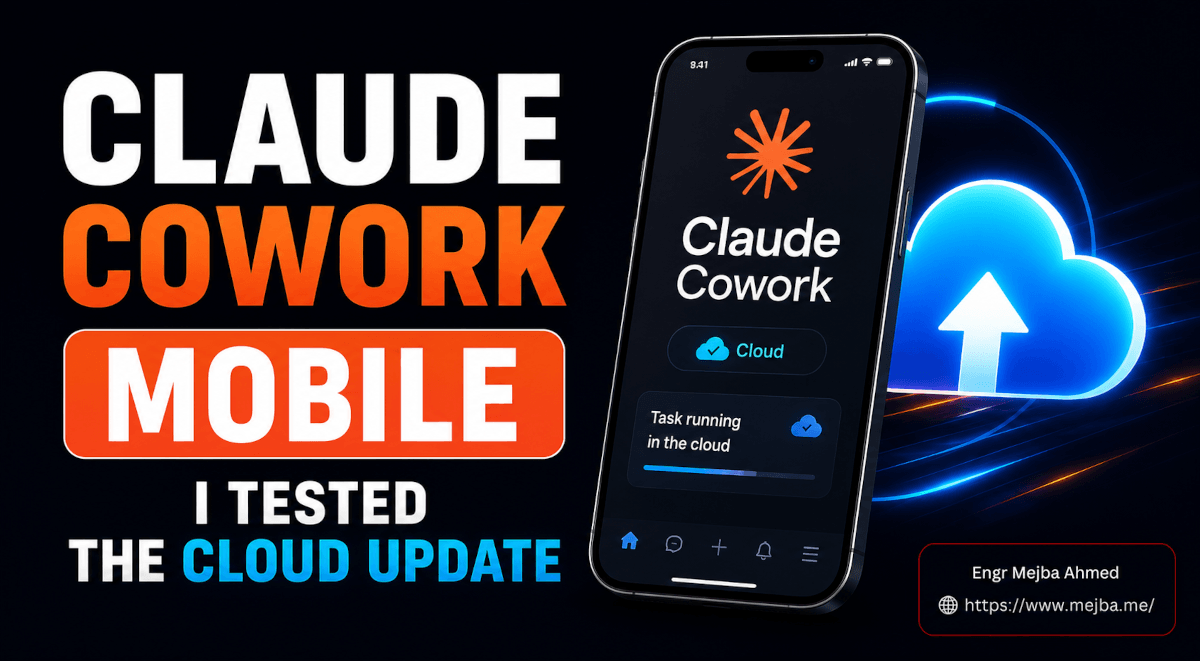
Claude Cowork mobile is Anthropic's July 7, 2026 update that moves Cowork off your desktop and into the cloud — you can now run, monitor, and approve tasks from iOS, Android, and the web, and scheduled tasks execute on Anthropic's servers even when every one of your devices is dark. It's a Max-tier beta with usage limits doubled through August 5. My short verdict after a week of hammering on it: the cloud-execution shift is the real deal, but there's a web-app folder bug and a one-way sync limitation you need to plan around before you rebuild your workflow on top of it.
Here's the moment that made it concrete for me. I was in the back of a rideshare, phone at 40%, laptop shut in a bag in the trunk — and my morning briefing task, the one that reads my inbox, scrapes my calendar, pulls the overnight AI news, and hands me a single HTML dashboard, had already run. At 6 AM. On nobody's computer. Two weeks ago that same task would have silently failed, because the old version of Cowork needed my Mac awake, plugged in, and running for anything scheduled to fire. Let me walk you through exactly what shipped, what I tested, and the one limitation that will trip up anyone who lives inside Cowork's file management.
The Three Changes That Landed on July 7
Let me separate the marketing from the mechanics, because the announcement blurs them together.
Three things landed at once, and only one of them is the big deal.
The small deal: Cowork is on your phone and browser now. You can open the Claude mobile app, tap into a Cowork sidebar mode that sits right under the existing Dispatch option, and see every active and scheduled task you've got running. The web app got the same treatment — Cowork is accessible at claude.com directly, no desktop app required. That's convenient. It is not revolutionary on its own.
The medium deal: mobile approvals. When Claude hits a decision only you can make — sending an email, spending money, deleting something — it pauses and pings your phone for the yes or no. I'll come back to why this matters more than it sounds.
The big deal: your Cowork sessions now run in Anthropic's cloud. Start a task on your desktop, close the lid, finish it from your phone on the train. Schedule a task for 6 AM and it executes with every one of your devices dark and offline. The session isn't tied to your machine anymore — it's tied to your account.
That third one is the tectonic shift, and it's easy to undersell because "runs in the cloud" sounds like boring infrastructure. It isn't. It's the difference between an assistant who only works when you're in the office and one who clocks in whether you're there or not.
Here's the analogy that finally made it click for me: Cowork sessions now behave like a Netflix account. You start something on the living room TV, pause it, and pick it up on your phone in bed at the exact frame you left. The session follows you, not the hardware. Before July 7, Cowork was a DVD player — the disc only played on the box it was loaded into.
But the interesting part isn't the pitch. It's what happened when I actually pushed tasks through it.
The Interface Got Simpler — And I Have Mixed Feelings
Open the desktop app now and the left sidebar has been gutted down to two buttons: Home and Code. That's it.
If you've been using Cowork for a while, this is jarring. It used to be three separate worlds — Chat, Cowork, and Claude Code, each with its own home. Now Chat and Cowork share a single roof under Home, and you flip between them from inside the text box rather than from the sidebar. Code stands alone as the second button.
I understand the logic. Anthropic is telling you that chatting with Claude and handing Claude a job are two modes of the same conversation, not two different products. One place for your projects, one place for your artifacts, across both.
Honestly? I'm not sold on the merge. I liked keeping Cowork and Chat as separate ecosystems. When I'm in Cowork, my head is in "assign work and walk away" mode. When I'm chatting, I'm thinking out loud. Collapsing them into one text box with a toggle blurs a boundary I found useful. This is a small gripe, and you may feel the opposite — but it's the kind of friction a press release will never mention, and I'd rather tell you.
Inside Cowork on desktop, though, everything you need is still there: your projects, your folders, your active tasks, and your scheduled tasks, all laid out cleanly. And there's a quiet incentive to go test it right now — those doubled usage limits run through August 5. If you were ever going to stress-test Cowork, this is the window where it's effectively half price in tokens.
That's the desktop. The web app is where I hit my first real problem.
The Web App Bug That Undercuts the Whole Point
Cowork on the web mirrors the desktop layout — a Home button, a Code button, the chat/Cowork toggle inside Home. Clean. Familiar.
Then I tried to point a task at a specific folder. And I couldn't.
On the web app, I was unable to select folders or projects to work within. The picker either wasn't there or wasn't functioning in my interface. And that's a problem, because file manipulation is the entire reason Cowork exists. A version of Cowork that can't scope itself to a folder is a chat window wearing Cowork's clothes.
Here's the frustrating part: Anthropic's own announcement shows folder and project selection working in the browser. There are screenshots. It's supposed to be there. But in my actual, logged-in, Max-tier web session, it wasn't behaving. Whether that's a rollout inconsistency, a beta bug, or something specific to how my account provisioned, I can't say for certain yet.
If you hit the same wall, you're not imagining it — and I'd genuinely like to know if it's widespread, so drop me a note. For now, the desktop app remains the reliable place to do folder-scoped work, and the web app is best treated as a monitoring-and-lightweight-tasks surface until the picker stabilizes.
Now for the part that actually delivered.
What I Tested on Mobile — And What Came Back
The mobile experience is where the cloud architecture stops being abstract.
I opened the Claude app on my phone, tapped into the Cowork sidebar, and there they were — every task I'd set up across desktop, web, and mobile, synced into one list. Active tasks. Scheduled tasks. Full outputs, including rendered HTML reports I could read on a 6-inch screen.
Two scheduled tasks I'd built on desktop were sitting there waiting for me:
- A daily YouTube competitor analysis — it scrapes a set of channels I track, pulls their recent uploads and performance signals, and summarizes what's working in my niche.
- A Morning Briefing skill — this one aggregates my main focuses for the day, my calendar, my email inbox, and the overnight AI news into a single dashboard.
I built both of those on my Mac weeks ago. But on July 8, I opened the exact same morning briefing on my phone and on the web app simultaneously — identical HTML, identical formatting, rendered the same in both places. The transition between desktop, web, and mobile was genuinely seamless. No re-running, no re-syncing, no "please open your computer." The output just existed everywhere.
Then I went further and started brand-new tasks from the phone.
I typed: "Create an explainer infographic about how quantum physics works at a fifth-grade level." Initiated it on mobile. Cowork routed the image generation through a connector to Higgsfield, produced the infographic, and — this is the part that sold me — I could immediately open, download, and edit that same infographic on my desktop and in the browser. Started on a phone in one tap, finished on a laptop with full editing. That's the cross-device promise actually holding up.
I ran a second one: a content-repurposing skill, kicked off from mobile, that took one of my older videos and spun it into a blog post, a newsletter, and a LinkedIn post — outputs in both markdown and HTML, publish-ready across every device. I've written before about how Cowork's scheduled tasks restructured my mornings, but this was the first time the initiation point stopped mattering. Desk, browser, or phone — same engine, same result.
If you'd rather have someone architect this kind of cross-device automation stack for your own business — the connectors, the skills, the scheduled workflows — that's the sort of system I set up for clients end to end. My portfolio of client builds is here.
How It Pulls Your Data: Connectors and the Zapier Escape Hatch
None of the above works without data, and Cowork's data layer is the same across mobile, web, and desktop — connectors linked once to your accounts, available everywhere.
My scheduled tasks pull from three sources right now:
- Gmail — for the inbox portion of the morning briefing.
- Google Calendar — scraped for the day's schedule.
- Firecrawl — a web crawler that feeds the competitor and news sections.
You browse Anthropic's connector library, add what you need, and every device inherits the connection. There's no per-device re-authentication. Set it on desktop, use it on your phone.
But the native library doesn't cover everything, and this is where the real leverage hides. For any app Cowork doesn't natively support, you route it through Zapier MCP — which bridges Claude to more than 9,000 external apps. I've wired mine into Beehiiv for the newsletter side and into the course platform I run, both through Zapier MCP, both executing in the cloud, both reachable from any device.
That combination — native connectors for the common stuff, Zapier MCP for the long tail — is what turns Cowork from "an AI that reads my email" into "an AI that operates my actual toolstack." And because the sessions now live in the cloud, those integrations fire on schedule whether I'm online or not. This is a genuinely different beast from the Dispatch feature I tested back in March, where the phone was just a remote control for a Mac that had to stay awake. Dispatch pointed your phone at your computer. This points your phone at the cloud.
Which brings me to the one thing you need to understand before you rebuild your whole workflow around this.
The One-Way Sync Limitation Nobody's Explaining Clearly
This is the section I'd attach a warning label to, because it's the single most misunderstood part of the release.
The cloud architecture draws a hard line between two kinds of sessions, and the sync only flows in one direction.
Cloud sessions — anything you start on mobile or web — live on Anthropic's servers. Because they're already in the cloud, they show up everywhere, including on your desktop app. Start it on your phone, and your Mac can see it. Clean.
Local desktop sessions — work you do directly in the desktop app, manipulating actual files and folders on your physical computer — do not sync back up to the cloud. So they are invisible on mobile and web.
The asymmetry is the trap:
- Desktop local session → not visible on web or mobile.
- Web or mobile cloud session → visible on desktop.
Here's why it works this way, and it's not arbitrary. The desktop app's superpower is direct, local file manipulation — it reaches into the real folders on your machine, moves real files, edits real documents on disk. That local filesystem doesn't exist in Anthropic's cloud, so a cloud device has nothing to display for those sessions. Meanwhile a cloud session runs in a remote environment Anthropic manages, with files stored server-side, which is exactly why any device can pull it up.
The practical consequence: if your Cowork workflow leans heavily on the desktop app's local file management — sorting documents on your actual hard drive, editing project files in place — that work stays stranded on the desktop. It will not appear on your phone. The cloud continuity everyone's excited about applies to cloud-born sessions, not to your local desktop grind.
I'm not framing this as a flaw. It's a reasonable architectural boundary. But it means the answer to "can I do everything from my phone now?" is a firm it depends on where the session was born. Plan your workflows around that line and you'll be fine. Ignore it and you'll waste an afternoon wondering why yesterday's local file cleanup isn't on your phone.
What This Means for How You Actually Work
Step back from the mechanics and the shift is bigger than a feature list.
Anthropic has said that more than 90% of the work Claude Cowork does is not software development — it's everyday knowledge work, with business process and operations the single largest slice and content creation not far behind, together making up roughly half of all usage. That reframes the entire release. This isn't a coding tool that grew a phone app. It's an operations tool, and operations don't stop when you close your laptop. Payroll deadlines, client briefings, competitor monitoring, the morning news sweep — that work has a clock, and until July 7, Cowork's clock only ticked while your computer was awake.
Cloud scheduled tasks sever that dependency. The morning briefing that used to require me to leave my Mac on overnight — burning power, hoping it didn't install an update and reboot — now runs on Anthropic's infrastructure at 6 AM regardless of what my hardware is doing. Combine that with mobile approvals, and you get a real division of labor: Claude grinds through the email threads, the transcripts, the news, builds the briefing, drafts the follow-up email, and then waits — because it knows sending that email is a call only I can make. The question reaches my phone. I tap approve from the rideshare.
That's the pattern that matters. Not "AI does everything," but "AI does the assembly and stops at the decisions." For anyone running lean — solo founders, small teams, agency operators — this is the closest thing yet to a staff member who preps everything before you're awake and knows exactly when to ask permission. I've written a fuller guide to running Cowork as an AI employee, and this release is Anthropic's clearest move yet to win the office, not just the terminal.
Open Threads Before I'd Call This Production-Ready
A few things I'm keeping an eye on before I'd trust this for a team.
The web folder picker. Until folder and project selection works reliably in the browser, the web app is a monitoring surface, not a work surface. I want to see that fixed before I trust it for real file-scoped tasks.
The cost after August 5. The doubled limits are a honeymoon. Cloud-executed scheduled tasks that run daily, unattended, will consume tokens whether they produce anything useful or not. When limits snap back, I'll be auditing which of my scheduled tasks actually earn their keep and killing the ones that don't.
How local and cloud sessions converge — or don't. The one-way sync is fine for now, but the obvious next question is whether Anthropic eventually lets local desktop work sync up too. If they do, the last wall between "my computer" and "my account" comes down. If they don't, we'll all be mentally tracking which sessions live where, forever.
Reliability of unattended runs. A task that fails while I'm watching is an annoyance. A task that silently fails at 6 AM, that I was counting on, is a problem. I'm still building trust that cloud scheduled tasks fire consistently, night after night, without a babysitter.
The Real Takeaway
Go back to that rideshare. Phone at 40%, laptop dark in the trunk, and a fully-rendered morning briefing already sitting in my hand — assembled hours earlier by a session that ran on nobody's machine but Anthropic's.
That's the entire release in one moment. Not the phone app. Not the simplified sidebar. The fact that Claude Cowork mobile finally decoupled the work from the hardware, so the assistant keeps its hours even when you've clocked out. The one-way sync limitation is real, the web folder bug is annoying, and I'd tell you to plan around both. But the direction is unmistakable, and it's the right one.
So here's your move for the next 24 hours, while limits are still doubled: build one scheduled task — just one — that you genuinely want waiting for you tomorrow morning. A briefing, a competitor sweep, an inbox triage. Schedule it. Then close your laptop, put your phone in your pocket, and go to sleep. Tomorrow, check whether it's there. That single test will tell you more about what changed on July 7 than any article — including this one — ever could.
FAQ
Frequently Asked Questions
Everything you need to know about this topic
Not yet — as of July 2026 it's a beta rolling out to Max plan subscribers first, with more plans to follow over the coming weeks. Cowork is available on iOS, Android, and the web. Anthropic also doubled usage limits through August 5 to encourage testing during the beta.
Yes. That's the headline change from the July 7, 2026 release — scheduled and background tasks now execute in Anthropic's cloud, so they run with every one of your devices offline. Before this update, the desktop app had to stay awake for scheduled tasks to fire.
Because of a one-way sync boundary. Local desktop sessions — ones manipulating files directly on your computer — don't sync up to the cloud, so they're invisible on mobile and web. Sessions started on mobile or web live in the cloud and do appear on desktop. See the one-way sync section above for the full explanation.
Dispatch turns your phone into a remote control for a desktop that must stay awake, running tasks locally on that machine. The new cloud sessions run entirely on Anthropic's servers with files stored remotely, so no device needs to stay on. For the deeper Dispatch walkthrough, see my earlier Dispatch review.
Route them through Zapier MCP, which bridges Claude to more than 9,000 external apps. Native connectors like Gmail, Google Calendar, and Firecrawl cover the common cases; Zapier MCP handles the long tail — I use it for Beehiiv and my course platform, both executing in the cloud and reachable from any device.
Want This Running for Your Business?
If you want a cross-device Cowork setup that actually earns its keep — the connectors wired up, the skills written, the scheduled tasks firing at 6 AM whether you're online or not — that's the kind of build I do. Tell me the workflow you'd want waiting for you tomorrow morning and I'll architect it end to end. You can start a project with me on Fiverr.