

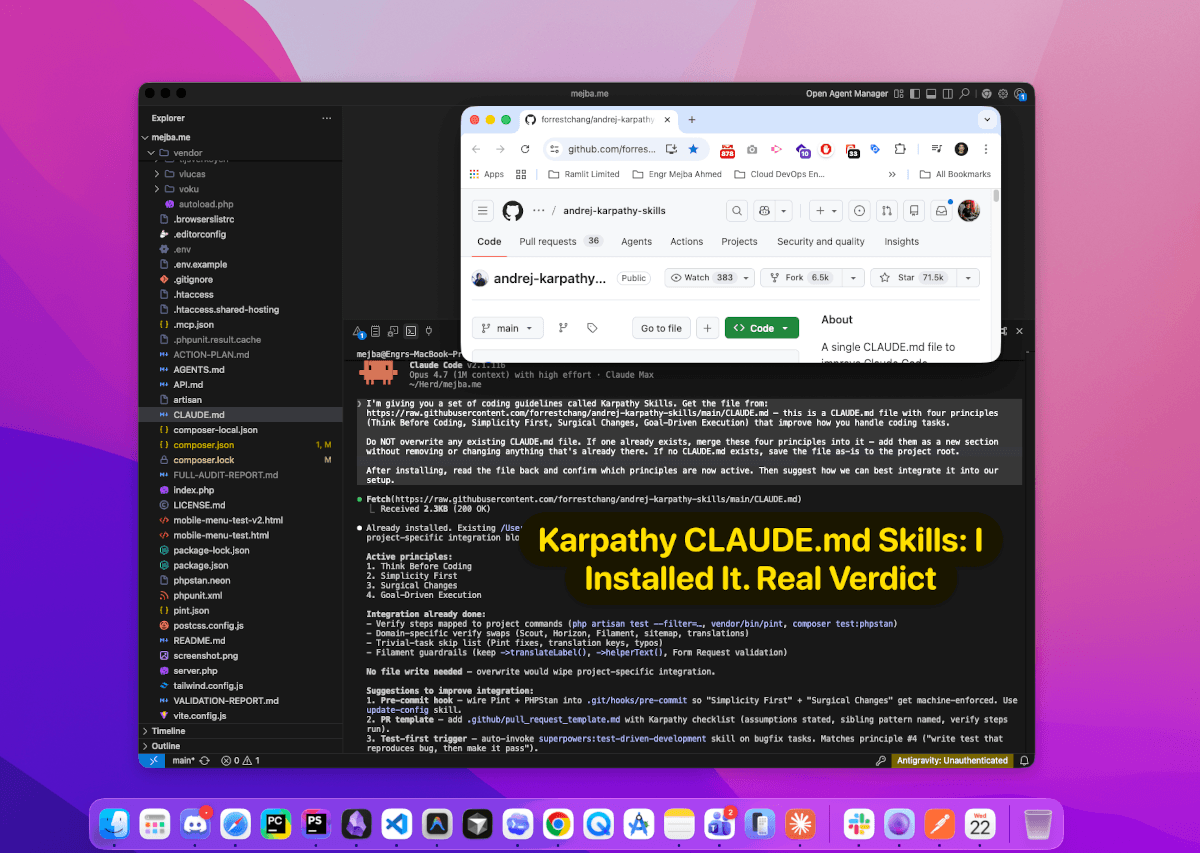
Karpathy CLAUDE.md Skills: I Installed It. Real Verdict
Last Tuesday I asked Claude Code to fix a single null check in a Laravel service class. One line. Null-coalesce instead of a nested if.
It came back with a 214-line diff.
New class constants. A renamed method. Four unrelated refactors on files I hadn't even opened. A "while we're in here" block comment explaining why the previous author had been wrong. The null check was buried on line 138, correct, surrounded by a complete reorganization of a file that had been working fine for eleven months.
That's the behavior the Karpathy CLAUDE.md skills plugin is designed to stop. And after installing it in three separate projects — a Laravel 13 agency codebase, a Next.js 15 personal build, and the content pipeline powering this blog — I'm ready to tell you what actually changes, where the guardrails hold, and where they don't.
If you've read my first-build notes on the Opus 4.7 Claude Routines workflow, you already know I've been living inside Claude Code full-time. This post is the natural follow-up: once you're in Claude Code every day, you notice exactly which behaviors eat your mornings — and the Karpathy skills plugin targets the worst four.
Why This Repo Hit 71.5k Stars in Under a Month
The project is called andrej-karpathy-skills. At the time I'm writing this, it's sitting at 71.5k stars, 6.5k forks, 28 commits, and 8 contributors. That's an absurd star-to-commit ratio. Most repos that trend like this are frameworks with 50,000 lines of code. This one is essentially a single CLAUDE.md file plus a plugin manifest, a skills directory, a Cursor rules folder, and a handful of examples.
That's the entire product. One markdown file that reshapes how Claude Code behaves.
The reason it exploded is simple: it names the four failure modes every working engineer has been cursing at their AI assistant about for the past year, and it packages the fix as four named principles that Claude actually respects once they're in the context window. Andrej Karpathy didn't write the repo (it's from forrestchang), but the principles are distilled directly from Karpathy's public observations on X about LLM coding pitfalls — most famously his description of AI assistants as "an over-eager junior intern savant with encyclopedic knowledge of software, but who also bullshits you all the time, has an over-abundance of courage and shows little to no taste for good code."
That one quote explains the whole repo. The intern is brilliant. The intern is also dangerous without a leash.
The Karpathy CLAUDE.md skills plugin is the leash.
What's Actually in the Repo
Before the install, you need to know what you're pulling in. This is the directory layout at the root:
.claude-plugin/
  plugin.json
.cursor/
  rules/
    karpathy-guidelines.mdc
skills/
  karpathy-guidelines/
    SKILL.md
CLAUDE.md
CURSOR.md
EXAMPLES.md
README.md
README.zh.md
LICENSE
Four delivery mechanisms, same four principles:
CLAUDE.md— the drop-in file for Claude Code project roots.claude-plugin/plugin.json— the manifest for Claude Code's plugin marketplace flowskills/karpathy-guidelines/SKILL.md— the skill-format version compatible with the skills.sh ecosystem I covered earlier this year.cursor/rules/karpathy-guidelines.mdc— Cursor's equivalent, added in the last few commits
The plugin manifest is deliberately tiny. Here it is verbatim:
{
  "name": "andrej-karpathy-skills",
  "description": "Behavioral guidelines to reduce common LLM coding mistakes, derived from Andrej Karpathy's observations on LLM coding pitfalls",
  "version": "1.0.0",
  "author": {
    "name": "forrestchang"
  },
  "license": "MIT",
  "keywords": ["guidelines", "best-practices", "coding", "karpathy"],
  "skills": ["./skills/karpathy-guidelines"]
}
One version, one skill reference, MIT license. No dependencies. No post-install scripts. No telemetry. This is the kind of repo I trust to install without reading every byte — but I read every byte anyway, and so should you.
Now the interesting part. The four principles themselves.
The Four Principles, Verbatim From the CLAUDE.md
I'm going to quote these exactly as they appear in the source file, because paraphrasing them loses the edge. The specificity is the point.
1. Think Before Coding
"Don't assume. Don't hide confusion. Surface tradeoffs."
- State your assumptions explicitly. If uncertain, ask.
- If multiple interpretations exist, present them — don't pick silently.
- If a simpler approach exists, say so. Push back when warranted.
- If something is unclear, stop. Name what's confusing. Ask.
Failure mode this prevents: silent assumptions. The single worst behavior in AI-assisted coding. You ask for "a user export endpoint" and get back a CSV download serving every field in the database because the model decided you wanted that. Without this principle, Claude guesses. With it, Claude asks whether the export should be scoped, what fields are sensitive, and whether you need JSON or CSV before it writes a single line.
2. Simplicity First
"Minimum code that solves the problem. Nothing speculative."
- No features beyond what was asked.
- No abstractions for single-use code.
- No "flexibility" or "configurability" that wasn't requested.
- No error handling for impossible scenarios.
- If you write 200 lines and it could be 50, rewrite it.
Failure mode this prevents: the strategy-pattern-for-a-single-if-statement problem. You ask for a discount calculation and get back an abstract DiscountStrategyFactory with configurable rounding rules, an enum of promotion types, and a DiscountContext dataclass. The actual problem was price * 0.1. This principle is why my test projects dropped from overwrought 180-line implementations to 30-line ones without losing a single real feature. It's the same over-engineering pattern I called out across three of the models in my April 2026 AI tool roundup — almost every frontier model will happily build you the cathedral when you asked for a shed.
3. Surgical Changes
"Touch only what you must. Clean up only your own mess."
- Don't "improve" adjacent code, comments, or formatting.
- Don't refactor things that aren't broken.
- Match existing style, even if you'd do it differently.
- If you notice unrelated dead code, mention it — don't delete it.
- Remove imports/variables/functions that YOUR changes made unused.
- Don't remove pre-existing dead code unless asked.
Failure mode this prevents: the drive-by refactor. The exact behavior that ate my Tuesday morning. This is the principle with the biggest felt impact. With this active, the 214-line diff becomes a 1-line diff, and Claude tells you at the end "I noticed the class has three unused imports from a refactor two commits ago — want me to address those separately?" instead of just deleting them.
4. Goal-Driven Execution
"Define success criteria. Loop until verified."
- Transform tasks into verifiable goals
- For multi-step tasks, state a brief plan with steps and verification checks
- Strong success criteria let you loop independently
Failure mode this prevents: the vibes-based "I think this is done" finish. Karpathy's own framing on this is the punchiest line in the whole repo: "LLMs are exceptionally good at looping until they meet specific goals… Don't tell it what to do, give it success criteria and watch it go." Once this principle is loaded, Claude stops saying "I've added rate limiting, let me know if anything else" and starts saying "Rate limiting added. Verification plan: (a) curl 10 requests under the limit and expect 200s, (b) curl 11 and expect a 429 on the last, (c) run the existing test suite. Running now."
Those four bullets are the whole framework. Everything else in this post is how to get them loaded, how to keep them loaded, and how to know they're working.
The Three Install Paths — And Which One You Actually Want
The repo ships three install paths because there are three different contexts where you might want these principles active. I tested all three. Each has a specific use case, and mixing them up wastes tokens and causes rule collisions.
Path A — The Claude Code Plugin Install
This is the cleanest path if you want the guidelines available across every Claude Code session on your machine, independent of any project. Two commands:
/plugin marketplace add forrestchang/andrej-karpathy-skills
/plugin install andrej-karpathy-skills@karpathy-skills
Those are slash commands you paste into Claude Code itself, not bash. The first adds the repo as a plugin marketplace source. The second installs the plugin, which registers the skills/karpathy-guidelines/SKILL.md file as an available skill. Claude will auto-load it when the session matches the skill's activation description.
Where files actually land: Claude Code stores installed plugins under ~/.claude/plugins/andrej-karpathy-skills/. The skill manifest lives at ~/.claude/plugins/andrej-karpathy-skills/skills/karpathy-guidelines/SKILL.md. You can verify with:
ls -la ~/.claude/plugins/andrej-karpathy-skills/
cat ~/.claude/plugins/andrej-karpathy-skills/.claude-plugin/plugin.json
When to use this: you want the principles active globally, across every repo, without touching any project files. Best for solo developers on machines where you're the only user.
When to skip: you're on a team codebase. Skill-level loading is per-user, so your teammates won't get the same behavior. For team consistency, you want Path B.
Path B — The Project-Root CLAUDE.md Drop-in (or Merge)
This is the path I use in every real client project. The guidelines live in the repo, get versioned alongside the code, and every teammate who runs Claude Code on that checkout gets the same behavior automatically.
If the project has no CLAUDE.md yet, it's one command:
curl -o CLAUDE.md https://raw.githubusercontent.com/forrestchang/andrej-karpathy-skills/main/CLAUDE.md
Commit it. Done. Next claude session in that directory loads the four principles into the system context before your first message.
If the project already has a CLAUDE.md — which it probably does — do not overwrite. I did this once on the ai-agents-team repo (the one powering this blog) and lost my entire content-generation configuration for about ninety seconds before I realized what had happened and pulled it back from git. Don't be me.
Instead, merge. Here's the exact workflow I use now:
# 1. Fetch the Karpathy principles to a temp file
curl -o .karpathy-skills-temp.md https://raw.githubusercontent.com/forrestchang/andrej-karpathy-skills/main/CLAUDE.md

# 2. Append as a new section to your existing CLAUDE.md
{
  echo ""
  echo "---"
  echo ""
  echo "# Coding Behavior (Karpathy Guidelines)"
  echo ""
  echo "_Source: https://github.com/forrestchang/andrej-karpathy-skills — MIT_"
  echo ""
  cat .karpathy-skills-temp.md
} >> CLAUDE.md

# 3. Clean up the temp file
rm .karpathy-skills-temp.md

# 4. Verify the result opens cleanly and your original rules are still on top
head -40 CLAUDE.md
tail -60 CLAUDE.md
The section-ordering rule matters. Claude treats earlier rules in CLAUDE.md as higher priority when rules conflict. You want project-specific behavior (your content templates, your Laravel conventions, your deployment rules) at the top, and the Karpathy principles as a general coding-behavior section lower down. They're meta-rules about how Claude should approach code — not domain rules about what Claude should build — so they belong in the back of the file, not the front.
When to use this: any team codebase, any project you care about long-term, any repo where you want version-controlled agent behavior.
Path C — The Cursor Install
If you're on Cursor instead of Claude Code, the repo ships a .cursor/rules/karpathy-guidelines.mdc file that works with Cursor's rules system. Install by copying the file into your project:
mkdir -p .cursor/rules
curl -o .cursor/rules/karpathy-guidelines.mdc \
  https://raw.githubusercontent.com/forrestchang/andrej-karpathy-skills/main/.cursor/rules/karpathy-guidelines.mdc
Cursor's rules engine auto-loads any .mdc file in .cursor/rules/ on project open, so this activates on the next session. The content is the same four principles in Cursor's rule format — a .mdc file is just markdown with a short frontmatter block declaring when the rule should apply.
When to use this: you're primarily in Cursor. I still run Claude Code for agentic work, so I install both — the files don't conflict because they're in different tool-specific directories.
How to Verify It's Actually Active
Installing is one thing. Knowing it's doing anything is another. Every skill/plugin system I've used has a "did that even load?" problem, and the answer is never just to trust the install message.
Here's my three-step verification I run after every install:
Step 1 — Read-back test. Open a fresh Claude Code session in the project and ask:
"Which coding behavior principles are currently loaded in your context? List them with their source."
If the install worked, Claude will list the four Karpathy principles by name — Think Before Coding, Simplicity First, Surgical Changes, Goal-Driven Execution — and cite the CLAUDE.md file or the plugin skill as the source. If it lists generic "good coding practices" without the Karpathy names, something is wrong: either the file wasn't saved, the plugin didn't install, or you're in a directory Claude doesn't think is the project root.
Step 2 — Behavioral test. Give it a task specifically designed to trigger the old bad behavior:
"Fix the null check on line 42 of UserService.php."
Without the guidelines: sprawling diff, unsolicited refactor, style changes, the full Tuesday morning experience. With the guidelines: Claude should do exactly what you asked, make the minimal edit, and flag anything else it noticed in a separate message instead of shipping it.
Step 3 — Scope-creep trap. This is the one that really tells you.
"Add a rate limit to the login endpoint. While you're in there, also add request logging."
Without the guidelines: Claude does both, frames them as a single change, and probably throws in a refactor of the auth middleware for good measure. With Goal-Driven Execution active, Claude should split the tasks, state success criteria for each, and — this is the tell — propose verification checks for the rate limit specifically before touching the logging task. If it collapses them into one big unverified change, the principles aren't loaded correctly.
I've run this three-step test on every install. It takes about four minutes. Skip it and you're trusting the model's self-report on whether the guardrails are up, and self-report is exactly the thing these principles were designed to distrust.
Merging With an Existing Setup (the Real-World Case)
Everything above assumes a clean install. The harder case — and the one most engineers I know actually face — is merging these principles into a project that already has an opinionated CLAUDE.md with its own rules.
This blog's repo is a good example. The ai-agents-team project has a content-generation CLAUDE.md defining Aria's voice rules, brand configurations, filename conventions, and a stack of hard constraints ("no AI filler phrases", "3,000+ words minimum", "no YAML frontmatter in posts"). Karpathy's principles are about coding behavior, not content behavior, but I wanted them loaded anyway for when Aria's work overflows into actual code — when I'm asking the repo to refactor an agent definition, update a hook, or add a new skill file.
The structure I landed on after a few iterations:
# CLAUDE.md

<Project-specific identity and purpose goes first>

## Project Overview
...

## Architecture
...

## Hard Constraints
<Domain rules — these are non-negotiable and win any conflict>
...

---

# Coding Behavior (Karpathy Guidelines)

<Source: https://github.com/forrestchang/andrej-karpathy-skills — MIT>

<The four principles verbatim, dropped in as an appendix>
The horizontal rule before the coding-behavior section is deliberate. It gives Claude a visual structural cue that the following section is a different concern — meta-rules about how to write code, as opposed to domain rules about what the project does. In my testing, Claude respects this separation: when I'm editing content, it follows the content rules up top; when I'm editing code, it pulls in the Karpathy section and applies it.
Three rules for merging without breaking your existing setup:
-
Project-specific rules stay at the top. Your brand voice, your framework choices, your filename conventions, your forbidden-phrases list — these are domain rules and they need to win any conflict. Put them above the Karpathy section.
-
Keep the source attribution. One line:
Source: https://github.com/forrestchang/andrej-karpathy-skills — MIT. It's MIT-licensed so you're free to drop it in, but the attribution matters for two reasons: it lets future-you know where the principles came from if they ever feel wrong, and it signals to Claude (which does read these things) that this section has external provenance. -
Never mix the principle wording with your project rules. If you want to reference Simplicity First inside a project-specific rule ("apply Simplicity First here — no speculative abstractions"), that's fine. What's not fine is paraphrasing the principles into your own project section and dropping the verbatim wording. The specificity of the original wording is what makes the principles work, and rewording them in your own language blunts the edge Claude needs to recognize them.
This doesn't replace superpowers, skills, or any of the other behavioral systems you already have loaded. It complements them. The Karpathy principles are narrow — they govern how code changes get made, not what the project is, not what tools get used, not what your domain conventions are. Stacked on top of a strong project CLAUDE.md, they're a net upgrade. Stacked instead of one, they leave Claude without any domain context and you'll hate the result.
A concrete example from my own stack: this blog's pipeline uses the Claude programmatic SEO skill I built earlier for automated on-page optimization. That skill lives above the Karpathy section in my CLAUDE.md because it's a domain rule — it defines what gets written. The Karpathy principles sit below because they're meta-rules — they define how the code behind that skill gets edited when I refactor it. Separate concerns, separate sections, no collisions.
My Opinionated Take — Where This Wins, Where It Doesn't
I'll save you the diplomatic version. Here's the straight call after a week of use:
Where this wins — and it wins big: the exact four failure modes that turned AI-assisted coding from "amazing" to "frustrating" over the past year. Silent assumptions. Over-engineering. Drive-by refactors. Vibes-based "I think I'm done." All four are now measurably less frequent in my sessions. The Tuesday morning 214-line null-check incident has not recurred since I installed it. My average diff size for small bug-fix tasks dropped meaningfully — the consistent pattern across the three projects is something like one-third the line count for the same task, with no loss of correctness.
The Goal-Driven Execution principle is the sleeper. It sounds like the boring one of the four, but it's the one that changes your workflow the most. Once Claude starts stating verification criteria up front, you stop writing prompts like "add validation" and start writing prompts like "add validation for empty emails — success = test case X passes." That shift alone made me a measurably better prompter, which is a weird side effect to get from installing someone else's markdown file.
Where this is limited: four principles are not a substitute for domain knowledge. Claude with the Karpathy guidelines loaded still doesn't know that your Laravel codebase uses form requests instead of inline validation, or that your React project uses server components everywhere, or that your API returns snake_case in this one endpoint for legacy reasons. The principles stop Claude from making things worse — they don't make Claude smarter about your specific stack. You still need a project-specific CLAUDE.md. You still need skills. You still need good prompts.
Where it actively annoys me: for trivial tasks, the principles add friction. Asking Claude to rename a variable now occasionally gets me a three-line confirmation about scope before the rename happens. The guidelines themselves acknowledge this ("the guidelines bias toward caution over speed — useful for non-trivial work while maintaining judgment for simple tasks"), but in practice, the model doesn't always distinguish. I've developed a personal habit of adding "single trivial change, no verification needed" to prompts where I know the scope is two characters. That works. But it's a workaround, not a fix.
Install it if: you write real code for real projects, you work with AI coding assistants daily, and you've been bitten by scope creep, silent assumptions, or drive-by refactors in the last month. The bar for value here is low enough that anyone shipping production code should already have it installed.
Skip it if: you're using Claude Code purely for throwaway prototyping, spike work, or vibe-coding where speed matters more than scope discipline. The guidelines will get in your way. They're not designed for the mode Karpathy himself described as "fully give in to the vibes, embrace exponentials, and forget that the code even exists." They're designed for the mode he described later — the one where you're "slow, defensive, careful, paranoid" about code you actually care about.
For this blog's pipeline and every client project I'm currently shipping, they're in. For weekend experimentation, they're out. That's the honest split.
Before and After — The Null Check Revisited
Let me close the loop I opened at the top of this post.
I re-ran the Tuesday-morning task after installing the guidelines. Same codebase, same file, same line, same prompt: "Fix the null check on line 138 of UserService.php — $user->profile->avatar should fall back to a default if the profile is null."
Before the guidelines (representative of what happened the first time):
- 214-line diff
- New
DEFAULT_AVATARclass constant - Renamed method from
getAvatar()toresolveAvatar()for "clarity" - Four unrelated null-coalesce fixes in methods I hadn't mentioned
- A block comment explaining why the original author's approach had been suboptimal
- The actual null-check fix, correct, on line 138, surrounded by everything above
After the guidelines (re-run on a fresh branch from the same starting state):
- 1-line diff
$user->profile?->avatar ?? asset('images/default-avatar.png')on line 138- A separate message at the end: "I noticed four other places in this file where
->profile->is accessed without a null check. Same pattern, different methods. Want me to address those in a separate commit, or leave them?"
One-line fix. Explicit surfacing of the adjacent issue. No refactor shipped silently. The model still saw the adjacent problems — that's the same intelligence — but the guidelines converted the response from "let me just handle it all" to "let me flag it and let you decide."
That's the whole value proposition in a single before-and-after. The model doesn't get dumber. It gets disciplined.
There's a reason the repo crossed 71k stars in under a month. Every working engineer has a version of that Tuesday morning story, and every one of us has wanted a way to stop it without writing 50-line system prompts trying to explain, in our own words, what "don't drive-by refactor" means. The Karpathy principles do it in four named sections, with wording sharp enough that Claude actually follows them, for the price of a single curl command. That's a trade I'll take every single time.
Now the only question worth asking is the one you should be asking yourself as you close this tab: when's the last time your AI assistant made a change that was three times bigger than what you asked for? If the answer is "this week," you already know what to do next.
Karpathy CLAUDE.md Skills: Quick Answers
What is the Karpathy CLAUDE.md skills plugin?
The Karpathy CLAUDE.md skills plugin is a single CLAUDE.md file (plus a plugin manifest, a skill directory, and a Cursor rules folder) that loads four coding-behavior principles into Claude Code, derived from Andrej Karpathy's public observations about LLM coding pitfalls. It's MIT-licensed, ships at github.com/forrestchang/andrej-karpathy-skills, and reached 71.5k stars on word-of-mouth alone.
What are the four Karpathy principles for Claude Code?
The four principles are Think Before Coding (surface assumptions, ask when uncertain), Simplicity First (minimum code that solves the problem, no speculative features), Surgical Changes (touch only what you must, no drive-by refactors), and Goal-Driven Execution (define verifiable success criteria, loop until verified). See the verbatim breakdown above for the full bullet lists.
How do I install the Karpathy CLAUDE.md in an existing project?
Run curl -o .karpathy-skills-temp.md https://raw.githubusercontent.com/forrestchang/andrej-karpathy-skills/main/CLAUDE.md, then append it to your existing CLAUDE.md as a new "Coding Behavior" section at the bottom. Never overwrite an existing CLAUDE.md — project-specific rules need to stay above the Karpathy section so they win any conflict. Full merge workflow is documented above.
Does this replace Claude Code skills or superpowers?
No. The Karpathy principles are meta-rules about how code changes get made — they don't know your stack, your conventions, or your domain. Stack them on top of your existing project CLAUDE.md, skills, and other behavioral systems. They complement, they don't replace. If you install this as your only configuration, Claude will be disciplined but domain-blind.
How do I verify the Karpathy principles are actually loaded?
Run a three-step check: (1) ask Claude to list the coding-behavior principles in its context and confirm all four Karpathy names appear, (2) give it a small bug-fix task and check the diff stays surgical, (3) give it a scope-creep trap ("fix X, while you're there also do Y") and confirm it separates the tasks with verification criteria instead of collapsing them. If any step fails, the install didn't take.
Whether the Karpathy Plugin Belongs in Your Setup
Installing the Karpathy CLAUDE.md skills across three live projects taught me the value isn't the plugin itself — it's the discipline it encodes about how you structure memory and skills. Adopt the pattern even if you tweak the pieces.
Merge it carefully, though; dropped into an existing setup without thought, it can clash with what you've already built. Test on one project before you roll it everywhere.
If you want help structuring skills and memory across a team's Claude setup, that's something I do through Ramlit. What changed and what broke is above.






