The notification came through at 6:47 AM on a Thursday. I was still in bed, half-conscious, reaching for my phone out of habit. A Telegram message from my OpenClaw agent: "Morning report ready. One recommendation today: renegotiate your Hetzner VPS contract — you're paying 34% above current market rate for equivalent specs. Draft email attached. Estimated annual savings: $408."
I hadn't asked it to do that. I hadn't even thought about my hosting costs in months. But somewhere around 3 AM, my overnight agent had reviewed my active subscriptions, cross-referenced them against current pricing, identified the gap, and drafted an outreach email — all while I was asleep.
That moment captures something I've been struggling to articulate about OpenClaw for weeks now. The individual features are impressive. The skills marketplace, the meeting transcriptions, the multi-model debates — all genuinely useful. But the thing that actually changes how you work isn't any single feature. It's the compound effect of multiple autonomous workflows running simultaneously, each one feeding context into the others, each one getting smarter because it knows what the rest are doing.
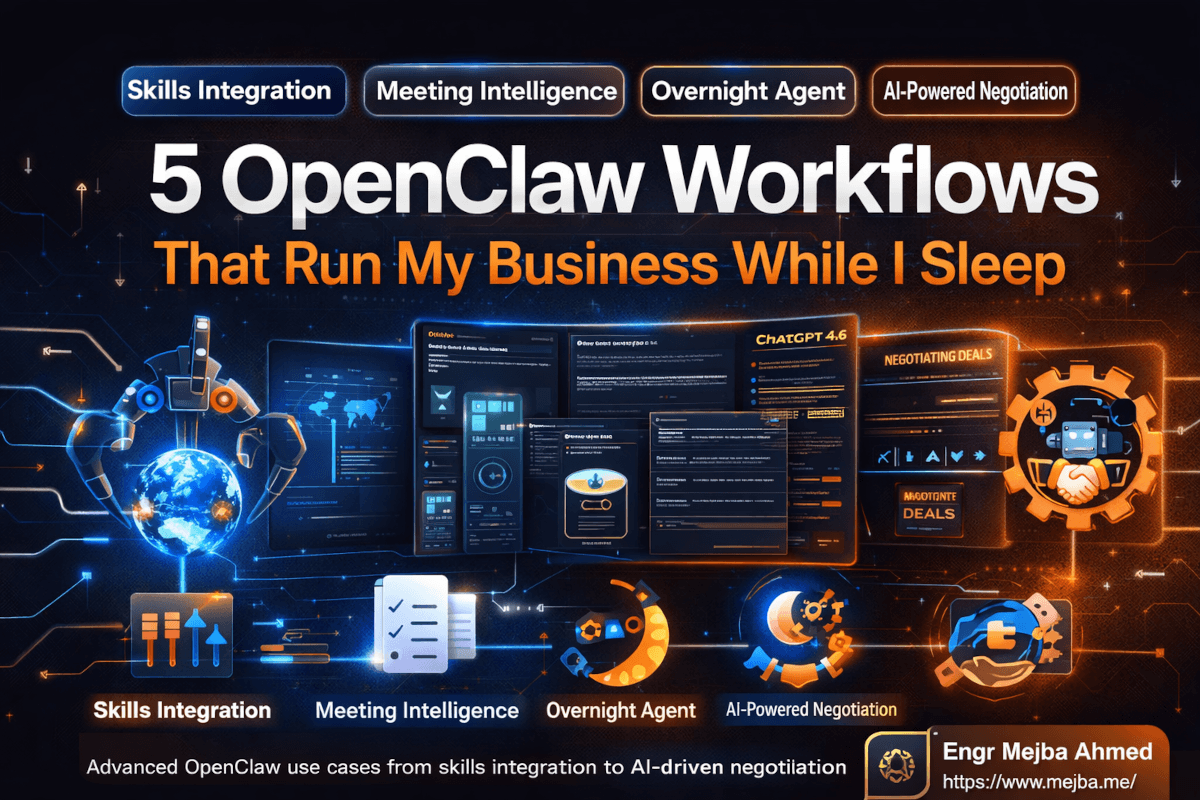
Jack Roberts recently walked through five advanced OpenClaw use cases in a video that crystallized what I'd been building toward but hadn't fully connected. I've been running variations of all five for the past few weeks, and the productivity shift is substantial enough that I want to break down exactly what each one does, how I set it up, and where the rough edges still are.
If you've already set up OpenClaw as a 24/7 agent or explored the basic use cases, this is the next level. These five workflows move OpenClaw from "useful assistant" to something closer to a digital operations team.
And the first one surprised me the most — not because of what it does, but because of what it eliminates.
Skills Integration Through the Command Center: One Hub, Zero Duplication
Here's a problem I didn't realize I had until it was solved. I'd been building Claude Code skills for months — a URL shortener integration, a content research pipeline, a competitor analysis tool, an SEO audit workflow. Each skill lived in its own project. Each one required me to open a specific workspace, load the right context, and run the right commands. The skills worked great individually, but managing them felt like maintaining a fleet of separate vehicles when what I actually needed was one dashboard.
OpenClaw's Command Center changes that equation entirely. It acts as a centralized registry where every skill you've built — whether in Claude Code, through the OpenClaw skills marketplace (which now hosts over 13,000 production-grade skills according to VoltAgent's registry), or custom-built for your specific workflow — becomes accessible from a single interface.
The setup is deceptively simple. Inside your OpenClaw workspace, you'll find a skills directory. Drop a skill definition in there, or import one from the marketplace using the CLI, and it's immediately available. No restart required. No configuration dance. The Command Center UI shows every active skill, its status, last execution time, and any connected triggers.
What made this click for me was the cross-pollination. A Bit.ly URL shortener skill I'd built for content distribution? Now available to my meeting follow-up workflow. The competitor analysis tool I'd originally built for market research? My overnight agent can invoke it too. Skills stop being isolated tools and start becoming building blocks that any workflow in your system can reach for.
Here's my current Command Center setup:
Always-on skills:
- Content research pipeline (scans trending topics in AI/dev niches)
- URL shortener (Bit.ly integration for any link I share)
- SEO keyword checker (validates primary keywords against search volume)
- GitHub PR summarizer (digests pull requests across my repos)
Triggered skills:
- Competitor pricing monitor (runs weekly, alerts on changes)
- Social media scheduler (activates when new content drafts are ready)
- Invoice generator (triggers when I mark a project milestone as complete)
On-demand skills:
- Market research deep dive (I invoke this manually for new project evaluation)
- Code review assistant (called during active development sessions)
The real power isn't the individual skills — I could run each one separately. The power is that they share context. When my content research skill identifies a trending topic, the SEO keyword checker automatically validates it, and the social media scheduler queues up distribution — without me touching anything. That chain of execution across skills is what the Command Center makes possible.
One thing Roberts emphasized that I want to underscore: centralized skill management prevents the duplication problem that plagues most AI setups. Before the Command Center, I had three different variations of a "summarize this article" capability scattered across different agents. Same function, slightly different prompts, no consistency. Now there's one canonical version, and everything references it.
But skills running in isolation, even from a central hub, only get you so far. The next workflow connects OpenClaw to something most AI tools completely ignore — your meetings.
Meeting Intelligence With Granola: Notes Without the Awkward Bot
I've tried every meeting transcription tool on the market. Otter. Fireflies. Recall.ai. They all share the same fundamental problem: they join your call as a visible participant. There's that awkward moment at the start of every meeting — "Oh, that's just my recording bot, ignore it" — and suddenly the dynamic shifts. People speak more carefully. The conversation gets slightly more performative. You're getting a transcript of a meeting that's been subtly altered by the act of transcribing it.
Granola takes a completely different approach, and its recent $125 million Series C at a $1.5 billion valuation suggests the market agrees that approach is working. Granola captures audio directly from your system — it listens to what your speakers and microphone pick up without ever joining the call as a bot. No one knows it's there. The conversation stays natural.
What makes the OpenClaw integration genuinely useful is what happens after the meeting. Granola recently launched MCP server support, which means meeting transcripts, notes, and action items flow directly into OpenClaw's context. When I finish a client call, I don't need to manually review the transcript, extract action items, and create tasks. OpenClaw does it.
Here's the workflow I'm running:
Step 1: Granola captures the meeting audio and generates a transcript with notes. I can add private annotations during the meeting — thoughts I don't want spoken aloud but want captured alongside the discussion.
Step 2: After the meeting, Granola's MCP server pushes the full transcript and notes to OpenClaw. The agent parses the content, extracts commitments I made, questions that were raised, decisions that were reached, and follow-up items mentioned by any participant.
Step 3: OpenClaw creates tasks on my Kanban board for each action item. It categorizes them by urgency, assigns tentative deadlines based on what was discussed, and links each task back to the specific moment in the transcript where it was mentioned.
Step 4: I get a Telegram summary — a clean, scannable list of what happened, what I owe, and what's pending from others.
The private annotation feature deserves its own spotlight. During a recent discovery call, the client mentioned they were evaluating three agencies. I typed a quick private note: "They're comparing us — emphasize the deployment timeline advantage." That note never appeared in the meeting transcript, but OpenClaw captured it alongside the conversation context. When it generated the follow-up tasks, one of them was: "Draft comparison email highlighting Ramlit's faster deployment cycle — reference client's evaluation timeline." It remembered what I was thinking, not just what was said.
Setting up the Granola-to-OpenClaw pipeline requires two things. First, a Granola account with MCP access (available on their Business plan). Second, adding the Granola MCP server to your OpenClaw configuration. The community MCP server on GitHub handles the connection, or you can use Granola's official personal API if you're on their enterprise tier.
One caveat worth mentioning: the transcript quality depends heavily on your audio setup. A decent microphone makes a significant difference. Laptop speakers in a coffee shop? Expect gaps. A quiet room with a Blue Yeti? Nearly perfect transcription.
Now, meetings generate information and action items. But some decisions need more than notes — they need debate. That's where the next workflow gets genuinely interesting.
Multi-Expert Panel: Three AI Minds Are Better Than One
I used to ask Claude a question and take whatever answer I got. Smart question, smart model, smart answer — what could go wrong? Turns out, quite a lot. A single AI model, no matter how capable, has blind spots. It optimizes for one perspective, one reasoning path, one set of implicit assumptions. You get a confident answer that sounds thorough but might be missing the view from an entirely different angle.
Roberts demonstrated something in his video that I've since integrated into every major decision I make. You prompt OpenClaw to spin up a panel of AI experts — each with a distinct perspective, expertise domain, and reasoning style — and have them debate each other on a specific question.
The setup looks like this. You give OpenClaw a prompt structured roughly as:
I need a panel of three experts to debate this question: [your question]

Expert 1: [Role and perspective — e.g., "Global tax strategist focused on wealth preservation and legal optimization"]
Expert 2: [Role and perspective — e.g., "Quality of life researcher focused on healthcare, education, and social infrastructure"]
Expert 3: [Role and perspective — e.g., "Contrarian who challenges conventional wisdom and identifies hidden risks"]

Each expert should present their position with supporting evidence, then respond to the other experts' arguments. Compile the full debate into a structured HTML document and save it to my documents folder.
The output is striking. OpenClaw generates a formatted HTML report — not a plain text dump, but a genuinely readable document with sections, highlighted disagreements, synthesis points, and a summary of where the experts agree and where they diverge. Saved locally, shareable, archivable.
I tested this on a decision I'd been stuck on for two weeks: which cloud provider to standardize on for a multi-region SaaS deployment. I set up three panelists — an AWS solutions architect, a cost optimization specialist, and a DevOps engineer focused on developer experience. The debate surfaced a cost consideration I'd completely missed (cross-region data transfer fees that would have added roughly $1,200/month at my projected traffic levels) and a DX argument that changed my weighting of the decision criteria.
A single prompt to Claude would have given me a balanced answer. The panel gave me a contested answer — one where the tensions between competing priorities were made explicit rather than smoothed over. That's a meaningful difference when you're making a decision you'll live with for years.
Where I use this regularly now:
- Major technology choices (framework selection, infrastructure decisions)
- Business strategy questions ("Should I productize this service or keep it custom?")
- Content angle decisions ("What perspective would make this article genuinely different?")
- Hiring decisions ("What qualities matter most for this role and why?")
Where it falls short:
The debate quality drops noticeably when the question is too narrow or too factual. "What's the best database for a read-heavy workload under 10GB?" doesn't benefit from debate — the answer is relatively objective. But "Should we prioritize developer velocity or system reliability for the next two quarters?" — that's where the panel earns its keep.
Roberts' example in the video was choosing the best country to live in. Three experts — a tax strategist, a lifestyle advisor, and a contrarian — each argued their position with supporting data, then responded to each other's points. The resulting HTML document ran to about 3,000 words and was, honestly, more thorough than most blog posts written on the same topic.
The panel debate is useful for one-time decisions. But what about continuous improvement? That's where the overnight agent becomes essential — and it's the workflow that most people underestimate until they've experienced it for a few weeks.
The Overnight Agent: Your AI Thinks While You Sleep
Context engineering is becoming the most important skill in the AI builder's toolkit. Not prompt engineering — context engineering. The distinction matters. Prompt engineering is about crafting the right question. Context engineering is about ensuring the AI has the right background knowledge, current state awareness, and accumulated understanding to give you answers that are specific to your situation, not generic advice.
Deloitte's 2026 tech trends report puts it plainly: the shift from generative AI to agentic AI is defined by agents that understand overarching goals, create strategic plans, and independently interact with systems. Gartner projects that 40% of enterprise applications will embed AI agents by the end of 2026. The overnight agent is what this looks like at an individual level.
Here's how mine works. Every night at midnight, a cron job triggers a long-running agent session. The agent does three things:
1. Reviews my current context. It reads my active tasks, recent completed work, ongoing projects, saved notes, and stated goals. This isn't a static file — it's the accumulated context from every interaction I've had with OpenClaw. Every meeting note, every task update, every casual "remind me about this" message I've sent over the past months.
2. Researches one targeted improvement. Based on the pattern it sees in my context, the agent picks one area — physical health, business operations, or personal development — and researches a specific, actionable recommendation. Not "exercise more." Something like "Based on your calendar showing 6+ hours of seated meetings on Tuesdays and Thursdays, a 15-minute walking meeting for your recurring 1:1 with [name] would add 2.5 hours of movement per week without changing your schedule."
3. Generates a daily report. The output is a formatted HTML file saved to my documents folder, plus a condensed summary delivered via Telegram. The report includes: the recommendation, the rationale (what data or patterns led to it), the projected impact, and a single clear next step.
The specificity is what separates this from generic self-help. The agent doesn't give me advice — it gives me advice based on my actual behavior patterns, schedule, and goals. It's the difference between a fitness article telling you to "stay hydrated" and your personal trainer saying "you skipped water during both of your afternoon sessions this week — set a 2 PM alarm."
After three weeks of running the overnight agent, here's what landed:
- It flagged that I was spending 40% of my coding time on tasks related to just one client project, despite that project representing only 15% of my revenue. I restructured my time allocation.
- It noticed I'd mentioned wanting to read more but hadn't logged a single book note in two months. It recommended a specific audiobook related to my current project (not a random bestseller) and suggested listening during my commute windows.
- It identified that my content output dropped every Wednesday — turns out that's when I had the most meetings stacked. It suggested shifting my content creation blocks to Monday and Thursday mornings when my calendar was consistently clear.
None of these insights are earth-shattering. All of them are the kind of obvious-in-hindsight observations that a good executive coach would make after spending a month watching your patterns. The difference is that this coach costs me nothing incremental (it runs during idle hours on compute I'm already paying for) and it generates a new insight every single day.
The overnight agent report gets saved as an HTML file — I now have a growing archive of daily recommendations that itself becomes useful context. Once a month, I review the full collection and look for meta-patterns. The first month's review revealed that 60% of the agent's recommendations related to time allocation, which told me something about where my biggest leverage point actually was.
Four workflows in, and we've covered how to centralize your skills, capture meeting intelligence, run multi-perspective debates, and generate daily improvement reports autonomously. Each one is useful independently. But the fifth workflow is the one that made me genuinely uncomfortable — in the best possible way.
The Negotiator: AI That Scouts Deals and Drafts Outreach
I'm going to be upfront about something: the negotiator workflow made me uneasy at first. The idea of an AI agent reaching out to people on my behalf, crafting persuasive emails, and executing outreach campaigns felt like a line I wasn't sure I wanted to cross. But after watching Roberts' demonstration and then running my own version for two weeks, I've landed in a specific place about it — and the boundaries I've set might be useful for you too.
The concept is straightforward. You tell OpenClaw about an objective — "I want to reduce my operating costs" or "I want to find sponsorship opportunities for my content" or "I want to negotiate better rates on my software subscriptions." The agent then:
- Identifies opportunities by scanning relevant marketplaces, websites, or databases
- Creates a strategy document with specific targets, approach angles, and expected outcomes
- Drafts outreach emails tailored to each target
- Compiles everything into an execution log you can review before anything gets sent
That last point is critical. OpenClaw integrates with Gmail, but in draft mode only. It creates emails in your drafts folder — it does not send them autonomously. You remain the final gatekeeper. Every email gets reviewed by human eyes before it goes out. This is a deliberate design choice, and it's the reason I was comfortable running this workflow.
Roberts walked through three specific negotiation campaigns in his video:
The Sponsorship Deal Negotiator. The agent scanned his content metrics, identified brands whose products he'd mentioned or reviewed, drafted personalized sponsorship outreach emails referencing specific content pieces, and compiled a campaign tracker with estimated response rates and revenue projections.
The Asia Market Expansion Scout. For someone exploring international business opportunities, the agent researched market conditions, identified potential local partners, and drafted introduction emails with culturally-aware language and positioning.
The Revenue Maximizer. The agent analyzed existing revenue streams, identified underpriced services, and drafted rate increase communications with supporting data about market comparisons and value delivered.
My own version is narrower but effective. I set up a negotiator focused on two things: software subscription optimization and freelance rate benchmarking. The subscription optimizer reviews my active paid tools, researches current market rates for equivalent services, and drafts renegotiation or cancellation emails when it finds savings. In the first week, it identified three subscriptions where I was overpaying and drafted emails that — after I reviewed and personalized them — resulted in a combined $67/month reduction.
The freelance rate benchmarker is more subtle. It monitors freelancer platforms and industry surveys, compares my current rates to market data, and drafts proposals for rate adjustments with supporting evidence. I haven't acted on all of its suggestions, but the data it surfaces about market positioning has been genuinely valuable for pricing decisions.
The integration architecture is what makes this work seamlessly:
OpenClaw Agent
  ├── Gmail MCP (draft creation only — no auto-send)
  ├── Web browsing (market research, price comparison)
  ├── Memory (stores campaign history, response tracking)
  └── Document generation (strategy docs, execution logs)
The Gmail integration specifically deserves attention from a security standpoint. OpenClaw requests Gmail access scoped to draft creation and reading — not sending. This means even if your agent's logic goes haywire, the worst case is a drafts folder full of bad emails that never leave your inbox. If you're running OpenClaw with email capabilities, I'd strongly recommend reading through the security considerations I documented in my earlier review — particularly the sections about API key isolation and permission scoping.
Where the negotiator excels: Repetitive outreach where the core message is similar but needs personalization per recipient. Subscription renegotiations. Partnership introductions. Rate comparison research.
Where it needs human judgment: Anything involving an existing relationship where tone matters more than content. High-stakes negotiations where a single word choice could shift the outcome. Cultural contexts you understand better than the AI does.
The uncomfortable truth about this workflow is that it works too well for outreach at scale. The emails it drafts are polished, professional, and personalized enough that recipients rarely identify them as AI-assisted. That's exactly why the human review step isn't optional — it's the ethical guardrail that keeps this tool useful rather than predatory.
The Compound Effect: Why Five Workflows Beat Five Separate Tools
I've been running all five of these workflows simultaneously for three weeks now, and the thing I keep coming back to isn't any individual workflow — it's the interconnection.
The overnight agent references insights from my meeting notes (captured through Granola). The negotiator uses market research surfaced by skills in the Command Center. The multi-expert panel draws on accumulated context from every other workflow when debating business decisions. Each workflow makes the others smarter because they share the same memory layer, the same context, the same understanding of what I'm working on and where I'm trying to go.
This is what context engineering looks like in practice. It's not about writing a better prompt. It's about building an environment where the AI accumulates enough understanding of your situation that its outputs become increasingly specific, increasingly useful, and increasingly hard to replicate with any generic tool.
The agentic AI market is projected to reach $52 billion by 2030, according to industry analysts. Multi-agent systems are moving from experimental to production-ready. OpenClaw sits at the intersection of these trends — open-source, self-hosted, and flexible enough to adapt as the technology evolves. Jensen Huang called it "the next ChatGPT" at GTC 2026, and while that's marketing hyperbole, it captures the directional truth: personal AI agents are becoming platforms, not products.
What I'd Tell You Before You Start
I want to close with the honest assessment I wish someone had given me before I went deep on these workflows.
The setup isn't trivial. Getting one workflow running is straightforward. Getting five running smoothly, with shared context and reliable triggers, took me about two full weekends of configuration and debugging. The OpenClaw documentation is decent but not complete — you'll spend time in Discord and GitHub issues filling gaps.
The cost varies wildly. Running all of this on Claude Opus 4.6 costs me roughly $200/month in API usage. The overnight agent alone accounts for about 30% of that because it runs long context sessions nightly. You can cut costs significantly by using smaller models for lower-stakes workflows — the skills integration and basic meeting note processing work fine on cheaper models.
Not everything works perfectly. The multi-expert panel occasionally produces debates where the "experts" converge too quickly instead of genuinely contesting each other. The negotiator sometimes drafts emails that are technically correct but tonally off for the specific relationship. The overnight agent's recommendations repeat after about three weeks if you don't feed it new goals and context. These are solvable problems, but they require ongoing attention.
The privacy question is real. Every one of these workflows involves feeding personal data — meeting transcripts, financial information, business strategy, communication patterns — into an AI system. Even though OpenClaw is self-hosted, the data still flows through your chosen model provider's API. If that gives you pause, it should. Read the security deep-dive before connecting anything sensitive.
Those caveats aside, the trajectory is clear. Three weeks into running these five workflows, I'm spending measurably less time on operational tasks and measurably more time on the creative and strategic work that actually moves my business forward. The overnight agent alone has surfaced insights I wouldn't have found on my own — not because they were hidden, but because I was too close to my own patterns to see them.
That morning notification about my Hetzner VPS contract? I sent the renegotiation email. Got a response within four hours offering a 28% discount on my annual renewal. Four hundred dollars saved because an AI agent I'd configured once noticed something I'd been overlooking for eighteen months.
The question isn't whether these workflows are worth building. It's which one you're going to start with tonight.
OpenClaw Workflows: Common Questions
How much does it cost to run OpenClaw with all five workflows?
Running all five workflows on Claude Opus 4.6 costs approximately $200/month in API usage, with the overnight agent consuming about 30% of that budget. You can reduce costs to $10-50/month by using smaller models like Miniax 2.5 for lower-stakes workflows like skills integration and basic meeting processing. For a detailed cost breakdown, see the cost analysis above.
Can OpenClaw send emails automatically without my approval?
No — and this is by design. OpenClaw's Gmail integration operates in draft-only mode, meaning it creates emails in your drafts folder but never sends them autonomously. You review and send every outreach email yourself, maintaining full control over external communications.
What is context engineering and why does it matter for AI agents?
Context engineering is the practice of building environments where AI agents accumulate deep understanding of your specific situation, goals, and patterns over time. Unlike prompt engineering (crafting better questions), context engineering ensures the AI's outputs become increasingly personalized and actionable. Gartner projects 40% of enterprise applications will embed context-aware AI agents by end of 2026.
Does the Granola meeting integration work with any video call platform?
Granola captures audio directly from your system's audio output, so it works with Zoom, Google Meet, Microsoft Teams, and any other platform that plays audio through your computer. It does not join calls as a bot participant. You need a Granola Business plan for MCP access and a reasonably quiet environment with a decent microphone for reliable transcription.
How is the multi-expert panel different from just asking Claude the same question?
A single AI query optimizes for one coherent perspective, smoothing over tensions between competing priorities. The multi-expert panel forces the model to embody distinct viewpoints — a cost optimizer, a DX advocate, a risk analyst — and have them contest each other's positions. The output surfaces disagreements and trade-offs that a single response would gloss over, making it significantly more useful for complex decisions.
Which Workflow to Automate First
Five OpenClaw workflows running autonomously — cost optimization, monitoring, and more — earn their place because they run while you don't. The point isn't automating everything; it's automating the handful of things that quietly eat your week.
Pick the one that costs you the most attention and build it first. My OpenClaw + Hermes workflow and OpenClaw assistant build go deeper.
If you want autonomous workflows built for your operation, that's something I do through Ramlit.