If your AI-built Next.js app calls OpenAI or Claude from a client component, your API key may be sitting in the JavaScript bundle where any visitor can copy it and spend your credits. This guide shows you how to confirm whether the key leaked, move the model call into a server-side Route Handler, rotate the key in the right order, and add a per-user limit so the app stops leaking money.
Why NEXT_PUBLIC_ puts your OpenAI or Claude key in the browser
Next.js splits environment variables into two groups. According to the Next.js environment variables guide, variables without the NEXT_PUBLIC_ prefix are only available in the Node.js environment and are not accessible to the browser. Variables with the prefix are treated differently: Next.js inlines the value at build time into the JavaScript bundle delivered to the client, replacing every process.env.NEXT_PUBLIC_... reference with a hard-coded string.
That inlining is the leak. AI coding tools often produce a pattern like this when you ask for a chat feature that "just works":
'use client'

// BAD: this value is inlined into the browser bundle at `next build`
const apiKey = process.env.NEXT_PUBLIC_OPENAI_API_KEY

// ...followed by a fetch to the provider API that sends apiKey
The component runs in the browser, the browser cannot read server-only variables, so the generated code adds the prefix to make the error go away. The app now works, and the key ships to every visitor as plain text.
Two more documented behaviors matter for cleanup. First, the guide states that after being built, your app will no longer respond to changes to these environment variables. Removing the variable from your hosting dashboard does nothing to a bundle that already exists. Second, a deployed bundle can be cached by browsers and CDNs, or saved by anyone who opened DevTools, so you should assume a previously shipped key has been copied.
The prefix itself is not dangerous. It is designed for values that are meant to be public, such as the analytics ID used in the Next.js docs example. The rule is simple: anything that grants spending power or data access never gets NEXT_PUBLIC_. Also keep every .env* file in .gitignore; the guide notes that the create-next-app template adds them there, and you almost never want to commit these files.

How to confirm whether your key has leaked
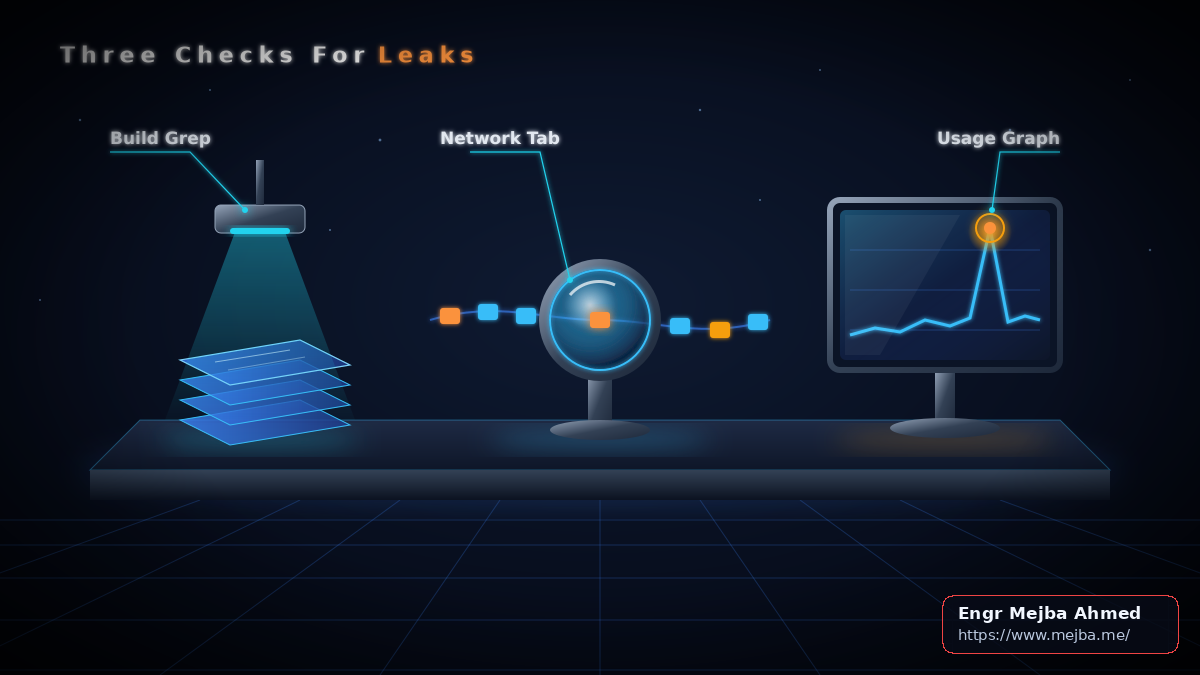
The following checklist is a design recommendation built on the documented behavior above. Run all three checks, because each catches a different failure.
1. Search the build output for the key value, not the variable name. Run a fresh next build, then search the static output for a distinctive substring of the actual key:
grep -rF "a-distinctive-part-of-your-key" .next/static
Searching for the value matters because the Next.js guide notes that dynamic lookups are not inlined. Code such as process.env[varName] or const env = process.env; env.NEXT_PUBLIC_X behaves differently from a direct reference, so grepping your source for NEXT_PUBLIC_OPENAI can miss cases or flag code that never reaches the bundle. The build output is what visitors download, so search there. Also search your git history and any public repository mirrors for the same substring.
2. Watch the Network tab. Open the deployed app, open DevTools, and filter requests by api.openai.com and api.anthropic.com. Any request to those hosts that originates from the browser means the browser holds a credential. For Claude, the Claude API overview lists an Authorization: Bearer <token> header, with x-api-key as a still-supported legacy fallback, so inspect request headers for either one. If your secure setup is working, the browser should only call your own endpoint, such as /api/chat.
3. Check provider usage. Review usage and spend in the OpenAI and Claude consoles for traffic you cannot explain, such as activity outside your user base's hours or volumes far above your own testing.
If any check fails, treat the key as compromised. Do not wait for proof of abuse; fixing the code and rotating the key are both required, and the next two sections cover them in that order.
Move the model call into a Route Handler
The fix is to make the browser talk to your server, and only your server talk to the model provider. Route Handlers let you create custom request handlers for a route using the Web Request and Response APIs, and POST is one of the supported methods, per the route.js reference. The environment variables guide confirms that variables loaded from .env are available to Route Handlers in the Node.js environment.
The Next.js data security guide adds two guardrails. Secret keys should be stored in environment variables, but only the Data Access Layer should access process.env. And marking a module with import 'server-only' causes a build error if that module is imported in the client environment. Combined, they give you this structure:
// lib/llm.ts
import 'server-only'

const apiKey = process.env.ANTHROPIC_API_KEY // no NEXT_PUBLIC_ prefix

export async function generateReply(prompt: string): Promise<string> {
  if (!apiKey) throw new Error('ANTHROPIC_API_KEY is not set')
  // Call your provider SDK here with apiKey.
  // Request body and model parameters: follow the SDK docs.
  throw new Error('generateReply: provider call not implemented')
}

// app/api/chat/route.ts
import { generateReply } from '@/lib/llm'
import { getCurrentUser } from '@/lib/auth' // your existing auth helper

const MAX_PROMPT_CHARS = 4000

export async function POST(request: Request) {
  const user = await getCurrentUser()
  if (!user) return Response.json({ error: 'Unauthorized' }, { status: 401 })

  const body = await request.json().catch(() => null)
  const prompt = typeof body?.prompt === 'string' ? body.prompt.trim() : ''
  if (!prompt || prompt.length > MAX_PROMPT_CHARS) {
    return Response.json({ error: 'Invalid prompt' }, { status: 400 })
  }

  const reply = await generateReply(prompt)
  return Response.json({ reply })
}
The decision logic runs in a fixed order: reject anonymous callers with 401, reject missing or oversized prompts with 400, and only then spend money on a model call. The provider call is left as a stub on purpose; fill it in with your SDK's documented request format. For background, see OpenAI SDK vs Anthropic SDK: API Patterns Compared.
On the client, replace the direct provider call with fetch('/api/chat', { method: 'POST', body: JSON.stringify({ prompt }) }) and read reply from the JSON response. Then delete the NEXT_PUBLIC_ variable entirely, rename it without the prefix in your hosting environment, rebuild, and rerun the grep from the previous section. It should return nothing.
If someone later imports lib/llm.ts into a 'use client' component, the server-only import turns that mistake into a build error instead of a silent leak. That is the main reason to keep the key read inside the helper rather than scattered across route files.
There is a tradeoff. Your key is now hidden, but /api/chat is a public endpoint that anyone can POST to. Moving the call server-side converts a stolen-key problem into an endpoint-abuse problem. That is why the handler checks the session and validates input before calling the model, and why every route.ts deserves the same review you would give any other API surface. Failure case to watch for: a handler that checks auth but accepts unlimited prompt length still lets one logged-in user run up a large bill. The length cap and the limiter below close that gap.
Rotate the key, then cap the blast radius
Shipping the Route Handler stops future leaks. It does not invalidate the key that already escaped. Anyone who copied it from an old bundle can still use it directly against the provider, bypassing your app completely. Rotation is mandatory.
The OpenAI production best practices guide documents the order: before a key expires, create a replacement, update your applications to use it, and revoke the old key once you have verified that the replacement works. Applied to a leak:
- Create a new key in the provider console.
- Set it as a server-only variable (no prefix) in your hosting environment.
- Deploy the Route Handler version and confirm the chat feature works.
- Revoke the leaked key.
- Rerun the three leak checks against the new deployment.
Revoking last avoids downtime, but keep the gap between steps 1 and 4 short, because the leaked key stays usable until revocation. If you see active abuse, revoke immediately and accept a brief outage.
For Claude, the Claude API overview states that keys are created in the Console and that you choose each key's type and expiration when you create it. Pick an expiration rather than a key that never expires. The same page recommends using workspaces in the Console to separate environments and control spend by use case, so a development key cannot drain production budget. OpenAI likewise strongly recommends setting an expiration date on project API keys and a regular rotation process.
Next, cap what any future mistake can cost. OpenAI documents hard spend limits: they stop affected API traffic when tracked spend reaches the limit, and the guide advises reviewing the spend limits documentation before enabling one in production. A hard cap can take your feature offline, which is usually preferable to an unbounded bill.
Finally, limit each user. The data security guide suggests considering rate limiting for expensive operations to prevent abuse. Next.js does not provide a built-in per-user limiter for this, so the following is a design recommendation, not a documented API: a fixed window of 10 requests per user per 60 seconds.
// lib/rate-limit.ts — design recommendation, not a Next.js API
import 'server-only'

const WINDOW_MS = 60_000
const MAX_REQUESTS = 10
const hits = new Map<string, { count: number; windowStart: number }>()

export function allowRequest(userId: string, now = Date.now()): boolean {
  const entry = hits.get(userId)
  if (!entry || now - entry.windowStart >= WINDOW_MS) {
    hits.set(userId, { count: 1, windowStart: now })
    return true
  }
  if (entry.count >= MAX_REQUESTS) return false
  entry.count += 1
  return true
}

// In app/api/chat/route.ts, right after the auth check:
// if (!allowRequest(user.id)) {
//   return Response.json({ error: 'Too many requests' }, { status: 429 })
// }
Place the check after authentication so you key the limit on a real user ID, and before prompt validation and the model call so rejected requests cost nothing. The limiter returns 429 once a user exceeds 10 requests in the current window.
The important caveat: this Map lives in the memory of one server process. On serverless platforms or multiple instances, each instance keeps its own counts, so a user can exceed the limit by spreading requests across instances, and counts reset on cold starts. Treat it as a first layer for a single-instance MVP. For multi-instance deployments, move the counter to a shared store with atomic increments. For background, see API Rate Limits, RPM, and TPM Explained.
FAQ
Is NEXT_PUBLIC_ ever acceptable for an OpenAI or Claude key?
No. Any NEXT_PUBLIC_ value is inlined into the JavaScript sent to the browser at build time, so it is readable by every visitor.
Does deleting the variable fix a site that is already deployed? No. Built bundles keep the frozen value, and copied keys keep working. Rebuild without the variable and rotate the key.
Can I use Server Actions instead of a Route Handler? Yes, but the data security guide notes that an exported Server Action is reachable via a direct POST request, not only through your UI. Check authentication and validate input inside every action.
Do I need server-only in route.ts itself?
Put it in the shared helper modules that read process.env. Those are the files most likely to be imported into a client component by accident, and the import turns that into a build error.
Your leak-fix checklist for this week
Run the build-output grep, the Network tab check, and the provider usage review today. If any of them shows the key, create a replacement, deploy the Route Handler with the server-only helper, verify it works, and revoke the old key. Then add the length cap, the per-user limiter, and a provider spend limit, and rerun the grep after every future build that touches environment variables.
Planning this for a production app? See Custom AI Web App & SaaS MVP — Next.js, OpenAI & Claude.