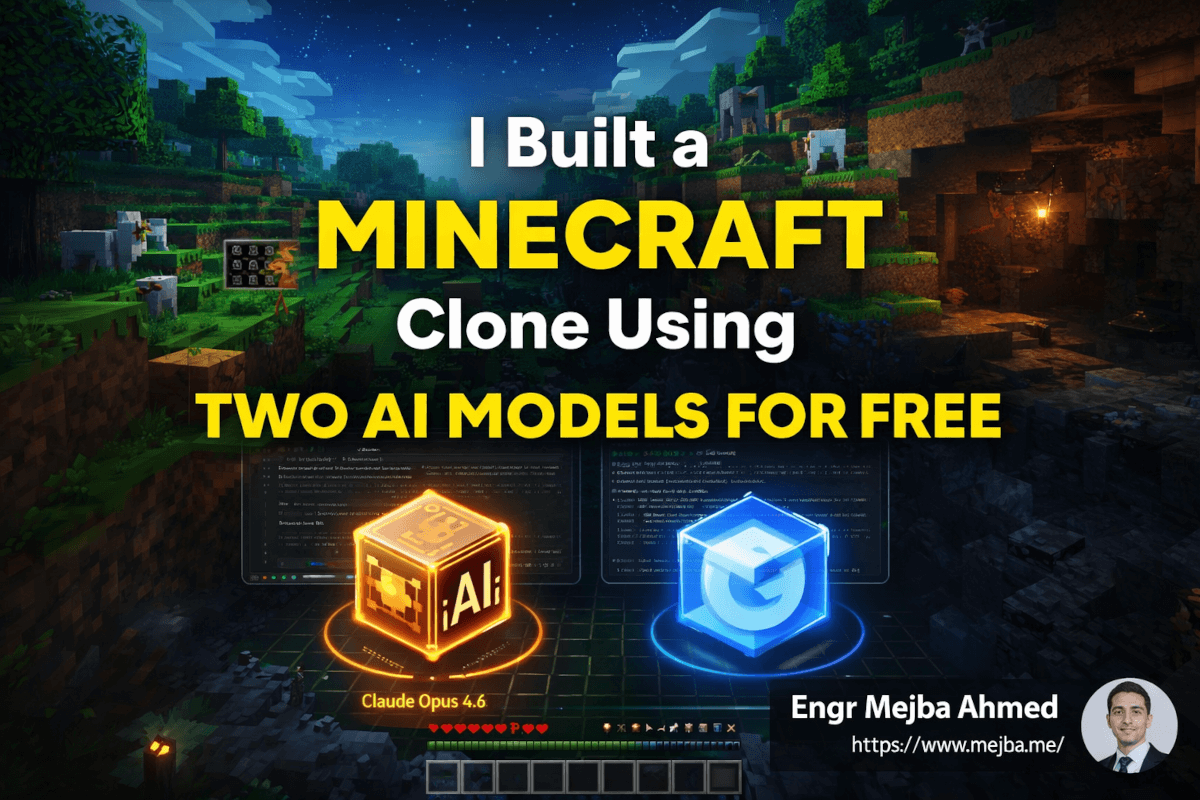
I watched Claude Opus 4.6 spend four minutes writing a 3,000-word implementation plan for a fully functional 3D Minecraft clone — complete with infinite terrain generation, a working inventory system, procedural cave networks, and mob AI. Then I handed that plan to Gemini 3.1 Pro and watched it code the entire thing.
The result had survival mode, creative mode, sheep wandering across procedurally generated landscapes, diamond ore hidden in underground cave systems, and a health bar that actually depleted when I walked into lava. A playable, immersive 3D game built by two AI models working in sequence, orchestrated through a free IDE, on a Tuesday afternoon.
This wasn't supposed to work this well.
I've been experimenting with multi-model workflows for months — using different AI models for different stages of a project based on their strengths. Most of the time, the results are incremental improvements. Slightly better code here, slightly faster iteration there. But this particular combination — Opus for strategic thinking, Gemini for execution, running inside Google's Anti-gravity IDE — produced something that genuinely surprised me. And the whole thing cost almost nothing because the IDE is free.
Here's the part that keeps nagging at me though: the workflow only works if you understand why each model excels where it does and where it falls apart. Because when you get the division of labor wrong, the output goes from impressive to incoherent fast. I learned that the hard way before I learned it the right way, and the difference came down to one insight about how these models think differently.
Why One AI Model Isn't Enough Anymore
Six months ago, I would have picked my favorite model and used it for everything. Claude for planning AND coding. Or Gemini for research AND implementation. Single model, single workflow, simple.
That approach has a ceiling, and I hit it repeatedly on complex projects.
The problem isn't that any single model is bad. The problem is that the qualities that make a model exceptional at strategic planning are often at odds with the qualities that make it fast and cost-effective at execution. Deep reasoning is slow and expensive. Rapid code generation is fast and cheap but prone to architectural drift.
It's the same reason a real software team has both architects and developers. You wouldn't ask your senior architect to personally write every line of CSS. You wouldn't ask a junior developer to design the system architecture for a distributed application. Different cognitive modes, different strengths, different roles.
AI models have reached the same inflection point. Opus 4.6 thinks like a senior architect — methodical, thorough, expensive per token, and capable of holding enormous context in working memory. Gemini 3.1 Pro thinks like a fast, capable developer — excellent at translating clear specs into working code, strong on visual and UI tasks, and running at a fraction of the cost.
The question isn't "which model is better?" The question is "which model for which job?" And once I stopped treating that as a philosophical debate and started treating it as a practical workflow design problem, everything changed.
The Minecraft clone was my stress test for this idea. A project complex enough to expose weaknesses in either model, yet concrete enough to produce a visible, testable result. And I needed a free tool to orchestrate the handoff between models without building custom pipelines.
That's where Anti-gravity entered the picture.
Anti-gravity IDE — The Free Orchestration Layer
Google's Anti-gravity IDE is a free, agentic development environment that runs in your browser with nothing more than a Google account. I was skeptical when I first heard about it — "free" and "powerful" don't usually share a sentence in the AI tools space.
But the value proposition is real. Anti-gravity gives you two operational modes that map perfectly to the dual-model workflow:
Thinking Mode — designed for planning, reasoning, and architectural design. This is where Opus 4.6 lives. You feed it a project description, and it produces detailed implementation plans, system architecture docs, file structure specifications, and strategic recommendations. It takes its time. It's thorough. And it uses that massive context window to hold your entire project scope in memory while reasoning about dependencies and edge cases.
Fast Mode — designed for code execution, rapid iteration, and building. This is Gemini's territory. Once you have a plan, Fast Mode translates it into working code with impressive speed. Gemini handles front-end generation, game logic, UI components, and project setup without requiring constant hand-holding.
The IDE also supports human-in-the-loop review, which means you can approve or redirect the AI's output at each stage. For a complex project like a game, this matters — you want to catch architectural deviations early before they propagate through the codebase.
One honest caveat: the free tier has rate limits. I hit them twice during the Minecraft build and had to wait about fifteen minutes each time before continuing. If you're impatient, you can use an OpenCode extension or just plan your sessions around the limits. The constraint is real but manageable — and the fact that you're getting Opus-level planning and Gemini-level execution for zero dollars makes the occasional pause easy to accept.
Now, here's the workflow that produced a playable Minecraft clone. And more importantly — here's why each step matters.
Step One: Let Opus Think (Don't Rush This)
The biggest mistake I made on my first attempt was giving Opus a vague prompt. "Build a Minecraft clone" produced a plan that was too generic — high-level architecture without the specificity Gemini needed to execute accurately.
On the second attempt, I got specific. My prompt to Opus in Thinking Mode looked something like this:
"Design a comprehensive implementation plan for a browser-based 3D Minecraft clone. Include: system architecture with component relationships, complete tech stack recommendations, game engine structure, folder and subfolder organization, detailed game mechanics including block placement, inventory system, health system, lighting and shadows, mob AI with at least three creature types, procedural terrain generation using chunk-based loading with persistence, cave system generation with ore distribution, and both survival and creative game modes. Output the plan in structured markdown with clear sections and subsections."
Opus took about four minutes. What it returned was a document I'd genuinely be proud to present in an architecture review. The plan covered:
- System architecture with clear component boundaries and data flow diagrams described in text
- Tech stack selection with rationale for each choice (Three.js for rendering, specific noise algorithms for terrain generation)
- File structure — not just top-level folders, but nested organization with each file's responsibility documented
- Game mechanics specifications — block placement and removal with collision detection, inventory slots with drag-and-drop, health system tied to environmental hazards and mob damage
- Terrain generation algorithm — chunk-based infinite terrain with configurable biomes, cave network generation using 3D Perlin noise, and ore distribution rules based on depth
- Mob behavior trees — patrol patterns, player detection radius, passive versus hostile logic
- Lighting model — dynamic shadows based on sun position, torch-based local lighting in caves
This is what I mean when I say Opus thinks like a senior architect. The plan wasn't a loose outline. It was a buildable specification. Every section had enough detail that a competent developer — or a fast AI model — could implement it without guessing at the intent.
I saved the plan as a markdown file. That file became the bridge between Opus's thinking and Gemini's execution.
Here's the critical insight that makes this workflow succeed or fail: the quality of Opus's plan directly determines the quality of Gemini's output. A vague plan produces hallucinated code. A detailed plan produces coherent implementation. The bottleneck isn't the coding model — it's the planning model. Invest your time here.
Step Two: Let Gemini Build (And Stay Out of Its Way)
With the implementation plan loaded, I switched Anti-gravity to Fast Mode and pointed Gemini 3.1 Pro at the spec.
Gemini's strengths showed up immediately. The project setup phase — creating the folder structure, initializing configuration files, setting up the build pipeline — took under two minutes. Clean, organized, matching the spec exactly.
The game development phase was where things got interesting. Gemini worked through the plan section by section:
Terrain generation came first. Gemini implemented chunk-based loading with procedural height maps, and the result was genuinely impressive — rolling hills, flat plains, mountain formations, all generated infinitely as the player moved through the world. The chunk loading was smooth enough that you could walk in any direction without visible generation lag.
Block mechanics followed. Precise placement and removal with collision detection, material types with different properties, and a cursor system that highlighted the targeted block face. This is where Gemini's front-end strength shone — the visual feedback was immediate and satisfying.
The inventory system required more back-and-forth than I expected. Gemini's first implementation was functional but visually rough. I prompted a refinement pass with specific UI references from the plan, and the second iteration was significantly better — grid-based slots, item stacking, drag-and-drop between slots.
Cave systems were the technical highlight. Gemini translated Opus's 3D Perlin noise specification into working cave generation that produced genuinely explorable underground networks. Diamond ore spawning at lower depths, coal near the surface, lava pools at the bottom — all matching the distribution rules from the plan.
Mob AI produced my favorite moment. Sheep wandering across grassy terrain, baby chickens hopping around near water, and hostile mobs in cave systems. The behavior trees from Opus's spec were simple but effective — mobs patrolled, detected the player within a radius, and responded according to their type.
The entire implementation phase took roughly 40 minutes of Gemini execution time, spread across several sessions (remember those rate limits). My involvement was mostly review — approving generated code, occasionally redirecting when Gemini drifted from the spec, and testing features as they came online.
If you've been following along and you're wondering whether this actually produced something playable — yes. Genuinely playable. Not polished-game playable, but demo-quality playable. Enough to explore, mine, build, encounter mobs, and die in lava.
Where It Worked and Where It Didn't
I need to be honest about the imperfections, because they reveal important things about the limits of this workflow.
What worked well:
- Core game loop — movement, block interaction, inventory — was solid and responsive
- Terrain generation was the standout feature; the infinite world felt convincing
- Cave systems with ore distribution created genuine exploration motivation
- The health system worked correctly — environmental hazards and mob damage both reduced health, and lava was appropriately fatal
- Sound integration added an ambient soundtrack that elevated the whole experience
- The dual-mode workflow itself proved the concept: planning and execution are different cognitive tasks that benefit from different models
What didn't quite land:
- Ocean biomes generated as blocky, uniform sections without the organic variation of land terrain. Opus's plan specified wave simulation, but Gemini's implementation was too simplistic
- Trees sometimes generated without leaf blocks — trunks standing bare in a forest, which looked eerie rather than natural
- Minor visual inconsistencies where chunk boundaries met, creating visible seams in certain lighting conditions
- Some mob pathfinding issues: sheep occasionally walking into water and getting stuck, chickens clipping through blocks
These imperfections share a common cause: they're all cases where Gemini's implementation simplified or misinterpreted a detail from Opus's plan. The plan specified organic ocean generation; Gemini defaulted to a simpler grid-based approach. The plan specified full tree models with leaf canopy algorithms; Gemini occasionally skipped the canopy pass.
This is the fundamental trade-off of using a fast execution model: speed comes at the cost of precision on edge cases. Gemini nails the 85% that's straightforward. The remaining 15% — the nuanced details, the edge cases, the aesthetic polish — either needs human intervention or a refinement pass with a more careful model.
Which brings me to the optional but powerful third step.
Step Three: Bring Opus Back for Refactoring
After the initial build, I selectively fed problematic code sections back to Opus 4.6 for debugging and refactoring. Not the entire codebase — that would be expensive and unnecessary. Just the modules where Gemini's implementation had visible issues.
The ocean generation module went to Opus with the prompt: "This terrain generation code produces blocky ocean sections. The specification calls for organic shoreline variation and wave-like surface displacement. Refactor to match the spec while maintaining chunk-loading performance."
Opus returned a refactored module that replaced the flat grid water with a noise-based surface displacement algorithm. The oceans still weren't photorealistic, but they went from "obviously wrong" to "stylistically appropriate for a voxel game." That's the bar we're aiming for.
The tree generation fix was similar — Opus identified that Gemini had implemented trunk generation and leaf generation as independent passes that occasionally desynchronized. The fix was a unified generation function that guaranteed every trunk got its canopy. Elegant, specific, and exactly the kind of surgical debugging that Opus excels at.
This three-phase workflow — Opus plans, Gemini executes, Opus refactors — maps cleanly to how high-performing development teams already work. Architect designs, developer builds, senior engineer reviews and refines. The difference is that the entire cycle happens in an afternoon instead of a sprint.
The Cost Math That Makes This Compelling
Let me break down the economics, because this is where the dual-model approach really justifies itself.
Opus 4.6 is expensive. There's no getting around it. The depth of reasoning and the massive context window come at a premium. If I'd used Opus for both planning AND coding the Minecraft clone, the token cost would have been substantial — and the coding would have been slower than Gemini because Opus prioritizes thoroughness over speed.
Gemini 3.1 Pro runs at roughly 7-8x lower cost per token than Opus. For execution tasks — the bulk of the token consumption in any coding project — that cost difference is enormous.
By using Opus only for planning (maybe 15% of total tokens) and Gemini for execution (the other 85%), the overall cost drops dramatically while the output quality stays high. The plan provides the guardrails that keep Gemini's output architecturally sound, and Gemini's speed keeps the project moving without burning through budget.
Inside Anti-gravity's free tier, much of this cost is absorbed entirely. I paid nothing for the planning sessions and nothing for the execution sessions. The rate limits were the only friction, and they were manageable.
Even outside the free tier, the math works. Strategic Opus usage for high-leverage planning tasks, paired with Gemini execution for volume coding, is the most cost-effective way I've found to build complex projects with AI assistance.
Pro tip: Don't use Opus for tasks Gemini handles well. File setup, boilerplate generation, CSS styling, component scaffolding — these are Gemini's sweet spot. Save Opus for architectural decisions, complex debugging, and situations where the AI needs to reason about system-wide implications. The cost savings compound fast.
How to Run This Workflow Yourself
Here's the practical setup, step by step.
1. Get Anti-gravity IDE access. Sign in with your Google account at Google's Anti-gravity page. The free tier gives you access to both Thinking Mode (Opus) and Fast Mode (Gemini). No credit card required.
2. Start in Thinking Mode. Write a detailed project prompt. Be specific about architecture, features, file organization, and technical requirements. The more detail you provide, the better the plan. Don't say "build an app." Say exactly what the app does, how it's structured, and what technologies to use.
3. Save the implementation plan. Opus will generate a comprehensive markdown document. Save it — this is your project's source of truth. Every subsequent prompt to Gemini should reference this plan.
4. Switch to Fast Mode. Feed the implementation plan to Gemini and instruct it to execute section by section. Review output at each stage. Approve what works, redirect what doesn't.
5. Test continuously. Don't wait until the end to test. As Gemini completes each feature module, test it. Catch deviations early.
6. Refactor selectively with Opus. When you find modules that need deeper fixes, switch back to Thinking Mode. Give Opus the specific code and the relevant section of the original plan. Let it refactor surgically.
Common pitfalls to avoid:
- Vague planning prompts — the most common failure mode. If Opus's plan is vague, Gemini will hallucinate details. Garbage in, creative garbage out.
- Not reviewing Gemini's output — the human-in-the-loop review isn't optional for complex projects. Gemini can drift from the spec, especially on nuanced features.
- Using Opus for everything — tempting because the output quality is so high, but the speed and cost penalties don't justify it for routine coding tasks.
- Ignoring rate limits — if you hit a free-tier limit, take the break. Use it to review what's been generated so far. The forced pause is often productive.
What This Means for How We'll Build Software
I want to zoom out for a moment, because building a Minecraft clone is fun but the implications of this workflow extend far beyond game development.
The dual-model pattern — strategic planner plus efficient executor — is a general-purpose software development workflow. I've since used it for a dashboard application, an API service, and a data pipeline. Same structure every time: Opus architects, Gemini builds, Opus refines. The project type doesn't matter. The workflow transfers.
What's genuinely new here isn't that AI can write code. We've had that for two years. What's new is that different AI models can collaborate on the same project, each contributing their specific strength, orchestrated through a free tool that anyone with a Google account can access.
Twelve months ago, this workflow would have required custom API integrations, token management scripts, and significant engineering overhead just to pass context between models. Now it requires clicking two buttons in an IDE.
I'm not going to pretend this is perfect. Gemini still hallucinates. Opus is still expensive when you use it heavily. The free tier has real limitations. And the human in the loop — reviewing, testing, redirecting — remains essential. This isn't "AI builds your project while you sleep." This is "AI handles the mechanical 70% while you focus on the creative and strategic 30%."
But that 70% is where most of the time goes. And reclaiming it changes what a single developer can accomplish in a week.
My Minecraft clone has blocky oceans and occasional leafless trees. A few months ago, I wouldn't have had a Minecraft clone at all. I'd have had a README file and a half-finished terrain generator I abandoned after the third evening because the scope was too large for one person.
The scope hasn't changed. What changed is that "one person" now means one person plus an architect who never gets tired and a developer who never loses context.
Open Anti-gravity tonight. Give Opus a project you've been putting off because it felt too ambitious for a solo build. Read the plan it generates. Then let Gemini start building.
You might be surprised what shows up on your screen by the end of the week.
What the Experiment Proves
A Minecraft clone AI models free build isn't about the game — it's proof that two coordinated models can ship something real for nothing. The workflow transfers to serious projects. My Gemini replacing workflows and the two-app agent test go deeper.
If you want a multi-model build pipeline configured, that's something I do through Ramlit.