


Your AI-built Next.js app runs fine on localhost, then the VPS answers with 502 Bad Gateway or serves pages with no CSS. This guide shows you how to deploy Next.js to a VPS behind Nginx using standalone output, a systemd service and a release layout you can roll back, plus a fixed checklist for tracing a 502 to its cause.
The setup has three layers: a self-contained Node server built by Next.js, a process manager that keeps it alive with the right environment, and Nginx in front. Most 502s come from a mismatch between two of those layers, so each section ends with the specific thing that breaks when it is wrong.
Build with output: 'standalone' and ship it as an immutable release
Setting output: 'standalone' in next.config.js makes next build create a folder at .next/standalone that "can then be deployed on its own without installing node_modules", according to the Next.js output documentation. That folder also contains a minimal server.js you can run instead of next start.
The catch that produces unstyled pages: the minimal server does not copy public or .next/static by default, because the docs expect a CDN to handle them. If you copy them into standalone/public and standalone/.next/static, server.js serves them automatically. The documented command is cp -r public .next/standalone/ && cp -r .next/static .next/standalone/.next/, run after next build.
Two more build-side caveats from the same page:
- Monorepos. The project directory is the tracing root by default. For
next build packages/web-app, files outsidepackages/web-appare not included. SetoutputFileTracingRoot(for examplepath.join(__dirname, '../../')) so shared packages end up in the bundle. In a monorepo, check whereserver.jslands inside.next/standalonebefore you write the service file. - Windows builds. If standalone generation falls back to a junction point on Windows, that output stores an absolute target and is not relocatable. Build on Linux or in CI when the output will be copied to a server.
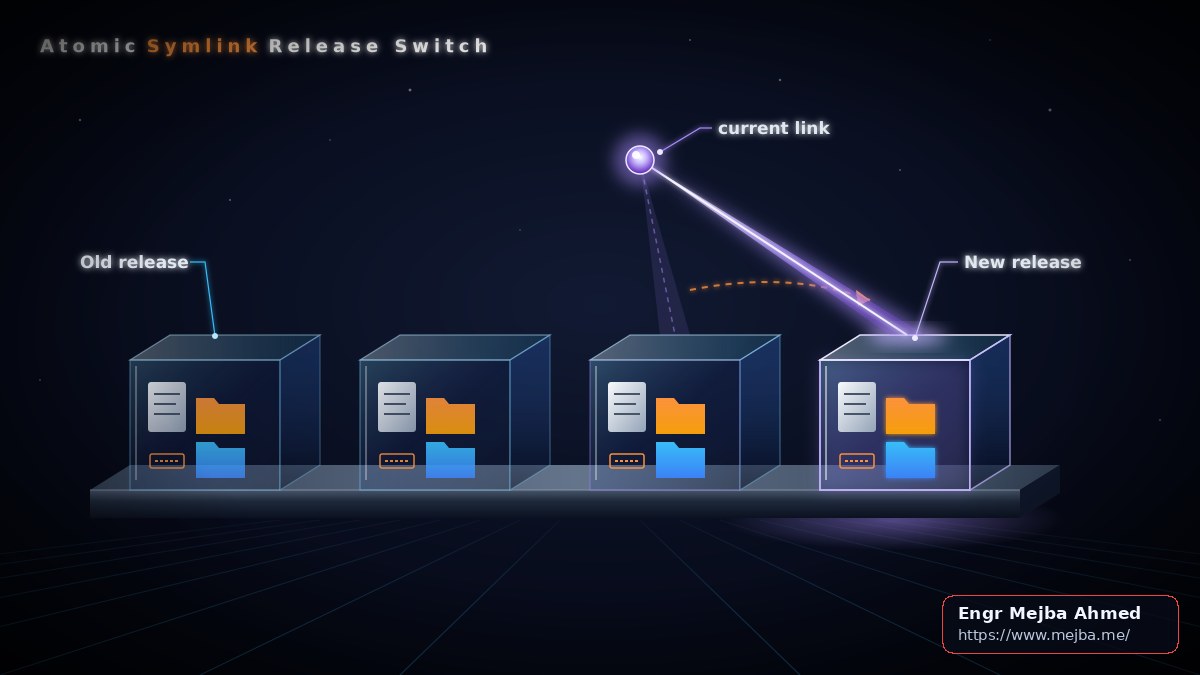
The deploy order below is an original recommendation, not something the Next.js docs prescribe. Each release goes into a new directory, and a symlink decides which one is live:
#!/usr/bin/env bash
# ORIGINAL RECOMMENDATION: release-directory deploy, not from the Next.js docs
set -euo pipefail
ID=$(date +%Y%m%d%H%M%S)
HOST=deploy@your-vps

# 1. Build and copy static/public on the build machine
npm ci
npx next build
cp -r public .next/standalone/
cp -r .next/static .next/standalone/.next/

# 2. Upload into a NEW release directory, never the live one
ssh "$HOST" "mkdir -p /srv/app/releases/$ID"
rsync -a .next/standalone/ "$HOST:/srv/app/releases/$ID/"

# 3. Switch the symlink atomically, then restart so Node loads the new code
ssh "$HOST" "ln -sfn /srv/app/releases/$ID /srv/app/current.tmp \
  && mv -Tf /srv/app/current.tmp /srv/app/current \
  && sudo systemctl restart app"

# 4. Proposed health check against the local port
ssh "$HOST" "curl -fsS --retry 5 --retry-connrefused --retry-delay 1 \
  -o /dev/null http://127.0.0.1:3000/"
Why not rsync straight into the live directory? A running Node process keeps the code it loaded at startup. Overwriting files underneath it means the old process can reference chunks that were just deleted or replaced, and the new code never runs until a restart anyway. Writing a temporary symlink and renaming it with mv -T replaces current in one step, so the service never sees a half-copied release.
Rollback uses the same mechanism: point current at the previous release directory and run systemctl restart app again.
Tradeoffs: keeping old releases costs disk space, so prune all but the last few. Serving .next/static through Node is simple but spends server time on files Nginx or a CDN could serve; the copy step is the minimum that works, not the most efficient option. For background, see How to Deploy Laravel Projects to Production Automatically Using GitHub Actions.
Run server.js under systemd with the right environment variables
The output docs state that you can define PORT or HOSTNAME before running server.js, for example PORT=8080 HOSTNAME=0.0.0.0 node server.js. On a VPS behind Nginx, bind to 127.0.0.1 instead, so only local processes such as Nginx can reach the Node server.
The unit file below is an original configuration recommendation, not Next.js documentation:
# /etc/systemd/system/app.service
# ORIGINAL RECOMMENDATION, not from the Next.js docs
[Unit]
Description=Next.js standalone server
After=network.target

[Service]
User=app
WorkingDirectory=/srv/app/current
ExecStart=/usr/bin/node server.js
Environment=NODE_ENV=production
Environment=PORT=3000
Environment=HOSTNAME=127.0.0.1
EnvironmentFile=/etc/app/app.env
Restart=on-failure
KillSignal=SIGTERM
TimeoutStopSec=30

[Install]
WantedBy=multi-user.target
Confirm the Node path with command -v node and adjust ExecStart if it differs. Set HOSTNAME explicitly in the unit rather than trusting the inherited environment, since many Linux setups use that variable for the machine name. After starting, confirm the bind address with ss -ltnp | grep 3000.
KillSignal and TimeoutStopSec follow the Next.js self-hosting guide: stop the server with SIGINT or SIGTERM and wait, because Next.js finishes in-flight requests and pending after() callbacks before exiting. The guide recommends a configurable drain period of 10 to 30 seconds.
The environment split matters more than most deploy guides admit. Per the Next.js environment variables guide:
| Variable type | When it is read | Where to set it |
|---|---|---|
NEXT_PUBLIC_* |
Frozen at next build, inlined into browser JavaScript |
Build machine environment |
Server-only (DATABASE_URL, API keys) |
At runtime during dynamic rendering | /etc/app/app.env |
Putting NEXT_PUBLIC_API_URL in app.env changes nothing in the client bundle. Server-only values, on the other hand, can be read at runtime in code that renders dynamically, such as after await connection() as the docs show. New values in app.env take effect only after systemctl restart app, which is why the deploy script always restarts. For background, see Is Your OpenAI or Claude API Key in the Browser? Fixing NEXT_PUBLIC_ Leaks in AI-Built Next.js MVPs.
systemd plays the same role here that a dedicated process manager plays for queue workers. For a comparison, see How to Set Up Supervisor for Laravel Redis Queues on Amazon Linux 2023.
Proxy through Nginx without breaking headers or streaming
The self-hosting guide recommends a reverse proxy such as nginx in front of the Next.js server, so the proxy handles malformed requests, slow connection attacks, payload limits and rate limiting.
Three details from the nginx proxy module documentation shape the config:
- By default, nginx does not pass the original
HostandConnectionheaders to the upstream. The docs suggest$hostwhen you passHostexplicitly. - Since nginx 1.29.7,
proxy_http_versiondefaults to 1.1; before that it was 1.0. Distro packages often ship older builds, so set it explicitly. - Response buffering is on by default. The
X-Accel-Bufferingresponse header can switch it per response, unlessproxy_ignore_headersdisables that.
# log_format belongs in the http context
log_format upstreamlog '$remote_addr "$request" $status '
                       'upstream=$upstream_addr ustatus=$upstream_status';

server {
    listen 80;
    server_name example.com;
    access_log /var/log/nginx/app.access.log upstreamlog;
    error_log  /var/log/nginx/app.error.log;

    location / {
        proxy_pass http://127.0.0.1:3000;
        proxy_http_version 1.1;
        proxy_set_header Host $host;
        proxy_set_header X-Real-IP $remote_addr;
        proxy_set_header X-Forwarded-For $proxy_add_x_forwarded_for;
        proxy_set_header X-Forwarded-Proto $scheme;
    }
}
The proxy_pass address must match HOSTNAME and PORT in the unit exactly. Test with nginx -t before reloading.
For streaming and Suspense, the self-hosting guide says nginx buffering must be disabled, and shows a headers() entry in next.config.js that sends X-Accel-Buffering: no. The alternative is proxy_buffering off; in a specific location. The tradeoff: the header approach keeps the decision in application code and lets you scope it by path, while turning buffering off in nginx for everything gives up the protection buffering offers against slow clients holding Node connections open. Scope it to the routes that stream. The guide also notes that any load balancer between the client and nginx must pass chunked responses through without buffering, and that Partial Prerendering depends on streaming working end to end.
One image caveat: the guide warns that Image Optimization on glibc-based Linux may need extra configuration to avoid excessive memory use. Watch memory on small VPS plans.
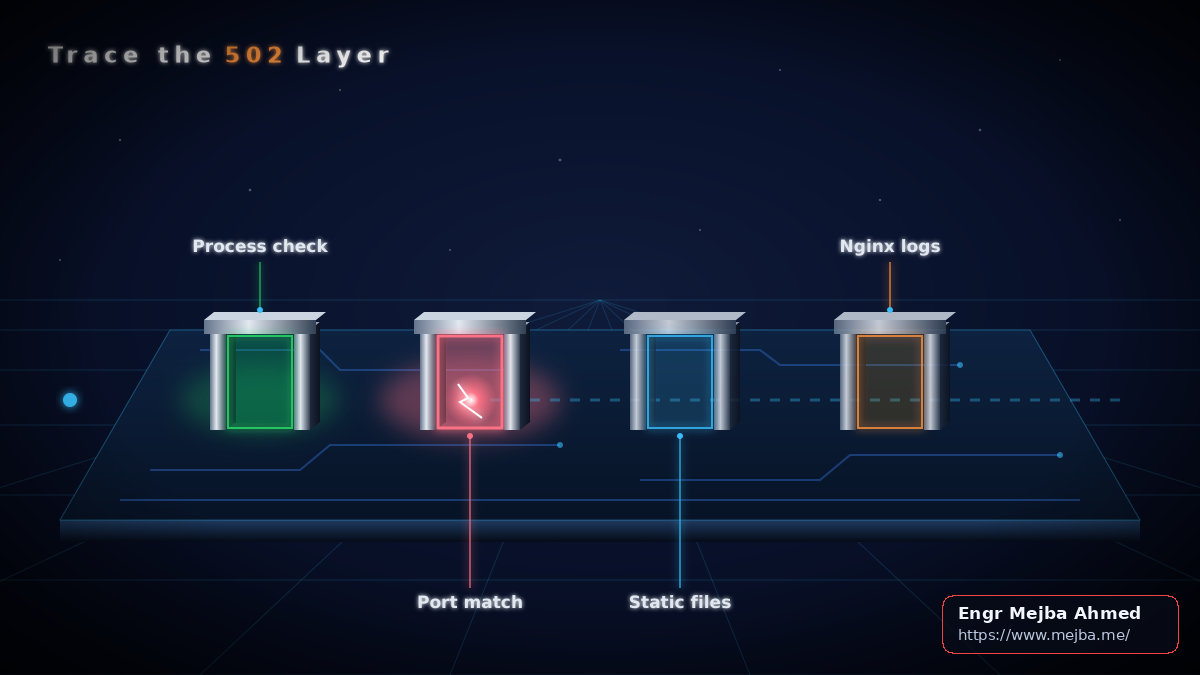
502 Bad Gateway triage checklist
Work through these in order; each one rules out a layer.
- Is the process running? Run
systemctl status appandjournalctl -u app -n 100. A loop of starts and exits meansRestart=on-failureis hiding a crash. - Do the port and bind address match? Compare
PORT/HOSTNAMEin the unit withproxy_pass. Usess -ltnpto see what is actually listening. A server on3001or bound to another interface looks like a dead upstream to nginx. - Are CSS and JS returning 404? That points to a skipped
cpstep before rsync. Check that/srv/app/current/.next/staticexists. - Does the process crash right after start with a missing module? In a monorepo, files outside the tracing root were not included. Set
outputFileTracingRoot, or useoutputFileTracingIncludesfor specific files the trace missed. - What does nginx record? Read
app.error.logand theustatus=field. The nginx upstream module documentation states that$upstream_statuskeeps 502 when a server cannot be selected. - Did the release actually load? A symlink switch without a restart leaves old code running. A changed
NEXT_PUBLIC_value without a rebuild leaves the old value in the browser.
As a proposed test, run curl -i http://127.0.0.1:3000/ on the VPS. If it works but the public URL returns 502, the fault is in nginx. If it fails, the fault is in Node or systemd. When a new release fails any check, point current back at the previous release and restart.
Hosted platforms fail differently; for contrast, see How to Fix “500 Internal Server Error” When Deploying a Next.js App to AWS Amplify.
FAQ
Should I use server.js or next start?
With standalone output, the docs describe server.js as a minimal server you can use instead of next start, and it needs no node_modules install on the server.
Why are my CSS and JS files 404 after deploying?
The standalone server does not include public or .next/static by default. Copy them into .next/standalone after the build, or serve them from Nginx or a CDN.
Can I change NEXT_PUBLIC_ values without rebuilding? No. They are frozen at build time and inlined into the browser bundle. Rebuild and redeploy.
Do I need Nginx at all? The Next.js self-hosting guide recommends a reverse proxy rather than exposing the server directly to the internet.
Why does my streamed page arrive all at once?
nginx buffers proxied responses by default. Send X-Accel-Buffering: no for those routes or disable proxy_buffering in that location.
Ship your first VPS deploy this week: a six-step runbook
- Enable
output: 'standalone', runnext build, and copypublicand.next/staticinto.next/standalone. - rsync the standalone folder into a new
/srv/app/releases/<id>directory. - Switch the
currentsymlink and runsystemctl restart app, with the unit bound to127.0.0.1:3000. - Add the Nginx server block with explicit
proxy_http_version 1.1,Host $hostand$upstream_statuslogging. - Run the proposed
curlchecks locally and through the public URL; if one fails, pointcurrentat the previous release and restart. - Keep the 502 checklist next to the unit file so the next failure starts at step one, not with guesswork.
Want this built into your product? See Linux Server Deployment & Troubleshooting.