The secret to automating YouTube b-roll is not better AI image generation. It is the filename. Once your audio has a timestamped transcript, a filename like 00-14-32.png stops being a label and becomes a placement instruction, because every video editor on earth sorts imported files alphabetically, and alphabetical order on timestamps is chronological order. That one detail collapses what used to be my three-hour b-roll hunt into about ten minutes of assembly, and it is the entire foundation of the workflow in this post.
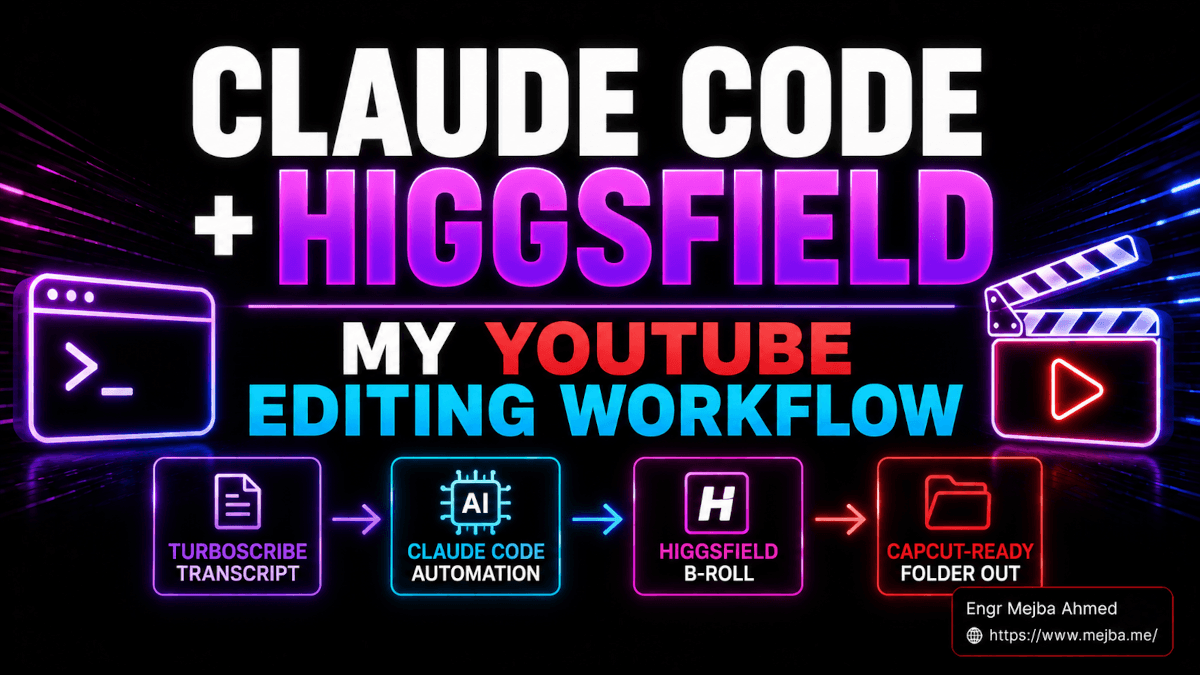
The stack is Claude Code as orchestrator, the Higgsfield skill bundle for generation, TurboScribe for the timestamped transcript, and CapCut for assembly. This is not a workflow I tried once for content: if you list my ~/.claude/skills directory today you will find higgsfield-generate, higgsfield-soul-id, and higgsfield-product-photoshoot sitting in it, and the b-roll batches they produce are in my published videos.
The Problem: B-Roll Is a Search Task Disguised as a Creative One
An honest time audit of my old editing day: recording, 40 to 90 minutes. Cutting the spoken track, an hour. Color and audio cleanup, another hour. B-roll hunting and placement, three to five hours. It was never close. B-roll dominated because it is structurally miserable: for every fifteen seconds of talking, you search a stock library for a shot that matches the idea, does not repeat your last six videos, and does not look like everyone else's footage. That is a retrieval problem, and humans are slow retrieval engines.
Generating images with AI inside an editor plugin did not fix it, because the images still arrived disconnected from the transcript, and placement remained manual. The fix had to link generation to time. Hence the filename.
The Stack and Who Owns What
Claude Code is the brain. It holds the transcript in context, decides what visual concept fits each timestamp, writes the Higgsfield prompt, calls the skill, and names every output file by its timestamp. It is the only layer that can do all four in one session, which is why no single-purpose tool replaces this pipeline.
Higgsfield is the image engine, driven through its skill bundle rather than a browser tab. The bundle installs with the Vercel Labs skills CLI (npx skills add higgsfield-ai/skills -a claude-code -g); note that it installs into ~/.agents/skills/ and symlinks from ~/.claude/skills/, which is worth knowing the day something stops triggering. Plans start around fifteen dollars a month with credit packs for burst weeks.
TurboScribe is the transcript layer. You upload your actual recorded audio, not your script, and get sentence-level timestamps back in a couple of minutes. The free tier covers three transcriptions a day at thirty minutes each.
CapCut is the assembly. It contributes exactly one feature: alphabetical import sorting plus waveform snap. That is all this workflow needs from an editor.
The Step Where Everyone Loses Their Timestamps
The TurboScribe stage has one trap I want to flag loudly, because it silently kills the whole pipeline: do not export the transcript as PDF. The PDF export strips or reformats timestamps depending on version, and you end up pasting a wall of plain text into Claude Code with no placement data.
What you want is the in-browser Show Timestamps toggle: turn it on, select all, copy, paste straight into Claude Code. The clipboard preserves the [00:14:32] markers, and those markers are the entire workflow. Audio, not script, is the source for the same reason: a script has word order but no real time.
The Master Prompt
This took more iteration than anything else in the stack, so here is my current baseline verbatim. Paste it into Claude Code, then paste the transcript underneath:
You have the Higgsfield image generation skill installed. I am
going to paste a timestamped transcript of a video I recorded.
For every timestamp marker in the transcript, generate ONE 16:9
image that visually represents what I am saying at that moment.

- Style: [STYLE WORD] — apply this consistently across the batch
- Name each file with the transcript timestamp, format
  HH-MM-SS.png (hyphens, not colons — colons break filenames on
  some operating systems)
- Save everything to a folder named broll-output/
- Generate sequentially, do not skip any timestamp

Before starting, tell me how many images you are about to
generate and an estimated Higgsfield credit cost. Wait for my
go-ahead.
The confirmation line is not politeness, it is billing control: a fifty-image batch is fifty billable generations, and you want to see that number before it happens, not after.
The Style Word Is the Biggest Lever
Change one word in the prompt and the same transcript produces a completely different visual identity. My rotation of four:
- Standard photo for tutorials, clean and unobtrusive.
- Da Vinci sketch for idea-driven videos: aged paper, line work, a thinker's-notebook feel.
- Watercolor cinematic for storytelling and build logs; soft without going mushy.
- 3D render for AI and infrastructure topics: octane-style lighting, product-reveal energy.
The trick the system enables: because filenames come from timestamps, re-running the batch with a new style word regenerates the entire video's visuals with identical placement. Same timeline, new identity, zero re-editing. I use the same skill bundle for entirely different jobs too, like landing page imagery, but the style-swap trick is unique to timestamped batches.
Assembly: Ten Minutes in CapCut
Drop your audio on the timeline. Drag the whole broll-output/ folder into the media panel. CapCut sorts the files alphabetically, which is chronologically, select all, add to timeline, and turn on snap so clip edges seat against the waveform. Walk the first few boundaries to catch half-second drift, overlay the talking-head video at 40 to 60 percent opacity on a second track, add a subtle paper texture if that is your look, and export.
For a thirty-minute video, that assembly pass takes me about ten minutes. Against the three-to-five hours it replaces, this is the number that justifies the whole article.
The Real Math From a Real Video
Calibration data from an actual thirty-two-minute recording, a tech tools roundup: TurboScribe processed the audio in about two and a half minutes and returned 63 timestamped segments. I ran the master prompt with standard photo. Claude Code confirmed 63 images and estimated 315 to 504 Higgsfield credits depending on model selection. Actual cost when the batch finished: 387 credits, comfortably inside the estimate and a small fraction of a mid-tier monthly allotment.
Total hands-on time from exported audio to uploaded video: roughly thirty minutes, plus about an hour of background processing I spent doing other work. Expect your first run to take double while you calibrate the style word and learn the CapCut pass; that tax disappears by video three. My fuller notes on the editing side live in the video editing workflow post.
What This Does Not Replace
Taste. The model picks a visual for each timestamp; whether it is the right visual is still your call, and I reject and regenerate a handful of images in every batch. The workflow also does nothing for your narrative structure, your cut rhythm, or your hook, and it should not touch talking-head segments where your actual presence is the content; that half of the production problem is a different pipeline, my HeyGen and ElevenLabs system. What this stack removes is the mechanical search-and-place labor. What it returns is the attention you should have been spending on the creative decisions all along.
The discipline that makes it stick is a single habit: every clip is named by its timestamp the moment it exists. Keep that and the folder assembles itself; lose it and you own a junk drawer.
The master prompt above earned its keep through dozens of iterations, and it is exactly the kind of pattern I collect: prompts engineered to be re-run, not admired. My prompt library has 854 more like it, free, organized by task, including the video and image generation sets this workflow grew out of. Start with the b-roll prompt, then go steal the rest.