A Claude Code website that the client cannot edit is not a product. It is a support contract you did not price in. I hand off client-editable sites for a living — my own platform runs on a CMS I built, and a large share of my client work is WordPress — so the "missing CMS layer" problem behind AI-generated sites is not a hypothetical for me. It arrives as a message, always polite, always small: "Can you change the phone number in the footer? Sorry to bother you!" Multiply that by ten clients and your beautiful custom builds have quietly rebuilt the freelance treadmill.
The design problem for AI-generated sites got solved. The "now the client needs to change a word" problem did not, and it is the thing that decides whether an AI web practice produces recurring revenue or recurring interruptions. There are three honest architectures for solving it, and having shipped versions of all three, I will give you the real tradeoffs instead of a stack pitch.
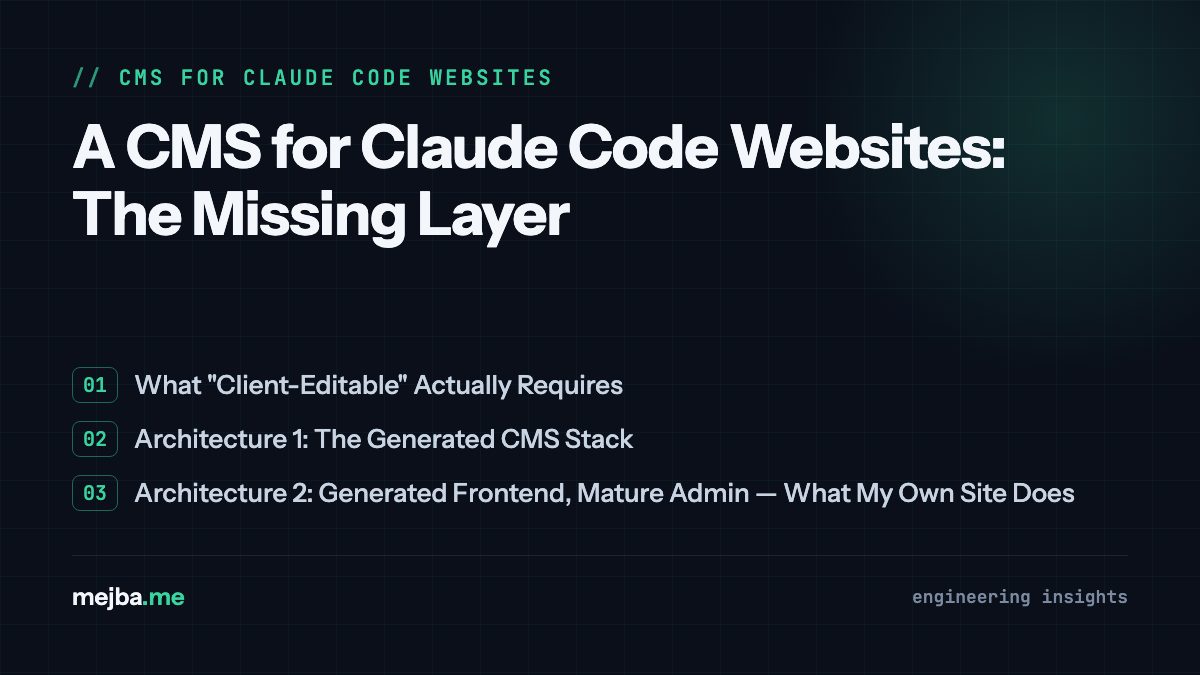
What "Client-Editable" Actually Requires
Before the architecture menu, the requirements — because most demos get the editing UI right and the boring parts wrong. Running my own CMS taught me that the editing interface is maybe a quarter of the problem. The rest is the write path:
Safe edit targets only. The client edits the headline, the price, the image slot — never the structural markup holding the design together. The goal, phrased properly: immutable to client destruction, still editable. Everything the client needs, nothing they can break.
A validated write path. On this site, nothing a human types reaches the page raw. Content passes through a processing service that detects Markdown versus HTML, renders it, and runs the output through HTMLPurifier before it is ever displayed. That layer exists because "the client pasted something from Word" is not an edge case; it is Tuesday. Any CMS you generate with Claude Code needs the equivalent, and generated version-ones usually skip it.
Cache invalidation wired to edits. My models have observers that bust the relevant caches — sitemap, content fragments — the moment a record saves. Without that, "I published the change and the site still shows the old text" becomes your most frequent support ticket. And here is a gotcha from my own production setup that no tutorial mentions: if you cache guest HTML at the edge or middleware level (I do, for speed), a client's edit can look invisible to logged-out visitors for minutes even when everything worked. The client edits, opens an incognito tab, sees stale content, and messages you in a panic. Decide your cache TTLs with the editing experience in mind, and tell the client how propagation works during handover. That one conversation prevents a dozen tickets.
Media handling that is not an afterthought. Uploads need automatic resizing, sane storage, and association with the right record. I lean on a media library package for this on my own stack; generated CMS code tends to write naive upload handlers that work in the demo and fall over on a 14 MB phone photo.
Architecture 1: The Generated CMS Stack
The pattern circulating in tutorials right now: Claude Code generates the static site and a separate CMS dashboard beside it. GitHub stores the code, Vercel deploys it, MongoDB Atlas holds the editable content as the source of truth, and an AI editing assistant (usually routed through OpenRouter so you can swap models freely) lets the client say "make this section punchier" instead of hand-editing.
The economics are genuinely attractive: Atlas's free tier (512 MB) holds text content for dozens of sites, Vercel's free tier covers non-commercial projects (budget the paid plan for client work — the Hobby tier's terms exclude commercial use), and the AI assistant costs pennies per month of human-paced editing. Call it roughly $40 a month of fixed cost to operate many client sites from one dashboard — margin that makes the retainer model work arithmetic-obvious.
The architecture is sound, and one design choice deserves specific praise: keeping content in the database rather than hard-coded in the pages means the code is disposable and the content is canonical — you can regenerate the site around the content. That is how a content system should behave.
Now the practitioner's warning, which I hold with some confidence because I have built multi-tenant software the slow way: a CMS with authentication, per-tenant isolation, an AI layer that writes to your database, and deploy orchestration is a real software product. Claude Code will scaffold a working version impressively fast, and "works end to end in the demo" is a different statement from "I would trust this with fifty paying clients' data." Before billing anyone on a generated CMS, harden three boundaries in this order: tenant isolation (a bug here shows one client another client's data — an unrecoverable trust failure), validation on everything the AI assistant is allowed to write back, and rate limiting so one enthusiastic client cannot exhaust your model credits or your database free tier's ~100-ops-per-second ceiling. And never let public page traffic query the free-tier database directly — render from a build or cache hard, or your "free" architecture becomes the reason the site feels slow.
Architecture 2: Generated Frontend, Mature Admin — What My Own Site Does
The middle path, and my actual recommendation for developer-operators: let Claude Code generate the custom frontend, but put a battle-tested admin framework behind it instead of generating the CMS too. My platform is exactly this shape — a Laravel application with a Filament 3 admin panel. The public-facing design is custom and evolves constantly (much of it Claude-assisted, a workflow I documented in how I use Claude Code as a UI designer); the editing layer is a framework maintained by people whose full-time job is auth, permissions, form validation, and file uploads.
The reasoning is a division-of-labor argument. AI code generation is spectacular at the part of a website that is unique — layout, brand, interaction. It is merely adequate at the part that is standardized and security-critical — login flows, role scoping, CRUD forms. So generate the unique part and install the standardized part. Claude Code is also genuinely good at extending Filament: "add a resource for testimonials with an image field and a published toggle" is a one-prompt task against a framework with strong conventions, which means the client's editing surface grows as fast as their site does.
What this path costs you is the slick "AI builds everything" story and a dependence on a real backend stack — you need somewhere to run PHP and a database, not just static hosting. What it buys you is that the boundary I called unacceptable to get wrong — auth and isolation — is not your generated code's problem.
Architecture 3: WordPress, Chosen Deliberately
I do a lot of WordPress client work, so I will defend it from both directions. The standard advice — "just build it on WordPress" — throws away the reason you used Claude Code at all: pour a custom AI-generated design into an off-the-shelf theme and you have sanded off the thing the client paid for. But the reverse snobbery is just as wrong. When the client's team already lives in wp-admin, has trained staff, expects the plugin ecosystem, and measures your handover by "can our marketing person do this on day one," WordPress is the correct answer, and a custom block theme built from the AI-generated design preserves more of the design than critics claim. The deciding question is not technical; it is who edits the site in month six, and what they already know. I have written up the operational side of hosting these handovers in my WordPress critical error case study — the boring reliability work is the same regardless of how pretty the front end is.
Choosing Between the Three
My decision rule after 8+ years of handovers:
- Generated CMS stack: you are a developer-operator, the client count justifies building an asset you own, and you will genuinely do the hardening pass. Highest ceiling, most ongoing responsibility — you are now a software vendor.
- Generated frontend + Filament (or equivalent): you want custom design and a safe editing layer this month, without reinventing auth. The sweet spot for most solo builders and small agencies, and the one I trust with my own content.
- WordPress: the client's organization, not the client's website, is the constraint. Meet them where their team already is.
The mistake to avoid in all three is the same one: treating software that runs as software that is finished. AI-generated CMS code feels done because the demo works. The write path, the cache behavior, the tenant boundary, and the 14 MB phone photo are where "done" actually gets decided — and every one of those is checkable before handover if you know to look.
The prediction I will stand behind: "AI builds the site" stops being a differentiator this year. "AI builds the site and your client can safely edit it" is the moat, because that second clause is what turns a build into a retainer. If you would rather have the whole editable stack designed and hardened for your client work than assemble it solo, tell me what you are handing off and I will point you at the right architecture for your situation — including the times the honest answer is WordPress.