

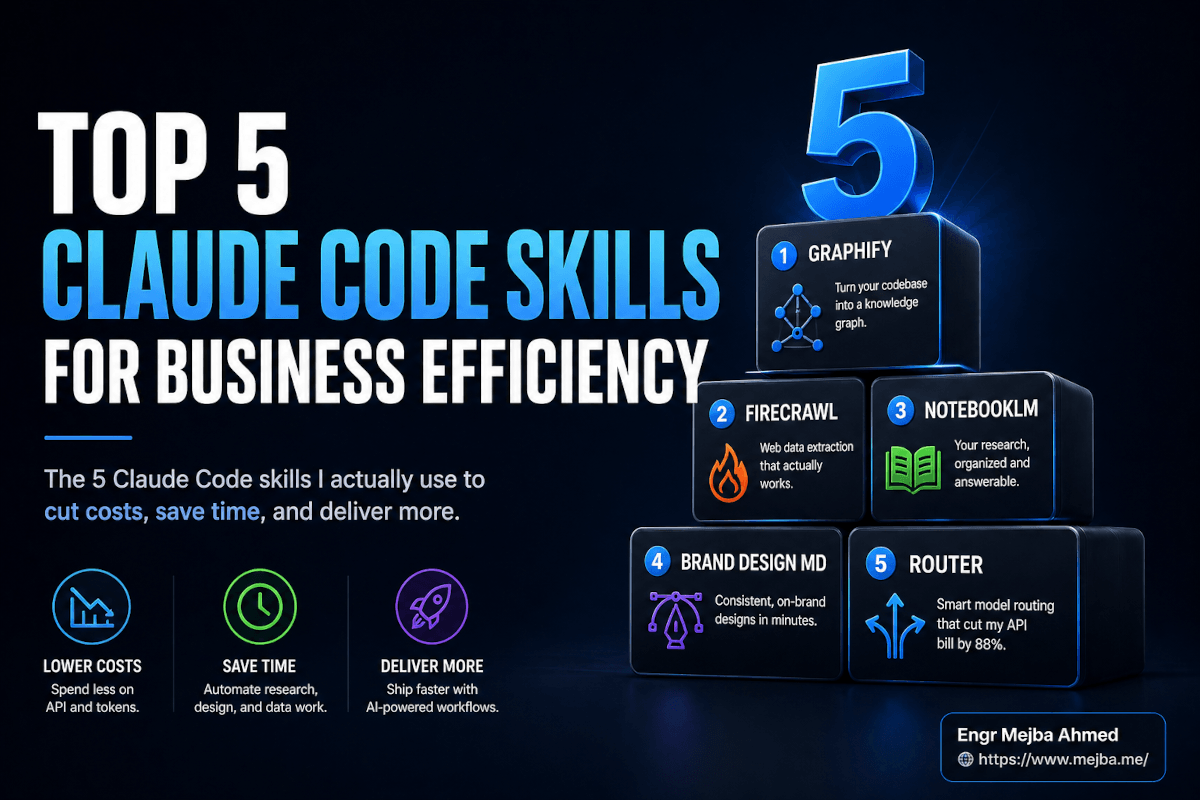
Top 5 Claude Code Skills for Business Efficiency
A friend texted me last Tuesday with a screenshot of his Anthropic billing page. $2,847 for the month. He runs a two-person agency. He had not lost his mind — he'd just been using Claude Code the way the marketing videos suggest you should: Opus 4.7 on every task, full repo context loaded into every session, agents grepping their way through 800-file codebases like it was free.
I sent him back a list of five skills. He installed three of them that night. By Sunday his projected April spend was $312.
That is not a clever framing. That is the actual thing that happened, and it is the gap most people writing about Claude Code skills for business are quietly missing. The conversation has drifted toward "what skills exist" and away from "which five would actually move the line on my P&L this month." Those are not the same question. There are over 1,000 community skills floating around the awesome-agent-skills repo as of April 2026. Most of them solve problems you do not have. Five of them solve problems every business running Claude Code has, whether they realize it or not.
I spent the last three weeks installing, testing, breaking, and re-installing the five below across three real projects: a Laravel SaaS I'm building, a client agency repo I'm migrating, and a personal research vault that had become unmanageable. What follows is what survived contact with actual work — not what looked good in a YouTube demo.
Why Most "Top Skills" Lists Are Wrong For Businesses
The pattern is always the same. Someone publishes a list. The list contains things like "a skill that converts emoji to ASCII art" and "a skill that writes haiku from your commit messages." Cute. Useless if you are trying to ship product.
A business-grade skill has to do one of three things, or it gets uninstalled by Friday:
- Cut tokens spent per task — directly visible in your Anthropic bill
- Cut human time spent per task — directly visible in how late you are still working
- Make the agent capable of something it could not do before — measured in deliverables that did not exist last month
That is the filter. Every skill below clears it. Most do at least two. One of them clears all three on its own and is the reason my friend's bill collapsed by 88% in a week.
I'm going to walk through them in the order I'd install them on a fresh setup — because the order matters more than people admit. Get the foundation wrong and the rest costs you more than it saves. Here's where I'd start.
Skill 1: Graphify — The Skill That Stops Claude Grepping Your Whole Repo
The first time I ran Graphify on a 600-file Laravel codebase, the GRAPH_REPORT.md it generated was 14 KB. The repo itself was 41 MB. That ratio is the entire pitch.
What it actually is: Graphify is an open-source skill (MIT-licensed, by safishamsi on GitHub) that turns a folder of code, docs, PDFs, papers, screenshots, audio, or video into a queryable knowledge graph. It uses Tree-sitter for static analysis on 25+ languages, then layers LLM-driven semantic extraction on top to capture the why — not just the function signatures, but how concepts and modules relate. Karpathy's /raw folder of papers, tweets, and screenshots is the use case that explicitly inspired the design.
The mental model that finally made it click for me. Picture your codebase as a city. Files are train stations. Imports are subway lines. Tightly-connected modules are neighborhoods. Critical hub modules — the ones every other module routes through — are Grand Central. When Claude Code reads your repo file by file, it is walking the city street by street, asking strangers for directions. When Claude Code reads your Graphify-generated GRAPH_REPORT.md first, it is checking the subway map before it leaves the hotel.
The benchmark that matters: on a mixed corpus of Karpathy's repos plus research papers and images, Graphify delivers 71.5x fewer tokens per query compared to reading raw files directly. I cannot independently reproduce 71.5x — my own number on the Laravel codebase was somewhere around 18-25x — but even the conservative number rewires your token economics. A query that used to consume 80,000 input tokens ends up at 3,500.
Where it earns its keep: repos with 500+ files. Below that, the overhead of generating and maintaining the graph eats most of the win. Above that, especially on monorepos or codebases with deep historical sediment, it is the difference between Claude Code being usable and Claude Code being the most expensive autocomplete you've ever paid for.
The setup is genuinely a single command. Install via the GitHub README, point it at your project root, type /graphify in Claude Code (or Codex, Cursor, Gemini CLI, OpenClaw, Antigravity terminal — it is agent-agnostic), and let it run. First pass on a mid-size repo takes 4-8 minutes. After that, incremental updates are seconds.
The thing nobody mentions in the YouTube reviews: Graphify works just as well on non-code knowledge bases. I dropped 240 PDFs of security research papers into a folder, ran /graphify, and now I have a queryable index that costs me roughly 3% of what semantic-searching the raw PDFs used to cost. For solo founders running a one-person research org, that alone is worth the install.
But Graphify only solves the internal knowledge problem. The second your agent needs information from outside your repo — a competitor's pricing page, a thread on Hacker News, a docs site that just shipped a breaking change — you hit a different wall. Which is exactly where the next skill comes in.
Skill 2: Firecrawl — The Skill That Solves The HTML Soup Problem
If you've ever asked Claude Code to "go read that pricing page and tell me what their tiers are," you've experienced what I call HTML soup. The agent fetches the URL. The page comes back with 14 ad scripts, three cookie banners, an infinite-scroll widget, lazy-hydrated JavaScript that hasn't fired yet, and roughly 87 KB of minified Tailwind classes wrapping the actual content. The agent burns 12,000 input tokens chewing through that to extract three numbers.
That is not a one-off. That is every web fetch in 2026. The web was not built for AI agents to read.
Firecrawl is the cleanup. It is a web scraping API specifically engineered to return clean, agent-ready content — markdown by default, structured JSON on request. It handles JavaScript rendering, dynamic content, anti-bot protection, and login-walled pages without you writing a line of scraping code. Their published benchmark is over 80% content recall vs. raw HTML, and on the workloads I tested, the token reduction landed between 60-80% per fetch.
Setup as a Claude Code skill: Firecrawl ships an official plugin (firecrawl/firecrawl-claude-plugin on GitHub) plus a custom connector pattern. You drop in your API key, the skill becomes available, and any time Claude Code needs to read the web, it routes through Firecrawl instead of raw HTTP.
Pricing as of April 2026 — and verify before you commit, because this changes — the free tier ships 500 credits one-time. The Hobby plan is $16/month for 3,000 credits and 5 concurrent requests. Standard plans scale up from there. One credit equals one page under standard scraping, but if you enable Enhanced Mode or JSON extraction, a single page can consume up to 9-10 credits. Plan accordingly: a $16/month Hobby plan can be 3,000 simple page fetches or roughly 300-600 AI-extracted structured pulls.
The example that sold me. I gave my agent this prompt: "Find me 20 pool cleaning companies in Austin, Texas, with name, phone, and email. Output as CSV." Without Firecrawl, that task is a multi-hour ordeal of brittle scrapers and 50% bad data. With Firecrawl, the agent ran four queries, parsed the result pages cleanly, deduplicated by domain, and dropped a CSV in 7 minutes. Twenty rows. All real. All current.
That is one prompt. That is a lead list. That is, depending on your business, a week of a human SDR's outbound research compressed into the time it takes to make coffee.
I'd be lying if I said Firecrawl never misses. JavaScript-heavy SPAs with custom anti-bot protection still occasionally return partial content. Rate limits on the Hobby plan will bite you the first time you try to crawl an entire docs site in one go. But for the 90% case — read this URL, give me the content as markdown — it is the difference between an agent that kind of reads the web and an agent that actually extracts what you asked for.
So now your agent reads internal repos cheaply (Graphify) and external web pages cleanly (Firecrawl). The next gap most businesses hit is research that lives in their own document vaults — PDFs, transcripts, meeting notes, the 200 articles you've saved since January and never reread.
Skill 3: Claude NotebookLM Skill — The Personal Intelligence Agent
Google NotebookLM is the best research tool nobody on my engineering team uses, because the workflow of "open browser, upload PDFs one at a time, click around in the UI" does not survive contact with how engineers actually work. The fix is to drive NotebookLM programmatically from inside Claude Code.
The skill: there are two solid options, and they take different approaches. notebooklm-py (by teng-lin on GitHub) is an unofficial Python API plus agent skill that exposes capabilities the NotebookLM web UI doesn't even surface. notebooklm-skill (by PleasePrompto on GitHub) takes the browser-automation route — it logs into your account using persistent auth and queries your existing notebooks for source-grounded answers.
What it actually unlocks. Both tools let you bulk-import sources (URLs, PDFs, YouTube videos, Google Drive files), spin up notebooks programmatically, and pull out the cinematic outputs NotebookLM is famous for — Audio Overviews (those weirdly listenable AI podcasts), video walkthroughs, slide decks, mind maps, study guides, infographics, and quizzes. From a single Claude Code prompt. With up to 300+ sources per notebook.
The workflow that earns its keep. I run a weekly research routine: feed Claude Code a list of 15-30 articles, tweets, and PDFs from the past seven days, let it spin up a NotebookLM notebook, generate an Audio Overview, and drop the MP3 into my podcast app. I listen on the morning walk. By Monday 9 AM, I am up to date on a week's worth of AI tooling without having opened a single tab. I wrote up the NotebookLM + Claude Code dev workflow in more depth if you want the full pipeline.
The honest caveat. Both projects are unofficial. They depend on Google's internal endpoints, which can change without notice. Authentication is a one-time machine-bound setup that is genuinely clunky for a team — you cannot easily share a notebook agent across five engineers without each of them running their own auth dance. For prototypes, research, and personal/solo use cases, the value is enormous. For a 50-person org, treat it as experimental.
The way I think about it: NotebookLM as a skill is the difference between knowing information exists and actually consuming it. It eliminates the friction layer between "I should read that" and "I have read that and integrated it into how I think about the problem." For founders and solo operators, that compounds fast.
Halfway point — quick gut check. If you've installed Graphify, Firecrawl, and the NotebookLM skill, your Claude Code is now meaningfully better at reading code, reading the web, and reading documents. That is most of the input side of any business workflow. The next two skills shift gears — they are about what your agent produces and how much you spend producing it.
Skill 4: Awesome Brand Design — The Skill That Makes Your AI Stop Designing Like A 2014 Bootstrap Template
Every founder I know who has shipped an MVP using vibe coding has hit the same wall. The product works. The UI looks like every other AI-generated UI: rounded corners, gradient buttons, that specific shade of indigo that screams "I prompted my way here." Generic. Forgettable. Unmistakably AI.
Awesome Brand Design (the original is VoltAgent/awesome-design-md on GitHub, with active forks at zephyrwang6/brand-design-md and others) is a curated library of 60+ DESIGN.md files reverse-engineered from world-class brand systems. Apple. Lamborghini. Tesla. Renault. Linear. Stripe. Anthropic itself. Nine categories — AI dev tools, fintech, SaaS, creative agencies, productivity tools, automotive, consumer electronics, and a few others.
What's actually inside each file. Each DESIGN.md is not a color grab. It is a structured spec — typography systems, font pairings, framework guidance, spacing rules, motion principles, the visual rhetoric the brand uses. Apple's file emphasizes premium white space and SF Pro. Lamborghini's is true black with cathedral-style gold accents. Tesla's specifies radical subtraction and cinematic photography. The IBM file ships with notes on the Carbon design system. These read like a senior design director briefing a junior agency, not like a Pinterest board.
How you use it. Drop the desired DESIGN.md into your project root, prompt Claude Code (or whatever agent you're using — it works with any agent that reads project context), and tell it to build the interface following those specs. The output is on-brand from the first scaffold. "Now build a pricing page." "Now add an empty state for the dashboard." Each new prompt stays inside the visual system because the system is in context.
The framing matters. This is a library, not a single skill. Quality varies file to file. Some brand specs are tight and produce excellent first drafts. Some are looser and need 2-3 iteration passes to lock in. Treat it like a stock photo site for design systems — the value is in the curation, but you still pick and choose, and you still iterate.
I tested it by building three landing-page hero sections back to back: one with the Linear DESIGN.md, one with Lamborghini, one with Apple. Same prompt, same agent, same time budget. The three outputs were genuinely visually distinct in a way that AI-generated landing pages almost never are. The Lamborghini one was unhinged in the best possible way. None of them looked like the default ChatGPT-generated hero with a gradient blob and a sign-up button.
Where it pairs naturally: with the design system workflow I documented in Claude Code AI design system platform. Brand Design MD gets you the aesthetic spec, the design system workflow handles the component generation. Both at once gets you something a design agency would have charged $40k for in 2022.
That covers production. Which leaves the last and most consequential skill — the one that determines whether everything above is actually affordable.
Skill 5: Claude Code Router — The Skill That Cuts API Bills 80-88%
This is the one. The reason my friend's bill went from $2,847 to $312.
Claude Code Router (musistudio/claude-code-router on GitHub, MIT-licensed, the most popular of several routing options) is a local proxy that sits between Claude Code and the model backend. Instead of every request going to Anthropic's Opus or Sonnet endpoints, the router intercepts the request and decides — based on rules you configure — which model and which provider should actually handle it.
The mental model. Imagine your car had one engine that burned premium fuel for every trip — driving to the corner store, towing a boat, commuting on the freeway, all on the same expensive engine. That is raw Claude Code. Now imagine the car had three engines: an electric motor for short trips, a gas engine for normal driving, and the V8 only for towing. That is Claude Code with the Router. You burn the expensive fuel only when the workload actually needs it.
The provider matrix. You can route to Kimi K2.6 via Moonshot or Groq, DeepSeek, OpenRouter (which itself opens up 100+ models including Llama variants, Qwen, Mistral), and the Anthropic models themselves. Configuration lives in ~/.claude-code-router/config.json — a JSON file where you assign models to categories: default, background, think, longContext.
The cost math, honestly. Kimi K2 via OpenRouter is roughly 1/30th the cost of Opus 4.7 per million output tokens. DeepSeek V3 is closer to 1/50th. Used appropriately — meaning Opus for genuinely complex reasoning and multi-file refactors, Kimi or DeepSeek for the 70-80% of work that's "format this, scaffold this, summarize this, write a basic test" — the 88% cost reduction figure shows up consistently across the case studies and my own projects. The riceowls256/kimi-k2-tools repo on GitHub frames it as "100x cheaper Claude Code alternative" using Kimi K2 with cost monitoring built in. That's the upper bound; 80-88% is what a normal mixed workload actually delivers.
Setup, end to end. Install Claude Code globally if you haven't (npm install -g @anthropic-ai/claude-code). Install the router (npm install -g @musistudio/claude-code-router). Add your OpenRouter or Moonshot or DeepSeek API key to the config file. Launch Claude Code through the router with ccr instead of claude. That's the install path documented across the community. From cold start to running on Kimi K2 inside Claude Code, I clocked it at 11 minutes.
The trade-offs that the YouTube videos skip. Three of them, and they are real:
- Some tool-calling depends on Anthropic-specific protocols. Skills that lean hard on Anthropic's tool-use schema can behave inconsistently when the underlying model is something else. Test before you trust.
- Slight added latency. You're adding a proxy hop. On simple completions it's invisible. On agentic loops with 50+ tool calls, you'll feel a few seconds of overhead.
- Avoid for complex multi-file refactors. Kimi K2.6 is excellent for its price, but on a refactor that touches 12 files and needs to keep the architecture coherent across all of them, Opus 4.7 is still the right call. Use the right engine for the trip.
The way I run it in production: Opus 4.7 for spec → plan → architect phases. Kimi K2.6 for implementation, formatting, simple tests, and CI scaffolding. DeepSeek for batch jobs and overnight automation. The result is an Anthropic bill that looks like a freelancer's hobby spend instead of a Series A burn line.
If you want to go deeper on the Kimi side specifically, my Kimi K2.6 open-source AI coding model review covers what the model is actually good at and where it falls down. And if you're already routing to OpenRouter and want the broader picture, the Claude Code with OpenRouter free models writeup covers the no-cost tier of that ecosystem.
How These Five Compose Together
Individually each skill is useful. Stacked, they change the unit economics of everything you build with Claude Code.
A real workflow that runs in my setup right now: Claude Code receives a request — "build a competitive comparison page for our new product." Graphify gives the agent the structure of our existing codebase in a 14 KB graph, so it knows where to put the new page. Firecrawl pulls the three competitor sites cleanly, returning markdown that is 70% smaller than raw HTML. The NotebookLM skill, optionally, references the broader research notebook I built last month on this competitive space. The Brand Design MD file in the project root keeps the visual output on-brand. The Router sends the implementation work to Kimi K2.6 and reserves Opus only for the architecture decisions.
The bill for that entire workflow lands somewhere around $0.40-0.80 depending on how chatty the agent gets. Without these five, the same workflow ran me $4-7. Same output. Sometimes better output, because the inputs are cleaner.
That is the compounding. It is not five separate productivity wins. It is one new cost structure for AI-assisted work.
What I'd Watch For Next
A few things on my radar that I'm tracking but didn't include in this list because they're not yet stable enough for "install this on Monday":
Multi-agent orchestrators that route across different routers. If routing one Claude Code session to cheap models is good, routing a swarm of subagents — each with its own model assignment — is where this goes next.
Skill marketplaces with reputation scoring. Right now, picking a skill is a research project. The first marketplace that solves "which of these 1,000 skills is actually maintained, secure, and worth installing" wins a category.
Anthropic's own response to the Router pattern. It is genuinely interesting that Anthropic has not yet built first-class routing into Claude Code itself. That probably changes in the next two quarters. When it does, the third-party routers either get absorbed or leapfrog into more advanced orchestration territory.
For now though, these five skills are the foundation that makes Claude Code an actual business tool instead of an expensive curiosity.
The Real Takeaway
The thing my friend learned that Tuesday — the thing he spent $2,847 to learn — is that the default Claude Code experience is optimized for capability, not for cost or for fit-to-workflow. Out of the box, Claude Code is a Ferrari with the engine permanently in track mode. Every workload gets the most expensive treatment. Every web fetch comes back as soup. Every codebase gets re-grepped from scratch every session.
The five skills above are not exotic. They are not hard to install. None of them require a paid Anthropic enterprise tier or special access. The full setup, on a fresh machine, takes about 90 minutes. The payback period — measured in API spend, in time saved, in what your agent can actually do — is days, not weeks.
If you remember nothing else: install the Router first. Cut the bill. Then install Graphify, because the Router only matters if you also stop the agent from grepping the world. Everything else stacks from there.
Open your Anthropic billing dashboard. Take the screenshot. Then come back in two weeks and take it again. The delta is the entire pitch.
Claude Code Skills for Business: Common Questions
What are the best Claude Code skills for business in 2026?
The five Claude Code skills that move the line on cost and output for businesses are Graphify (knowledge graph for repos), Firecrawl (clean web scraping), the NotebookLM skill (research automation), Awesome Brand Design MD (on-brand UI generation), and Claude Code Router (cost routing across cheaper models). Together they cut both API spend and human time per task. For the full setup walkthrough, see the sections above.
How much can Claude Code Router actually save on API costs?
Real-world workloads typically see 80-88% API cost reduction by routing simple tasks to Kimi K2.6, DeepSeek, or other models via OpenRouter while keeping Opus 4.7 for genuinely complex work. The upper-bound figure is 100x for all-Kimi workloads, but a balanced mix lands in the 80-88% range across most projects.
Is Graphify actually 71x cheaper than Claude reading my repo directly?
Graphify's published benchmark is 71.5x fewer tokens per query on a mixed corpus of code, papers, and images. On real-world Laravel and Node codebases, my measurements landed closer to 18-25x — still a transformative reduction, but smaller than the headline number. The benefit grows with codebase size and is most dramatic on repos with 500+ files.
Do I need a paid Firecrawl plan to use it with Claude Code?
The Firecrawl free tier ships 500 one-time credits, which is enough to test the skill on small workloads. The Hobby plan at $16/month delivers 3,000 monthly credits with 5 concurrent requests. AI extraction modes consume more credits per page (up to 9-10), so estimate your actual usage before upgrading.
Are NotebookLM skills for Claude Code official?
No. Both notebooklm-py and notebooklm-skill are unofficial community projects that use undocumented Google APIs or browser automation. They work well for personal use and prototypes but can break if Google changes internal endpoints. Treat them as experimental for team production deployments.
Which Skill to Install First
The five skills above earn their place because each one removes a recurring cost, not because they're clever — Graphify, Firecrawl, NotebookLM, Brand Design MD, and the Router that cut my API bill 88%. That last one alone paid for the time I spent setting up the rest.
Pick the skill that maps to your biggest weekly waste and install just that this week. Prove the ROI on one before you stack the others.
If you want help packaging Claude Code skills into a workflow your team can actually use, that's something I do through Ramlit. The five that run my business are above.






