Vorige maand verspilde ik een hele zaterdagmiddag aan het proberen te begrijpen hoe een populaire open-source authenticatiebibliotheek token-vernieuwingslogica afhandelt. Vier uur. Ik had zeventien browsertabbladen open, elk met een ander bestand uit dezelfde repo. Ik sprong heen en weer tussen /src/auth/, /lib/middleware/ en een utils/-map die alles wat ik net had gelezen leek tegen te spreken. Mijn aantekeningen leken op het complotbord uit een detectiveserie — overal pijlen, vraagtekens, en een regel die alleen maar "WAAROM???" zei.
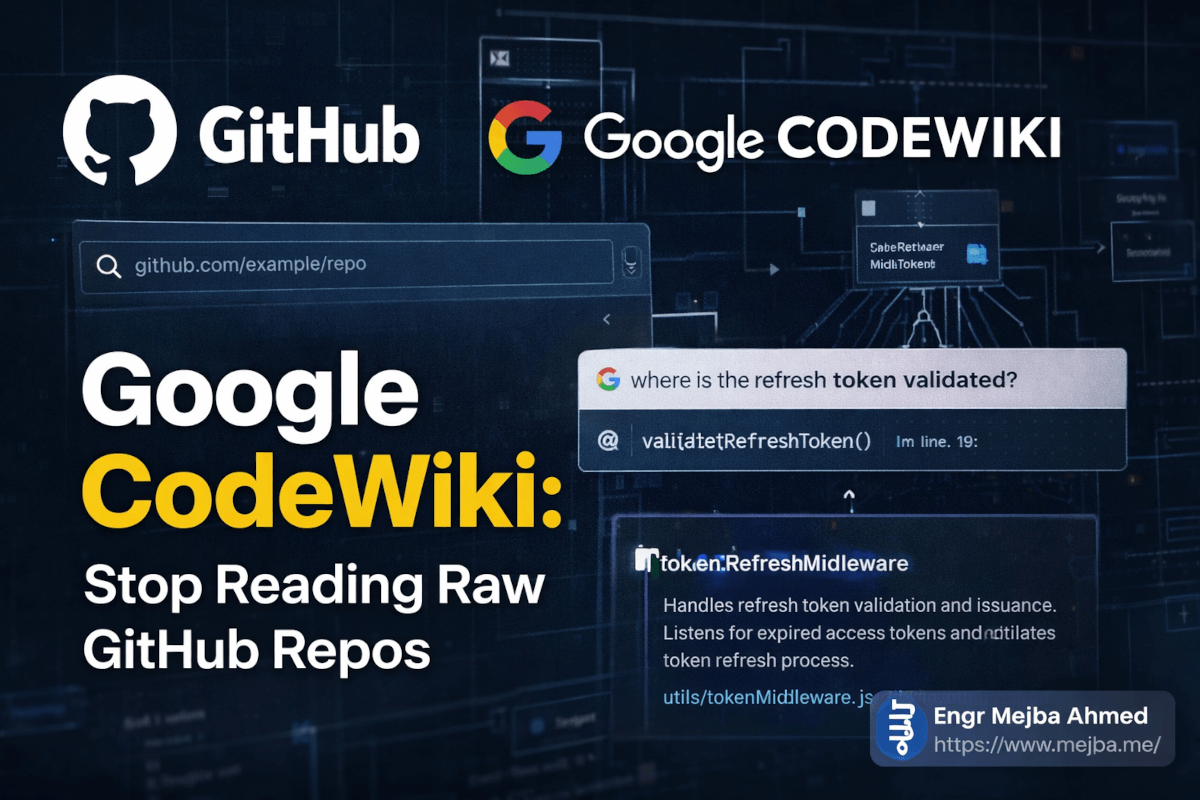
Toen dropte iemand in een Discord-server een link naar Google's Code Wiki. Ik plakte dezelfde repo-URL erin. Binnen zo'n negentig seconden keek ik naar een strak architectuurdiagram dat precies liet zien hoe de token-vernieuwingscyclus werkte, met klikbare links naar elk relevant bestand. Het ding had zelfs een chatinterface waar ik vroeg "waar wordt het vernieuwingstoken gevalideerd?" en het wees me naar de exacte functie, inclusief regelnummer.
Vier uur handmatig spitten versus negentig seconden geautomatiseerd begrip. Dat is geen incrementele verbetering. Dat is een compleet andere categorie tool.
En het gekke is — ik had het bijna niet geprobeerd. Ik ging ervan uit dat het weer een halfbakken Google-experiment was dat binnen zes maanden zou worden stopgezet. Ik had het mis. Na drie weken intensief dagelijks gebruik van Code Wiki, verspreid over tientallen repositories, ben ik ervan overtuigd dat dit een van de meest onderschatte developer-tools is die Google ooit heeft uitgebracht. Misschien wel de meest onderschatte ooit.
Maar het echte verhaal gaat niet alleen over wat Code Wiki aan de oppervlakte doet. Het interessante deel is hoe het de manier verandert waarop je onbekende codebases benadert — en er is een workflow die ik eromheen heb ontwikkeld die ik nog niemand anders heb zien bespreken. Daar kom ik bij in het implementatiegedeelte.
Het probleem dat niemand hardop durft te zeggen
Dit is iets dat de meeste ontwikkelaars niet hardop zullen zeggen: we besteden een schokkend groot deel van onze tijd aan het lezen van code die we niet zelf hebben geschreven. Niet het schrijven ervan. Niet het debuggen ervan. Gewoon lezen en proberen te begrijpen.
Onderzoek van Microsoft Research zet het getal ergens rond de 58% van de tijd die een ontwikkelaar besteedt aan code-begrijpactiviteiten. Niet coderen. Begrijpen. En dat getal wordt erger als je te maken hebt met open-source projecten waar documentatie varieert van "schaars" tot "volledig fictief."
Ik bouw al jarenlang professioneel software. Ik heb bijgedragen aan open-source projecten. Ik heb mijn eigen bibliotheken onderhouden. En ik kan je met nul ego vertellen dat ik me nog steeds regelmatig verlies in onbekende codebases. Het probleem is niet vaardigheid — het is dat moderne software-architectuur oprecht complex is geworden. Een middelgroot open-source project kan honderden bestanden hebben verspreid over tientallen mappen, met dependency injection-patronen, event-driven architecturen en abstractielagen waar een ui jaloers op zou zijn.
De traditionele aanpak? Clone de repo. Open hem in je IDE. Begin bij het startpunt te lezen en werk naar buiten. Misschien kijken of er een docs/-map is (die is er meestal niet, of hij loopt drie versies achter). Lees de README, die je vertelt hoe je het project installeert maar niets over hoe het intern werkt. Doorzoek GitHub Issues op aanwijzingen. Bekijk een conferentiepresentatie uit 2023 waar de maintainer een architectuur uitlegt die inmiddels compleet is herschreven.
Klinkt bekend? Mooi. Want dat is precies het pijnpunt dat Code Wiki is gebouwd om te elimineren.
Wat Code Wiki anders maakt dan eerdere pogingen tot geautomatiseerde documentatie — en die zijn er vele geweest — is dat het niet alleen statische tekst genereert. Het bouwt een levende, onderling verbonden kennisgraaf van je codebase die zichzelf bijwerkt na elke commit. De diagrammen zijn geen screenshots. De uitleg is niet gecacht van vorige maand. Alles weerspiegelt de huidige staat van de code, op dit moment.
Dat onderscheid is belangrijker dan het klinkt. Ik laat je met een echt voorbeeld zien waarom het me verraste.
Wat Google Code Wiki eigenlijk onder de motorkap doet
Laat me je stap voor stap uitleggen wat er gebeurt wanneer je Code Wiki een repository geeft, want de oppervlakkige beschrijving doet geen recht aan wat er allemaal achter de schermen gebeurt.
Ga naar codewiki.google en je ziet een strakke landingspagina met een zoekbalk. Geen inlog vereist voor publieke repo's — je kunt direct beginnen met verkennen. Er staan al verwerkte voorbeeldrepositories klaar (Flutter, Go, Gemini CLI), zodat je kunt rondkijken voordat je je eigen project indient.
Plak een GitHub-URL — zeg https://github.com/facebook/react — en de Gemini-aangedreven engine van Code Wiki gaat aan de slag. Wat het produceert is niet een simpele README-uitbreiding. Het is een meerlagig, interactief document dat het volgende bevat:
Gestructureerde wikipagina's: Elke belangrijke module, component en subsysteem krijgt een eigen pagina met een uitleg in gewoon Nederlands over wat het doet, waarom het bestaat en hoe het verbonden is met andere delen van de codebase. Dit zijn ook geen generieke beschrijvingen. De uitleg verwijst naar specifieke ontwerpbeslissingen, afwegingen en patronen die in dat specifieke project worden gebruikt.
Architectuurdiagrammen: Hier viel voor het eerst mijn mond open. Code Wiki genereert klassendiagrammen, sequentiediagrammen en architectuuroverzichten op hoog niveau die echt bruikbaar zijn. Niet het soort automatisch gegenereerde UML-nachtmerries waardoor je het tabblad wilt sluiten. Strakke, gerichte diagrammen die de relaties benadrukken die er werkelijk toe doen. En ze worden opnieuw gegenereerd wanneer de code verandert — dus je kijkt nooit naar een verouderd diagram dat de huidige implementatie tegenspreekt.
Diep-gelinkte codeverwijzingen: Elke uitleg, elk diagramknooppunt, elk concept linkt rechtstreeks naar het exacte bestand, de klasse of functie in de broncode. Klik op "TokenRefreshMiddleware" in een diagram en je landt op de daadwerkelijke implementatie. Deze bidirectionele koppeling tussen documentatie en code is iets wat ik van elke documentatietool ooit heb gewild. Code Wiki is de eerste die het echt goed doet.
Gemini-aangedreven chat-agent: Dit is de feature die me van "dit is interessant" naar "ik gebruik dit elke dag" bracht. Er is een chatinterface ingebed in elke wiki waar je in gewone taal vragen kunt stellen over de specifieke repository. "Hoe werkt foutafhandeling in de API-laag?" "Wat is het verschil tussen UserSession en AuthSession?" "Laat me de datastroom zien van het inlogformulier tot de database."
De chat geeft niet zomaar generieke Gemini-antwoorden. Het is gegrond in de wikicontext — wat betekent dat het een diep, gestructureerd begrip heeft van die specifieke codebase. De antwoorden bevatten directe links naar de relevante wikisecties en bronbestanden. Ik heb het getest met bewust lastige vragen over randgevallen in een complex event-driven systeem, en het gaf in zo'n 85% van de gevallen het juiste antwoord. De overige 15% markeerde het als onzeker, wat eerlijk gezegd meer vertrouwen opbouwde dan wanneer het gewoon had gegokt.
Automatisch gegenereerde videowandeltochten: Deze verraste me. Voor sommige repositories produceert Code Wiki korte video-achtige walkthroughs die de architectuur uitleggen met gesproken uitleg bij visuals. Ik heb dit niet bij elke repo perfect zien werken, maar wanneer het wel werkt, is het alsof een senior engineer je een persoonlijke rondleiding door de codebase geeft.
De Gemini-backbone doet hier serieus zwaar werk. Het parseert niet alleen code — het begrijpt intentie, herkent patronen, leidt architectuurbeslissingen af en vertaalt dat alles naar door mensen leesbare documentatie. Dat is een fundamenteel moeilijker probleem dan code genereren, en ik denk dat Google meer erkenning verdient voor hoe goed ze dit hebben opgelost.
Maar dit had ik niet verwacht: het automatische bijwerkmechanisme is waar de echte magie zit.
Het automatische bijwerkmechanisme dat alles verandert
De meeste documentatietools hebben een vies geheim: ze verouderen. Je genereert prachtige docs op dag een, en tegen week drie liegen ze tegen je. De codebase is verder gegaan. De docs niet.
Code Wiki pakt dit anders aan. Na de initiele wikigeneratie monitort het de repository. Elke commit naar de main-branch triggert een herscan. Code Wiki genereert niet de hele wiki opnieuw — het identificeert intelligent wat er is veranderd, werkt de betreffende secties bij, genereert de relevante diagrammen opnieuw en houdt alles gesynchroniseerd.
Ik heb dit bewust getest. Ik vond een repo waarvoor ik al een wiki had laten maken en bekeek toen een week lang de commitgeschiedenis. Na een significante refactoring waarbij authenticatielogica van middleware naar een dedicated servicelaag werd verplaatst, controleerde ik de Code Wiki. Het architectuurdiagram was bijgewerkt. De uitleg van de auth-flow weerspiegelde de nieuwe, op services gebaseerde aanpak. De chat-agent wist van de gerefactorde structuur.
Dit is de feature die Code Wiki onderscheidt van elke "AI-documentatie"-tool die ik eerder heb geprobeerd. Statische generatie is een feesttruc. Continu, intelligent bijwerken is een echte workflow-upgrade.
Er is een praktische implicatie die de meeste mensen missen. Wanneer documentatie automatisch actueel blijft, stop je met docs behandelen als een apart artefact dat je onderhoudt. Ze worden een live weergave van je systeem. Die mentale verschuiving is subtiel maar diepgaand — het betekent dat je de documentatie daadwerkelijk kunt vertrouwen, iets waar de meesten van ons jaren geleden mee zijn gestopt.
Ik had je een workflow beloofd die ik rondom Code Wiki heb ontwikkeld. Hier wordt het artikel praktisch.
Mijn Code Wiki-powerworkflow: vijf stappen die uren besparen
Na drie weken dagelijks gebruik heb ik een workflow ontwikkeld die naar mijn idee maximale waarde uit Code Wiki haalt. Dit is niet gewoon "plak URL, lees wiki." Dit is een systematische aanpak om elke onbekende codebase in minder dan dertig minuten te begrijpen.
Stap 1: Begin met het architectuurdiagram, niet de README
Wanneer ik een Code Wiki-pagina open voor een nieuwe repo, sla ik de tekst volledig over en ga direct naar het architectuurdiagram. Ik besteed twee tot drie minuten aan alleen maar kijken naar de blokken en pijlen. Niet beschrijvingen lezen — gewoon de structuur van het systeem opnemen.
Waarom? Omdat je brein visuele structuur sneller verwerkt dan tekst. In die twee minuten bouw ik een mentale kaart: "Oké, er zijn vier hoofdservices, ze communiceren via een event bus, er is een gedeelde datalaag onderaan, en authenticatie zit als een cross-cutting concern aan de zijkant."
Die mentale kaart wordt een anker voor alles wat ik daarna lees. Zonder die kaart ben je een puzzel aan het leggen zonder het plaatje op de doos te zien.
# Mijn typische Code Wiki-verkenningsvolgorde:
1. Architectuurdiagram (2-3 min visuele scan)
2. Module-overzichtspagina (alleen koppen scannen)
3. Chat: "What are the 3 most important files in this repo?"
4. Diep induiken in die 3 bestanden via wikipagina's
5. Chat: "What's the most complex part of this codebase?"
Stap 2: Gebruik de chat-agent als je persoonlijke gids
Hier onderbenutten de meeste mensen Code Wiki. Ze behandelen de chat als een zoekbalk. Dat is het niet. Het is een deskundige collega die elke regel van de codebase heeft gelezen.
In plaats van naar specifieke dingen te zoeken, voer ik een gesprek. Ik begin breed en vernauw:
Me: "Give me a high-level summary of how data flows
     through this application"

[Lees het antwoord, identificeer het deel dat me interesseert]

Me: "Tell me more about the caching layer you mentioned.
     Where is it implemented and what strategy does it use?"

[Klik door naar de gelinkte bronbestanden]

Me: "I see it's using an LRU cache. Are there any
     known issues or edge cases with this implementation?"
Deze conversationele aanpak is dramatisch sneller dan greppen door een codebase. Ik heb het getimed. De caching-strategie van een nieuw project begrijpen: 45 minuten op de oude manier, 8 minuten met de chat van Code Wiki. Dat is geen marginale verbetering.
Stap 3: Vergelijk diagrammen met broncode
Hier is een techniek die me meerdere keren heeft behoed voor het verkeerd begrijpen van codebases. Na het lezen van de wiki-uitleg van een component, open ik het architectuurdiagram en het daadwerkelijke bronbestand naast elkaar. Ik verifieer dat wat het diagram toont overeenkomt met wat de code doet.
In zo'n 85% van de gevallen komen ze perfect overeen. De overige 15% is waar je de interessante dingen vindt — de randgevallen, de legacy code die niet past in de huidige architectuur, de "tijdelijke" hack uit 2022 die nog steeds in productie draait.
De deep-linking van Code Wiki maakt deze kruisverwijzing triviaal eenvoudig. Klik op een knooppunt in het diagram, land in de broncode. Geen zoeken, geen gokken welk bestand wat implementeert.
Stap 4: Genereer je eigen documentatieartefacten
Dit is mijn geheime wapen, en ik heb nog niemand anders dit zien doen.
Na het verkennen van een repo via Code Wiki gebruik ik de chat om documentatie te genereren die is afgestemd op mijn specifieke behoeften. Bijvoorbeeld:
Me: "I'm integrating this library into a Laravel 11
     application. Generate a quick-start guide focused
     on the authentication module, with code examples
     that use PHP instead of the JavaScript examples
     in the README."

Me: "Create a decision tree for error handling in this
     library. When should I catch errors vs. let them
     propagate?"

Me: "List every environment variable this project uses,
     what each one does, and what happens if it's not set."
Omdat de chat-agent diepe context heeft over de specifieke repository, zijn deze gegenereerde artefacten verrassend accuraat en bruikbaar. Ik ben ze gaan opslaan in de /docs-map van mijn project als onboardingmateriaal voor teamleden.
Stap 5: Kom terug na grote updates
Deze stap gaat over het bewust benutten van de automatische bijwerkfunctie. Wanneer ik afhankelijk ben van een open-source bibliotheek, maak ik een bladwijzer van de Code Wiki-pagina. Na een grote versie-release controleer ik de wiki om te zien wat er architectureel is veranderd, voordat ik de changelog lees.
Waarom? Omdat changelogs je vertellen wat er is veranderd. De bijgewerkte wiki laat je zien hoe de architectuur van het systeem is verschoven. "Gemigreerd van callbacks naar async/await" in een changelog wordt een volledig opnieuw getekend sequentiediagram in Code Wiki. Die visuele vergelijking van architectuur is ontzettend nuttig voor het nemen van upgradebeslissingen.
Als je zo ver bent gekomen, denk je al anders over codebases. De volgende sectie is waar ik eerlijk ben over de beperkingen van Code Wiki — want geen enkele tool is perfect, en ik denk dat de hype rondom deze tool een aantal echte hiaten verbergt.
De eerlijke beoordeling: waar Code Wiki tekortschiet
Ik vind deze tool oprecht goed. Ik gebruik hem dagelijks. Maar ik zou je een slechte dienst bewijzen als ik deed alsof hij vlekkeloos is. Dit is wat ik heb gevonden na langdurig gebruik in de praktijk.
Prive-repositories worden nog niet ondersteund. Dit is de grootste beperking, punt. Code Wiki werkt momenteel alleen met publieke GitHub-repo's. Als je probeert de prive-codebase van je bedrijf te begrijpen — wat waarschijnlijk is waar je documentatie het hardst nodig hebt — heb je voorlopig pech. Google heeft een wachtlijst op codewiki.google/waitlist voor ondersteuning van prive-repo's, en er is een Gemini CLI-extensie in ontwikkeling waarmee je Code Wiki lokaal zou kunnen draaien. Maar per maart 2026 is het alleen publieke repo's. Dat is een aanzienlijk gat.
Grote monorepo's kunnen het overweldigen. Ik probeerde het te voeden met een enorme monorepo met meer dan 2.000 bestanden verspreid over meerdere services. De wiki die het genereerde was... oké. Het architectuurdiagram op het hoogste niveau was nuttig, maar de documentatie per service miste de diepte die ik kreeg bij kleinere, gerichte repositories. Code Wiki werkt het best bij repo's met duidelijke grenzen — bibliotheken met een enkel doel, goed gestructureerde applicaties, gerichte frameworks. Uitgestrekte monolieten verwarren het op dezelfde manier als ze menselijke ontwikkelaars verwarren.
De chat-agent hallucineert soms verbindingen. In zo'n 15% van de gevallen, wanneer ik vroeg naar relaties tussen ver uit elkaar liggende delen van een codebase, beschreef de chat-agent een verbinding die in de code niet bestond. Hij zei "Module A communiceert met Module B via de event bus" terwijl ze in werkelijkheid een databasetabel deelden. Het architectuurdiagram was correct, maar het chatantwoord was fout. Verifieer chatantwoorden altijd aan de hand van de diagrammen en bronlinks. Vertrouw maar controleer.
Wikigeneratietijd varieert enorm. Kleine repo's (minder dan 100 bestanden) genereren wiki's in minder dan twee minuten. Middelgrote repo's (100-500 bestanden) kosten vijf tot vijftien minuten. Alles groter kan dertig minuten of meer duren, en ik heb er een paar gehad die helemaal time-outten. Dit is geen dealbreaker, maar het betekent dat je Code Wiki niet als realtime-tool voor elke repo die je tegenkomt kunt gebruiken. Er is een initiële investering.
Nog geen GitHub-integratie. Ik wil een browserextensie die een "View in Code Wiki"-knop toevoegt aan elke GitHub-repositorypagina. Iemand op GitHub heeft een onofficiële gebouwd (github-code-wiki-button), maar een officiële integratie zou adoptie veel soepeler maken. De frictie van een URL kopiëren, van tabblad wisselen en het plakken in de zoekbalk van Code Wiki is klein, maar genoeg om mensen ervan te weerhouden de gewoonte op te bouwen.
De documentatie kan te high-level zijn voor experts. Als je al bekend bent met het architectuurpatroon dat een project gebruikt, kunnen de uitleg van Code Wiki basaal aanvoelen. Het is uitstekend voor "ik heb deze codebase nog nooit gezien"-momenten, maar minder nuttig voor "ik weet hoe event sourcing werkt, laat me gewoon zien hoe dit specifieke project de event store implementeert." Je kunt specifiekere antwoorden krijgen via de chat, maar de wikipagina's zelf zijn standaard toegankelijk in plaats van diepgaand.
Ik dacht vroeger dat dit soort eerlijke kritiek mensen minder snel een tool zou laten proberen. Het tegenovergestelde is waar. Wanneer iemand je precies vertelt waar een tool niet goed werkt, vertrouw je hun lof over waar het wél werkt.
En waar Code Wiki werkt? Het werkt opmerkelijk goed. Laat me je de cijfers tonen.
Echte resultaten: voor en na Code Wiki
Ik heb mijn workflow drie weken bijgehouden en taken vergeleken waarbij ik Code Wiki gebruikte versus mijn traditionele aanpak van direct broncode lezen. Zo zien de data eruit.
Onboardingtijd voor een codebase (de architectuur van een nieuwe repo begrijpen):
- Zonder Code Wiki: gemiddeld 2-4 uur
- Met Code Wiki: gemiddeld 15-30 minuten
- Verbetering: ongeveer 5-8x sneller
Specifieke implementatiedetails vinden (bijv. "hoe gaat dit om met rate limiting?"):
- Zonder Code Wiki: 20-45 minuten greppen en tussen bestanden springen
- Met Code Wiki-chat: 3-8 minuten conversationeel verkennen
- Verbetering: ongeveer 4-6x sneller
Evalueren of je een bibliotheek wilt adopteren:
- Zonder Code Wiki: README lezen, broncode scannen, issues checken, misschien 1-2 uur
- Met Code Wiki: architectuurdiagram + chatvragen, 15-20 minuten
- Verbetering: ongeveer 4-5x sneller
Breaking changes begrijpen na een update:
- Zonder Code Wiki: changelog lezen, migratiegids raadplegen, brondiffs vergelijken
- Met Code Wiki: bijgewerkt wiki-architectuurdiagram vergelijken met mijn herinnering aan het oude, chat vragen over specifieke wijzigingen, 10-15 minuten
- Verbetering: significant, maar moeilijker te kwantificeren
De grootste winst was echter geen individuele metriek. Het was cognitieve belasting. Na een dag van het verkennen van drie onbekende codebases via Code Wiki was ik niet mentaal uitgeput zoals ik dat vroeger was na een dag rauw broncode lezen. De gestructureerde presentatie en de conversationele interface verminderen de mentale overhead van codebegrip op een manier die moeilijk te meten is maar onmogelijk te missen zodra je het hebt ervaren.
Een ding wil ik duidelijk maken: deze cijfers komen uit mijn persoonlijke ervaring. Jouw resultaten zullen afhangen van het type repositories waarmee je werkt, je bekendheid met de betrokken tech-stacks en hoeveel je investeert in het leren effectief gebruiken van de chat-agent. De chat is een vaardigheid — je wordt beter in het stellen van de juiste vragen naarmate je meer oefent.
Een collega van mij probeerde Code Wiki een week en rapporteerde vergelijkbare verbeteringen, hoewel zij het het nuttigst vond voor backend-zware Python-projecten en minder behulpzaam voor frontend React-codebases met complex state management. Je ervaring zal per domein verschillen.
Wie zou Code Wiki moeten gebruiken (en wie niet)
Niet elke tool is voor elke ontwikkelaar. Hier is mijn eerlijke inschatting van wie er het meeste waarde uit haalt.
Code Wiki is een must als je:
- Regelmatig open-source bibliotheken van derden evalueert of integreert
- Vaak bij nieuwe teams of projecten onboardt
- Bijdraagt aan open-source projecten die je niet zelf hebt gemaakt
- Codereviews leidt op repositories waar je niet diep in zit
- Ontwikkelaars leert of coacht die bestaande systemen moeten begrijpen
Code Wiki is minder nuttig als je:
- Voornamelijk in prive-repositories werkt (voorlopig)
- In een enkele codebase werkt die je al door en door kent
- Liever direct broncode leest en sterke codelees-vaardigheden hebt
- Met heel kleine projecten werkt (minder dan 20 bestanden) waar een README volstaat
Code Wiki wordt essentieel wanneer:
- Ondersteuning voor prive-repositories wordt gelanceerd — dit verandert alles voor enterprise teams
- De Gemini CLI-extensie wordt uitgebracht — Code Wiki lokaal draaien op propriëtaire code ontgrendelt het volledige potentieel voor professionele ontwikkelworkflows
Ik heb een voorspelling. Binnen achttien maanden zal door een GitHub-repo bladeren zonder Code Wiki hetzelfde voelen als internetten zonder zoekmachine in 2005. Technisch mogelijk. Praktisch ondenkbaar. Het verschil tussen "rauw code browsen" en "AI-ondersteund codebegrip" is simpelweg te groot voor ontwikkelaars om te blijven negeren.
Die voorspelling klinkt misschien gedurfd. Kom over dit bericht terug eind 2027 en kijk of ik ongelijk had.
Het grotere plaatje: wat Code Wiki zegt over developer-tools
Hier is iets dat het overwegen waard is, voorbij de tool zelf.
Code Wiki vertegenwoordigt een verschuiving in wat "ontwikkelaarsproductiviteit" betekent. Het afgelopen decennium richtten productiviteitstools zich op je helpen sneller code te schrijven — copilots, codegeneratoren, autocomplete-engines. Code Wiki is een van de eerste grote tools gericht op je helpen sneller code te begrijpen.
Dat is significant. Als 58% van de ontwikkelaarstijd naar codebegrip gaat, dan heeft een tool die begrip 5x sneller maakt een grotere totale impact dan een tool die code schrijven 2x sneller maakt. De wiskunde is eenvoudig, maar de industrie heeft zich gefixeerd op de schrijfkant omdat die spectaculairder is.
Google lijkt dit te begrijpen. Code Wiki probeert niet je code te schrijven. Het probeert ervoor te zorgen dat je de code begrijpt die al bestaat — de jouwe, die van je team en het open-source ecosysteem waar je van afhankelijk bent. Dat is een fundamenteel andere waardepropositie, en ik denk dat het de juiste is.
Ik ben anders gaan nadenken over mijn eigen projecten hierdoor. Ik vraag mezelf nu af: "Als Code Wiki morgen een wiki zou genereren voor mijn codebase, zou het dan iets samenhangends kunnen produceren?" Als het antwoord nee is — als mijn code te verweven is, mijn naamgeving te inconsistent, mijn architectuur te onduidelijk voor zelfs Gemini om te parsen — dan is dat een teken dat ik moet refactoren. Code Wiki is per ongeluk mijn codekwaliteitsbarometer geworden.
Dat was niet het beoogde doel. Maar de beste tools ontwikkelen altijd toepassingen die hun makers nooit hadden voorzien.
Je volgende stap
Dit is wat ik zou doen als ik jou was en dit nu zou lezen.
Ga naar codewiki.google. Kies een GitHub-repo die je al een tijdje wilde begrijpen — misschien een bibliotheek die je gebruikt maar nooit volledig hebt verkend, of een framework waar je nieuwsgierig naar bent geweest. Plak de URL. Wacht tot de wiki is gegenereerd. Besteed dan vijftien minuten aan het verkennen ervan: scan het architectuurdiagram, stel de chat drie vragen en volg twee deep-links naar de broncode.
Die vijftien minuten zullen je meer vertellen over of Code Wiki in jouw workflow past dan welk artikel dan ook — inclusief dit artikel — ooit zou kunnen.
En als je op mij lijkt, sluit je het tabblad na die vijftien minuten, leun je achterover en vraag je je af hoe je ooit zonder door een codebase navigeerde.
De repo waarmee ik begon? Die authenticatiebibliotheek die mijn zaterdag had gestolen? Ik ging er opnieuw naar via Code Wiki. De token-vernieuwingslogica waar ik vier uur over deed om te ontrafelen, werd uitgelegd op een enkele wikipagina met een sequentiediagram. Een pagina. Strakke pijlen die de exacte stroom lieten zien van verlopen token naar vernieuwingsverzoek naar uitgifte van een nieuw token.
Ik staarde er zo'n tien seconden naar. Toen lachte ik. Toen maakte ik een bladwijzer van Code Wiki.
Jij gaat waarschijnlijk hetzelfde doen.
Laten we samenwerken
Wil je AI-systemen bouwen, workflows automatiseren of je technische infrastructuur opschalen? Ik help je graag.
- Fiverr (maatwerk & integraties): fiverr.com/s/EgxYmWD
- Portfolio: mejba.me
- Ramlit Limited (zakelijke oplossingen): ramlit.com
- ColorPark (design & branding): colorpark.io
- xCyberSecurity (beveiligingsdiensten): xcybersecurity.io