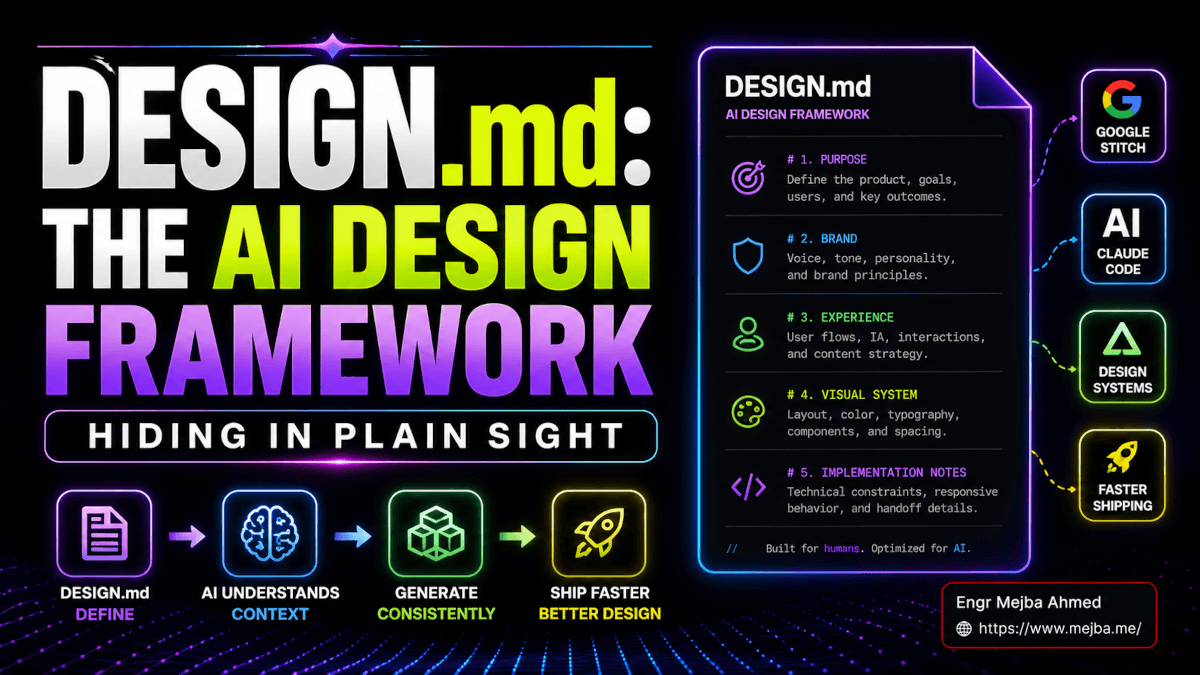
DESIGN.md: The AI Design Framework Hiding In Plain Sight
I had a Saturday lined up to redesign three products I ship under different brand names. Marketing site for one. Mobile app screens for another. A pitch deck for the third. Three different aesthetics. Three different audiences. Three different stacks. Last year, this would have been a four-week project. Last month, with Claude Code and a stack of skills, it was a three-day grind. This week, I did it before lunch.
The thing that changed was a single file. Six hundred and twelve lines of markdown sitting at the root of each project. A name I had been seeing pop up on my Twitter feed for weeks but had not bothered to actually use. DESIGN.md. Or, depending on which transcription you read, design.mmd. Same file. Different keys on the same instrument.
I was wrong about it for almost a month. I thought it was another design-token YAML wrapped in a hype cycle. I thought "great, another spec to memorize, another standard to abandon when the next one ships in six weeks." I sat on my hands and watched the GitHub stars climb. The official google-labs-code/design.md repo crossed 10,000 stars eight days after Google open-sourced the spec on April 21, 2026. The community-driven VoltAgent/awesome-design-md collection blew past 68,000 in the same window and is now sitting somewhere north of 71k as of this week. Numbers like that, in a market this saturated, do not happen for a YAML file.
What I missed was that DESIGN.md is not really a file format. It is a protocol. A way of teaching a stranger your brand in roughly the time it takes to pour a coffee, where the stranger happens to be every coding agent you will ever use. Once that clicked, my whole AI design workflow restructured around it. This article is the version of the explanation I wish someone had handed me four weeks earlier.
Let me show you what actually happens when you stop fighting it.
Why "Just Prompt The Model" Stopped Being Enough
Here is the failure mode every designer building with AI in 2026 has hit at least once.
You spin up a fresh project. You prompt Claude Code or Cursor or Codex with something reasonable: "build me a dashboard hero section for a fintech app, modern and clean." The model goes to work. It produces something. The thing it produces is fine. Actually it is more than fine — it is technically correct, it uses sensible defaults, the spacing is even, the typography scale makes sense. And yet you take one look and you can already feel the slop.
You cannot put your finger on it for a second. Then you can. The shadow is wrong. Not wrong in the sense of broken — wrong in the sense that every other AI-generated dashboard on the internet has this exact shadow. The blue is the same blue Vercel uses, which is the same blue Stripe's old design used, which is the same blue every YC company's marketing site used in 2024. You are looking at a statistical mean wearing a brand costume.
This is the thing nobody warns you about when they sell you AI design tools. The model is not making a creative decision. It is averaging. It is averaging your vague prompt against every other interface its training data has ever shown it, and the result lands directly on top of the median. Median UI. Median spacing. Median brand. The reason it feels generic is because it is.
Designers have been calling this exact problem out for the better part of a year. There is a term floating around now — "Claude slop," "Cursor slop," pick your model — and it is uglier than the design itself. It tells you something true: the bottleneck is no longer the model. The bottleneck is whether the model has any idea what your taste is supposed to look like.
That is the gap DESIGN.md fills. Not by being smarter than the model. By being a contract the model can actually follow.
We will get into the format itself in a moment. But first I need to tell you about the moment I stopped being skeptical.
The First Time I Watched It Actually Work
I had a marketing site for a side product. Solo founder vibe — one of those minimalist landing pages with a hero, three feature blocks, social proof, pricing, FAQ. I had the brand sketched in Figma but had not yet implemented anything. I was about to do what I always do: hand-code the first pass, then hand it to Claude Code for refinement.
Instead I tried the DESIGN.md path. I wrote a 412-line file describing every brand decision in plain English. Color tokens with a sentence each on when they apply. Typography scale with the rationale for each step. Spacing system tied to a 4px base. Voice and tone. A dedicated "Anti-Patterns" section listing the eight mistakes any agent should never make in this project. I dropped the file in the project root. Then I opened Claude Code and typed exactly this:
Read DESIGN.md. Then build me a marketing landing page using only the tokens, components, and rules defined there. Hero, three feature blocks, social proof strip, pricing, FAQ.
What came back forty-five seconds later was not a draft. It was the page. Pixel-close to what I had sketched in Figma without ever opening Figma. The hero used my custom serif heading at the right size. The pricing card used my "elevated" surface style — the right one, not the modal one — because I had described in the file when each surface applied. The button hover state was the right tone shift, with the right transition timing, because that timing existed in the motion section.
I sat there for about thirty seconds processing it. Then I tried to break it. I asked it to add a testimonial section. It used the right card style. I asked for a comparison table against three competitors. It picked the right table density variant. I asked for a dark mode. It re-applied every single token correctly without me having to remind it about the brand-tinted backgrounds I had defined for promoted content.
The whole thing took me forty minutes. The DESIGN.md file took me about three hours to write correctly. Forty minutes for the page. Three hours for the file that now generates infinite consistent pages. That math is the entire point.
I have since shipped that workflow on four separate products, each with its own DESIGN.md. The compounding gets ridiculous after the second project. By project three, I had a template I copy-paste-modify and the file is done in twenty minutes.
But none of this works if the file is sloppy. So let me show you what the file actually contains.
What's Inside A DESIGN.md File, Section By Section
The format Google open-sourced has a specific structure. It is not a free-form essay. The current spec defines a markdown body with predefined sections, optional YAML front matter at the top for machine-readable tokens, and a strict ordering rule — sections can be omitted, but the ones present must appear in spec order.
Here are the nine sections the spec calls for, with how I actually use each one:
1. Version and Name. Two lines. The version tag is currently alpha and exists so future tooling knows which spec edition the file is targeting. The name is the project name. You will think this is throwaway metadata. It is not. When you fork a DESIGN.md from a sibling project and forget to rename it, every agent in your toolchain ends up confidently building "AcmeBank" UI for a wellness brand. I have watched this happen.
2. Description. A single paragraph describing the product's positioning and personality. This is the "soul" section the source community keeps talking about. Mine reads more like a creative brief than a spec — three sentences on who the product is for, two sentences on what feeling it should produce, one sentence listing what it absolutely is not. The model uses this to break ties in every ambiguous decision downstream. If you skip this section, expect bland.
3. Overview. A holistic look-and-feel paragraph. Where the description is about positioning, the overview is about visual character. Is this product warm or cool? Dense or airy? Loud or restrained? Editorial or utilitarian? This is the section where your taste lives in language form. I keep mine specific: "Editorial-quiet. Warm neutrals, restrained accent use, generous whitespace. Headlines do the heavy lifting; supporting text steps back. No gradients in the foreground. No glass effects. No gratuitous motion."
4. Colors. Hex values mapped to semantic names. The trick that took me three projects to learn: do not name colors after their appearance. Name them after their job. surface-base not gray-50. action-primary not indigo-600. status-warning-subtle not amber-100. Each token gets a one-sentence description of when to use it. The descriptions are what stop the model from grabbing the wrong blue at 2 AM.
5. Typography. Font families, scale, weights, line heights, letter spacing. Twelve to fifteen tokens is typical. Mine has thirteen — display, heading-xl, heading-l, heading-m, heading-s, body-l, body, body-s, caption, code, button, label, eyebrow. Each one with explicit rules on where it appears.
6. Layout. Grids, breakpoints, base spacing scale. Whether you use 4px or 8px as your unit. How dense your typical page is. Whether your gutters scale with breakpoint or stay fixed. This is where you encode the rhythm of the brand.
7. Elevation and Depth. Shadows, z-index layers, the visual stratification rules of the system. This is the section most teams forget exists. It matters more than you think — half the slop you see in AI-generated UI comes from the model picking shadow values from training-data averages. If your file does not specify elevation, the model will guess, and the guess will look like every other generated dashboard.
8. Components. Patterns for buttons, cards, forms, navigation, with all variants and states. This is where the file gets long. For a serious project I describe roughly fifteen to twenty component primitives, each with their props and the usage rule for each variant.
9. Do's and Don'ts. Explicit rules. "Never use raw gray for body text — always use a content token." "Never animate longer than 240ms on the foreground UI." "Avoid full-bleed images on the marketing site; use the framed media component instead." This section is your last line of defense against averaging. The model treats these as hard constraints. The more you have, the more your brand survives.
That is the structure. The full spec is documented in the google-labs-code/design.md repo and is straightforward to read end to end in about twenty minutes — far less time than you have spent fighting bad output.
There is one more thing the spec hints at but does not fully address, and it is where a lot of people get stuck. Let me show you what I had to figure out the hard way.
The Tokens-vs-Prose Tension Nobody Warns You About
Here is the part of DESIGN.md that took me the longest to internalize. The format has two voices. The YAML at the top is for machines. The prose below is for humans and language models. You need both, and you need them to agree.
Most teams get this wrong in one of two directions.
The first failure mode: too much YAML, not enough prose. Your file looks like a Tailwind config. Every token has a name and a value. There is no surrounding description. The model reads the file, treats the tokens as raw data, and ends up making the same averaging mistakes it would have made without any file at all. The tokens are the what. Without the when, the model is still guessing.
The second failure mode: too much prose, not enough tokens. Your file reads like a brand book PDF. Beautiful sentences about the soul of the product. No machine-readable values. The model gets the vibe but cannot actually pin down which exact hex code goes on a primary button. You end up with output that feels right and breaks every accessibility check.
The trick is the marriage. Tokens with sentences. Sentences that resolve to tokens. Every value has a job description. Every job description points at a value.
I write mine in tables. Here is a real chunk of my surface tokens, lifted from one of my live projects with the brand details swapped:
| Token              | Hex      | Dark     | When to use                                     |
|--------------------|----------|----------|-------------------------------------------------|
| surface-base       | #FAF9F6  | #0E0E10  | The page background. Nothing sits behind this.  |
| surface-raised     | #FFFFFF  | #161618  | Cards, list rows — one layer above base.        |
| surface-elevated   | #FFFFFF  | #1C1C20  | Modals, popovers, menus. Floating UI only.      |
| surface-sunken     | #F2F1ED  | #08080A  | Input fields, inset wells, read-only regions.   |
| surface-brand      | #F4EFE8  | #221C12  | Brand-tinted backgrounds for promoted content.  |
That fourth column is what makes the file work. A model reading "use surface-elevated for floating UI only" can never accidentally use it for a page background. The token is a value. The sentence is the constraint. Together they are an instruction.
This pattern aligns with the W3C Design Token Community Group recommendations the Google spec references, and it maps cleanly to existing tooling — style-dictionary exports, Tailwind's design tokens plugin, the DTCG export format that lives in the design.md CLI. None of this is new. What is new is having a single canonical file where the tokens and the rationale live together, version-controlled, ingested by every coding agent that touches the project.
If you have read my earlier piece on the AI design system workflow with Claude and Figma MCP, you have already seen the four-column token pattern. DESIGN.md is the format that finally standardizes it. The format I was reaching for is the format Google ended up shipping.
So far we have talked about the file. Now let me talk about the part that turns the file into a moat.
Skills, Remix Packs, And The Compounding Of Taste
The breakthrough was not DESIGN.md alone. The breakthrough was DESIGN.md plus the layer that grew on top of it within forty-five days of the spec dropping.
The community moved fast. By early May 2026, three things had landed in production:
The awesome-design-md collection. A community-curated repository at VoltAgent/awesome-design-md shipping fifty-plus DESIGN.md files extracted from real-world brands — Stripe, Vercel, Notion, Supabase, Linear, NVIDIA, Apple, x.ai. The collection went from zero to 35,000 stars in ten days, then to 68,000 by late April, then past 71k. The fork ratio is sitting at over 12 percent, which is wild — for context, awesome-go is at 7.8 percent, awesome-python at 9.5 percent. People are not just bookmarking these files. They are pulling them into projects.
The Claude Design integration. When Anthropic shipped Claude Design on April 17, 2026 — four days before Google open-sourced the format — it landed with deep DESIGN.md compatibility. You can drop a DESIGN.md file into Claude Design and get a full UI scaffold in a single shot. Tokens, type scale, buttons, cards, navigation, working preview kit. I covered the first-look in my Claude Design review — the integration with DESIGN.md is the part that has aged best.
Skill-based remixing. This is where things get interesting. The community started shipping "skills" — focused little markdown plugins that layer on top of a DESIGN.md to push it in a specific direction. Skeuomorphic surface treatments. Laser-style accent effects. Editorial-print compositional rules. WebGL-driven 3D interaction patterns. By early May there were sixty-plus public skills available, and the number is climbing weekly.
The workflow that resulted is something I am still adjusting to. You write your base DESIGN.md once. You apply skills as overlays. The skills do not replace your tokens — they extend them, adding modular layers that the agent can compose with your base. You pick two aesthetic families that should not work together. You let the model remix them through the skill layer. You iterate on the result.
This is the loop the source community keeps describing as "iteration vs. remix." Iteration is the slow refinement of a single design direction — moving a button two pixels, tightening a paragraph rag, fine-tuning a hover state. Remix is creating an entirely new direction by combining two unrelated DESIGN.md files or layering a skill on top of an existing one. Both matter. Iteration produces polish. Remix produces new categories.
Here is the piece nobody tells you in the marketing copy. Mature products are running thousands of iterations. I am not exaggerating. The teams I have talked to using this stack seriously are reporting 4,000 to 10,000 prompt-driven iterations per polished surface area before they ship. The cost is real — token-wise, time-wise, attention-wise. The output, when done right, is the kind of design quality you used to need a six-person studio to produce.
If that sounds expensive, it is. If it sounds slower than slapping a template on a project, it is also that. What changed is the ceiling. With a DESIGN.md and a sane skill library, a solo operator can now hit production-design quality on as many products as their judgment can sustain.
Which is the real conversation. Let me get to it.
Taste Is The New Moat — And Almost Nobody Believes It Yet
If you are a designer reading this and you are nervous about your job, I want to give you the version of the future I actually believe in.
Pixel-pushing is gone. The exhaustive documentation work — every single token described, every single component variant catalogued, every single state hand-drafted — that work is now a one-time cost paid in a markdown file. The "20 hours of design system maintenance per week" line item that used to live on every product team's roadmap is dropping toward zero. Real teams are reporting 60 to 80 percent reductions in design-system upkeep within the first quarter of adopting DESIGN.md properly.
What does not go away — what gets more valuable, not less — is the judgment that decides what should be in the file in the first place.
The DESIGN.md you write is the thing. It is the moat. The 412-line file at the root of my marketing project? That file is the product's brand. Every variation, every page, every email, every screen the model ever generates traces back to it. The file is upstream of everything. And the file is exactly as good as the taste of whoever wrote it.
This is the part that is not landing for most people yet. They look at AI design and they see democratization — anyone can ship a polished UI now. That part is true. But democratization is a leveler at the bottom of the curve, not the top. The bottom of the curve gets dramatically better. The top of the curve also gets better, faster, and stays differentiated, because the people at the top are the ones whose taste is informed enough to write a DESIGN.md that produces something the median cannot.
The future of design work, as I read it from inside the workflow, is roughly this:
More judgment per minute. You will spend less time pushing pixels and more time deciding what should exist. The unit of work shifts from "produce" to "decide."
Reference-saturation as an actual practice. You need a second brain for design. A library of references — screenshots, films, magazine spreads, packaging, motion studies — that you have actually internalized, not just bookmarked. The agents will do the synthesis. Your job is to know what is worth synthesizing in the first place.
Authentic niche taste over generic mastery. A designer with deep taste in one specific aesthetic — Y2K, Swiss, Japanese minimalism, Brutalist web, Memphis, Editorial — will out-ship a generalist using the same tools. The agents lean toward the average. The DESIGN.md you write is what pulls them away from it.
Solo operators running multiple products. I know three people now running four to seven products in parallel as solo founders, each with its own DESIGN.md, each with its own brand. None of them were doing that two years ago. The bottleneck used to be production. The bottleneck is now portfolio management.
Marketing as an extension of design judgment. When the file generates landing pages, ad creatives, social cards, pitch decks, all from the same source of truth — the line between "designing the product" and "marketing the product" collapses. The same taste that wrote the DESIGN.md is the taste shaping every customer touchpoint.
I want to be honest about the part I am still wrong about. I do not yet know whether the agencies will adapt. I do not yet know whether design education will catch up. I do not yet know whether the spec itself will hold — Google's spec is in alpha, and there are already at least three competing formats in the ecosystem (Anthropic's variant, the Cursor team's version, a couple of the local-first BYOK alternatives). One of these will probably consolidate. I would bet, today, on Google's, because the open-source momentum and tooling lead are too far ahead for a fork to catch up. But I have been wrong about this kind of bet before.
What I am not wrong about is the direction. If you are spending your time hand-pushing pixels in 2026, you are doing the work that markdown files now do for free.
How To Actually Start, Without Burning A Weekend
I want to leave you with the version of "getting started" I wish someone had handed me a month ago. Skip the long onboarding tutorials. Here is what to do this week.
Day one, evening. Pick the smallest live project you have. Marketing site. Side product. Even a single landing page. Read three real DESIGN.md files from VoltAgent/awesome-design-md — Linear, Stripe, and one whose aesthetic actually matches yours. Read them carefully. The format will become obvious in about twenty minutes.
Day two. Write your own DESIGN.md from scratch, by hand, in a plain text editor. Do not use a generator. The point of the file is that it forces you to make taste-level decisions explicit. A generator hides those decisions. Aim for 300 to 600 lines. Spend extra time on the Description, Overview, and Do's-and-Don'ts sections. These are the sections the model uses to break ties.
Day three. Drop the file in the root of your project. Open Claude Code, Cursor, Codex, or whichever agent you are using. Tell it to read DESIGN.md and rebuild a single page or component using only the tokens and rules defined there. Watch what comes back. Note where it gets things wrong — those errors are pointing at gaps in your file, not the model.
Day four onward. Iterate on the file. Every time the agent gets something wrong in a way you did not anticipate, ask why. Almost always the answer is that your file did not specify it. Add the rule. The file gets better with every fix. Within two weeks of regular use it stabilizes — at that point the agent's output starts feeling distinctly yours, not generic.
If you want a faster on-ramp, the getdesign.md site lists installation guides for Claude Code, Cursor, Kiro, Windsurf, and Stitch. The official spec lives at github.com/google-labs-code/design.md. The CLI for validation, diffing, and exporting to Tailwind or DTCG lives in the same repo. None of this is gated behind a paywall. The spec is Apache 2.0. The community files are open source. The skills layer is mostly free.
I have a confession to leave you with. The Saturday I described at the top of this article — the three products in three hours — I was already working from a baseline of three months with this format. The first time I tried to write a DESIGN.md it took me an entire afternoon and the result was mediocre. The second one took three hours and was usable. The fifth one took twenty minutes and was excellent.
The format is simple. The taste required to fill it well is not. That is the part that does not get democratized. That is the part that gets more valuable, not less, the better these agents become.
Write your file. Take your time. The next decade of design work is going to be downstream of the markdown you write this week.
FAQ
Frequently Asked Questions
Everything you need to know about this topic
They refer to the same format. DESIGN.md is the canonical filename Google ships in the spec at github.com/google-labs-code/design.md. The design.mmd spelling shows up in some community videos and writeups as an alternate transcription. The file content is identical — markdown body with optional YAML token front matter, sections in spec order. Use DESIGN.md for compatibility with the official tooling.
No, but you need taste. The file forces every brand decision into explicit language — color rationale, typography hierarchy, spacing logic, component usage rules. If you cannot answer those questions yourself, the file you write will produce generic output regardless of which agent reads it. A non-designer with strong taste and reference saturation will beat a designer who copies a template. See the "Taste Is The New Moat" section above for the full argument.
Claude Code, Cursor, GitHub Copilot, Codex, Gemini CLI, Kiro, Windsurf, and Anthropic's Claude Design all read DESIGN.md natively. Most read the file as plain markdown — no plugin required. The Google Stitch tool was the original format owner and still has the deepest integration. Some agents also support the optional YAML token export the design.md CLI generates.
Three to six hours for a serious first version on a real project. Twenty to forty minutes for subsequent projects once you have your own template. The Description, Overview, and Do's-and-Don'ts sections take the most time and are the highest-leverage parts of the file — invest there before you obsess over token counts.
No. DESIGN.md replaces the handoff document between design and code, and the training-data layer between your brand and an agent. Figma remains the place for visual exploration, motion prototyping, and design review. The pattern most teams are converging on as of May 2026: explore in Figma, codify in DESIGN.md, scaffold with an agent, refine in code. The file is the source of truth that travels between every tool.
Let's Work Together
Looking to build AI systems, automate workflows, or scale your tech infrastructure? I'd love to help.
- Fiverr (custom builds & integrations): fiverr.com/s/EgxYmWD
- Portfolio: mejba.me
- Ramlit Limited (enterprise solutions): ramlit.com
- ColorPark (design & branding): colorpark.io
- xCyberSecurity (security services): xcybersecurity.io