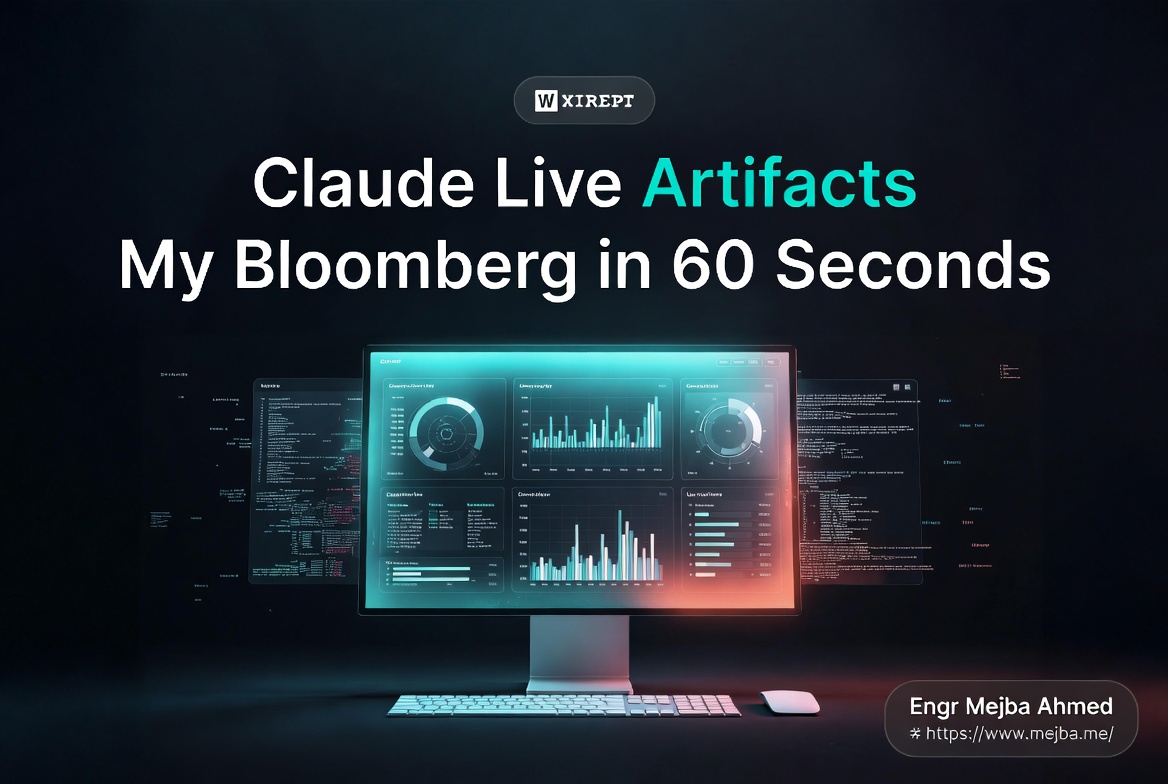
Claude Live Artifacts Tested: My Bloomberg in 60 Seconds
The first time I opened a Claude live artifact a second time, I genuinely thought something was broken.
I'd built a morning briefing the night before — unread email summaries, today's calendar, a top-three priorities block pulled from Notion. Standard Claude artifact stuff. I closed the tab, went to bed, opened my laptop at 6:42 AM, and clicked the saved artifact in the new "Live artifacts" tab Cowork had quietly added to my sidebar.
The whole thing repainted. New emails I'd received between 11 PM and 6 AM. A meeting that had been moved by a teammate while I was asleep. A Notion task I'd checked off from my phone, now correctly marked done. No prompt. No "regenerate." No "please update with current data, sorry to bother you again."
It just refreshed. Like a real dashboard. Like something I'd pay $32,000 a year for.
That's when I realized Anthropic had done something genuinely strange with this release. They didn't ship a new model. They didn't ship a benchmark. They quietly rewired the most underused surface in Claude — artifacts — and turned it into a live data layer that connects to whatever app you've authorized. And for the kind of work I do every day, that's bigger than another point release of Sonnet.
I've spent the last week stress-testing live artifacts on actual client data — ad spend across three platforms, a content pipeline running through Notion and Airtable, a Shopify store I help operate. I broke things. I rebuilt them. I caught one important limitation that nobody seems to be talking about. Here's what actually works, what doesn't, and why I think this is the most undersold launch Anthropic has done in 2026.
What Anthropic Actually Shipped (And Why It's Different)
Here's the timeline so you have it straight: Anthropic shipped live artifacts inside Claude Cowork on April 20, 2026, with broader rollout the next day. It went out across the desktop app for all paid Claude plans — Pro at $20/month, Max at $100 or $200/month, Team Premium seats at $100/seat/month, and Enterprise custom contracts. Free tier is excluded entirely.
That sounds like a small product update. It isn't. To understand why, you have to understand what artifacts used to be.
The old artifacts were static snapshots. You'd ask Claude to build a dashboard summarizing your last quarter's revenue, it would generate a beautiful HTML document with charts, and that document would sit there frozen in time. Open it three days later and the data was three days stale. Want fresh numbers? Re-run the prompt. Burn the tokens. Wait for the regeneration. Hope Claude remembered the formatting choices you made last time.
For one-off reports, that was fine. For anything you actually wanted to use as a dashboard — something you'd open every morning to make decisions — it was unusable. The friction killed it. You'd build something elegant, use it once, forget it existed.
Live artifacts solve the freshness problem at the architecture level. They're persistent mini web apps that live inside Cowork. Every time you open one, Claude reaches back through the Model Context Protocol connections you've authorized — Gmail, Google Calendar, Notion, Shopify, Zapier MCP, Slack, whatever you've got plugged in — pulls the current state, and repaints the dashboard. The artifact has a "Live" toggle. The connections are stored. The version history is preserved. You can fork it, roll back changes, or share it with a teammate.
That last part matters more than it sounds.
When you share a live artifact, the recipient opens it through their own Claude subscription. Their Claude account, their auth, their data. There are no shared API keys. No "this is broken because Mejba revoked his Gmail token." Each user's authentication is their own. Which means a team can collaborate on the same dashboard without anyone leaking credentials — but it also means every teammate has to authenticate every connection independently. We'll come back to this. It's the gotcha most reviews are skipping over.
But before any of that mattered to me practically, I needed to know one thing: did it actually work on real data? Or was it another demo-ware feature that crumbles the second you point it at a messy live workflow?
The First Test: Ad Spend Tracker Across Three Platforms
I run paid acquisition for a small e-commerce client. Three channels — Facebook Ads, Google Ads, TikTok Ads. Every morning I used to do the same dance: open three browser tabs, screenshot yesterday's spend and ROAS from each platform, paste them into a Google Sheet, calculate blended CAC, slack the client a summary. Twenty minutes if nothing was on fire. An hour if something was.
I decided this was the perfect first test for live artifacts. If they could replace this routine, the feature was going to live in my workflow permanently.
Here's the prompt I used, more or less verbatim:
Build me a live artifact dashboard that pulls yesterday's spend, revenue, and ROAS from Facebook Ads, Google Ads, and TikTok Ads. Show top three campaigns by spend per channel. Show day-over-day delta in spend and ROAS for each channel. Highlight any campaign where ROAS dropped more than 20% versus the prior day in red.
I had Facebook and Google Ads connected through Zapier MCP — TikTok Ads doesn't have a first-party Anthropic connector yet, but Zapier covers it. Total connection setup time the night before, including OAuth flows: about six minutes.
Claude generated the artifact in roughly forty seconds. It was rough. The first version had ROAS calculated per row instead of per channel, the colors were Anthropic-default beige, and TikTok's spend was being formatted in cents because Zapier's TikTok endpoint returns micro-units. Three follow-up prompts later — "fix the ROAS rollup," "color-code red below 1.5 and green above 3," "divide TikTok spend by 1,000,000 to get dollars" — the dashboard looked exactly like what I'd been manually building in Sheets.
Then I closed it. Walked away for two hours. Came back, clicked the artifact in the Live artifacts tab.
It pulled fresh numbers. Yesterday's full-day data was now closing-day data. Two campaigns I'd paused at noon were correctly showing zero spend after the pause time. The deltas updated. The red highlights moved.
That's the moment the feature stopped being a demo for me. The whole thing took longer to set up than to use, and after one setup, the use was zero-effort forever.
A few honest notes on what I noticed during this test:
The data freshness depends entirely on how the underlying app exposes data. Facebook Ads' API has a 30-90 minute reporting lag for spend numbers, and Claude has no way to fix that — if Facebook says yesterday's spend is still settling, the artifact reflects what Facebook reports. This isn't a Claude limitation. It's a reality of ad platform reporting that any dashboard tool inherits.
Refresh isn't instant. When you open the artifact, there's a 3-8 second pull-and-render delay while Claude hits the connected services and renders the new state. That's fine for a morning check-in. It would be annoying if you needed second-by-second updates, which is not what this product is for.
If a connector breaks — token expired, rate-limited, app deauthorized — the artifact handles it gracefully. It shows a "couldn't refresh this section" message and keeps the last known data visible until you fix the auth. That's a much better failure mode than I expected.
By the end of day three, I'd retired my morning Sheet ritual entirely. The live artifact does it for me. That alone has saved me roughly two hours a week. But I wasn't done testing.
The Second Test: Weekly Content Pipeline Across Notion, Airtable, and Sheets
The ad spend tracker was the easy win. Numbers in, numbers out. The harder test was something with messier data — my content pipeline.
I run a content workflow that touches three tools. Notion for ideas and outlines. Airtable for the editorial calendar and asset tracking. Google Sheets for the publishing schedule that gets shared with a freelance editor. The data structures don't match. The naming conventions don't match. Half the time, a piece of content lives in two tools simultaneously with slightly different statuses, and reconciling them is the kind of mind-numbing work I'd happily pay someone to do for me.
I asked Claude to build a live artifact that:
- Pulled all in-progress drafts from Notion (status = "In progress" or "Editing")
- Cross-referenced them against the Airtable editorial calendar to flag missing assets (cover image, alt text, social card)
- Compared the Airtable scheduled-publish dates against the Sheets master schedule to flag conflicts
- Showed overdue items with red highlights
- Surfaced bottlenecks — pieces stuck in the same status for more than five days
Connecting Notion and Google Sheets was easy — both have first-party Cowork connectors. Airtable I routed through Zapier MCP. Total setup, about eight minutes including hunting down the Airtable API key from a settings page I hadn't visited in a year.
The first artifact build was where I hit the most interesting problem. Claude tried to be too smart. It started inferring statuses across systems — like, if Notion said "In progress" but Airtable said "Scheduled," Claude would assume the Airtable status was correct and surface that. Which was sometimes right and sometimes catastrophically wrong. I had to explicitly prompt: "When Notion and Airtable disagree, flag the conflict. Don't pick a winner."
That fix matters. Live artifacts inherit Claude's reasoning, and Claude will reason its way past obvious conflicts unless you tell it not to. Treat your prompts like you'd treat instructions for a smart but new contractor — be explicit about edge cases.
After three iterations, the artifact was doing exactly what I needed. Drafts on the left, sorted by overdue status. Asset gaps in a center column. Schedule conflicts flagged at the top with the conflicting dates side by side. Open it Monday morning, I see the entire week's bottlenecks in one shot, and I know what to fix before my editor's standup.
Here's the part that really sold me. Last Tuesday, I forked the artifact. Made a stripped-down version showing only the freelance editor's view — just the items assigned to her, just the assets she was responsible for, none of the internal-only fields. Shared it with her via Cowork's share link.
She opened it through her own Claude account. Authenticated her own Notion and Airtable. The artifact rendered for her with her own permissions — she only saw the rows she had access to in Airtable, because Airtable's permissions, not Claude's, did the gating. We had a shared view of the same dashboard, but no shared credentials, no shared API keys, no admin headaches.
That's the team workflow nobody is talking about, and it's the thing that makes live artifacts genuinely interesting for collaboration. If you've ever tried to share a Retool dashboard with a freelancer, you know what I'm talking about. The auth model alone makes this worth the subscription.
The Third Test: E-Commerce KPI Dashboard for a $2M/Year Shopify Store
For the third test, I went after the use case I think will sell live artifacts to ten times more people than morning briefings will: an e-commerce KPI dashboard.
The client runs a Shopify store doing roughly $2M/year in revenue. They were paying for a Shopify dashboard add-on, a separate Triple Whale-style attribution tool, and they had a custom Looker Studio report a freelancer built two years ago that breaks every six weeks when something upstream changes. Total monthly cost of the analytics stack: about $580/month, not counting the freelancer's repair fees.
I rebuilt their daily dashboard as a live artifact. Single prompt, then four iterations to clean it up. Total build time: roughly twenty minutes.
What it shows:
- Today's revenue and orders, updated as Shopify reports them
- Conversion rate calculated from sessions (pulled from Google Analytics via the GA connector)
- Average order value, with a sparkline of the last 14 days
- Customer acquisition cost, calculated from blended ad spend across Facebook and Google divided by new customers
- Top five products by revenue today, with stock levels
- A "needs attention" block — out-of-stock SKUs, abandoned cart spike, a refund rate above 5%
Building this would have taken me a full day in Looker Studio. Maybe two. With live artifacts, the friction was almost entirely in deciding what to put on the dashboard. The actual building was just typing what I wanted in plain English and watching Claude assemble it.
The client opened it the next morning, checked their own auth, and texted me: "this is what I wish my BI tool did three years ago."
A week in, they've started questioning whether they need the paid analytics stack at all. Probably not, for the daily-decisions layer. They might keep one tool for deeper attribution analysis, but the everyday "what's happening with my store right now" dashboard? Replaced.
I want to be careful here, because I don't want to over-promise. Live artifacts are not a full BI replacement. They don't do cohort analysis. They don't do custom SQL. They don't store historical data — they read what's currently in your connected systems, so if your underlying systems don't retain historical data, neither does the artifact. For a daily operational dashboard? Phenomenal. For deep analytical work that requires data warehousing? You still need a real BI stack.
But for the operational layer — the dashboard you actually open every day to make decisions — this is the most price-efficient option I've seen.
Speaking of price.
The Bloomberg Comparison Is Real, But It's Not What You Think
Every review I've seen of live artifacts mentions Bloomberg Terminal. There's a reason for that, but the comparison is usually framed wrong.
Bloomberg Terminal costs $31,980 per year for a single seat in 2026. Multi-seat deployments drop to $28,320 per seat per year. Volume buyers can get it as low as $20,000-$22,000 per seat per year. Either way, you're committing to two-year contracts. The terminal is the gold standard for real-time financial data delivery, and the price reflects forty years of moat.
Live artifacts don't replace Bloomberg. Bloomberg has data that nobody else has — bond pricing, OTC derivatives, Bloomberg-exclusive analyst chat, the message system that an entire industry runs on. If you're a portfolio manager, you're not canceling Bloomberg.
But here's the thing the Bloomberg comparison actually surfaces: 90% of what makes Bloomberg feel powerful isn't the data itself. It's the always-on, real-time, multi-source dashboard experience. The feeling of opening one screen and having every relevant system speaking to you simultaneously.
For most knowledge workers, that experience — not the financial data — is what's actually valuable. And that experience, until last week, was locked behind enterprise tools costing tens of thousands of dollars a year. Tableau Cloud starts at $75/user/month and goes up sharply for enterprise features. Power BI Premium is $20/user/month with a $4,995/month capacity floor for any meaningful deployment. Retool, Looker, Mode — all gated by per-seat pricing in the tens of dollars per user per month, often with implementation costs that dwarf the subscription.
A Claude Pro plan is $20/month. A Max plan is $100 or $200/month. For that, you get the live artifact infrastructure, plus everything else Claude does. The cost-per-dashboard, when you're building four or five operational dashboards, is approaching zero.
The disruption isn't to Bloomberg specifically. It's to the entire layer of tools that exist to give you a live, multi-source dashboard view of your work. Tableau, Looker, Power BI, Retool — the whole "BI dashboard for non-analysts" category. Live artifacts undercut their pricing by one to two orders of magnitude, and the build time drops from days to minutes.
I don't think Tableau is dying tomorrow. Enterprise procurement cycles don't move that fast. But the value calculation has fundamentally shifted, and any of those tools that doesn't ship something equivalent in the next 18 months is going to look badly outdated.
What Actually Bothers Me About Live Artifacts (The Real Talk)
Three weeks of daily use has given me enough perspective to be honest about what's not great. Every review I've read has been a love letter, and that's a disservice to people about to spend real time setting these up. Here's where the rough edges show.
Per-user authentication is friction at scale. I mentioned this earlier. Each teammate has to authenticate every connection independently. For a team of five sharing one dashboard, that's potentially fifteen or twenty individual OAuth flows across the team. There's no admin-level "the org is connected to Shopify, just inherit it." Every user, every connection, every time. For collaboration with one or two people, it's fine. For a team of fifteen? Ugly. Anthropic will probably fix this with org-level auth eventually, but it's not there today.
Refresh is on-open, not push. Live artifacts refresh when you open them, not when underlying data changes. So if your Shopify store gets a refund at 11 AM and you don't open the artifact until 4 PM, you don't see the refund until 4 PM. For most workflows, that's exactly right — you don't want a constantly-pinging dashboard. But if you actually need real-time alerts on data changes, live artifacts are the wrong tool. You need a notification system, not a dashboard.
Connector quality is uneven. First-party Anthropic connectors — Gmail, Google Calendar, Google Drive, Notion, Slack, Shopify — are excellent. Zapier MCP, which is your fallback for everything else, varies wildly depending on the underlying app. TikTok Ads through Zapier was fine. Klaviyo through Zapier was buggy. Some tools you'd expect to work great hit weird rate limits. Test the specific apps you care about before promising your team a dashboard.
Cost compounding on Pro. The Pro plan's token budget can get eaten faster than you'd think if you have multiple live artifacts open frequently. Each refresh is a Claude API call, and complex artifacts pulling from four or five sources can chew through tokens. I haven't hit Pro limits yet, but I can see the trajectory if I built ten of these and opened them all daily. Max at $100/month is probably the right tier if you're going to live in this feature.
No public sharing yet. Live artifacts are sharable only with other authenticated Claude users. You can't drop one on a public URL for clients who don't use Claude, and you can't embed one on a website. For internal team use, fine. For client-facing reporting, you're back to exporting screenshots or building something in another tool.
The Cowork tab is buried. This is more of a UX nitpick than a functional issue, but the "Live artifacts" tab is currently tucked into the Cowork sidebar in a way that makes it easy to miss for new users. I bet half the people who have access to this feature don't know it exists. Anthropic's product team historically takes a while to fix discoverability problems. This one matters.
None of these are dealbreakers. All of them are real. If you go in expecting a perfect product, you'll get burned. If you go in expecting "the best v1 of a new product category I've seen this year," you'll be right.
How to Set Up Your First Live Artifact (The Actual Steps)
If you've made it this far, you probably want to try one. Here's the shortest path from zero to a working dashboard.
Step 1: Confirm you're on a paid Claude plan. Pro at $20/month is the floor. Max, Team Premium, and Enterprise all work. If you're on the free tier, you can't use this feature. There's no workaround.
Step 2: Open Claude Cowork on the desktop app. Live artifacts are a Cowork feature, not a base Claude feature. If you're using Claude through the standard chat interface, switch to Cowork. Look for the "Live artifacts" tab in the sidebar — that's where every live artifact you create will be saved.
Step 3: Connect at least one app. Click your profile, navigate to Connectors, and authenticate whatever apps you want to pull data from. Start with one. Gmail or Notion are good first choices — they're well-supported and the data structures are intuitive. The OAuth flows take 1-2 minutes each.
Step 4: Write a specific prompt. This is where most people fail. Don't ask for "a dashboard of my work." Ask for something concrete: "Build a live artifact that shows me a list of all unread emails from the last 24 hours, grouped by sender, with a one-line summary of each. Sort by sender importance — clients first, internal second, everything else last." Specificity dictates output quality. Live artifacts inherit every weakness of bad prompting.
Step 5: Toggle the artifact to Live. When Claude generates the artifact, it'll default to a static version. You'll see a "Live" toggle in the artifact controls. Flip it on. Save the artifact. Confirm it appears in the Live artifacts tab.
Step 6: Iterate. The first version will be 70% right. That's fine. Tell Claude what to fix in plain English: "Move the sender importance to the left," "Add a count of total unread per sender," "Color overdue items red." Each iteration takes seconds. Ten minutes of refinement gets you to something genuinely useful.
Step 7: Close it. Reopen it. Confirm refresh. This is the moment the magic clicks. Close the artifact tab. Wait a few minutes — long enough that something in your underlying app should have changed. Reopen the artifact. The data should be current. If it isn't, check your "Live" toggle is on and your connector is still authenticated.
Total time from "I have a Claude subscription" to "I have a working live dashboard": about fifteen minutes if you're new to Cowork. About five minutes if you've used MCPs before.
Where Live Artifacts Fit in the Larger Anthropic Picture
Step back from the feature for a moment and ask why Anthropic shipped this now. The answer tells you a lot about where Claude is headed.
For most of 2025, Claude's surface area was conversation. You typed, it answered. Artifacts were a side feature for rendering rich output. MCPs were a power-user feature for connecting external tools. Cowork was a separate workspace product. These were four different surfaces, each with its own audience.
Live artifacts collapse three of those surfaces into one. The artifact is the persistent surface. The MCPs are the data plumbing. Cowork is the home. What used to be a chatbot is becoming an operating layer — a place where you don't just talk to Claude, you build durable workspaces that Claude maintains for you.
That's a fundamentally different product positioning. It puts Claude in direct competition with productivity tools, not other chatbots. The relevant comparison set isn't ChatGPT or Gemini anymore. It's Notion, it's Tableau, it's Retool, it's the entire workspace category. And from what I'm seeing in live artifacts, Anthropic is leaning into that comparison hard.
If you want to see how this fits with the rest of Cowork's evolution, I'd start with my breakdown of Claude Cowork's daily workflow system, where I covered the morning briefing pattern that live artifacts now make significantly more powerful. The 3 MCPs that turned Claude into my operations hub post covers the connector setup that live artifacts depend on — Zapier MCP especially is doing a lot of heavy lifting under the hood. And for context on where Cowork itself is going, the five levels of Cowork mastery walkthrough sets the stage.
There's one more tool worth flagging while we're here. Higgsfield Creative Tool — the all-in-one creative suite I've been testing alongside this — has been useful for the visual side of dashboard work. GPT-style image generation, Seedance for video animation, and Cinema Studio 3.5 for cinematic polish, all in one platform. If you're building marketing-facing dashboards or content artifacts that need visual assets, Higgsfield handles the generation side cleanly. Different category from live artifacts, complementary use case.
What I'd Tell My Past Self Before Building With This
Three weeks ago I would have told you live artifacts sounded like a marketing reskin of regular artifacts. I was wrong.
The thing that changes everything is the persistence + auto-refresh combination. Static artifacts were a feature. Live artifacts are an infrastructure layer. You can build dashboards that compete with five-figure-per-year BI tools. You can build operational nerve centers for clients in twenty minutes. You can collaborate on shared dashboards without sharing credentials. None of this was possible two weeks ago without writing real code or paying real money.
If you're a freelancer or solo operator running multiple workflows across multiple tools — paid ads, content, e-commerce, client ops — this is going to compress your daily admin work by 60-80%. If you're at an agency, this is going to change how you deliver client reporting. If you're at a startup that hasn't built out a real BI stack yet, this might let you skip that build entirely for the next twelve months.
The tool isn't perfect. Per-user auth is friction. Connector quality is uneven. There's no public sharing yet. The cost on Pro can compound if you build a lot of these. All real limitations.
But the floor for what you can build in twenty minutes just moved up by an order of magnitude. And the price floor — $20/month on Pro — just moved down by two.
If you've been on the fence about a Claude subscription, this is the feature that justifies it. If you're already on Claude and you haven't tried live artifacts yet, stop reading this article, open Cowork, and build a morning briefing for tomorrow. By Friday it'll be the first thing you check every day, and by next month you'll have forgotten what your old workflow felt like.
That's how I know this one is real. The feature didn't just impress me. It quietly disappeared into my life.
FAQ
Frequently Asked Questions
Everything you need to know about this topic
Claude live artifacts are persistent, auto-refreshing dashboards built inside Claude Cowork that pull current data from connected apps every time you open them. Unlike regular artifacts, which are static snapshots that go stale, live artifacts maintain their connections and rebuild with fresh data on each open. They're saved to a dedicated Live artifacts tab with full version history. For setup steps, see "How to Set Up Your First Live Artifact" above.
No. Live artifacts require a paid Claude subscription — Pro at $20/month, Max at $100 or $200/month, Team Premium at $100/seat/month, or Enterprise. The free tier is excluded entirely. Pro is the lowest-cost entry point and is sufficient for individual use, though Max is more comfortable if you're running several artifacts daily.
First-party Anthropic connectors include Gmail, Google Calendar, Google Drive, Notion, Slack, Shopify, and several more. For everything else, Zapier MCP acts as the fallback bridge — covering Facebook Ads, Google Ads, TikTok Ads, Airtable, Klaviyo, and thousands of other apps. Connector quality varies; first-party connectors are reliably solid, Zapier-routed ones depend on the underlying app's API quality.
You can share live artifacts with anyone who has a paid Claude subscription. Each recipient authenticates their own app connections — there are no shared API keys. This means clean security but also independent setup per user. Public sharing to non-Claude users is not yet supported, so client-facing dashboards still require export workarounds. See the "Per-user authentication" note in the Real Talk section.
Not entirely, but they'll erode the market significantly. Live artifacts replace the operational dashboard layer — the daily-decisions view that most non-analysts actually use. They don't replace deep analytical work, cohort analysis, custom SQL, or specialized financial data sources like Bloomberg. For 80% of dashboard use cases at one to two orders of magnitude lower cost, they're a serious threat to the entire BI dashboard category.
Let's Work Together
Looking to build AI systems, automate workflows, or scale your tech infrastructure? I'd love to help.
- Fiverr (custom builds & integrations): fiverr.com/s/EgxYmWD
- Portfolio: mejba.me
- Ramlit Limited (enterprise solutions): ramlit.com
- ColorPark (design & branding): colorpark.io
- xCyberSecurity (security services): xcybersecurity.io