Claude Co-work Levels: 5 That Replace Your Team
I handed Claude Co-work a 22-page vendor contract last Tuesday and asked it to flag anything I should worry about. Three minutes later, I had a color-coded summary of every problematic clause — indemnification gaps, auto-renewal traps, a liability cap that would have made my lawyer wince. The same review from an actual lawyer would have cost $400 and taken three business days.
That wasn't the impressive part. The impressive part was that I'd built the contract review workflow myself, in about fifteen minutes, using a markdown file and zero lines of code. No API keys. No developer tools. No computer science degree. Just a clear description of what I wanted the AI to do, saved as a plugin that I can now trigger anytime with two words: /review contract.
Most people hear "Claude Co-work" and think it's ChatGPT with a different logo. I thought the same thing for about a week. Then I connected it to my Gmail, my Google Calendar, my Notion workspace, and my Slack — all at the same time — and watched it draft responses to three client emails while cross-referencing my calendar availability and logging action items in Notion. In a single prompt. Without me touching any of those apps.
That's not a chatbot. That's a co-worker who never sleeps, never forgets your preferences, and gets smarter every time you correct it. But getting there requires understanding five distinct levels of mastery, and most people stall at level one because nobody explains what the full journey looks like. I'm about to fix that — and I'll be honest about where the tool genuinely delivers and where the marketing outpaces the reality.
Why Most People Use Claude Co-work Like a Worse Version of ChatGPT
Here's what typically happens. Someone downloads the Claude desktop app, opens a conversation, types "help me write a blog post about productivity," gets a decent response, and thinks: "Okay, this is basically the same as ChatGPT. Maybe slightly different tone. Cool."
Then they close the app and go back to their existing workflow. Opportunity wasted.
I did this exact thing. For an embarrassing number of days, I used Claude Co-work as a glorified text generator. Ask a question, get an answer, move on. The entire time, I was sitting on top of a system that could read my files, edit my documents, connect to my business apps, build automated workflows, and run scheduled tasks without me lifting a finger — and I was using it to rewrite email subject lines.
The gap between "what Claude Co-work can do" and "what most people use it for" is probably the widest I've seen in any AI tool. And the reason is architectural. ChatGPT is designed as a conversation partner. Claude Co-work is designed as a work execution engine that happens to communicate through conversation. The interface looks similar, but the underlying capability model is fundamentally different.
Claude Co-work can read, create, and edit files directly on your computer. It can analyze spreadsheets, generate PDFs, parse documents. It connects to Gmail, Google Drive, Slack, Notion, Canva, Figma, and — through Zapier's MCP connector — over 8,000 additional apps. It breaks complex requests into step-by-step execution plans and completes them autonomously. And with its newest feature, it can schedule tasks to run automatically on any cadence you define.
That's not a chatbot feature list. That's a virtual employee feature list. And using it effectively requires a progression through five levels that build on each other — skip one and the levels above it won't work properly.
I learned this the hard way by jumping straight to automation (level five) and wondering why the outputs were generic and unhelpful. Turns out, the AI needs your business context before it can do useful autonomous work. Who knew.
Let me walk you through each level in the order that actually works.
Level 1: Import — Don't Start From Zero
This is the step everyone skips, and it's the one that saves the most time upfront.
If you've been using ChatGPT, Gemini, or any other AI assistant for the past year, you've built up a substantial amount of context. Your writing preferences, your industry terminology, your communication style, your recurring requests. All of that lives in the memory systems of whatever tool you've been using — and it represents weeks of training that you don't want to repeat.
Claude Co-work lets you import that context in under sixty seconds.
The technique is simple enough to feel like a hack. Open your previous AI tool — ChatGPT, for example — and use a prompt that asks it to export its memory of your preferences, style, and context into a structured format. Copy the output, paste it into Claude Co-work, and tell it to internalize this as its baseline understanding of who you are and how you work.
I exported my ChatGPT memory — about two pages of accumulated preferences, writing style notes, project context, and communication patterns — and imported it into Claude Co-work in a single conversation turn. The difference was immediate. Instead of spending the first week training a new AI to understand my voice and preferences, I had a system that already knew I prefer short paragraphs, hate corporate jargon, and always want code examples in Python before TypeScript.
This isn't technically complex, but it's psychologically important. The biggest friction point in adopting any new tool is the "starting over" feeling. Import eliminates that friction entirely. You're not starting over. You're continuing with better infrastructure.
One caveat: the import captures your preferences, not your business context. That's what level two addresses — and getting it right is what separates useful AI output from generic noise.
Level 2: Foundation — Teaching the AI Who You Actually Are
This is where Claude Co-work starts to feel different from every other AI tool, and it's the level most people rush through or skip entirely.
The foundation level is about creating a set of reference files that give Claude deep, persistent context about your business. Not a one-time prompt. Not a system message that gets forgotten after the context window fills up. Actual files, stored on your computer, that Claude reads every time it starts a new task.
I maintain three core files:
goals.md — My quarterly objectives, weekly priorities, and current focus areas. This file gets updated every Monday morning. When Claude sees a task, it can reference my goals to prioritize its approach. If I ask it to draft a client proposal, it knows my Q1 priority is expanding into enterprise clients, so it frames the proposal accordingly. If I ask it to review my calendar, it flags meetings that don't align with my stated priorities.
glossary.md — Business-specific terminology that general AI models get wrong. In my case, this includes the difference between "agents" (autonomous AI workflows) and "assistants" (interactive AI tools), my specific brand names and how to capitalize them, industry acronyms that have multiple meanings, and project codenames. Without this file, Claude would constantly default to generic definitions. With it, the output is precise.
company.md — Brand identity, tech stack, platforms used, target audience descriptions, pricing tiers, and competitive positioning. This is the file that transforms Claude from "generic AI assistant" to "AI assistant that understands my specific business." When I ask it to write marketing copy, it already knows my brand voice. When I ask it to suggest tools, it knows what I already use and what integrates with my stack.
The setup takes about an hour. The time saved over the next month is incalculable, because every single interaction with Claude Co-work becomes more relevant, more specific, and more actionable.
Here's the part that genuinely surprised me: the system is self-learning. As you correct Claude's outputs and refine your instructions, it updates its own reference files to reflect what it's learned. I corrected it three times about how I prefer to structure project timelines — short sprints with hard deadlines rather than rolling timelines with flexible milestones — and on the fourth project, it suggested the sprint format without being asked. The foundation files aren't static documents. They're living context that evolves with your working relationship.
Most AI tools forget your preferences the moment you close the window. Claude Co-work remembers them the moment you open it. That's a fundamentally different relationship, and it's what makes levels three through five actually work.
Level 3: Workflows — Where the Real Power Shows Up
This is the level where I stopped thinking of Claude Co-work as an AI tool and started thinking of it as a team member.
Workflows in Claude Co-work are modular plugins — packaged sequences of actions that the AI executes when triggered. Think of them as standard operating procedures that actually get followed, every time, without anyone needing to remember the steps.
The system ships with pre-built plugins covering most business functions: finance (invoice review, expense categorization, budget analysis), legal (contract review, compliance checks, NDA generation), HR (job description writing, interview question creation, onboarding checklists), marketing (content calendars, competitive analysis, social media scheduling), design (brand guideline enforcement, asset organization, feedback summarization), and operations (meeting notes, project status reports, vendor comparison).
Each plugin is triggered with a simple slash command. /review contract for legal review. /draft JD for job descriptions. /weekly report for a status summary pulled from your project management tools. The AI reads the plugin definition, follows the prescribed workflow, and delivers structured output.
But the pre-built plugins are just the starting point. The real leverage comes from building custom plugins — and this is where Claude Co-work earns its reputation as a tool for nontechnical users.
I built a custom YouTube analytics plugin that pulls my channel data, compares performance across videos, identifies trending topics in my niche, and generates a recommended content calendar for the next two weeks. The entire plugin definition is a markdown file. Not code. Not a configuration schema. A markdown file that describes what the workflow should do, in plain English, with some structural formatting.
Here's what the creation process actually looks like. You open a markdown file, write a description of the workflow ("When I trigger this plugin, analyze my YouTube analytics data, compare my top 10 videos by watch time, identify common themes in high-performers, cross-reference with trending topics in AI/tech, and generate a two-week content calendar with title suggestions and upload schedule"), save it in your plugins folder, and Claude picks it up automatically. Next time you type the trigger command, the workflow runs.
The first version of any custom plugin is usually about 70% right. You run it, see what's off, tweak the markdown description, and run it again. By the third iteration, you typically have a workflow that delivers consistent, high-quality output on every trigger. The whole process — creation through refinement — takes fifteen to thirty minutes for a moderately complex workflow.
I now have nine custom plugins that cover my most repetitive business tasks. Combined, they save me roughly twelve hours per week. Not theoretical hours. Actual hours I used to spend doing these tasks manually that I now spend on higher-value work.
But here's what makes the workflow level truly powerful — and it only works if you've built the foundation from level two. Every plugin inherits the context from your goals, glossary, and company files. When the contract review plugin flags a liability clause, it knows your risk tolerance and your industry's standard terms. When the content calendar plugin suggests topics, it knows your brand positioning and target audience. The foundation isn't just useful for chat conversations — it's the operating system that makes every workflow intelligent.
Without the foundation, plugins produce generic output. With it, they produce output that feels like it came from someone who's worked at your company for six months. That difference is enormous.
Level 4: Ecosystem — Your AI Gets Access to Everything
Level four is where Claude Co-work transforms from "powerful tool on my computer" to "central nervous system for my business."
The ecosystem level is about connecting Claude to your external apps so it can read, write, and take actions across your entire tool stack. This happens through two mechanisms: native connectors built into the Claude desktop app, and MCP (Modular Connector Protocol) integrations that extend connectivity to virtually any app with an API.
The native connectors cover the tools most knowledge workers use daily. Gmail for email. Google Calendar for scheduling. Google Drive for document storage. Slack for team communication. Notion for project management. Canva and Figma for design. The setup process is straightforward — you authenticate each app through the connectors panel in the Claude desktop app, grant the necessary permissions, and the connection is live.
Once connected, the interactions feel almost surreal the first time you experience them. I asked Claude to "check my email for anything urgent, cross-reference with my calendar for the next 48 hours, and draft replies for anything that needs a response today." It opened my Gmail (not literally — it accessed it through the connector), identified four emails that warranted responses, checked my calendar to see my availability, and drafted context-aware replies that referenced my schedule. One email was a meeting request — Claude's draft accepted, mentioned my available time slots, and suggested an agenda based on the sender's previous messages.
The whole operation took about thirty seconds. Doing it manually — reading each email, switching to my calendar, checking availability, switching back, drafting responses — would have taken fifteen to twenty minutes.
Zapier MCP extends this connectivity model to over 8,000 apps. If your business runs on specialized tools — industry-specific CRMs, niche project management platforms, custom databases — Zapier MCP can bridge the gap without you writing a single line of code. I connected it to my accounting software and now Claude can pull revenue data, categorize expenses, and generate financial summaries without me ever logging into the accounting platform directly.
The practical impact of ecosystem connectivity is that Claude stops being a tool you switch to and becomes a layer that works across all your tools simultaneously. You don't need to copy data between apps, manually check multiple platforms, or context-switch between interfaces. You describe what you want done, and Claude handles the cross-app coordination.
I want to be honest about the limitations, though. The connectors work reliably for read operations and simple write operations, but complex multi-step workflows across multiple apps occasionally hit edge cases. I've had instances where Claude correctly read my email and calendar but failed to create the Notion task because the database schema didn't match its expectations. These failures are usually fixable with better plugin definitions, but they're real, and you should expect some debugging during initial setup.
The other honest limitation: all of this requires the Claude desktop app. The web version doesn't support file access, connectors, or scheduled tasks. If you're not using the desktop app (available on Mac and Windows), you're missing the entire Co-work experience. The web interface is Claude the chatbot. The desktop app is Claude the co-worker. They're meaningfully different products wearing the same name.
With the ecosystem connected, there's one more level that turns everything from "tool I use" to "employee that works while I sleep."
Level 5: Automation — The AI Runs While You Don't
This is the newest capability and, honestly, the one that changed my relationship with AI tools most dramatically.
Level five lets you schedule any workflow to run automatically on a defined cadence. Daily, weekly, hourly — whatever makes sense for the task. Claude executes the workflow at the scheduled time, generates the output, and delivers it to wherever you've specified. No manual trigger needed. No prompt required. The AI just... does it.
My morning starts with a daily brief that Claude generates at 6:30 AM. It pulls overnight emails, summarizes anything urgent, checks my calendar for the day, reviews my task list in Notion for items due today, scans my Slack channels for messages that mention me or my projects, and compiles everything into a single, structured summary that's waiting for me when I open my laptop. Reading that brief takes two minutes. Assembling the same information manually from five different apps would take twenty minutes — and I probably wouldn't do it consistently because twenty minutes of administrative overhead before your first coffee is nobody's idea of a good morning.
I also run a weekly competitor research workflow every Sunday night. Claude scans a predefined list of competitor websites and social channels, identifies any new features, pricing changes, or marketing campaigns, and delivers a competitive intelligence summary to my inbox Monday morning. The quality isn't as deep as hiring an analyst, but it's comprehensive enough to catch major moves — and it runs every single week without me ever thinking about it.
The setup for scheduled tasks mirrors the plugin system. You define the workflow, set the cadence through the scheduling interface in the desktop app, and Claude handles execution. Each scheduled run also refines Claude's internal instructions — if the daily brief format isn't quite right, you correct it once, and every future brief reflects the correction.
There are two practical constraints worth knowing. First, the Claude desktop app needs to be open for scheduled tasks to execute. Close the app, and your automations pause until you reopen it. This isn't a cloud-based cron job — it's a local execution that requires the app to be running. I've solved this by simply never closing the app on my work machine, but it's a limitation that catches people off guard.
Second, scheduled tasks consume your Claude usage quota. If you're on a plan with usage limits, running twenty automated workflows daily will eat into that quota. I haven't hit limits on the Pro plan, but users on lower tiers should plan their automation budget carefully.
Despite these constraints, level five automation is the capability that makes me genuinely reluctant to go back to any previous way of working. Having an AI that proactively handles routine intelligence gathering, report generation, and inbox management — without being asked — isn't a productivity hack. It's a structural change in how I allocate my attention.
The Compounding Effect Nobody Talks About
Here's what I didn't expect when I started this progression six weeks ago: the levels compound on each other in ways that aren't obvious until you experience them.
Level two (foundation) makes level three (workflows) dramatically better because every plugin inherits your business context. Level four (ecosystem) makes level three even better because workflows can now pull from and push to real apps instead of just generating text. Level five (automation) makes everything better because workflows that used to require manual triggers now run proactively.
But the real compounding happens when Claude's self-learning accumulates across all five levels. After six weeks of daily use, my Claude Co-work instance understands my communication style, my business priorities, my tool preferences, my scheduling patterns, and my decision-making tendencies well enough that its outputs require about 30% less editing than they did in week one. Every correction I make gets absorbed into the system. Every workflow refinement improves future runs. The AI isn't just executing tasks — it's calibrating itself to my specific way of working.
I tracked my editing time across the first six weeks:
| Week | Average Edit Time Per Output | Output Quality (1-10) | Tasks Automated |
|---|---|---|---|
| 1 | 8-10 minutes | 5 | 0 |
| 2 | 6-8 minutes | 6 | 2 |
| 3 | 4-6 minutes | 7 | 5 |
| 4 | 3-5 minutes | 7.5 | 8 |
| 5 | 2-4 minutes | 8 | 11 |
| 6 | 1-3 minutes | 8.5 | 14 |
The trend is clear, and it hasn't plateaued yet. Each week, the outputs get slightly better, the editing gets slightly faster, and the number of tasks I trust the AI to handle grows. This is the flywheel effect that you can't get from any chatbot, no matter how advanced the model — because chatbots don't learn from your corrections or persist your context between sessions.
The Honest Assessment: What Claude Co-work Can't Do
I've spent most of this post explaining what works, so let me be equally direct about what doesn't.
Strategic thinking. Claude Co-work is exceptional at executing defined workflows and processing information, but it doesn't generate genuine strategic insight. When I ask it to "suggest my Q2 priorities," it produces a reasonable list based on my goals file and recent activities — but it's pattern-matching, not strategizing. It can't weigh factors it doesn't have data on, and it can't sense market shifts that aren't reflected in the information it has access to. Strategy still requires human judgment. Full stop.
Relationship nuance. The auto-drafted emails are well-written and contextually appropriate, but they occasionally miss the relational dynamics that matter in business communication. A draft reply to a frustrated client might be technically correct but tonally wrong — too efficient, not empathetic enough. I review every external-facing communication before it sends, and I recommend you do the same.
Complex creative work. Workflows that require genuine creativity — brand campaigns, visual design concepts, strategic messaging — produce competent but uninspired output. Claude Co-work is great at executing creative frameworks but not at the breakthrough thinking that makes creative work actually work. Use it for the 80% execution layer, not the 20% creative vision layer.
Perfect reliability. Scheduled tasks occasionally fail silently. Connector integrations sometimes lose authentication and need to be re-connected. Plugin outputs sometimes drift from the defined format after multiple runs. None of these issues are catastrophic, and all are fixable, but if you're expecting a system that runs flawlessly without any oversight, you'll be disappointed. Think of it as a junior employee who's reliable 90% of the time and needs a quick check-in for the other 10%.
These limitations are real, and pretending they don't exist would be irresponsible. But they're also the limitations of a system that's been available for months, not years. The improvement trajectory I've seen across updates suggests that most of these gaps will narrow significantly over the next two to three release cycles.
Your First Week: A Practical Roadmap
If you're convinced enough to try this, here's the sequence I'd recommend based on what actually worked for me — and what I wish I'd done differently.
Day 1: Import and Foundation. Download the Claude desktop app. Import your existing AI preferences from whatever tool you've been using. Create your three foundation files (goals.md, glossary.md, company.md). This takes about ninety minutes and pays for itself within the first week.
Day 2-3: First Plugin. Pick your most repetitive weekly task — the one you groan about every time it comes up. Build a custom plugin for it. Run it three times, refining after each run. By the third run, you should have a workflow that produces 80%+ quality output with minimal editing.
Day 4-5: First Connection. Connect one external app — I'd start with Gmail or Google Calendar since they're the most universally useful. Run a few cross-app queries to get comfortable with how the ecosystem integration works. Don't try to connect everything at once. One app, well-integrated, teaches you more than five apps hastily connected.
Day 6-7: First Automation. Schedule your first automated task. I'd recommend a daily brief that summarizes your email and calendar — it's universally useful, runs at a consistent time, and gives you a daily touchpoint with the automation system so you can refine it quickly.
After one week, you'll have a working foundation, at least one custom workflow, one connected app, and one automated task. That's enough infrastructure to understand the full potential of the system, and enough practical value to justify continuing.
Pro tip that I wish someone had told me: keep a running note of every time you think "I wish Claude would do this differently." Review it weekly and update your foundation files or plugin definitions accordingly. The fastest path to a highly personalized AI co-worker is systematic feedback, not occasional corrections.
This Isn't About the Tool — It's About the Paradigm
Six weeks ago, I thought AI assistants were conversation partners. You ask, they answer, you evaluate the answer, you move on. That's a useful paradigm. It's also a limited one.
Claude Co-work introduced me to a different paradigm: AI as an operating layer for my business. Not a tool I switch to, but a system that runs across all my tools simultaneously. Not something I prompt when I need help, but something that proactively handles tasks before I think to ask. Not a generic assistant that gives generic answers, but a contextually-aware co-worker that understands my specific business, goals, and preferences — and gets better at it every day.
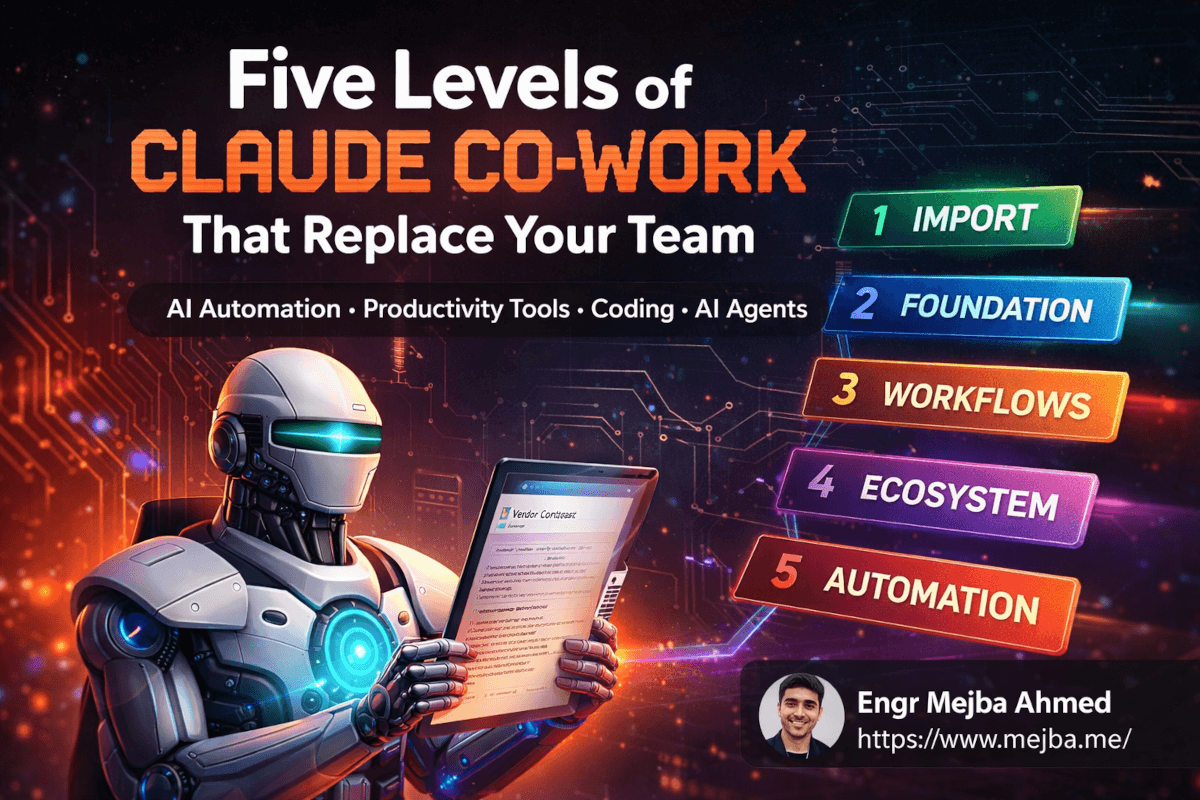
The five levels aren't just a feature progression. They're a mental model shift. Import gets you past the starting line. Foundation gives the AI your context. Workflows turn context into action. Ecosystem gives actions reach across your tools. Automation gives the whole system initiative.
I know exactly one thing about AI tools with absolute certainty: six months from now, these capabilities will be dramatically more powerful than they are today. The people who invest time now in building their foundation files, refining their workflows, and training their AI co-worker will have a compounding advantage over everyone who waits for the "perfect" version.
The perfect version isn't coming. The improvable version is here. And the gap between people who are building with it and people who are waiting to evaluate it is getting wider every week.
My Claude Co-work instance isn't perfect. It's not even close to perfect. But it handled fourteen tasks for me today that I used to do manually — and each one was done slightly better than the last time. That's not a tool. That's a trajectory. And I'm not interested in getting off.
Which Level You're Actually At
Five levels of Claude Co-work matter because most people stall at level one — matching the level to the work is the unlock, not forcing the top tier. Find yours, build that. My Cowork business phases and Cowork business setup go deeper.
If you want Cowork architected around your operation, that's something I do through Ramlit.