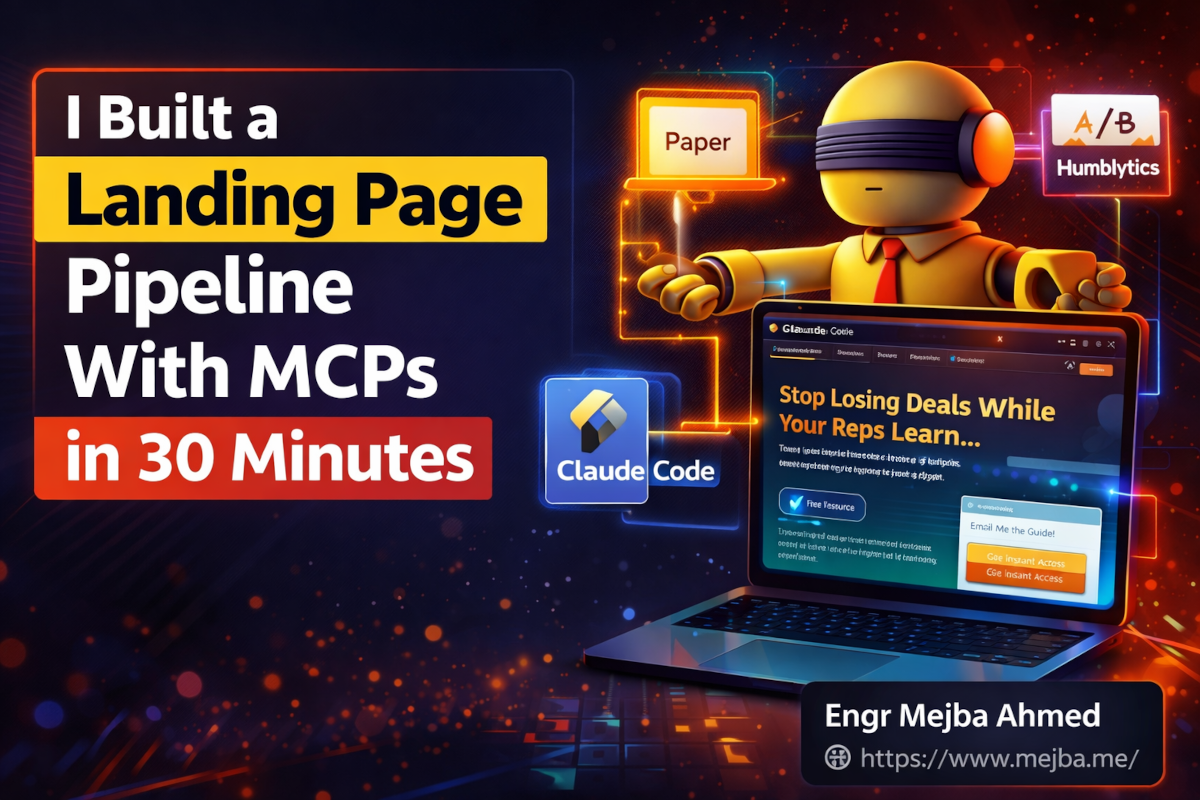
I Built a Landing Page Pipeline With MCPs in 30 Minutes
The landing page wasn't supposed to be good. I was testing a workflow — stitching together four tools I'd never used in combination before — and fully expected the output to be a rough skeleton I'd spend the next three hours polishing. Instead, I was staring at a Tailwind-based landing page with cohesive typography, animated hero section, trust badges, and a lead magnet signup form. All of it deployed. All of it tracked. And the first A/B test was already running on the headline.
Thirty-two minutes had passed since I'd typed the initial business idea into Idea Browser.
I want to be clear about something before we go further: the speed isn't the story. Anyone can throw up a landing page fast if they don't care about quality. The story here is that the entire pipeline — idea validation, competitive positioning, lead magnet creation, landing page design, deployment, analytics setup, and live experimentation — ran through a connected chain of MCPs in Claude Code. No Figma-to-developer handoff. No copying analytics snippets into HTML. No switching between six browser tabs to manage different parts of the funnel.
This is what happens when you stop thinking of Claude Code as a coding tool and start treating it as an orchestration layer for your entire go-to-market stack.
I'm going to walk through every step, every tool, and the specific moments where things clicked (and the parts where I had to wrestle with the setup). But the implication that stuck with me long after the build was done goes beyond landing pages — it's about what the terminal becomes when MCPs turn it into a universal control surface for business operations.
The Idea That Started in a Markdown File
Here's the business concept I used as my test case: an AI sparring partner for B2B sales reps. Think of it as a practice arena where salespeople can run through objection-handling scenarios with an AI that plays the role of a skeptical buyer. The AI adapts in real time, throws curveballs, and scores the rep's responses on persuasion, clarity, and confidence.
Good idea? Maybe. The point wasn't whether this specific product would work. The point was testing whether I could take any business idea and run it through a full pipeline — from fuzzy concept to optimized landing page with live tracking — without leaving the terminal.
The first tool in the chain was Idea Browser, connected to Claude Code via MCP.
Idea Browser isn't a note-taking app. It's an idea management system that stores structured context around business concepts — customer profiles, competitive positioning, offer definitions, market assumptions — and evolves that context over time. When you connect it to Claude Code through MCP, your AI agent can read and write to those idea files directly, which means the agent has persistent memory about your business concept across sessions.
I created a new idea file for the AI Sales Sparring Partner and structured it with four sections: the target customer (B2B SaaS sales teams with 10-50 reps), the core problem (reps practice on real prospects and lose deals while learning), the positioning (cheaper and more available than human role-play coaches, more realistic than static flashcard apps), and the initial offer (freemium with a $49/month team tier).
This took about six minutes. Not because the tool was slow, but because I was actually thinking through the positioning — and that's the part most people skip when they're excited about building fast.
What most people miss about idea capture tools is that the value isn't in the capture itself. It's in what becomes possible downstream when every other tool in your pipeline can reference that structured context. When I later asked Claude Code to write landing page copy, it didn't start from a blank prompt. It pulled the customer profile, the positioning statement, and the competitive angles directly from the Idea Browser file. The copy came out sharper on the first pass because the context was already there.
That's the first lesson: the quality of your landing page is determined before a single pixel gets designed. It's determined by how clearly you've defined who you're talking to and what you're promising them.
From Idea to Lead Magnet in Eight Minutes
Before building the landing page, I needed something to offer on it. A landing page without a lead magnet is just a billboard — nice to look at, useless for conversion.
I used a Claude Code skill to generate a lead magnet PDF: "Five Objections That Kill Freight Software Deals (And How Top Reps Handle Each One)." The skill pulled context from the Idea Browser file — specifically the customer profile and the problem statement — and produced a ten-page PDF with specific objection-response frameworks, email templates for follow-up after each objection type, and a scoring rubric reps could use to evaluate their own performance.
Was it a masterpiece of content design? No. The layout was basic. The formatting needed work. But the substance was solid because the underlying context was solid. I could polish the design later. What mattered was having a tangible asset ready before the landing page went live.
This is where the pipeline approach pays off in a way that building things sequentially never does. While a traditional workflow would have me context-switching between a document editor, a design tool, and my code editor, the MCP-connected workflow kept everything in one session. Claude Code generated the PDF, saved it to the project directory, and moved on to the next step without me needing to upload, download, or transfer anything between tools.
Eight minutes for a lead magnet that would have taken me two hours to create manually — and probably another hour to make it worse through overthinking.
The landing page was next. And this is where Paper changed my mental model of how design and code should interact.
Why Paper Made Me Rethink Design-to-Code
I've used Figma for years. I've written about how Claude Code and Figma's MCP integration transformed my UI workflow. But Paper occupies a different space in the toolchain, and understanding that distinction matters.
Figma is a design tool that now bridges to code. Paper is a design-and-code hybrid built for agent manipulation from the ground up. The difference sounds subtle. It's not.
Paper's canvas runs on HTML and CSS natively. When Claude Code connects to Paper via MCP, it doesn't translate designs into code — it reads and writes the same language the canvas already speaks. That bidirectional sync means I could design a component in Paper's visual editor, then have Claude Code modify it programmatically, then adjust the visual result in Paper again, all without any export/import step or format conversion.
Here's what the landing page build actually looked like:
I started by feeding Paper a reference image from a SaaS landing page I admired — clean layout, strong visual hierarchy, lots of white space. Paper's AI extracted the key design elements: the color palette (a navy-to-slate gradient with electric blue accents), the typography scale (48px hero heading, 20px subheading, 16px body), the spacing rhythm (80px section padding, 24px component gaps), and the overall layout pattern (single-column hero, two-column features grid, testimonial carousel, CTA block).
This extraction created what's essentially a micro design system — a set of constraints that every subsequent component would follow. I didn't have to make those decisions manually. The reference image made them for me, and Paper codified them into reusable tokens.
Then I started pulling in components. Paper connects to Tailwind component libraries — I used one called Tail Arc, an indie-developed library with clean, ready-made blocks and illustrations. The hero section, feature cards, pricing table, and footer all came from pre-built components that I dragged onto the canvas and then customized through both Paper's visual tools and Claude Code's MCP commands.
The customization step is where the magic happens. I'd adjust a heading's font size visually in Paper, and Claude Code could immediately see that change through the MCP connection. Then I'd ask Claude Code to update the copy across all sections using the messaging from my Idea Browser file, and Paper would reflect those text changes instantly. No build step. No refresh. No hoping the deployed version matches what I designed.
Paper's free tier includes 100 MCP calls per week. For a single landing page build, I used about 40 calls. The Pro tier at $20/month gives you a million calls per week, which is overkill for anyone not running an agency — but the free tier is genuinely usable for individual projects.
One thing I want to flag: Paper isn't Figma. If you're building a complex multi-screen application with design system governance and team collaboration across twenty designers, Figma is still the better tool. Paper shines in a specific scenario — when you want to go from concept to deployed page as fast as possible with an AI agent doing most of the heavy lifting. It's the right tool for landing pages, marketing sites, and single-page applications. Not for enterprise design systems.
That distinction cost me about twenty minutes of frustration early on, when I tried to use Paper the way I use Figma. Once I adjusted my mental model, everything clicked.
The Build: From Canvas to Deployed Page
With the design locked in Paper, I had Claude Code generate the production code. This step was anticlimactic in the best possible way — because Paper's canvas is already HTML and CSS, the "generation" was closer to an export with optimization than a translation.
Claude Code pulled the layout from Paper, restructured the HTML for semantic correctness (Paper's visual editor sometimes nests divs in ways that work visually but aren't great for accessibility), added responsive breakpoints, and wired up the lead magnet form to a simple serverless function.
The subtle animations were worth mentioning. The reference image I'd fed Paper earlier had a fade-in effect on the hero section, and the design extraction captured that as a style note. Claude Code implemented it as a CSS animation with a 0.3-second ease-in — subtle enough that visitors notice the polish without being distracted by it. I added a slight parallax scroll effect on the feature cards and a hover state on the CTA button that shifts the gradient by 10 degrees.
These micro-interactions took maybe three minutes to implement through Claude Code. They would have taken me thirty minutes if I'd been writing the CSS by hand and testing across viewports. The time compression wasn't just about speed — it meant I actually added these details instead of cutting them from scope because "we'll polish later."
Deployment went through Vercel. Claude Code handled the git push, the Vercel integration picked it up, and the page was live within ninety seconds. Total time from first Paper canvas interaction to live deployed URL: about eighteen minutes.
But a live page without tracking is just a vanity project. The real work was about to start.
Humblytics: Where the Landing Page Stops Being a Guess
This is the part that most "I built a landing page with AI" stories leave out. They show you the pretty page, give you a deploy link, and call it done. But a landing page isn't a product. It's a hypothesis. And hypotheses need testing.
Humblytics is the tool that turned my landing page from a static guess into a living experiment.
For those unfamiliar: Humblytics is an all-in-one analytics and conversion rate optimization platform that combines heatmaps, click tracking, funnel analytics, and A/B testing in a single dashboard. What makes it relevant to this workflow is its MCP integration with Claude Code — which means experiment setup, result analysis, and page updates can all happen from the terminal.
The privacy story also matters. Humblytics uses a one-way hash of IP and device characteristics instead of cookies. No consent banners needed. Full GDPR compliance without the modal popup that kills conversion rates on every other analytics platform. Starting at $19/month, it replaces what would otherwise be separate subscriptions to Google Analytics, Hotjar, and an A/B testing tool.
Here's how I set up the first experiment.
I asked Claude Code to create an A/B test on the hero headline. Variant A was the original: "Stop Losing Deals While Your Reps Learn on Real Prospects." Variant B flipped the angle: "Your Best Reps Weren't Born Great — They Practiced Where It Was Safe to Fail." Same value proposition, different emotional trigger. Variant A leads with loss aversion. Variant B leads with growth mindset.
Through the MCP integration, Claude Code configured the experiment directly in Humblytics — defined the variants, set the traffic split at 50/50, specified the conversion event (lead magnet form submission), and set a minimum sample size of 200 visitors before declaring a winner.
No code deployment required. Humblytics dynamically swaps the headline content based on experiment assignment. The engineering team (in this case, me) didn't have to touch the codebase to run the test.
That's the velocity shift worth paying attention to. Traditional A/B testing requires a developer to create variants, deploy them, configure the testing platform, and then wait. With Humblytics connected through MCP, the person writing the copy can run the test themselves. The experimentation cycle collapses from days to minutes.
I also set up funnel tracking — landing page visit → scroll past hero → reach lead magnet section → click CTA → form submission. Humblytics tracks each stage and shows where visitors drop off. After 48 hours, my funnel showed a 67% scroll-past-hero rate but only a 12% CTA click rate, which told me the middle of the page was losing people. The feature section needed work. The hero was fine.
If you'd rather have someone build this full pipeline — idea validation through deployed landing page with analytics — I take on exactly these kinds of engagements. You can see what I've built at fiverr.com/s/EgxYmWD.
Automating the Whole Machine
The individual tools impressed me. The connections between them blew my mind.
Here's what the automated workflow looks like once everything is wired up:
Campaign personalization at scale. Claude Code connects to ad platform APIs — Google Ads, Meta Ads — and pulls campaign data directly. For each campaign, it generates a personalized landing page variant. A campaign targeting enterprise sales directors gets different messaging, social proof, and pricing framing than one targeting startup founders. Same product. Different positioning. All generated automatically based on campaign parameters and the core positioning stored in Idea Browser.
Automated experiment cycles. I set up a cron job that runs weekly. Every Monday morning, Claude Code checks Humblytics for completed experiments, implements winning variants, and generates new test hypotheses based on the funnel data. It proposes the next headline test, the next layout change, or the next CTA variation — all grounded in actual user behavior data, not gut feeling.
Growth data feedback loop. Every experiment result and funnel report gets written back to the Idea Browser file. Over time, that file evolves from a static business concept into a living growth document. Three months from now, when I revisit this idea, the context won't just tell me what I planned — it'll tell me what I learned. Which headlines resonated. Which audience segments converted. Which assumptions were wrong.
This feedback loop is what separates a landing page from a growth system. The landing page is the surface. The system is the intelligence underneath that keeps improving it.
The cron job setup took about fifteen minutes. Claude Code generated the automation script, configured the scheduling, and I tested it with a dry run. Now it executes weekly without my involvement. The results show up in Idea Browser, and I review them when I have time. Or I don't, and the system keeps optimizing anyway.
What This Workflow Gets Wrong (And What It Can't Replace)
I've been painting an optimistic picture. Time for the honest part.
Design taste still matters. The pipeline can generate a landing page in thirty minutes, but "generated" and "great" are different words. The reference image I fed Paper did most of the heavy lifting on design quality. Without that input — without someone making a judgment call about what "good" looks like for this specific audience — the output would have been technically correct and emotionally flat. AI tools accelerate execution. They don't replace the human who decides what's worth executing.
The initial setup has friction. Connecting four MCPs, configuring API keys, setting up Humblytics tracking, and getting the cron job working took me about two hours of fiddling before the thirty-minute pipeline run I described. That setup time is real, and it's frustrating when things don't connect on the first try. I hit a Paper MCP authentication issue that cost me twenty minutes of debugging. The Humblytics integration needed a specific API scope I hadn't enabled. These are solvable problems, but they're not zero.
A/B testing needs traffic. I can set up the most elegant experiment in the world, but without visitors, it's just two variants staring at each other in a database. If you're testing on a brand new landing page with no existing audience, you need a traffic source — paid ads, social media, email list, something. The pipeline optimizes conversion. It doesn't generate traffic.
The "30 minutes" claim comes with asterisks. My thirty-two minutes assumed a clear business idea, a reference design I'd already chosen, and prior experience with Claude Code and MCPs. If you're setting this up for the first time, budget half a day for the learning curve. The second time, you'll be under an hour. By the third or fourth landing page, you'll hit that thirty-minute mark.
Those caveats are real. But they don't change the fundamental shift happening here. The gap between "having an idea" and "testing it with real users" just collapsed from weeks to hours. That compression changes what's worth trying.
The Terminal Is Eating the GUI
Step back from the specific tools for a moment. Something bigger is happening.
Every tool in this pipeline — Idea Browser, Paper, Humblytics — connects to Claude Code through MCP. The terminal is the control surface. Not a browser dashboard. Not a desktop app. The terminal.
This matters because of what it implies about the future of work tools. Traditional SaaS products give you a graphical interface to do one thing — design in Figma, analyze in Google Analytics, test in Optimizely. Each tool has its own login, its own mental model, its own workflow. MCPs collapse all of them into a single interface where an AI agent orchestrates the work across tools while you focus on decisions rather than operations.
I've written about how AI automations are reshaping business workflows, but this pipeline took that concept further than I expected. The automation isn't just doing repetitive tasks. It's managing a strategy — testing hypotheses, analyzing results, implementing changes, and generating new hypotheses. That's not task automation. That's cognitive work automation.
There's a prediction floating around — attributed to several AI researchers and echoed by Gartner — that by 2030, 20% of online commerce will be conducted by software agents. Not humans clicking through websites. Agents negotiating, purchasing, and managing transactions autonomously.
If that prediction lands anywhere near reality, the implications for landing pages and marketing are massive. You won't just be designing pages for human visitors. You'll be designing pages that agents can parse, evaluate, and transact through. The visual design might matter less than the structured data. The emotional copy might matter less than the clear, parseable value proposition.
We're not there yet. But the tools I used today — agents reading and writing to design canvases, autonomously running experiments, pulling analytics data and adjusting strategy — are early versions of that future. The gap between "early version" and "dominant paradigm" tends to close faster than anyone expects.
Your First Pipeline: What to Do This Week
If you've read this far, you're probably in one of two camps. Either you're thinking "I need to build this" or you're thinking "this sounds like a lot of setup for diminishing returns." Fair enough on both counts. Here's my honest recommendation for each.
If you're building landing pages regularly — for your own products, for clients, for testing business ideas — this pipeline will pay for itself on the second use. The first one is a learning experience. The second one is where you feel the acceleration. Start with Claude Code and Paper connected via MCP. Build one landing page. Then add Humblytics for the second one. Then add Idea Browser and the automated feedback loop for the third. Layer the complexity gradually.
If you build one landing page a year, this is probably overkill. Use a template on Webflow or Framer and move on with your life. The pipeline's value scales with frequency.
If you're a growth marketer or run an agency, pay very close attention to this stack. The arbitrage opportunity here is similar to early Facebook Ads in 2013 — the tools are powerful, the competition hasn't caught up yet, and the people who master this workflow early will have a compounding advantage. By the time everyone else figures out that terminal-based MCP workflows are the fastest path from idea to optimized page, you'll have shipped fifty landing pages and have the data to prove what works.
Here's what I'd do this week if I were starting from scratch:
- Set up Claude Code with Paper MCP (free tier — 100 MCP calls per week is plenty to start)
- Find one business idea you've been sitting on and structure it in a markdown file with customer profile, problem, positioning, and offer
- Feed Paper a reference image from a landing page you admire
- Build the page. Ship it. Don't polish it to death on the first pass.
- Add Humblytics ($19/month) and set up one A/B test on the headline
- Wait a week. Look at the data. Iterate.
The thirty-minute pipeline I described is the destination. That first build is the road. Take it one step at a time, and by the third iteration, the terminal won't just be where you write code — it'll be where you run your growth engine.
Where This Goes Next
I keep thinking about something Amir said that stuck with me: the quality of execution is table stakes now. The tools make it fast to build. What separates the winners is taste — the ability to look at a generated landing page and know which 20% to keep, which 30% to change, and which 50% to throw away entirely. Speed without judgment produces beautiful garbage at scale.
The pipeline I built works. The tools are real. The time compression is genuine. But the person at the keyboard — making decisions about positioning, choosing which reference image captures the right feeling, deciding which headline variant to test — that person is still the bottleneck. And honestly? That's the part I find exciting. The busywork is gone. What's left is the interesting work: strategy, taste, and judgment.
If you're building landing pages the old way — different tool for each step, manual handoffs between design and code, analytics as an afterthought — you're working harder than you need to. The MCP-connected pipeline isn't a marginal improvement. It's a category shift in how fast you can go from "what if" to "here's the data."
The next landing page I build won't take thirty minutes. It'll take twenty. And the one after that will be better, because every experiment result feeds back into the system, and every iteration makes the context richer. That's not just a faster workflow. That's a compounding advantage — and the window to build it before everyone else catches on is closing faster than you think.
FAQ
Frequently Asked Questions
Everything you need to know about this topic
MCP stands for Model Context Protocol — a standard that lets Claude Code connect directly to external tools like Paper, Humblytics, and Idea Browser. Think of it as a universal plug that lets your AI agent read from and write to other software without APIs or manual integration. Claude Code uses MCPs to orchestrate multi-tool workflows from a single terminal session.
Yes, with limits. Claude Code itself requires an Anthropic subscription, but Paper's free tier gives you 100 MCP calls per week — enough for one or two landing pages. Humblytics starts at $19/month for analytics and A/B testing. The total minimum cost for the full pipeline is around $20-40/month depending on your Claude Code plan.
Humblytics combines analytics, heatmaps, and A/B testing in one platform — replacing what would otherwise be Google Analytics plus Hotjar plus a separate testing tool. The key differentiator is cookieless tracking with full GDPR compliance (no consent banners needed) and direct MCP integration with Claude Code for terminal-based experiment management. For landing page optimization specifically, it's more focused and faster to set up.
Not traditional design skills, but you need taste. Paper's MCP integration lets Claude Code handle the technical execution — layout, responsive breakpoints, component assembly. Your job is choosing the right reference image, making judgment calls about what looks right for your audience, and knowing when the AI output needs human refinement. The tool lowers the technical bar significantly while raising the importance of aesthetic judgment.
Idea Browser is an idea management system that stores structured business context — customer profiles, positioning, competitive analysis — connected to Claude Code via MCP. For landing pages, its value is upstream: when Claude Code writes your page copy and messaging, it pulls directly from your Idea Browser context file instead of starting from a blank prompt. This produces more specific, strategically aligned copy on the first pass and creates a persistent record of what you learned from each experiment.
Let's Work Together
Looking to build AI systems, automate workflows, or scale your tech infrastructure? I'd love to help.
- Fiverr (custom builds & integrations): fiverr.com/s/EgxYmWD
- Portfolio: mejba.me
- Ramlit Limited (enterprise solutions): ramlit.com
- ColorPark (design & branding): colorpark.io
- xCyberSecurity (security services): xcybersecurity.io