

I Watched Someone Build an AI Landscaping App Live
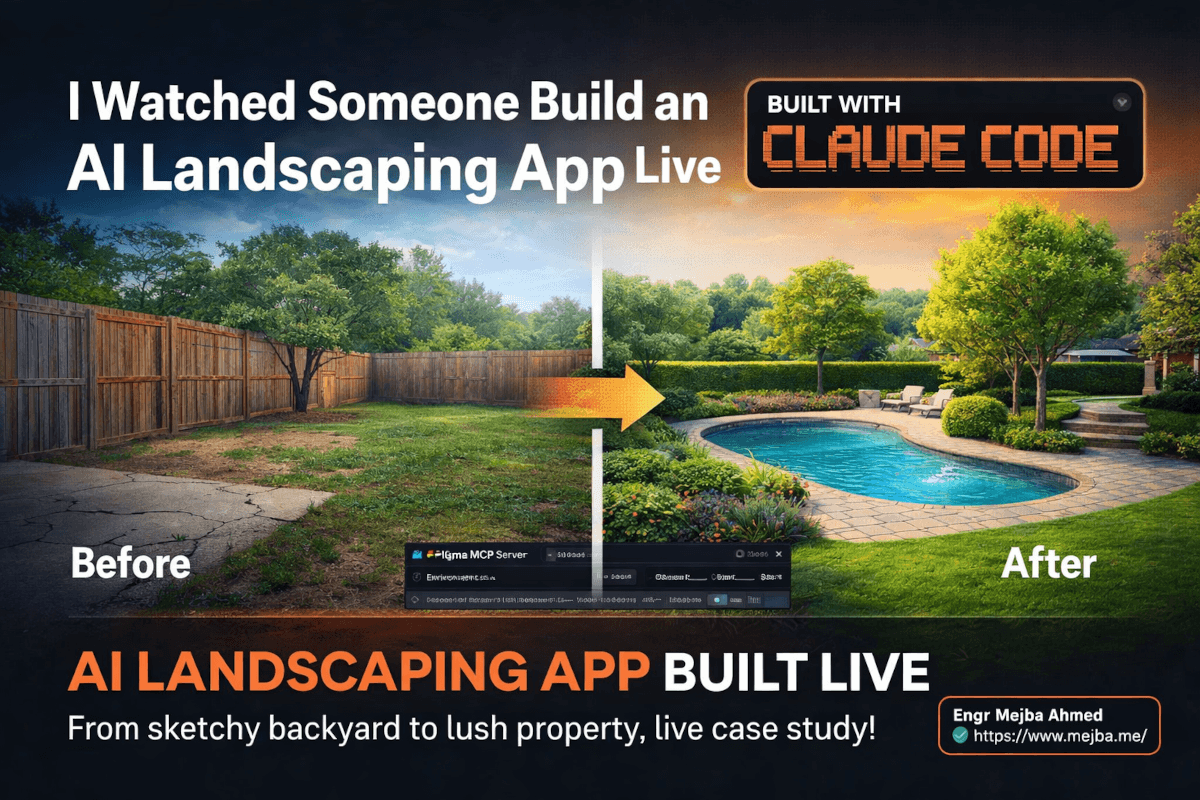
The backyard looked terrible. Brown patches of dead grass, a cracked concrete patio, and a fence that was one strong wind away from becoming firewood. Then someone typed "elevate the landscaping, make the grass nice and healthy" into a text field — and within seconds, the same photo showed lush green lawn, trimmed hedges, and mature trees with full summer foliage.
No Photoshop. No design degree. No freelancer charging $200 per rendering.
This was a live demo of an AI landscaping app built entirely with Claude Code, and it stopped me mid-scroll the same way a car accident stops traffic. Not because the technology was shocking — I've been building with AI tools long enough to expect impressive demos. What stopped me was the completeness of the product. Image upload, environmental controls, natural language editing, an asset library with 500+ AI-generated plants, and video morphing between before-and-after states. All of it functional. All of it built during a course that teaches people to ship AI SaaS products.
I spent the next hour dissecting every feature, workflow choice, and technical decision in the demo. Here's what I found — and why I think this approach to building AI-powered SaaS apps matters more than any single feature it showed off.
Why a Landscaping App Is the Perfect AI SaaS Case Study
Most AI SaaS demos show you a chatbot. Or a text summarizer. Or some variation of "paste your content and we'll rewrite it." Useful, sure. But they all share the same limitation — they're thin wrappers around a language model API, and they're trivially easy to clone.
A landscaping visualization tool is different. It sits at the intersection of multiple AI capabilities that are genuinely hard to replicate: image understanding, image generation, environmental context (seasons, weather, time of day), asset management, and video synthesis. That combination creates a product moat that a weekend hackathon can't reproduce.
The target user is clear too. Landscapers who need to pitch designs to homeowners. DIYers planning backyard renovations. Real estate agents staging properties for listings. These are people who currently pay $150-$500 per professional landscape rendering — or spend hours fumbling through SketchUp trying to visualize a patio extension.
The instructor behind this course understood something that most AI tutorials miss completely: the hard part of building AI SaaS in 2026 isn't the technical implementation. Claude Code handles that. The hard part is choosing the right problem and designing the right experience around AI capabilities. A landscaping app threads this needle perfectly because the AI isn't the product — the visualization experience is. The AI is just the engine underneath.
This distinction matters, and I'll come back to it when we get to the design decisions. But first, let me walk you through what this app actually does — because the feature set is more sophisticated than it sounds.
The Feature Stack: From Image Upload to Video Morphing
Before-and-After Image Handling
The app starts simple. Upload a photo of your backyard — the "before" state. The demo used a pretty standard suburban backyard: patchy grass, basic landscaping, nothing special. Then you upload a second image, shot from a slightly different angle, as the "after" perspective base.
Why two images from slightly different angles? This is clever. By having two real photos as anchors, the AI has genuine visual reference points for generating the morphing video later. Instead of hallucinating a camera movement from a single static image, it interpolates between two real perspectives. The result is a video that feels like someone actually walked through the space, not a cheap pan-and-zoom effect.
Environmental Controls That Actually Work
Here's where the product design gets interesting. Before making any AI edits, users set environmental parameters: time of day (morning, afternoon, golden hour), season (spring, summer, fall, winter), and weather conditions (clear, cloudy, foggy, rainy).
These aren't cosmetic filters slapped on after the fact. They inform the AI generation model about context. When you set "summer morning" and ask for "healthy grass with mature trees," the model generates foliage appropriate for summer — full canopy, deep green leaves, long morning shadows. Switch to "fall afternoon" and the same prompt produces trees with orange and amber leaves, different shadow angles, and a warmer overall color temperature.
I've seen too many AI image tools treat context as an afterthought. This app makes it a first-class input, and the output quality reflects that decision.
Natural Language Editing — The Core Loop
The editing workflow is deceptively simple. Type what you want in plain English. "Elevate the landscaping." "Add an oval swimming pool with stamped concrete." "Make the grass nice and healthy." The AI interprets the prompt, modifies the image accordingly, and returns the result.
What makes this more than a glorified text-to-image generator is the iterative nature. You don't describe the entire landscape in one prompt. You build it up piece by piece — grass first, then trees, then hardscaping, then water features. Each edit preserves the previous modifications. The pool you added two prompts ago is still there when you ask for flower beds around the patio.
This iterative approach mirrors how actual landscape designers work. They don't present one static rendering. They layer elements, adjust, get feedback, adjust again. The AI editing loop replicates this professional workflow but compresses hours of rendering into seconds of typing.
The 500+ Asset Library (Powered by Imagen 4)
This feature caught my attention the most. The app includes an extensive asset library containing over 500 images of specific plants, trees, flowers, and landscape elements — all generated using Google's Imagen 4, which became generally available in the Gemini API in February 2026.
Instead of relying purely on text prompts to describe what kind of vine you want climbing your fence, you browse a visual library and select "Clematis" from a curated catalog. Then you literally paint it onto the house using a brush tool. The AI handles blending the selected vegetation into the existing image, matching lighting, perspective, and scale.
This design decision solves one of the biggest problems with AI image editing: users don't always know the name of what they want. Showing them 500+ options and letting them point-and-paint is dramatically more intuitive than expecting them to write "please add Wisteria sinensis with purple blooms along the eastern-facing wall." Real people don't talk like that. They point and say "I want that one."
The Imagen 4 family — which now includes Imagen 4, Imagen 4 Fast, and Imagen 4 Ultra — supports up to 2K resolution output, making these library assets crisp enough to hold up when painted onto high-resolution photos. The speed of Imagen 4 Fast is particularly relevant here. When a user is browsing and previewing different plants in real time, every millisecond of generation latency erodes the experience.
Video Morphing: The Show-Stopper Feature
The demo's finale was the video feature. Take the before image. Take the fully edited after image. Generate a video that morphs between them with a camera orbit effect.
The result: a 1080p video showing the backyard gradually transforming. Walkways materialize. The pool fills with water. Grass transitions from brown patches to lush green. The camera slowly orbits left, adding a cinematic quality that makes the transformation feel physical rather than digital.
Is it perfect? No. The instructor was honest about this — transition control is still rough. In one generation, fog appeared unexpectedly during a clear-sky transformation. The AI video models (likely leveraging something in the Kling or Veo family, given the current landscape of AI video generation in 2026) still struggle with precise control over intermediate frames. You can define start and end states, but the path between them sometimes has a mind of its own.
That said — for a landscaping sales pitch? A walkway construction animation that's 85% accurate is infinitely more compelling than a static before-and-after JPEG. The imperfections don't matter when the alternative is no video at all.
The UI Story: From Blank Canvas to Polished Product
Here's the part that resonated most with me as someone who's written extensively about AI-assisted design workflows. The instructor didn't hand-craft the UI. The initial interface was generated entirely by AI — and it started rough. Really rough. An open canvas reminiscent of Figma's workspace, with elements scattered without clear hierarchy.
Then came iteration. Using the Figma MCP server — the same bidirectional bridge between Claude Code and Figma that Figma and Anthropic officially launched in February 2026 — the instructor progressively refined the interface. Push the AI-generated layout to Figma. Adjust spacing, typography, visual hierarchy. Pull it back into code. Repeat.
This workflow validates something I've been saying for months: AI-generated UI is a starting point, not a destination. The value isn't in the first generation — it's in the speed of iteration. What used to take a designer three days of wireframing and prototyping now takes three hours of AI generation and human refinement.
The course philosophy makes this explicit: let AI handle the initial UI design so developers can concentrate on product functionality. Don't fight the AI's first draft. Accept it, refine it, and spend your creative energy on the interactions and features that actually differentiate your product.
If you've been struggling with this exact problem — functional AI apps that look generic — I covered specific techniques for breaking through that barrier in my design systems guide for AI apps. The landscaping app demo is a real-world example of those principles in action.
What This Teaches About Building AI SaaS in 2026
The landscaping app is interesting on its own. But the meta-lesson — the thing the course is actually teaching — matters more than any single feature. Let me break down the principles I extracted from watching this demo.
Principle 1: AI Makes the Technical Part Easy. Design Taste Is the Moat.
Claude Code can generate a functional image upload component in minutes. Wiring up an API call to Imagen 4 or GPT-4o's vision endpoint is a solved problem. Deploying to Vercel or Railway takes one command.
None of that is your competitive advantage anymore.
What separates this landscaping app from a hundred weekend hackathon projects is the design thinking layered on top of the AI capabilities. The environmental controls. The brush-and-paint interaction for assets. The decision to show a visual library instead of forcing text prompts. The before-and-after video feature that turns a utility into a sales tool.
These aren't technical decisions. They're product decisions. And they require something AI can't give you (yet): the taste to know what feels right and the discipline to iterate until it does.
Principle 2: The Asset Library Strategy Is Replicable Everywhere
Generating 500+ categorized assets using Imagen 4 and making them browsable/paintable is a pattern that applies far beyond landscaping. Think about it:
- Interior design app: 500+ furniture, fabric, and fixture images. Paint a new couch into your living room photo.
- Tattoo visualization: 500+ tattoo designs categorized by style. Paint one onto a photo of your arm. (This is literally another student project in the same course.)
- Fashion styling: 500+ clothing items. See how they look in a photo of yourself.
- Real estate staging: 500+ furniture and decor items. Virtually stage an empty listing.
The pattern is: curate a domain-specific visual library with AI, build a paint/place interaction, and let AI handle the compositing. The technical implementation is nearly identical across all these verticals. The differentiation is the curation — knowing which 500 assets matter for your specific audience.
Principle 3: Workflow Teaching Beats Technical Teaching
The course explicitly focuses on workflow and process mastery rather than technical challenges. This is the right call, and here's why.
In 2024, teaching someone to build a web app required weeks of explaining React hooks, state management patterns, API authentication flows, and database schemas. The technical knowledge was the bottleneck.
In 2026, Claude Code can generate all of that from a well-structured prompt. The bottleneck shifted. Now the questions that matter are:
- How do you decide which features to build first?
- How do you test whether users actually want what you're building?
- How do you iterate on a design without losing momentum?
- How do you scope a product that's ambitious enough to be valuable but focused enough to ship?
These are workflow questions, not coding questions. And they're harder to learn from documentation because they require judgment, not just knowledge. A course that teaches AI-powered SaaS building through the lens of workflow mastery is teaching the skill that actually matters in 2026.
Principle 4: Imperfect AI Output Ships Faster Than Perfect Manual Work
The video morphing feature has visible imperfections. Fog appears when it shouldn't. Transitions don't always flow naturally. Camera orbits occasionally produce artifacts.
The instructor shipped it anyway.
This is a critical mindset shift that many developers — especially experienced ones — struggle with. We're trained to ship polished, bug-free work. But the calculus changes when AI can produce 85% quality output in 10 seconds versus 100% quality output that takes a human VFX artist 4 hours to create.
For a landscaper showing a homeowner what their backyard could look like? 85% is more than enough. The homeowner isn't evaluating VFX quality. They're imagining their kids playing in that pool. They're picturing summer evenings on that new patio. The emotional impact of a slightly imperfect morphing video vastly exceeds the rational impact of a static before-and-after comparison.
Ship the imperfect thing. Improve it later. Your users care about the transformation, not the transition frames.
Building Your Own AI Visual SaaS: The Practical Roadmap
If this demo inspired you to build something similar — whether in landscaping or any other visual domain — here's the workflow I'd follow based on what I've seen and built myself.
Step 1: Pick Your Visual Domain and Validate Demand
Don't start with technology. Start with a specific audience who currently pays money for visual transformations. Landscapers paying for renderings. Interior designers paying for staging mockups. Tattoo artists paying for client visualizations. Real estate agents paying for virtual staging.
The validation question is simple: are people currently spending $100+ per visual output in this domain? If yes, you have a SaaS opportunity. If they're spending $500+, you have a strong one.
Step 2: Generate Your Asset Library
Use Imagen 4 (via the Gemini API) to generate your domain-specific asset catalog. For a landscaping app, that's plants, trees, flowers, hardscape elements, water features. For interior design, it's furniture, fabrics, fixtures, art.
Organize them into browsable categories. Generate at minimum 200 assets across 10-15 categories. The breadth of your library directly correlates with how useful the product feels. A library with 50 generic plants feels like a toy. A library with 500 specific, named varieties feels like a professional tool.
Pro tip: Generate each asset on a transparent or solid-color background. This makes the paint/composite step dramatically easier for the AI. Consistent lighting across your asset library also matters — if half your plant images have left-side lighting and half have right-side lighting, the compositing will look off.
Step 3: Build the Core Edit Loop with Claude Code
This is where Claude Code earns its keep. The core loop is:
- User uploads a photo
- User sets environmental context (time, season, weather)
- User types a natural language edit or selects an asset to paint
- AI processes the edit and returns the modified image
- User iterates
Build this loop first. Don't get distracted by the video feature or social sharing or payment processing. The edit loop IS the product. Everything else is enhancement.
With Claude Code, you can scaffold the entire frontend — upload component, canvas viewer, text input, environmental controls, asset browser — in a single extended session. I've built comparable interfaces in under two hours using Claude Code with Opus 4.6. The code isn't always pretty, but it's functional, and you can refine the architecture later.
Step 4: Refine the UI with Figma MCP
Once the functional prototype works, push it to Figma using the MCP server. This is where you shift from developer mode to designer mode.
In Figma, focus on three things:
- Visual hierarchy — make sure the image takes up 70%+ of the viewport. The editing controls should feel secondary.
- Interaction clarity — the user should never wonder "what do I do next?" The flow from upload to edit to save should be obvious.
- Professional polish — consistent spacing, intentional typography, a color palette that says "professional tool" not "weekend hackathon."
Pull the refined design back into code. Test it with someone who isn't a developer. Watch where they get confused. Iterate.
Step 5: Add the Video Feature (But Ship Without It First)
Video morphing between before-and-after states is the wow factor. But it's also the feature most likely to frustrate you with imperfect output. Build it after the core product is solid, not before.
When you're ready, the approach is: send both images (before and after) to a video generation model that supports image-to-video transitions. Kling 3.0, which launched in February 2026 with native 4K output at 60fps, handles this well. Google's Veo 3.1 is another option, especially strong for photorealistic output.
Request a short clip (3-5 seconds) with a subtle camera movement — orbit or dolly. Keep the transitions simple. The more dramatic the before-and-after difference, the harder the model works to bridge the gap, and the more likely you'll get artifacts.
Step 6: Charge Money Before You Feel Ready
If the edit loop works and produces outputs that are 80% as good as a professional rendering, you have a product worth charging for. A landscape rendering that costs a landscaper $0.50 in API calls and 30 seconds of their time is worth $25-$50 to them if the alternative is a $200 professional rendering or a clunky DIY attempt in SketchUp.
Don't wait for the video feature to be perfect. Don't wait for the asset library to hit 1,000 items. Don't wait for the UI to win design awards. Ship the core value — fast, affordable landscape visualizations — and let paying customers tell you what to build next.
The Honest Limitations (What the Demo Didn't Show)
I'd be doing you a disservice if I only talked about what worked. Here's what I noticed that the demo either glossed over or didn't address.
Image consistency across multiple edits is fragile. When you make five or six sequential edits, the image can drift. The pool you added in edit two might subtly shift in position or style by edit six. This is a fundamental limitation of current image generation models — they don't maintain a true 3D understanding of the scene. Each edit is a new generation that tries to preserve previous elements but doesn't always succeed.
The video morphing control problem is real. The demo showed fog appearing in a clear-sky transformation. This isn't a minor glitch — it's a fundamental challenge with current video synthesis models. You can define point A and point B, but the path between them is probabilistic. For a marketing-quality output, you might need to generate three or four videos and pick the best one. That adds latency and API cost.
Asset compositing quality varies wildly by photo. A well-lit, high-resolution photo of a backyard produces great results. A dark, blurry phone photo produces mediocre compositing at best. The demo used clean, well-composed photos — which is smart for a demo but doesn't represent the average user's input quality.
API costs add up fast. Each image edit, each asset composite, each video generation hits an API. If your typical user session involves 8-10 edits plus a video generation, the per-session API cost could range from $2-$8 depending on the models and resolutions used. Your pricing model needs to account for this with healthy margins, or heavy users will tank your unit economics.
None of these are dealbreakers. They're engineering problems with engineering solutions — caching, quality validation, input preprocessing, usage tiers. But if you're planning to build something similar, know about them before you start, not after you've launched.
What This Signals About AI SaaS in 2026
Zoom out from the landscaping app for a moment. What this demo really represents is the maturation of a new category: AI-native vertical SaaS.
The first wave of AI SaaS was horizontal — tools that help anyone write better, summarize faster, or generate generic images. ChatGPT wrappers. Jasper clones. Those products competed on model quality and price, which meant they competed on a dimension they didn't control.
The second wave — what we're seeing now — is vertical. AI tools built for specific industries with domain-specific asset libraries, workflows tailored to professional use cases, and outputs calibrated to industry standards. A landscaping visualization tool. A tattoo preview app. A virtual staging platform for real estate.
These products are harder to build because they require domain knowledge, not just API integration. You need to know that landscapers sell with renderings. You need to know that homeowners care about seasonal accuracy. You need to know that 500 plant varieties is the threshold between "toy" and "tool."
That domain knowledge creates a moat that horizontal AI products can't cross. And it's a moat that technical skill alone can't build either. The course behind this demo gets that. It teaches workflow, product thinking, and iteration — the skills that turn an AI API into a business.
One prediction: by the end of 2026, the most successful AI SaaS products won't be the ones with the best models. They'll be the ones with the deepest understanding of one specific industry's visual needs. The landscaping app demo is early evidence of that thesis playing out.
AI Landscaping App: Common Questions
Can I build an AI landscaping app without coding experience?
Yes — tools like Claude Code and Replit now handle the technical implementation from natural language descriptions. The real skill required is product design: knowing which features matter, how to sequence the user experience, and when to ship. For a step-by-step approach to building without code, see the vibe coding workflow section above.
How much does it cost to run an AI image editing SaaS?
Per-session API costs typically range from $2-$8 depending on the number of edits and video generations per user session. Imagen 4 Fast is the most cost-effective for asset generation, while video morphing via Kling 3.0 or Veo 3.1 carries higher per-request costs. Plan for 60-70% gross margins at a $25-$50 per render price point.
What AI models power the image editing in landscaping apps?
The demonstrated app uses Google's Imagen 4 family for asset library generation, a multimodal vision-language model for natural language image editing, and a video synthesis model (likely in the Kling or Veo family) for before-and-after morphing. The Imagen 4 family became generally available via the Gemini API in February 2026.
Is the Figma MCP server necessary for building AI SaaS apps?
Not strictly necessary, but it dramatically accelerates UI refinement. The Figma MCP server creates a bidirectional bridge between Claude Code and Figma — push AI-generated code to Figma for visual editing, pull refined designs back as production code. For the full setup walkthrough, see my Claude Code and Figma MCP workflow guide.
How accurate are AI-generated landscape visualizations?
Current models produce roughly 85% accuracy compared to professional landscape renderings. They handle vegetation, hardscaping, and environmental lighting well. Limitations include consistency drift across multiple edits, imprecise video transition control, and variable quality depending on input photo resolution. For client-facing sales presentations, most landscapers find this accuracy level sufficient.
Whether to Build Your Own SaaS This Way
Watching an AI landscaping app come together live — Claude Code plus Figma MCP, image editing, video morphing, 500+ generated assets — showed how far a solo builder can now get before writing much code by hand. The bottleneck moved from building to deciding what's worth building.
Pick one niche app idea and give it a weekend end to end. My Shopify vibe-coding build and niche mobile app weekend go deeper.
If you want a SaaS MVP built for your idea, that's something I do through Ramlit.






