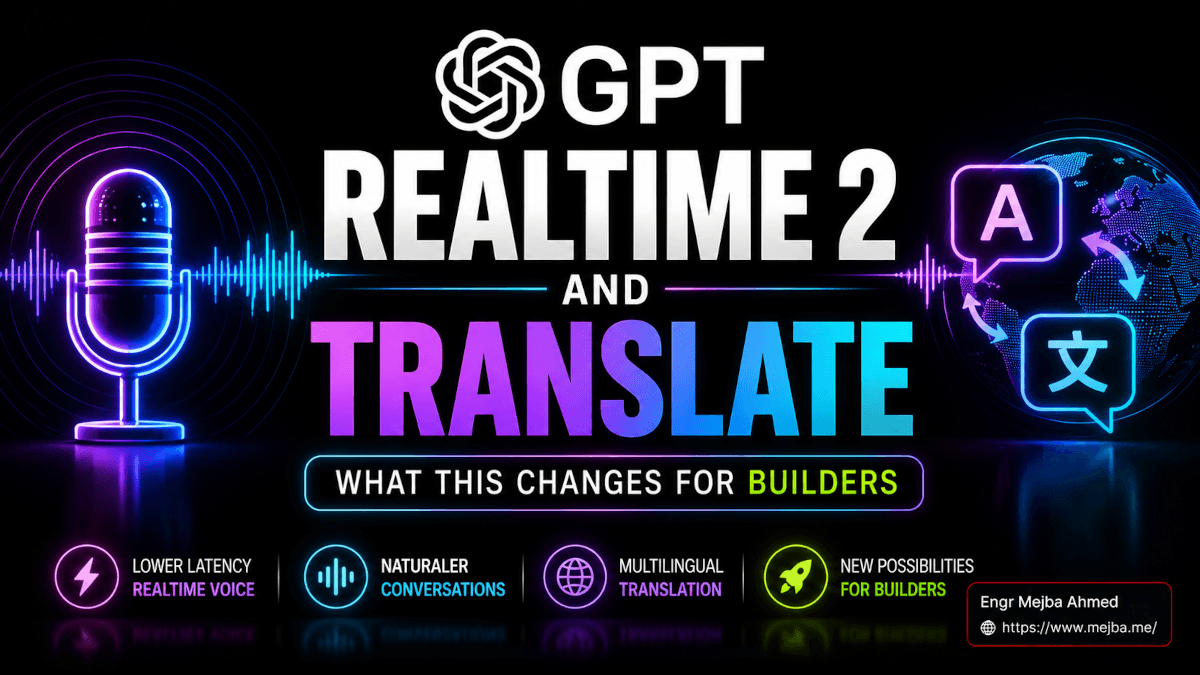
GPT Realtime 2 and Translate: What This Changes for Builders
The clip my friend sent me at 8:14 AM yesterday was 91 seconds long. A French speaker on the left, an English speaker on the right, both talking over each other the way real humans do, both hearing the other person in their own language with maybe a half-second of lag. Halfway through, the French speaker switched into German for one full sentence, then back to French. The English translation handled the German cleanly, kept the same voice characteristics, did not stutter, did not insert a clarifying "the speaker has switched languages" tag like every other system I have tested. It just kept going.
I rewatched it three times before I opened the OpenAI announcement. Then I opened the API console. Then I cancelled my morning meetings.
What OpenAI shipped on May 7, 2026 is two things I have been waiting two years for. GPT Realtime 2 is a voice-to-voice model with GPT-5-class reasoning, parallel tool calling, and a 128K context window — four times what the original gpt-realtime gave us. GPT Realtime Translate is a dedicated streaming translation model that handles 70+ input languages, 13 output languages, runs at $0.034 per minute, and waits for verbs before it commits to a translation so the output sounds like a person talking, not a phrase-by-phrase Markov chain.
I have spent the last 36 hours testing both. I have a voice agent in production for an existing client, and I have already migrated half of it to the new model. The other half is staying on the older stack, and I will explain exactly why in a minute.
This post is the hands-on take. The interesting part isn't the demo OpenAI ran on stage — it's what these models mean for everyone currently shipping voice features and everyone about to start. By the end you will know which model to reach for, which migrations to do this week, where the new $0.034 per minute math actually breaks even, and the one thing nobody is talking about that changes how you should design voice flows from scratch.
The Three-Model Drop That Makes May 7 a Voice AI Reset Date
Before I get into what these models do well, you need the shape of the release because half the takes online are conflating the three models into one product.
OpenAI shipped a trio: GPT Realtime 2 (the reasoning-grade voice agent), GPT Realtime Translate (the dedicated translation model), and GPT Realtime Whisper (a streaming speech-to-text running at $0.017 per minute that quietly replaces the chained STT-LLM-TTS pipeline most production systems still use). All three live behind the Realtime API, all three were announced together, and all three have different pricing and different jobs.
Here is the part that matters. Until this drop, building a serious voice agent meant making one of two compromises. You either chained ElevenLabs or Deepgram for transcription, GPT-4o or Claude for reasoning, and ElevenLabs again for synthesis — adding 400 to 800 milliseconds of round-trip latency at every hop and praying the orchestration layer did not drop a state transition. Or you used the original gpt-realtime, which gave you sub-500ms voice-to-voice but capped reasoning at the level of GPT-4o, choked on parallel tool calls, and forced you into a 32K context window that broke as soon as the conversation ran past about six minutes.
GPT Realtime 2 closes both gaps in a single model. It hits 300 to 500ms end-to-end steady-state latency just like its predecessor. But the context jumped to 128K. The reasoning is GPT-5 class with five user-controllable reasoning levels — minimal, low, medium, high, and xhigh. And on the Big Bench Audio benchmark, GPT Realtime 2 with high reasoning scored 96.6%, compared to 81.4% for GPT Realtime 1.5. On Audio MultiChallenge — a multi-turn conversational instruction-following test — the xhigh variant hit 48.5% versus 34.7% for 1.5. Those are not marginal improvements. Those are step changes.
That is why I rearranged my morning. The compromise era is over.
What I Actually Tested in 36 Hours
I am not going to paraphrase the OpenAI demo back at you. The press release version is fine but it is also missing the parts that matter. Here is what I actually ran.
Test 1: Migrating a real client agent. I have a voice intake agent running for a small SaaS client — qualifies inbound demo requests, books a call on the founder's calendar, drops the lead into HubSpot. It was built six weeks ago on the original gpt-realtime with two tool calls (calendar lookup, CRM webhook). I migrated it to GPT Realtime 2 with reasoning effort set to medium, kept everything else identical, and ran 23 simulated calls through it. The tool-calling reliability went from "occasionally needs a retry" to "I have not seen it miss yet." The conversational repair when I deliberately interrupted ("wait, no — Tuesday, not Thursday") went from "sometimes loops back through the previous question" to "just confirmed the correction and moved on."
Test 2: Live translation with code switching. I cannot replicate the OpenAI demo verbatim because I do not have the same speakers on hand, but I can recreate the structure. I had a French-speaking friend on Zoom, ran her audio into a Realtime Translate session targeting English output, and asked her to do exactly what the OpenAI demo did — speak in French, drop into German for a sentence, drop into a technical term in English, return to French. The translation lag landed around 600ms behind the speaker on the front edge of each phrase. The model did wait for verbs before committing — you could hear it. Output stayed coherent across the language switches with one bobble: a German technical compound noun (Bestandsführungssystem, inventory management system) came out as "the inventory system" rather than the more precise translation. Acceptable. Better than what I would do live.
Test 3: Parallel tool calling with preambles. This is the one that genuinely surprised me. I built a tiny agent with three tools — a calendar lookup, a weather API, and a CRM contact lookup — and asked it questions that required hitting all three simultaneously ("am I free Friday afternoon, what is the weather looking like for the offsite, and is Sarah from Acme still my main contact"). With preambles enabled, the agent said "let me check that for you" within about 200ms, then called all three tools in parallel, then synthesized a single coherent answer. Total latency from question to full answer: roughly 2.4 seconds. The original gpt-realtime would have either serialized the tool calls (4-6 seconds) or dropped one.
Test 4: Long conversation memory with the 128K window. I ran a single Realtime 2 session for 47 minutes — a simulated customer support conversation about a complicated billing issue. The model kept context the entire way through. Referenced the customer's stated frustration from minute three when generating the resolution at minute 41. The original 32K window would have either truncated mid-conversation or required external memory injection. This is the thing I think most coverage is undersellling.
Test 5: The thing that broke. Reasoning effort set to xhigh on a simple question pushed first-token latency from ~300ms to over 1.4 seconds. That is the trade. Higher reasoning means longer pause before the agent starts talking. For a sales agent qualifying a lead, that pause feels wrong. For a support agent untangling a refund dispute, it feels deliberate. The reasoning effort is not a free dial — it is a UX choice. I will come back to this in the implementation section because I think this is where most builders will get burned.
That is the honest read on 36 hours of testing. Now let me show you the architecture and the costs.
The Real Architecture Most Coverage Is Missing
Every blog post about this release wants to tell you GPT Realtime 2 is a voice agent. That framing is incomplete and it is going to lead a lot of teams to build the wrong thing.
GPT Realtime 2 is a reasoning model with native audio I/O and tool-calling primitives. The voice part is not the differentiator anymore. The reasoning + tools + 128K context is the differentiator. Which means the design pattern that wins this year is not "voice chatbot" — it is voice as a primary interface for an agent that already exists.
Here is what I mean. Most teams currently shipping voice features built them like phone trees. Visitor calls in, agent runs through a script, agent collects fields, agent hands off to a human. That pattern is solved. It was already solved by the voice agent stack I documented six months ago using Claude Code and ElevenLabs. What is new is the agent on the other end of the voice channel can now reason as well as the GPT-5-class text agent your competitor is shipping in their dashboard. Same brain. Different I/O.
Concretely: a voice-driven CRM update is no longer "transcribe the user's voice → run a text agent → speak back the result." It is "send the audio stream to a single Realtime 2 session, define the CRM tools as JSON schemas, let the model pick which tool to call, let it explain its reasoning out loud through preambles, and let the user interrupt or correct mid-flow." That is not three services stitched together. That is one model holding the entire interaction.
The implication is uncomfortable for anyone who has invested heavily in the chained pipeline. Your STT vendor is now competing with a streaming-grade Whisper at $0.017 per minute. Your TTS vendor is competing with a model whose voice quality is not best-in-class but is good enough that the latency win usually outweighs it. Your orchestration layer — LangChain, your homegrown agent loop, whatever — is competing with a single API that handles tool calling, parallel execution, and conversational repair natively.
I am not saying ElevenLabs is dead. I will explain in a minute why I am keeping half of my client's stack on it. I am saying the math has changed enough that every voice product team should re-run the build-versus-stitch decision this week.
The Pricing Math That Decides Your Architecture
You cannot make this decision on features alone. You have to do the cost work. I did the cost work and I will save you the spreadsheet hour.
Here are the verified rates as of the May 7, 2026 announcement, all confirmed against the OpenAI API pricing page:
| Component | GPT Realtime 2 | GPT Realtime Translate | GPT Realtime Whisper |
|---|---|---|---|
| Audio input | $32 / 1M tokens | $0.034 per minute (flat) | $0.017 per minute (flat) |
| Cached audio input | $0.40 / 1M tokens | — | — |
| Audio output | $64 / 1M tokens | included in per-minute | not applicable (STT only) |
| Text input | $4 / 1M tokens | — | — |
| Text output | $16 / 1M tokens | — | — |
| Context window | 128K tokens | streaming | streaming |
| Reasoning levels | minimal, low, medium, high, xhigh | n/a | n/a |
Now the per-minute working math, because token rates do not feel real until you convert them. A typical Realtime 2 voice session uses roughly 800 to 1,200 audio input tokens per minute of user speech and roughly 1,500 to 2,500 audio output tokens per minute of agent speech, depending on how much the agent talks. Call it a balanced two-way conversation: you are looking at approximately $0.10 to $0.18 per minute of active conversation for Realtime 2 on default settings, before any text reasoning or tool calls. Push reasoning effort up to high and that creeps toward $0.20-$0.25 per minute because of the additional reasoning tokens consumed.
Compare that to the chained alternative. A serious chained pipeline today (Deepgram Nova-3 streaming STT + GPT-5 text reasoning + ElevenLabs Turbo v3 streaming TTS) lands somewhere around $0.06 to $0.12 per minute of active voice, but you eat the latency cost — 400-800ms total round trip, often worse on tool-calling turns.
So Realtime 2 is roughly 1.5x to 2x the per-minute cost of the chained approach. The question is whether the latency, reasoning, and operational simplicity are worth that premium. For a sales agent where conversion follows fluidity, yes, easily. For a high-volume IVR where the script is a phone tree and the cost is the bottleneck, probably not.
GPT Realtime Translate is the model where the math gets clean. $0.034 per minute is insane in the right direction. Compare that to the typical chained approach for streaming translation — Deepgram or Whisper for STT, GPT-4o for translation reasoning, ElevenLabs multilingual for TTS — which lands around $0.10 to $0.15 per minute and is meaningfully laggier. At $0.034 a minute with the verb-aware delay model, this is the first time I have seen a translation pipeline where you would be insane not to default to it.
GPT Realtime Whisper at $0.017 per minute is the quiet sleeper of the three. If you have a chained pipeline already in production, replacing your current STT vendor with this is probably the cheapest, least-risky migration on the menu. You can do it in an afternoon.
How to Actually Migrate: A Concrete Plan
If you have a voice product in production today, here is the migration plan I am running for my own client work, broken into the order I would actually do it in.
Step 1: Audit your current voice stack and identify your bottleneck. Be specific. Is the bottleneck conversational latency? Tool-calling reliability? Cost? Quality of voice synthesis? Languages you cannot support? Different bottlenecks justify different migrations. If your bottleneck is conversational latency and tool reliability, GPT Realtime 2 is your migration target. If it is cost and your voice quality is already adequate, your migration target might be just the Whisper component while you keep the rest.
Step 2: Spin up a parallel implementation in a feature branch. Do not migrate in place. The Realtime API session model is similar to the original gpt-realtime — WebRTC, WebSocket, or SIP transport — but the configuration object has new fields for reasoning_effort, preambles, and parallel tool definitions. You want to learn the new shape on a clean branch before you touch production.
Step 3: Define your tools as JSON schemas, including the preamble strings. This is the part where you can actually shape the agent's behavior. A tool definition for the new model looks like:
{
  type: "function",
  name: "lookup_calendar_availability",
  description: "Check the user's calendar for available 30-minute slots in the next 14 days.",
  preamble: "Let me check your calendar.",
  parameters: {
    type: "object",
    properties: {
      timezone: { type: "string" },
      preferred_window: {
        type: "object",
        properties: {
          earliest: { type: "string", format: "date-time" },
          latest: { type: "string", format: "date-time" }
        }
      }
    },
    required: ["timezone"]
  }
}
The preamble field is new. It is the short phrase the model says aloud while the tool is running, which is what makes the parallel-tool experience feel responsive instead of dead-air. Treat preambles as a first-class part of your agent's voice — they should match the agent's persona.
Step 4: Choose a reasoning effort per use case, not per agent. This is the trap most builders will fall into. They will pick medium and forget about it. The right pattern is to dynamically set the reasoning level based on the user's request. Simple lookups ("what is my next meeting") run at low. Multi-step decisions ("rebook all my Tuesday meetings around the conflict") run at high. Complex multi-step agentic flows ("plan out my next two weeks of customer calls and update my CRM accordingly") run at xhigh and you eat the latency. The OpenAI session config supports updating this mid-session.
Step 5: Wire up parallel tool calling intentionally. Parallel calling is enabled by default but you have to write your tools so they are actually parallelizable. If three tools depend on each other's output, the model will serialize them anyway. The wins are when you have three independent lookups that can fan out — calendar + weather + CRM, for example, or stock price + news + portfolio position.
Step 6: Test with the reasoning level a notch higher than you think you need, then dial down. Counter to my own warning above, the failure mode I see most often when teams self-estimate is "I picked low because the question was simple, but the question was actually a multi-hop agentic flow in disguise." Start one notch higher, watch the latency budget, then dial down once you have data.
Step 7: Verify the 128K context is doing what you think it is doing. The longer context is mostly invisible until you need it. Where it shows up: longer customer support conversations, multi-turn coaching sessions, anything where the user references something they said 20 minutes ago. Test these scenarios deliberately. Do not assume the model is using the context just because the context exists.
If you want a deeper view of how I structure agent specifications before any of this code gets written, I walked through the framework in my agent build playbook — that piece pairs well with this one for anyone migrating production voice work.
The Translation Model Deserves Its Own Conversation
I almost wrote about Realtime Translate in the same breath as Realtime 2 and that would have been the wrong call. They are different products solving different problems and the design patterns for each are completely different.
Realtime 2 is for one party (your software) talking to another party (your user). Realtime Translate is for two human parties talking to each other through your software. That is a different topology and it changes everything about how you build.
The model is built around one beautiful design choice: it waits for verbs before committing to a translation. In Subject-Verb-Object languages like English, the verb is early. In Subject-Object-Verb languages like German or Japanese, the verb is at the end. A naive translator that emits word-by-word will produce garbage in either direction because the meaning of the sentence is locked behind the verb. Realtime Translate buffers just long enough to find the action word, then commits the translation in a fluid, prosody-preserving voice. The result is a translated voice that sounds like a person making sense, not a system racing to keep up.
The 70+ input languages and 13 output languages list covers basically every language with serious commercial translation demand. Deutsche Telekom is using it for cross-border customer support across European markets. Zillow is using GPT Realtime 2 (not Translate) to build a homebuying assistant that schedules tours autonomously, and Priceline is building a voice-driven trip management agent. The pattern across all the early enterprise pilots is the same: voice as a layer on top of an agent that already had reasoning, with translation as a parallel layer when the user and agent do not share a language.
The use cases I think are about to explode in the next 90 days, based on what I am already hearing from builders:
- Customer support across regions. A US-based SaaS company can now offer support in 70 languages without staffing 70 native speakers. The customer talks in their language, the agent (human or AI) hears it in English, the response goes back through the model.
- Live event interpretation. Conferences, town halls, internal company all-hands. The current human-interpretation model is expensive and laggy. Realtime Translate at $0.034 per minute with a half-second delay is faster than humans and cheaper than humans by an order of magnitude.
- Education and tutoring. Language learning apps were already AI-saturated. The next wave is real-time tutoring in a target language with the student's native language available as a fallback — instant, on-demand, no scheduling.
- Cross-border B2B sales. A salesperson in Berlin can now run discovery calls with prospects in Tokyo, Madrid, and São Paulo without three languages of fluency. The translation overhead used to be the deal killer. It just got removed.
I do not think any of those are speculative. I think they are 2026 product launches by teams that started building yesterday.
The Honest Trade-Offs Nobody Is Mentioning
Now the part where I tell you what I do not love.
The voice quality of GPT Realtime 2 is, charitably, the third best in the field for raw naturalness. Independent blind listening tests in Q1 2026 still consistently rank ElevenLabs first for consonant clarity, breath placement, and long-sentence prosody — the small things that make a voice feel human rather than synthesized. OpenAI Realtime sounds good. It does not sound best. For products where voice fidelity is the actual product — a high-end audiobook narrator, a celebrity voice clone, an entertainment IP — you should still be using ElevenLabs. The latency cost is worth the quality, and the chained pipeline pattern is mature enough to handle it.
The voice cloning story is also not where ElevenLabs is. Realtime 2 ships with OpenAI's curated voice library. There is no Professional Voice Clone equivalent that lets you train a custom voice on hours of your own audio. If your product needs your founder's actual voice, ElevenLabs is the answer for the foreseeable future. That is the half of my client's stack I am not migrating.
HIPAA-eligible workloads are still a real consideration. The OpenAI Realtime audio modality has not, to my reading of the docs as of today, been certified for HIPAA workloads in the same way the chained Deepgram + GPT-4 + ElevenLabs pattern can be configured. If you are building voice for healthcare, run your compliance review before you migrate, and assume you may need to stay chained until coverage catches up.
Reasoning effort latency is not free. I said this earlier but it bears repeating because most builders will not feel it until they ship. Setting reasoning_effort to high adds noticeable latency before the first audible word. For a coaching agent or support agent where the pause feels considered, that latency reads as thoughtfulness. For a sales agent where pace matters, it reads as a system glitch. Tune accordingly.
And the pricing premium is real. 1.5x to 2x your chained-pipeline cost is not nothing if you are running a high-volume voice product. Pencil out your unit economics before you migrate, and look hard at where the extra cost converts to extra revenue (better conversion, lower handle time, higher CSAT) and where it just shows up as margin compression.
What I Would Build This Week If I Had a Free Friday
If I were sitting down on a Friday with no client commitments and the new models on my desk, here is what I would actually build.
A voice-driven personal CRM that lives in my AirPods. I press the button, I say "log a meeting with Sarah from Acme, she is interested in the agent migration package, follow up next Tuesday at 10," and the agent writes a HubSpot record, schedules a follow-up reminder, drafts the follow-up email to my outbox, and reads back the summary so I can confirm. All in one Realtime 2 session, all under three seconds end to end. Total build time, given the new model: probably four hours. Total cost to operate: maybe $0.25 per logged interaction.
That is not a hypothetical. That is something I am going to build the moment I close this draft.
Or — and this is the version I think every B2B SaaS company should be looking at — a multilingual demo agent on the marketing site. A prospect lands on the site, clicks the voice button, and says in their native language: "show me what your product does." The agent, running on Realtime 2 with Realtime Translate handling the cross-language layer, gives a tailored five-minute walkthrough in their native language, qualifies their use case, and books the human sales follow-up in their native time zone. The cost per qualified lead drops by an order of magnitude. The conversion lifts because language is no longer a friction.
I am not selling you any of this. I am pointing at the patterns the models actually unlock and saying, out loud, that the gap between "this is possible" and "this is built" just collapsed.
What This Means for the Voice AI Stack
Zoom out. The May 7 release is not just a model update. It is a re-leveling of where reasoning happens in voice systems.
For two years, the architecture was: voice in → STT → LLM → TTS → voice out. The reasoning lived in the LLM stage, sandwiched between two latency-eating I/O conversions. Every team building voice systems was solving the same orchestration problem, the same latency problem, the same conversational repair problem.
GPT Realtime 2 collapses that into: voice in → reasoning model → voice out. One stage. One latency cost. One context window holding the entire interaction.
That is not a refinement. That is a different category of system. The teams who recognize the shift fast enough to redesign their voice products around it will look like geniuses in six months. The teams who treat it as a marginal improvement to their existing chained pipeline will be confused in twelve months when their conversion numbers are stuck and their competitor's are not.
The unlock is not that voice agents are now possible. They were possible a year ago. The unlock is that voice can now be a peer I/O modality alongside text — same reasoning, same tools, same context — and that is what makes voice viable as a primary interface for any agent that already exists. Your dashboard. Your CRM. Your support system. Your coding assistant. All of them can now grow a voice mode that is not a worse version of the typing experience but a different shape of the same intelligence.
The 91-second clip my friend sent me at 8:14 AM was not a translation demo. It was a preview of what every voice product is about to look like. Two humans, two languages, one model, no friction. The thing that took me three rewatches to register was not the model's quality — it was that the voice felt like a normal channel for talking to software. Not a phone tree. Not a chatbot pretending to listen. Just talking. With the system understanding and acting.
That is the moment the voice category matures.
FAQ
Frequently Asked Questions
Everything you need to know about this topic
GPT Realtime 2 is a full voice agent with GPT-5-class reasoning, parallel tool calling, and a 128K context window — built for conversations between your software and one user. GPT Realtime Translate is a dedicated streaming translation model with 70+ input languages and 13 output languages — built for two humans speaking different languages to each other through your app. They are different products for different topologies. For a deeper architecture breakdown, see "The Real Architecture Most Coverage Is Missing" above.
The token rates are identical at the time of writing — $32 per million audio input tokens, $64 per million audio output tokens — so a typical balanced two-way conversation costs roughly $0.10 to $0.18 per minute on default settings. With higher reasoning effort enabled, that creeps toward $0.20 to $0.25 per minute. The price did not change; the capabilities did.
Migrate if your bottleneck is conversational latency, tool-calling reliability, or operational complexity. Stay chained if your bottleneck is voice fidelity (ElevenLabs still wins on naturalness), HIPAA compliance, or you need a custom voice clone. The full migration plan is in "How to Actually Migrate" above.
Preambles are short phrases the model says aloud before or during a tool call — things like "let me check that" or "checking your calendar." They keep the user engaged during the second or two when tools are running so the conversation does not have dead air. Preambles are configured per-tool in your function definitions and should match the persona of your agent.
For most commercial use cases — customer support, B2B sales calls, internal training — yes, with the caveat that it is currently best at language pairs with mature training data. For high-stakes contexts like legal proceedings, diplomatic translation, or live medical consultations, human interpreters remain the right call. The $0.034 per minute pricing makes it a no-brainer drop-in for the long tail of cross-language conversations that previously could not justify the cost of a human.
Let's Work Together
Looking to build AI systems, automate workflows, or scale your tech infrastructure? I'd love to help.
- Fiverr (custom builds & integrations): fiverr.com/s/EgxYmWD
- Portfolio: mejba.me
- Ramlit Limited (enterprise solutions): ramlit.com
- ColorPark (design & branding): colorpark.io
- xCyberSecurity (security services): xcybersecurity.io