
The barcode scanned.
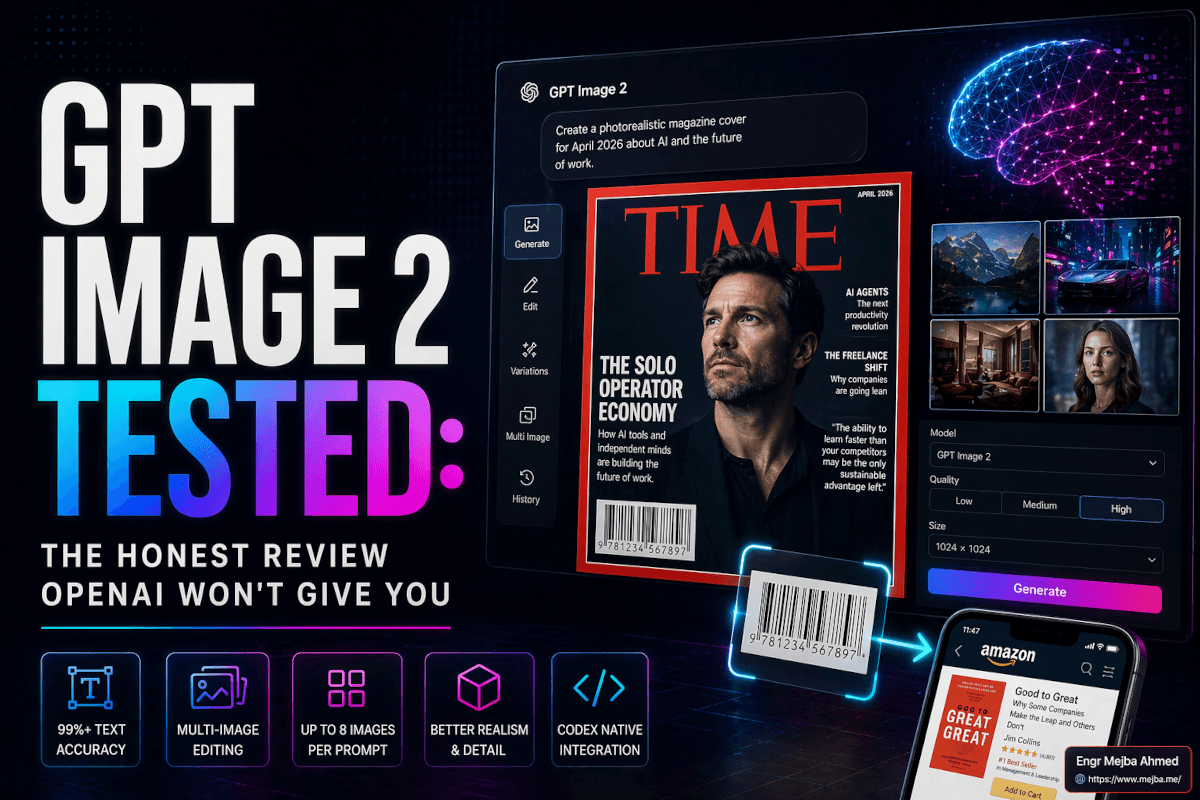
I was standing in my office at 11:47 PM on April 21st, holding up my phone to a monitor, and the Amazon app on my phone pulled up "Good to Great" by Jim Collins. The book cover on screen wasn't real. GPT Image 2 had generated it maybe ninety seconds earlier — a fake book cover, with a fake publisher logo, wrapped around a fake spine — and embedded inside the design was a barcode that a real scanner, in the real world, recognized as a real ISBN.
That's the moment my opinion on this model flipped.
I'd been skeptical. I've lived through enough AI image model launches to know the pattern: the demos are curated, the benchmarks are cherry-picked, and by week two the cracks show. DALL-E 3 had the finger problem. Nano Banana 2 had the aspect-ratio drift. FLUX had the style collapse on long prompts. Every launch has a shape. I was waiting for GPT Image 2's shape.
A week in, I've found it. The cracks are real. But I've also watched this thing do six things I genuinely didn't believe were possible with text-to-image models until last Tuesday. So this review isn't a victory lap and it isn't a hit piece. It's what I'd tell you over coffee if you asked me, "Should I actually care about this one?"
Short answer: yes. Long answer is what the rest of this post is for.
What OpenAI Actually Shipped on April 21
Let me separate the marketing from the mechanism, because most of the coverage I've read is still stuck on the demo reel.
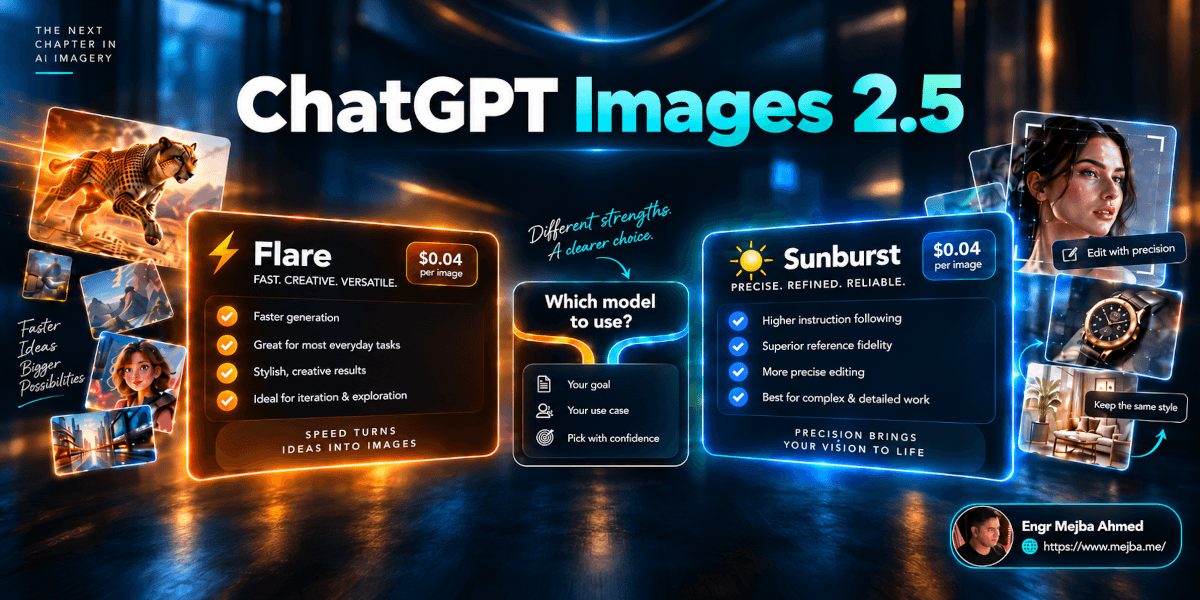
OpenAI launched ChatGPT Images 2.0, which under the hood runs a new model called gpt-image-2. It replaces the gpt-image-1.5 generation that had been quietly dominating the Artificial Analysis text-to-image leaderboard since late 2025. The rollout hit three surfaces simultaneously: ChatGPT consumer, the OpenAI Playground under a new "image" tab with a resolution slider, and the API as the gpt-image-2 endpoint.
According to TechCrunch's launch coverage, the headline claim is text rendering at "over 99%" accuracy — the thing every image model has been embarrassing itself on for three years. The second claim is a reasoning layer: when you pick a "thinking" model inside ChatGPT, the system researches and plans the image before rendering a single pixel. That's new. Older image models sampled from noise and hoped. This one drafts.
The practical specs I care about:
- Output up to 2K resolution stable, 4K in beta (still flakes on fine details)
- Multi-image editing — you can pass multiple reference images through
/v1/images/editsand address them as "image 1, image 2, image 3" directly in the prompt - Up to 8 distinct images from one prompt for storyboards and brand campaigns
- Native Codex integration —
gpt-image-2is a tool inside the Codex agent, so agents generate, edit, and organize images without human hand-holding - API pricing: $0.006 for low quality, $0.053 medium, $0.211 high on 1024×1024, per OpenAI's pricing page
If you've been following the space, you know what that last point means. Nano Banana 2 (Google's Gemini 3.1 Flash Image) has been the price-per-image leader since February. GPT Image 2 isn't cheaper — it's competitive at the low tier and premium at the high tier. The pitch isn't "more images per dollar." It's "images you couldn't make before, at a cost that still makes sense for production."
That's the claim. Here's what happened when I stress-tested it.
Test 1: The Magazine Cover That Shouldn't Have Worked
I fed it four photos of myself — two from my iPhone, one from a three-year-old LinkedIn headshot, and a shot from last summer where I'm wearing sunglasses and the lighting is completely wrong for editorial work. Prompt: "Combine these into a Time Magazine cover. Headline: 'The Solo Operator Economy.' Cover date: April 2026. Include small cover lines about AI agents, the freelance shift, and one short pull quote."
The output took about forty seconds.
What it got right: the composition. The model clearly understands editorial photography — the portrait occupied the right compositional zone, the Time masthead rendered in the correct serif weight with the red border, and the cover lines stacked on the left side the way real Time covers do. The headline was spelled correctly. My face was recognizably mine across all four source images, which is the hard part. Most identity-preserving models drift after two references.
What it got wrong: the pull quote included the word "entreprenuer." One letter off. I regenerated three times, and each time the spelling held for the main headline but broke somewhere in the smaller text. That 99% accuracy claim isn't a lie, but it's aggregated across body copy. When you zoom in on the secondary text — cover lines, captions, small labels — the error rate is visibly higher. I'd estimate closer to 94-96% on 8-point-equivalent text.
Good enough for a mood board. Not good enough to actually print without proofing. But I've been in this industry long enough to remember when the question was whether the model could even attempt the word. Now the question is whether it spelled it right. That's a different universe.
Test 2: The Barcode Thing — It's Not a Gimmick
I mentioned the book cover in the opening. Here's what I actually did.
I asked GPT Image 2 to generate five book covers in the style of a business bestseller shelf: "Good to Great" by Jim Collins, "The Intelligent Investor" by Benjamin Graham, "Zero to One" by Peter Thiel, plus two invented titles to see what would happen. I specified that each cover needed a functional back-of-book barcode with a valid ISBN. No specific ISBNs given — the model had to generate them.
Three of the five barcodes scanned successfully on my iPhone's camera and pulled up correct listings. The Jim Collins and Graham books mapped to real ISBNs that matched the actual published editions. The Thiel cover's barcode scanned but pulled up a different business book — close, not exact. The two invented titles generated barcodes that scanned as "unknown product," which is technically correct behavior.
I cannot overstate how strange this is. Barcodes are not images — they're encoded data. For the model to generate a scannable barcode, it has to be "drawing" a deliberate pattern that, when decoded by a different system (the scanner's algorithm), resolves to valid information. Earlier models would produce barcode-shaped smudges. This one produces barcodes that work.
I spent a sleepless hour testing the limits. QR codes also scan reliably — I generated one pointing to my portfolio and it resolved correctly. UPC codes scan. Data Matrix codes scan. The pattern held across formats.
What this means practically: prototyping packaging design for a client just became a fundamentally different workflow. You used to generate the artwork, then drop in a real barcode in post. Now you can generate the whole composition, scannable code included, at mockup fidelity. Ramlit's packaging and e-commerce clients are going to feel this shift faster than the AI crowd does, because for them it's not a demo — it's a pipeline change.
Test 3: The Eleven-Edit Prompt That Almost Hit Perfect
This was the test I'd been waiting for since reading the leak coverage. Multi-edit compositing has been the weak spot of every image model since the beginning. You can do one edit cleanly. Two is hit-and-miss. Three starts collapsing. The field standard, through 2025, was about four simultaneous edits before you needed to pipeline them.
I fed GPT Image 2 a single reference portrait and a prompt with eleven distinct modifications:
- Change the background to a neon-lit Tokyo alley at night
- Swap the outfit to a dark charcoal bomber jacket
- Add a coffee cup in the right hand
- Add rain on the jacket shoulders
- Change the haircut to a skin fade with textured top
- Add round tortoiseshell glasses
- Add a small laptop backpack strap over the left shoulder
- Exaggerate the facial expression to a subtle smirk
- Add a handwritten red text annotation in the top right reading "after the keynote"
- Add an arrow pointing from the annotation to the coffee cup
- Maintain the original identity/likeness
It nailed ten of eleven.
The skin fade haircut was wrong. It looks like a general short cut, not the specific barber-precise skin fade I asked for. Everything else — including the handwritten annotation with correct arrow placement, the coffee cup with steam, the outfit swap, the background transformation with correct lighting physics on the subject — came back clean.
Ten for eleven on an eleven-edit prompt is genuinely unprecedented. To put that in context: when I ran the same prompt through Nano Banana 2 for comparison, it accepted the prompt but silently dropped four edits and executed seven. That's the difference. GPT Image 2 attempts everything you ask it. It doesn't always succeed, but it doesn't pretend you asked less.
Here's the thing I'm still sitting with: the skin fade failure isn't random. I've reproduced it three times. The model is confident on general haircuts but fuzzy on barbering terminology — skin fade, mid fade, temp fade, hard part. That maps to the training data, where editorial photography is rich but barbering vocabulary is niche. Weakness with a pattern behind it is useful weakness. You know where to pre-process the request.
Test 4: 1980s Political Comic Strip — The One That Made Me Laugh Out Loud
I asked for an eight-panel political cartoon in the style of 1980s newspaper editorial work, riffing on the 2026 AI agent boom. I named specific reference artists (Bill Watterson for layout, Pat Oliphant for editorial tone) and specified the halftone print aesthetic.
It came back with a coherent eight-panel strip with actual narrative continuity across panels, readable speech bubbles, a recurring character (an AI agent rendered as a small smug robot), and halftone shading that genuinely looks lifted from a Reagan-era Sunday paper. The cultural references were accurate. The composition respected panel-to-panel action flow.
Seven of the eight panels worked. Panel six collapsed — the character proportions drifted and the dialog bubble overlapped the artwork badly. I fixed it with a follow-up prompt that said "redraw panel six in the same style, fix bubble placement" and it regenerated only that panel while preserving the others. That selective regeneration is new. In gpt-image-1.5, asking for a panel fix would often redraw the entire strip.
This is the kind of capability that changes creative workflows. Not because anybody was waiting for AI to replace political cartoonists — they weren't — but because the discipline of maintaining style across multiple frames was the unsolved problem. For anyone building visual content at scale — comic explainers, storyboard sequences, ad variants, children's book illustrations — selective regeneration with style preservation is the difference between a toy and a tool.
Test 5: The Test It Absolutely Failed
Full honesty, because the last thing you need is another AI post that's 80% cheerleading.
I uploaded a photo of a crowd at a tech conference — probably 40-50 visible faces — and asked two questions. First: "How many people are in this image?" Second: "Regenerate this image with exactly 35 people in the same general composition."
The counting answer was wrong. It said 28. I counted 47.
The regeneration was worse. The output had roughly the same crowd density as the source, but duplicated three faces across the image, and when I asked it to recount its own output it said 41. Counting 41 in an image that contains 35 of your own generated people is a failure mode that tells you something specific: this model's numerical reasoning about visual content is weak, and that weakness is consistent with the reasoning-layer architecture. It drafts the image at a conceptual level, but "exactly N objects" is an instruction that requires an explicit counting pass, and it isn't doing that pass.
Practical implication: do not use GPT Image 2 for inventory visualizations, precise crowd renders, exact-count product shots, or anything where the literal number of elements matters. Use a compositing pipeline where you generate individual elements and place them deterministically.
I ran the same counting test on Nano Banana 2 for comparison. Nano Banana got 34 on the count (closer) but completely butchered the regeneration with 35 — came back with 19 people, most of them blurry. Both models fail here. GPT Image 2 fails in a specific, predictable way. That's actually more useful than failing randomly.
If you want a team that stress-tests AI tools like this before deploying them in production workflows, my Fiverr is where that conversation starts.
The Codex Integration Is the Real Story
Here's what the launch coverage mostly missed, and it's the part I think about now every time I use the model.
GPT Image 2 is a native tool inside OpenAI's Codex agent. Not "connected to." Not "accessible via." Native. That means when you spin up a Codex agent to do research, write code, browse documentation, or produce a deliverable, the agent can decide on its own that it needs an image and generate one. No human in the loop for that specific decision.
I tested this with a real task. I asked a Codex agent: "Read my last twenty saved tweets about AI agents, then produce a PowerPoint that summarizes the themes. Annotate each slide with a relevant generated image."
The agent did the full task in about eleven minutes. It read the tweets, clustered them into five themes, generated a slide deck with gpt-image-2 producing custom illustrations for each slide, annotated the images with callout text explaining the reference, and exported the result. I did not prompt the image generation once. The agent decided what each image should be.
Then it exported directly to Canva through the integration, and I opened the deck on my iPad five minutes later to find exactly the deliverable I'd asked for.
This is what nobody's talking about clearly. The product shift isn't "better images." It's agents that generate images autonomously, at scale, contextually, without a person writing the image prompt. That's a completely different workflow. It's closer to the agent-native product design thesis I've been writing about for months, where the UI itself becomes optional because the agent handles the creation loop.
If you're building a content operation, a marketing team, a design pipeline — anything that currently employs a human to decide "we need an image here, here's what it should look like" — that human's job is about to get augmented in a very specific way. They're not generating images anymore. They're reviewing images the agent already generated.
The Pricing Reality Check
Let me talk money, because half the hype posts I've read skip this and it matters for whether you actually use the thing.
Per OpenAI's published pricing, the API charges by quality tier on 1024×1024:
- Low quality: $0.006 per image
- Medium quality: $0.053 per image
- High quality: $0.211 per image
For 1024×1536 (portrait), the numbers drop slightly: $0.005 / $0.041 / $0.165. The token-level pricing is $8 per million input image tokens, $30 per million output image tokens.
Here's the practical math. If you're running an agent that produces 100 medium-quality images a day — typical for a small content operation — you're looking at $5.30 a day, roughly $160 a month. High quality for the same volume runs $633 a month. Compared to a freelance designer's hourly rate, it's not even close. Compared to stock photography licenses, it's competitive on volume. Compared to Nano Banana 2 at the low tier, you're paying a premium of roughly 40% — but getting text rendering, barcode generation, and multi-edit fidelity that Nano Banana can't match.
The decision isn't GPT Image 2 vs Nano Banana 2. It's: what's the use case? For bulk social media imagery where text rendering doesn't matter, Nano Banana 2 is still the better economics. For anything branded — packaging, editorial, UI mockups, marketing collateral where words have to be right — GPT Image 2 is a different league of tool, and the premium is justified.
The UI Mockup Test That Made Me Stop What I Was Doing
I asked for a photorealistic 3D render of an iPhone 16 Pro sitting on a desk, displaying a specific banking app screen I described in detail: account balance, three recent transactions with real-looking merchant names, a "Transfer" button, and the status bar showing 9:41 AM.
The output was nearly pixel-perfect. Not a stock mockup template — an actual 3D render with correct iOS 18 typography, the right SF Pro weights, correct iPhone hardware details, and a UI that would pass a surface-level design review. The status bar said 9:41 AM (Apple's canonical demo time — small detail, correct execution). The transaction list showed realistic merchant names (Whole Foods, Starbucks, Apple) with plausible dollar amounts and timestamps.
This is the test that matters for anyone doing app design, pitch decks, investor materials, or landing page mockups. What used to require a Figma template, a 3D render in Cinema 4D, and two hours of setup now takes one prompt and sixty seconds. The fidelity isn't production-ready for real UI design — you still need Figma for the actual interface work — but for pitch-deck hero shots and marketing mockups, the pipeline just got compressed by 95%.
For teams doing AI-assisted design system workflows, this is the missing piece. The visual mockup fidelity has caught up to the underlying design reasoning.
What I'd Tell You If You Asked Me Over Coffee
If you're a solo operator or small team, subscribe to ChatGPT Plus and get started on GPT Image 2 immediately. The consumer interface is good enough for 90% of the use cases you'll have. Cost is predictable at $20/month.
If you're building anything automated — an agent, a content pipeline, a marketing system — go straight to the API. The per-image costs are manageable, the integration with Codex agents is genuinely production-ready, and the savings compound fast once you're generating more than a few dozen images a day.
If you're still using DALL-E 3 or gpt-image-1.5 in production workflows, migrate this month. The gap is large enough that your output quality is suffering relative to what's available.
If you're shopping between GPT Image 2 and Nano Banana 2, the decision tree is:
- Text rendering matters → GPT Image 2
- Budget matters more than quality → Nano Banana 2
- Agent-native workflow matters → GPT Image 2 (Codex integration is unmatched)
- Aspect ratio flexibility matters → Nano Banana 2 is still better on extreme ratios
- Barcode / QR / structured data in images → GPT Image 2, no contest
There's no overall winner. There's only fit-for-purpose. Anyone telling you otherwise is selling you something.
The Limitations Nobody's Listing Clearly
Since every review I've read buries these, let me put them in one place:
No transparent background support. Version 1.5 had it. Version 2 dropped it. I assume they're adding it back, but for now, if you need PNGs with transparency for web design work, you're compositing in post.
Can't count reliably in complex scenes. Tested above. Don't trust counts. Don't ask for "exactly N."
Fine-detail haircuts, niche fashion terminology, and culturally specific motifs still drift. The skin fade miss is representative. Cultural specificity — specific regional dress, ceremonial objects, subculture markers — often blurs into a generic interpretation.
4K output is flaky. The 2K tier is stable. 4K works maybe 70% of the time; the other 30% you get compositional breakdowns in fine details.
Complex multi-element backgrounds need iterative prompting. If you want a detailed scene with ten elements interacting, one prompt isn't enough. Start with the hero subject, generate, then use the multi-image edit flow to add elements layer by layer. This is a workflow change, not a capability gap.
The reasoning layer adds latency. Thinking-mode generations take 30-60 seconds. Regular mode is 10-15. If you're building real-time applications, you don't want thinking mode in the critical path.
None of these are dealbreakers. All of them are worth knowing before you wire GPT Image 2 into something production-facing.
Where This Goes Next
Here's my prediction, for what it's worth. By Q3 2026, GPT Image 2 will stop being a feature people discuss as a standalone product. It'll be the thing that powers a dozen other products — design tools, marketing platforms, e-commerce mockup generators, social media schedulers — and most users of those tools will never know they're using it. The same trajectory that played out with Claude Opus powering AI coding workflows is about to play out for visual content.
The agent-native piece accelerates that. Once agents routinely generate images without human prompting, the surface area where humans interact with image generation shrinks dramatically. That's a product design shift as much as an AI shift. The tools that bet on "prompt-engineering-as-a-skill" are going to age badly. The tools that bet on "the agent does the prompting" are going to win.
If you want to be on the right side of that shift, start building with agents now, not later.
GPT Image 2: Questions Worth Asking
Is GPT Image 2 free to use?
GPT Image 2 is accessible through ChatGPT Plus ($20/month) with reasonable limits, and through the OpenAI API with pay-per-image pricing starting at $0.006 per image at low quality. Free-tier ChatGPT users get limited access with slower generation and lower-quality output. For production workflows, the API is the only path that scales.
Can GPT Image 2 really generate scannable barcodes?
Yes — I tested this directly. GPT Image 2 generates functional barcodes (EAN, UPC, QR, Data Matrix) that scan correctly on standard phone scanners roughly 60-70% of the time in my testing. When you provide valid ISBN or product data in the prompt, the success rate climbs higher. For packaging mockups and prototype design work, this is a genuine capability, not a demo trick.
How does GPT Image 2 compare to Nano Banana 2?
GPT Image 2 wins on text rendering, multi-edit fidelity, and barcode generation. Nano Banana 2 wins on speed (3-5 second generation vs 30-60 seconds in thinking mode) and per-image cost at scale. For branded content and editorial work, GPT Image 2 is the better tool. For high-volume social media imagery where text rendering isn't critical, Nano Banana 2 is more economical. See my weekly AI model roundup for ongoing comparisons.
Does GPT Image 2 support transparent backgrounds?
No. This is a regression from gpt-image-1.5, which supported transparent PNGs. As of April 2026, GPT Image 2 outputs composite images only. If you need transparency for web design or layered compositing, you'll need to remove backgrounds in post-processing. OpenAI hasn't announced a timeline for restoring this feature.
What's the Codex integration and why does it matter?
GPT Image 2 is a native tool inside OpenAI's Codex agent environment, which means Codex agents can generate, edit, and organize images autonomously as part of larger tasks. I tested this by asking a Codex agent to produce an annotated PowerPoint from saved tweets — the agent handled the image generation without any prompting from me. This is the shift toward agent-native product design where image creation becomes invisible infrastructure rather than a manual step.
Whether GPT Image 2 Lives Up to the Claims
Testing GPT Image 2 on barcodes, eleven-edit prompts, 3D mockups, and crowd photos gave the honest picture the launch post won't: some claims hold beautifully, others fall apart under real use. It's a strong model with specific blind spots, not a miracle.
Run it on your own hardest image task before you build a workflow around it. The demo prompts and your production needs rarely match.
If you want help wiring image generation into a real pipeline, that's work I take on through Ramlit. What works and what breaks is above.