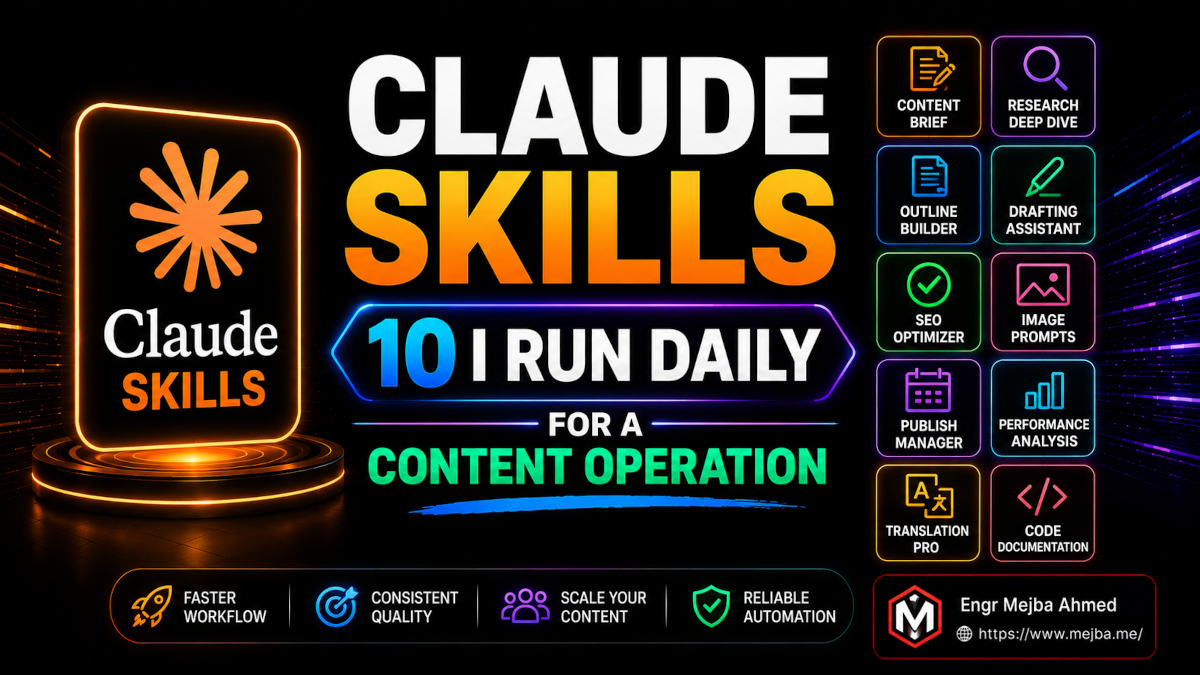
Claude Skills: 10 I Run Daily for a Content Operation
I caught myself typing the same 400-word brief for the fourth time in one morning. Same voice rules. Same brand constraints. Same "no AI filler, no table of contents, 3,000-word floor" instructions I'd pasted into Claude Code a thousand times across four websites. And I remember the exact thought that hit me: I am the bottleneck. Not the model. Me, and my copy-paste habit.
That was the morning I went all-in on Claude Skills. Not as a novelty. As infrastructure.
The shift in one sentence: a skill is a Markdown file that lives in .claude/skills/, holds the instructions you keep retyping, and fires the moment you type /skill-name. No restating context. No re-pasting your brand voice. You describe the job in ten words, and the right playbook loads itself. I run a content operation across mejba.me, ramlit.com, colorpark.io, and xcybersecurity.io — and skills are the reason one person can sound like four different brands without losing the thread.
This breakdown is built around a video by Ishan Sharma covering the ten Claude skills he reaches for most. I'd already installed most of them. I tested all ten against real client work over the past few weeks. Some earned a permanent slot in my daily rotation. One I expected to love turned out to be situational. I'll be honest about which is which, because a list of ten skills with zero criticism is marketing, not a review.
One thing before we start: I'm not affiliated with any skill marketplace, and nobody's paying me to recommend these. Every skill below is one I currently have installed and would re-install on a fresh machine tomorrow.
What Are Claude Skills, Exactly?
A Claude skill is a reusable instruction set — a Markdown file Claude executes on command so you never retype the same context twice. That's the whole idea, and it's deceptively powerful.
Mechanically, a skill is a folder inside .claude/skills/ containing a single SKILL.md file. That file has two parts: a YAML frontmatter block at the top (a name and a description, mostly) and the actual instructions written in plain Markdown below it. The frontmatter is what makes the skill discoverable. The Markdown body is what Claude actually runs.
One detail changes the calculus entirely. Anthropic released the Agent Skills specification as an open standard on December 18, 2025 — and within about 90 days, more than 32 tools had adopted the same format, including OpenAI's Codex CLI and ChatGPT, Microsoft's VS Code and GitHub Copilot, and Google's Gemini CLI. That SKILL.md file you write isn't a Claude-only artifact anymore. The same skill runs across the wider agentic ecosystem. The time you invest learning this format pays off no matter which coding agent you end up using.
You can store skills two ways. Drop them in ~/.claude/skills/ and they're available globally, in every project. Drop them in a project's .claude/skills/ folder and they're scoped to that repo — which is exactly how I keep my four brand voices from bleeding into each other.
There's one more detail that confused me when I started. Claude Code used to treat "commands" (.claude/commands/*.md) and "skills" (.claude/skills/*/SKILL.md) as separate concepts. They've since merged. Both create the same /slash-command interface now, and both support arguments through the $ARGUMENTS placeholder. Skills are simply the recommended format going forward because they can bundle scripts, templates, and supporting files alongside the instructions — and both still respond to the same slash-command workflow I lean on all day.
That's the mental model. Here are the ten, in the order Ishan presented them — because the order genuinely shapes what you should install first.
#1 — Skill Creator: The Skill That Builds Your Other Skills
Start here. Every time. The Skill Creator is the meta-skill that makes the rest of this list trivial to build.
Instead of you writing YAML frontmatter and structuring a SKILL.md by hand, you invoke the Skill Creator and it interviews you. What's the job? What does good output look like? What should it never do? What format do you want back? It asks the questions you'd forget to answer yourself, then generates a tailored skill file Claude runs repeatedly.
When I rebuilt my own content pipeline, this is what I used. I described my brand voice rules out loud — the banned phrases, the 3,000-word floor, the no-table-of-contents constraint — and it turned that rambling brain-dump into a clean, structured skill. The thing I'd been pasting manually for months became a single /aria invocation.
Reach for the Skill Creator the second you notice yourself repeating instructions. If you've typed the same context three times, you've already wasted more effort than building the skill would cost. The real work is the iteration loop afterward: you test the skill against real prompts and tighten the description until it triggers reliably every time.
The payoff isn't the time saved on one skill. It's that the barrier to building any skill drops to near zero. Once that barrier is gone, you start encapsulating everything.
#2 — Hook Forge: Stop Writing Boring Openings
Most content dies in the first sentence. Hook Forge exists to make sure yours doesn't.
You hand it your topic, and it generates opening hooks built on specific psychological angles — curiosity gaps, contrast, controversy, social proof. Not generic "Did you know?" filler. Structured tension that gives the reader a reason to keep scrolling. When I'm stuck staring at a blank intro at 7 AM, this is the skill that breaks the freeze.
What makes it useful in practice is that it gives you options with a rationale attached. It'll generate a curiosity hook and a contrast hook and a controversy hook for the same piece, and tell you which psychological lever each one pulls. You pick the angle that fits the brand. For mejba.me I usually take the confession or contrast angle. For xcybersecurity.io I lean into the "that could be you" scenario.
Reach for Hook Forge whenever the opening matters more than the body — landing pages, cold emails, video scripts, the first line of a thread. It's a precision tool, not a daily driver, but when you need it, nothing else comes close.
#3 — Remotion: From Brand Website to Launch Video in ~8 Minutes
This is the one that made me stop and stare at my screen.
The Remotion skill gives Claude deep domain knowledge for building programmatic videos with React — Remotion is the framework that renders video from code. The version Ishan demonstrated pulls assets straight from a brand's website (logo, colors, copy) and assembles a launch or promo video in roughly eight minutes. Not a storyboard. A rendered video.
I tested it against colorpark.io. It scraped the brand palette, pulled the typography, and produced a promo clip that would've taken a freelance motion designer a half-day to rough out. Was it final-ready? No. The pacing needed tightening and one transition felt off. But as a 90%-there starting point delivered in minutes, it changes the economics of video entirely. For a solo operator running multiple brands, that's the difference between "we'll do video someday" and "video ships this week."
The Remotion team publishes official best-practices skills that load specialized rules for animations, timing, audio, and captions — so the code Claude generates is idiomatic, not hallucinated. If video is part of your content mix, this belongs in your stack.
#4 — Humanizer: The De-AI Filter for Your Writing
I almost skipped Humanizer because I assumed it was another "make this sound less robotic" gimmick. I was wrong, and the proof showed up in my reply rate.
Humanizer is a skill that strips the tells of AI-generated writing out of text — the em-dash overuse, the "it's important to note," the relentlessly even sentence rhythm, the "not just X, but Y" construction. It rewrites toward natural, conversational, human cadence. I run cold emails and client messages through it constantly. A draft I'd been sending for months at a flat reply rate got noticeably warmer responses once Humanizer rebuilt it. Same offer, same audience — the only variable was the AI patterns it removed.
The detail that pushed it up my list: pair it with Whisper speech-to-text and the workflow gets genuinely natural. You speak your rough draft out loud — messy, conversational, the way you'd actually say it — Whisper transcribes it, and Humanizer polishes the transcript into clean prose that still sounds like you. Talking is faster than typing, and spoken language is already more human than what you'd type into a chat box. The combination is quietly one of the best writing setups I've found.
If you publish anything at volume, this is non-negotiable. Robotic writing is a tax on trust, and Humanizer pays it down.
#5 — Infographic Builder: Animated Visuals From a Sentence
You describe what you want to show. It builds an interactive, animated infographic ready for Instagram or LinkedIn. That's the loop.
I used to either skip infographics entirely or burn an hour in a design tool fighting alignment. The Infographic Builder takes a text instruction — "show the four stages of an incident response timeline with animated transitions" — and generates the visual. For social distribution, where a single sharp graphic outperforms a wall of text, this collapses a real bottleneck.
It's not going to replace a senior designer on a brand identity project. But for the daily grind of turning a blog post into three shareable social assets, it's exactly the right level of automation. Reach for it when the idea is clear and the design just needs to exist quickly.
At this point you've got five skills that cover ideation, hooks, video, prose, and visuals. That's an entire content pipeline. But the next batch is where things get interesting — because they're not about making content. They're about making you a better operator.
#6 — Karpathy Guidelines: A Quality Checkpoint for Your Code
If you write any code with Claude — and running a content operation means I write more than I'd like — this is the skill that keeps the AI honest.
The Karpathy Guidelines skill embeds Andrej Karpathy's coding best practices directly into your Claude Code projects. The core principles: think before coding, prefer the simplest solution that works, make minimal and surgical changes instead of sweeping rewrites, define success criteria and actually verify them, and surface trade-offs rather than hiding them. It functions as a quality-assurance checkpoint that runs before Claude touches your codebase.
Why does this matter? Because the default failure mode of an AI coding agent is too much. Ask it to fix one function and it refactors three files you didn't mention. The Karpathy skill counteracts that instinct. It forces a moment of restraint — a pause to plan, a bias toward minimal diffs, an explicit statement of what "done" looks like before any code gets written.
I've written about restraint being the most underrated dev skill, and this skill operationalizes it. When I'm fixing a deploy script at 2 AM, the last thing I want is an agent making confident, sweeping changes I'll have to untangle later. The Karpathy Guidelines make Claude behave like a cautious senior engineer instead of an over-eager junior.
Install this on any repo where correctness matters more than speed. Which, honestly, is most of them.
#7 — Caveman: Cut Your Token Bill by Compressing Output
The repo's tagline reads like a joke — "why use many token when few token do trick" — and then it quietly saves you real money.
Caveman ultra-compresses Claude's responses, dropping filler words, articles, and pleasantries while keeping the technical substance intact. The headline claim is up to ~75% reduction in output tokens. When I tested it, the savings were real but more modest than the headline — and the genuinely surprising result was that the terse answers were often better, not worse. Stripping the padding forces the model to lead with the substance.
For anyone running Claude Code all day across multiple projects, token efficiency isn't a vanity metric. It's the difference between hitting your daily limit at 2 PM and making it to dinner. Caveman is the skill I reach for during heavy research sessions where I'm reading a lot of code and don't need the model to be polite about it.
Use it when you want answers, not essays. Skip it when you genuinely need the model to explain its reasoning in full. It's a dial, not a default.
If you've made it this far, you already have a content pipeline and a code-quality guardrail and a cost lever. Most people stop collecting skills around here. The last three are the ones that turn Claude from a content tool into a thinking partner.
#8 — Expand and Contract: A Business Brainstorming Engine
This is the skill I didn't expect to use and now reach for constantly.
Expand and Contract is built for business ideation and validation. You bring it a rough idea, and it iteratively breaks that idea apart — expanding it into possible service offerings, go-to-market strategies, and operational details, then contracting back down to what's actually viable. It does this through guided questioning, the same way the Skill Creator interviews you, except the subject is your business model instead of a Markdown file.
When I was sketching out a productized content service, I ran it through this skill. It pushed me to articulate the offer, the pricing tiers, the delivery mechanics, and the objections I'd hear — questions I'd been avoiding because they were uncomfortable. The expand phase surfaced options I hadn't considered. The contract phase killed the ones that wouldn't survive contact with a real customer.
Reach for this whenever an idea is still fuzzy and you need structure to think clearly. It won't make the decision for you. It makes the decision legible — which is most of the battle.
#9 — Find Skills: Search the Public Skills Database
You don't have to build everything. Find Skills matches your problem description to relevant pre-built skills from the public skills database.
You describe what you're trying to do — "I need to turn meeting transcripts into action items" — and it searches the public marketplaces and surfaces skills that already solve it. As of 2026 there are thousands of public skills indexed across various directories, with Anthropic's official GitHub repo serving as the trusted core. Finding the right one manually is a chore. This skill turns it into a single query.
I treat this as the front door to the ecosystem. Before I build a custom skill with the Skill Creator, I run Find Skills first — because half the time, someone has already solved my exact problem better than I would have. The same discipline applies to the wider tooling stack: I keep my must-have MCPs list deliberately short for exactly this reason.
The discipline here matters: install fewer skills, more deliberately. The point of Find Skills isn't to hoard a hundred skills. It's to find the one that fits and skip the ninety-nine that don't.
#10 — Decision Framer: Structured Choices, Not Gut Calls
The last skill on the list is the one that's changed how I make hard calls.
Decision Framer is a structured decision-making assistant. You describe the decision, and it weighs the pros and cons, defines the decision criteria that actually matter, surfaces the trade-offs you're tempted to ignore, and then recommends a final action. It doesn't hand-wave with "it depends." It gives you a framework and a recommendation.
I used it recently to decide whether to consolidate two brands or keep them separate. Left to my own devices, I'd have circled the question for a week. Decision Framer forced me to name the criteria — audience overlap, SEO authority, operational cost, brand equity — score each option against them, and confront the trade-off I'd been avoiding. The recommendation it gave matched my gut, but now I could defend it. That's the real value: it converts an anxious gut call into a decision you can articulate and stand behind.
Reach for this on any choice big enough that you'd want to explain your reasoning to someone later. It's the difference between "I just felt like it" and "here's the framework, here's the scoring, here's why."
How Do You Actually Build Your Own Claude Skill?
Building a Claude skill takes about five minutes: create a folder in .claude/skills/, add a SKILL.md file with a name and description in the YAML frontmatter, and write your instructions in Markdown below it.
Here's the minimal structure:
.claude/
└── skills/
    └── my-skill/
        └── SKILL.md
And here's what a bare-bones SKILL.md looks like:
---
name: my-skill
description: One clear sentence describing exactly when Claude
  should use this skill. This is what triggers it — be specific.
---

# My Skill

When invoked, do the following:

1. Step one — what to do first and why it matters.
2. Step two — the constraints that must never be violated.
3. Step three — the format the output should take.

Never: list the things this skill should never do.
Always: list the non-negotiables.
A few hard-won notes. The description field is the most important line in the entire file — it's what determines whether Claude triggers the skill automatically and whether it surfaces in a search. Vague descriptions make skills that never fire. Be precise about when it should run, not just what it does.
Drop the folder in ~/.claude/skills/ for global access, or your project's .claude/skills/ to scope it. Then invoke it with /my-skill. If you want arguments, use the $ARGUMENTS placeholder in the body — Claude substitutes whatever you type after the command. And if writing the file by hand sounds tedious, that's exactly what the Skill Creator from #1 is for. Describe the job out loud, let it generate the file, then refine.
That's the whole loop. Notice a repeated task, build a skill, invoke it forever.
The Real Shift Happening in 2026
The honest part: skills are not magic. A bad skill is just a bad prompt you've committed to repeating. The Infographic Builder won't save a sloppy idea. Caveman's compression occasionally drops nuance you needed. Find Skills will surface plenty of marketplace junk alongside the gems. The skill is only as good as the thinking you put into it.
But that caveat is exactly why this matters. The divide widening every month isn't between people with better models — we all have the same Claude. It's between people who still paste twelve-paragraph prompts into a chat window and people who've encapsulated their expertise into skills that fire on command. The first group restates context every single time. The second group describes a task in ten words and watches the right playbook load itself.
That's the shift. Skills turn your accumulated expertise — your voice, your standards, your decision frameworks, your hard-won "never do this" rules — into reusable infrastructure that compounds. Every skill you build makes the next task faster. The professional who treats AI this way isn't using a chatbot anymore. They're operating a system — chaining skills into dynamic workflows that adapt as the task changes.
I run an entire multi-brand content business on this stack, and I'm one person. The leverage is real, and it's available to anyone willing to spend five minutes writing a SKILL.md instead of pasting the same prompt one more time.
So here's your challenge for the next 24 hours: find the one instruction you've typed into Claude more than three times this week. Open the Skill Creator. Turn it into a skill. Invoke it once. That single skill is the first brick in a system that, six months from now, has you doing the work of a team — by yourself, in less time, with more consistency than you thought possible.
The bottleneck was never the model. It was the copy-paste habit. Skills are how you break it.
FAQ
Frequently Asked Questions
Everything you need to know about this topic
Claude Skills are reusable instruction sets stored as Markdown files in .claude/skills/ that Claude executes when you invoke them, so you never retype the same context twice. Each skill is a folder containing a SKILL.md file with YAML frontmatter (name and description) and Markdown instructions. For the full mechanics, see the "What Are Claude Skills" section above.
Place Claude Skills in ~/.claude/skills/ to make them available globally across every project, or in a project's .claude/skills/ folder to scope them to that single repository. Each skill lives in its own subfolder containing a SKILL.md file. Project-scoped skills are ideal for keeping different brand voices or client contexts separate.
Create a folder in .claude/skills/, add a SKILL.md file with a name and description in the YAML frontmatter, and write your instructions in Markdown below it, then invoke it with /skill-name. The fastest path is using the Skill Creator skill, which interviews you and generates the file. See the build walkthrough above for the minimal template.
Claude Skills and slash commands have merged — both .claude/skills/*/SKILL.md files and older .claude/commands/*.md files now create the same /command-name interface. Skills are the recommended format because they can bundle scripts, templates, and supporting files alongside the instructions, where commands are limited to a single Markdown file.
Yes — Anthropic released the Agent Skills specification as an open standard in December 2025, and within roughly 90 days more than 32 tools had adopted it, including OpenAI's Codex CLI and ChatGPT, Microsoft's VS Code and GitHub Copilot, and Google's Gemini CLI. The same SKILL.md file is portable across the wider agentic ecosystem, so the format you learn for Claude works elsewhere too.
Build Your Own Skills Stack
I run four brands on this skills stack as one person, and the compounding is the whole point — every skill I write makes the next piece of content faster to ship. If you'd rather have a system like this wired into your own Claude Code setup than piece one together from listicles, that's the kind of build I take on over on Fiverr.