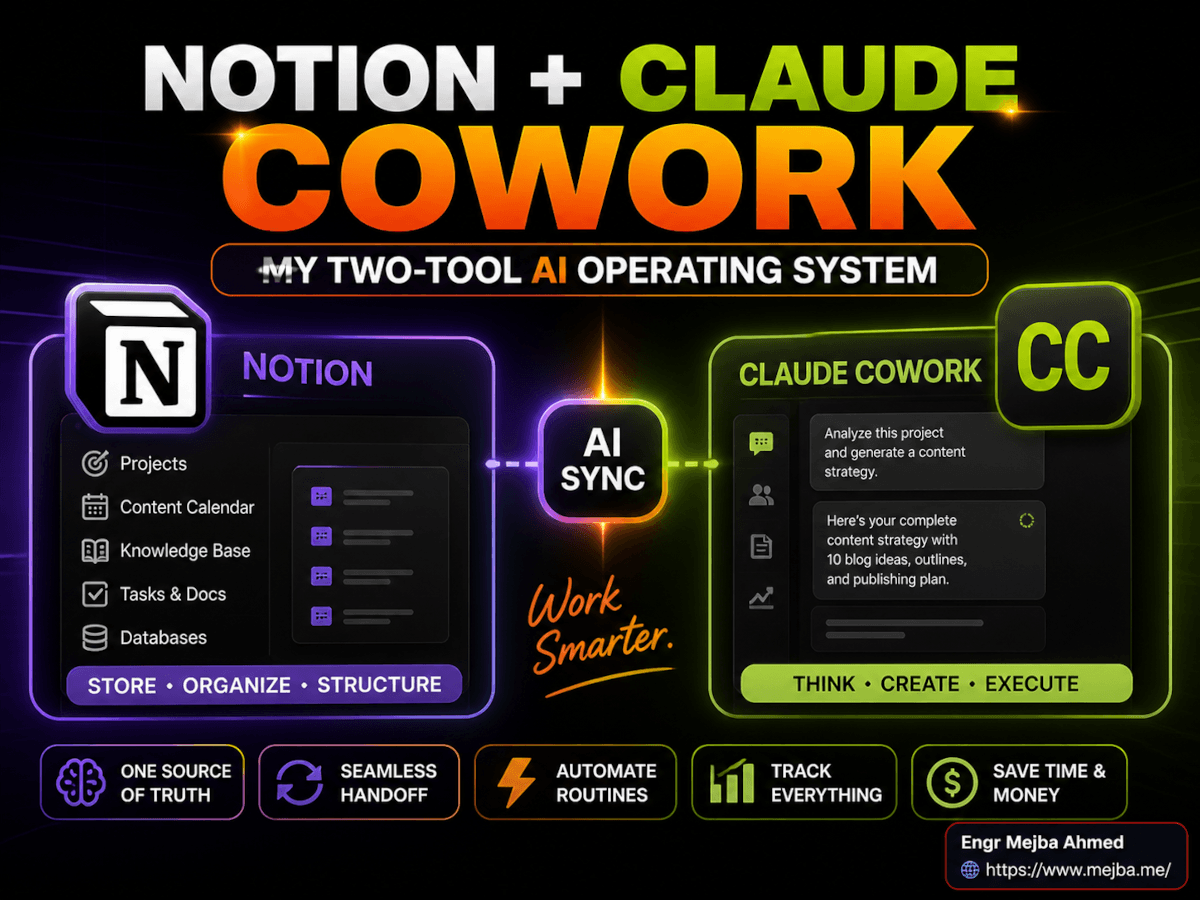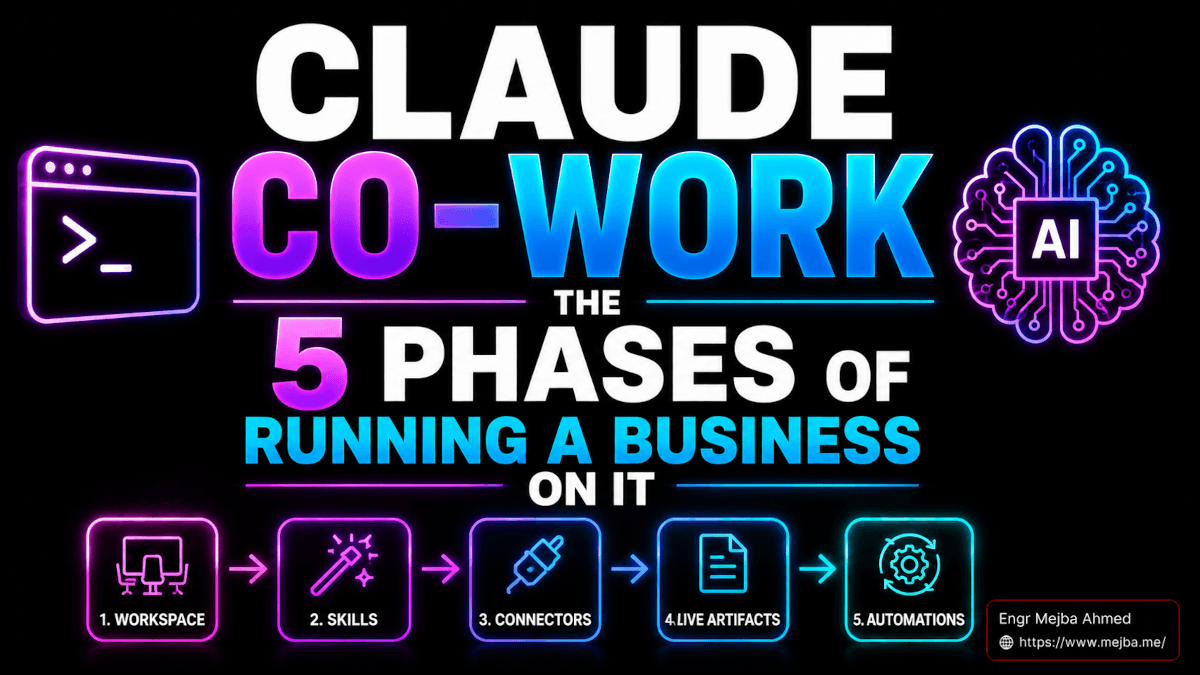
Claude Co-work: The 5 Phases of Running a Business On It
The thing nobody tells you about Claude Co-work is that it stops feeling like an app around week three. By week six, it stops feeling like a tool. Somewhere around day seventy, I caught myself opening my laptop in the morning and not opening Notion, not opening Gmail, not opening Slack — just opening Claude, asking it what the day looked like, and letting it pull from all of those places in a single response.
That's when I realized I wasn't using a chatbot anymore. I was using an operating system.
I've been running my entire business through Claude Co-work for three months. No employees. Four brands. A content engine that ships multiple long-form posts per week, a video pipeline, a client service workflow, scheduled audits, automated newsletter drafts, and a daily command center that updates itself before I wake up. None of this is hypothetical. I'm typing this article inside the same workspace folder that Claude has been reading from since February, where its memory file has quietly accumulated 340 facts about how I work, who my clients are, what my voice sounds like across each brand, and what mistakes never to repeat.
There's a learning curve here that almost nobody explains correctly. Most tutorials drop you straight into Skills or Connectors and skip the part that actually matters — the part where you teach Claude who you are and what your business is doing. That foundation is the difference between Claude Co-work feeling like a smarter ChatGPT and Claude Co-work feeling like a co-founder.
After three months of daily use, mistakes, rebuilds, and at least one near-disaster involving a memory file I let bloat to 4,800 lines, I've mapped the journey into five distinct phases. Each one builds on the last. Skip a phase and the ones above it underperform. Run them in order and you end up with something that looks less like productivity software and more like a working AI operating system.
Here's the full architecture.
Why Most People Stall at Phase One
Before the phases, the honest part. Most people who try Claude Co-work give up within two weeks, and it's almost always for the same reason — they treat it like a faster version of the Claude chat app. They open the desktop client, type questions, get answers, close it. That works fine. It also leaves 90% of the capability completely untouched.
Claude Co-work reached general availability on macOS and Windows on April 9, 2026, with role-based access controls, OpenTelemetry observability, and an Analytics API for enterprise teams. That GA launch shipped on top of the research preview that started in January, which already included file system access, skills, connectors, and scheduled tasks. Then in mid-April, Anthropic introduced Routines in research preview — cloud-hosted automation that runs even when your laptop is closed. By May 2026, the system you're working with has more surface area than most people have explored.
The gap between "this is a chatbot" and "this is an operating system that happens to communicate through chat" is enormous. Closing that gap is what the five phases below are for.
One more thing before we start: I'll be honest about what doesn't work yet. There are still rough edges. The memory file needs pruning. Some connectors are flakier than others. Scheduled tasks have a quirk I'll explain in Phase 4. None of that changes the verdict — but I'm not going to pretend the tool is finished. Let me show you what it actually looks like when it's running.
Phase 1: Foundation — The Two Files That Change Everything
Phase 1 is invisible from the outside. Nobody sees it. Nobody on Twitter shows screenshots of it. And it's the single highest-leverage thing you'll do.
The foundation has four pieces, and they have to be set up in this order: the workspace folder, the CLAUDE.md instructions file, the memory file, and project segmentation.
The Workspace Folder
Claude Co-work operates inside a real folder on your computer. Not a sandbox. Not a cloud drive. A directory you can open in Finder, that has files in it, that Claude can read, write to, organize, and reference.
Mine looks like this:
~/Workspace/
├── mejba.me/
│   ├── CLAUDE.md
│   ├── MEMORY.md
│   ├── content/
│   ├── research/
│   └── transcripts/
├── ramlit/
│   ├── CLAUDE.md
│   ├── MEMORY.md
│   ├── clients/
│   └── proposals/
├── colorpark/
└── xcybersecurity/
Each folder is its own context. When I open Claude Co-work and point it at ~/Workspace/mejba.me/, that's the universe Claude sees. It doesn't know about my Ramlit client work. It doesn't know about ColorPark's design system. It can focus entirely on what's in that folder, which means responses are tighter, more relevant, and dramatically cheaper in token cost.
That folder swap is the single biggest workflow lever I have. Changing context used to mean reopening apps, hunting for the right Notion page, scrolling through emails to find the right thread. Now it's two clicks.
The CLAUDE.md File
This is the instruction manual Claude reads at the start of every session. Voice. Tone. Project goals. Rules. Tools. Context. Everything Claude needs to behave like it actually knows what you're doing.
My mejba.me CLAUDE.md is about 600 lines. It defines the four brands I write for, the voice rules for each, the banned phrases I never want Claude to use, the structure of every post (hook, context, deep dive, implementation, real talk, results, close, footer), the file paths for saving content, and the social distribution package format. When I start a new session and ask Claude to draft a post, it already knows the voice, the format, the constraints, and the output location.
Without that file, every session starts from zero. With it, every session starts at 80%.
The MEMORY.md File
The dynamic counterpart to CLAUDE.md. While the instructions file is static — it changes only when I update the rules — the memory file accumulates facts over time. Things Claude learns about me, my preferences, decisions I've made, mistakes we've corrected.
A few real entries from mine:
- "Mejba prefers em-dashes over hyphens in long-form posts. Never use semicolons to join clauses."
- "When writing about Anthropic features, always verify launch dates via WebSearch before claiming a date."
- "Ramlit clients are decision-makers, not engineers. Translate technical decisions into business outcomes."
- "Never use the phrase 'In today's fast-paced world' under any circumstances."
The memory file is also where Claude Co-work feels closest to having an actual employee. Correct it on something once and the correction gets written down. Reference it next session and the correction holds. After three months, the memory file is doing more work than any prompt template I've ever written.
But — and this is the part nobody warns you about — the memory file needs pruning. Mine grew to over 4,000 lines before I caught it. Half of it was duplicates, stale context from projects I'd finished, and corrections that contradicted newer corrections. The result: Claude started giving slower, less coherent responses. I now audit the memory file every other week. Anything older than ninety days gets archived or deleted unless it's still active. Anything duplicated gets merged. Anything contradicted gets resolved.
Anthropic actually shipped a feature called "Dreaming" in May 2026 as a research preview for Managed Agents that does this consolidation automatically — merges duplicates, removes stale entries. I expect a similar capability to land in Co-work memory soon. Until then, prune manually.
Projects
The last piece of Phase 1 is project segmentation inside Claude itself. Projects are organizational units that separate workflows. Each project has its own CLAUDE.md, its own memory, its own connected folder.
I have four projects: one per brand. Mejba content lives in the mejba.me project. Ramlit client work lives in the Ramlit project. ColorPark and xCyberSecurity have their own. When I'm writing a Ramlit case study, I'm not paying token cost for Claude to scan through context about my personal blog. When I'm researching a security topic, ColorPark's design tokens aren't in the way.
This is the part most people skip, and it's the part that compounds the most. Projects + workspace folders + CLAUDE.md + MEMORY.md form the floor everything else stands on. Get this right and the next four phases multiply. Get it wrong and you'll be fighting context bloat for the next six months.
Phase 1 takes about half a day to set up properly. It's the most boring half-day you'll spend with Claude Co-work. It's also the half-day that makes everything else work.
Speaking of everything else — the moment Phase 1 is in place, the next phase is where things start feeling alarmingly powerful.
Phase 2: Building Blocks — Skills, Slash Commands, Plugins
Skills are where Claude Co-work stops being a smarter chatbot and starts being a workflow execution engine.
A Skill is a reusable instruction manual that teaches Claude how to handle a specific repeatable task. Receipt scanning. Invoice generation. Meeting prep. Slide creation. Competitor research. Newsletter drafting. Anything you do more than once and want to do consistently. You write the Skill once, save it inside Co-work, and from then on you can trigger the entire workflow with a sentence — or, better, a slash command.
How a Skill Actually Looks
Here's a stripped-down version of the receipt-scanning Skill I use almost every week. The folder structure looks like this inside Co-work:
~/.claude/skills/receipt-scan/
├── SKILL.md
└── examples/
    └── ideal-output.md
The SKILL.md file describes what the Skill does, what inputs it expects, what outputs it produces, and what edge cases to handle. The ideal-output.md gives Claude a worked example of what a perfect run looks like. That's it. No code. No API. Just markdown.
When I drop a folder of receipts into my workspace and type /scan-receipts, Claude reads every receipt, extracts vendor, date, amount, category, and tax, builds a structured CSV, flags anything ambiguous, and saves the file to my accounting folder. What used to be a forty-minute monthly task is now a ninety-second task. Across a year, that's roughly eight hours back. From one Skill.
I now have twenty-three Skills across my four brands. Some are personal (the receipt scanner, a meal-plan generator, a journal compiler). Most are business: voice match for each brand, video script generation, transcript-to-post pipeline, image prompt builder for Higgsfield, weekly content calendar generator, client proposal drafter.
Slash Commands
Slash commands are the keyboard shortcut layer on top of Skills. Instead of typing "Hey Claude, can you run the receipt scanning workflow on the folder I just imported," you type /scan-receipts. The Skill fires. The output appears.
The reason slash commands matter isn't speed, although they are faster. It's friction reduction. The fewer keystrokes between a thought and its execution, the more likely you actually run the workflow. I have /draft-post, /research, /audit-seo, /social-package, /weekly-report, and about a dozen others. Each one triggers a specific Skill with specific output.
The thing that surprised me about slash commands is how much they changed what work I do. Before slash commands, I'd put off the weekly audit because it felt like a chore. After /audit-seo became a single keystroke pattern, I run it every Monday without thinking. The friction of starting collapsed, so the consistency improved.
Plugins
Plugins are bundles of related Skills, plus the connectors they need, plus any sub-agents that support them. Anthropic ships some plugins directly. You can build your own. You can share them with your team.
I built a "Content Engine" plugin for mejba.me that bundles eight Skills: transcript ingestion, voice match, post drafter, internal-link finder, image prompt generator, social distribution writer, crawl acceleration package, and post-publish audit. When I install that plugin into a new project, the entire content workflow comes with it.
If you're building a business through Co-work, the right way to think about plugins is as your organizational chart. Each plugin is a department. Each Skill inside it is a role. You're hiring functions, not people.
The thing that took me a while to internalize: Skills compound. A single Skill saves you forty minutes. Two Skills that pipe into each other save you four hours, because you've removed a handoff. Five Skills in a plugin save you most of a workday, because the friction between steps is gone. By the time you have twenty Skills wired together with slash commands and plugins, you've quietly replaced what used to be a team.
That's still just on your local machine, though. Phase 3 is where Claude Co-work walks outside.
Phase 3: Real-Life Integration — Connectors and the 9,000-App Bridge
The first time Claude Co-work read my Gmail, summarized the seventeen unread threads, drafted replies to four of them based on calendar availability, and logged action items in Notion — all in a single response — was the moment I understood what "agentic" actually means in practice.
That moment ran through Connectors.
Connectors
Connectors are Claude Co-work's native integrations with the apps you already use. As of May 2026, there are 38-plus connectors live, including Gmail, Google Calendar, Google Drive, Notion, Slack, HubSpot, Canva, Figma, and a growing list across CRM, project management, and design tools.
The way connectors work is different from a traditional integration. You're not setting up Zapier workflows that fire on triggers. You're giving Claude permission to read from and write to those apps, and then Claude decides — based on your prompt and your CLAUDE.md — what to actually do.
Real example from last Tuesday. I typed: "Look at my emails from the last two days, find anything that needs a real response, draft replies, and check my calendar before suggesting any meeting times."
Without me touching any app, Claude:
- Pulled the last forty-eight hours from Gmail through the Gmail connector
- Filtered out newsletters, notifications, and auto-replies
- Identified six emails that genuinely needed responses
- Read my Google Calendar through the Calendar connector to see real availability
- Drafted six replies — each in my voice, each referencing context from the original thread, each proposing times that didn't conflict with existing commitments
- Logged the action items from each thread into my Notion inbox via the Notion connector
- Reported back with a summary and asked which drafts I wanted to review before sending
The whole thing took under two minutes. The equivalent manual work would have been thirty to forty.
Zapier (and the 9,000-app problem)
Native connectors cover most of what most people use. But everyone has at least one weird tool that's not on the list. For me it was Bitly — I rotate hundreds of trackable links a month for content distribution, and there's no native Bitly connector.
That's where Zapier comes in. Anthropic's Zapier integration bridges Co-work to the entire Zapier ecosystem — somewhere north of 9,000 apps, depending on whose count you believe. The way I use it: I keep a few Zapier-backed Skills for the long-tail integrations I need (Bitly link rotation, a specific CRM I'm forced to use for one client, an obscure email marketing tool).
The architecture trade-off: native connectors are faster and more reliable; Zapier-backed flows are slower and add a third-party dependency. So I default to native and reach for Zapier only when there's no other option.
Use Cases That Actually Earn Their Keep
Here are the connector-driven workflows I use weekly:
- Email triage at 7:00 AM — Claude reads overnight emails, drafts responses, flags anything urgent. I review drafts on my phone over coffee.
- Calendar prep at 8:30 AM — Claude reads my calendar for the day, summarizes each meeting, pulls context from past Notion notes, and creates a one-page brief.
- Client invoice generation — Triggered manually with
/invoice [client name]. Pulls hours from my time tracking, formats per client preferences from MEMORY.md, drops the PDF into Google Drive, and sends a draft email via Gmail. - Slack daily summary — At 6:00 PM, Claude posts a summary of what was shipped that day to my own personal Slack channel. It's a journal more than a notification.
If you're doing solo operator work — and that's where Co-work shines hardest — the connector layer is what closes the gap between "AI that thinks" and "AI that does." Without it, you're back to copy-pasting between tabs. With it, the tabs barely exist anymore.
If you're trying to figure out whether this is worth your time, here's the honest version. If you have a workflow that touches three or more tools every day, Co-work pays back its monthly cost within the first week. If you're a solo operator or running multiple brands like I am, the payback period is closer to forty-eight hours. I've written about this more extensively in my breakdown of running an AI-first company as a solo operator — but the short version is that connectors are the layer that makes the math work.
So far, everything we've built runs when I trigger it. Phase 4 is where it starts running without me.
Phase 4: Automation and Live Artifacts
This is the phase that changed how I think about my own time.
Two features sit at the center: Live Artifacts and Scheduled Tasks (with Routines now in research preview as the cloud-hosted upgrade). Both turn Claude Co-work from reactive into proactive.
Live Artifacts
A live artifact, in Claude's own definition, is a persistent interactive HTML page that Claude creates for you inside Co-work — a tracker, a dashboard, a comparison tool, a reference, shaped around your specific work. Every live artifact you create is saved to the "Live artifacts" tab in Cowork. You can reopen it, refresh it, and iterate on it from any future session.
That's the documentation answer. The practical answer is more interesting.
I have a live artifact called "Daily Command Center" that opens every morning. It pulls data from my connected apps and shows me, in a single dashboard:
- Top three priorities for the day (calculated from calendar + Notion + email patterns)
- Today's calendar with prep status for each meeting
- Open client tickets across my Ramlit work
- Content pipeline status across all four brands (drafted, scheduled, published)
- Revenue snapshot for the month
- Anything overdue
It updates itself. I don't refresh it. I don't ask Claude to re-run it. It's persistent, it's live, and when I open it on Tuesday morning it shows Tuesday's reality, not Monday's leftover state.
I have another live artifact called "Content Engine" that tracks every post across the four brands — topic, target keyword, draft status, publish date, internal links, social distribution status, indexing status. It updates whenever I publish.
The reason live artifacts matter isn't that they're dashboards. We've had dashboards for thirty years. The reason they matter is that they're dashboards you didn't have to build. I described what I wanted to see. Claude generated the HTML. The HTML pulls live data through connectors. When I want to change something, I tell Claude in plain English. The skill that used to require an analytics engineer is now a conversation.
That's a different kind of leverage than any tool I've used.
Scheduled Tasks
Scheduled Tasks shipped in February 2026 as a desktop-bound feature. They run a prompt at a set time with full access to everything you've connected. So a Skill you've written can fire every weekday at 9:00 AM without you starting it.
Mine include:
- 6:00 AM daily — pull overnight news in my industries, summarize in three bullets per topic, save to
~/Workspace/research/daily/ - 7:00 AM daily — refresh the Daily Command Center artifact with the day's calendar and priorities
- Monday 8:00 AM — generate the weekly SEO audit across all four brands, post results to my Slack
- Friday 5:00 PM — generate the weekly retrospective: what shipped, what slipped, what's queued for next week
The desktop-bound caveat is the one quirk worth knowing. If your laptop is closed when the scheduled task fires, it doesn't run. For most workflows that's fine. For some — like the 6:00 AM news pull, which I want to happen before I'm anywhere near my desk — it's a constraint.
Routines
Which is exactly why Routines exist. Routines, introduced in research preview on April 14, 2026, are the cloud-hosted version of Scheduled Tasks. They run on Anthropic's infrastructure, not your laptop, so they fire whether your machine is on or not.
I've migrated my most time-critical scheduled tasks to Routines. The 6:00 AM news pull runs in the cloud now. The Slack-summary task runs in the cloud now. Tasks that need to read local files still run as Scheduled Tasks on my desktop. The split is working.
The combination — Live Artifacts plus Scheduled Tasks plus Routines — is what makes Claude Co-work feel less like software and more like infrastructure. By Phase 4, you're not opening apps to do work. You're opening a dashboard to see what work has already been done.
But the thing that takes it from "infrastructure" to "yours" is Phase 5.
Phase 5: Customization — Where the Real ROI Lives
Here's the part most tutorials downplay because it's harder to demo: the highest leverage in Claude Co-work isn't using the Skills and plugins that ship with it. It's building your own.
The pre-built Skills and plugins are great starting points. They get you running. They show you the patterns. But your business is not the same as the demo business in the tutorial video. Your voice is not the same. Your client mix is not the same. Your tools, your priorities, your weird edge cases — none of those exist in a default plugin.
The way I build custom Skills now is almost embarrassing in its simplicity. I describe a workflow to Claude. I show it one or two examples of the ideal output. I ask Claude to write the Skill. Claude generates the SKILL.md and the example files. I review, tweak the rules I disagree with, save the Skill to my plugin folder. Done. Reusable from that point forward.
A real example from last month. I noticed I was spending forty minutes per podcast episode writing show notes — timestamps, key quotes, guest bio, follow-up resources. I told Claude what the workflow looked like, pasted in one example of a finished set of show notes I was happy with, and asked it to build me a Skill. Twelve minutes of back-and-forth later, I had /podcast-notes. Drop in the transcript, fire the command, get a finished set of show notes that match my style. The Skill has run thirty-one times since then. That's roughly twenty hours saved, from a Skill that took twelve minutes to build.
Compound that across a year and the math becomes obvious. Customization isn't a nice-to-have. It's the entire point.
How to Find Skills Worth Building
This is the part nobody answers well, so let me try.
The best Skills come from workflows that meet three criteria:
- You do the task more than once per month. Anything weekly or daily is a strong candidate. One-offs are almost never worth building Skills for.
- The task has a repeatable shape. Variables change (the client, the topic, the input file), but the structure of the output is consistent.
- You can describe what "good" looks like in writing. If you can't articulate the rules of a good output, Claude can't either.
If a task fails any of those three, it's not Skill material — it's prompt material. Just write a prompt and reuse it. Save the Skill construction for tasks that genuinely repeat with consistent structure.
The other thing I've learned: Skills get better through use, not through more upfront design. My early Skills were over-engineered. I tried to think through every edge case before writing the Skill. Most of the edge cases never showed up. The edge cases that did show up were ones I hadn't anticipated. Now I build Skills that handle the 80% case and let the memory file accumulate the corrections for the other 20%.
That's the loop that makes Claude Co-work get better the longer you use it: each correction to a Skill output gets remembered, the Skill effectively self-tunes, and a year in you have a system that knows your business better than any onboarding doc you could write.
How long did the 5 phases actually take to set up?
For me, working in concentrated sessions: Phase 1 (foundation) took half a day. Phase 2 (Skills, slash commands, plugins) was a week of building the first ten Skills, with new ones added every week since. Phase 3 (connectors) took two evenings to wire up all the apps I use. Phase 4 (live artifacts and scheduled tasks) was another half-day. Phase 5 is continuous — I add or refactor Skills constantly.
If you compressed it, you could get from zero to a functioning system in a weekend. Most people will benefit from going slower — let each phase settle before stacking the next one on top.
What this looks like three months in
Today is May 12, 2026. I'm writing this article inside the mejba.me workspace folder. The CLAUDE.md file at the root of that folder is dictating the structure of every section. The MEMORY.md file has 340 entries that shape the voice you're reading. When I finish this article, a Skill will fire that generates the social distribution package and the Crawl Acceleration Package without me typing another prompt. A scheduled task will pick up the published URL tomorrow morning and submit it to Google Search Console. A live artifact on my second monitor is currently showing me that this is post number nine for May across all four brands.
None of that required me to open another app. Not one. The output of one Skill is the input to the next. The connectors handle the rest.
That's what running a business through Claude Co-work looks like in practice. Not a chatbot. Not a productivity hack. An operating system that you teach, once, and then run on, daily.
If you're starting from zero, the move is Phase 1. Set up the folder. Write the CLAUDE.md. Initialize the MEMORY.md. Pick one project. Spend the boring half-day. Everything else gets dramatically more powerful once that floor is in place.
I'm still finding new things three months in. There's a version of this article I'll write at month six that will be different in ways I can't predict yet. But the architecture above is stable. The five phases hold. And if you want to know whether this is worth your time — open your laptop tomorrow morning and count how many apps you opened in the first ten minutes. If that number is more than two, you already have your answer.
FAQ
Frequently Asked Questions
Everything you need to know about this topic
Claude Co-work is Anthropic's agentic productivity system for knowledge work, with file system access, app connectors, skills, scheduled tasks, and live artifacts. Claude Code is the terminal-based tool optimized for software development and shipping production code. Co-work is for daily business operations; Claude Code is for engineering. I use both for different jobs.
No. Claude Co-work is markdown-driven, not code-driven. Skills are written in plain English inside markdown files. The only "code" you'll touch is the structure of your workspace folder, which is just nested directories. If you can use a text editor, you can run Claude Co-work end to end.
Claude Co-work is available on paid Claude plans — Pro, Team, and Enterprise. Pricing is the standard Claude plan tier; Co-work itself isn't a separate SKU. Enterprise plans add role-based access controls, analytics APIs, and OpenTelemetry observability. Check claude.com for current pricing tiers as they shift periodically.
Skills are reusable workflows you trigger manually or via slash command. Routines (and Scheduled Tasks) are time-based automation that triggers Skills without you. Use Skills for any repeatable workflow. Layer Routines on top when you want the workflow to run on a schedule. For the full breakdown, see Phase 2 and Phase 4 above.
Audit it every two weeks. Archive or delete anything older than ninety days unless still active, merge duplicates, and resolve contradictions. Anthropic's "Dreaming" feature, introduced in May 2026 for Managed Agents in research preview, automates this consolidation — expect similar tooling to land in Co-work memory soon.
Let's Work Together
Looking to build AI systems, automate workflows, or scale your tech infrastructure? I'd love to help.
- Fiverr (custom builds & integrations): fiverr.com/s/EgxYmWD
- Portfolio: mejba.me
- Ramlit Limited (enterprise solutions): ramlit.com
- ColorPark (design & branding): colorpark.io
- xCyberSecurity (security services): xcybersecurity.io