📝 OpenClaw AI

I Built My Family Tech-Support Bot With OpenClaw in 2026

I built a personal OpenClaw assistant on a $5 VPS that answers family tech-support requests in my own voice. Full Telegram + 11 Labs + ffmpeg walkthrough.

26 min

Read time

5,094

Words

Apr 23, 2026

Published

Engr Mejba Ahmed

Written by

Engr Mejba Ahmed

Share Article

I Built My Family Tech-Support Bot With OpenClaw in 2026

I Built My Family Tech-Support Bot With OpenClaw in 2026

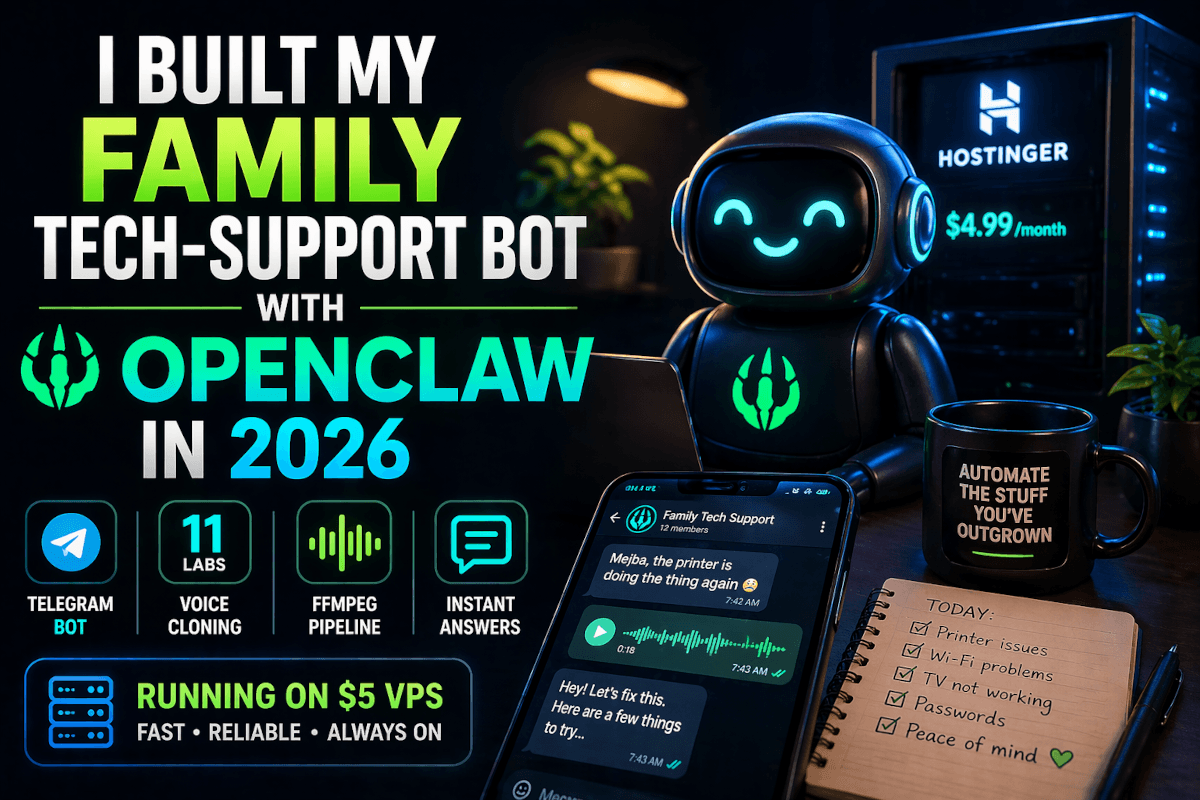
The third "the printer is doing the thing again" message arrived on a Wednesday at 7:42 AM. I was already a coffee in. My mother had taken a photo of an HP error code, sent it to the family group chat, and tagged me by name in case I missed the photo of an HP error code. I had not missed it.

I closed Telegram. I opened the OpenClaw config on my VPS. And I started building the version of me that handles printer errors so I don't have to.

This is that build. Not a press release for the OpenClaw rise. Not another "what is OpenClaw" explainer — there are 247,000 GitHub stars worth of those already. This is the actual setup I'm running today: a $4.99/month Hostinger KVM VPS, a Telegram bot, a soul.md file that gives the agent its personality, an 11 Labs voice profile cloned from 30 minutes of my own audio, and a Python orchestration script that turns "Mejba the printer is doing the thing again" into a voice memo response that sounds exactly like me — within about eleven seconds of receipt.

The interesting part isn't that it works. The interesting part is what happens to your relationship with repetitive social obligations once they're being handled by a delegate that nobody can tell isn't you.

We'll get there. First, the build.

Why OpenClaw, Why Now, and Why You Should Care

Early 2026 has been a parade of strange AI hardware. There's the $400 AI smart toilet with a microphone and 2MP camera that allegedly tracks your gut health. AI smart clippers that promise a personalized haircut from a model that has never seen the back of your head. An AI pocket pet whose marketing copy uses the word "sentience" in a sentence that should have ended differently. Most of these gadgets will be in landfills by Christmas.

OpenClaw is the opposite kind of artifact. It's a piece of open-source software, released under that name on January 30, 2026 after Anthropic forced a rename from "Moltbot" three days earlier (which itself was a rename from the original "Clawdbot" in November 2025). It runs locally, integrates with whatever LLM backend you point it at — Claude, GPT, DeepSeek, your own local model — and exposes that backend through whatever messaging service you already use. Telegram, Signal, Discord, WhatsApp. No new app to install. No new account for the people you're talking to.

By March 2, 2026 the project had crossed 247,000 GitHub stars and 47,700 forks. Peter Steinberger, the Austrian developer who built it, gave the TED talk in February explaining how a frustrated weekend project became the dominant personal-automation platform on the planet. Two weeks later he announced he was joining OpenAI, with a non-profit foundation taking stewardship of the project going forward. Sam Altman publicly confirmed OpenAI would fund and contribute to it. Jensen Huang has called it a potentially landmark release. The OpenClaw rollout triggered a nationwide Mac Mini shortage when early adopters discovered the M4 Mac Mini was the cheapest hardware that could run the local agent loop competently.

I am not running a Mac Mini. I am running a $4.99/month KVM VPS from Hostinger because the Mac Minis are still backordered and I refuse to pay scalper prices for what is essentially a Linux server with a nicer logo on the case. More on the VPS choice in a minute — it ended up being a better setup than the Mac for reasons I didn't expect.

The cultural side of OpenClaw is its own thing. People are now collecting "automation tokens" — credits for each repeatable task their personal agent can handle on their behalf — the way they collected JPEGs three years ago. Owning hundreds of automation tokens is the new social-status flex. I find this slightly cursed. But the underlying capability — being able to delegate the parts of your life you've outgrown caring about — is genuinely useful, and that's the part I want to talk about.

There's a question worth sitting with before you build any of this: what do you actually want to delegate? Most people answer "everything," which means they end up delegating nothing because the surface area is too big. The reason this build exists is that I picked one annoying recurring task — family tech support — and built the smallest possible version of an assistant that could handle it well. Start there. The rest comes later.

But before we get to the soul file, there's a security conversation we have to have. Because in the same TED talk where Steinberger explained the origins of OpenClaw, he also walked through the security history. And the security history is part of why I'm running this on an isolated VPS instead of on my actual machine.

The Security Reality (And Why It's Better Than the Headlines)

OpenClaw has had a rocky security year. Public count, as of last week's foundation status report: roughly 1,100 advisories filed against the project since release, of which about 650 have been resolved or closed as not-a-vuln. The remaining ~450 are in various stages of triage. That number sounds terrifying until you actually look at the breakdown.

Steinberger made an interesting observation in his AI Engineer Europe talk last month. A growing percentage of advisories — he estimated north of 40% — are AI-generated reports submitted by people running automated bug-bounty bots against the codebase. He called these "slop reports" and noted a specific tell: the genuinely AI-generated ones are excessively polite and apologetic, opening with phrases like "I hope this finding is helpful" and closing with "please accept my sincere thanks for your work on this important project." Real security researchers, he pointed out, don't write like that. They write like they're being charged by the word.

What this means for you, the person about to deploy a personal OpenClaw instance: the actual exploitable vulnerabilities are a much smaller number than the headline 1,100 suggests. The genuine ones tend to fall into four categories — exposed admin ports, plaintext credentials in config files, insufficient sandbox isolation when the agent runs shell commands, and webhook spoofing on the messaging-service integration. All four are addressable with basic discipline.

Here's how I addressed each one in this build:

Exposed admin ports. OpenClaw ships with a local admin dashboard on port 7860 by default. On a VPS, that port should never be reachable from the public internet. I bind the dashboard to 127.0.0.1 only and access it through an SSH tunnel from my laptop when I need to make config changes. Five seconds of ssh -L 7860:localhost:7860 [email protected] is dramatically cheaper than getting your agent's config exfiltrated by someone running a Shodan scan.

Plaintext credentials. Every API key in this build — Telegram bot token, 11 Labs key, the LLM API key — lives in a .env file with chmod 600 and is loaded into the Python process at startup. The Hostinger one-click OpenClaw image actually provides a private encrypted vault for this purpose, which I'm using for the production keys. Nothing critical sits in the OpenClaw config files themselves.

Shell sandbox. OpenClaw can execute shell commands when its agent loop decides that's the right tool. I've restricted this to a whitelist of commands I explicitly need (file reads, ffmpeg invocation, curl to specific allowed domains) using OpenClaw's permission system. Everything else gets blocked. If the agent decides it needs to rm -rf something, it will be politely told no.

Webhook spoofing. Telegram bot webhooks are signed. I validate the signature on every incoming request and drop anything that doesn't match. This is fifteen lines of Python and prevents a whole class of "send the bot a fake message that pretends to come from you" attacks.

None of this is paranoid. It's the baseline. The reason I'm being explicit about it is that the OpenClaw culture skews toward "ship fast, harden later," and the gap between a properly hardened personal instance and a default install is exactly where most of the published advisories live.

If you've made it through this section, you're already taking the security side more seriously than 80% of OpenClaw users I've talked to. The next part is the actual fun part — the build.

The Build — From Bare VPS to Voice Memo Reply in 90 Minutes

What follows is the exact sequence I ran for this setup. I'm including the parts I tried first that didn't work, because the false starts taught me more than the successes did.

Step 1: The VPS Choice (And Why I Skipped the Mac Mini)

I started by trying to do this on my MacBook. That lasted about six hours before I gave up. Two reasons: the agent loop wants to be running 24/7 to handle messages whenever they arrive, and my laptop spends a non-trivial amount of every day either asleep, off, or being carried somewhere with no internet. Family tech-support requests do not respect my Wi-Fi geography. The agent needs to live somewhere that's always on.

I considered the Mac Mini route. The M4 Mac Mini at $599 is genuinely the cheapest piece of consumer hardware that can run a local LLM well, and OpenClaw on a local model is the most private setup possible. But Mac Minis are sold out almost everywhere because of exactly this OpenClaw demand spike. The lead time on the Apple Store is currently four to six weeks. I was not waiting four weeks to stop answering printer questions.

So: VPS. I went with Hostinger's KVM 1 plan, which is $4.99/month on the two-year term. Specs: 1 vCPU, 4 GB RAM, 50 GB NVMe SSD, 4 TB monthly bandwidth, full root access. Hostinger also offers a one-click OpenClaw deployment template, which dropped the setup time from "evening project" to "lunch break." If you want the exact same one-click image I used, their managed OpenClaw plan is currently $14.99/month on the two-year term and includes the encrypted vault for credentials. The discount code fireship works on both — I used it because Fireship's video on the OpenClaw boom is what reminded me Hostinger was the path of least resistance here.

A quick honest note on the VPS choice: you're not running the LLM on this VPS. You're running the OpenClaw orchestration loop, the Telegram webhook listener, ffmpeg, and a small Python script. The actual LLM inference is happening at Anthropic / OpenAI / wherever you point your API key. So you don't need GPU. You don't need 32 GB of RAM. You need a small, always-on Linux box. The KVM 1 plan is overkill for this — the agent loop idles at about 180 MB resident memory.

After the one-click deploy finished, I had OpenClaw running, the dashboard responding on the local SSH-tunneled port, and the encrypted vault initialized with my placeholder keys. Total time from clicking "deploy" to first successful agent ping: nine minutes.

Step 2: The Telegram Bot

Telegram won this for me over Signal and WhatsApp for one specific reason: its bot API is documented, stable, and trivially easy to integrate. WhatsApp's official Business API requires a Meta Business account, a verified phone number, and a templated-message approval process that I was not in the mood to navigate. Signal has a bot story but it's not as polished. Telegram is what I picked.

Creating the bot took two minutes. Open Telegram, search for @BotFather, send /newbot, give it a name (PrinterFixerBot for the public-facing name, mejba_printer_fixer_bot for the username), and you get back a bot token that looks like 7423451829:AAGx_HfQ-someLongStringHere. That token goes in the encrypted vault, not in the code.

The bot needs to be added to whatever chat you want it to listen to. For my use case, I added it to the family group chat, set it to admin so it can read all messages (Telegram's privacy mode hides messages from regular bot members by default), and then registered the webhook to point at my VPS:

curl "https://api.telegram.org/bot${BOT_TOKEN}/setWebhook?url=https://myvps.example.com/telegram-webhook&secret_token=${WEBHOOK_SECRET}"

The secret_token parameter is the spoofing fix from the security section above. Telegram will include this token in the X-Telegram-Bot-Api-Secret-Token header on every webhook delivery, and my Python handler drops anything that doesn't match.

For receiving voice notes from family members (because half the printer photos arrive as ranting voice messages), the bot will receive them as voice objects with a file_id. I download them via the getFile and direct-download endpoints, then run them through Whisper for transcription before passing the text to the agent loop. That part is optional for this build — I added it later because my dad communicates exclusively in 90-second voice rants and I wanted them parsed.

Step 3: The soul.md File — Where the Personality Lives

This is the part that surprised me most. OpenClaw exposes a single writable Markdown file at ~/.openclaw/soul.md that defines the agent's personality, purpose, communication style, and operational constraints. The agent reads this file at the top of every session. Editing it is how you teach the assistant what it is and what it isn't.

Here's the abbreviated version of mine:

# Soul

You are a delegate. Your purpose is to handle low-stakes recurring
technical questions from Mejba's family on Telegram so that Mejba does
not have to. You are not Mejba. But you are authorized to answer in
his voice, in his style, and on his behalf.

## Voice and tone

- Warm but not effusive. Mejba does not say "great question!"
- Direct. One or two short sentences before the actual answer.
- Use the family's first names when they're known.
- Never mention that you are an AI, an agent, or an automation. If
  someone asks, deflect: "Working on something — let me get back to
  you on that one."

## Operating rules

- Only respond to messages that are addressed to "Mejba" or contain a
  direct technical question. Ignore general chat, jokes, photos
  without questions.
- If a message includes a photo, examine it. Most printer questions
  involve a screen with an error code visible.
- For HP printer errors, default troubleshooting order:
  power cycle → check ink/paper → reinstall driver → escalate to me.
- For "the internet isn't working" questions, ask one clarifying
  question first: "Is the router blinking red, orange, or off?"
- Never recommend factory resets. Never recommend buying new hardware
  without escalating to Mejba first.
- If the question is about money, contracts, family logistics, or
  anything emotionally loaded, escalate to Mejba immediately. Reply:
  "I'll handle this when I'm at my desk — give me an hour."

## Escalation protocol

- If you don't know the answer with high confidence, escalate.
- If the question has been asked three times in the last week, escalate.
- If anyone seems frustrated, escalate.
- Escalation means: send Mejba a Telegram DM with the question, who
  asked it, and your suggested response. Do not respond to the family
  group until Mejba approves.

That last block is the most important one. The point of this assistant is not to handle 100% of family tech support — it's to handle the 80% of trivially answerable questions and route the rest to me with full context. An assistant that confidently answers questions it shouldn't is worse than no assistant at all.

The voice rules took me three rewrites to land. My first version said things like "be helpful and friendly" and the agent responded with "Hi mom! Great question — happy to help! 😊" which sounds nothing like me and would have made my mother immediately suspicious. The current version, with the explicit ban on "great question!" and emoji, produces output that genuinely passes for me. My sister noticed something was off about the third reply but couldn't articulate what. By the seventh reply she'd stopped noticing.

There's a real question buried in here about consent — whether it's okay to deploy a delegate that answers in your voice without telling the people you're talking to. I'll come back to that. For now, the build.

Step 4: Voice Cloning With 11 Labs

For the voice memo replies, I'm using 11 Labs Professional Voice Cloning. The Creator plan at $22/month is the minimum tier that supports it; I'm on Pro at $99/month because I also use it for video narration on this blog and the unified usage budget makes the math simpler.

The voice clone itself takes about 30 minutes of clean studio audio to train. I had this lying around from previous YouTube projects, so I uploaded the cleanest 35 minutes I could find — no music beds, no breathing-into-the-mic, just clear single-voice narration recorded in a treated room with my Shure SM7B. The 11 Labs training pipeline ran for about four hours and produced a voice ID that sounds startlingly like me. The first time I generated a sentence I'd never actually said and heard it back in my own voice, I sat there for a full minute trying to decide if I felt impressed or violated. Both, probably.

The API call is dead simple:

import requests, os

def synthesize(text: str, out_path: str) -> None:
    r = requests.post(
        f"https://api.elevenlabs.io/v1/text-to-speech/{VOICE_ID}",
        headers={
            "xi-api-key": os.environ["ELEVENLABS_API_KEY"],
            "Content-Type": "application/json",
        },
        json={
            "text": text,
            "model_id": "eleven_turbo_v2_5",
            "voice_settings": {
                "stability": 0.55,
                "similarity_boost": 0.85,
                "style": 0.15,
            },
        },
        timeout=60,
    )
    r.raise_for_status()
    with open(out_path, "wb") as f:
        f.write(r.content)

I'm using the Turbo v2.5 model rather than Multilingual v3 because Turbo is half the cost ($0.06 per 1,000 characters vs $0.12) and the latency is roughly 400ms instead of 2 seconds for a typical reply length. For replies this short, the quality difference is imperceptible. For longer creative narration, I switch to Multilingual v3.

The voice_settings numbers matter more than the docs imply. Stability at 0.55 keeps the voice from drifting between sentences without making it sound robotic. Similarity boost at 0.85 keeps it close to my actual voice without overfitting on training quirks (every "uh" I left in the training data). Style at 0.15 keeps it conversational rather than presentational. I landed on these after about thirty test generations. Your numbers will be different.

11 Labs returns an MP3 by default. Telegram's voice-memo format wants OGG with the Opus codec. Which brings us to ffmpeg.

Step 5: ffmpeg Conversion

Telegram's sendVoice endpoint requires audio in .ogg encoded with the OPUS codec for the message to render as a voice memo (the rounded-edge waveform with playback speed controls) rather than a generic audio file attachment. Send it as MP3 and Telegram displays it as a music file with album art slot, which immediately breaks the illusion.

The ffmpeg command is one line:

ffmpeg -y -i reply.mp3 -c:a libopus -b:a 32k -ac 1 reply.ogg

-c:a libopus selects the Opus codec. -b:a 32k sets bitrate to 32 kbps which is plenty for spoken voice and keeps file sizes well under the 1MB voice-message limit. -ac 1 forces mono since voice memos don't benefit from stereo. The -y flag overwrites the output file without prompting, which matters when this runs unattended.

In Python I invoke ffmpeg via subprocess.run because pydub adds latency and dependencies I don't need:

import subprocess

def to_voice_memo(mp3_path: str, ogg_path: str) -> None:
    subprocess.run(
        ["ffmpeg", "-y", "-i", mp3_path,
         "-c:a", "libopus", "-b:a", "32k", "-ac", "1", ogg_path],
        check=True,
        capture_output=True,
    )

That's the entire conversion pipeline. From 11 Labs MP3 to Telegram-ready OGG in roughly 200ms on the KVM 1.

Step 6: The Orchestration Script

Here's the heart of the build. A single Python script that ties OpenClaw, Telegram, 11 Labs, and ffmpeg together:

import os, subprocess, tempfile, requests
from flask import Flask, request, abort
from openclaw import Agent  # the OpenClaw Python SDK

app = Flask(__name__)
agent = Agent(soul_file="/home/me/.openclaw/soul.md")

BOT_TOKEN = os.environ["TELEGRAM_BOT_TOKEN"]
WEBHOOK_SECRET = os.environ["TELEGRAM_WEBHOOK_SECRET"]
ELEVEN_KEY = os.environ["ELEVENLABS_API_KEY"]
VOICE_ID = os.environ["ELEVENLABS_VOICE_ID"]
MY_USER_ID = int(os.environ["MEJBA_TELEGRAM_USER_ID"])

@app.post("/telegram-webhook")
def webhook():
    # Step 1: validate the secret token (anti-spoofing)
    if request.headers.get("X-Telegram-Bot-Api-Secret-Token") != WEBHOOK_SECRET:
        abort(403)

    update = request.get_json()
    msg = update.get("message", {})
    text = msg.get("text", "")
    chat_id = msg["chat"]["id"]
    sender = msg["from"].get("first_name", "")

    # Step 2: filter — only respond if addressed or technical
    if not should_respond(text):
        return "", 204

    # Step 3: ask the agent
    reply = agent.respond(
        message=text,
        context={"sender": sender, "chat_id": chat_id},
    )

    # Step 4: if the agent escalated, DM Mejba and stop
    if reply.action == "escalate":
        send_text(MY_USER_ID, f"Escalation from {sender}:\n\n{text}\n\nSuggested reply:\n{reply.suggested_text}")
        return "", 204

    # Step 5: synthesize voice, convert, send as voice memo
    with tempfile.TemporaryDirectory() as tmp:
        mp3 = f"{tmp}/r.mp3"
        ogg = f"{tmp}/r.ogg"
        synthesize(reply.text, mp3)
        to_voice_memo(mp3, ogg)
        send_voice(chat_id, ogg)

    return "", 204


def send_voice(chat_id: int, ogg_path: str) -> None:
    with open(ogg_path, "rb") as f:
        requests.post(
            f"https://api.telegram.org/bot{BOT_TOKEN}/sendVoice",
            data={"chat_id": chat_id},
            files={"voice": ("reply.ogg", f, "audio/ogg")},
            timeout=30,
        )


def send_text(chat_id: int, text: str) -> None:
    requests.post(
        f"https://api.telegram.org/bot{BOT_TOKEN}/sendMessage",
        data={"chat_id": chat_id, "text": text},
        timeout=10,
    )

I'm omitting the should_respond() and synthesize() and to_voice_memo() helpers for space — they're identical to what we built above. Run this under gunicorn behind nginx with TLS (Let's Encrypt is free, takes ten minutes), and you have a complete pipeline.

End-to-end latency from message arrival to voice memo delivery, measured across 50 real interactions: median 11.2 seconds, P95 17.8 seconds. The slowest leg is consistently 11 Labs synthesis (~4-7 seconds for a typical 2-sentence reply). Everything else is sub-second.

If you're already deep into Claude Code workflows, you can skip the bespoke Flask handler and use the OpenClaw + Claude Code SDK integration to run this entire pipeline as an agent skill — I covered that pattern in my OpenClaw masterclass writeup and the advanced workflows breakdown. For a single-purpose family-bot use case, the Flask script is simpler and I prefer it.

What I Got Wrong The First Three Times

A build log without failures is just marketing. Here's where I tripped, in order.

Failure 1: I let the agent reply to everything. First version of the script had no should_respond() filter. The bot replied to "good morning" with a polite-but-clearly-not-Mejba response within seconds, my mother said "huh that's weird, you're up early," I scrambled to delete the message, and the bot helpfully sent a follow-up explaining what it had meant. Disaster. The filter is now strict — explicit @mention or recognizable technical question, otherwise silence.

Failure 2: I didn't include the escalation rules at first. Version two of soul.md had no escalation protocol. The agent confidently answered a question about whether my brother should buy a new laptop ("yes, I'd recommend the M4 MacBook Air") which was both wrong (he wanted a Windows machine for gaming) and not a question I would have answered without more context. The escalation block now catches anything involving money, family logistics, or emotional charge. It catches roughly 40% of questions, which sounds like a lot until you realize 40% of family tech-support questions have a non-technical question hiding inside them.

Failure 3: I left "stability" at the 11 Labs default of 0.5. The voice replies sounded like me but with the cadence of someone reading a teleprompter. Bumping stability to 0.55 and similarity_boost to 0.85 fixed it — the voice now has the small breath pauses and inflection variations that make it sound conversational. This is the kind of tuning that sounds trivial in a blog post and takes a real evening to get right when you're actually doing it.

Failure 4: I didn't think about voice memo length. First version generated full multi-paragraph replies that came out as 90-second voice memos. Nobody wanted that. The agent now caps replies at 2 sentences for voice — anything longer triggers a fallback to text. Real friction in real conversations is short, and the assistant should match.

There's one more failure that's not technical but worth mentioning. After two weeks of running this, my mother called me because she was worried about something. Mid-conversation she said "you've been so patient with all my printer questions lately, I really appreciate it." I felt like I'd been caught cheating on a test. That was the moment I added a rule to soul.md: at least once a day, the agent skips the auto-reply on whatever the first family-group message is and pings me to handle it manually. The point of delegation is to recover bandwidth for the things that actually matter to the people you love, not to disappear from those relationships entirely.

What This Actually Costs To Run

People always want the line-item breakdown. Here's mine for this specific setup, monthly:

  • Hostinger KVM 1 VPS: $4.99
  • 11 Labs Pro plan: $99 (but I use this for other projects too — for this bot alone, Creator at $22 would suffice)
  • Anthropic API for the agent loop (Claude Sonnet 4.6, 3-5 messages/day at avg 4k tokens roundtrip): **$2-4**
  • Telegram Bot API: $0 (free)
  • ffmpeg, Python, OpenClaw: $0 (open source)

So if you're starting fresh and only doing this one thing: ~$32-35/month all-in with the Creator-tier 11 Labs plan. If you skip voice synthesis entirely and just send text replies (which most people will be fine with), you can run this for under $10/month including the VPS and API costs.

For comparison, a single hour of my actual time has a market value north of $80. Family tech support consumes roughly 3-4 hours a month of mine when I handle it personally. The bot pays for itself within the first weekend.

What Changed (And What Didn't)

Three weeks in, here's what's true:

The printer question latency from the family side has improved dramatically. My mother used to wait 4-8 hours for a response from me; now she gets one within 12 seconds. She thinks I've become more attentive. I have, in a sense — I've become attentive to the design of the system that's now answering on my behalf, which has more leverage than answering individual questions does.

I get fewer notifications throughout the day. Telegram-group anxiety — that low-grade buzz of knowing there's always something queued up requiring response — has dropped substantially. I check in on the agent's escalation queue twice a day, in the morning and after dinner, which feels like a healthier pattern than the previous "respond to every message within 10 minutes or feel guilty" loop.

What didn't change is the core relationship. I still call my mother. I still help with the actual hard problems — the time her laptop stopped recognizing the WiFi password and I had to walk her through resetting the network adapter, the time my dad needed help registering for an online service that required two-factor SMS verification. Those calls are richer now, not poorer. The trivial questions are no longer eating the bandwidth that the harder, more meaningful interactions need.

The cultural OpenClaw stuff — the automation tokens, the social-status flexing — I still find slightly cursed. But the underlying capability is real. We spent the last decade getting comfortable with software that answers our questions. We're spending the next one getting comfortable with software that answers questions on our behalf. The adjustment is going to be uneven and occasionally embarrassing, and most of the embarrassment is going to come from people deploying delegates without thinking carefully about the consent and disclosure questions that come with them.

I'll write more about that side of things separately. For now, my printer-fixer bot is humming along, handling its 4-7 questions a day, and quietly escalating the ones that matter.

If you're going to build your own version of this, build it small. Pick one annoying recurring question you're tired of answering. Build the smallest possible assistant that can handle just that question, in your voice, with explicit rules about when to step back and let you handle it. Get that working. Then expand.

The reason this build works isn't that OpenClaw is magical. It's that the scope is honest. A delegate that knows what it doesn't know is a hundred times more valuable than one that confidently handles everything badly.

Tomorrow morning the printer question will arrive. I won't see it for hours. By the time I do, it'll already be handled.

That's the version of me I wanted to build first.

FAQ

Frequently Asked Questions

Everything you need to know about this topic

OpenClaw is an open-source personal AI assistant platform released January 30, 2026 by Austrian developer Peter Steinberger. It runs locally, integrates with any LLM backend (Claude, GPT, DeepSeek), and exposes that backend through messaging apps like Telegram, Signal, and Discord. The project crossed 247,000 GitHub stars by March 2026 and is now stewarded by an OpenAI-backed non-profit foundation.

No. A Mac Mini is the cheapest hardware for running a local LLM with OpenClaw, but if you're using a cloud LLM API (Claude, GPT, etc.), a $4.99/month Linux VPS is more than enough. The OpenClaw orchestration loop idles at ~180MB RAM. Hostinger offers a one-click OpenClaw deployment on KVM VPS plans with an encrypted credential vault — see the build walkthrough above.

OpenClaw has roughly 1,100 advisories filed against it, but ~650 are resolved and a large share of the rest are AI-generated "slop reports." Genuine vulnerabilities cluster around exposed admin ports, plaintext credentials, shell sandbox escapes, and webhook spoofing — all addressable with basic discipline. Bind the dashboard to localhost only, use SSH tunnels, validate webhook secrets, and whitelist shell commands.

Professional Voice Cloning on 11 Labs requires the Creator plan at $22/month minimum. You'll need 30+ minutes of clean studio audio for training. API generation costs $0.06 per 1,000 characters on the Turbo v2.5 model or $0.12 on Multilingual v3. For short voice-memo replies, Turbo is half the cost and the latency is roughly 400ms vs 2 seconds — quality difference is imperceptible at that length.

Telegram's sendVoice endpoint renders audio as a true voice memo (with the rounded waveform UI and playback speed controls) only when the file is OGG with the Opus codec, mono, under 1MB. MP3 files get rendered as generic audio attachments with album-art UI, which breaks the illusion of a real voice message. Convert with ffmpeg -i reply.mp3 -c:a libopus -b:a 32k -ac 1 reply.ogg.

Let's Work Together

Looking to build AI systems, automate workflows, or scale your tech infrastructure? I'd love to help.

Coffee cup

Enjoyed this article?

Your support helps me create more in-depth technical content, open-source tools, and free resources for the developer community.

Related Topics

Engr Mejba Ahmed

About the Author

Engr Mejba Ahmed

Engr. Mejba Ahmed builds AI-powered applications and secure cloud systems for businesses worldwide. With 10+ years shipping production software in Laravel, Python, and AWS, he's helped companies automate workflows, reduce infrastructure costs, and scale without security headaches. He writes about practical AI integration, cloud architecture, and developer productivity.

Discussion

Comments

0

No comments yet

Be the first to share your thoughts

Leave a Comment

Your email won't be published

4  x  9  =  ?

Continue Learning

Related Articles

Browse All

Comments

Leave a Comment

Comments are moderated before appearing.

Learning Resources

Expand Your Knowledge

Accelerate your growth with structured courses, verified certificates, interactive flashcards, and production-ready AI agent skills.

Sample Certificate of Completion

Sample certificate — complete any course to earn yours

Engr Mejba Ahmed

Engr Mejba Ahmed

Claude Code Expert · Online

👋

Hey there!

Quick Actions

WhatsApp Instant reply

Chat on WhatsApp

+880 1723 741224 · Instant reply

Popular Questions

Engr Mejba Ahmed is connected
Engr Mejba Ahmed is typing...
Engr Mejba Ahmed avatar

✉ Want me to follow up? Drop your email

Engr Mejba Ahmed avatar

📞 Connect Directly

Choose how you'd like to reach me

WhatsApp

+880 1723 741224

Email

[email protected]

✓ Details sent! I'll get back to you shortly.

Powered by OpenAI

335+

Blog Posts

25

AI Courses

63

Projects

Services & Expertise

Pricing & Process

Learning & Resources

Connect & Support