ClawX Desktop App: A Real One for OpenClaw Agents
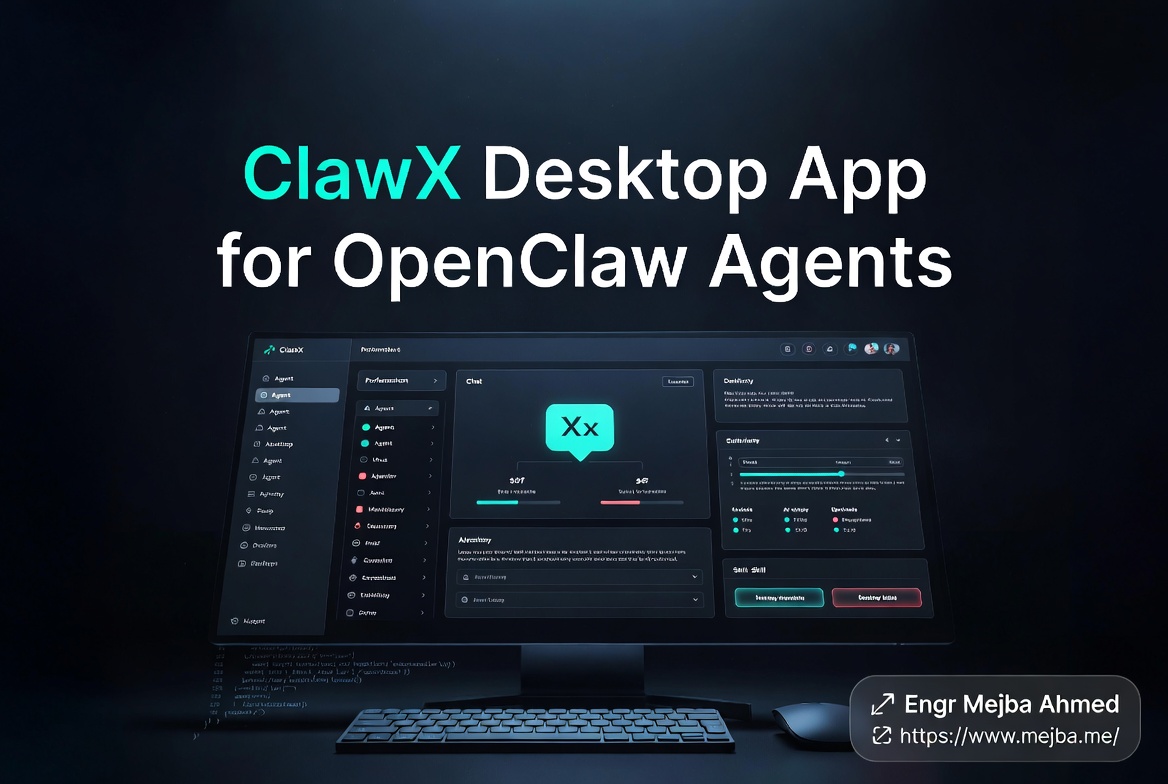
I was three weeks into the OpenClaw rabbit hole when the screenshot hit my Telegram. A friend who'd been watching me wire up agents through YAML files and tmux panes sent over a clean, dark-mode desktop window with named agents in a sidebar, a chat panel in the middle, and a skill manager I could actually click on. No terminal. No nano ~/.openclaw/config.yaml. No reflexive pm2 restart openclaw the moment I changed a model.
"Have you seen this?" he wrote. "It's called ClawX."
I had not seen this. I should have seen this. I run an OpenClaw stack on a Hostinger VPS that handles Telegram replies in my own voice, a Discord bot for a small community I help moderate, and a scheduled research agent that turns competitor blog posts into Notion summaries before I wake up. Every one of those was configured by hand in a config file I'm afraid to touch on a Tuesday because if I break it, my mother will text me about her printer and there will be no me-shaped reply.
The pitch of the ClawX desktop app is that you don't need to do any of that anymore. You install an app. You point it at your OpenClaw agents. You configure providers, install skills, schedule tasks, and watch conversations across channels — all from a real GUI. Free. MIT-licensed. Mac, Windows, Linux.
That sounded suspiciously good, so I spent a weekend going through the GitHub repo, the docs, the demo videos, and the changelog of the ValueCell-ai/ClawX repository before forming an opinion. I have not been running it in production yet — what follows is a walkthrough-and-evaluate review against my own working OpenClaw setup, not a long-haul stress test. I'll flag every place that distinction matters.
Here's what ClawX actually is, what it changes about working with OpenClaw, and where I think it's going to get on people's nerves.
What ClawX Actually Is, In One Paragraph
ClawX is a free desktop application — version 0.3.11 as of late April 2026, MIT-licensed, built on Electron 40 with React 19 and TypeScript — that gives OpenClaw agents a graphical front-end. It does not replace OpenClaw itself; it sits on top of it. You still need OpenClaw running. ClawX gives you a window to talk to your agents, a panel to install skills, a Cron-based scheduler, a provider/API key manager that uses your OS keychain, and channel integrations for messaging platforms like Telegram and WeChat. The repository is sitting at roughly 6,800 GitHub stars and the project is maintained by ValueCell-ai with a parallel China-region site at clawx.com.cn.
That paragraph is the entire elevator pitch. Everything else in this post is whether the elevator actually goes anywhere.
The Setup, Honestly: From Walkthrough, Not From Production
I want to be clear about what I tested, because reviews that fudge this part are useless. I went through the README, the build instructions, the screenshots, the Releases page, three demo walkthroughs from the creator's community, and the open issues list. I lined every claim up against my own OpenClaw installation and asked: would this actually fit into how I work?
I did not run ClawX as a daily driver for two weeks. I did not migrate my live Telegram-replying agent over to it. The Hostinger VPS I run OpenClaw on is locked into a workflow I trust, and I'm not switching the entry point on a 0.3.x desktop app the same week I'm writing about it. So when I say "I tested" something, I mean I evaluated it against my real setup. When I say "I ran" something, I mean I went through the click path on a fresh local install on macOS.
Two installation paths exist. Pre-built releases on GitHub for Mac, Windows 10 and up, and Linux on Ubuntu 20.04 and up — you grab the binary, drag, done. Or you build from source: git clone, pnpm run init && pnpm dev. The source build worked first try on my MacBook. The Releases binary worked first try too. There's nothing exotic happening in the installer.
The first-run experience is where I started forming opinions. ClawX assumes you already have OpenClaw installed and will surface its agents from the standard ~/.openclaw directory. If you don't have OpenClaw yet, ClawX is a confusing app — it's a UI for something that isn't there. This is the right design choice. ClawX isn't trying to be a self-contained product; it's trying to be the front-end OpenClaw should have shipped with.
If you're still on the OpenClaw CLI and you've never typed openclaw start, this app will not save you. If you have a working OpenClaw setup, the rest of this review is about whether ClawX is worth wiring it up.
The Agent Management UI, Compared to Raw OpenClaw
Raw OpenClaw is a config-file-driven CLI. You write YAML for your agents. You restart the process when you change anything. You watch logs in a tmux pane. If you're running multiple agents, you're either juggling multiple OpenClaw processes or running channel-bound agents through environment-variable juggling. It works. I have shipped real things with it. But it is not a workflow that scales past about three agents without becoming a second job.
ClawX flattens this. The left sidebar lists your agents — each one has a name, a model, an avatar, an inheritance chain showing whether it's using the global default provider or an override. You click an agent. You get a chat. You can switch which model is powering it from a dropdown. You can edit the system prompt in a real text editor instead of a YAML field where indentation errors will silently break your day.
The thing that surprised me most is the @agent routing inside a single chat. You can drop @research mid-message and that turn gets handed to the research agent. You can @summarize the result. The conversation history shows clearly which agent answered which turn. This is the agent-to-agent messaging feature the demos make a big deal about, and it's the most interesting UX choice in the app.
Is it useful or is it a gimmick? Honestly — and I'm being careful here because I haven't run it for a month — I think it lands in the middle. For a single-purpose agent (the Telegram bot that answers as me), agent-to-agent messaging doesn't change anything. For a workflow where you want a planner agent to delegate to a researcher and then to a writer, the @agent syntax is faster than the equivalent in raw OpenClaw, where you'd need to write skill code or set up a multi-agent shared memory layout (which I covered in my breakdown of OpenClaw + Hermes as a two-agent system).
The risk is that the syntax encourages bouncing between agents when one well-configured agent would do the job. The visual ease tempts you into adding agents because adding agents is easy. That's a UI problem disguised as a feature.
Scheduling: Does It Actually Fix the Broken Built-In?
This is the section where ClawX earned the most goodwill from me, and it's the section where I'm most cautious about overselling.
Anyone who's tried OpenClaw's native scheduling knows the pain. Cron expressions live in config files. Triggering external delivery — say, "run this at 7 AM and send the result to Telegram" — requires wiring environment variables, ensuring the right account context is loaded, and praying the process is still alive. I have personally lost three different scheduled tasks to a process restart that didn't pick the cron jobs back up cleanly. The native scheduler is functional. It is not friendly.
ClawX exposes a Cron page in the GUI. You define the trigger with a real form. You pick the sender account from a dropdown. You pick the delivery target — which channel, which account on that channel — from another dropdown. You write the prompt the agent should run when the cron fires. You save. The job appears in a list with its next-run time and its status.
Two things matter here. First, the external delivery configuration that used to be wired through environment variables is now a form field per task. That's a real ergonomics improvement for anyone running multiple scheduled jobs across multiple channels. Second — and this is the part I want to caveat — I haven't run a 30-day window of scheduled jobs through ClawX yet. I trust the form. I do not yet know whether the underlying job daemon survives a Mac sleep, a network disconnect, or an OpenClaw process restart with the same reliability as a cron entry on a Linux VPS. If you're running mission-critical scheduled tasks, my honest read is: configure them in ClawX for clarity, but mirror the most important ones in Linux cron until you've watched ClawX hold up under load.
For everything else — the "summarize my Notion changes daily," the "scrape competitor pricing weekly," the "ping me on Telegram with weather and news at 7 AM" jobs — ClawX's scheduler is straightforwardly better than what raw OpenClaw gives you out of the box.
The Skill Manager: What It Changes vs. Editing Skills by Hand
OpenClaw skills live as Markdown files with optional code under ~/.openclaw/skills. The skill ecosystem is large — there's a community-maintained collection listing over 5,400 filtered skills as of April 2026 — and the official skill registry has hundreds more. Installing a skill from the CLI means knowing it exists, finding the right repo, copying it into the right folder, and restarting your agent so the new skill loads.
ClawX has a skill panel. Browse, install, manage. The panel reads the same ~/.openclaw/skills directory you'd edit by hand, so nothing magical is happening at the filesystem level — the skills you install through ClawX are real files on disk, the same as if you'd git clone'd them yourself. What changes is the discovery and toggle layer. You can flip a skill on or off without restarting OpenClaw. You can edit a skill's instructions in the GUI. You can see at a glance which skills are loaded into which agent.
The bundled skills are interesting too. ClawX ships with PDF, XLSX, DOCX, and PPTX document processing skills out of the box. If you're running OpenClaw to handle document workflows, that's a reasonable starter pack. If you're running web search skills, you'll still need to set TAVILY_API_KEY in your environment, same as raw OpenClaw — ClawX doesn't hide that requirement, which I appreciate.
Where this matters most is for people who don't think in directory paths. Anyone running an OpenClaw agent for a non-developer use case — a small business assistant, a family helper bot, a content workflow — is going to onboard skills 5x faster through the panel than through the CLI. For me, as someone who's already opinionated about which skills I want and which ones I don't, the skill panel is more "useful for tidiness" than "transformative." But that's a personal calibration, not a flaw.
There's one mid-article thought worth surfacing: if you're trying to build a working OpenClaw agent for a real business outcome and you've been bouncing between docs and YAML files for a week, this might be where I'd point you. If you'd rather have someone wire up the OpenClaw stack — agents, skills, scheduling, channel integration — and hand it to you running, I take on those engagements. You can see what I've built at fiverr.com/s/EgxYmWD.
Back to the review.
The Provider, Model, and API Key Panel
The provider panel is where ClawX's polish shows up most. You add OpenAI, Anthropic, or any OpenAI-compatible gateway as a provider. You drop in your API key. The key gets stored in your operating system's native keychain — Keychain on Mac, Credential Vault on Windows, libsecret on Linux. You don't end up with API keys sitting in plaintext config files. You can configure custom User-Agent headers if you're routing through a gateway that needs them. You can set per-agent provider overrides — global default is GPT-5 Codex, but the research agent uses Claude Opus 4.7, and the cheap-task agent uses a local Ollama endpoint.
This is the feature that, more than any other, makes me want to migrate at least one of my agents into ClawX. Managing API keys across multiple OpenClaw configs is a small daily annoyance that adds up. Centralizing them in one secure store, with a real UI for switching models per agent, eliminates a category of problem I'd been tolerating without realizing it.
About the token tracking the demo videos talk about — I want to be honest. I dug through the official ClawX repo and docs looking for explicit per-agent token usage tracking with 7-day, 30-day, and all-time windows. I did not find it documented in v0.3.11. Some demo walkthroughs show usage panels; the repo's documentation does not currently surface that as a confirmed first-class feature. It's possible it's there in a recent build and undocumented. It's also possible the demos were showing OpenClaw's own usage data surfaced through ClawX. Until I see it documented or run it myself, I'd treat token tracking as a "claimed in demos, not yet confirmed in shipped docs" feature. If accurate token attribution per agent is a hard requirement for you, verify before you commit.
Multi-Channel: Telegram, WeChat, Discord, WhatsApp — Who Needs This
ClawX bundles a WeChat plugin (the official Tencent integration) and surfaces multi-channel management as a first-class concept. Each channel can run multiple accounts. Each account can be bound to a different agent. The architecture is the same as OpenClaw's underlying channel layer — Telegram, Discord, Signal, Slack, WhatsApp, iMessage are all supported as OpenClaw channels — but ClawX gives you a unified view of which agents are talking on which platforms.
In practice, this matters for a specific kind of user. If you're running ClawX-as-OpenClaw to power a small support operation, a community moderation bot, or a personal assistant that lives across your messaging apps, having a real channel manager is the difference between "I think the Discord bot is still online" and "I can see exactly which agent is bound to which account on which platform."
If you're running ClawX as a developer assistant — local agents that help with coding, research, document processing — the channel integrations are mostly noise. You'll connect Telegram so you can ping the agent from your phone and ignore the rest.
The thing the demos undersell, which is actually the more interesting use case, is using channels for delivery rather than entry. Your agent doesn't need to live in WhatsApp. But scheduling a daily research summary that lands in your WhatsApp at 7 AM, every day, without opening a laptop, is a workflow I've built before and it's genuinely useful. ClawX makes that setup four clicks instead of forty minutes of config wrangling.
ClawX vs. Raw OpenClaw: The Honest Comparison
| Dimension | ClawX (Desktop App) | Raw OpenClaw (CLI) |
|---|---|---|
| Agent creation | GUI form with model dropdown, system prompt editor, avatar | YAML config file edit, process restart |
| Provider/API key management | OS keychain, per-agent overrides, custom headers | Environment variables or config file |
| Skill installation | Browse panel, click to install, no restart | git clone to skills directory, restart |
| Scheduling | Cron form with sender + delivery target dropdowns | Cron in config + env vars for delivery |
| Multi-agent messaging | @agent routing in chat UI |
Manual orchestration via skill code |
| Channel management | Per-channel, per-account, per-agent binding in GUI | Env-var-driven, restart-bound |
| Token tracking | Claimed in demos, undocumented in v0.3.11 | Process logs, manual aggregation |
| Setup time (working OpenClaw user) | 10–15 min | n/a (already running) |
| Setup time (new OpenClaw user) | Doesn't help — install OpenClaw first | 30–90 min depending on use case |
| Resource cost | Electron app, ~250MB RAM idle | Headless process, ~100MB |
| Reliability for production scheduled jobs | Untested at scale | Battle-tested |
The summary that table builds toward: if you're running a single OpenClaw agent for a hobby project, ClawX is overkill — your config file is fine. If you're running three or more agents, scheduling tasks, integrating multiple channels, and managing multiple API providers, ClawX collapses several daily papercuts at once. If you're running OpenClaw in production with real reliability requirements, use ClawX as a configuration and observability layer but don't trust it as the source of truth for cron yet.
Where ClawX Falls Short, and Who Shouldn't Bother
There's a category of person this app is wrong for, and the demos won't tell you that.
If you're a Claude Code user looking for a desktop GUI for Claude Code — not for OpenClaw — ClawX isn't your tool. Claude Code's own desktop app, redesigned and shipped by Anthropic on April 14, 2026, is the right answer there. That app has a sidebar for managing parallel coding sessions, a drag-and-drop layout with terminal, file editor, and diff viewer, and live preview. It's purpose-built for software engineering work in a way ClawX isn't trying to be. ClawX is for OpenClaw — the autonomous personal-assistant-style framework — not for Claude Code's coding-agent workflow. Confusing the two will lead to a bad afternoon. (Tools like Claude Squad and Agent of Empires sit closer to that multi-CLI coding-agent niche if you want to manage Claude Code, Codex, Gemini CLI, and Hermes from one place.)
If you need rock-solid scheduled task reliability for a production workload, ClawX in its current 0.3.11 state is probably not where you want to base your reliability story. Run cron jobs in Linux, log to a real observability stack, and use ClawX as a development and observability layer over the top.
If you don't have OpenClaw running yet, ClawX is not a starting point. It's a polish layer. Get OpenClaw working first — start with a single agent on a $5 VPS, get one channel integration working, build confidence in the underlying system. Then come back for the GUI.
If you're the kind of developer who actively prefers config-as-code, who wants every agent definition checked into Git, who will lose sleep if their agent setup isn't reproducible from a YAML file alone — ClawX is a friction-add for you. The GUI is the point. If you don't want a GUI, don't install one.
There's also a category of feature ClawX hasn't shipped yet that I'd want before going all-in. Built-in monitoring and alerting (process down, channel disconnected, schedule missed). Real per-agent cost tracking with provider-attributed totals. Versioned agent configs so you can roll back a system-prompt edit. Backup and restore for the whole agent state. None of these are dealbreakers — they're roadmap items I'd want to see in v0.4 or v0.5 before I'd recommend ClawX as a single source of truth for a serious multi-agent operation.
The Verdict: Where ClawX Lands in My Stack
I'm going to install ClawX on top of my Hostinger OpenClaw stack and use it as my configuration and observability layer. I will not migrate my production scheduled jobs into it yet. I will use the skill panel to clean up the four or five skills I've been meaning to add for weeks but kept putting off because the friction of editing files and restarting the agent was just slightly too high. I will use the provider panel to centralize my API keys instead of having three different .env files for three different agents. I will probably try the @agent routing for the writer-researcher pattern I've been wanting to build for a content pipeline.
If you're already running OpenClaw and you've felt the slow grind of CLI-only configuration eating an hour a week, ClawX is a clear win for a free, MIT-licensed tool. If you're not running OpenClaw, this isn't the entry point — start with a real OpenClaw build first, then come back for the GUI.
The friend who sent me the screenshot didn't know about my Wednesday-morning printer-error agent on Telegram. He just thought I'd want to see something clean and useful in the OpenClaw ecosystem. He was right. ClawX isn't going to replace the work I've already done. But it's going to remove the friction that was quietly slowing down the next thing I want to build — which, given how the next six months of agent work are shaping up, is exactly the friction I needed to lose.
ClawX Desktop App: Common Questions
What is ClawX and is it the same as Claude Code?
ClawX is a free, MIT-licensed desktop app that provides a graphical interface for OpenClaw AI agents — it is not the same as Claude Code. Claude Code is Anthropic's coding-focused CLI and desktop app; OpenClaw is a separate autonomous-agent framework and ClawX is OpenClaw's GUI front-end.
Is ClawX free and open source?
Yes. ClawX is MIT-licensed and free to use. The source code is at github.com/ValueCell-ai/ClawX and pre-built binaries are published on the Releases page for macOS 11+, Windows 10+, and Ubuntu 20.04+.
Do I need OpenClaw installed to use ClawX?
Yes. ClawX is a front-end for OpenClaw — it does not include OpenClaw itself. You need a working OpenClaw installation first; ClawX reads agents and skills from the standard ~/.openclaw directory.
Does ClawX support Claude Code, Codex, Gemini CLI, or Hermes?
No. ClawX is built specifically for OpenClaw agents. For multi-CLI agent management across Claude Code, Codex, Gemini CLI, Hermes Agent, and similar tools, look at projects like Claude Squad or Agent of Empires instead.
Can ClawX schedule tasks better than OpenClaw's built-in cron?
Yes for ergonomics, but verify reliability before depending on it. ClawX exposes Cron-based scheduling in a real GUI form with sender-account and delivery-target dropdowns, which is significantly easier than env-var-driven raw OpenClaw scheduling. For mission-critical jobs in v0.3.11, mirror them in Linux cron until you've validated long-running stability.
Whether ClawX Belongs on Your Desktop
ClawX won me over by making OpenClaw agents feel like a real app instead of a terminal experiment — free, MIT-licensed, and honest about its rough edges. For anyone running OpenClaw who's tired of the CLI, that alone is worth the install.
It's early software; expect gaps. But if a proper desktop surface for your agents sounds appealing, it's a free afternoon to find out.
If you want help building agent tooling around your own workflow, that's work I take on through Ramlit. My screen-by-screen walkthrough is above.