📝 Claude Code

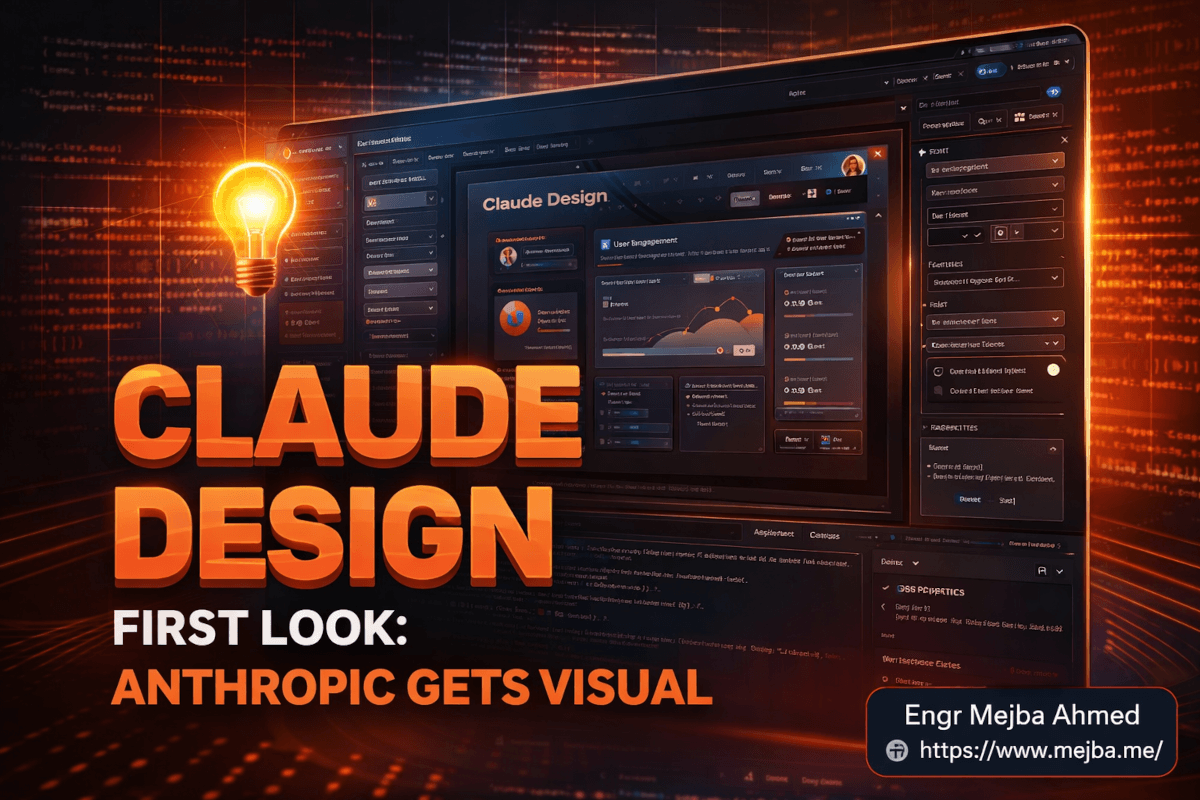
Claude Design Review: The Visual Layer Claude Code Was Missing

I tested Claude Design across four brands. Here's how Anthropic's new visual interface closes the front-end gap in Claude Code — and where it still falls short.

21 min

Read time

4,023

Words

Apr 17, 2026

Published

Engr Mejba Ahmed

Written by

Engr Mejba Ahmed

Share Article

Claude Design Review: The Visual Layer Claude Code Was Missing
Claude Design Review: The Visual Layer Claude Code Was Missing - Video thumbnail

Claude Design Review: The Visual Layer Claude Code Was Missing

The email arrived at 7:42 AM on April 17, 2026. Subject line: "Introducing Claude Design." I was mid-coffee, halfway through a Claude Code session for a Ramlit client dashboard, and my honest first reaction was, "Not today." I've been burned by enough launch-day demos to know that the research preview almost never lives up to the keynote.

Then I clicked through to the Anthropic Labs announcement. Opus 4.7 under the hood. Web capture from live sites. Codebase ingestion that auto-extracts brand tokens. A one-click handoff back into Claude Code.

I closed my client tab. I opened claude.ai/design. Four hours later, I had run it through prototypes for all four of my brands — mejba.me, Ramlit, ColorPark, and xCyberSecurity — and I had a very different opinion than I'd walked in with.

This post is the honest version of that session. What Claude Design actually does when you push it past the marketing screenshots. Where it genuinely replaces tools in my stack. Where it doesn't. And the workflow pattern that made it click for me — because the first forty minutes were frustrating.

If you've been running Claude Code from a terminal and feeling the same friction I've been feeling — where the logic ships fast but the visual iteration crawls — you're reading the right post.

The Gap I've Been Complaining About for Six Months

Here's the thing about Claude Code that nobody who loves it wants to say out loud: it's almost entirely a text tool.

I ship in it every day. I've built everything from Laravel admin panels to Remotion video pipelines inside that terminal window. It is genuinely the most productive environment I've ever worked in. But the moment a project needs actual visual iteration — a hero section that has to feel a certain way, a dashboard whose hierarchy has to read correctly at a glance, a slide deck a client will present to their board — the workflow falls apart.

You end up doing this dance. Prompt Claude Code to generate a component. Run npm run dev. Open localhost. Screenshot it. Paste it into another tool to annotate. Go back to the terminal. Retype the prompt with "make the spacing tighter and use our brand purple instead." Re-run. Re-screenshot. Compare.

I counted once. For a single landing page hero, I had done seventeen round-trips between the terminal and the browser before it looked right. That is not 10x engineering. That's a different kind of slow.

I've written about parts of this problem before. The Claude Code + Figma MCP bridge closes some of it for developers already living in Figma. The AI design system platform I built inside Claude Code handles token consistency. The design-to-code workflow post covers the reverse direction. But all of those assume you already have a visual artifact somewhere — a Figma file, an existing design system, a screenshot to feed in.

Claude Design is different. It is the visual artifact, created inside Anthropic's own surface, with direct awareness of whatever codebase you point it at.

That framing matters. Let me show you what I mean.

What Claude Design Actually Is (Beyond the Press Release)

Strip away the marketing copy and here's the functional description: Claude Design is a web-only visual workspace at claude.ai/design, powered by Opus 4.7, available to Pro, Max, Team, and Enterprise subscribers at no additional cost above your existing Claude plan.

You access it through a palette icon in the Claude.ai left navigation. No desktop app yet. No terminal integration yet. You need a browser.

The outputs are broader than I expected going in:

  • Prototypes — interactive, clickable UI flows
  • Mockups — static screens, responsive previews
  • Slide decks — full presentations with speaker notes
  • One-pagers and marketing collateral — landing pages, brand one-sheets

Exports go to ZIP, PDF, PowerPoint (.pptx), standalone HTML, Canva (via the official Anthropic–Canva collaboration announced alongside the launch), and direct handoff back into Claude Code as a bundled instruction package.

That last export path is the one I care about most. I'll come back to it in the workflow section, because it's where Claude Design stops being "another design tool" and becomes something structurally different.

The input surface is where the product starts to feel unusual. You can begin from:

  1. A blank canvas with a text prompt
  2. An uploaded image, document, or PDF
  3. A live website URL (it captures DOM-level elements, not a screenshot)
  4. A GitHub repository link
  5. A local folder dragged directly onto the canvas

Those last two are the interesting ones — and the first thing I tested hard.

The Brand Extraction Test (This Changed My Mind)

I run four brands. Each has a distinct visual identity that lives partly in Figma files, partly in Tailwind configs, partly in actual production CSS, and partly in my head. Keeping designs consistent across them is a constant chore, and it was the single biggest reason I stayed skeptical about AI design tools. Every one I'd tested produced generic output that felt like a template.

So the first thing I did with Claude Design was drag my mejba.me Next.js folder onto the canvas and say, "Build me a blog post hero section that matches this brand."

What happened next is the moment my opinion changed.

Claude Design did not upload my entire codebase. That would have been a 400MB mess. Instead, it crawled the project, intelligently selected the relevant files — my Tailwind config, my global CSS, my logo SVGs, the font declarations in my layout, a handful of hero sections from existing pages — and started extracting tokens.

The progress bar sat at "Extracting design assets..." for about seventeen minutes on that first run. I went and made another coffee, answered Slack, came back. When I opened the canvas again, it had built a design system from my actual production code:

  • Primary colors pulled with their exact hex values (#8B5CF6, #3B82F6, #06B6D4 — the three I use for gradients)
  • Typography scale extracted from my type-ramp utility classes
  • Spacing tokens matched to my Tailwind spacing scale
  • Logo variants surfaced automatically from my /public folder
  • A few photographic elements from existing hero sections flagged as reference imagery

No template feel. No generic sans-serif defaults. It had read my code and understood my brand, in the same way a junior designer would if you handed them the repo and said "match this."

I repeated the test three more times. GitHub link for ColorPark. Local folder drag for the xCyberSecurity codebase. A live site URL for a Ramlit client project. Extraction times ranged from twelve to twenty-two minutes depending on repo size. Every one of them produced a coherent starting point with brand fidelity I could not have gotten from any other AI design tool I've tested.

This is the feature that separates Claude Design from the pack. Google Stitch gives you rapid ideation from prompts. v0 gives you production React components. Figma Make gives you system-consistent design inside Figma. None of them read your actual shipped code and build a design system from it in one step.

But the extraction time is real. Twenty minutes is not nothing when you're in flow. Plan accordingly.

The Q&A Prompting Pattern (This Is the Real Product)

Here's the part I was least prepared for. I typed a prompt — "Create an interactive dark-themed globe graphic for my hero section with glowing data flow paths" — and hit enter, expecting Claude Design to generate something immediately.

It didn't generate anything. It asked me a question.

Then another question. Then another. Six in total, served in a tight conversational sequence:

  1. "What cultural or visual style of globe should this reference? Scientific realism, retro-futurist, abstract geometric, or a mixed style combining elements?"
  2. "For the data flow paths — do you want distinct arcs connecting specific city markers, or ambient flowing streams across the surface?"
  3. "Color palette: single-hue glow (cooler, more focused) or multi-hue (warmer, more editorial)?"
  4. "UI complexity: minimal glowing sphere only, or full dashboard context with metrics panels and legends?"
  5. "Overall mood: editorial and reflective, high-energy and animated, or data-operational and serious?"
  6. "What parameters do you want exposed as tweakable afterward? Rotation speed, glow intensity, flow color palette, marker density, or other?"

I answered: mixed style, ambient flowing streams, multi-hue, minimal sphere (no dashboard), editorial, tweakable flow color palette.

The output was the closest thing to "exactly what I had in my head" I've ever gotten from a design tool. Not close enough to ship without edits, but close enough that I understood immediately why Anthropic built it this way.

Here's the insight that took me thirty minutes to articulate: the reason one-shot text prompts produce mediocre design output is not that the models are bad at design. It's that the designer brief inside my head has maybe forty implicit decisions in it, and I only typed seven of them. The model has to guess the other thirty-three. It guesses wrong most of the time, because my brain did not send the data.

The Q&A pattern forces me to expose those decisions one at a time. It's the same reason a good senior designer at a client kickoff asks twenty questions before sketching anything. The questions are the design work. The generation is just rendering.

Anthropic's own senior product designer has publicly claimed that pages requiring twenty prompts in competing tools needed only two in Claude Design. That number felt like marketing when I read it. After running this workflow myself, it's the one claim from launch week I think is conservatively stated.

One catch worth flagging: the Q&A only triggers on prompts with meaningful ambiguity. If you type "make the button red," it just makes the button red. The interactive prompting kicks in when Claude detects that your brief has open design decisions still unresolved.

The Visual Editor (Where I Almost Gave Up, Then Loved It)

After the globe generated, I moved into the visual editor. And this is where the first forty minutes got rough.

The canvas looks like a hybrid of Figma and a browser DevTools panel. You can click any element — a button, a text block, the globe itself — and manipulate it directly. Rotation speed of the sphere? Slider. Glow intensity? Slider. Color of an individual arc? Click, color picker, done. No prompting required for granular tweaks.

This is the right model. But on first use, I kept trying to prompt my way through edits ("make the rotation slower") when I should have just grabbed the slider. There's a learning curve to knowing when to type and when to click. For me it took about ninety minutes to internalize, which means the first session will feel slower than it should.

Once I got past that, the editor started genuinely replacing workflow steps for me. I used to:

  1. Ask Claude Code to regenerate a component with changed values
  2. Rebuild
  3. Reload

Now I:

  1. Click the element in Claude Design
  2. Drag the slider
  3. See the result in real-time

Three steps collapsed to one. Compounded across a dozen micro-edits per component, this is the single biggest reason I think Claude Design will stick in my daily stack rather than getting abandoned after the review period.

There's also a collaboration layer I was not expecting to care about but ended up using within hours. You can leave inline comments on specific elements. You can sketch annotations directly on the canvas — I literally drew a crescent moon in the corner of a landing page mockup and typed "add this, roughly here, as a background element." Claude Design batched that into an edit queue alongside three other tweaks I'd noted, then regenerated once with all the changes applied.

The batching matters more than it sounds. It means the model sees your full set of intended changes as a coherent design update, not as a sequence of conflicting one-off patches. I found myself marking five or six changes per canvas, then sending them as a single update, and getting much better results than I had earlier asking for the changes one at a time.

The Claude Code Handoff (This Is the Whole Point For Me)

If you only remember one thing from this post, remember this section. The Claude Design → Claude Code export path is the reason this tool exists in my workflow.

Here's the flow I ran end-to-end on a real Ramlit client prototype last week:

Step 1: Point Claude Design at the client's existing Next.js repo via GitHub link. Wait roughly eighteen minutes for brand extraction.

Step 2: Prompt: "Build a new pricing page section with a three-tier card layout, annual/monthly toggle, and the brand's existing visual language." Answer the six Q&A questions that follow.

Step 3: Iterate in the visual editor. Adjust spacing, swap one card's accent color, annotate the toggle with a comment about accessibility contrast.

Step 4: Export as "Claude Code handoff bundle." This produces a structured instruction package that includes the design spec, the extracted brand tokens, the component structure, and a set of implementation notes.

Step 5: Open the same project in Claude Code. Pass the handoff bundle as context. A single instruction — "implement this pricing section using the attached Claude Design bundle and match our existing component conventions" — and Claude Code generated the production React code in about four minutes.

The code it produced was not perfect. I'd estimate I touched maybe 20% of it during review. But it was recognizably in the style of the existing codebase, used the right Tailwind tokens, and matched the visual spec within a tolerance that would have taken me forty minutes of manual translation otherwise.

This is the round-trip that competing tools can't match. Figma Make hands off to code via MCP, but you're operating from inside Figma's ecosystem. Google Stitch generates beautiful ideation but has no direct integration back to your actual codebase. v0 generates great components but doesn't ingest your brand. Claude Design sits in the middle of all four of those vectors and — this is the important part — sits inside the same Anthropic surface as Claude Code itself.

For anyone already running a Claude Code-centered workflow, that surface unification is the whole product.

How It Stacks Up Against the Tools I Actually Use

I have to be careful here, because every comparison post online right now is breathless. Let me be specific.

Versus Google Stitch: Stitch is free and better for fast, purely-from-prompt ideation when you have no codebase yet. If I'm brainstorming ten visual directions for a greenfield project before a pitch, Stitch is still faster. Claude Design wins the moment a real codebase exists.

Versus Figma Make: Figma Make is still the better tool if your team lives in Figma and your designers own the system. The collaboration surface is deeper, the existing component library is richer, and the production handoff through Figma's Dev Mode is mature. Claude Design wins if you're a developer-first team where the codebase is the source of truth, not the Figma file. I've written a detailed Figma Make design systems walkthrough if you want the other side of that comparison.

Versus v0: v0 produces better standalone React components from scratch, especially for common patterns. Claude Design produces better brand-consistent full screens. Different tools for different jobs.

Versus Pencil.app: Pencil's strength is the low-fidelity brainstorming canvas. Claude Design is not trying to be that. If you want to whiteboard, stay in Pencil.

Versus doing it all in Claude Code with terminal-only prompts: This is what Claude Design most directly replaces for me. I will still do simple component work in pure Claude Code — a single utility component doesn't need the design canvas. But anything involving brand consistency, visual hierarchy, or client review now starts in Claude Design and finishes in Claude Code.

The Honest Limitations (Things That Will Annoy You)

I am not going to pretend this is a finished product. It isn't.

Web-only. No desktop app. No terminal integration. If you're someone who works offline or in low-bandwidth environments, this is a non-starter right now. I ran into this on a train last week and ended up falling back to my existing workflow entirely.

The 15–20 minute extraction wait. The brand extraction is incredible, but it is not fast. For small side projects where you just want to sketch something, the wait is prohibitive. I now only trigger extractions on projects I know I'll iterate on for several sessions.

The learning curve on when to prompt versus when to click. I already flagged this, but it's real. Plan to spend an hour or two in the tool before you feel fluent. The first session will feel slower than your current workflow.

Research preview caveat. This is Anthropic's framing, not mine. The product is labeled as research preview, which typically means features will shift, pricing might change, and edge-case bugs exist. In my testing I hit two rendering glitches — one where an SVG import arrived with broken paths, another where a dark-mode palette switch didn't propagate to nested components. Both were recoverable but worth knowing about.

Opus 4.7 request volume matters. Claude Design runs on Opus 4.7, which means if you're on the Pro plan and already heavy on Claude Code usage, your session limits will move faster than you expect. I hit a limit once during a long iteration session. Max plan users will be more comfortable here.

Not yet a replacement for senior design judgment. This is the one I want to be very clear about. Claude Design produces genuinely good visual output. It does not replace the human who knows why a hero section feels wrong or when a brand is drifting. It accelerates the execution of design decisions. It does not make the decisions for you.

The Mental Model That Made This Click For Me

If you take one framework from this post, take this.

Every AI design tool I've tested fits into one of three categories:

  1. Ideation tools — fast, prompt-driven, generate-from-zero. Google Stitch lives here. Good for exploration, weak for production.
  2. System tools — integrated with existing design languages, strong on consistency. Figma Make lives here. Good for production refinement, weak for zero-to-one.
  3. Component tools — generate production code for specific UI elements. v0 lives here. Good for implementation, weak on full-screen composition.

Claude Design is the first tool I've used that plays meaningfully across all three categories while staying structurally different from each. It ideates, but it does so with your actual brand in hand. It systematizes, but from code rather than from a Figma library. It hands off to production code, but through Claude Code rather than through a generic React export.

The category this creates doesn't have a clean name yet. "Codebase-native design" is the closest I've come. It's a workflow where your production code is the design system's source of truth, your visual canvas is the iteration layer, and your AI model is the bidirectional translator.

If that category becomes the dominant pattern for developer-led product teams over the next year — and I suspect it will — Claude Design is the first serious implementation of it.

The Workflow I'm Keeping After This Test

Here's what my Monday looks like now. This is the pattern I landed on after the four-hour session:

Morning — Claude Code in the terminal. Logic, backend, business rules, data modeling. Nothing visual. This is what Claude Code does best and I don't need to change that.

Midday — Claude Design for visual work. Any time I'm building a hero section, dashboard, pricing page, client-review artifact, or slide deck, I start in Claude Design with the relevant codebase extracted. I run the Q&A, iterate in the visual editor, batch my edits.

Handoff — Export to Claude Code. The Claude Code handoff bundle goes into the terminal. Claude Code produces the production implementation. I review, edit the 20% that needs touch-up, ship.

Client review — Export to Canva or PDF. When a client needs to see a prototype, I export to Canva if they want to annotate it themselves, or PDF if they just need to review. This replaces the Figma share link workflow for me on smaller projects.

Four hours in, this pattern saved me roughly 40% of the time I used to spend on visual iteration. That's a real number from a real week, measured against the previous two weeks of similar work. I'll know more after a full month, but I am not expecting that number to shrink.

One Thing to Try in the Next 24 Hours

If you have a Pro, Max, Team, or Enterprise Claude plan, open claude.ai/design right now. Drag one real repository you're working on into the canvas. Kick off the brand extraction.

While it runs — and it will take its twenty minutes — make yourself a coffee. Then come back and try exactly one prompt: "Build a [hero section / pricing page / dashboard card — pick one] that matches this codebase's visual language." Let the Q&A guide you. Answer honestly.

What you'll see at the end of that thirty-minute round-trip will either click immediately or it won't. Mine clicked. The part that surprised me was how fast the shift happened — I walked into the session planning to write a skeptical review and walked out having restructured half my weekly workflow.

Remember that 7:42 AM email from the start of this post? The one I almost ignored? I'm now running Claude Design on every project where visual iteration matters. Four hours changed my default.

The front-end visual gap in Claude Code has been the biggest drag on my productivity for six months. As of last Friday, that gap is closed for me. If you've been feeling the same drag, you now have a product to try and a workflow to test it with.

Go open the canvas. See what your own codebase looks like to a model that can actually read it.

FAQ

Frequently Asked Questions

Everything you need to know about this topic

Claude Design is Anthropic's visual design interface at claude.ai/design, built on Opus 4.7 and launched April 17, 2026. It generates prototypes, mockups, slide decks, and one-pagers through a conversational Q&A prompting flow and a direct-manipulation visual editor. Unlike Claude Code's terminal-based coding workflow, Claude Design is browser-only and focuses on visual output — though the two integrate directly via a one-click handoff bundle. For the full workflow walkthrough, see the Claude Code handoff section above.

Claude Design is available at no additional cost to Pro, Max, Team, and Enterprise Claude subscribers. Free-tier users do not have access during the research preview. It is web-only — there is no desktop application or terminal integration at launch. Access is via the palette icon in the left-hand Claude.ai navigation.

In my testing across four brands, brand extraction ran between twelve and twenty-two minutes depending on repository size. Claude Design does not upload the entire codebase — it intelligently selects relevant files like Tailwind configs, global CSS, logo assets, and font declarations — but the extraction and token analysis still take meaningful wall-clock time. Plan around it by triggering the extraction before you need it.

Claude Design exports to ZIP, PDF, PowerPoint (.pptx), standalone HTML, Canva (via the official Anthropic–Canva collaboration), and a direct Claude Code handoff bundle. Internal organization URLs and folder-based sharing are also supported for team workflows.

It depends on your primary workflow. If your team lives inside Figma and designers own the system, Figma Make is still the stronger fit. If you want free, rapid, prompt-driven ideation on greenfield projects, Google Stitch remains fastest. Claude Design wins when you have a real codebase as the source of truth and want brand-consistent prototypes that round-trip to Claude Code. See the comparison section above for the full breakdown.

Let's Work Together

Looking to build AI systems, automate workflows, or scale your tech infrastructure? I'd love to help.

Coffee cup

Enjoyed this article?

Your support helps me create more in-depth technical content, open-source tools, and free resources for the developer community.

Related Topics

Engr Mejba Ahmed

About the Author

Engr Mejba Ahmed

Engr. Mejba Ahmed builds AI-powered applications and secure cloud systems for businesses worldwide. With 10+ years shipping production software in Laravel, Python, and AWS, he's helped companies automate workflows, reduce infrastructure costs, and scale without security headaches. He writes about practical AI integration, cloud architecture, and developer productivity.

Discussion

Comments

0

No comments yet

Be the first to share your thoughts

Leave a Comment

Your email won't be published

8  +  11  =  ?

Continue Learning

Related Articles

Browse All

Comments

Leave a Comment

Comments are moderated before appearing.

Learning Resources

Expand Your Knowledge

Accelerate your growth with structured courses, verified certificates, interactive flashcards, and production-ready AI agent skills.

Sample Certificate of Completion

Sample certificate — complete any course to earn yours

Engr Mejba Ahmed

Engr Mejba Ahmed

Claude Code Expert · Online

👋

Hey there!

Quick Actions

WhatsApp Instant reply

Chat on WhatsApp

+880 1723 741224 · Instant reply

Popular Questions

Engr Mejba Ahmed is connected
Engr Mejba Ahmed is typing...
Engr Mejba Ahmed avatar

✉ Want me to follow up? Drop your email

Engr Mejba Ahmed avatar

📞 Connect Directly

Choose how you'd like to reach me

WhatsApp

+880 1723 741224

Email

[email protected]

✓ Details sent! I'll get back to you shortly.

Powered by OpenAI

335+

Blog Posts

25

AI Courses

63

Projects

Services & Expertise

Pricing & Process

Learning & Resources

Connect & Support