OpenAI Codex Workflow Agent: What a Claude Code User Found
I was deep in a Claude Code session when the Codex update hit. Opus 4.6 was rewriting an authentication middleware, a second agent was running tests in another tmux pane, and I had no plans to leave that loop. Then a friend dropped a screenshot in Slack. Codex had taken over his cursor on macOS, opened a browser inside its own window, generated a mockup, dropped it into a React component, and scheduled a follow-up task for the next morning. "Watch it work while you're getting coffee," he wrote.
I stopped what I was doing.
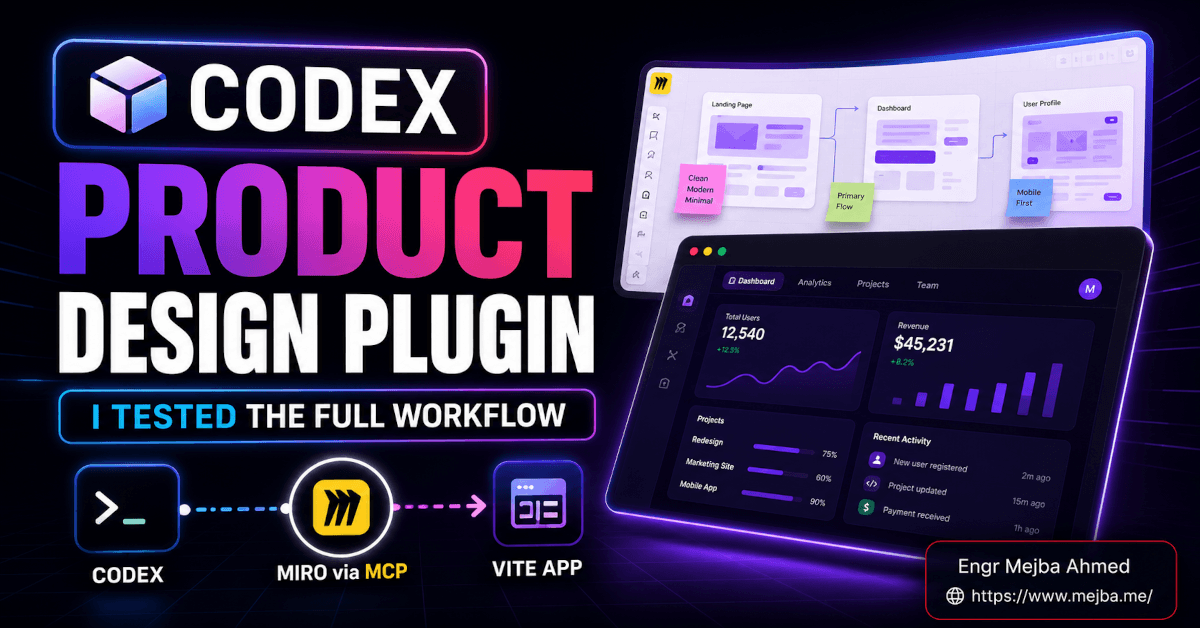
On April 16, 2026, OpenAI shipped the biggest Codex update since the desktop app launched. Computer use on Mac with its own cursor. An in-app browser you can annotate like a design review. Integrated image generation with gpt-image-1.5. Memory that survives across days. SSH to remote devboxes. Over 90 new plugins. A scheduler that wakes the agent up to continue work you started on Tuesday. The framing was not subtle: "Codex for (almost) everything." This wasn't a coding assistant update. It was a repositioning of what the tool is.
I've been running Claude Code as my primary development environment for months. I wrote a full breakdown of why I moved 80% of my work to Codex when the $100 ChatGPT Pro plan landed, but Claude Code still owns most of my long-form writing, UI design work, and the weird creative frontend stuff. The April update made me ask a harder question: does Codex actually work as a full workflow agent, or is the demo a lot more polished than the daily reality?
I spent twelve days testing it on real work. Here's what held up, what didn't, and what it means if you're a Claude Code loyalist deciding whether to pay attention.
What OpenAI Actually Shipped — The Real Version
Let me clear up a few things that got muddled in the launch coverage. This was not a single surprise drop. It was the visible top of a rollout that had been building since March. OpenAI shipped GPT-5.4 for Codex on March 5. They introduced the enterprise plugin system in March. They flipped on pay-as-you-go pricing for Business and Enterprise seats on April 7, with Thibault Sottiaux (OpenAI's Head of Codex) announcing Codex had crossed 3 million weekly users on April 8 — adding roughly a million new users per month. The April 16 update is where all of it converged into a story OpenAI could point at and call "workflow agent."
The headline features, with the versions I verified from OpenAI's announcement and the first wave of coverage:
- Background computer use on macOS — Codex gets its own cursor, clicks, types, takes screenshots, reads them back. Multiple agents can run in parallel without fighting you for the mouse. Not available in the EU or UK. Windows and Linux: not yet.
- In-app browser with comment-on-page instructions — positioned today for frontend work, game dev, and localhost iteration. OpenAI explicitly said they plan to expand it beyond localhost "over time."
- Integrated image generation —
gpt-image-1.5for mockups, icons, concept art, product frames. It lives in the same thread as your code. - Memory (preview) — stores preferences, corrections, project context. Rolling out now, with EU/UK/Enterprise getting it later.
- Scheduled and resumable long-running tasks — the agent can wake up later and keep going. Days or weeks later, if you want.
- SSH to remote devboxes (alpha) — early and rough, but it's there.
- 90+ new plugins — Atlassian Rovo, CircleCI, CodeRabbit, GitLab Issues, Microsoft Suite, Neon, Render, Remotion, Superpowers, and a long tail of MCP-backed integrations.
- PR review comment workflows, multi-terminal tabs, file previews for PDFs, spreadsheets, slides, docs, plus a summary pane that tracks plans, sources, and artifacts.
Pricing is where it gets interesting. Codex is included in ChatGPT Plus ($20), the new Pro $100 tier that launched April 9, the $200 tier, Business ($25/user), Edu, and Enterprise. Business and Enterprise can now assign standard or usage-based Codex seats on a pay-as-you-go basis — which OpenAI rolled out specifically because ChatGPT Business and Enterprise Codex usage had grown 6x since January. That 6x number is real and sourced to OpenAI's own April pricing announcement. The "limited-time free Go access" in some coverage refers to rolling promotional credits on the new Go tier — worth checking eligibility in your region rather than assuming.
Everything I'm about to say is grounded in that feature set. I didn't test things I couldn't get hands on — Windows computer use, for example, is still staggered, so that's not in this review.
Before we get to what works, you should know the two tests that genuinely surprised me. The first was an image generation moment where Codex did something Claude Code literally cannot do today. The second was a failure pattern that made me close the app for an hour and walk away. Both are in the deep dive below.
The First Day Test: Can Codex Actually Hold a Real Workflow?
I gave myself a rule for this review: no toy tests. Every task had to be something I'd genuinely do that week for a real client or a real project. No "write me a to-do app." No synthetic benchmarks. Actual work with actual consequences.
Day one was a brand refresh pass for a SaaS dashboard I was shipping for a client. The task involved generating three icon variants, dropping them into a Next.js component, adjusting Tailwind classes, running the component in a local preview, comparing against the designer's Figma, and leaving a comment on the reviewing engineer's PR with the decision I made and why.
In Claude Code, that's a five-surface job: CLI for the code, separate image tool (usually Midjourney or ChatGPT), Figma in a browser, localhost in another tab, GitHub in another. Every surface is a context switch. Every context switch costs me thirty seconds to rebuild where I was.
In Codex, I stayed in one window for the entire task.
I asked the agent to generate three icon variants using gpt-image-1.5 directly in the thread. It produced them. I described the changes I wanted — "make the second one 20% less saturated, the third one more geometric." It iterated. When I picked variant two, I told Codex to drop it into components/Sidebar/NavIcon.tsx and wire it up with the existing props. It did. I opened the in-app browser, pulled up localhost:3000, clicked on the icon in the rendered page, and typed: "the hover state is too aggressive, soften it." Codex read the comment as context, edited the CSS, the browser auto-refreshed, and I confirmed it. Then I asked Codex to open the PR in the browser tab, navigate to the reviewer's latest comment, and draft a reply summarizing the decisions. It did that too.
Total time: 34 minutes. My previous benchmark for that flow in Claude Code + separate tools: about 70 minutes, and that's if nothing broke.
I sat with that for a minute because 2x on a real task is the kind of result I'm usually suspicious of.
So I ran it again the next morning on a different set of components. 38 minutes versus 65 the slow way. Same pattern.
This is the thing the announcement wasn't overselling. The workflow surface area is not a nice-to-have — it's the actual product. When your AI stops making you stitch together five tools manually, the speedup shows up in real work, not just benchmarks.
But I want to be specific about where this matters, because the rest of my testing showed it's not universal.
Where Codex Crushes Claude Code Right Now
Frontend iteration with visual feedback. This is the clearest win I found. The in-app browser plus the comment-on-page flow plus gpt-image-1.5 in the same thread is just a better way to do UI work than any Claude Code setup I've built. I've written before about Claude's design capabilities getting taken seriously, and Opus 4.6 still has better taste on pure design generation. But the workflow around visual iteration is Codex's now. It's not close.
Multi-surface, multi-tool tasks. Anything that touches a spreadsheet, a PDF, a PR, a browser, a remote box, and a codebase in the same session. Claude Code can do most of these pieces with MCP servers if you set them up, but "set them up" is the friction. Codex ships with the plugins pre-wired and the UI makes them discoverable. The first time I dragged a messy client spreadsheet into the summary pane and asked Codex to cross-reference it against my schema, I was done in three minutes on a task that used to take me twenty.
Async, long-running work. The scheduler is the feature I didn't think I cared about until I used it. I kicked off a codebase migration on a Tuesday night, told Codex to pause, handle one section, and resume Wednesday at 9 AM with a status summary waiting. It did. That is not a thing I've ever gotten to work cleanly in any other agent harness. There's a reason OpenAI keeps pushing the "persistent operator" framing — the scheduler makes it real.
PR review comment turnaround. Codex ingesting PR comments directly from GitHub and addressing them in-agent is one of those "why didn't this exist before" features. I don't do enough code reviews to say this is transformative, but the engineers I know who live in PR queues have been asking for this for a year.
If your job is mostly in the frontend, design-adjacent work, or operationally heavy engineering with a lot of tool jumping, this update is a real upgrade. Not a marginal one.
Where Claude Code Still Wins — And Why I'm Not Switching Entirely
But here's where things get interesting.
Long-form writing and technical documentation. Opus 4.6 still sounds more human. Codex writes documentation that reads like documentation. Claude Code writes documentation that reads like someone actually wanted you to understand the topic. For this blog, for README files I want people to read, for prose anywhere in my stack, I still reach for Claude first. That gap has narrowed, but it has not closed.
Terminal-native, CLI-first workflows. If you live in the terminal, the Claude Code CLI is still the best home. The Codex desktop app is excellent, but it's a GUI with a terminal inside it, not a terminal with AI inside it. That difference matters if your muscle memory is vim + tmux + a handful of shell scripts. I have a whole deep dive on Claude Code workflow optimization that still applies and still works better in CLI than in any desktop app.
Creative, opinionated backend logic. When I need the agent to make a real architectural judgment call — should this be a queue or a cron, should we denormalize here, is this the right place to add a transaction boundary — Claude Code gives me a better reasoned response more often. Codex is fast and thorough. Claude is more likely to tell me my plan is wrong and why. That's a function of both model behavior and harness behavior, and I still want that voice in the room on real design decisions.
Deep, multi-hour pair programming sessions. This is subjective, but the Claude Code loop still feels more like working with someone. The Codex loop feels more like delegating to someone. Both are valuable. They're not the same.
If you do not currently live in Claude Code, none of this will convince you to start. If you do live there, this update is not a reason to leave.
It's a reason to add Codex to the stack. That's a different proposition than "switch."
The Failure That Cost Me Forty Minutes
Here's where the honest review part earns its keep.
On day five I tried to stress-test computer use with a real test. I had a third-party admin panel I needed to click through to export a CSV, transform it, and load it into a client database. The workflow is tedious, manual, and exactly the kind of thing computer use is supposed to handle.
Codex got about 70% of the way through and then jammed. It misread a dropdown state, clicked the wrong option, tried to recover, got lost in a confirmation modal, and sat there. The summary pane showed it was "waiting on user confirmation" — but there was no confirmation to give. I had to abort the session, reset the admin panel manually, and start over. Twice.
The third time I fed it a tighter instruction set — "click the Export button in the top right of the Users table, select CSV from the dropdown, accept the default date range, download" — and it worked. But that's not the magic of "Codex operates your computer." That's me writing an RPA script in English.
Computer use is real. It's impressive. It's also brittle in exactly the ways you'd expect a browser automation tool to be brittle, plus some new ways you wouldn't. Screenshots with unexpected modals confuse it. Animations can throw off its timing. Apps that render text as images (more common than you'd think) give it trouble.
This is not a dealbreaker. It's a calibration. Computer use works well for flows you've mapped out and described carefully. It does not yet work well for "just do this task I usually do." That's going to improve. It's not going to improve by next week.
The announcement doesn't lie about the capability. It also doesn't volunteer the edges. My job is to tell you about the edges.
The Memory Feature Is Smaller Than It Sounds — For Now
Memory got top billing in the launch post and in most of the coverage. I want to be specific about what it actually does as of the rollout I got access to.
It remembers preferences ("I use Tailwind, not styled-components"). It remembers corrections ("when I say 'utility function,' put it in lib/, not utils/"). It remembers project context across sessions ("this is the client dashboard, the one where we use Stripe Connect"). That's useful. It meaningfully reduces how often I have to re-explain the same stack preferences every morning.
What it does not yet do, despite some of the launch framing: hold deep semantic context about a large codebase across weeks. It's not indexing your repo in the background. It's not building a mental model of your architecture. It's storing facts you've told it or that it has inferred from corrections. If you expected "Codex now understands your codebase" — that's not this.
Think of memory today as a .claude-preferences file that writes itself instead of you hand-curating it. Useful. Not revolutionary. The bigger version of this feature — the one that actually does deep project awareness — is clearly where OpenAI is headed, but it's not what shipped.
Worth tracking. Not worth switching tools over.
Is Codex Really a "Workflow Agent" Now, or Just a Better Coding Tool?
Let me answer the question the title of this post implies.
Yes. Functionally, Codex is now a workflow agent. Not because any single feature crossed some threshold, but because the composition of features — computer use, browser, image gen, memory, scheduling, plugins, multi-terminal — adds up to something that legitimately spans the full SDLC. You can plan a task, generate assets, write code, preview it, get review feedback, address it, and schedule follow-up — all in one environment.
That's the definition of a workflow agent. Codex qualifies.
But "workflow agent" is a category description, not a quality claim. Being in the category doesn't mean being good in the category. The hard questions are:
- Can it hold context across surfaces reliably? Mostly yes. Better than anything else I've tested.
- Does it fail gracefully when something breaks? Mostly yes, except computer use, where it fails in ways that require human cleanup.
- Does it add more overhead than it saves? No, provided you spend the first week actually learning the tool instead of using it like a Claude Code substitute. If you use it like Claude Code, you'll hate it. If you use it like Codex, you'll get real leverage.
- Is it ready to replace your entire coding stack? No. It's ready to replace a big chunk of it and augment the rest.
That last point is where most of the strong takes on this update get it wrong. "Codex killed Claude Code" is not happening. "Codex is overrated and it's still just a coding tool" is also not happening. The honest answer is Codex is now the best general-purpose agentic work environment for developers, and Claude Code is still the best tight-loop coding partner for people who live in a terminal.
Both of those can be true. Both are.
What I'd Tell a Claude Code User Today
If you're on Claude Code right now and trying to decide whether to pay attention to this update, here's the exact advice I'd give:
- Don't switch your primary environment yet. Whatever Claude Code workflow is working for you, keep it. Muscle memory is worth money.
- Get a Codex seat for the tasks where it clearly wins. For me, those are: frontend iteration with visual feedback, multi-surface workflow tasks, async long-running work, and PR review turnaround. That's maybe 25–30% of my week. Worth $20–$100/month to own that lane cleanly.
- Do not try to use Codex like a CLI tool. It will fight you. The product is designed around the desktop app. Lean into that.
- Test computer use on low-stakes workflows first. Do not unleash it on production admin panels until you know its failure modes on your own setup. It's real. It's also not magic.
- Watch memory over the next 90 days. If OpenAI ships the deeper codebase-awareness version of memory — and everything about the rollout suggests they will — that's the inflection point where the conversation changes.
The people who were saying "this is the Claude Code killer" are overstating it. The people saying "just a flashy demo" are missing how much the workflow surface area actually changes real work.
Both tools got meaningfully better in 2026. Your job is to figure out which lanes you want each one to own.
OpenAI Codex Workflow Agent: Common Questions
What is the new OpenAI Codex workflow agent?
The OpenAI Codex workflow agent is the April 16, 2026 update that expands Codex from a coding assistant into a tool that operates your computer, browses apps, generates images, remembers context across sessions, and schedules long-running tasks. It ships as a macOS desktop app with staggered rollout to Windows. For the full feature breakdown, see "What OpenAI Actually Shipped" above.
Is OpenAI Codex better than Claude Code in 2026?
Codex is better for frontend iteration, multi-tool workflow tasks, and async long-running work — Claude Code is still better for long-form writing, terminal-first development, and deep architectural reasoning. Neither is a full replacement for the other. My detailed side-by-side is in Codex vs Claude Code: Why I Moved 80% of My Work.
How much does OpenAI Codex cost in April 2026?
Codex is included in ChatGPT Plus ($20/month), the new Pro $100/month plan, the $200/month tier, Business ($25/user/month), Edu, and Enterprise. Business and Enterprise now support pay-as-you-go Codex seats in addition to standard ones. Extra usage credits can be purchased when plan limits are hit.
Does Codex computer use work on Windows or Linux?
Not yet. Background computer use launched macOS-first on April 16, 2026, with Windows and Linux staggered. Computer use is also not available in the EU or UK at launch. The Codex desktop app itself is available on Windows, but the computer-use feature specifically is Mac-only today.
Is Codex memory safe to use on client work?
Memory is in preview as of April 2026 and stores preferences, corrections, and project context — not full code contents. It's rolling out in most regions, with EU, UK, and Enterprise getting access later. Review OpenAI's current memory documentation and your client's data policy before enabling it on sensitive projects.
Whether Codex Should Join Your Stack
Living in Claude Code and then testing the April 2026 Codex update — computer use, in-app browser, image gen, memory — showed me a real workflow agent, not just a coding tool. For some tasks it now genuinely competes; for others Claude Code still owns my day.
Run Codex on the two or three jobs where a browser and memory would actually help, and keep your main driver for the rest. Match the tool to the task.
If you want help choosing and wiring the right agent into your workflow, that's work I take on through Ramlit. What a Claude Code user found is above.