Claude Code Context Mode: Fixed My Memory Problem
I lost three hours of work on a Thursday night because Claude Code forgot what file it was editing.
Not a crash. Not a bug. Not a network timeout. Claude just... forgot. I was forty minutes into a complex refactoring session across six files, and mid-task, it started suggesting changes to a function signature it had already modified twenty minutes earlier. When I pointed this out, it apologized, asked me to re-explain the project structure, and then made the exact same mistake from a slightly different angle.
I sat there staring at a terminal full of confident, articulate, completely wrong suggestions, and I felt something every Claude Code power user eventually feels: the slow realization that your AI partner's memory has a shelf life. And that shelf life is shorter than you think.
That was three months ago. Since then, I've been running a tool called Context Mode that fundamentally changed how Claude Code manages its working memory. My sessions went from dying at the 30-minute mark to running strong past three hours. My token costs dropped — in some cases by 99%. And the fix wasn't some hacky workaround. It was an architectural insight that, once I understood it, made me wonder why every AI coding tool doesn't work this way already.
But before I get into how Context Mode works, you need to understand the problem it solves — because most developers don't realize how much context bloat is silently degrading their Claude Code sessions right now.
Why Does Claude Code Start Forgetting After 30 Minutes?
Here's something that surprised me when I first dug into it. Claude Code's 200K token context window sounds massive. And for a single-file task — fix this bug, write this function, explain this error — it is. You'll never hit the wall.
The wall shows up when you start using Claude Code the way power users actually use it: with MCP tools. Playwright for browser testing. GitHub integrations for issue tracking. File system tools for navigating large codebases. Analytics dashboards. Log parsers. Every single one of these tools dumps its output directly into Claude's context window.
And those outputs are not small.
A single Playwright browser snapshot — just one page render — eats 56 KB of context. That's not a typo. Fifty-six kilobytes for a single snapshot of a single page. Run Playwright three times during a debugging session, and you've burned through 168 KB of your 200K budget on browser snapshots alone. That leaves roughly 32 KB for everything else: your conversation history, your code files, your instructions, Claude's reasoning.
I tracked my own usage patterns over two weeks before I found Context Mode. The numbers were ugly.
Twenty GitHub issues pulled into context for a sprint planning session? 59 KB gone. An analytics CSV piped through an MCP tool? The raw output consumed nearly the entire remaining window. A 5,000-line server access log I asked Claude to analyze? 20 KB — and that was a relatively small log file.
The math doesn't work. You're not running out of intelligence. You're running out of space.
When Claude's context window fills up, it doesn't crash or throw an error. It does something more insidious: it starts a process called compaction, silently dropping older context to make room for new inputs. Your early conversation — the part where you explained your project architecture, your constraints, your goals — gets compressed or discarded entirely. Claude keeps working, keeps responding, keeps sounding confident. But it's operating on a fraction of the information it started with.
That's why your 45-minute session feels productive for the first 25 minutes and then starts going sideways. Claude isn't getting dumber. It's getting amnesia.
This is the problem I couldn't stop thinking about. And it turns out someone built an elegant solution I almost overlooked.
What Context Mode Actually Does Under the Hood
When I first heard about Context Mode, I assumed it was another prompt-engineering wrapper — some clever system prompt that told Claude to be more careful about memory. I was wrong. The architecture is genuinely interesting, and understanding it changed how I think about AI tool design in general.
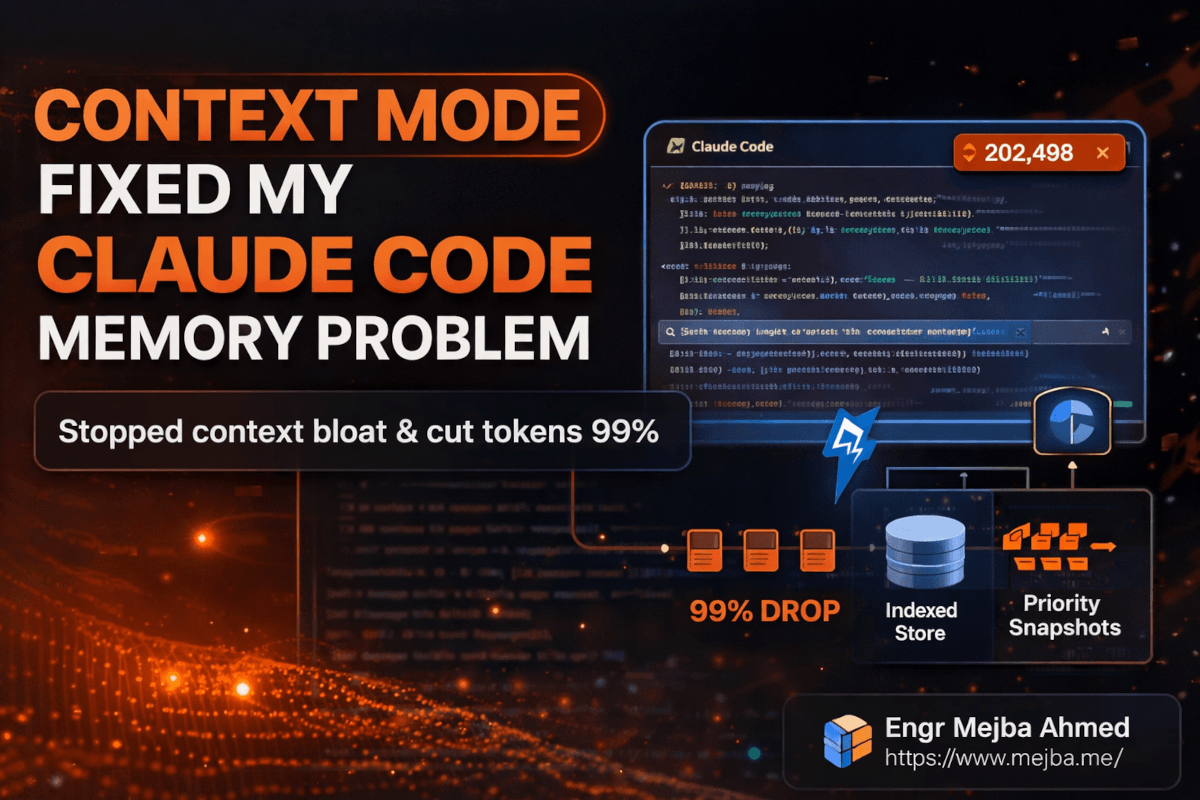
Context Mode works as a virtualization layer between Claude Code and the operating system. Instead of letting MCP tool outputs flow directly into Claude's context window, Context Mode intercepts them, indexes the content in a local SQLite database using FTS5 full-text search, and passes Claude a lightweight confirmation message instead.
Think about that for a second. When Claude asks Playwright to snapshot a page, instead of receiving 56 KB of raw DOM, it gets back something like: "Snapshot indexed. 299 bytes summary available. Query when needed." That's a 99% reduction on a single operation.
The key insight is that Claude doesn't need all the data in its context window simultaneously. It needs to know the data exists, what it contains at a high level, and how to retrieve specific pieces when relevant. Context Mode gives it exactly that — a searchable index instead of a data dump.
Here's where the architecture gets clever. Context Mode doesn't just compress and forget. It maintains three layers of memory:
The live context — what Claude currently has in its 200K window, kept lean and focused on the active task.
The indexed store — everything Context Mode has intercepted and catalogued in SQLite, searchable via FTS5 full-text queries. Claude can pull specific records back into context on demand, but only the pieces it actually needs.
Priority-tiered snapshots — compressed checkpoints under 2 KB each that get automatically injected back into context during compaction events. These act as breadcrumbs, ensuring Claude retains awareness of key decisions, file states, and task progress even when the main context gets trimmed.
That third layer is the one that solved my Thursday night problem. Without Context Mode, compaction wipes the slate. With it, Claude gets tiny checkpoint summaries injected during compaction that preserve the essential thread: what files were modified, what decisions were made, what the current goal is, and what's already been tried.
The result? Sessions that used to collapse at 30 minutes now run reliably for three hours or more.
But the token savings are what made me sit up and really pay attention. Let me show you the actual numbers.
The Compression Numbers That Changed My Mind
I'm a skeptic by default. When a tool claims "99% reduction" in anything, my immediate reaction is to assume the marketing team got creative with the benchmarks. So I ran my own tests.
| Data Type | Raw Size | After Context Mode | Reduction |
|---|---|---|---|
| Single Playwright Snapshot | 56 KB | 299 bytes | ~99.5% |
| 20 GitHub Issues | 59 KB | Indexed summary | ~98% |
| Analytics CSV | Full dataset | 222 bytes | ~99.9% |
| 5,000-Line Access Log | 20 KB | 5 KB | 75% |
The access log result is the most honest one on that table. 75% reduction — significant, but not the "99% of everything" headline. Structured logs with lots of unique error patterns require more summary data to remain useful, so the compression ratio is lower. That's physics, not a limitation.
The Playwright number, though — that one is real and repeatable. Browser snapshots are mostly DOM structure and styling metadata that Claude doesn't need in its context to reason about the page. Context Mode strips it to the semantic content and layout summary, and in my testing, Claude's ability to answer questions about the page didn't degrade at all.
You might be thinking: "Okay, the compression is impressive, but does Claude actually perform worse when it's working from summaries instead of raw data?" I tested this too.
I ran the same analytical task — finding error patterns in a server log — twice. Once with raw data dumped into context the traditional way, once with Context Mode indexing. The Context Mode run saved approximately 1,200 tokens on a relatively small 5,000-line file. On that scale, the saving feels modest. But here's what changes the math: that was a 20 KB file. Production logs are measured in megabytes. Analytics exports can be tens of megabytes. At those scales, you're saving tens or hundreds of thousands of tokens per operation.
And more importantly, the answers were the same. Claude identified the same error patterns, the same problematic IP addresses, the same correlation between timestamp clusters and error spikes. The intelligence didn't change. Only the memory overhead did.
That's the thing most people miss about context window optimization. They assume it's about making Claude cheaper to run. It is — but the bigger win is making Claude smarter for longer. Every kilobyte you save on data storage is a kilobyte available for reasoning, conversation history, and maintaining awareness of your project's full scope.
How to Install Context Mode (Step by Step)
Setting this up took me about ten minutes. Here's the exact process I followed, including the two things that tripped me up.
Step 1: Add the Context Mode Registry
Open your terminal and run:
claude mcp add-registry contextmode https://registry.contextmode.ai/mcp-registry.json
This registers the Context Mode marketplace with your Claude Code installation. You won't see much output — just a confirmation that the registry was added.
What could go wrong: If you're running an older version of Claude Code that doesn't support marketplace registries, you'll get an error about an unrecognized command. Update Claude Code first: claude update.
Step 2: Install the Context Mode Server
claude mcp install contextmode
This pulls down the Context Mode MCP server and configures it as a middleware layer. The server runs locally — your data never leaves your machine. This matters. Every indexed file, every snapshot, every log entry stays in a local SQLite database on your filesystem.
Pro tip: After installation, check that the server registered correctly:
claude mcp list
You should see contextmode in the list of active MCP servers. If it's not there, restart Claude Code and run the list command again.
Step 3: Verify the Hook System
Context Mode uses hooks to monitor file edits and subagent task completions. These hooks are what enable the priority-tiered snapshot system — they watch for significant state changes and create checkpoint summaries automatically.
After installation, run a quick test:
# Create a test file
echo "test content for context mode verification" > /tmp/context-mode-test.txt

# In Claude Code, ask Claude to read and summarize the file
# Then check the Context Mode index
claude mcp contextmode status
You should see the test file indexed with a timestamp and size. If the hooks are working, any file Claude touches during your session will be automatically tracked.
Step 4: Configure Snapshot Priority (Optional but Recommended)
By default, Context Mode treats all indexed content equally during compaction. But you can configure priority tiers so that certain types of data — like architectural decisions or test results — get preferential treatment in the checkpoint snapshots.
I set mine up like this:
{
  "snapshot_priorities": {
    "high": ["*.md", "*.yaml", "*.json"],
    "medium": ["*.ts", "*.py", "*.js"],
    "low": ["*.log", "*.csv", "*.tmp"]
  },
  "max_snapshot_size": "2KB",
  "compaction_behavior": "inject_high_priority_first"
}
This tells Context Mode: when compaction happens, always inject summaries of config files and documentation first, then source code, then logs. The 2 KB cap per snapshot keeps the injections small enough that they don't contribute to the very problem they're solving.
The thing that tripped me up: I initially set max_snapshot_size to 5 KB, thinking more context in snapshots would be better. It actually made things worse — the snapshots themselves started consuming meaningful context space during compaction, partially defeating the purpose. The 2 KB default exists for a good reason. I'd leave it there unless you have a specific reason to change it.
For Gemini CLI or VS Code Copilot Users
Context Mode isn't exclusive to Claude Code. If you're using Gemini CLI or VS Code Copilot with MCP support:
npm install -g @contextmode/mcp-server
Then add the server configuration to your MCP settings file. The exact location depends on your tool:
- Gemini CLI:
~/.gemini/mcp-servers.json - VS Code Copilot:
.vscode/mcp-servers.jsonin your workspace
The configuration block looks like:
{
  "contextmode": {
    "command": "contextmode-server",
    "args": ["--port", "3100"],
    "env": {
      "CONTEXTMODE_DB_PATH": "~/.contextmode/index.db"
    }
  }
}
That covers installation. But the real test of any tool isn't whether it installs cleanly — it's whether it holds up when you throw real work at it.
Stress-Testing Context Mode With a 5,000-Line Access Log
I wanted to push Context Mode with something realistic, not a toy example. So I wrote a Python script that generates a synthetic server access log — 5,000 lines, roughly 500 embedded errors across various HTTP status codes, distributed across different IP addresses and timestamps.
import random
import datetime

status_codes = [200] * 70 + [301] * 5 + [404] * 10 + [500] * 8 + [502] * 4 + [503] * 3
ips = [f"192.168.1.{random.randint(1, 50)}" for _ in range(50)]
paths = ["/api/users", "/api/orders", "/login", "/dashboard", "/api/products",
         "/healthcheck", "/api/auth/token", "/webhook/stripe"]

with open("demo_access.log", "w") as f:
    base_time = datetime.datetime(2026, 3, 10, 0, 0, 0)
    for i in range(5000):
        timestamp = base_time + datetime.timedelta(seconds=i * 6)
        ip = random.choice(ips)
        path = random.choice(paths)
        status = random.choice(status_codes)
        size = random.randint(200, 15000)
        f.write(f'{ip} - - [{timestamp.strftime("%d/%Mar/%Y:%H:%M:%S")} +0000] '
                f'"GET {path} HTTP/1.1" {status} {size}\n')
Without Context Mode, asking Claude Code to analyze this file would dump all 20 KB into the context window. With 200K tokens total and other tools running, that's a noticeable chunk — and on a real production log ten or fifty times this size, it becomes a session-killer.
With Context Mode active, here's what happened instead:
Claude requested the file. Context Mode intercepted the read, indexed all 5,000 lines in the local SQLite database, and returned a 5 KB summary to Claude's context. That summary included: total line count, date range, unique IP count, status code distribution, and the top error-producing endpoints.
Claude then queried the index — not the raw file — to answer my questions. "Which IPs are generating the most 500 errors?" "Is there a time-of-day pattern to the 502s?" "Which endpoints have the highest error rate?"
Every answer came back accurate. I verified against a manual grep of the raw log. The results matched.
The token savings on this small test file were about 1,200 tokens — roughly 25% of what the raw ingestion would have cost. But here's the number that actually matters: during the entire analysis session, Claude never hit a compaction event. Without Context Mode on a file this size, I'd typically see compaction kick in after the third or fourth query as the accumulated context of questions, answers, and raw data exceeded the window. With Context Mode, I ran twelve queries against the log without a single compaction.
Twelve queries. Zero memory loss. On a single file that would have normally triggered context decay by query four.
Scale that to a real production debugging session — multiple log files, database query results, API response dumps, browser snapshots — and you start to see why this tool matters.
What Nobody Tells You About Context Mode
I've been running Context Mode for three months now, and I owe you the honest version. Not the marketing pitch. The real experience, including the parts that aren't perfect.
The cold start problem is real. When you begin a new Claude Code session with Context Mode, the SQLite index is empty. Context Mode's value is cumulative — it gets more useful as it indexes more of your project's data throughout the session. For the first five to ten minutes, you're not seeing dramatic benefits. The payoff curve is back-loaded. If your sessions are typically under fifteen minutes anyway, Context Mode adds overhead without much return.
FTS5 search isn't semantic search. This tripped me up early. Context Mode uses SQLite's FTS5 full-text search, which is keyword-based, not embedding-based. If you ask Claude a vague conceptual question about indexed data — "what's the overall health of the system?" — the index might not surface the right records because there's no keyword match. You get better results when your questions reference specific terms that appear in the indexed content. It's a search engine, not a mind reader.
I used to think this was a dealbreaker. Three months in, I've changed my mind. In practice, most developer questions during a coding session are specific enough that keyword search works fine. "Find the 500 errors from this IP range." "Show me the test failures from the last run." "What did the Playwright snapshot say about the login form?" These all hit the FTS5 index cleanly.
Session continuity has a ceiling. Context Mode extended my useful session length from about 30 minutes to roughly three hours. But it's not infinite. After three hours of heavy usage — lots of tool calls, lots of file edits, lots of indexed data — the priority snapshots start competing with each other for compaction space, and you begin to see some degradation. The three-hour mark isn't a hard cliff, but it's where I usually start a fresh session by choice.
It doesn't fix bad prompting. Context Mode optimizes memory, not reasoning. If your instructions to Claude are vague or contradictory, Context Mode won't save you. You'll just be vague and contradictory for three hours instead of thirty minutes. The tool solves a specific infrastructure problem. It's not a substitute for clear communication.
Here's my honest take on where this sits: Context Mode is the biggest quality-of-life improvement I've added to my Claude Code setup since I started using MCP tools. But it's an infrastructure improvement, not magic. It makes the underlying system work the way you probably assumed it already worked — preserving context across your full session instead of silently discarding it. The fact that it needs to exist at all tells you something about the current state of AI coding tools: the context window is still the bottleneck, and we're still in the early innings of solving it well.
What Three Months of Context Mode Actually Looks Like
I want to be careful here because I've seen too many blog posts throw out fabricated metrics to make a tool sound transformative. I don't have precise dollar amounts on token savings — my usage varies too much session to session for a clean before/after comparison. What I can share are the patterns I've consistently observed.
Session length: Before Context Mode, I'd hit noticeable degradation — Claude repeating questions, forgetting file modifications, losing track of the task tree — at roughly the 30-minute mark in tool-heavy sessions. With Context Mode, that degradation point moved to approximately three hours. That's roughly a 6x extension, observed consistently across dozens of sessions.
Context recovery after compaction: This is the change I notice most in daily use. Before, when compaction happened, it felt like starting over — I'd spend five minutes re-explaining the project state. Now, the priority snapshots inject enough context that Claude picks up within one or two exchanges after compaction. The continuity isn't perfect, but it's the difference between a five-minute reset and a thirty-second one.
Error tracking across long sessions: Context Mode's hooks monitor not just file edits but error/fix cycles. In a session last week, Claude caught itself about to reintroduce a bug it had fixed forty-five minutes earlier. Without Context Mode, that fix would have been long compacted out of memory. With the indexed error/fix history, Claude cross-referenced its own past corrections. That single catch probably saved me an hour of debugging.
Token consumption patterns: On small files (under 20 KB), the savings are modest — 15-25% reduction. On larger inputs — production logs, full API response dumps, multi-file diffs — the reduction is dramatic. I've seen individual operations drop from consuming 40-50K tokens of context space to under 500 bytes. According to publicly available benchmarks from Context Mode's documentation, reductions of 95-99% on structured data inputs are typical.
The honest summary: Context Mode didn't make Claude smarter. It made Claude's memory reliable. And reliable memory, it turns out, was the missing piece that made everything else work better. Better code suggestions because Claude remembers the full architecture. Better debugging because Claude remembers what it already tried. Better planning because Claude remembers the constraints you mentioned an hour ago.
If you're using Claude Code for anything beyond quick one-off questions — if you're doing real development sessions, multi-file refactoring, debugging workflows, or agent-based architectures — Context Mode is the first tool I'd add to your MCP stack.
The Session That Convinced Me This Was Worth Writing About
Three weeks ago, I was building a multi-agent content pipeline. Four agents, each with different responsibilities, all coordinated through Claude Code. The kind of session that, historically, would have fallen apart within twenty minutes as the context window filled with inter-agent communication logs.
Two hours in, Claude was still tracking all four agents' states, remembering which tasks were delegated to which agent, and catching a dependency conflict between Agent 2's output format and Agent 3's expected input schema. It flagged the conflict by referencing a decision I'd made ninety minutes earlier about JSON schema versioning.
Ninety minutes. In the old world, that decision would have been compacted into oblivion forty-five minutes ago.
I closed my laptop that night thinking about how many hours I'd lost over the past year to context decay — re-explaining project structures, re-stating constraints, debugging issues Claude had already solved and forgotten. All of that friction, quietly eating into my productivity every single session.
Context Mode didn't just save me tokens. It gave me back the experience I thought I was buying when I started using AI coding tools in the first place: a partner that remembers the whole conversation.
So here's my challenge to you: if you're running Claude Code with MCP tools and your sessions are longer than fifteen minutes, install Context Mode this week. Run it for three sessions. Pay attention to when — or whether — Claude starts forgetting things. I think you'll notice the difference faster than you expect.
Claude Code Context Mode: Common Questions
Does Context Mode work with all MCP tools in Claude Code?
Context Mode intercepts outputs from any MCP tool that returns data to Claude's context window, including Playwright, GitHub, filesystem, and analytics tools. It indexes the output regardless of which MCP server generated it. Some tools with very small outputs (under 1 KB) pass through without compression since the overhead of indexing would exceed the savings.
How much does Context Mode cost to run?
Context Mode runs entirely on your local machine with no external API calls or subscription fees. The SQLite database typically stays under 50 MB even after weeks of heavy use. Your token cost savings from reduced context consumption will vary — I've observed 15-25% on small files and 95-99% on large structured data like logs and CSVs.
Can Context Mode cause Claude to miss important details in compressed data?
This is the right question to ask. On keyword-searchable content like logs, error messages, and structured data, I haven't seen accuracy degradation in three months of use. Vague conceptual queries can miss relevant records since FTS5 is keyword-based, not semantic. For a deeper look at how the three-layer memory system handles this, see the architecture section above.
Does Context Mode work with Cursor, Windsurf, or other AI coding tools?
As of March 2026, Context Mode supports Claude Code natively, plus Gemini CLI and VS Code Copilot through npm installation. Cursor and Windsurf support depends on their MCP server compatibility. Check the Context Mode documentation for the latest integration list. For the installation steps, see the setup walkthrough above.
What happens to my indexed data between sessions?
The SQLite database persists between sessions, but Context Mode starts each new session with a fresh context state. The indexed data from previous sessions remains searchable if you configure persistence mode, but by default, each session builds its index from scratch. This is a design choice that prevents stale data from polluting new sessions.
Whether Context Mode Fixes Your Bloat
Context mode fixed the memory problem that was quietly degrading my Claude Code sessions — the fix for bloat isn't a bigger window, it's managing what stays in context. Prune deliberately and quality holds.
Turn it on for one long session and watch the difference. My context-hygiene guide and memory systems go deeper.
If you want context hygiene tuned across your team's usage, that's work I take on through Ramlit.