Codex Is Quietly Becoming a Consumer Agent — and I Don't Think the Devs Have Noticed
I opened Codex on a Wednesday morning expecting to write code. I closed it three hours later having drafted a slide deck, audited my Slack, mapped a workflow into a written SOP, and watched a small virtual cursor move around my browser like a polite intern with too much caffeine. I had not written a single line of code.
That is the part nobody is talking about.
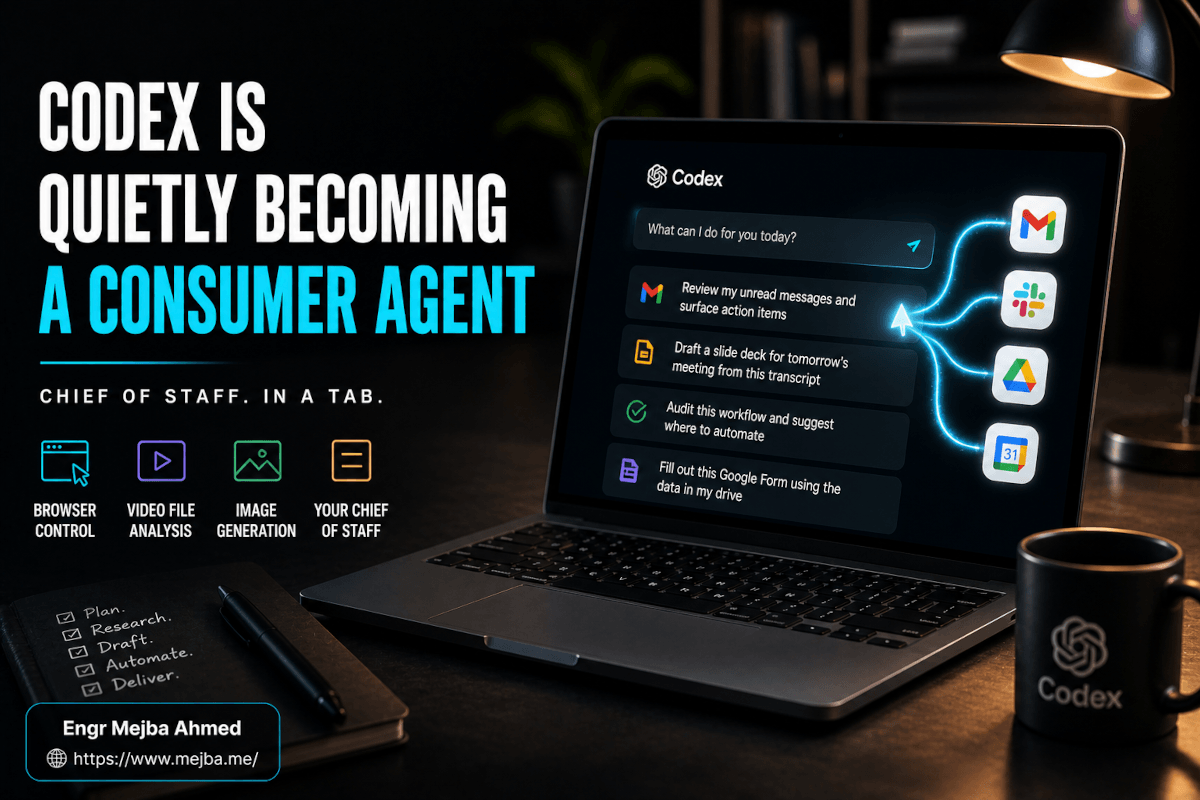
Codex — the same product that 3 million weekly active developers were using for agentic coding as of April 2026, according to OpenAI's own numbers — is shifting. Not loudly. Not with a rebrand. Just a steady, almost suspicious series of updates that point in a very different direction than the one the developer community is reading. The Background Computer Use release on April 16, 2026 was the obvious one. But the prompts OpenAI is now suggesting on the front page of the Codex app are the real tell. They do not say "refactor this React component." They say things like "review my unread messages and surface action items" and "draft a slide deck for tomorrow's meeting from this transcript."
That is not a developer tool. That is a chief of staff.
I spent a week using Codex the way OpenAI clearly wants the next 80% of its consumer base to use it — as a desktop agent for nontechnical knowledge work — and I came out with three findings, two strong opinions, and one prediction I am willing to bet on. None of them are the ones the Codex vs Claude Code threads on X are arguing about right now.
Let me show you what I mean.
The Quiet Pivot Nobody is Calling Out
Open the Codex desktop app today. Look at the suggested prompts on the home screen. Then look at the suggested prompts six months ago.
Six months ago: "fix this failing test," "scaffold a Next.js app," "review this PR." Today: "summarize my week from Slack and email," "audit this workflow and suggest where to automate," "fill out this Google Form using the data in my drive." The MCP server jargon is fading from the primary surface. Git environment toggles still exist if you go looking, but they are not what new users see first. The first-run experience walks you through enabling browser access and connecting Gmail. Not a repo.
This is a deliberate repositioning, and the strategic logic behind it is obvious once you say it out loud. The global software developer population is somewhere around 30 million people. The global knowledge worker population — anyone whose primary job is sitting in front of a computer moving information around — is closer to 1 billion. If you build the best agentic coding tool in the world, your ceiling is 30 million seats. If you build a competent agentic chief of staff for everyone else, your ceiling is two orders of magnitude higher.
Codex still does coding well. GPT-5.5-Codex on the Pro plan, which I have been running on, gives you something like 600 to 3,000 local messages and 200 to 1,200 cloud tasks every five hours. That is enormous headroom. But the new capability stack — desktop control, browser automation, image generation, file analysis, plugin connectors — was not built primarily for devs. Devs already had terminals, IDEs, and CLIs. The new stack was built for the person who has six tabs of Gmail, three Notion docs, a half-finished slide deck, and a calendar full of meetings they did not prepare for.
I am not saying OpenAI will abandon the developer surface. I am saying the center of gravity shifted, and the next twelve months of Codex updates will be aimed at the consumer professional, not the engineer. Watch the suggested prompts. The suggested prompts always tell you who the product is really for.
Now let me show you what I actually tested.
What Codex Can Actually Do as a Consumer Agent — Tested
I ran six tests across the week. Not synthetic benchmarks — real tasks I would have otherwise done myself, with a stopwatch and an honest log of what worked and what did not. Here is what I found, ordered roughly from "this changes how I work" down to "interesting demo, not yet useful."
Test 1: The Weekly Brief
The prompt was almost embarrassingly simple. "Look at my Gmail, my Slack, and my Google Calendar from the last seven days. Give me a one-page brief of what happened, what I committed to, what I owe people, and what is sitting unanswered."
Codex spun up its browser, navigated to Gmail (after I authenticated), scrolled through my inbox, opened threads it judged important, switched to Slack, read channel headers, jumped to my calendar, and then — and this is the part that shifted something for me — it stopped and asked a clarifying question. "Should I include direct messages from people outside your organization, or only internal threads?"
That question is what separates a chatbot from an agent. A chatbot guesses. An agent realizes the spec is ambiguous and asks before it spends the next twelve minutes producing the wrong artifact.
Eighteen minutes after I gave the prompt, I had a one-page brief that genuinely captured my week. Three things I had forgotten I committed to. Two threads I owed responses on. One meeting I had not prepared for. I have done this exercise manually before. It takes me about ninety minutes on a Friday afternoon, and I always cut corners. Codex did it in eighteen, and the corners it cut were the ones a competent human chief of staff would also cut — the trivial threads, the marketing emails, the calendar holds with no agenda.
This is the use case that converted me. If you do nothing else with Codex this week, do this one.
Test 2: Browser Control vs Claude in Chrome
I have been testing Claude in Chrome alongside Claude Code for months now — Anthropic's browser agent that runs as a Chrome extension and uses Claude's computer use capability to navigate the open web. It is good at deliberate, careful, multi-step navigation. It tends to overthink, but it rarely makes a destructive mistake.
Codex's browser control is different. It runs in an in-app browser, not as an extension over your real Chrome session, which immediately changes the trust model — you are giving Codex its own sandboxed window, not letting an agent loose on the tab you have your bank open in. The cursor moves visibly and quickly. According to the public Codex changelog and OpenAI's April 2026 announcement, the browser surface is part of the same Background Computer Use stack that lets Codex operate macOS apps natively.
I gave both agents the same task: "Find the cheapest direct flight from Dhaka to Singapore between June 14 and June 18, 2026, and screenshot the result."
Claude in Chrome opened Google Flights, fumbled the date picker twice (it kept trying to type into the field instead of clicking the calendar), eventually got the search right, and produced the screenshot in about four minutes.
Codex opened its in-app browser, went straight to Google Flights, clicked the date picker correctly on the first try, sorted by price, and produced the screenshot in just under two minutes. The cursor movement is smoother. The DOM inspection felt more accurate. I am not going to claim Codex is universally better — Claude in Chrome's advantage is that it works inside your real browser session with your real cookies and your real logged-in state, which is a much bigger deal for any task that requires authentication. But for unauthenticated public-web tasks, Codex's browser control was visibly faster and more accurate in my tests.
The honest takeaway: pick the agent that matches your trust model. In-app sandbox if you want speed and isolation. Real-Chrome extension if you want to stay logged into your accounts. They are not the same product.
Test 3: Video File Analysis
This is the test where the gap was the most embarrassing.
I had a thirty-minute screen recording of a client call. I wanted to find the moment where the client said "we should talk about the budget" and pull a fifteen-second clip around it. Two AI agents, same task.
Claude in Chrome could not do it. Browser-based agents have no real path to local video files unless you upload to a service first, and Anthropic's computer use product does not currently include desktop-native video frame analysis. It politely told me to upload the file to a transcription service. Fair, but not what I asked for.
Codex, with desktop control enabled, opened Finder, navigated to the file, and then did something that genuinely surprised me — it analyzed the audio track to locate the phrase, jumped to the timestamp, and produced the clip using ffmpeg, which it found already installed on my machine. Total time: about seven minutes.
I want to be careful here. This is one test, on one file, on one machine. I would not generalize that "Codex can analyze any video." But the architectural difference matters. Browser-only agents are fundamentally limited to the web surface. Desktop-native agents can read your filesystem, invoke local CLIs, and bridge to the long tail of tools that have lived on your computer for a decade. That is a structural advantage that no amount of better Chrome automation will close.
Test 4: Drafting a Slide Deck
The prompt: "Take this meeting transcript and draft a ten-slide deck summarizing the key decisions, with one slide per decision and a closing slide on next steps."
Codex produced a structured outline in about ninety seconds, then opened Google Slides through its browser, created the deck, and populated each slide. The visual design was mediocre — generic Google Slides templates, no real typography hierarchy — but the content structure was solid.
The interesting part: it then asked, "Would you like me to generate a hero image for the title slide?" Yes please. And here is the second quiet feature that nobody talks about — image generation is now built directly into Codex. No external plugin, no DALL-E redirect, no separate workflow. The image generated inline using the gpt-image-1.5 model that ships with the Codex desktop app, and dropped onto the title slide.
If you have ever tried to build this workflow by chaining ChatGPT, Canva, and Google Slides manually, you know how much friction just disappeared.
Test 5: Workflow Audit and SOP Generation
This is the one that has the most upside for small business owners and solo operators, in my opinion.
I asked Codex: "Watch me do my Monday morning content publishing routine. Then write me an SOP that another person could follow."
I screen-shared with the Codex agent for about twenty minutes while I went through my normal flow — pulling drafts from Notion, formatting them in Markdown, checking the SEO header, scheduling on Buffer, updating my content calendar. Codex took notes the entire time. At the end, it produced a 1,400-word SOP with screenshots of each step, a list of the tools I used, the decisions I made at each branch point, and — I genuinely did not expect this — a section flagging three steps it judged candidates for automation, with the specific tool combinations it would recommend.
Two of the three suggestions were ones I had already considered. The third was one I had not. That is the moment a tool stops being a tool and starts being a collaborator.
If you run a service business, an agency, or a one-person operation with repeatable workflows, this single capability is worth the $20 ChatGPT Plus subscription on its own. It is the closest thing I have used to having an operations consultant on retainer.
Test 6: Form Filling
I have a recurring pain. Every quarter I have to fill out the same three forms — a tax compliance form, a vendor onboarding template, and a project intake document. The data lives across my Drive, my CRM, and my notes. I have been doing it manually for years.
I gave Codex access to my Drive, pointed it at the three blank forms, and asked it to fill each one using the most recent data available. Twenty-two minutes later all three forms were complete. I reviewed each one. Two were ready to submit as-is. The third had two fields wrong — both in places where the source data was genuinely ambiguous. A human assistant would have made the same calls.
The pattern across all six tests: Codex shines on tasks that span more than one app and require reading from one surface to write into another. That is not what coding agents do. That is what knowledge workers do all day.
How Codex and Claude Stack Up Right Now
Here is the comparison table I would actually trust, based on my week of testing. Not the marketing version. The "I ran the same prompt through both and watched what happened" version.
| Capability | OpenAI Codex (May 2026) | Claude in Chrome / Computer Use |
|---|---|---|
| In-browser control | Excellent in sandboxed in-app browser; fast, precise cursor | Solid in real Chrome via extension; slower but uses your live session |
| Local file / video analysis | Works — read my screen recording, located audio cue, cut clip with ffmpeg | Failed in my test — declined and suggested external upload |
| Image generation | Built in, inline, no plugin (gpt-image-1.5 / ChatGPT Images 2) | Not natively in the agent surface |
| Desktop app control | Native via Background Computer Use (April 16, 2026) | Available via computer use API but less polished as an end-user product |
| UI orientation | Transitioning from developer to consumer; some dev jargon remains | Already consumer-friendly UX from launch |
| Connector ecosystem | Google Workspace, Spotify, Instacart, Booking, Blender, Photoshop, Autodesk, Ableton — 90+ plugins per April 2026 update | Comparable connector library, also growing |
| Trust model | Sandboxed window, isolated session | Real browser, real cookies — higher capability, higher risk |
| Best for | Multi-app desktop tasks, file work, fast public-web automation | Authenticated workflows, careful navigation, deliberate multi-step tasks |
The honest summary: these are not the same product, and the right answer is not "use one or the other." If your work lives in your local files and you do a lot of public-web research, Codex is the stronger pick this month. If your work lives behind logins and you need an agent inside your real browser session, Claude is.
For most knowledge workers who are not power users of either, Codex's lower friction onboarding and built-in image generation will win the first month of adoption. That matters more than benchmark wins.
The Connector Ecosystem Is the Real Moat
The conversation I keep seeing online is "which agent is smarter?" The conversation that actually decides which one wins the consumer market is "which agent connects to the apps I already use?"
Codex's plugin and connector library now spans Google Workspace (Gmail, Drive, Calendar, Chat), Spotify, Instacart, Booking, and a creative suite that includes Blender, Adobe Photoshop, Autodesk, and Ableton. The creative app integrations are limited — you cannot fully automate a Photoshop session yet, and the Ableton hooks are basic — but the direction is unmistakable. OpenAI is building a fabric where the agent can reach into the tools you already pay for.
This is the same playbook Microsoft ran with Office in the 1990s and Apple ran with the App Store in the 2010s. The platform that has the most apps wins, even if the underlying technology is not the best. The 90+ connector count from the April 2026 Codex update is not a vanity number. It is a moat.
If I were on Anthropic's product team right now, the connector library would be the thing keeping me up at night. Claude's models are excellent. Claude Code is, in my honest opinion, still the best agent for serious coding work — I have written about my Claude Code workflow setup and the dynamic duo of Codex and Claude Code together and I am not changing my coding stack. But for the consumer professional, the integration count matters more than the model score.
What Else Shipped This Week That Codex Watchers Should Care About
Two non-Codex stories in the last fortnight that change the context of this whole shift.
First, DeepSeek released V4 on April 24, 2026 — an open-source model with a 1-million-token context window, MIT license, and pricing that undercuts GPT-5.5 and Claude Opus 4.7 by close to an order of magnitude ($1.74 per million input tokens, $3.48 output for V4-Pro). Two variants ship: V4-Pro at 1.6T total / 49B active parameters, and V4-Flash at 284B total / 13B active. The hybrid attention mechanism — Compressed Sparse Attention plus Heavily Compressed Attention — is what makes the 1M context economically usable. In the 1M-token context setting, V4-Pro reportedly requires only 27% of single-token inference FLOPs and 10% of KV cache compared to V3.2. Open weights, on Hugging Face, runnable on consumer hardware with caveats. This is a serious model.
The reason this matters for the Codex consumer story: if open-source models continue to close the capability gap and run cheaply on local hardware, the agent layer becomes the differentiator, not the model. Codex has a head start on the agent layer. But it now has to defend that head start against open-source agent stacks built on top of DeepSeek-class models.
Second, Google launched the "Ask YouTube" beta on April 28, 2026, running until June 8 for US YouTube Premium subscribers. It turns YouTube's search bar into a chatbot that pulls structured answers, curated clips, and timestamped links from across the entire video library. Neal Mohan said in January 2026 that more than 20 million users per month were already using the Ask conversational AI tool inside YouTube. Twenty million.
That is what consumer AI adoption looks like at scale. It is not a separate app. It is a chat box embedded in the surface where people already are. Which is exactly the bet OpenAI is making with Codex — embed an agent into the desktop, the browser, the apps you already use, and let the agent be the new interface to all of them.
These are not isolated stories. They are the same story told three different ways: the AI race in 2026 is no longer about who has the smartest model. It is about who owns the agent surface that touches the apps people actually use.
What I Would Actually Do This Week
If you are a developer reading this, you are probably already on Codex or Claude Code or both. The advice for you is short: spend two hours this week using Codex as a non-developer would. Run the weekly brief prompt. Try the workflow audit prompt. You will see what your less-technical friends and clients are about to start asking for, and you will be six months ahead of the conversation when they do.
If you are a knowledge worker who has been hearing about AI agents but has not actually sat down with one, this is the moment. Three concrete steps:
1. Get a ChatGPT Plus subscription if you do not already have one. Twenty dollars a month. Codex is bundled in. Skip the Pro tier for now unless you are running multiple parallel agents — Plus is enough to start.
2. Enable Background Computer Use and the in-app browser in Codex settings. This is off by default. The first time you turn it on, the system will walk you through permission prompts that look scary but are not — you are sandboxing the agent to its own session, not giving it root on your machine.
3. Run the OpenAI-recommended consumer prompts for one week. The chief-of-staff weekly brief. The workflow audit. The slide deck draft. The form fill. Pick one a day. Do not try to learn the whole tool. Learn one workflow at a time and let muscle memory accumulate.
The ceiling on how much value you can get from Codex right now is not the model. It is your willingness to actually delegate. Most people in my circle who have tried agentic AI and bounced did not bounce because the tool failed. They bounced because they could not get past the instinct to do the task themselves while the agent was working.
Train that instinct out. Let it run for fifteen minutes. Come back. Review what it did. That is the loop.
The Prediction I Will Bet On
Twelve months from now, when someone says "I use Codex," the first thing the listener will picture will not be a developer in a terminal. It will be a project manager getting their Monday brief, or a small business owner getting a workflow audit, or a freelancer filling out a vendor form. The developer use case will still exist. It will just stop being the default mental model.
OpenAI will not market this as a pivot. They will keep shipping developer features. They will keep talking about agentic coding at their dev events. But the suggested prompts on the Codex home screen, and the connector library, and the new feature priority order will all keep telling the truer story. The chief of staff in a tab is the product. The IDE plugin is the legacy.
The Codex consumer agent is the most under-discussed product shift in AI right now. Not because nobody noticed — because the people who noticed are mostly the same people who write hype-cycle takes, and this is not a hype-cycle moment. It is a quiet, patient repositioning aimed at the 80% of the market that nobody covers because they do not post on tech Twitter.
That 80% is going to wake up over the next year and discover they have a chief of staff for twenty bucks a month. The first time someone walks me through their Codex weekly brief at a dinner party and they are not a developer — that is the moment I will know the pivot worked. I give it nine months.
FAQ
Frequently Asked Questions
Everything you need to know about this topic
The Codex consumer agent is OpenAI's Codex desktop app being repositioned as an autonomous agent for nontechnical knowledge workers, not just developers. Unlike ChatGPT — which is a chat interface — Codex can take real actions on your computer: control your browser, read local files, fill out forms, draft slide decks, and audit your workflows. The April 16, 2026 Background Computer Use release made it the first OpenAI product with native macOS desktop control. See the comparison section above for the full feature table.
No. As of the April 2026 update, Codex's onboarding flow walks new users through enabling browser control and connecting Gmail rather than configuring git environments. The suggested prompts on the home screen lead with consumer tasks like "review my unread messages" and "draft a slide deck from this transcript." Developer features still exist, but they are no longer the default surface.
Codex is bundled into ChatGPT Plus ($20/month), Business ($30/user/month), Pro ($100/month and $200/month), Edu, and Enterprise plans. There is also a Free tier with very limited Codex access. For most consumer professionals, the $20 Plus tier is enough to start.
Not entirely, but it can absorb the repetitive parts — weekly briefs from email and Slack, workflow audits, form filling, slide deck drafts, multi-app research. In my testing, an eighteen-minute Codex run produced a weekly brief that would have taken me ninety minutes manually. It is a force multiplier for solo operators and small teams, not a full human replacement.
Codex is faster and more precise in its in-app sandboxed browser. Claude in Chrome is better when you need the agent to use your real, logged-in browser session. Pick based on trust model: sandbox for speed and isolation, real-Chrome extension for authenticated workflows. Both are improving rapidly. Full breakdown in the comparison table above.
Let's Work Together
Looking to build AI systems, automate workflows, or scale your tech infrastructure? I'd love to help.
- Fiverr (custom builds & integrations): fiverr.com/s/EgxYmWD
- Portfolio: mejba.me
- Ramlit Limited (enterprise solutions): ramlit.com
- ColorPark (design & branding): colorpark.io
- xCyberSecurity (security services): [xcybersecurity.io](https://www.xcybersecurity.io