Claude Code OpenRouter Free Models: Swap for Free
My Claude Max subscription costs me $200 a month. For client work, enterprise projects, and anything where reliability can't be negotiated — worth every cent. I don't think twice about it.
But last Tuesday at 1 AM, I was prototyping a side project. A personal automation tool. Nothing mission-critical. And my subscription hit its usage cap mid-conversation. Claude Code froze. The agent stopped mid-file-edit, and I was staring at a terminal telling me to wait or upgrade.
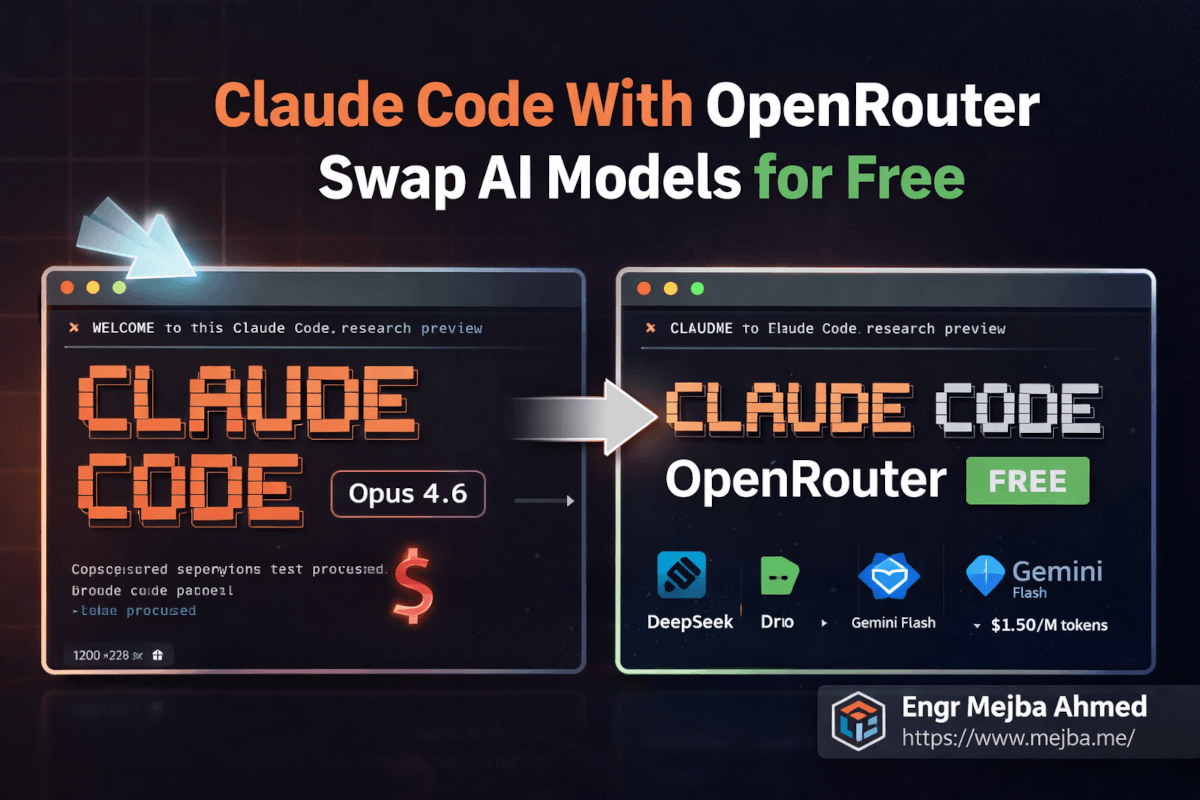
I didn't want to wait. I definitely didn't want to spend more money on a hobby project at one in the morning. So I did something I'd been meaning to test for weeks: I pointed Claude Code at OpenRouter, swapped the AI model underneath it to a completely free one, and kept working.
The agent picked up exactly where I left off. Same file editing. Same terminal commands. Same multi-step agentic workflow. Different brain — but the hands stayed the same.
That night changed how I think about Claude Code entirely. And it'll probably change how you use it too, once you understand the trick.
The Formula 1 Analogy That Makes This Click
Here's the mental model that finally made this concept intuitive for me.
Claude Code is a Formula 1 car. The chassis, the aerodynamics, the steering, the telemetry system, the pit crew — that's the agentic framework. File reading, code editing, terminal execution, git management, sub-agents, skill systems. All of that engineering lives in the car itself.
The AI model? That's just the engine.
Anthropic ships Claude Code with their own engine — Opus 4.6, Sonnet, whatever your subscription tier provides. And it's a phenomenal engine. Best in class for many tasks. But here's what most people don't realize: you can unbolt that engine and drop in a completely different one. A Google engine. A DeepSeek engine. A free open-source engine. The car still drives. The steering still works. The pit crew still does its job.
And unlike an actual Formula 1 car, you don't need a powerful local machine to run any of this. Claude Code operates in the cloud. Your laptop is just the remote control. Whether you're running it from a $3,000 MacBook Pro or a $300 Chromebook, the computational heavy lifting happens on remote servers. You're sending instructions and receiving results — the model inference runs somewhere else entirely.
This is the part that trips people up. They assume running Claude Code with different models requires some beefy local setup. It doesn't. You need a terminal, an internet connection, and about ten minutes for configuration.
The real question isn't can you swap engines. It's which engine should you swap to, and when does it make sense to run the stock one. That's where it gets interesting — and where I burned a solid week of testing so you don't have to.
The Four Trade-Offs You're Actually Making
Before I walk you through the setup, you need to understand what you're trading. Swapping from Anthropic's premium models to alternatives isn't a free lunch — even when the model itself is free. There are exactly four dimensions where the trade-off shows up.
Cost: From $200/Month to Literally Zero
The most obvious one. Anthropic's Claude Max subscription runs $200/month for heavy users. The Pro tier is $20/month. API credits get expensive fast on complex agentic workflows that burn through context windows.
Through OpenRouter, you can access models that cost anywhere from $15 per million tokens down to absolutely nothing. I've run entire coding sessions — multi-file refactors, test generation, documentation — on models that cost me less than a penny. Some sessions cost me zero.
For experimentation, learning, side projects, and prototyping? That cost difference is the whole game.
Speed: The Hidden Variable Nobody Warns You About
Cheap and free models are often slower. Sometimes dramatically slower. A response that takes 2 seconds on Opus 4.6 might take 8-12 seconds on a free-tier model during peak hours. When you're running an agentic workflow with dozens of back-and-forth exchanges, those extra seconds compound into minutes.
I timed it. A refactoring task that took 4 minutes on Opus 4.6 (Sonic) took nearly 14 minutes on DeepSeek V3's free tier during a busy afternoon. Same task, same prompt, same result quality — just painfully slower.
Off-peak hours? The gap shrinks. Late night and early morning, free models run significantly faster because fewer people are hammering the servers.
Performance: Where the 85% Rule Kicks In
Not all models reason equally well. Premium Claude models — especially Opus 4.6 — handle complex multi-step coding tasks with a level of accuracy that cheaper models genuinely can't match. Edge cases, subtle bugs, architectural decisions that require understanding the full context of a codebase — this is where the expensive models earn their price.
But here's what I discovered after a week of testing: for about 70-80% of common development tasks — writing boilerplate, generating tests, creating documentation, simple refactors, file manipulation — mid-tier models perform nearly identically to premium ones. The gap only shows up on the hard stuff.
I think of it as the 85% rule. A model like Gemini Flash gives you roughly 85% of Opus 4.6's coding performance at about 10% of the cost. For many workflows, that math makes the decision obvious.
Security: The Elephant in the Terminal
This one matters and gets overlooked. When you route Claude Code through OpenRouter, your code and prompts pass through OpenRouter's infrastructure before reaching the model provider. That's an additional hop. An additional company seeing your data.
For personal projects, open-source work, and non-sensitive code? Probably fine. OpenRouter has reasonable privacy policies and doesn't train on your data by default.
For client projects, proprietary code, enterprise work, or anything touching credentials and secrets? Stay on Anthropic's direct infrastructure with your paid subscription. No question. The security trade-off isn't worth saving a few dollars when you're handling someone else's intellectual property.
I keep this boundary strict. Client work runs on Max subscription through Anthropic directly. Personal projects and experiments run through OpenRouter. No exceptions, no gray areas.
Now that you understand what you're optimizing for — here's the part where we actually set it up.
OpenRouter: The AI Model Gateway That Changes Everything
OpenRouter is, in the simplest terms, a universal adapter for AI models. One API key, one endpoint, hundreds of models from dozens of providers. You make a single API call, specify which model you want, and OpenRouter routes your request to the right provider, handles authentication, and sends back the response in a standardized format.
Think of it like Stripe for AI models. You don't integrate with each payment processor individually — you go through Stripe and it handles the routing. OpenRouter does the same thing for language models. Google's Gemini, DeepSeek, Meta's Llama variants, Mistral, Anthropic's own models, and hundreds more — all accessible through one API.
Why does this matter for Claude Code specifically? Because Claude Code's agentic framework communicates with the AI model through a standard API interface. If you can give it an endpoint that speaks the same protocol, it doesn't care who's answering. It sends prompts. It receives completions. It executes tools. The framework is model-agnostic by design — even though Anthropic obviously prefers you use their models.
Here are the five models I've tested most extensively through OpenRouter with Claude Code, ranked by my experience using them for real development work.
Opus 4.6 Sonic — The Premium Benchmark ($15/M Tokens)
This is Anthropic's own flagship, accessed through OpenRouter instead of a direct subscription. Performance? A perfect 10 out of 10 in my testing. It's the fastest premium model available, the most reliable for complex agentic chains, and handles edge cases with a precision that still impresses me after months of daily use.
Why would you access it through OpenRouter instead of a direct subscription? Flexibility. With OpenRouter, you pay per token — no monthly commitment. If you have a week where you barely code, you barely pay. If you have a sprint week where you burn through tokens, you pay more. For developers with inconsistent usage patterns, this can actually be cheaper than the $200/month Max subscription.
The catch: at $15 per million tokens, heavy usage gets expensive fast. A complex agentic session can burn through 100K-500K tokens easily, so a busy day might cost $1.50-$7.50. The math only works in your favor if you have significant downtime between sprints.
Gemini Flash — The Sweet Spot ($1.50/M Tokens)
This is my daily driver for non-critical work, and honestly, it surprised me. Google's Gemini Flash through OpenRouter costs roughly one-tenth of what Opus charges per token. Performance-wise, I'd score it 8.5 out of 10 for coding tasks.
Where it shines: boilerplate generation, test writing, documentation, straightforward refactors, file creation, and any task where the instructions are clear and the reasoning chain isn't too deep. For these bread-and-butter development tasks, I genuinely cannot tell the difference between Gemini Flash output and Opus output. The code is clean. The edits are accurate. The agent workflow runs smoothly.
Where it stumbles: complex multi-file refactors that require understanding subtle architectural dependencies. Tasks where the model needs to hold a large context and reason about interactions between distant parts of a codebase. Edge cases in test generation where the failure modes are non-obvious.
My workflow: Gemini Flash handles probably 60% of my daily Claude Code usage now. The remaining 40% — anything complex, anything for a client, anything where a mistake costs me more than the token savings — goes to Opus.
Dro Small — Budget Option With Free Tiers
Dro Small sits in the budget category with free options available during off-peak periods. Performance is noticeably lower — around 6.5-7 out of 10 for coding tasks. Clear specs and simple functions? Fine. Subtle debugging or complex refactors? You'll spend more time correcting output than you saved on tokens.
Speed fluctuates wildly on the free tier — 3 seconds some requests, 20+ seconds on others. Shared capacity means unpredictable response times.
I use it for one specific purpose: bulk repetitive tasks with templated prompts and highly structured output. Generating boilerplate across multiple files, standardized docstrings, test stubs. For these, it's surprisingly adequate and effectively free.
DeepSeek V3 — Free, Fast, and Frustrating
DeepSeek V3 is the most interesting model on this list because it's simultaneously impressive and infuriating.
The model itself is genuinely capable. For raw coding performance, I'd rate it 7.5-8 out of 10 — surprisingly close to Gemini Flash for many tasks, and it's free. The code it generates is clean, the reasoning is solid, and for straightforward development work, you'd be hard-pressed to tell it apart from models costing ten times more.
The problem is reliability. DeepSeek V3's free tier on OpenRouter is prone to rate limiting — especially during Asian and European business hours when usage spikes. I've had sessions where the agent made three tool calls successfully and then hit a rate limit on the fourth, leaving me with a half-completed file edit and a broken workflow.
There's nothing quite as frustrating as an agentic coding session that stops mid-refactor because the model provider throttled your requests. You can't easily resume from a half-finished state. You either wait and retry, or switch to a different model and hope it picks up the context correctly.
My verdict on DeepSeek V3: brilliant for learning, experimentation, and sessions where you have patience and time. Not something I'd rely on for any work with a deadline. The rate limiting alone disqualifies it for serious use.
The Other Hundreds
OpenRouter gives you access to hundreds more — Meta's Llama variants, Mistral, Cohere's Command series, community fine-tunes. The ecosystem is enormous and growing weekly.
Fair warning: not every model plays nicely with Claude Code's agentic framework. Models that ace chat benchmarks sometimes choke on tool-calling protocols — returning malformed JSON, ignoring function signatures, or hallucinating tool names. I've had this happen more than once. If you experiment beyond my tested list, start with a simple task that has a verifiable answer and confirm the model handles tool calls reliably before trusting it with anything complex.
Now let's set this up.
Step-by-Step: Setting Up OpenRouter With Claude Code
The whole process takes about ten minutes. I'll walk you through it exactly as I did it, including the small gotchas that tripped me up the first time.
Step 1: Create Your OpenRouter Account and API Key
Head to openrouter.ai and create an account. The signup is straightforward — email, password, done. No credit card required to start.
Once you're in, navigate to Keys in your dashboard. Click Create Key. Give it a descriptive name — I name mine by use case, like "claude-code-personal" and "claude-code-experiments" — so I can track usage separately later.
Copy the API key immediately. OpenRouter only shows it once. If you lose it, you'll need to generate a new one.
Pro tip: Fund your account with about $10 right away, even if you plan to use free models. Here's why — OpenRouter treats unfunded accounts differently. Free-tier models have stricter rate limits for unfunded accounts. Adding even a small balance signals to OpenRouter that you're a real user, and you'll experience noticeably fewer throttling issues. I learned this after three frustrating sessions where DeepSeek V3 kept cutting out, and adding $5 in credits magically smoothed everything out. You won't spend that $5 on free models — it just sits there as a trust signal.
Step 2: Configure the Anti-Gravity Desktop App
If you're running Claude Code through the Anti-Gravity desktop app — which is how I run it for most of my work — the configuration lives in the app's settings panel.
Open Anti-Gravity. Navigate to Settings > Model Provider (the exact path may vary slightly depending on your version). You'll see fields for:
- API Endpoint / Base URL: Set this to
https://openrouter.ai/api/v1 - API Key: Paste your OpenRouter API key here
- Model identifier: This is the string that tells OpenRouter which model to use
The model identifier follows a specific format. For example:
- Opus 4.6 Sonic:
anthropic/claude-opus-4.6:sonic - Gemini Flash:
google/gemini-flash-1.5 - DeepSeek V3:
deepseek/deepseek-chat
You can find the exact model identifier for any model on OpenRouter's model directory page. Each model has a "copy ID" button that gives you the string you need.
Step 3: Switching Between Models
Here's where the workflow gets practical. You don't need to reconfigure everything each time you want to swap models. The process is:
- Copy the model identifier string for the model you want
- Paste it into the model configuration field in Anti-Gravity
- Restart your terminal session (or open a new terminal panel)
That restart is important. Claude Code loads the model configuration at session startup. Changing the config mid-session won't take effect until you start a new session. I keep a text file on my desktop with all my frequently used model identifiers — one line each — so switching is literally a copy-paste-restart operation.
# My OpenRouter Model Quick-Switch List
# Premium (client work)
anthropic/claude-opus-4.6:sonic

# Daily driver (personal projects)
google/gemini-flash-1.5

# Free experimentation
deepseek/deepseek-chat

# Budget bulk tasks
dro/dro-small-free
Step 4: Verify Your Model Connection
After restarting with a new model, verify the connection before diving into real work. Ask Claude Code "What model are you running on?" — most models accurately report their identity. If you get a coherent response, the connection is live.
For a more thorough test, ask it to perform a simple agentic action: "Read the current directory and list all files." This tests the full tool-calling pipeline, not just text generation. If it executes a file system operation successfully, the agentic framework is working with your new model.
I do this every time I switch. Five seconds of verification has saved me from dozens of frustrating debugging sessions where the actual issue was a misconfigured model string.
If you want someone to build a custom AI agent setup like this — tailored to your workflow with the right model mix configured from the start — I take on exactly these kinds of projects. Check out what I've built at fiverr.com/s/EgxYmWD.
Step 5: Managing Multiple Models Simultaneously
This is a workflow trick that leveled up my productivity significantly. You don't have to choose one model per session. You can run multiple terminal panels, each configured with a different model.
My typical setup:
- Terminal Panel 1: Opus 4.6 Sonic — for the complex architecture task I'm currently focused on
- Terminal Panel 2: Gemini Flash — for quick utility tasks, documentation, and test generation happening in parallel
- Terminal Panel 3: DeepSeek V3 or a free model — for experimental branches where I'm trying speculative approaches I might throw away
Three panels, three models, three different cost profiles, all running simultaneously inside the same IDE. The complex reasoning happens on the premium model. The routine work happens on the cheap model. The experimental stuff runs for free.
When you think about it this way, you're not choosing between free and paid models. You're building a team of AI assistants at different price points, each assigned to the work that matches their capability level. That's not cost-cutting — that's resource allocation.
Skills Work No Matter Which Engine You're Running
One thing I needed to confirm early in my testing — and this is a question I've gotten from several people — is whether Claude Code's skill system still works when you swap models.
Short answer: yes. Completely.
Skills in Claude Code are model-agnostic by design. A skill is essentially a defined capability — a set of instructions, API integrations, and tool-use patterns that the agent follows. The skill itself doesn't care which model is powering the reasoning. It's infrastructure, not intelligence.
For example, I have a Bitly URL shortening skill configured in my Claude Code setup. When I say "shorten this URL," the skill handles the Bitly API call, processes the response, and returns the shortened link. Whether the underlying model is Opus 4.6, Gemini Flash, or DeepSeek V3, the skill executes identically. The model provides the reasoning to understand my request and invoke the skill. The skill does the actual work.
I tested this across all five models I mentioned earlier. Every single one triggered skills correctly, passed parameters accurately, and handled skill responses without issues. The model quality affects how well the model understands nuanced skill invocations — a free model might need more explicit instructions than Opus would — but the skill infrastructure itself is rock solid regardless.
This matters because it means your investment in configuring skills, setting up integrations, and building custom workflows carries over perfectly when you switch models. Nothing breaks. Nothing needs reconfiguration. You swap the engine, the car keeps driving, and all the custom modifications you've made to the chassis stay exactly where they are.
If you've been building your Claude Code setup around skills (and if you haven't, you should check out my agent skills guide for the full walkthrough), this portability is a significant benefit of the OpenRouter approach. Your investment in skills pays dividends regardless of which model you're running this week.
The False Economy Trap — When Free Models Cost You More
Here's the honest part. The part that most "use AI for free!" articles conveniently skip.
I spent an afternoon trying to build a moderately complex Next.js component using DeepSeek V3 on the free tier. The component involved dynamic form generation with validation, conditional field visibility, and real-time preview. Not trivial, but not rocket science either — something Opus would handle in one shot.
DeepSeek V3 took four attempts. The first output had a subtle state management bug. The second fixed that bug but introduced a rendering issue. The third worked but produced code that was... let's call it "creative" in ways that would fail code review. The fourth attempt finally produced something I could ship, but only after I manually corrected two edge cases the model missed.
Total time on DeepSeek V3: about 45 minutes. Total cost: $0.
When I ran the same task on Opus 4.6 the next day for comparison: one attempt, clean code, 6 minutes. Cost: roughly $0.30 in tokens.
Here's the math that matters. If my time is worth anything — and yours is too — spending 45 minutes to save $0.30 is a terrible trade. That's an effective hourly rate of $0.40. Even if you value your time at minimum wage, you lost money on the "free" model.
This is what I call the false economy trap. The model is free. Your time is not. If you spend 30 extra minutes correcting a cheap model's mistakes, you haven't saved money. You've paid with the most expensive resource you have.
So when is free actually free? When the task is simple enough that the cheap model gets it right on the first try. When you're experimenting and the output quality doesn't matter. When you're learning and the debugging process itself is educational. When you're running bulk tasks where you can template the prompt so tightly that even a mediocre model can't mess it up.
For everything else? Pay for the good model. The time savings alone justify the cost.
When to Pay and When to Play: My Decision Framework
After a few weeks of running this hybrid setup, I developed a simple framework for deciding which model gets which task. It's not complicated, but it saves me from making the wrong call.
Always use premium Claude (Max subscription or Opus via OpenRouter):
- Client work. Full stop. No exceptions.
- Any code touching production systems
- Complex architectural decisions or refactors spanning multiple files
- Security-sensitive code (authentication, authorization, encryption)
- Debugging subtle bugs where the failure mode isn't obvious
- Any task where a mistake costs more to fix than the tokens cost to prevent it
Use mid-tier models (Gemini Flash):
- Personal projects where quality matters but urgency doesn't
- Test generation for well-defined functions
- Documentation and README creation
- Boilerplate scaffolding (new components, standard CRUD endpoints)
- Code formatting and style refactoring
- Anything with a clear spec and a verifiable output
Use free models (DeepSeek V3, Dro Small):
- Pure experimentation and learning
- Throwaway prototypes you plan to rewrite anyway
- Bulk repetitive operations with templated prompts
- Filling downtime when your paid subscription is rate-limited
- Testing whether Claude Code's agentic framework handles a specific workflow before committing premium tokens to it
Here's the mindset shift that made this framework click for me: treat your AI subscription like a mini digital employee.
A senior developer costs $8,000-$15,000 per month. A junior developer costs $3,000-$6,000. Your Claude Max subscription at $200/month is, even at its most expensive, less than 3% of what a junior developer costs. And it works at 2 AM without complaining.
When you frame it that way, the question isn't "how do I avoid paying for AI?" The question is "how do I allocate my AI budget across different capability tiers the same way a company allocates work across senior and junior developers?"
You don't assign a senior developer to write boilerplate. You don't assign a junior developer to architect your distributed system. Same logic applies to AI models. Match the model tier to the task complexity, and you'll spend less while getting more done.
The Real Power: Flexibility as a Workflow Strategy
The biggest takeaway from this whole experiment isn't any individual model comparison. It's the flexibility itself.
Before OpenRouter, I was locked into one provider. Anthropic outage? My workflow stopped. Subscription limit hit? Done for the day. Curious how a different model handles a specific task? Entirely separate toolchain required.
Now? Anthropic goes down, I switch to Gemini Flash in thirty seconds. Rate limit on one model, I pivot to another. Curious whether DeepSeek handles a particular coding pattern better than Claude? Side-by-side comparison in parallel terminal panels, no workflow changes needed.
That flexibility compounds. I've discovered tasks where Gemini Flash actually outperforms Claude — particularly data transformation work where Flash's pattern matching has a surprising edge. I wouldn't have found that without easy swap-and-compare capability.
The resilience angle matters too. Single AI provider equals single point of failure. OpenRouter as a fallback means your agentic workflow survives any individual provider's bad day.
What My Typical Week Looks Like Now
My $200 Max subscription covers client work Monday through Wednesday — Opus 4.6 Sonic, direct Anthropic infrastructure, no compromises on security. Thursday and Friday shift to OpenRouter: Gemini Flash for personal projects and documentation, occasional DeepSeek V3 when I'm curious about its handling of specific patterns. Weekends are pure experimentation on free models.
Total monthly cost: the Max subscription plus roughly $15-$25 in OpenRouter credits for everything else. Before this workflow, I was either paying $200 and hitting limits, or burning through API credits at unpredictable rates. The hybrid approach is both cheaper and more productive.
If you want to understand how Claude Code's skill system works independently of which model powers it, my agent skills guide breaks down the entire architecture. And if you're new to the Anti-Gravity IDE where most of this configuration happens, I covered the full setup in my Anti-Gravity IDE deep dive.
The Question You Should Actually Be Asking
Most people approach this topic asking "How do I use Claude Code for free?" That's the wrong question. Free is a tool, not a goal.
The right question is: "How do I get the maximum output from my AI-assisted development workflow while spending only what each task is worth?"
Some tasks are worth $15 per million tokens. Some tasks are worth $1.50. Some are worth zero. The developers who'll be most productive in the next few years aren't the ones who found the cheapest model — they're the ones who learned to match the right model to the right task, seamlessly, without friction.
OpenRouter and Claude Code together give you that matching capability. You get Anthropic's best-in-class agentic framework — the file editing, the terminal execution, the skill system, the multi-step reasoning — with the freedom to swap the intelligence layer underneath based on what you're building right now.
That's not about being cheap. That's about being strategic. And strategy, in my experience, beats brute force every single time.
So here's your move for tonight: go create that OpenRouter account, fund it with $10, configure one free model alongside your existing Claude setup, and run the same task on both. See the difference for yourself. Once you've felt what it's like to have multiple AI engines available on demand — each matched to the work that fits it best — you won't go back to a single-model setup.
The Formula 1 car was always capable of running different engines. Now you know how to swap them.
Claude Code OpenRouter Free Models: Common Questions
Does Claude Code work with any model on OpenRouter?
Claude Code's agentic framework works with most models on OpenRouter, but quality varies significantly. Models must support tool-calling and structured output reliably. Stick with well-known models like Gemini Flash, DeepSeek V3, or Anthropic's own lineup for consistent results. For full setup details, see the Step-by-Step section above.
Is it safe to use free AI models for coding?
Free models are safe for personal projects and experimentation. Your code passes through OpenRouter's servers and the model provider's infrastructure, so avoid sending proprietary client code, credentials, or sensitive business logic through free tiers. Keep client work on Anthropic's direct infrastructure with a paid subscription.
Why does my free model keep stopping mid-task?
Rate limiting is the most common cause. Free-tier models on OpenRouter throttle requests during peak usage hours. Adding $5-$10 in OpenRouter credits reduces throttling even on free models, because funded accounts receive priority. Off-peak hours (late night, early morning in your timezone) also experience fewer limits.
Can I use Claude Code skills with non-Anthropic models?
Yes — skills are fully model-agnostic. Skills define tool integrations and workflows that run independently of which AI model provides the reasoning. I've tested Bitly URL shortening, file operations, and custom API skills across five different models without reconfiguration. See the Skills Portability section above for details.
What's the best free model for Claude Code right now?
As of March 2026, DeepSeek V3 offers the strongest free-tier coding performance on OpenRouter — roughly 7.5-8 out of 10 in my testing. The trade-off is frequent rate limiting during business hours. For a low-cost alternative with better reliability, Gemini Flash at $1.50 per million tokens is the strongest value in the current lineup.
Whether Free Model Swapping Fits You
Running Claude Code through OpenRouter to swap models for free is a prototyping superpower — cheap experimentation, then graduate the winners to something reliable. Free is for exploration, not production.
Point it at a scratch project and watch your bill. My free Claude Code proxy and free cloud models guide go deeper.
If you want a cost-optimized model setup built for your work, that's work I take on through Ramlit.