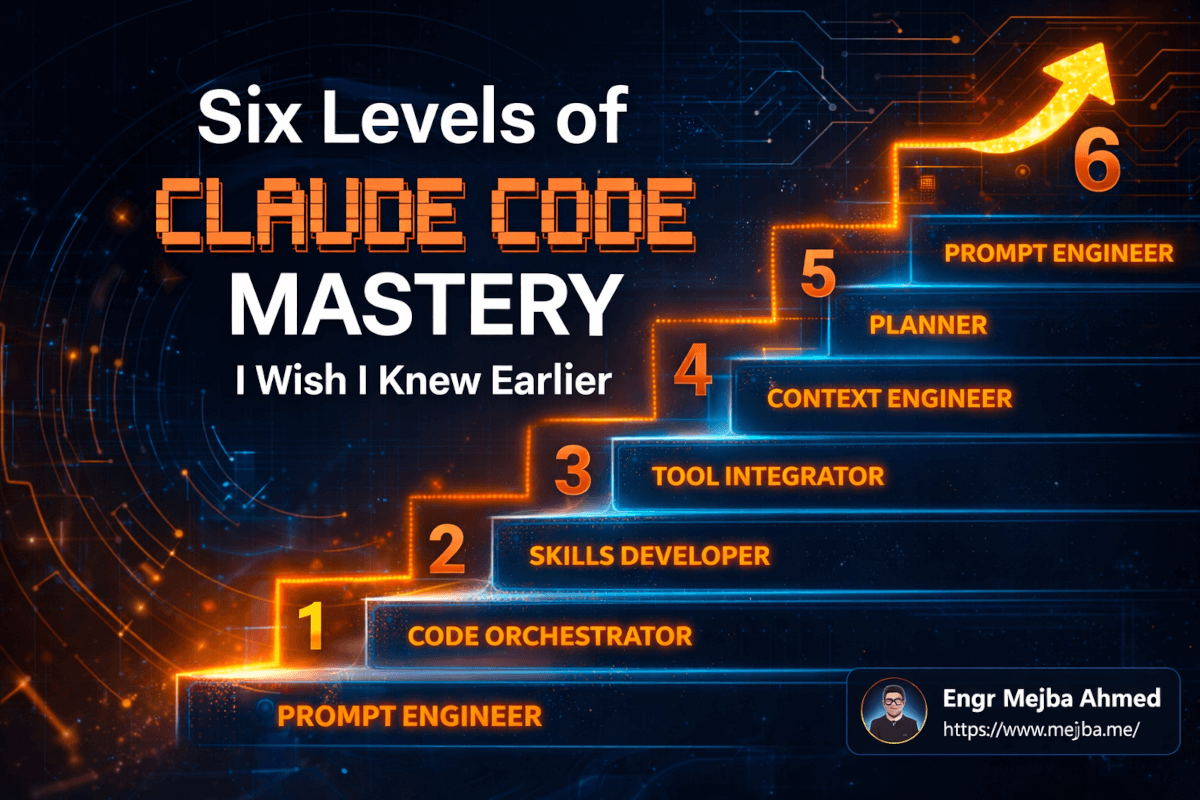
Six Levels of Claude Code Mastery I Wish I Knew Earlier
Three months ago, I watched one of my Claude Code sessions produce output so generic it could have come from any free chatbot on the internet. I'd been using the tool daily for almost a year. I'd built client projects with it, shipped production code through it, even written about it on this blog. And yet, there I was, staring at boilerplate that a first-year CS student would have been embarrassed to submit.
That moment forced me to confront something uncomfortable: I'd been using Claude Code wrong. Not broken-wrong. Not crash-the-terminal wrong. Wrong in the way that someone who drives a Ferrari in first gear is wrong -- technically operating the machine, but missing everything that makes it extraordinary.
What followed was a three-month deep dive into understanding the actual skill progression of Claude Code mastery. Not the marketing version where everything clicks on day one. The real version, where each level demands you unlearn habits from the previous one, and where the traps at every stage are more dangerous than the challenges.
I've identified six distinct levels. I've personally crawled through each one, sometimes spending weeks stuck at a plateau before figuring out what was holding me back. The gap between Level 1 and Level 6 isn't just a productivity difference -- it's a fundamentally different relationship with AI as a development partner.
Here's what nobody told me when I started: the hardest transition isn't learning new commands. It's abandoning the mindset that got you to the current level.
Level 1: The Prompt Engineer (Where Everyone Starts and Most People Stay)
I remember my first week with Claude Code vividly. I treated it the way I treat every command-line tool: type instruction, receive output, repeat. "Build me a REST API for user authentication." "Write tests for this component." "Refactor this function to use async/await."
And it worked. Sort of. Claude would generate code, I'd paste it into my project, fix a few things, and move on. The workflow felt productive because I was comparing it to writing everything by hand. Any acceleration felt like a win.
The problem was invisible at first. Every output had the same quality -- adequate but unremarkable. The authentication API worked, but it used patterns that didn't match the rest of my codebase. The tests covered happy paths but missed edge cases I'd have caught manually. The refactored function was cleaner, sure, but it introduced a subtle error handling change I didn't notice until production.
This is Level 1: the Prompt Engineer. You're writing commands and receiving responses. One-way communication. You talk, the AI listens, the AI produces. There's no dialogue, no iteration within the session, no collaboration.
The trap at this level has a name that describes it perfectly: AI slop. Generic, technically-correct-but-characterless output that reads like it was assembled from documentation snippets. You can spot it immediately -- it uses variable names like data and result, structures code in the most conventional way possible, and adds comments that explain what the code does rather than why.
I spent about six weeks at Level 1. My output was faster than hand-coding but required so much editing that the time savings were marginal. The breakthrough came when I realized I was treating Claude Code as a typewriter when it was built to be a conversation partner.
What finally pushed me past this level was a frustrating Tuesday afternoon. I'd prompted Claude Code to build a webhook handler, and it produced something functional but completely disconnected from the patterns in my existing codebase. Instead of rewriting the prompt with more detail, I tried something different. I started asking questions back.
That single shift -- from commanding to conversing -- changed everything.
Level 2: The Planner (Where Dialogue Replaces Dictation)
Plan Mode was the feature that unlocked Level 2 for me. If you haven't used it, the concept is simple: instead of Claude Code immediately executing your request, it first proposes a plan, asks clarifying questions, and waits for your input before writing a single line of code.
The first time I toggled Plan Mode on for a complex task, the difference was startling. I asked Claude to build a notification system for a client project. Instead of immediately generating code, it came back with questions I hadn't considered: "Should notifications be persisted to a database or handled as ephemeral events? What's the delivery priority -- should the system guarantee delivery or is best-effort acceptable? Are you planning to support multiple notification channels beyond email?"
These weren't generic questions. They were the exact architectural decisions I would have needed to make anyway -- but probably would have made implicitly, without thinking them through, resulting in rework later.
Plan Mode fundamentally changes your relationship with Claude Code. You stop being a commander and start being a collaborator. The AI pushes back, suggests alternatives, identifies gaps in your specification. It's the difference between giving someone a blueprint and sitting down with an architect to design together.
Here's my actual workflow at Level 2. I start every non-trivial task with Plan Mode enabled. I describe what I want at a high level. Claude proposes an approach and asks questions. I answer the questions and add constraints. Claude refines the plan. I approve or adjust. Only then does code generation begin. The whole planning phase takes five to ten minutes, but it saves hours of rework.
The trap at Level 2 is subtler than Level 1's. At Level 1, the trap is obvious -- bad output. At Level 2, the trap is passivity. You get comfortable with Claude asking good questions, so you stop bringing your own expertise to the table. You become a question-answerer instead of a co-thinker.
I caught myself doing this on a database migration project. Claude's plan was technically sound, but it proposed a migration strategy that would have caused downtime during deployment. I almost approved it because the plan "looked good." The questions Claude asked were smart, but it didn't ask the one question that mattered most because it didn't know about our zero-downtime deployment requirement. That was knowledge I needed to volunteer.
The lesson: Plan Mode makes Claude a better collaborator, but it doesn't make Claude omniscient. You still need to inject context that the AI can't infer. And knowing what context to inject -- that's the skill that defines Level 3.
Level 3: The Context Engineer (Where the Real Skill Gap Opens)
This is the level where casual Claude Code users and serious practitioners diverge. Context engineering sounds academic, but it's the most practical skill in the entire progression. It's the art of giving Claude exactly the right information at exactly the right time -- no more, no less.
I learned this the hard way during a large refactoring project. I had a monolithic Express application that needed to be broken into microservices. My approach was to load the entire codebase into Claude's context, explain the goal, and let it work. Seemed logical. Give it maximum information, get maximum quality output.
The results were terrible. Not immediately -- the first few files Claude refactored were excellent. But by the third hour, the suggestions were getting weird. Function signatures that didn't match existing patterns. Import paths that pointed to files in the old structure. Variable naming that shifted from camelCase to snake_case mid-session. It was like watching someone slowly lose focus during a marathon meeting.
That was my first encounter with context rot, and understanding it changed everything about how I use Claude Code.
Context Rot: The Silent Performance Killer
Here's the technical reality that most tutorials gloss over. Claude Code's context window has a capacity, and that capacity isn't just about fitting information in -- it's about maintaining quality of attention across that information. Once your context window fills beyond roughly 50-60%, output quality starts degrading in ways that are maddeningly subtle.
I tested this systematically across multiple projects. Same tasks, same prompts, different context loads. At 20-30% context utilization, Claude's output was precise, convention-aware, and structurally consistent. At 50%, small inconsistencies started creeping in -- nothing that would break the build, but enough to require manual cleanup. At 70%+, the output became what I can only describe as "confidently wrong." Syntactically correct code that made architecturally questionable decisions.
The /compact command became my best friend at this stage. Running /compact compresses the conversation context, stripping out completed exchanges while preserving the essential information Claude needs for continuity. I run it proactively now, not reactively. Every time I finish a distinct subtask, I compact before moving to the next one.
And /clear? That's the nuclear option, but sometimes it's the right call. Starting a completely fresh context for a new task produces better output than continuing a bloated session, even though it feels like you're "wasting" the understanding Claude built up. The understanding past 60% capacity is more liability than asset.
What to Feed the Context (And What to Withhold)
The other half of context engineering is curation. Not every file is relevant. Not every piece of context helps. Loading your entire package.json, all your config files, and your complete test suite "just in case" is the context equivalent of packing your entire wardrobe for a weekend trip.
My approach now is surgical. For any given task, I identify three categories of context:
Essential context -- files that will be directly modified or that define interfaces the modified code must conform to. These go in first.
Reference context -- examples of similar patterns in the codebase that Claude should follow. I typically load one or two representative files, not every instance.
Peripheral context -- things that might be relevant. These stay out of the initial context. If Claude needs them, it'll ask -- and that question itself is a signal that I should evaluate whether the context is truly needed.
I also started providing screenshots of UI components when working on frontend code. Sounds obvious, but I resisted this for weeks because it felt inefficient. Turns out, a screenshot of the current component state gives Claude more useful context than three paragraphs of description. Visual context is underrated.
The CLAUDE.md file in your project root is another Level 3 tool that most people underuse. Mine contains coding conventions, architectural decisions, and explicit rules like "always use early returns" and "error responses must include both a machine-readable code and a human-readable message." Loading these conventions automatically means Claude starts every session already aligned with my patterns, without burning context on explanations.
The trap at Level 3 is overthinking context management to the point where you spend more time curating inputs than generating outputs. I hit this wall for about two weeks, obsessively measuring context utilization percentages and second-guessing every file I loaded. The balance point is closer to "good enough curation, quickly" than "perfect curation, slowly."
What eventually pulled me forward was realizing that context quality mattered more than context quantity -- and that certain tools could handle context decisions for me automatically. That realization opened the door to Level 4.
Level 4: The Tool Integrator (Where Claude Code Gets Superpowers)
Level 4 is where Claude Code stops being just a coding assistant and starts becoming an extensible development platform. This is the MCP server level -- Model Context Protocol servers and frameworks that give Claude capabilities beyond text generation.
MCP servers are, in practice, plugins that let Claude interact with external systems. Database queries. API calls. File system operations. Browser automation. Design tool integration. Each MCP server extends what Claude can do without you manually copying data between tools.
I integrated my first MCP server -- a PostgreSQL connector -- after spending an entire afternoon manually copying query results from pgAdmin into Claude's context so it could help me optimize slow queries. The absurdity of that workflow hit me mid-paste. I was the slowest component in my own pipeline, acting as a human clipboard between two digital tools.
After connecting the Postgres MCP server, I could simply say "analyze the slow queries in the orders table and suggest index improvements." Claude would query the database directly, examine the execution plans, and propose optimized indexes with the actual SQL to create them. What took an afternoon of copy-paste became a five-minute conversation.
But here's where Level 4 gets dangerous.
The Tool Overload Trap
My MCP server collection grew quickly after that first integration. Postgres connector. GitHub integration. Slack for notifications. Notion for documentation. Browser automation for testing. Linear for project management. Figma for design specs.
Within two weeks, I had eleven MCP servers configured. And Claude's performance tanked.
Not because the servers were buggy -- they worked fine individually. The problem was cognitive overhead on Claude's side. With eleven different tools available, Claude would sometimes reach for the wrong one, or spend tokens evaluating which tool to use before doing the actual work. Worse, having too many capabilities made Claude's responses slower and occasionally confused about which tool could handle which task.
I learned this lesson during a code review session. I asked Claude to check a pull request for security issues. Instead of analyzing the code directly, it tried to use the GitHub MCP server to fetch PR metadata, then the browser automation to render the diff, then the Postgres connector to check for SQL injection patterns -- a Rube Goldberg machine of tool calls that produced worse analysis than just reading the code would have.
The fix was surgical selection. I stripped my MCP configuration down to five servers that I actually used daily: GitHub, Postgres, a file system watcher, Notion, and a custom API testing tool I'd built. Everything else got removed.
The principle I follow now: add a tool only when you've hit the same manual workflow friction at least three times. If you're not actively annoyed by the absence of a capability, you don't need the plugin. Capability and performance are not the same thing -- more tools does not mean better output.
Framework selection matters too. I've tried integrating Claude Code with several automation frameworks, and the pattern is consistent: the ones that work best are the ones that do one thing well and have clean, predictable interfaces. The ones that try to be everything -- comprehensive AI development platforms with seventeen features -- tend to create more confusion than they solve.
Honest admission: I still catch myself occasionally installing a shiny new MCP server because it sounds useful, only to remove it a week later when I realize it's adding latency without adding value. The tool integration instinct is hard to control once it's activated.
The real payoff from Level 4 isn't any individual tool. It's the mental model shift from "Claude processes text" to "Claude orchestrates workflows." Once you see Claude as a workflow hub rather than a text generator, you start thinking about automation differently. And that thinking leads directly to Level 5.
Level 5: The Skills Developer (Where Repetition Dies)
I'm going to be honest: Level 5 is where I spent the longest time struggling, and it's also where I've seen the biggest sustained productivity gains. Skills development in Claude Code is the practice of turning repetitive prompt workflows into reusable, one-command automations.
A skill, in Claude Code terms, is essentially a text-based prompt workflow. Think of it as a macro, but smarter -- it's a structured instruction set that Claude follows when triggered, including what context to gather, what steps to execute, and what output format to produce.
Here's a concrete example. Before I created skills, my code review workflow looked like this: load the changed files, explain my review criteria, ask Claude to check for security issues, then ask for performance concerns, then ask for pattern compliance, then ask for test coverage gaps. Six separate prompts, every single time. Sometimes I'd forget a step. Sometimes I'd phrase the criteria differently and get inconsistent results.
My code review skill compressed that into a single trigger. It automatically loads the diff, applies my review criteria in a consistent order, checks against my CLAUDE.md conventions, and produces a structured report with severity ratings. Same quality every time. Zero prompts forgotten.
Building Skills That Actually Work
The Skill Creator tool inside Claude Code helps bootstrap new skills, but I've found that the best skills come from organic evolution rather than upfront design. My process:
First, I do a workflow manually three or four times, noting which prompts I use and in what order. Second, I identify which parts are consistent across runs and which parts vary. Third, I build a skill that handles the consistent parts automatically and accepts the variable parts as parameters.
My most-used skills right now:
Project Bootstrap -- takes a project description and generates the file structure, configuration files, CLAUDE.md conventions, and initial boilerplate. Saves about 45 minutes per new project.
API Endpoint Builder -- takes an endpoint specification (route, method, request/response shapes) and generates the handler, validation, error handling, tests, and documentation. Following my established patterns precisely because the skill references my architecture conventions.
Deployment Preflight -- runs through a checklist of environment variables, database migrations, dependency audits, and security scans before I push to production. This one has caught three issues that would have been production incidents.
Bug Investigation -- takes an error message or bug report, gathers relevant logs and code context, and produces a structured analysis with probable root causes ranked by likelihood.
Each of these skills took about an hour to build and refine. They save me that hour back within the first week of use.
The Skill Sprawl Trap
Here's the Level 5 trap, and I fell directly into it: creating too many skills.
At my peak, I had twenty-three custom skills configured. Twenty-three. Some overlapped in functionality. Some were so specific they applied to exactly one project. A few contradicted each other in subtle ways -- my "quick API endpoint" skill used different error handling conventions than my "production API endpoint" skill, and I couldn't remember which was which.
Claude itself got confused. When I'd trigger a task that could match multiple skills, the output quality dropped because the system was trying to reconcile conflicting instructions. It's the same principle as the MCP overload in Level 4 -- more isn't better. Precise is better.
I pruned down to eight skills. Eight well-tested, frequently-used, non-overlapping workflows that cover about 80% of my repetitive tasks. The other 20% I handle with ad-hoc prompts, and that's fine. Not everything needs to be automated.
The pruning criteria I use: if I haven't triggered a skill in two weeks, it gets archived. If two skills share more than 50% of their steps, they get merged. If a skill produces output I regularly need to edit, it gets rewritten or deleted.
Skills are where Claude Code transitions from "tool I use" to "system I've built." They're personalized, opinionated, and shaped by my specific development patterns. Nobody else's skills would work perfectly for me, and mine wouldn't work perfectly for anyone else. That personalization is the point.
But even with great skills, you're still limited to one Claude Code instance doing one thing at a time. Breaking that limitation is what Level 6 is about -- and honestly, it's the level I'm still actively figuring out.
Level 6: The Claude Code Orchestrator (Where It Gets Wild)
I need to be upfront about something: Level 6 is where my confidence drops and my excitement spikes in equal measure. Orchestrating multiple Claude Code instances simultaneously is the frontier of what's possible, and it's genuinely powerful, but it's also genuinely messy. I've had sessions where everything clicked and I felt like I was running a development team from a single terminal. I've also had sessions where three agents produced conflicting changes and I spent more time merging than I would have spent coding alone.
Here's the concept. Instead of one Claude Code instance handling one task at a time, Level 6 involves running multiple instances in parallel, each working on a different part of the project. One agent handles the backend API. Another builds the frontend components. A third writes tests. They work simultaneously, in isolated environments, and you coordinate the results.
The key technical enabler is Git worktrees. If you're not familiar, a Git worktree lets you check out multiple branches of the same repository in separate directories simultaneously. Each directory is a fully independent working copy. Changes in one worktree don't affect another until you explicitly merge them.
This maps perfectly onto multi-agent workflows. I create a worktree for each agent, assign each agent a specific scope of work, and let them run in parallel. Agent A works on the API in worktree-api/. Agent B works on the UI in worktree-ui/. Agent C works on tests in worktree-tests/. No conflicts during development because they're in separate directories. Merge when done.
My Orchestration Workflow (Warts and All)
Here's how a multi-agent session actually works for me. I'll use a recent project as an example -- building a real-time dashboard with WebSocket updates.
Step 1: I create three Git worktrees from the main branch.
git worktree add ../dashboard-api feature/api
git worktree add ../dashboard-ui feature/ui
git worktree add ../dashboard-tests feature/tests
Step 2: I open three terminal sessions, each pointed at a different worktree, each running its own Claude Code instance.
Step 3: I give each instance a focused brief. The API agent gets the WebSocket server specification, the data models, and the event schema. The UI agent gets the component designs, the WebSocket client requirements, and the state management approach. The test agent gets the API contract and the expected behaviors.
Step 4: I let them run, checking in periodically. This is the part that feels like managing a team. You're not writing code -- you're reviewing plans, answering questions, and making architectural decisions across three parallel streams.
Step 5: When all three are done, I merge. This is where reality gets messy.
The Merge Problem (And Why I'm Honest About It)
Merging parallel agent work is the single biggest challenge at Level 6. Even with clear scope separation, agents make assumptions. The API agent might structure a response payload differently than what the UI agent expects. The test agent might write assertions against an interface that shifted during development.
My merge success rate -- meaning merges that required zero manual conflict resolution -- is about 60%. Four times out of ten, I'm spending thirty minutes to an hour fixing integration issues that wouldn't have existed if one agent had done everything sequentially.
Is the parallel speed worth it? For large features, yes. The dashboard project that I described above would have taken roughly twelve hours with a single agent. The three-agent approach completed in about five hours of wall time, including an hour of merge resolution. Net savings of six hours. For that project, the math worked.
For smaller features? Honestly, no. The overhead of setting up worktrees, writing separate briefs, and handling merges eats into the time savings. My rule of thumb: if the task would take less than three hours with a single agent, multi-agent orchestration isn't worth the coordination cost.
Sub-Agents and Agent Teams
Claude Code also supports sub-agents -- spawning a secondary agent from within a primary agent session to handle a subtask. This is less overhead than full worktree orchestration but more limited in scope. I use sub-agents for tasks like "go research this library's API and come back with a summary" or "generate the TypeScript types for this JSON schema while I keep working on the handler."
Agent teams are the most experimental part of Level 6. The concept is multiple agents with defined roles -- a planner, a coder, a reviewer -- working in a coordinated pipeline. I've tested this setup three times. Twice it produced genuinely impressive results, with the reviewer agent catching issues the coder agent missed. Once it produced an infinite feedback loop where the reviewer kept requesting changes and the coder kept making them, burning through tokens without converging.
I mention this because I think it's important to be honest: agent teams are powerful in theory and unpredictable in practice. The tooling is improving rapidly. But as of right now, in early 2026, I treat agent teams as experimental. I wouldn't use them for client work where predictability matters. For personal projects where I can afford to experiment and occasionally lose an afternoon to a feedback loop? Absolutely.
The Token Reality
Multi-agent orchestration burns tokens. Fast. Three agents running in parallel consume three times the tokens of a single agent, obviously, but the real cost is less obvious. Each agent needs its own context setup, its own CLAUDE.md loading, its own orientation to the project. That duplicated context initialization adds up.
I track my token usage per project, and multi-agent sessions typically cost 2.5-3x what a single-agent session costs for the same feature. Not 1x (the dream) and not 3x (the naive assumption). The savings come from shared CLAUDE.md files and focused, smaller contexts per agent.
Whether that cost-performance ratio works depends entirely on your time economics. For client work billed hourly, the speed improvement easily justifies the token cost. For personal projects on a budget, I'm more selective about when I spin up multiple agents.
The Mindset Shift That Connects All Six Levels
Looking back at my progression, the technical skills at each level matter less than the mindset shift that enables them. And there's a single thread connecting all six transitions: moving from commanding to collaborating.
At Level 1, you command Claude to produce output. At Level 2, you plan together. At Level 3, you curate context together. At Level 4, you build toolchains together. At Level 5, you codify workflows together. At Level 6, you orchestrate teams together.
Each level requires you to give up a little more control and trust the system a little more -- while simultaneously getting more sophisticated about how you guide it. That's the paradox. You're simultaneously doing less manual work and applying more strategic thinking.
The developers I see stuck at Levels 1 or 2 are almost always stuck because of a control issue, not a skill issue. They don't want to invest in context engineering because it feels like overhead. They don't want to integrate tools because they want to understand every step. They don't want to run multiple agents because they can't personally review every line of output.
These instincts aren't wrong -- they're professional discipline that serves you well when you're writing code by hand. But they become limitations when your role shifts from "person who writes code" to "person who orchestrates AI systems that write code." The skill set is different, and the mindset has to shift to match.
What Actually Changed in My Day-to-Day
The practical impact of moving from Level 1 to Level 6 is hard to overstate. My project delivery timelines have compressed by roughly 40%. Not because each individual task is 40% faster -- some are faster, some take the same amount of time -- but because the dead time between tasks has almost disappeared. Context switching costs dropped when I started using worktrees. Rework dropped when I started engineering context properly. Repetitive tasks disappeared when I built skills.
My CLAUDE.md files have become some of the most valuable files in my projects. They represent crystallized architectural knowledge -- decisions that used to live in my head now live in a file that every Claude Code session absorbs automatically. New team members (human or AI) can read the CLAUDE.md and immediately understand the project's conventions.
The /compact and /clear commands are now reflexive. I run /compact the way I used to hit Cmd+S -- frequently, almost unconsciously, as a hygiene habit. Context rot is no longer something I experience because I prevent it proactively rather than reacting to it after quality degrades.
And my relationship with Claude Code itself has changed. I don't think of it as a tool anymore. Tools are things you pick up and put down. Claude Code is more like a development environment -- something you configure, customize, and inhabit. The investment in customization compounds over time. Every skill I build, every CLAUDE.md convention I document, every MCP server I integrate makes every future session more productive than the last.
That compounding effect is the real payoff of moving through all six levels. Level 1 productivity is linear -- you get out what you put in, every time. Level 6 productivity is exponential -- past work amplifies future work.
Your Move
I won't pretend this progression is quick or easy. It took me roughly four months to move from Level 1 to Level 6, and I'm still refining my orchestration skills weekly. Some levels took days to clear. Level 3 took three weeks. Level 6 is arguably ongoing -- I don't think anyone has fully mastered multi-agent orchestration yet, because the tooling is evolving faster than anyone can build expertise.
But you don't need to reach Level 6 to see massive improvements. Moving from Level 1 to Level 3 -- from basic prompting to context engineering -- will transform your Claude Code experience more than any other transition. If you do nothing else after reading this, do these three things in your next session:
Turn on Plan Mode for your next non-trivial task. Notice how the conversation changes when Claude plans with you instead of just executing.
Create a CLAUDE.md file in your project root with ten specific coding conventions. Watch how Claude's output immediately aligns with your patterns.
Run /compact after every completed subtask. Pay attention to whether the next response feels sharper than the responses at the end of a long, uncompacted session.
Those three changes take fifteen minutes to implement. They'll save you hours within the first week.
The question isn't whether Claude Code can operate at Level 6. It can -- the capability is already there. The question is whether you're willing to evolve your workflow to meet it. And from someone who's made that climb: the view from here is worth every uncomfortable transition along the way.
Let's Work Together
Looking to build AI systems, automate workflows, or scale your tech infrastructure? I'd love to help.
- Fiverr (custom builds & integrations): fiverr.com/s/EgxYmWD
- Portfolio: mejba.me
- Ramlit Limited (enterprise solutions): ramlit.com
- ColorPark (design & branding): colorpark.io
- xCyberSecurity (security services): xcybersecurity.io