Claude Code and Codex in the Same Repo: My Real Setup
I used to be a Claude Code loyalist. Not in a tribal way — more in a "this is the agent I trust, this is the one I've tuned, the muscle memory is built" way. Anthropic shipped an update, I installed it. Anthropic had an outage, I waited. The thought of running a second CLI in parallel felt like cheating on a tool that had earned my workflow.
Then last month, on a Wednesday afternoon, Claude's API status page went orange. Then red. Aria — my content agent — was halfway through a four-post batch. I sat there for 47 minutes watching the spinner tick. By the time the API came back, I'd lost the morning and the patience to keep being a one-CLI engineer.
So I did the thing I'd been avoiding. I opened a second terminal pane, ran codex in the same repo, and started teaching myself how to actually live in both ecosystems at once. Not the marketing version where you "compare" the two tools and pick a winner. The boring, granular version where you run both, on the same codebase, with the same project context, with skills that mostly work in either CLI, and a session-handoff trick that lets you pass work between them when one of them gets stuck.
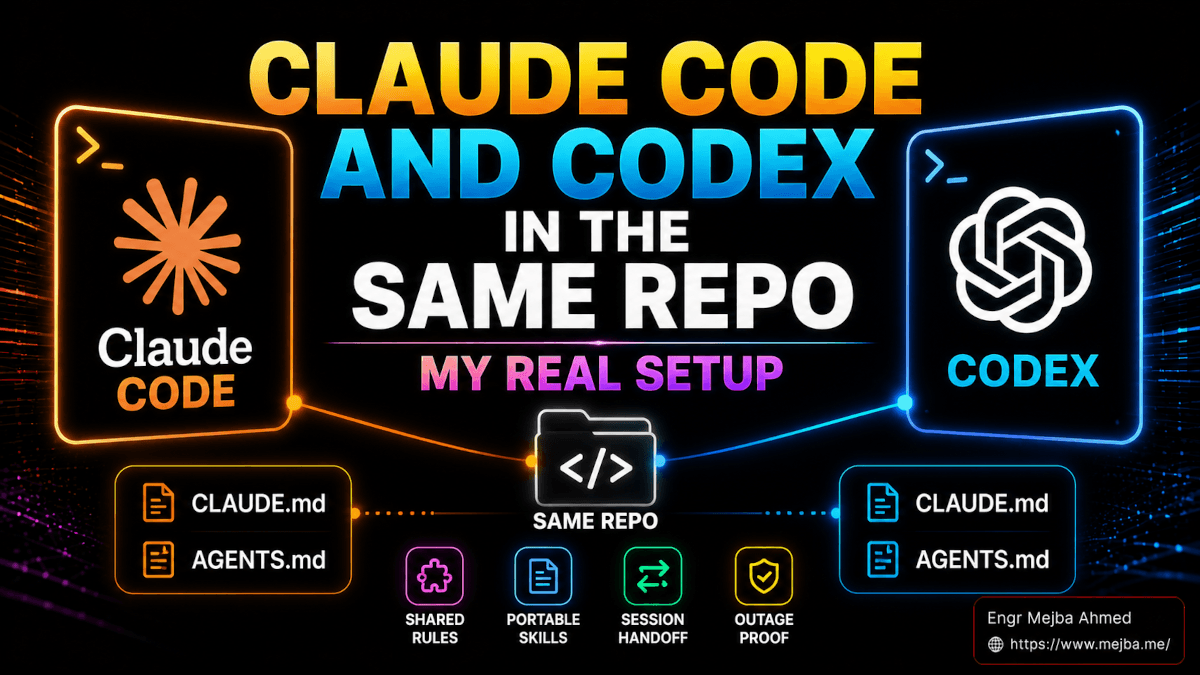
That's what this post is. Not "Claude Code vs Codex." It's "Claude Code and Codex, in the same project folder, with one shared brain and a hand-off skill that survives outages." I've been running this setup for about six weeks now. The first three weeks were rough. The last three have been the most resilient development environment I've ever had.
Let me walk you through exactly how it's wired.
Why I Stopped Picking Sides Between Claude Code and Codex
Before the setup, a quick word on the mindset shift — because the wiring only matters if the philosophy underneath it is right.
For most of 2025, the CLI agent conversation was tribal. You were a Claude Code person, or a Codex person, or a Cursor person, or a Gemini CLI person. The reasons were real: each tool had different ergonomics, different model behavior, different config files, and switching cost real time. Picking one and going deep made sense.
Two things changed for me in 2026.
The first thing was outages. Not Anthropic's fault specifically — every major model provider has had at least one rough day this year. OpenAI had a multi-hour incident in February. Anthropic had the API stutter I mentioned above. Google's Gemini side had a model-routing bug in March that quietly degraded responses for hours before anyone noticed. If your entire workflow lives behind one provider, one outage takes your whole day. That's not a technology problem — it's a single-point-of-failure problem.
The second thing was the rut. Sometimes Claude Code gets stuck. Not "broken" stuck — creatively stuck. It picks an approach, runs with it, and when that approach doesn't work, it keeps refining the same approach harder. I've watched Opus spend 40 minutes trying to make a flaky test reliable by adding retries when the actual fix was rewriting the test in a different style. A second agent — not as a replacement, but as a second opinion — usually breaks the rut in one prompt. Switching CLIs is the cheapest way I've found to get fresh model perspective without losing project context.
So the goal isn't "pick the best CLI." The goal is tool agnosticism: build a setup where Claude Code and Codex can both work on the same codebase, with the same project knowledge, and you can move between them without losing your place. The CLI becomes interchangeable. The project context is what's sacred. This is the same instinct I wrote about in my two-agent supervisor-builder workflow, just taken further: not just two agents, but two whole CLIs treated as interchangeable.
Now, the wiring.
The Shared Brain: CLAUDE.md and AGENTS.md Hold (Almost) the Same Thing
The first thing I learned when I seriously started running both agents in the same repo is this: the two ecosystems already agree more than the marketing implies. Both Claude Code and Codex read a project-level markdown file at startup. Claude Code reads CLAUDE.md. Codex reads AGENTS.md. The contents are almost interchangeable. The format is plain markdown. The intent is the same: tell the agent what this project is, what the conventions are, what tools to use, what tests to run, and what not to touch.
When I first set up the parallel workflow, I made the rookie mistake of writing two separate files and keeping them in sync by hand. That lasted about four days before the drift made the agents disagree on basic things — Codex thought we were using pnpm, Claude Code thought we were using npm, and a coin flip determined which one was right at any given moment.
The fix is one of two patterns, and both work:
Pattern A — Symlink one to the other. Pick the file you want to be the source of truth (I went with AGENTS.md because it's becoming the cross-vendor standard) and symlink the other one to it:
# from the project root, with AGENTS.md as canonical
mv CLAUDE.md AGENTS.md   # if you're starting from CLAUDE.md
ln -s AGENTS.md CLAUDE.md
Now both agents read the same file. Edit AGENTS.md, both CLIs see the update on next startup. This is what the Onur Solmaz migration guide recommends and what I run in most of my repos.
Pattern B — Keep them separate but enforce sync. If you want each file to have a few tool-specific lines (some skills behave differently in one vs the other), keep both files and write a pre-commit hook that diffs the shared section and warns if they've drifted. This is heavier, but it lets you have a # Claude Code-specific block at the bottom of one and not the other.
I started with Pattern B and migrated everything to Pattern A within two weeks. The maintenance cost of keeping two files in sync was higher than the value of having a few tool-specific lines.
Whichever pattern you pick, here's what should actually live in that shared file. This is the section of my real AGENTS.md for the repo where I write all of this content:
# Project: my-ai-crew

## What this is
Multi-brand content generation system. Four brands, each with a distinct
voice. Posts are saved to content/{brand}/[slug].md. No build system,
no tests — the workflow is agent-driven.

## Conventions
- All article files start with `**BRAND:**` — never YAML frontmatter.
- META DESCRIPTION must be 150-160 characters. Count before saving.
- Word count floor: 3,000.
- Brand voices are defined in .claude/agents/aria.md (do not edit
  without explicit instruction).

## Tools available
- WebSearch — use for fact verification, never guess versions/pricing
- Glob — scan content/{brand}/*.md before writing
- Read, Write, Edit — standard file ops

## What NOT to do
- Don't run git commit unless explicitly asked.
- Don't add Co-Authored-By lines without instruction.
- Don't generate placeholder metrics — use real numbers or omit.

## Brand directories
- content/mejba.me/ — personal practitioner voice
- content/ramlit.com/ — agency, business-focused
- content/colorpark.io/ — design agency, opinionated
- content/xcybersecurity.io/ — security, authoritative
Both CLIs read this. Both agents now know the conventions. The first time you write this file properly is the first time your two-CLI setup actually feels coherent instead of schizophrenic.
There's one subtlety worth flagging. Claude Code supports nested CLAUDE.md files in subdirectories — when the agent reads a file in content/colorpark.io/, it can pick up extra instructions from a CLAUDE.md placed in that subfolder. Codex has a similar mechanism: when you cd into a subdirectory, it concatenates the AGENTS.md files from the current folder up to the repo root, with closer files overriding earlier ones (this is documented in the Codex AGENTS.md guide). If you symlink at the root, you can also symlink at the subfolder level. Both ecosystems will play nice.
The File and Folder Map: Where Each CLI Looks
Once the shared brain is wired, the next question is: where does everything else live? Skills, agents, config, slash commands. Both CLIs have their own folder structure, and you need a mental map.
Here's the one I keep pinned in my own notes:
| Concept | Claude Code | Codex CLI |
|---|---|---|
| Project instructions | CLAUDE.md |
AGENTS.md |
| Project config (project-level) | .claude/settings.json |
.codex/config.toml |
| Personal config (global) | ~/.claude/settings.json |
~/.codex/config.toml |
| Local-only overrides | .claude/settings.local.json |
.codex/config.toml (project) overrides ~/.codex/config.toml (global) |
| Sub-agents | .claude/agents/*.md |
.codex/agents/*.md (newer) or AGENTS.md references |
| Skills | .claude/skills/<name>/SKILL.md |
.codex/skills/<name>/SKILL.md or ~/.agents/skills/ |
| Slash commands | .claude/commands/*.md |
Codex now standardizes on skills (custom prompts are deprecated) |
| Format | Markdown + YAML frontmatter | Markdown for skills/agents, TOML for config |
A few callouts on this table because they tripped me up the first time:
Config format is the biggest format gap. Claude Code uses JSON for settings.json. Codex uses TOML for config.toml. If you've never written TOML, it's halfway between YAML and INI — keys, values, sections in square brackets. Not hard, but you can't paste your settings.json into config.toml and expect anything to work. Conversion is mechanical but manual. (Or, as I'll show in a minute, you ask Claude Code to do it for you.)
Slash commands and skills are converging in Codex. OpenAI's official docs now say custom prompts are deprecated in favor of skills. So in 2026, if you're writing reusable instructions for Codex, you write them as skills, not as custom prompts. Claude Code still distinguishes between commands (in .claude/commands/) and skills (in .claude/skills/), but the gap is closing. Both ecosystems are arriving at "a skill is a markdown file with frontmatter that describes when it should fire." Good news for portability.
Sub-agents diverge more than you'd expect. Claude Code's sub-agents auto-dispatch — the main agent reads the descriptions of every .claude/agents/*.md file at startup, and routes work to them when a task matches. Codex requires explicit invocation. You can build agents in .codex/agents/, but Codex doesn't auto-route to them; you tell Codex which agent to use. I'll come back to this difference because it's the thing that most changes how you work.
Skills Are Mostly Portable. Agents Need a Conversion.
The reason this whole setup works is that most of the markdown files in .claude/ and .codex/ are structurally the same. A skill is a folder with a SKILL.md inside. The SKILL.md has YAML frontmatter with name and description, then a markdown body with instructions. That spec is the same on both sides. Which means a skill I wrote for Claude Code drops into Codex with zero changes most of the time.
I tested this directly. My caveman skill — the ultra-compressed communication mode that cuts token usage by ~75% (I wrote about building the caveman skill for Claude Code a while back) — was originally written for Claude Code. I copied the caveman/ folder from .claude/skills/ into .codex/skills/, restarted Codex, and the skill fired correctly on the first prompt. No format changes. No frontmatter rewrites. It just worked.
The skills that don't port cleanly are the ones that reference Claude-Code-specific tool names. If your skill says "use the Glob tool" — Codex doesn't have a tool named Glob. It has shell access, so the agent can still glob files via find or ls, but you'll either need to rewrite the skill to reference shell operations or accept that the skill will work less reliably. About 80% of the skills I've migrated needed zero changes. The other 20% needed light edits to tool references.
Sub-agents are where the conversion gets real. The frontmatter is similar (name, description, model, tools) but the dispatch model is different — and that changes how you write the body of the agent. A Claude Code agent is written assuming it'll be auto-invoked when a task matches its description. A Codex agent is written assuming you'll explicitly call it. So:
- Claude Code agent descriptions are written for the dispatching model to read. They say "use this agent when X is needed" because the main agent needs to know when to delegate.
- Codex agent descriptions are written for the human user to read. They say "this agent handles X" because the human is the one routing work.
When you migrate an agent from one to the other, you don't just copy the file. You rewrite the description from the right perspective. The body — the actual system prompt — usually carries over with no changes.
This is the single biggest practical difference between the two ecosystems, and it's the reason I run both side-by-side rather than treating them as drop-in replacements. Claude Code is better at multi-agent orchestration because the dispatching is automatic — I covered the dispatch mechanics in detail in my Claude Code agent teams playbook. Codex is better at controlled, deterministic agent use because you decide which agent runs. Different strengths, same building blocks.
The Conversion Prompt I Paste Into Claude Code to Bootstrap Codex
When I'm starting a new repo and I want both CLIs ready from day one, I don't manually convert anything. I write the Claude Code setup first (because that's the muscle memory) and then I paste this prompt into Claude Code and let it generate the Codex equivalent.
This is the actual prompt. Copy it, paste it into Claude Code, and it'll do the conversion for you:
I want this repo to work in both Claude Code and Codex CLI side by side.
Right now the Claude Code setup is complete. I need you to generate the
parallel Codex setup. Specifically:

1. Read CLAUDE.md and create AGENTS.md with the same content, then
   replace CLAUDE.md with a symlink to AGENTS.md. Use:
     mv CLAUDE.md CLAUDE.md.bak
     # copy CLAUDE.md.bak contents into AGENTS.md
     ln -s AGENTS.md CLAUDE.md
     rm CLAUDE.md.bak  (only after verifying the symlink works)

2. Read .claude/settings.json and create .codex/config.toml that mirrors
   the relevant settings. Convert JSON syntax to TOML. Skip any
   Claude-Code-specific keys that have no Codex equivalent (e.g.
   permissions, hooks) and add a comment listing what was skipped.

3. For each file in .claude/skills/<name>/SKILL.md, create
   .codex/skills/<name>/SKILL.md by copying the file. Check the body
   for any references to Claude-Code-specific tools (Glob, Read tool,
   etc) and either rewrite them as shell equivalents or flag them in a
   comment at the top of the file.

4. For each file in .claude/agents/<name>.md, do NOT auto-port to
   .codex/agents/. Instead, list the agents and ask me which ones I
   want available in Codex. For the ones I select, rewrite the
   description field to be human-routing-friendly (Codex requires
   explicit invocation, not auto-dispatch) and copy the body unchanged.

5. After all conversions, write a CONVERSION_LOG.md at the repo root
   that lists every file created or modified, every skipped key, and
   every tool reference that was rewritten. I want to be able to audit
   this in 30 seconds.

Do not commit anything. Just create the files and the log.
The first time I ran this, Claude Code took about four minutes. Most of that was the agent reading every skill and deciding whether each one had any Claude-Code-specific tool references. The conversion log was useful because it caught two skills that referenced the Glob tool by name — I rewrote those to use shell find instead, and now both versions of the skill work in their respective CLIs without further changes.
You can run the inverse conversion too, going from a Codex setup to a Claude Code setup. The prompt is symmetric — just flip the source and target. I usually have one direction of conversion as the canonical setup pipeline and the other as a one-time bootstrap.
The Session Handoff Skill: Moving Context Between Agents
Here's the piece nobody talks about: even with a shared AGENTS.md, the agents themselves don't share conversation state. When you switch from Claude Code to Codex mid-task, the new agent doesn't know what you were just doing. It knows the project conventions, but not the active intent.
This is the moment where most people give up on the parallel-CLI setup. They try it for a day, hit a context wall when they switch tools, and conclude that running both is "more trouble than it's worth." It's not — but only if you have a deliberate handoff.
I built a skill that solves this. It captures the four things that actually matter when handing off work between agents: the active files you've been touching, the current intent (what you're trying to do), the blockers (what's stuck or failed), and the next step (what the receiving agent should do first). It writes those four fields to a .handoff.md file in the repo root. The receiving agent reads that file on the next prompt and knows exactly where to pick up.
This is the actual skill, which lives at .claude/skills/session-handoff/SKILL.md:
---
name: session-handoff
description: Capture the active session state into .handoff.md so another CLI agent (Codex, Gemini, etc.) can pick up the work. Use when the user says "handoff", "pass to codex", "switch agents", or "context for next agent".
allowed-tools: Read, Write, Bash
---

# Session Handoff

When this skill fires, write `.handoff.md` at the repo root with these
exact four sections. Be terse. The receiving agent reads this and
needs to act on it immediately.

## Format

```markdown
# Session Handoff — [ISO timestamp]
From: [claude-code | codex | other]

## Active files
- [path/to/file:line-range] — [one-line reason]
- [path/to/file] — [one-line reason]

## Current intent
[1-3 sentences: what we're trying to accomplish in this work session]

## Blockers
- [Specific thing that's stuck. Include error message if any.]
- [Or "none" if not stuck — just switching for fresh perspective.]

## Next step
[Exactly one sentence. The single action the receiving agent should
take first.]
Rules
- Do NOT include full file contents. Just paths and line ranges.
- Do NOT summarize the conversation. Capture state, not history.
- If
.handoff.mdalready exists, overwrite it (no append). - After writing, print "Handoff written to .handoff.md" and exit.
- The receiving agent should be told (by the human) to read
.handoff.mdas their first action.
The mirror skill in `.codex/skills/session-handoff/SKILL.md` is identical except for one change — the description is rewritten because Codex doesn't auto-dispatch. The Codex version's description reads more like a usage hint than a routing signal. Here's the diff in plain English: Claude Code's description says "fire this when the user says X." Codex's description says "use this skill to write a handoff file."

To trigger a handoff in Claude Code, I just type "handoff to codex" — the skill picks up on the keyword and writes the file. To trigger it in Codex, I type `$session-handoff` (Codex's explicit invocation syntax) and it does the same thing. Then I switch tabs, and the first thing I tell the receiving agent is: "Read .handoff.md and continue."

The handoff file usually ends up being 15 to 30 lines. The receiving agent reads it, has full context in five seconds, and starts work. I've used this skill probably 200 times in the last six weeks. It is the single piece of glue that makes the parallel-CLI setup feel coherent instead of fragmented.

If you build only one thing out of this whole post, build this skill. It's tiny. It saves hours. If you've never built a Claude Code skill from scratch before, my [guide to advanced Claude Code skills](https://www.mejba.me/blog/agent-skills-advanced-claude-code) walks through the format and gotchas.

## How the Side-by-Side Actually Looks: VS Code Split Pane

The wiring above is the static setup. Here's the dynamic — what my screen actually looks like during a working session.

VS Code, split terminal pane, vertical orientation. Left pane: Claude Code, running Opus 4.7, in the project root. Right pane: Codex CLI, running GPT-5.4, same project root. Both agents have the same `AGENTS.md`. Both have access to the same skills. Both can edit the same files (they coordinate through file system, not through any cross-CLI messaging — git is the source of truth on disk state).

I default to Claude Code for the start of any session. That's the agent I've tuned the most, and it has my full set of `.claude/agents/` sub-agents available. I plan, I scaffold, I make the first 60% of the changes there.

I switch to Codex in specific scenarios:

**Claude Code gets stuck on an approach.** Forty minutes in, it's spinning on the same idea. I run the handoff skill, switch to Codex, and ask it to look at the same problem fresh. About 70% of the time, Codex picks a different angle and unblocks the work. The remaining 30%, it agrees with Claude Code's approach but suggests one specific tweak that makes it work. Either way, the rut breaks.

**Long, mechanical refactor work.** Codex CLI's terminal-bench performance is genuinely stronger than Claude Code's on rote shell-heavy tasks, per the [DeployHQ 2026 comparison](https://www.deployhq.com/blog/comparing-claude-code-openai-codex-and-google-gemini-cli-which-ai-coding-assistant-is-right-for-your-deployment-workflow) (Codex CLI hit 77.3% on Terminal-Bench 2.0 vs Claude Code's 65.4%). When the task is "rename 30 variables across 12 files following this pattern" or "run the test suite, parse the failures, write fixes," Codex is faster and uses fewer tokens.

**Claude API is down.** This is the original reason I built the parallel setup. When Anthropic has an incident, I switch entirely to the Codex pane and keep working. The skills carry over. The project context carries over. The only thing I lose is the Aria agent (because Aria has Claude-Code-specific sub-agent behavior that doesn't fully translate), and I usually wasn't using Aria for the work I switch to Codex for anyway.

**Adversarial review.** When I want a code review that *isn't* from the same model that wrote the code, I do the work in Claude Code, then ask Codex to review the diff. Different model lineage, different training data, different blind spots. I catch bugs this way that neither agent finds when reviewing its own work. I wrote about this pattern at length in [the Codex plugin adversarial review post](https://www.mejba.me/blog/codex-plugin-claude-code-adversarial-review) — same idea, tighter integration when you want it.

The pattern that emerged after a few weeks: Claude Code is my primary, Codex is my parallel. I'm in Claude Code 70-80% of the time. Codex is 20-30%, plus 100% when Claude is down.

## Keeping the Two Setups in Sync (The Discipline)

The whole system breaks if the two setups drift. The most common failure mode I see — including in my own setup, when I get lazy — is that you edit `CLAUDE.md` (which is now the symlink) and accidentally write changes that only Claude Code understands. Or you add a new skill to `.claude/skills/` and forget to mirror it to `.codex/skills/`. Two weeks later, you switch CLIs and discover that half your tooling is missing.

The discipline that actually works for me, after a few iterations:

**Edits to the canonical file are always considered "tool-agnostic" by default.** If I'm writing something into `AGENTS.md` that only one CLI should know about, I put it in a clearly-marked section at the bottom: `# Claude Code only` and `# Codex only` blocks. Both CLIs read the whole file, but the section headers tell me (the human) which lines apply where. Cuts maintenance work by a lot.

**Skill changes go through a sync script.** I have a tiny shell script that copies new or modified files from `.claude/skills/` to `.codex/skills/` (and the reverse), preserving any tool-name overrides I've already made. I run it manually after editing any skill, before the next session. Five seconds of work, prevents the slow drift.

**Sub-agent changes do not auto-sync.** I leave agents in `.claude/agents/` for Claude Code use, and only manually port the ones I actively want in Codex. Most of my agents are Claude Code-only because the auto-dispatch behavior is the whole point of having them. The two or three that I do port to Codex, I keep manually in sync because the descriptions need to be different anyway.

**Config files (`settings.json` and `config.toml`) are never auto-synced.** They drift naturally because they expose different settings. I treat them as independent, and I review each one once a month to make sure I haven't introduced a behavioral mismatch I didn't intend.

That's the operational overhead, honestly. About ten minutes a week of explicit sync work. In exchange, I get two CLIs that both know my project and both can work on it interchangeably.

## When the Side-by-Side Setup Isn't Worth It

I'd be lying if I said this setup is right for everyone.

If you're new to Claude Code, don't do this yet. Tune Claude Code first. Get your `CLAUDE.md` right, build a handful of skills, get used to how sub-agents work. Adding Codex on day one means you're learning two CLIs at once, and you'll get confused about which behavior comes from which tool. Pick one, go deep, then add the other.

If your work is mostly inside one ecosystem's tooling — heavy Claude Skills use, lots of MCP servers wired specifically to Claude, sub-agents that depend on auto-dispatch — the parallel setup might not pay back. The portable layer is smaller for you than for someone who uses both tools mostly through plain markdown skills.

If you're a solo dev shipping a side project on weekends, the resilience argument matters less. An outage costs you Saturday afternoon. Annoying, not catastrophic. The parallel setup pays back hardest when your livelihood depends on the agent being up — when an outage means client work doesn't ship.

And if you're cost-sensitive, running two CLIs means you have subscriptions or API access to two providers. I run both via Pro plans, which costs more per month than running one. Worth it for me because the resilience value is high. Probably not worth it for someone whose usage is light.

## The Real Win: Resilience and Fresh Perspective

The setup is worth the work for two reasons that are easy to underrate until you've lived without them.

Resilience first. In the six weeks since I've been running both CLIs, I've hit two separate Anthropic incidents and one extended Claude Code CLI-update bug. In all three cases, I lost approximately zero working time, because I switched to Codex within five minutes and kept moving. Compared to the pre-setup days, where one bad afternoon could lose me a full client deliverable, the parallel CLI investment paid back in the first incident alone.

Fresh perspective second. Even on days when neither agent is broken, switching CLIs mid-task is the cheapest creativity tool I've ever used. Different model lineage. Different RLHF. Different training data emphasis. The same prompt, sent to Claude Code and to Codex, will sometimes produce solutions that are wildly different in approach. I've taken to deliberately running both on the same hard problem and merging the best ideas. It's like having two senior engineers on the same task, except one of them costs almost nothing extra and never gets tired.

The tool-agnostic mindset is the real shift. The CLI is interchangeable. The project knowledge is what matters. Treat `AGENTS.md` (or whatever your shared instructions file is) as the most important file in your repo. Treat skills as portable assets, not tool-specific scripts. Treat sub-agents as the thing each CLI does its way, and don't try to force them to be identical across vendors.

If Anthropic shipped a competitor to Codex tomorrow, my workflow would absorb it in an afternoon. If OpenAI shipped something that made Claude Code obsolete, same thing. The agents come and go. The project knowledge stays.

That's the win.

## Frequently Asked Questions

### Can Claude Code and Codex edit the same files at the same time?
Yes, both CLIs can edit files in the same project simultaneously, but they don't coordinate at the in-memory level — they coordinate through the filesystem. If both agents touch the same file in the same minute, you'll get a stale-read issue. Practical rule: run them in parallel on different files, or hand off explicitly using the session-handoff skill above.

### Do I need to pay for both Claude Code and Codex separately?
Yes. Claude Code is Anthropic's CLI and uses Anthropic billing (Pro plan or API). Codex is OpenAI's CLI and uses OpenAI billing (ChatGPT Plus/Pro or API). There's no shared subscription. The cost of running both is roughly 2x the cost of running one, but the resilience and fresh-perspective payoff makes it worth it for working professionals.

### What's the actual difference between CLAUDE.md and AGENTS.md?
Functionally, nothing — both are plain markdown files that the agent reads at startup to learn project conventions. The difference is which CLI reads which by default. AGENTS.md is becoming the cross-vendor standard, supported by Codex and others, while CLAUDE.md is Claude Code's native filename. The cleanest setup is to keep AGENTS.md as the real file and symlink CLAUDE.md to it.

### Will my Claude Code skills work in Codex without changes?
Most of them, yes. Both ecosystems use the same SKILL.md format (YAML frontmatter with name/description, markdown body). The skills that need editing are the ones that reference Claude-Code-specific tool names like Glob or specific MCP servers that aren't installed in your Codex setup. Roughly 80% port with zero changes in my experience; the other 20% need 5-10 lines of edits.

### Does Codex have sub-agents like Claude Code does?
Codex now supports skills (the modern replacement for custom prompts) and sub-agents via `.codex/agents/`, but the dispatch model is different: Codex requires you to explicitly invoke a sub-agent, while Claude Code auto-dispatches based on the agent description matching the task. If you rely on auto-routing across many sub-agents, Claude Code is still the stronger orchestrator. If you prefer deterministic control over which agent runs, Codex's explicit-invocation model is cleaner.

## Let's Work Together

Looking to build AI systems, automate workflows, or scale your tech infrastructure? I'd love to help.

* **Fiverr** (custom builds & integrations): [fiverr.com/s/EgxYmWD](https://www.fiverr.com/s/EgxYmWD)
* **Portfolio**: [mejba.me](https://www.mejba.me)
* **Ramlit Limited** (enterprise solutions): [ramlit.com](https://www.ramlit.com)
* **ColorPark** (design & branding): [colorpark.io](https://www.colorpark.io)
* **xCyberSecurity** (security services): [xcybersecurity.io](https://www.xcybersecurity.io)