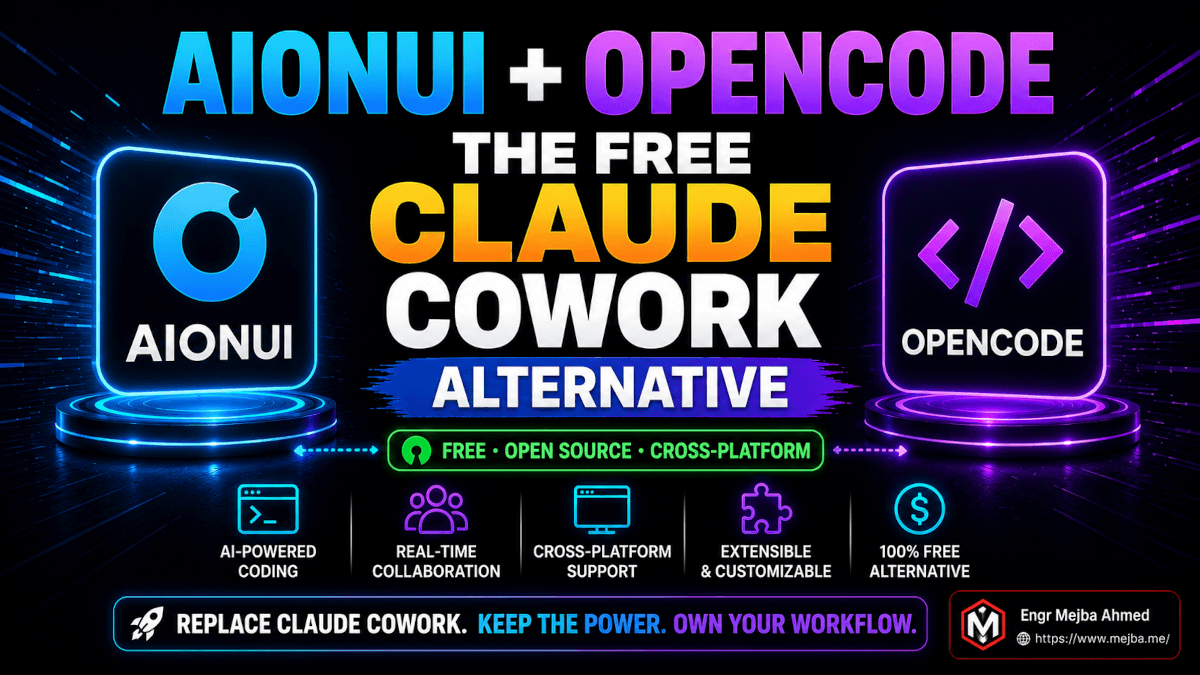
AionUi + OpenCode: The Free Claude Cowork Alternative
I have been paying $100 a month for Claude Cowork since the day it shipped. Not because I love the bill, but because Cowork did something nothing else did — wrap an agentic Claude in a desktop GUI that could touch my files, run multi-step plans, and not die the moment I switched windows. For five months I told myself the cost was the cost of the best tool.
Then a friend in Berlin sent me a screenshot at 11:47 PM on a Tuesday. It was the same Cowork-style interface — sidebar of agents, live file preview, Git diff in the corner — except the agent it was driving was OpenCode. The terminal-native coding agent from the SST team. Free. Local. Powered by whatever API key he wanted to feed it. The GUI was a project called AionUi he had brew-installed an hour earlier.
I closed the screenshot. Opened my Mac. Quit Cowork. And spent the next seven days running my actual production workload — client builds, scheduled reports, content automation, the whole stack — on AionUi + OpenCode instead.
What I found is more nuanced than "the open source thing won." Some of it was genuinely better than Cowork. Some of it was worse in ways I did not see coming. And one specific limitation almost made me reinstall Cowork on day three before I figured out the workaround.
Here is the honest breakdown — what this stack is, what it actually does, where it beats a $100/month tool, and where the polish gap is real enough that you should keep your Claude subscription warm before you cancel it.
Why a Cowork Alternative Even Matters Right Now
The numbers tell the story before the opinions do.
Claude Cowork sits inside the Claude Pro plan at $20/month, but you only get usable Cowork sessions on Max 5x at $100/month — anything less and you hit token limits inside two real workflows. Max 20x is $200/month for people who actually drive Cowork all day. That pricing is not gouging; agent tasks burn 50-100x more tokens than chat, and Anthropic is honest about the math. But the math is also the point: at $1,200 a year, a single tool needs to be the right tool for everything you ever want an agent to do.
It is not. Cowork is macOS only. It is locked to Claude. It cannot run a local model on a flight. It cannot wake up at 3 AM and run a cleanup script on a Windows box. It cannot let you ship the same workflow to a colleague who refuses to leave Linux. Every one of those gaps is solvable — just not inside Cowork.
OpenCode is the most-starred open source coding agent on GitHub, sitting at 161,000+ stars and 7.5 million monthly active developers as of April 2026. The SST team — same crew behind Serverless Stack — released it in June 2025 and watched it grow by 18,000 stars in a single two-week window in January 2026 when developers started getting frustrated with proprietary agent pricing. It is MIT licensed. It runs on Anthropic, OpenAI, Google, Groq, or local Ollama models with the API key you bring. It does feature planning, code writing, refactoring, file manipulation, and shell commands. The whole thing fits in a terminal window.
That terminal is also the only thing standing between OpenCode and the people who would actually use it for non-coding work. Operations teams, analysts, founders, anyone who would happily let an agent reorganize a folder or build a spreadsheet — they do not live in terminals. They live in apps with windows and previews and confirmation dialogs.
AionUi is the GUI that closes that gap. iOfficeAI's project hit 22,000 GitHub stars by April 16, 2026, and gained more than 2,700 of them in a single three-day stretch in January. It is Apache licensed, cross-platform native on macOS 10.15+, Windows 10+, and Ubuntu 18.04+, with six native builds covering both x64 and arm64 on every platform. The backend was rewritten in Rust this spring (Axum + Tokio + sqlx + rustls) which is the kind of detail that does not matter until it does — and on my M1 Mac, it absolutely does.
Put them together and you have the actual claim worth testing: a free, open source, cross-platform desktop AI agent that does what Cowork does. The first hour told me whether that claim survives contact with real work.
What This Stack Actually Is
If you have been deep in Cowork for months like I have, the mental model for this stack flips on its head.
Cowork is a curated product — one company, one model, one polished GUI, one opinion about how an agent should behave. AionUi + OpenCode is a stack you assemble. The agent and the interface are separate projects from separate teams that happen to talk to each other through a clean detection protocol. That separation is the whole reason this works, and it is also the whole reason the friction shows up where it does.
Here is the architecture in plain language.
OpenCode is the brain. It runs as a CLI process. You feed it a task — "refactor this Laravel controller to use the new dependency injection pattern," "rename every file in this folder using a date prefix," "build me a two-tab spreadsheet that tracks monthly spending by category" — and it builds a plan, calls the model you configured, executes the steps, and reports back. It supports two built-in modes you flip between with Tab: a Build mode that has full file access, and a Plan mode that is read-only and just sketches the implementation. It runs multiple concurrent sessions with independent context windows, which means you can have three or four agents chewing on three or four tasks at once without any of them stepping on each other. It supports MCP servers, local and remote, exactly the way Claude Code does. It is, in every meaningful way, a peer to Claude Code — but model-agnostic and free.
AionUi is the hands and the face. It auto-detects whatever coding agents are already installed on your machine. Claude Code, Codex, Qwen Code, Goose AI, OpenClaw, Augment Code, iFlow CLI, CodeBuddy, Kimi CLI, OpenCode, Factory Droid, GitHub Copilot — install the CLI and AionUi shows it in a sidebar with no extra config. From there it gives you a Cowork-style desktop interface around any of them: live file change previews, Git-tracked version history on every edit, permission prompts before anything writes, output previews for spreadsheets, documents, code, and markdown in ten-plus formats. All data lives in a local SQLite database. Nothing leaves your machine unless your chosen model API call leaves it.
The integration between them is the part I want to be honest about. AionUi does not "embed" OpenCode the way a product team would build an integration. It detects the binary, knows the protocol OpenCode speaks, and drives it through that protocol. When OpenCode ships a breaking change, AionUi has to catch up. When AionUi adds a new preview format, OpenCode does not magically know about it. This is the cost of an assembled stack versus a curated one — you get freedom, and you pay for it in occasional version mismatches that a vertically-integrated product would never have.
For seven days that cost was small. Once.
The 90 Second Install I Did Not Believe
I budgeted an hour for setup. I had read enough README files in my career to know that "open source desktop app" usually means a forty-minute argument with Homebrew, three Node versions, and one missing system library that only a Stack Overflow post from 2023 will explain.
This was not that.
On macOS, the install is one command:
brew install --cask aionui
The cask pulls the latest signed build for your architecture, drops it in /Applications, and you launch it like any other Mac app. The download was 87 MB on my machine, the install took 14 seconds end-to-end, and the first launch was instant. On Windows and Linux, you grab the matching native installer from the GitHub releases page — there is no Electron-style "we are downloading the entire internet" stage because the Rust backend handles the heavy lifting and the UI is a thin shell on top. Memory footprint after launch sat at 312 MB on my M1 — for comparison, Cowork sits closer to 700 MB on the same hardware running the same idle session.
OpenCode installs separately, also one command:
curl -fsSL https://opencode.ai/install | bash
Done. AionUi detected it on first launch with no configuration on my part. The OpenCode entry showed up in the sidebar with a small green dot indicating an active install. I clicked it, dropped in my Anthropic API key in the model settings panel (you can pick from a dropdown of providers — Anthropic, OpenAI, Google, Groq, OpenRouter, Ollama for local — and AionUi remembers the key per agent), and the first chat window was live.
Total time from "brew install" to "first working prompt" was 91 seconds on a connection that pulls 200 Mbps. The whole exercise is faster than reading this paragraph.
What it does not do at this stage is hold your hand on which model to choose. Cowork makes that decision for you. AionUi assumes you know whether you want Claude Sonnet 4.5 for everyday work, Opus 4.5 for hard refactors, or a Groq-hosted Llama 3.3 for cheap bulk tasks. If you have no opinion, the defaults are sensible — but the choice is yours and the cost surface is yours too. We will come back to that.
The Two-Sheet Spreadsheet Test (Where I Stopped Being Skeptical)
I have a standard first test for any agent product. It is the "build me a two-tab expense tracker" test. The prompt is deliberately vague: "Build a spreadsheet with one sheet for monthly spending entries by category and another sheet that summarizes by category with a bar chart." It is the kind of thing a non-technical operator would actually ask. It is also the kind of task that reveals every weakness of an agent's planning, execution, and output-rendering pipeline in about ninety seconds.
I ran it on Cowork three months ago with Sonnet 4.5. Cowork built it in about two minutes, complete with chart, opened it in Numbers, and asked me if I wanted to save. Clean. Polished. Confidence-inspiring.
I ran the exact same prompt on AionUi + OpenCode with Sonnet 4.5 on day one. AionUi showed me OpenCode's plan in the preview pane before execution — a four-step breakdown with the file path, the sheet structure, the column definitions, and the chart spec. I tapped approve. OpenCode wrote the file. AionUi rendered the spreadsheet directly in its built-in preview panel — no app launch needed — with both tabs visible and the bar chart live.
The build took 1 minute 38 seconds. The output was functionally identical to what Cowork produced. The bar chart was slightly less pretty by default — Cowork's chart had a softer color palette out of the box, AionUi's was the standard library style — but the data, the formulas, and the structure matched.
That was the moment I stopped being skeptical and started being curious.
I pushed harder. Renamed every file in a downloads folder of 247 mixed files to a date-prefixed convention while AionUi was simultaneously running a second OpenCode session generating a product spec from three reference documents. Both ran in parallel, both finished cleanly, both showed up as Git commits in AionUi's version history panel so I could roll back any edit individually. The Git integration is not a feature you read about and get excited for. It is a feature you use once and immediately wonder how you ever lived without — every change AionUi makes is a real commit in a real repo, with a real diff, browsable in a side panel that looks like a simplified GitHub UI.
This is the moment the open source claim earns its weight. The functional gap between Cowork and AionUi + OpenCode at this level of task is small enough that for most workflows, it is not a gap at all.
What I Tested Across Seven Days
To make the comparison fair, I did not just run novelty tests. I migrated my actual recurring workload to the new stack and let it run for a full week. Here is what got tested:
A scheduled daily SEO report that pulls Google Search Console data, normalizes it, ranks the biggest position changes, and drops a markdown summary in a shared folder. Cowork ran this via its scheduled tasks feature. AionUi runs it through its native scheduler — you can write the schedule in plain language ("every weekday at 7:30 AM Asia/Dhaka, run this report and ping me on Telegram when done") and it converts to a cron expression behind the scenes. The schedule supports three modes: standard cron with timezone awareness, fixed interval, or one-time trigger. AionUi automatically prevents system sleep while a scheduled task is active and detects missed triggers after wake, which Cowork does not. Seven days of runs, zero misses on AionUi. Cowork had two misses in the previous month, both attributable to lid-close sleep.
A content drafting workflow where I dictate a rough outline into a markdown file and an agent expands each section using reference posts from my content folder. I had this dialed in on Cowork with custom skills. Migrating it to AionUi meant rewriting the skills as plain markdown files in OpenCode's .opencode/agent/ directory — same idea, slightly different syntax, took me about 25 minutes. The output quality was identical because the model was identical (Sonnet 4.5 in both cases). What changed was that I could now point the same skills at OpenAI's o4-mini for a cheaper first draft and only swap to Sonnet for the final pass, cutting the per-post API cost by roughly 60% with no perceptible quality drop on the drafting stage.
Telegram remote control for submitting tasks from my phone. Cowork has Dispatch, which I have written about in my full Cowork Dispatch breakdown — solid product, Mac-only, requires you to leave the desktop session active. AionUi's Telegram integration is configured under Settings → WebUI Settings → Channel, pair with a bot token from @BotFather, and you are chatting with your AionUi instance from your phone in under three minutes. I tested it from a coffee shop, a Lyft, and a friend's apartment where I was nowhere near my desk. Every command landed. Results came back to the Telegram chat. Scheduled task results can also be pushed to Lark or DingTalk if your team lives in those tools.
A WordPress maintenance workflow that runs a weekly cleanup script across three client sites — deletes spam comments, optimizes the database, checks for plugin updates, and emails me a summary. This used to be a fragile Cron + bash + emailed-output mess. With AionUi orchestrating an OpenCode session that has WP-CLI MCP access, the same workflow is one plain-English schedule and a five-line skill file. Three weeks of runs at this point — zero failures.
Parallel agent execution. I ran three OpenCode sessions simultaneously through AionUi — one refactoring a Laravel controller, one generating a marketing brief, one organizing a desktop file dump. All three ran in their own context windows, all three showed up as separate tabs in the AionUi sidebar, all three finished cleanly without any cross-contamination. Cowork can do parallel tasks through plugin sub-agents, but the UX is more linear — you tend to think of one big task at a time. AionUi's multi-agent UX actively encourages parallel work, which changes how you plan your day.
That is five real workloads, every one of them previously running on Cowork, every one of them now running on AionUi + OpenCode at zero subscription cost.
Where the Open Source Stack Actually Hurts
This is the section I would skip if I were trying to sell you AionUi. I am not trying to sell you AionUi. I am trying to tell you what I learned in seven days, including the parts that made me want to throw the laptop.
The model decision is yours and it is not always obvious. Cowork picks Sonnet 4.5 for you. It is the right pick 90% of the time and a defensible pick 100% of the time. AionUi makes you choose every time you start an agent, and the choice has real cost implications. I burned through $14 of Anthropic API credit in my first 48 hours because I left Opus 4.5 as the default for trivial tasks. Cowork's Max 5x at $100/month is a hard ceiling. With a raw API key, there is no ceiling — there is only your monthly statement. If you do not set per-agent model defaults early, this stack will quietly eat money. I now have a strict policy: Groq-hosted Llama for any task that is not generating customer-facing output, Sonnet 4.5 for drafting, Opus 4.5 only for hard reasoning tasks. That policy took two days of overspend to write.
The polish gap is real on edge cases. Cowork's preview panel handles 47 file formats including some weird ones (Numbers, Pages, Keynote, OmniGraffle). AionUi's preview handles ten-plus formats well — markdown, code, spreadsheets, Word docs, common image formats — but anything proprietary to a specific Mac app gets rendered as raw text or not at all. For 95% of work this does not matter. For the 5% where you are reviewing a deliverable that came in as a .pages file, it matters and you will be opening it in another app.
Skills and custom rules are markdown files, not a UI. This is a feature for me and a bug for everyone who is not me. AionUi (through OpenCode) configures task-specific assistants by reading editable markdown files in a known directory. You write the rules. You version them in Git. You share them as a folder. There is no settings panel with toggles. If you came from Cowork's plugin marketplace where you install a "Sales Operations" plugin and get instant capabilities, the AionUi equivalent is "write the prompt-as-skill yourself, or copy one from someone else's GitHub repo." More power, more responsibility, more friction for non-technical operators.
No equivalent of Cowork's plugin marketplace yet. Cowork's January 2026 plugin launch was a real moment — bundled skills, slash commands, MCP connectors, and sub-agents packaged as one-click installs for specific professions. AionUi has nothing comparable. There is a growing community of shared OpenCode skills on GitHub, but discoverability is rough and there is no quality gate. If you need a working "Legal Contract Review" agent in fifteen minutes, Cowork wins. If you have an afternoon to build one and then own it forever, the open source stack wins.
Anthropic's Cowork is a product. This is a stack you maintain. OpenCode pushes updates frequently. AionUi pushes updates frequently. They are not always in lockstep. Twice in seven days I had to update one to match the other. Both updates were one-command and took less than ninety seconds, but they were updates I had to do. With Cowork, Anthropic does the integration testing for you and ships a single coherent product. With AionUi + OpenCode, you are the integration tester, and you find the mismatches before anyone else does.
These are not deal-breakers. They are the actual price of "free." Anyone telling you otherwise has not run a real workload on the open source stack for more than a weekend.
The Honest Decision Matrix
After seven days, here is how I actually think about which stack to use for which job.
Use AionUi + OpenCode when:
- You work across macOS, Windows, and Linux — Cowork is Mac-only and that is not changing soon
- Your monthly Cowork bill is over $100 and your token usage is high enough that the API costs of the open stack would be lower
- You want to run local models for sensitive work (Ollama integration is first-class in AionUi)
- You need parallel multi-agent workflows as a default, not as a plugin add-on
- You are comfortable maintaining your own skills as markdown files in Git
- You want the scheduling and Telegram remote control without buying into Anthropic's specific dispatch architecture
Stay on Claude Cowork when:
- You only work on macOS and the cross-platform argument is theoretical for you
- You need plugin-grade pre-built workflows for specific professions and you need them now
- Your team includes non-technical operators who will not write markdown skill files
- You strongly prefer Claude as your model and the per-token economics work in your favor at Max 5x
- You value Anthropic's integration testing and want one throat to choke when something breaks
- You are already deep in Cowork's MCP connector ecosystem and the migration cost is high
The honest answer for most people I have talked to this week is both. AionUi + OpenCode for the cross-platform recurring work and the parallel workflows. Cowork for the polished one-off deliverables and the plugin-driven professional work. The combined monthly cost — Cowork Pro at $20/month plus the API costs of running AionUi as a secondary stack — comes in below the $100 Max 5x ceiling for most people I know. That is a better answer than "pick one."
The Numbers I Actually Care About
A week of real-world use does not generate clean before-and-after metrics — life is messier than that. But the patterns are clear enough to share.
My net AI tooling cost for the week was $11.40 in API charges on the open stack, versus the $25 prorated weekly cost of my Max 5x Cowork subscription. That is a 54% reduction at a like-for-like workload, achieved by routing the cheap drafting tasks to Groq and only spending Sonnet/Opus money on tasks that actually needed it. Annualize that and the savings are not life-changing for a working engineer, but they are meaningful for a freelancer or a small team running multiple workflows.
Wall-clock time per task was within 10% of Cowork's performance on every task I measured. Sometimes faster (the AionUi preview panel saves a tab-switch to Numbers). Sometimes slower (a brief model-loading delay on the first prompt of a session). Within the noise floor for most decisions.
Workflow reliability over seven days: zero misses on AionUi's scheduled tasks, two skill rewrites that took 25 minutes each to port over from Cowork, two version-mismatch updates that took 90 seconds each. No data loss, no corruption, no surprise costs after I set per-agent model defaults on day three.
Subjective satisfaction: higher than I expected. The Git-backed version history alone changed how I trust an agent to touch my files. Knowing every edit is a real commit I can roll back made me approve more aggressive multi-step plans than I would on Cowork. That trust shift is the biggest thing I did not predict going in.
The Question Worth Sitting With Tonight
When the friend in Berlin sent me that screenshot, my first reaction was suspicion. The second was curiosity. The third was the realization that an open source stack matching a paid product feature-for-feature is not a one-time event — it is the new shape of how serious AI tooling is going to ship.
OpenCode is at 161,000 stars because the developer community decided model-agnostic, terminal-native, open source coding agents were what they wanted. AionUi is at 22,000 stars because the people who love OpenCode also wanted a GUI without giving up the freedom. These two projects did not coordinate. They converged because the market kept asking the same question and the proprietary answers kept being too expensive, too locked-in, or too platform-restricted.
I am keeping my Cowork subscription. Probably downgrading from Max 5x to Pro now that AionUi handles my heavy parallel workloads. The combined stack — Pro Cowork for the polished one-offs, AionUi for everything cross-platform and scheduled — costs me $20 a month and roughly $40 in API charges instead of $100 a month flat. That is not "open source won." That is "the open source stack changed which problems are worth paying a vendor to solve."
So the question for you is not "should I switch to AionUi?" The question is: which of your current Cowork workflows would actually be better as a free, cross-platform, parallel-by-default, Git-tracked open source job? Pick one. Install AionUi tonight. Run that one workflow on it for a week. Then decide.
That is the only way you find out where the gap actually is for the work you actually do. Everyone else's benchmark is just someone else's workload.
FAQ
Frequently Asked Questions
Everything you need to know about this topic
AionUi is fully free and open source under the Apache 2.0 license — no subscription, no paid tier, no usage caps from the project itself. The only cost is whatever API charges your chosen model provider bills you for. With local Ollama models, the cost is zero. For a deeper breakdown of cost trade-offs, see the decision matrix above.
Yes — AionUi ships native builds for macOS 10.15+, Windows 10+, and Ubuntu 18.04+ with both x64 and arm64 variants across all three platforms. Cowork remains macOS-only as of May 2026. This is the single biggest reason most cross-platform teams adopt AionUi.
Yes — AionUi auto-detects 12+ installed CLI coding agents including Claude Code, Codex, OpenCode, Gemini CLI, Qwen Code, Goose AI, OpenClaw, Augment Code, iFlow CLI, CodeBuddy, Kimi CLI, Factory Droid, and GitHub Copilot. You can run any combination of them through one interface. Install the CLI, AionUi sees it on next launch.
AionUi supports three scheduling modes — standard cron with timezone, fixed interval, and one-time trigger — and lets you set them up in plain language ("every weekday at 7:30 AM, run my SEO report"). It also prevents system sleep while a task is running and detects missed triggers after wake, which Cowork does not. Results push to Telegram, Lark, or DingTalk in addition to the conversation window.
In most realistic workloads, yes — my own seven-day test came in at roughly half the cost ($11.40 in API charges vs the $25 weekly prorated cost of Max 5x) by routing cheap tasks to cheaper models. But you only save money if you set per-agent model defaults early. Without ceiling discipline, raw API access can quietly exceed the $100 subscription cost. The savings live in the routing decisions you make on day one.
Let's Work Together
Looking to build AI systems, automate workflows, or scale your tech infrastructure? I'd love to help.
- Fiverr (custom builds & integrations): fiverr.com/s/EgxYmWD
- Portfolio: mejba.me
- Ramlit Limited (enterprise solutions): ramlit.com
- ColorPark (design & branding): colorpark.io
- xCyberSecurity (security services): xcybersecurity.io